Specialist Coworking Digital Presence Comparison Website Template
Dispatch is a bold brutalist landing page template built for coworking operators who want to grow memberships through a weekly email newsletter. It features a comparison table layout, a Stats-First Impact scroll experience, a Teal Catalyst color system, and a freemium call-to-action flow that converts hesitant visitors into senders before they second-guess the signup.
by Rocket studio
Quick summary
Dispatch is a single-page comparison table landing page template designed for coworking newsletter senders. It pairs a raw brutalist visual identity with a data-driven scroll structure that earns trust through numbers before it asks for a click. The free-tier entry point removes every friction point that makes visitors bounce.
Who this template is for
This template is built for people who run coworking spaces and need their weekly email to do real work. It speaks directly to operators who write and send member communication without a dedicated design team.
- Community managers who draft and send weekly member blasts every Thursday
- Franchise owners promoting hot desk deals across multiple coworking locations
- Marketing leads at enterprise flex spaces who need polished email output without agency overhead
What problem this template solves
Most coworking operators send emails that look like they were built in a browser tab from 2014. Members stop opening them, desks stay empty, and events go unannounced. Dispatch solves the credibility gap between the space you operate and the emails you send.
- Low open rates caused by newsletters that feel generic and unbranded
- Member churn that accelerates when communication feels inconsistent or forgettable
- No design resources to produce visually compelling email campaigns week after week
What you get with this template
You get a fully structured landing page that sells a coworking email newsletter product on a freemium model. Every section is purpose-built to move a skeptical coworking operator from "I'll look later" to "send my first blast free."
- A bold brutalist comparison table with Free, Pro, and Enterprise columns and hard-line teal checkmarks
- A Stats-First Impact scroll layout where large typographic data points load before their context paragraphs
- A sticky mobile call-to-action bar, a live-number header headline, and a secondary "Preview a Live Template" path
Feature list
This template ships with a focused set of design and layout capabilities. Each one is drawn directly from the brief and serves a specific conversion goal.
Live-Tick Headline Counter
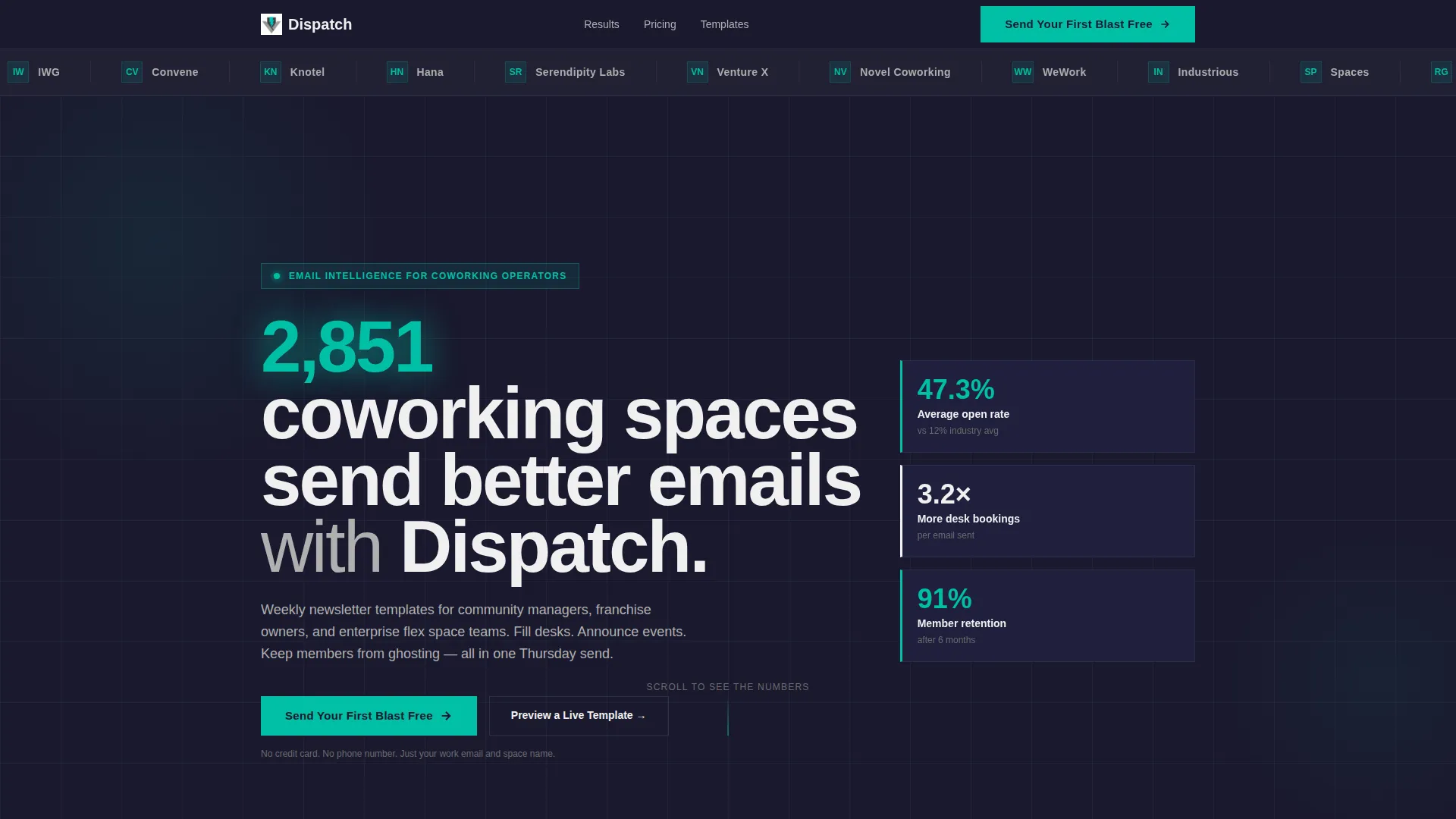
The header headline reads "2,847 coworking spaces send better emails with Dispatch." The number renders in electric teal and ticks live, giving the page an immediate pulse of social proof before visitors scroll a single pixel.
Logo Bar Social Proof Header
A horizontal edge-to-edge logo bar runs directly below the headline against slab charcoal. It displays recognizable coworking brand names with no animation and no decoration, letting the names carry their own weight.
Stats-First Impact Scroll
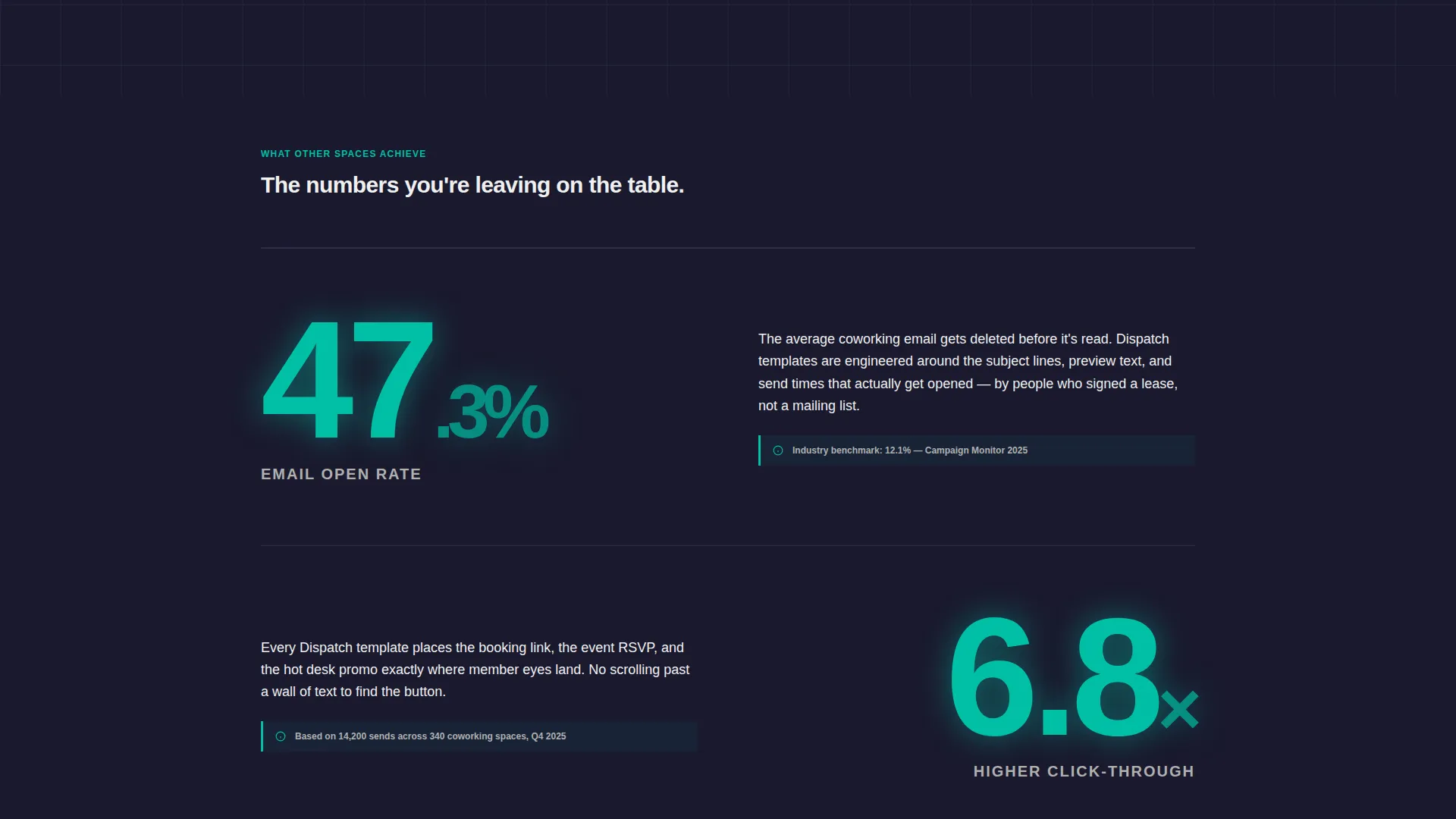
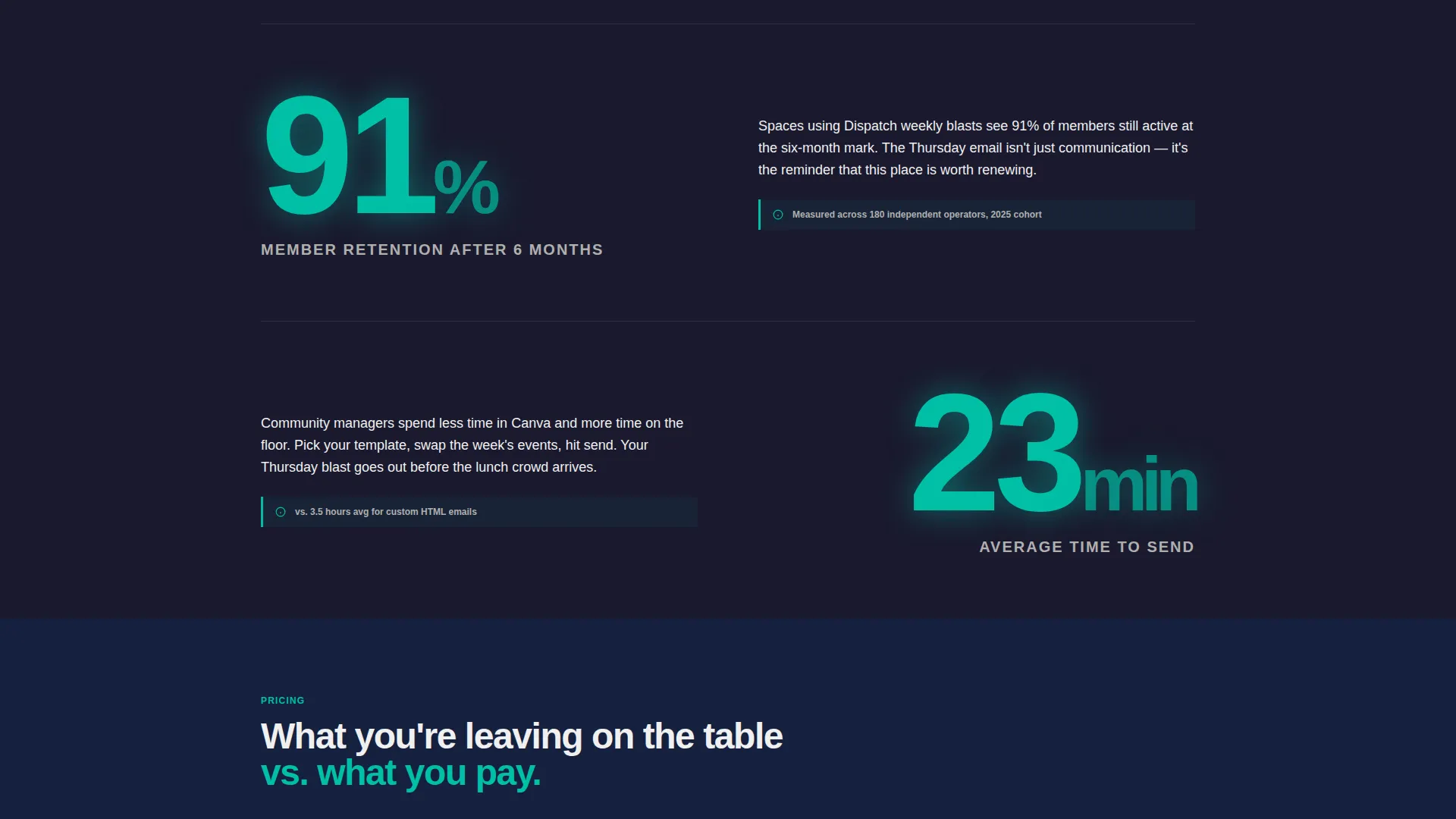
Each scroll step reveals a large typographic stat that fills roughly half the viewport. The context paragraph then slides in beside it. This sequencing builds competitive tension and makes the case for the product through evidence rather than feature lists.
Three-Column Comparison Table
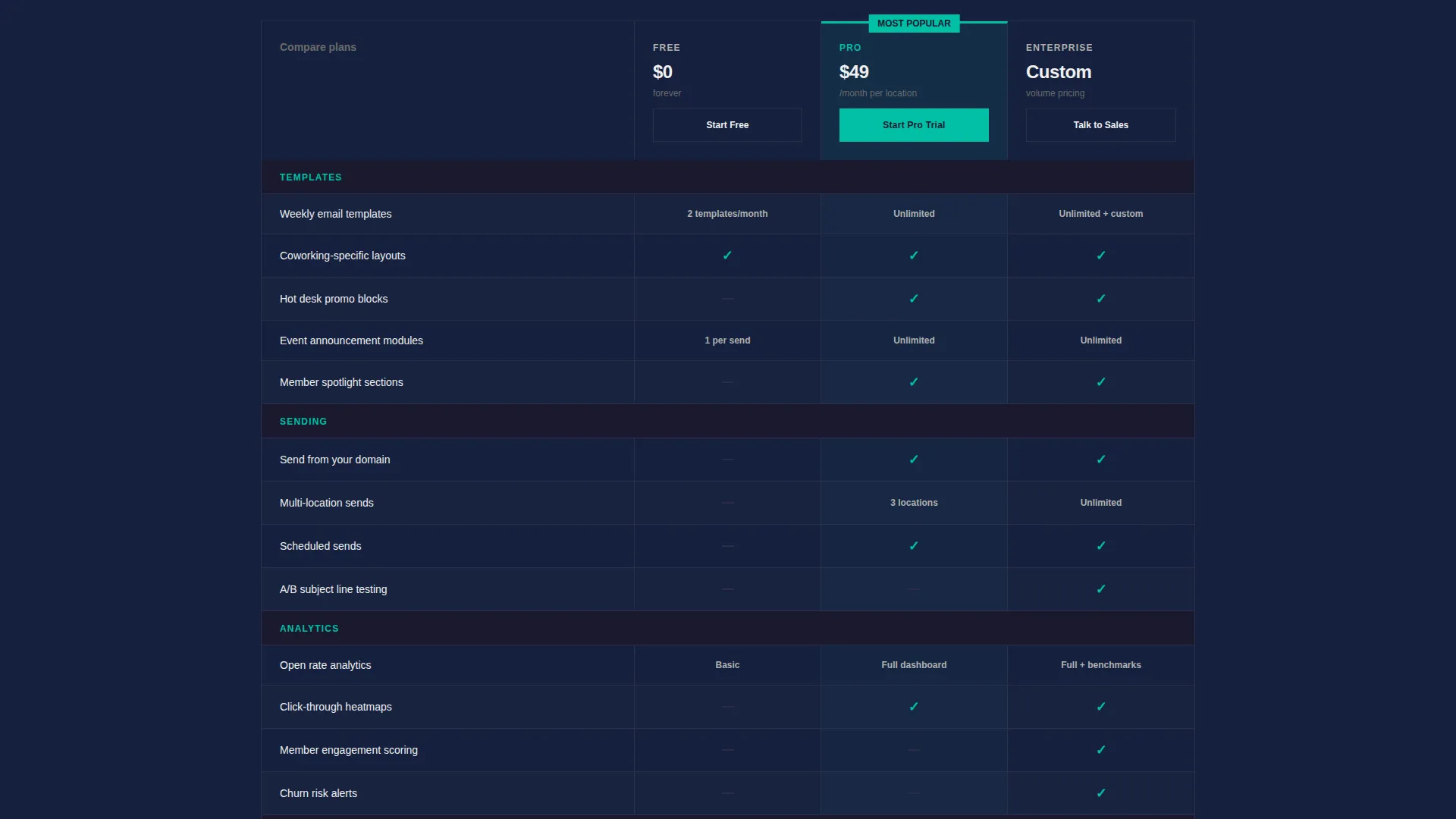
The mid-page comparison table uses hard brutalist borders, zero rounded corners, and teal checkmarks against charcoal cells. Three columns cover Free, Pro, and Enterprise tiers with clear visual separation and no soft gradients softening the hierarchy.
Freemium Conversion Flow
The primary call-to-action reads "Send Your First Blast Free" and appears at the header, below the comparison table, and in a sticky bottom bar on mobile. Signup requires only a work email and coworking space name, with no credit card required.
Interactive Template Preview Path
A secondary conversion path lets visitors open an interactive email mockup before committing. This "Preview a Live Template" option reduces hesitation by letting operators see exactly what their members would receive.
Page sections overview
| Section | Purpose |
|---|---|
| Logo Bar Header | Anchors social proof immediately with recognizable coworking brand names |
| Live Headline Counter | Hooks attention with a ticking teal number and bold brutalist type |
| Stats-First Scroll | Delivers open rate and retention data points before explanatory copy |
| Comparison Table | Shows Free, Pro, and Enterprise tiers side by side with hard-line borders |
| Primary call to action Block | Drives freemium signups with a low-friction two-field form |
| Template Preview Path | Opens an interactive email mockup for visitors who want to see before signing |
| Sticky Mobile Bar | Repeats the free-send call-to-action persistently on smaller screens |
Design & branding system
The visual identity runs on a Teal Catalyst color system built around four deliberate values. The palette reads like a freshly poured concrete wall interrupted by a single stripe of neon, and every design choice reinforces that contrast.
- Deep slab charcoal (#1A1A2E) covers backgrounds, charcoal cells in the comparison table, and the logo bar
- Electric teal (#00BFA6) activates buttons, stat callouts, the live counter, and comparison table checkmarks
- Exposed concrete gray (#B0B0B0) handles secondary text, dividers, and supporting label copy
- Sharp white (#F0F0F0) surfaces card backgrounds and primary body copy for clean legibility against charcoal
Mobile & speed optimization
The template is structured to perform on mobile without sacrificing the brutalist weight that defines the desktop experience. Key layout decisions keep the page functional and fast on smaller screens.
- The sticky bottom bar repeats "Send Your First Blast Free" persistently as visitors scroll on mobile devices
- The Stats-First scroll adapts large typographic stat elements to viewport widths without breaking the sequencing
- The two-field signup form stays compact and thumb-friendly, requiring only a work email and coworking space name
How this template helps you convert
The page is engineered around a freemium conversion logic that removes every common objection before it can form. The structure moves visitors through a specific emotional arc from curiosity to confidence to commitment.
- Social proof lands first through the logo bar and live-tick headline counter, establishing that real coworking operators already use the product before a single feature is mentioned.
- The Stats-First scroll replaces feature lists with outcome data, shifting the visitor's frame from "what does this do" to "what am I losing by not using this."
- The free entry point asks only for a work email and space name, making the cost of trying the product lower than the cost of staying skeptical.
Other information about this template
This template sits inside the Technology category with a Coworking Digital Presence subcategory focus. It is specifically designed for the coworking email newsletter niche and carries an intersection match score of 13 across its category alignment.
- The Bold Brutalist theme is intentional and consistent: every design element from typography weight to border style reinforces the raw, direct tone of the product
- The Comparison Table template style makes this page especially well-suited for products with tiered pricing or feature differentiation across audience segments
- The freemium landing page direction is paired with a two-step secondary path so visitors who are not ready to sign up still engage with the product through the live template preview
Theme
Bold Brutalist
Creative direction
Stats-First Impact
Color system
Teal Catalyst
Style
Comparison Table
Direction
Freemium/Trial
Page Sections
Live-tick Headline Counter
Logo Bar Social Proof Strip
Stats-first Impact Scroll
Three-column Comparison Table
Freemium Two-field Signup Form
Interactive Template Preview Path
Related questions
Who is this landing page template designed for?
Do visitors need a credit card to sign up through this template?
What does the 'Preview a Live Template' option do?
Can this template support operators running multiple coworking locations?
What makes the comparison table stand out visually?



