Dispatch - Dynamic Trades Landing Page Template
Dispatch is a dark-mode, card-grid landing page built for home services job boards. It combines a live job counter, modular trade category cards, urgency badges, and a sticky call-to-action bar to create a fast, high-energy browsing experience. Independent tradespeople and small home service companies can jump straight into open listings with a single click.
by Rocket studio
Quick summary
Dispatch is a single-page, card-grid landing page template designed for home services job boards. It opens with a scrolling logo bar and a live job counter, then unfolds into a modular grid of trade category cards. Every card shows real-time job counts, average hourly rates, and urgency badges. The layout pushes visitors toward one action: browsing open jobs.
Who this template is for
This template is built for anyone running or launching a home services job board. It works equally well for trade-focused platforms and individual service operators who want to attract both workers and clients fast.
- Independent tradespeople looking for same-day or recurring gigs in fields like electrical, plumbing, or cleaning
- Small home service companies that need to fill weekend overflow slots or replace no-show workers quickly
- Job board operators and platform builders targeting the home services and skilled trades market
What problem this template solves
Finding available trade work or filling urgent job slots is a high-friction, time-sensitive problem. Generic job board pages bury the available work behind slow load experiences and unclear navigation. Dispatch removes that friction entirely.
- Visitors cannot immediately see job volume or urgency, so they leave before clicking
- Employers posting jobs need a fast, credible entry point that signals an active, populated board
- Tradespeople scrolling between jobs need a page that loads purpose, not clutter
What you get with this template
The template delivers a complete, ready-to-customize landing page layout built around the home services job board use case. Every section is pre-designed and purposeful.
- A full modular card grid with six trade category cards, each displaying job counts and hourly rate data
- A live job counter in terminal green, a scrolling logo bar, urgency badges, and a sticky bottom call-to-action bar
- Two distinct calls to action: "Browse Open Jobs" for tradespeople and "Post a Job in 60 Seconds" for employers
Feature list
This template ships with a focused set of visual and structural components, each designed to drive engagement and clicks on a home services job board.
Live Job Counter Display
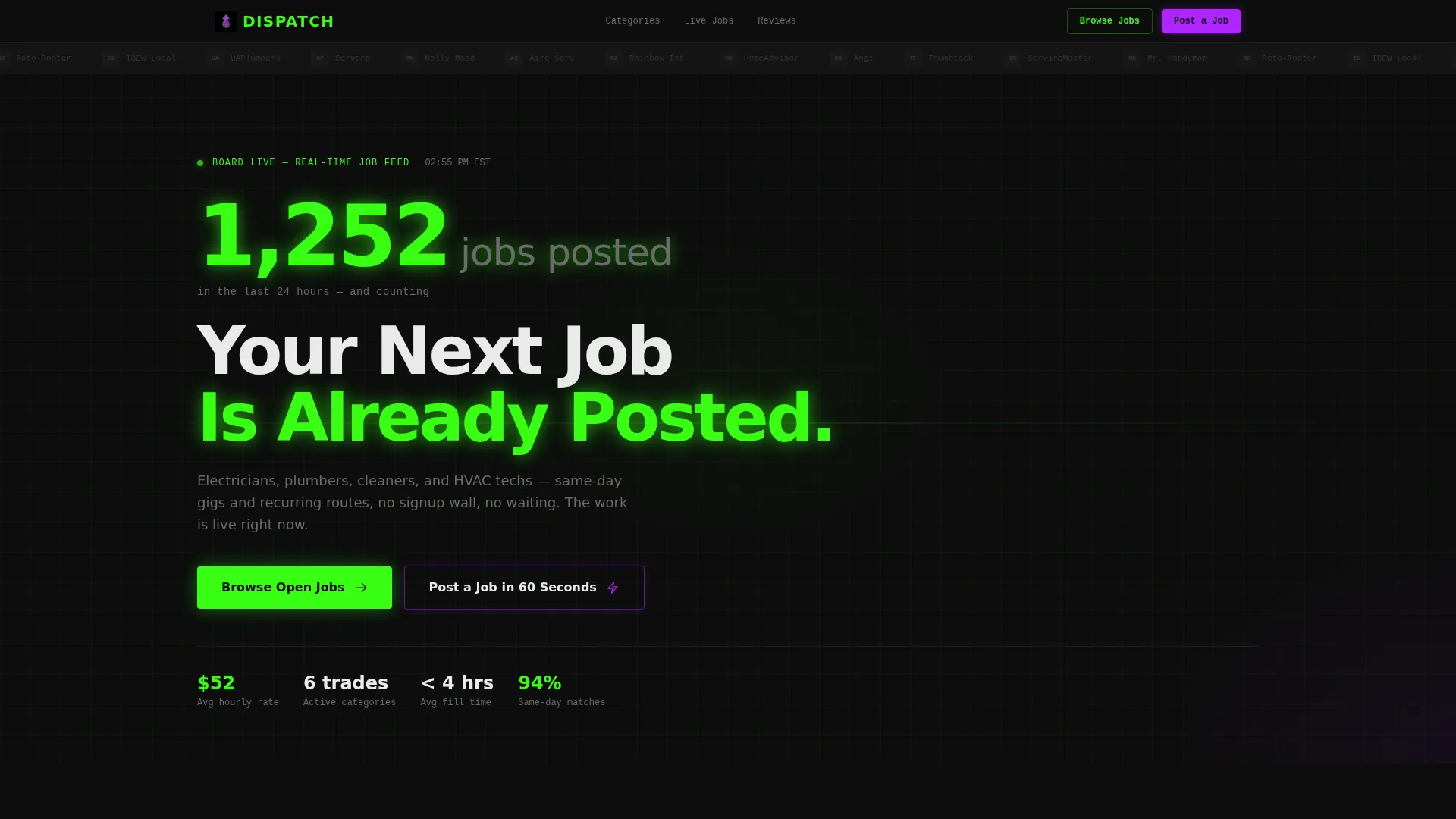
A prominent counter sits just below the logo bar and displays a figure like "1,247 jobs posted in the last 24 hours" in terminal green. The numbers visibly tick upward, communicating board activity at a glance without requiring a visitor to scroll.
Modular Trade Category Card Grid
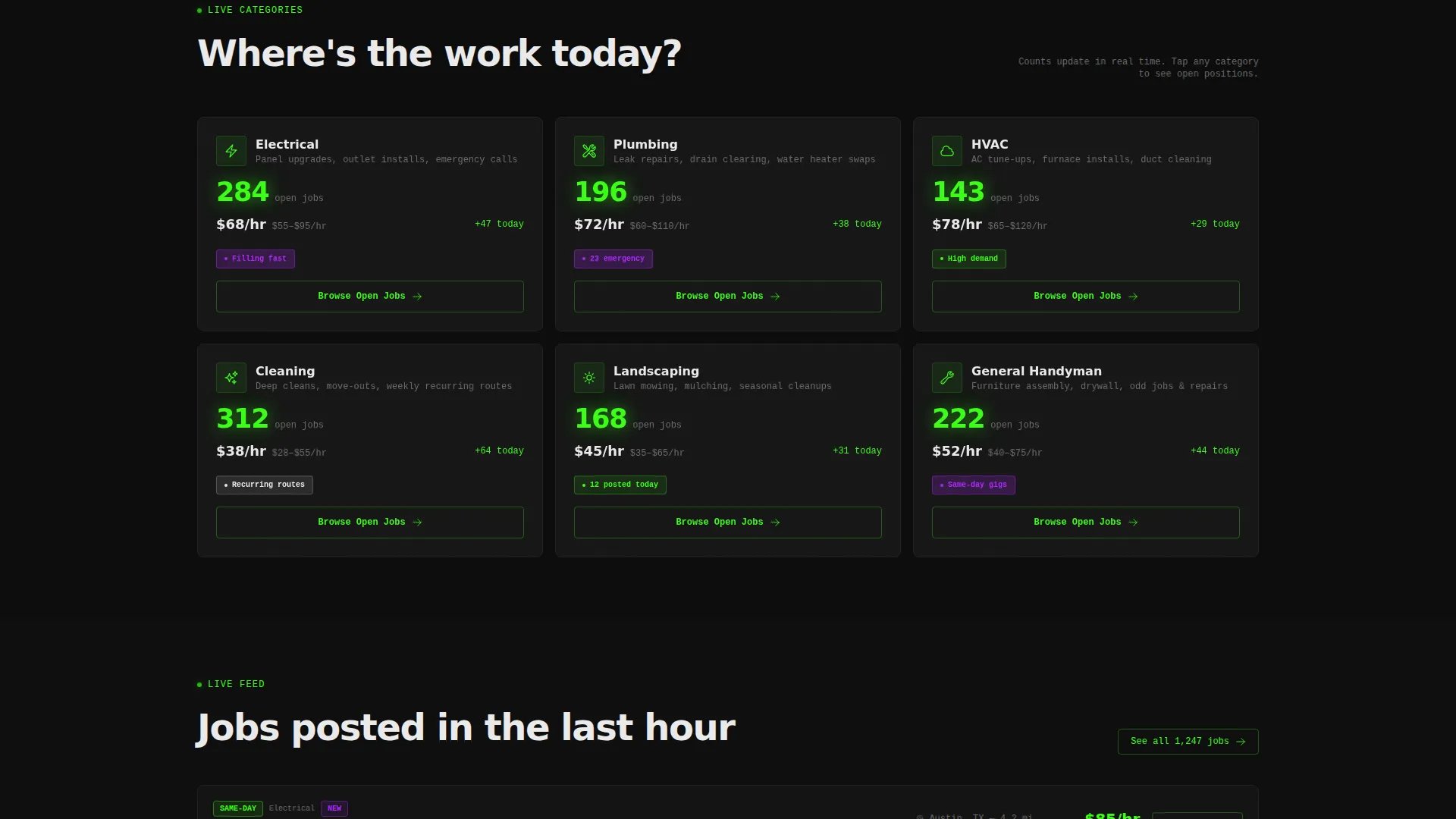
Six category cards cover Electrical, Plumbing, HVAC, Cleaning, Landscaping, and General Handyman. Each card shows a real-time job count pulsing in green and an average hourly rate in interface white, giving tradespeople the information they need to decide where to click.
Staggered Scroll Animation
As visitors scroll, new card rows cascade in with staggered animation. The motion simulates a live feed refreshing with new inventory, sustaining the sense of active opportunity throughout the page.
Urgency Badges in UV Purple
Cards carry urgency badges such as "12 posted today" and "Filling fast" rendered in UV purple. These signals create immediate motivation to click through before the opportunity disappears.
Sticky Bottom Call-to-Action Bar
A sticky bar activates after the first scroll and keeps the primary call to action, "Browse Open Jobs," always visible. Visitors never have to scroll back up to take action.
Scrolling Partner Logo Bar
A horizontal ticker runs across the top of the page, cycling through partner company logos, featured employer names, and trade association marks. It establishes credibility from the first second without requiring a dedicated testimonial section.
Page sections overview
| Section | Purpose |
|---|---|
| Logo Bar Ticker | Scrolls partner and employer logos to build instant credibility |
| Live Job Counter | Shows active job volume in real time to signal board activity |
| Hero Headline | States the core value proposition in bold interface white |
| Category Card Grid | Displays six trade categories with job counts and hourly rates |
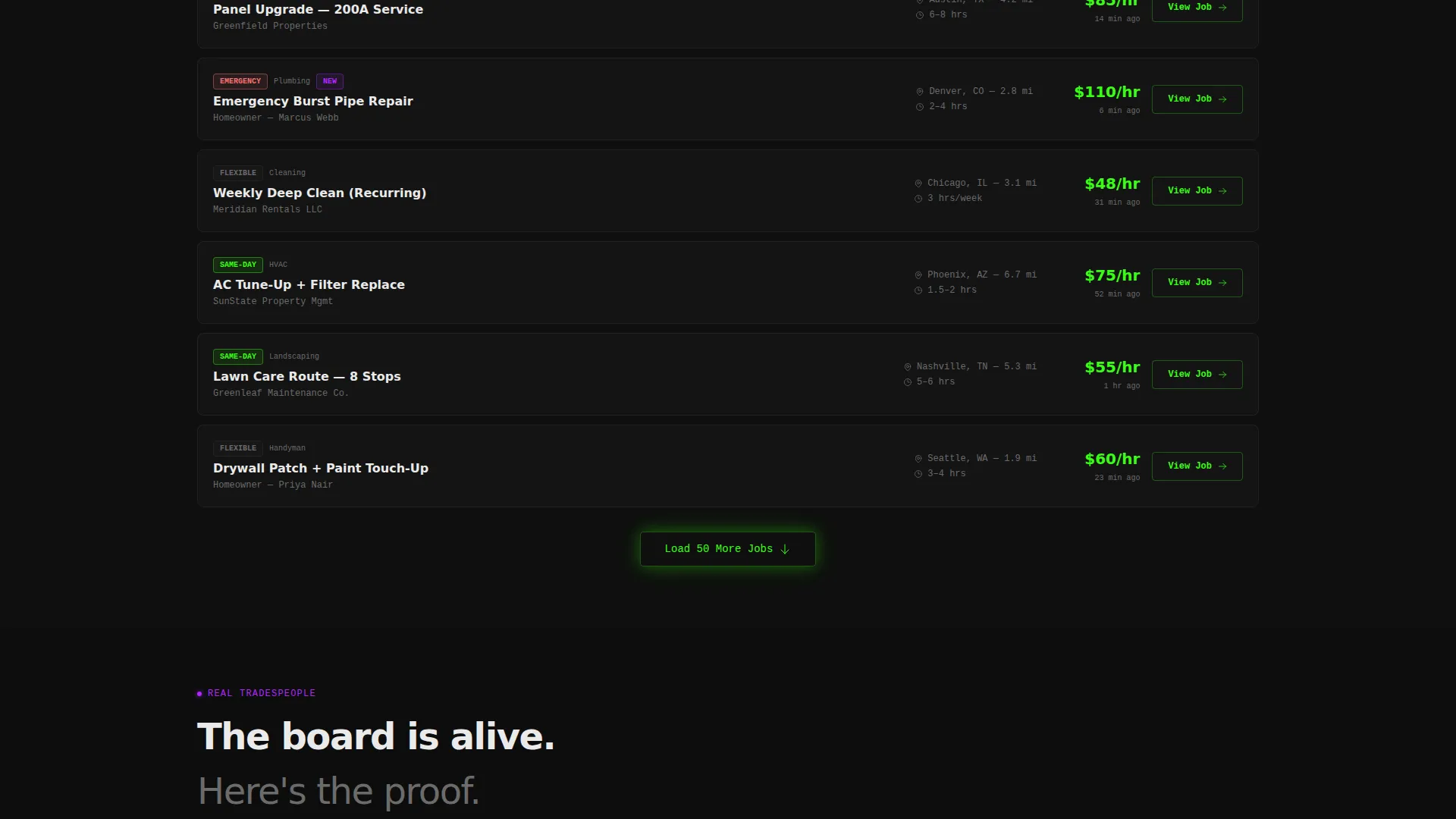
| Job Preview Cards | Shows actual job listing previews to prove the board is populated |
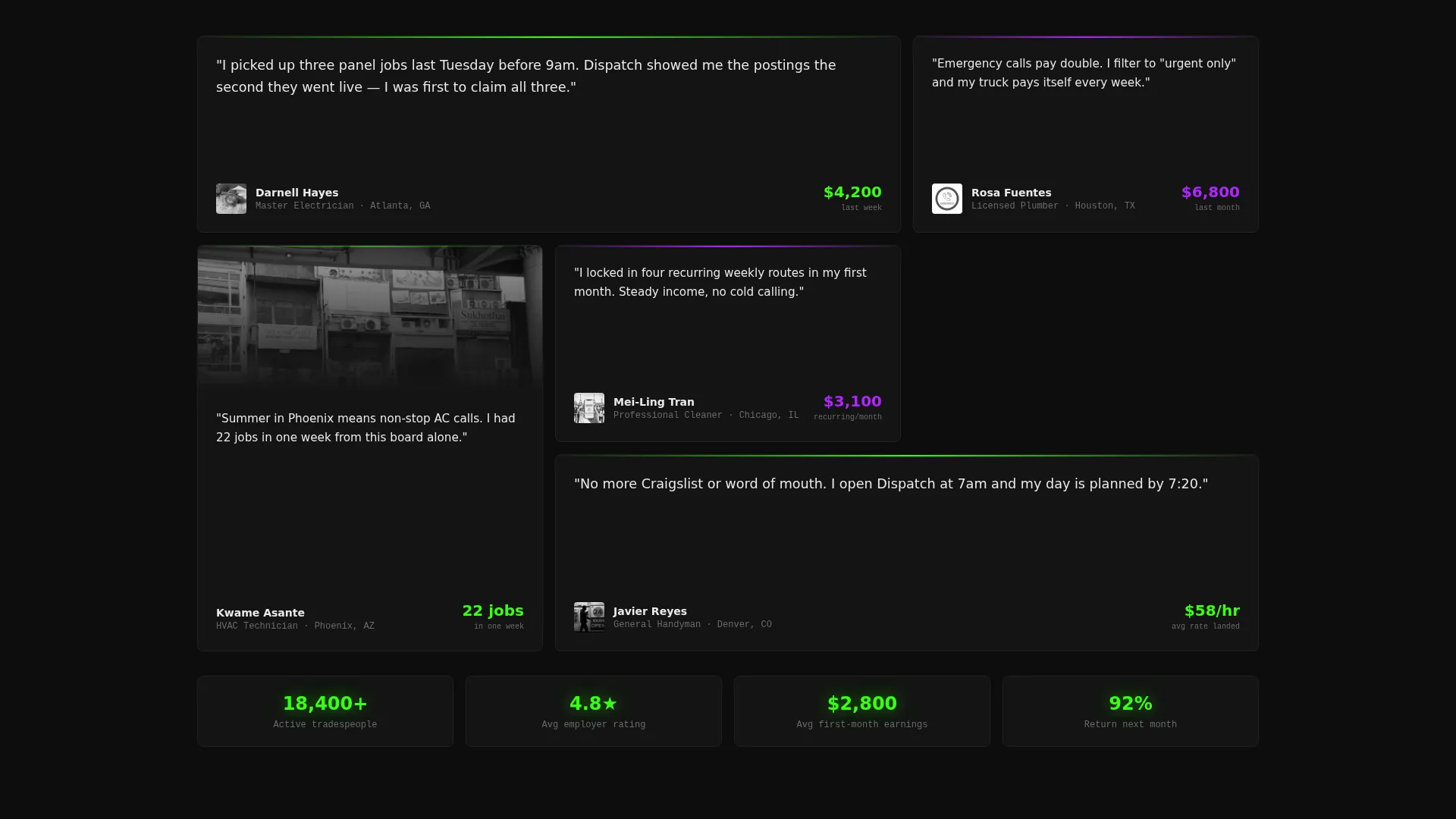
| Tradesperson Testimonials | Shares earnings figures from real workers to build trust |
| Employer Call to Action | Invites employers to post a job in UV purple secondary call to action |
| Sticky call to action Bar | Keeps "Browse Open Jobs" always accessible after first scroll |
Design & branding system
The Dispatch template uses the Acid Digital color system paired with a Dashboard Pro visual theme. The result feels like a control room at 2 a.m.: purposeful, high-contrast, and alive.
- Void black (#0D0D0D) dominates the background, keeping the layout in a true dark-mode state that lets data and color accents pop
- Terminal green (#39FF14) marks live job counts, active status indicators, and the ticking counter, reinforcing the sense of real-time activity
- UV purple (#B026FF) fires on hover states and urgency badges, while interface white (#EAEAEA) keeps card text razor-legible against the dark field
Mobile & speed optimization
The card grid layout is built to work for tradespeople who are literally scrolling between jobs on a mobile device. The design prioritizes fast visual scanning over dense text.
- Cards are modular and stack cleanly on smaller screens, keeping job counts and rates visible without horizontal scrolling
- The sticky call to action bar remains accessible on mobile, so the primary action never requires scrolling back to the top
- Staggered animations are scoped to scroll events, meaning they trigger progressively rather than all at once on page load
How this template helps you convert
The entire layout is engineered around a single conversion goal: getting visitors to click through to open job listings. Every design and content decision supports that outcome.
- The live counter and logo bar establish board credibility in the first viewport, reducing bounce before visitors even scroll
- Urgency badges and real-time job counts on every card create immediate motivation to click before a slot fills
- The sticky call to action bar ensures "Browse Open Jobs" is reachable at any scroll depth, removing the effort of navigating back to act
Other information about this template
This template is part of a broader design language that suits platforms sitting at the intersection of technology and home services digital presence. It is well-suited for operators building in the home services job board niche who want a visually distinctive presence without starting from scratch.
- The no-form, no-signup-wall approach means the primary call to action click lands visitors directly into filtered job listings
- Testimonial cards include earnings figures, which adds credibility for tradespeople evaluating whether the board is worth their time
- The template can support both the worker-side and employer-side audiences from a single page layout using distinct call to action treatments
Theme
Dashboard Pro
Creative direction
Launch Energy
Color system
Acid Digital
Style
Card Grid (Modular)
Direction
Click-Through
Page Sections
Live Job Counter Display
Modular Trade Category Card Grid
Urgency Badges in UV Purple
Staggered Scroll Animation
Sticky Bottom Call to Action Bar
Scrolling Partner Logo Bar
Related questions
Does this template require a form or signup to get started?
Can I customize the trade categories on the card grid?
Who is the secondary call to action designed for?
Is Dispatch a single-page layout or a multi-page site?
What visual style does this template use?



