Dispatch - Highconverting Travel Landing Page Template
Dispatch is a travel newsletter landing page template built for creators who monetize flight deals, destination guides, and trip inspiration. The dark, dashboard-style design pairs a live ROI calculator with a data grid of real template metrics, three toggleable newsletter layouts, and a progressive lead capture flow that converts curious visitors into active subscribers.
by Rocket studio
Quick summary
Dispatch is a single-page travel newsletter template designed for creators ready to build a loyal subscriber base. It opens with a live revenue calculator, moves through a data grid of real performance metrics, and closes with a lead capture flow that feels like onboarding. The dynamic dark aesthetic makes every section feel urgent and alive.
Who this template is for
This template is built for travel content creators who treat their newsletter as a real business asset. It suits anyone turning destination intelligence and fare alerts into a monetized audience.
- Solo travel bloggers who earn through sponsorships, affiliate links, or paid subscriber tiers
- Digital nomad communities publishing curated city guides for an engaged readership
- Boutique travel agencies sending trip inspiration that drives actual booking inquiries
What problem this template solves
Most newsletter landing pages look like generic opt-in forms. They fail to show a creator's track record or give a visitor any reason to believe the newsletter is worth their inbox space. Dispatch fixes that by leading with proof and potential before asking for anything.
- Visitors have no immediate sense of what they will gain from subscribing
- Creators cannot easily demonstrate open rates, growth, or revenue potential on a static page
- The sign-up flow often feels abrupt, creating friction before trust is established
What you get with this template
Dispatch delivers a fully structured, single-page landing page with a dashboard-grid visual style and a dynamic motion theme. Every section is purpose-built to move a visitor from discovery to sign-up.
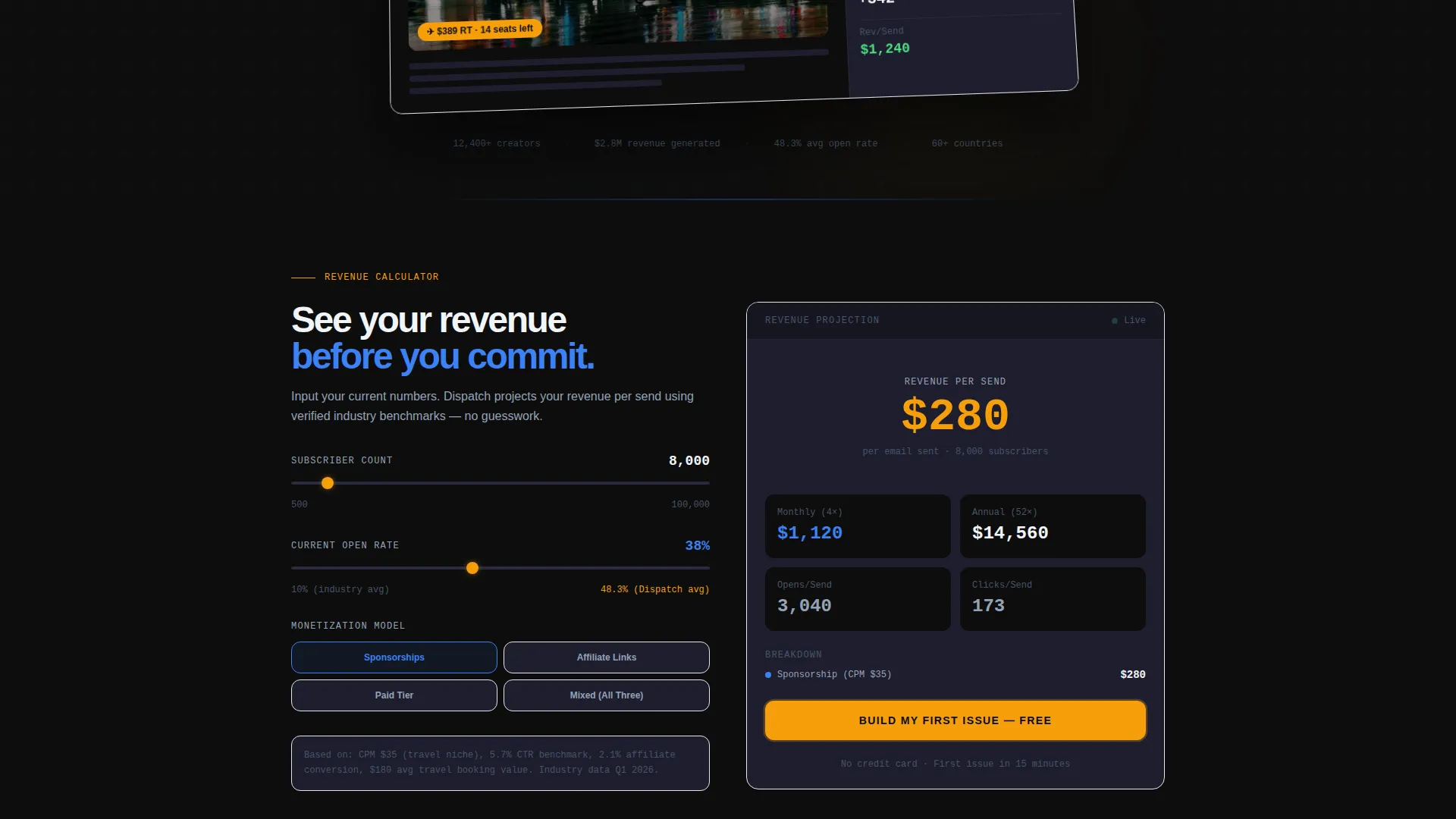
- A live ROI calculator that projects revenue per send based on subscriber count, open rate, and monetization model
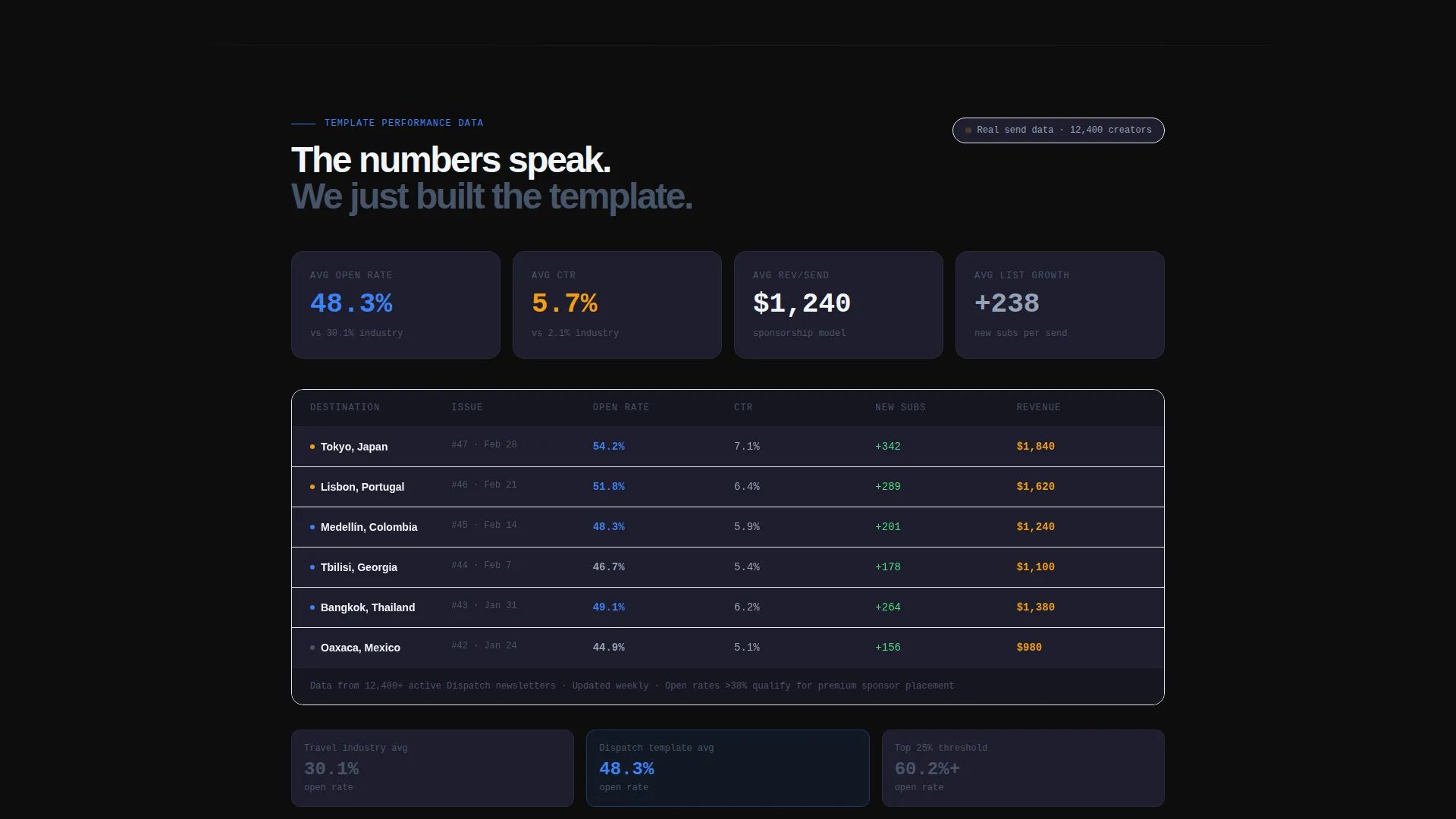
- A data grid section displaying real template metrics including open rates, click-through rates, and growth curves
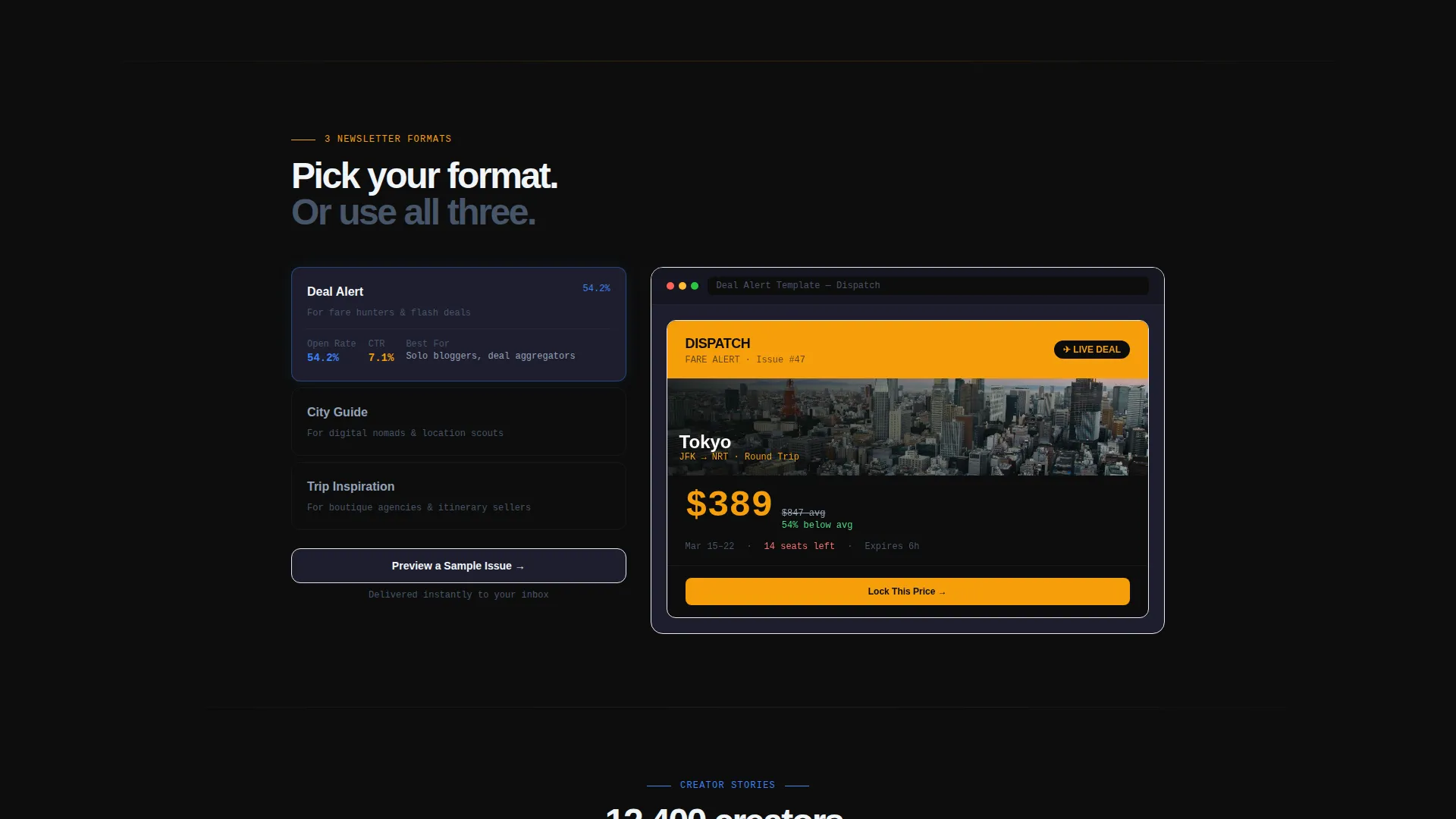
- Three toggleable newsletter layouts, each optimized for a different travel content format
- A progressive lead capture form using email-first disclosure and a secondary "Preview a Sample Issue" path
- A sticky bottom bar and an in-calculator call-to-action placement for "Build My First Issue"
Feature list
This template is structured around five core capabilities that work together to build trust and drive sign-ups.
Live Revenue ROI Calculator
Visitors input their current subscriber count, average open rate, and monetization model. The calculator instantly projects revenue per send using industry benchmarks. This moment of personalized output creates desire before any sales copy appears.
Dashboard Data Grid
A structured data grid displays real template performance metrics. Open rates, click-through rates, and subscriber growth curves are presented side by side in a scannable format. The grid gives credibility to the newsletter concept without requiring written testimonials.
Three Toggleable Newsletter Layouts
Visitors can switch between three pre-built newsletter layouts directly on the page. Each layout is optimized for a specific travel content format: fare alerts, destination guides, or curated city itineraries. This live preview reduces uncertainty and helps visitors picture their own content inside the template.
Progressive Lead Capture Flow
The sign-up form uses a step-by-step disclosure pattern. It asks for email first, then newsletter name, then subscriber count. This sequence feels like the start of a tool or onboarding experience rather than a data collection form.
Product Screenshot Header
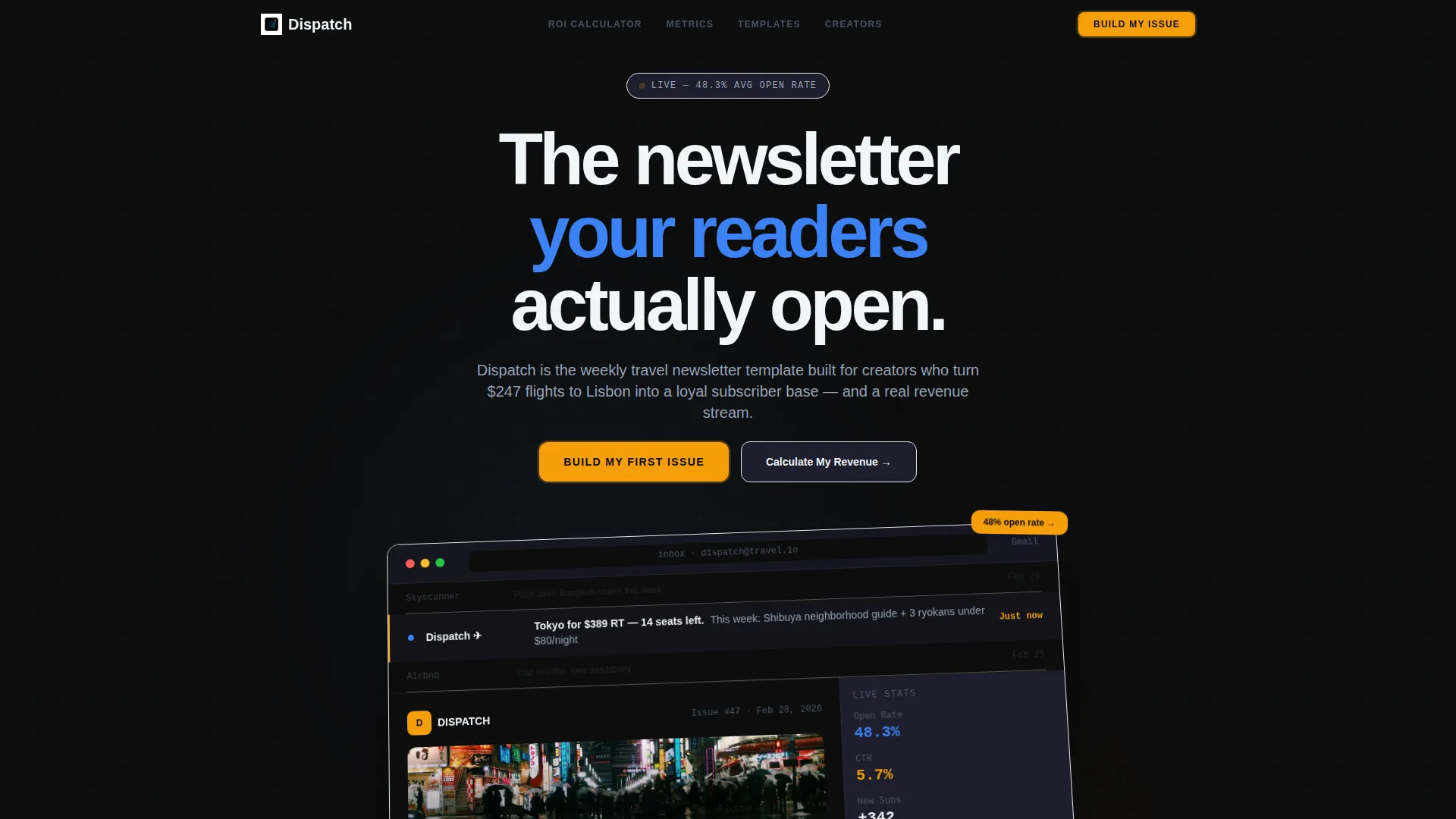
The full-width header renders the newsletter template inside a realistic email client view. A live inbox preview line reads "Tokyo for $389 RT, 14 seats left." The screenshot sits slightly rotated on a Z-axis with a soft parallax drift, giving the impression the email just arrived.
Kinetic Section Animations
Every section animates into the viewport with panel-slide and snap transitions. The motion style references real-time departure boards, reinforcing the urgency and live-data feel of a travel newsletter. Animations are tied to scroll position for a natural pacing.
Page sections overview
| Section | Purpose |
|---|---|
| Product Screenshot Header | Establishes visual credibility with a realistic inbox render and fare preview |
| ROI Calculator | Personalizes revenue potential before any sign-up request |
| Metrics Data Grid | Displays open rates, click-through rates, and growth benchmarks |
| Newsletter Layout Toggle | Lets visitors preview three content-format layouts interactively |
| Primary call to action Block | Houses the "Build My First Issue" call-to-action after the calculator output |
| Sample Issue Preview | Captures email via a secondary path while delivering a live product demo |
| Sticky call to action Bar | Keeps the primary sign-up action accessible throughout the full page scroll |
Design & branding system
The visual identity follows a Dynamic Motion theme built on a Carbon Fiber color system. The palette draws from the atmosphere of a seatback screen on a red-eye flight: dark, focused, and quietly urgent.
- Background layers use deep cockpit black (#0D0D0D) and instrument panel charcoal (#1E1E2E) for depth and contrast
- Data metrics and interactive elements are highlighted in altitude indicator blue (#3B82F6) for clarity and trust
- Every clickable surface and live data point uses boarding pass amber (#F59E0B), pulsing like a real-time departure board
Mobile & speed optimization
The template layout is structured with responsive grid behavior so the dashboard and data sections reflow cleanly at smaller breakpoints. The motion elements are scoped to scroll triggers rather than auto-play loops, keeping the experience intentional across devices.
- The sticky call to action bar remains accessible on mobile without blocking primary content
- The ROI calculator inputs and toggle controls are touch-friendly with adequate spacing
- The product screenshot header scales proportionally, preserving the rotated Z-axis effect on smaller screens
How this template helps you convert
Dispatch is engineered so that every major section does conversion work before the visitor reaches a traditional sign-up prompt.
- The ROI calculator personalizes the value proposition immediately. A visitor who sees a projected revenue number tied to their own subscriber count is far more motivated to act than one who reads a generic pitch.
- The data grid and layout toggle remove doubt. Real metrics and live previews answer the two most common objections: "Does this actually work?" and "Will it fit my content style?"
- The progressive form and dual call to action paths reduce drop-off. Visitors who are not ready to commit can request a sample issue instead, entering the same capture flow through a lower-friction door.
Other information about this template
Dispatch is categorized under Travel Email Templates in the Technology section of the marketplace. It is designed as a single landing page with no multi-page navigation required.
- The template style is classified as Dashboard and Data Grid, making it well suited for creators who want to lead with performance proof rather than lifestyle imagery
- The creative direction is Calculator and Tool First, which positions the page as a utility before a sales pitch
- The header concept is a Product Screenshot, grounding the page in a realistic email client render rather than abstract hero art
- The landing page direction is Lead Generation, with every structural decision oriented toward capturing email addresses through value-first flows
- The theme is Dynamic Motion, which means visual transitions are intentional and tied to the travel and departure-board aesthetic of the brand identity
Theme
Dynamic Motion
Creative direction
Calculator/Tool First
Color system
Carbon Fiber
Style
Dashboard/Data Grid
Direction
Lead Generation
Page Sections
Live Revenue ROI Calculator
Dashboard Metrics Data Grid
Three Toggleable Newsletter Layouts
Progressive Lead Capture Form
Product Screenshot Header
Kinetic Scroll Animations
Related questions
Who is this template best suited for?
Do I need a large subscriber list to use this template effectively?
Can I display my own newsletter metrics in the data grid?
What are the three newsletter layout options in the toggle section?
What happens after a visitor clicks 'Preview a Sample Issue'?



