Dispatch - Powerful Agriculture Landing Page Template
Dispatch is a hub-and-spoke agriculture field service management landing page template built for platforms that route technicians to equipment failures across large-scale farming operations. It features a Feature Matrix layout with anchor navigation, a scrolling logo bar, an inline dispatch map hero, and dual conversion paths targeting both app downloads and fleet demo bookings.
by Rocket studio
Quick summary
Dispatch is a single-page, anchor-nav landing page template designed for agriculture field service management platforms. It combines a dark instrument-cluster visual identity with a Feature Matrix structure that walks service managers through every operational spoke: dispatch, scheduling, parts, invoicing, and fleet. Two clear conversion paths drive the page toward app downloads and demo bookings.
Who this template is for
This template is built for teams selling or promoting field service software to the agriculture industry. It speaks directly to the people managing technicians, equipment, and service tickets across large rural territories.
- Regional ag dealership service managers coordinating multiple technicians across wide county coverage areas
- Independent irrigation repair outfits currently running on whiteboards and group text threads
- Precision agriculture integrators handling GPS guidance installs and grain dryer diagnostics on the same day
What problem this template solves
Service managers in agriculture deal with a specific kind of operational chaos. Jobs arrive fast, technicians are spread thin, and there is no clean visual way to show the full picture of who is where and what comes next.
- Scattered service tickets with no optimized routing create wasted drive time and missed response windows
- Generic field service management software does not speak the language of combines, irrigation pivots, or seasonal urgency
- No clear side-by-side view means the manager and the technician are never looking at the same information at the same time
What you get with this template
You get a fully structured, single-page layout with anchor navigation that pins to the top and links to five dedicated operational sections. Every component is designed to build trust fast and move visitors toward downloading the app or booking a demo.
- A scrolling logo bar header with a fixed headline and a live dispatch map hero screenshot
- Five anchor-linked feature spokes, each with a capability grid and inline animation placeholders showing real workflow moments
- Dual conversion sections with app store badges, a QR code, a phone number input field, and a secondary demo booking call to action
Feature list
This template is packed with purpose-built components. Each one is grounded in how agriculture service teams actually work.
Pinned Anchor Navigation Bar
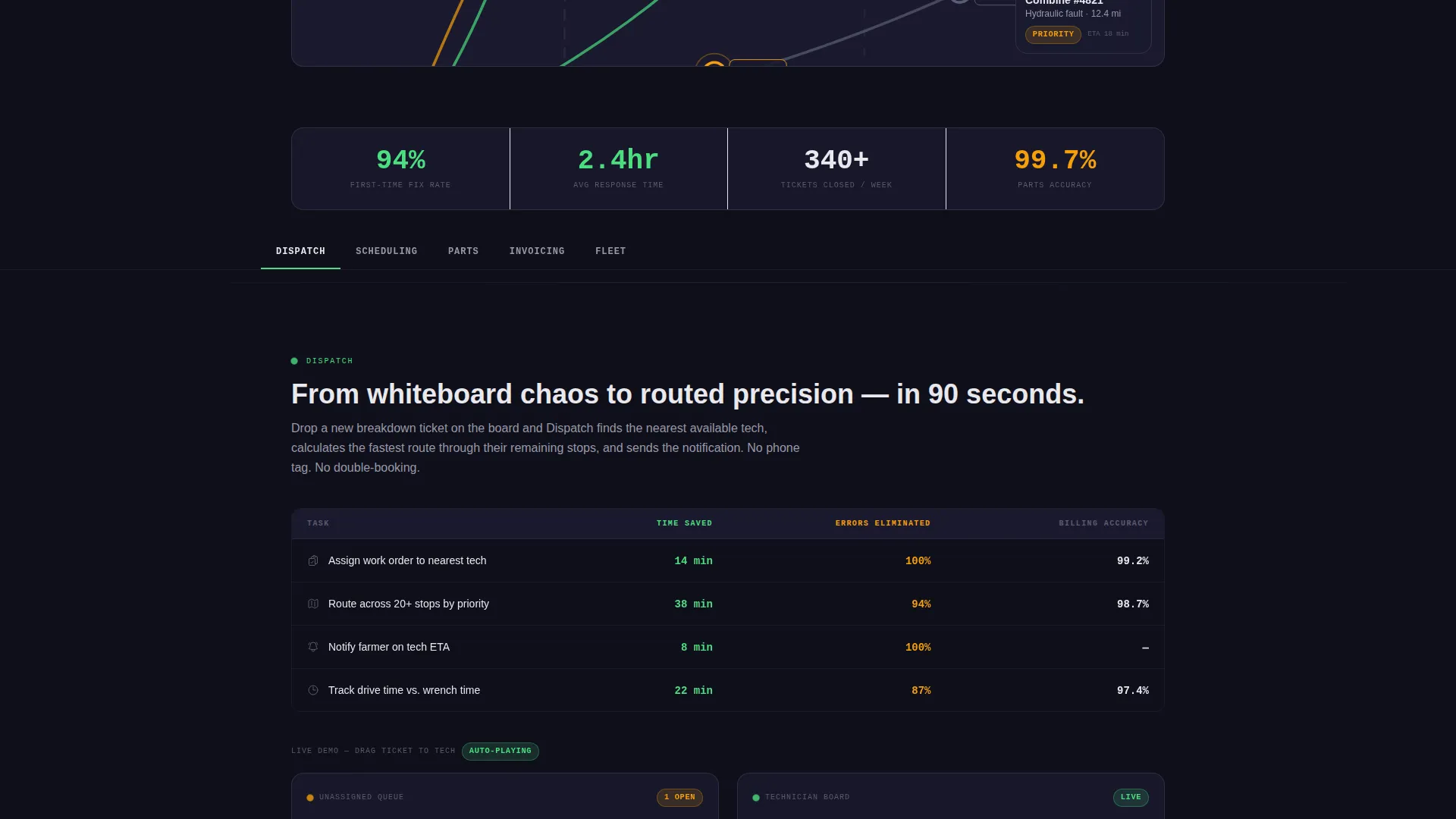
Five labeled spokes (Dispatch, Scheduling, Parts, Invoicing, and Fleet) pin to the top of the page on scroll. Each label jumps directly to its dedicated section, letting a busy service manager navigate without hunting.
Scrolling Equipment Logo Bar
A horizontal strip of agriculture dealership and equipment manufacturer logos scrolls slowly beneath the fixed headline. This component immediately signals to service managers that the platform understands their equipment ecosystem.
Live Dispatch Map Hero
A full-width hero screenshot shows a live-style dispatch map with colored route lines fanning across county roads and pulsing truck icons at job sites. It makes the core product value visible before a single word of body copy is read.
Capability Grid Sections
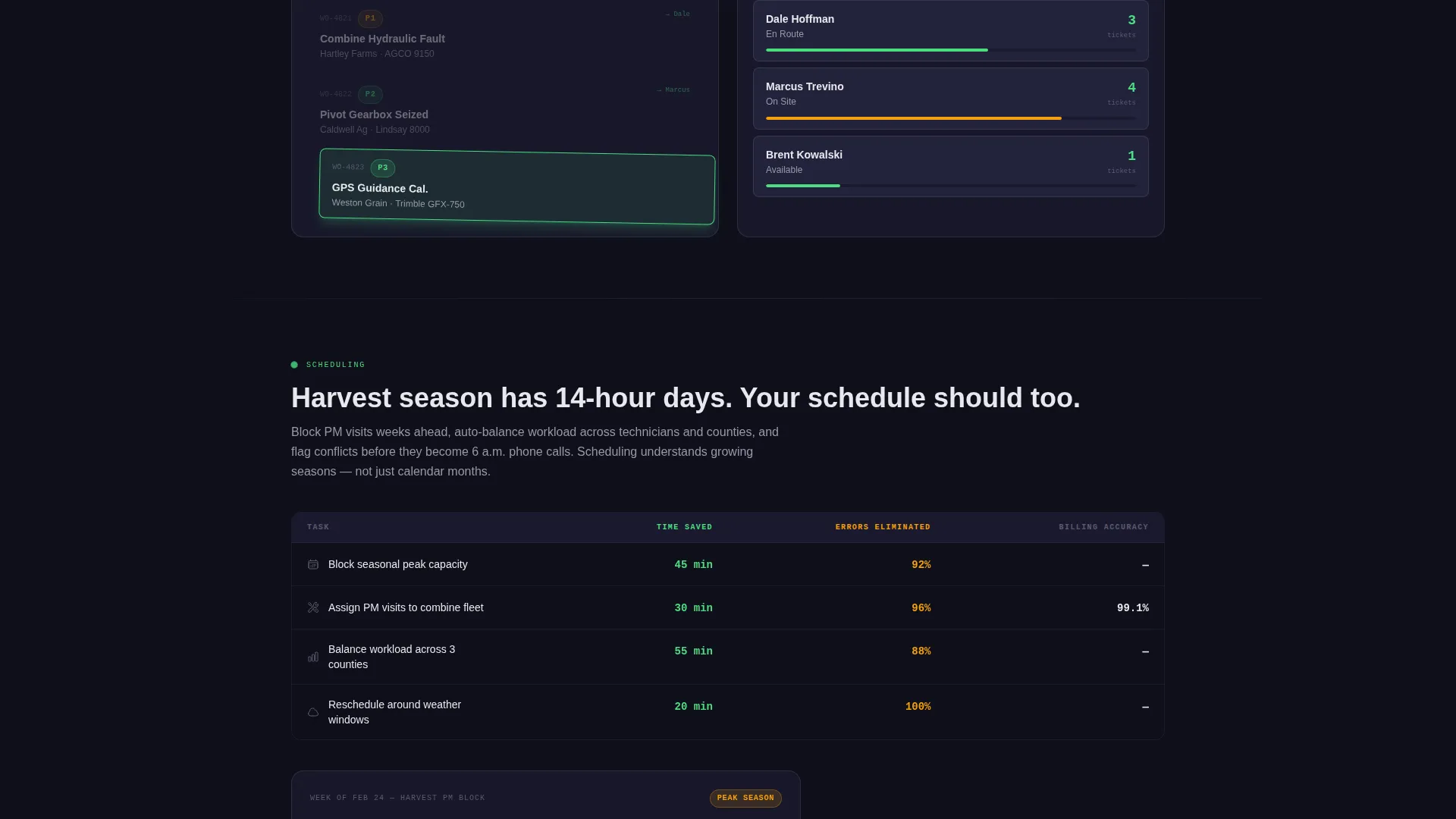
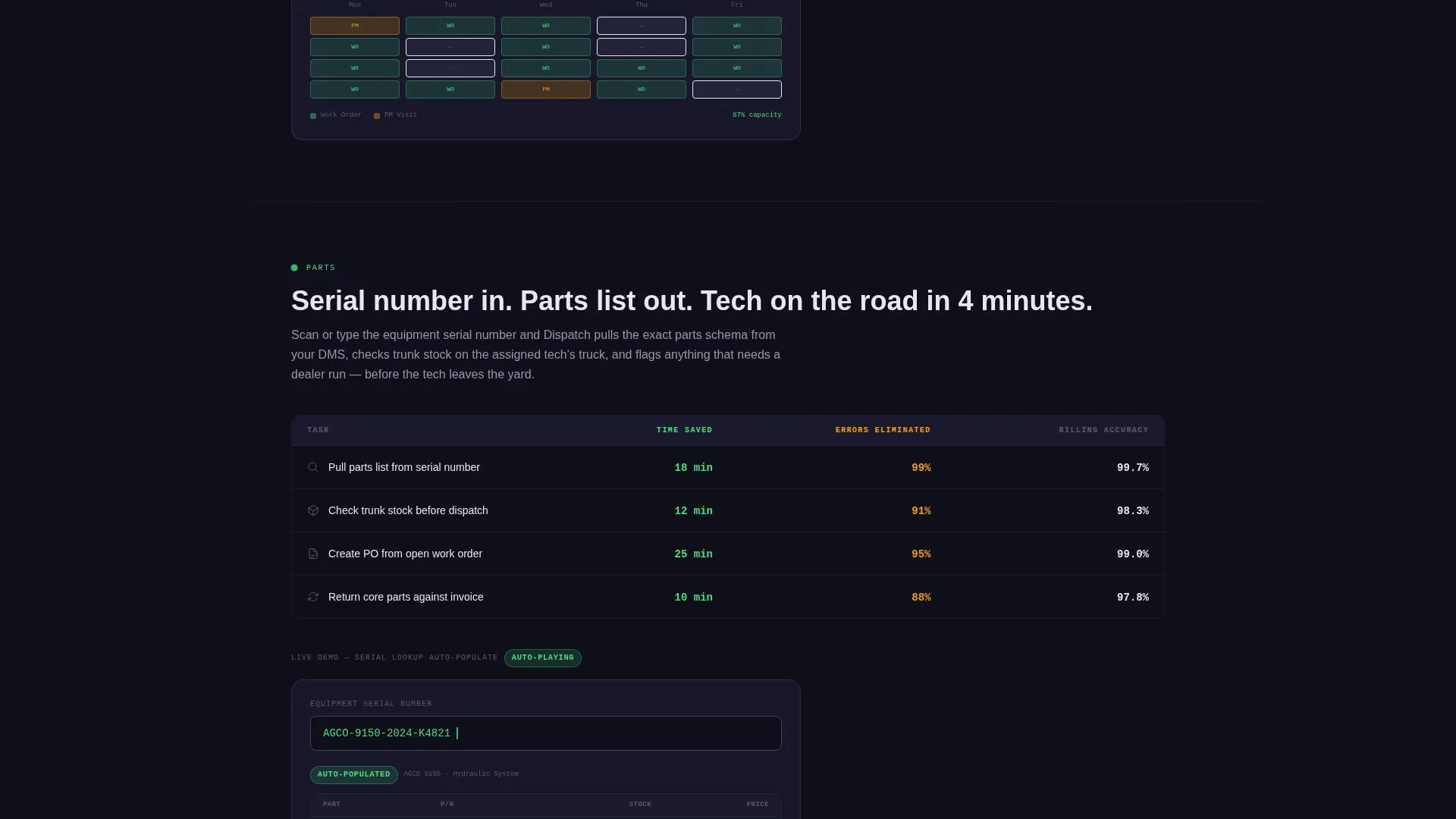
Each of the five spoke sections opens with a structured grid. Rows represent field tasks such as assigning work orders, tracking drive time, pulling parts inventory, and capturing signatures. Columns show outcomes: time saved, errors eliminated, and billing accuracy.
Inline user interface Animation Placeholders
Between capability grids, the template includes animation placements showing real workflow moments. Examples include dragging a ticket onto a technician queue and a parts lookup auto-populating from an equipment serial number.
Dual-Path Conversion Section
The bottom of the page presents two conversion paths side by side. The primary path offers app store download badges, a QR code, and a text-link input. The secondary path offers a fleet demo booking button for service managers who need a territory walkthrough first.
Page sections overview
| Section | Purpose |
|---|---|
| Logo Bar Header | Builds equipment-brand trust instantly |
| Dispatch Map Hero | Shows core product value visually |
| Anchor Nav Bar | Enables fast section-level navigation |
| Dispatch Spoke | Covers route optimization and ticket assignment |
| Scheduling Spoke | Shows technician calendar and workload layout |
| Parts Spoke | Displays inventory lookup and serial-number fill |
| Invoicing Spoke | Demonstrates billing accuracy and signature capture |
| Fleet Spoke | Covers vehicle tracking and drive-time visibility |
| App Download call to action | Drives primary mobile conversion action |
| Fleet Demo call to action | Offers secondary path for manager-level evaluation |
Design & branding system
The visual identity follows a Data Command theme built around the Carbon Fiber color system. Every color choice is calibrated to feel readable in direct sunlight through a dusty windshield, matching the real working environment of the target audience.
- Deep equipment black (#1A1A2E) and off-black background (#0F0F1A) create a dense, instrument-cluster base layer
- Status-green (#4ADE80) marks active states and confirmations; caution amber (#F59E0B) flags alerts and priority badges
- Sensor-white (#E8E8ED) text on dark backgrounds and machined titanium (#404258) mid-tones keep information legible and visually layered
Mobile & speed optimization
The template is designed with field use in mind. A service manager reviewing the page from a pickup cab or a technician checking it on a tablet between stops needs every element to load and render cleanly on a small screen.
- The dispatch map hero and capability grids are structured for responsive reflow on tablet and mobile viewports
- The QR code, app store badges, and text-link phone input are placed to remain large and tappable on smaller screens
- Anchor navigation collapses gracefully so the five spokes remain accessible without crowding the header on mobile
How this template helps you convert
The page earns the download before it asks for it. Every section adds one more proof point before the call to action appears.
- The capability grids and inline animation placements show specific workflow wins (time saved, errors eliminated, billing accuracy) in each spoke section, building a concrete case across five operational areas before a visitor reaches the bottom of the page.
- The dual-path conversion section removes friction by giving visitors three ways to get the app (store badge, QR code, or text link) alongside a secondary demo option, so both mobile-ready technicians and demo-evaluating service managers find a path that fits them.
Other information about this template
This template is part of the Hub and Spoke landing page style family, which uses a pinned anchor nav to turn a single long page into a navigable, section-rich experience. It is particularly well-suited for agriculture software products that need to communicate operational depth without asking visitors to click through multiple pages.
- The template style and Data Command theme make it a strong fit for field service management platforms targeting ag dealerships, irrigation service companies, and precision agriculture consultants
- The logo bar concept supports trust-building for platforms with established partnerships across the equipment manufacturing space, including brands such as AGCO, CLAAS, Trimble, and Lindsay
- The prove-then-show rhythm built into each spoke section is designed to match how skeptical, operationally focused buyers in the agriculture industry evaluate new software tools

Theme
Data Command
Creative direction
Feature Matrix
Color system
Carbon Fiber
Style
Hub & Spoke (Anchor Nav)
Direction
App Download
Page Sections
Pinned Anchor Navigation Bar
Scrolling Equipment Logo Bar
Live Dispatch Map Hero
Capability Grid Sections
Inline User Interface Animation Placeholders
Dual-path Conversion Section
Related questions
Who is this landing page template designed for?
Can I rename the five anchor nav spokes to match my product?
Does the template support both app download and demo booking conversion paths?
What makes this different from a generic software landing page template?
Is this a single page or a multi-page template?



