Construction Vertical SaaS Booking Website Template
Dispatch is a scroll-reveal construction booking system landing page built on a Tech Glass visual identity. It presents live scheduling data through glassmorphic panels, progressive stat reveals, and a frosted-glass interface preview. Designed for general contractors and operations teams, it converts visitors through a freemium trial model with a minimal two-field signup flow.
by Rocket studio
Quick summary
Dispatch is a single-page, scroll-driven landing page template for a construction booking and crew scheduling system. It uses a dark glassmorphic design with rebar-orange calls to action and teal confirmation states. Progressive reveals guide visitors through industry-report-style findings until the product feels like the only logical next step.
Who this template is for
This template is built for construction technology companies and SaaS founders selling scheduling tools to the trades industry. It speaks directly to the professionals who feel the pain of manual dispatch every single morning.
- General contractors managing multiple active jobsites simultaneously
- Operations managers losing hours each day to whiteboard-based crew planning
- Specialty sub-crew coordinators waiting on late confirmations from busy GC teams
What problem this template solves
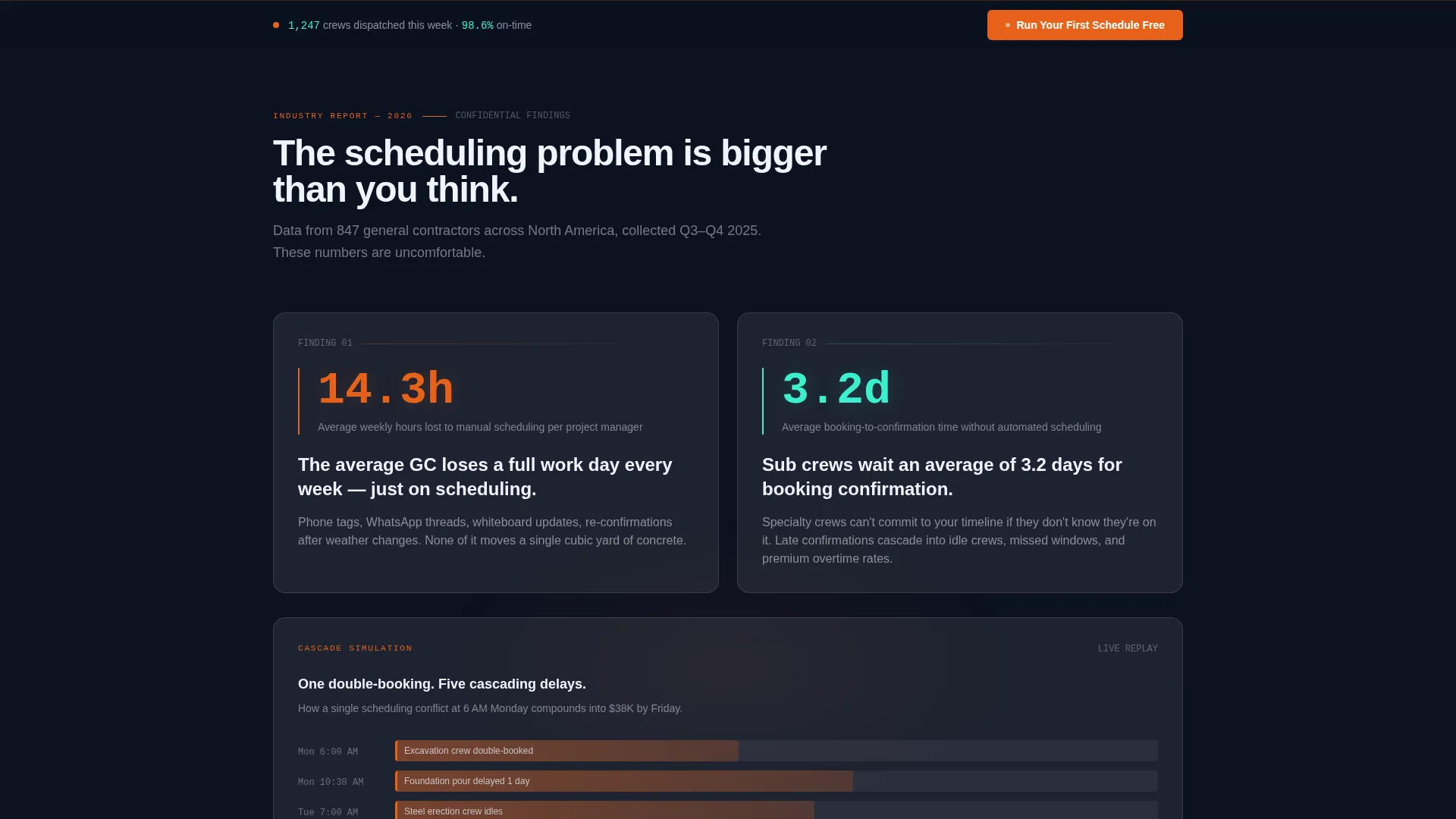
Manual scheduling in construction is expensive and slow. The average general contractor loses 14.3 hours per week on manual scheduling tasks alone. Double-bookings cascade silently into budget overruns averaging $38,000 per project. This template frames those realities as evidence, not opinion.
- No single view of who is assigned where across multiple active sites
- Confirmation delays that leave sub crews idle and projects behind schedule
- Morning planning chaos that compounds into costly, preventable overruns
What you get with this template
You get a fully structured, scroll-reveal landing page that unfolds like a proprietary industry report. Each section reveals a new layer of evidence before presenting the scheduling system as the solution. The signup flow is lean by design, asking only for an email address and a jobsite count dropdown.
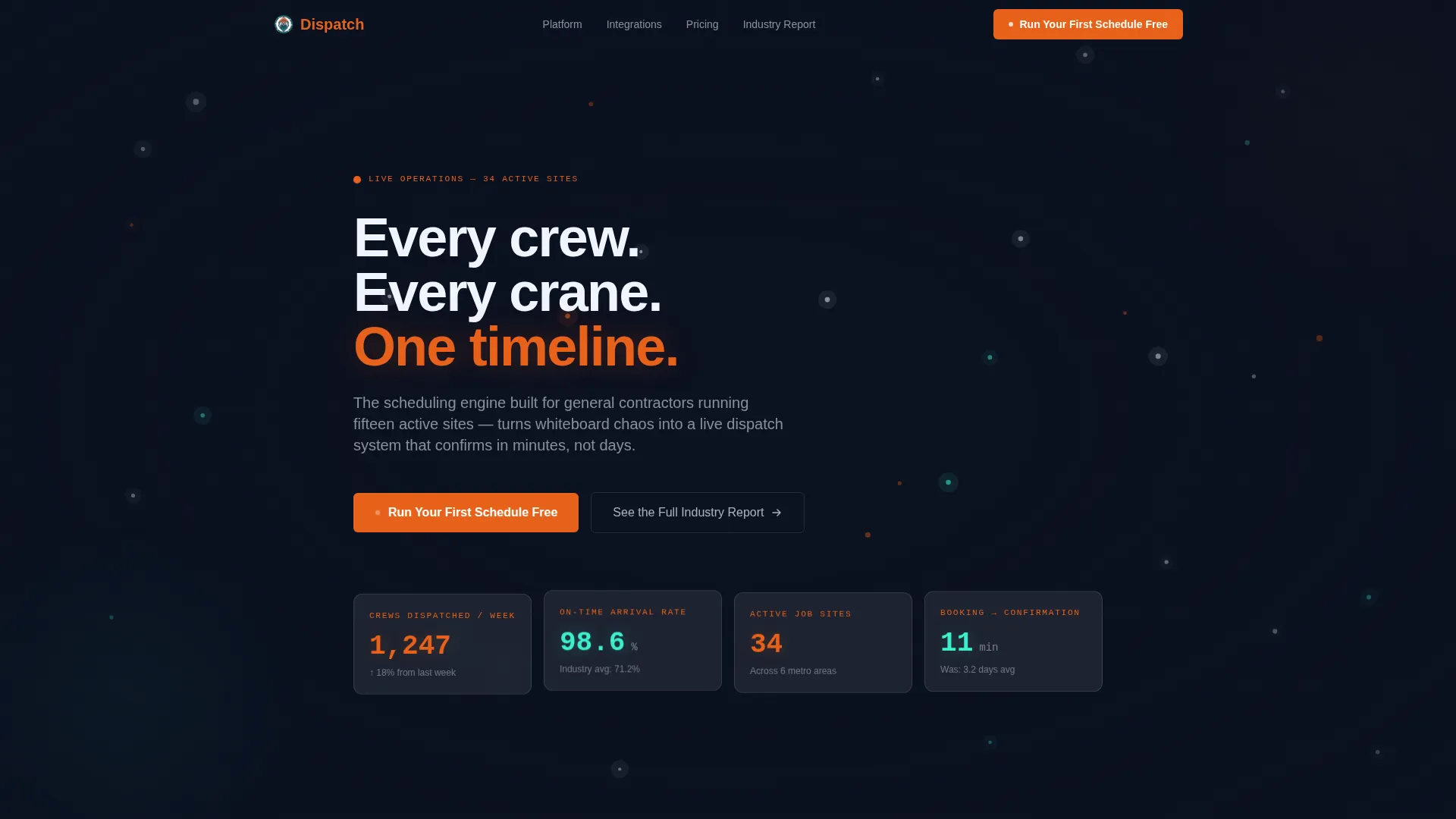
- A live-metrics hero section with monospace stat cards and a dark pulsing map
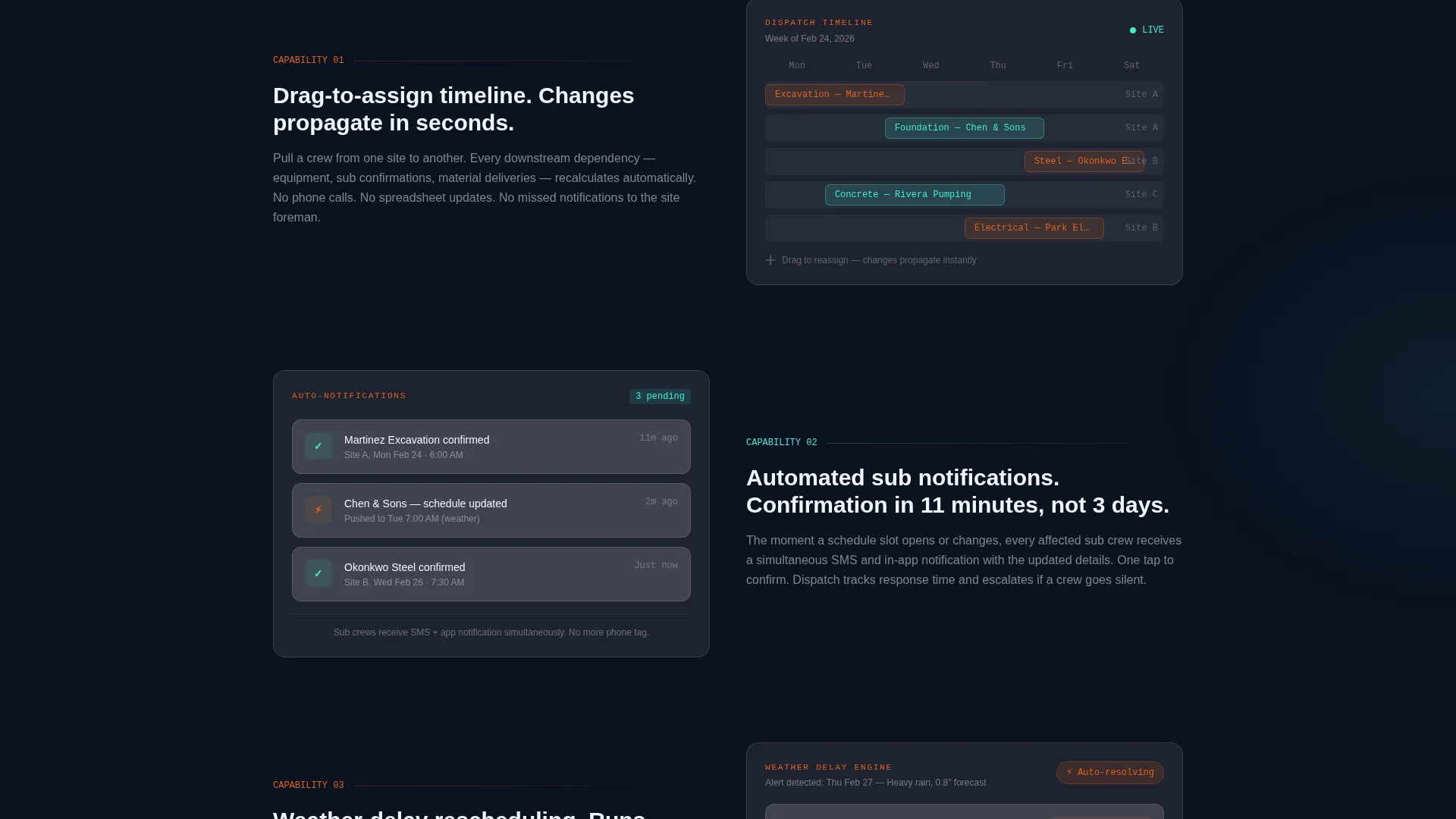
- Progressive glassmorphic panels revealing drag-to-assign timelines, automated notifications, and weather-delay rescheduling
- A dual conversion path covering both trial signups and lead-capture downloads
Feature list
This section covers the core functional and design capabilities built into the Dispatch template as described in the source brief.
Live Stats Hero Dashboard
The header opens as a frozen mid-workday operations view. Large monospace numbers display metrics like crews dispatched, on-time arrival rate, active sites, and average booking-to-confirmation time. Frosted glass cards float with subtle parallax to reinforce the live-data aesthetic.
Scroll Reveal Progressive Storytelling
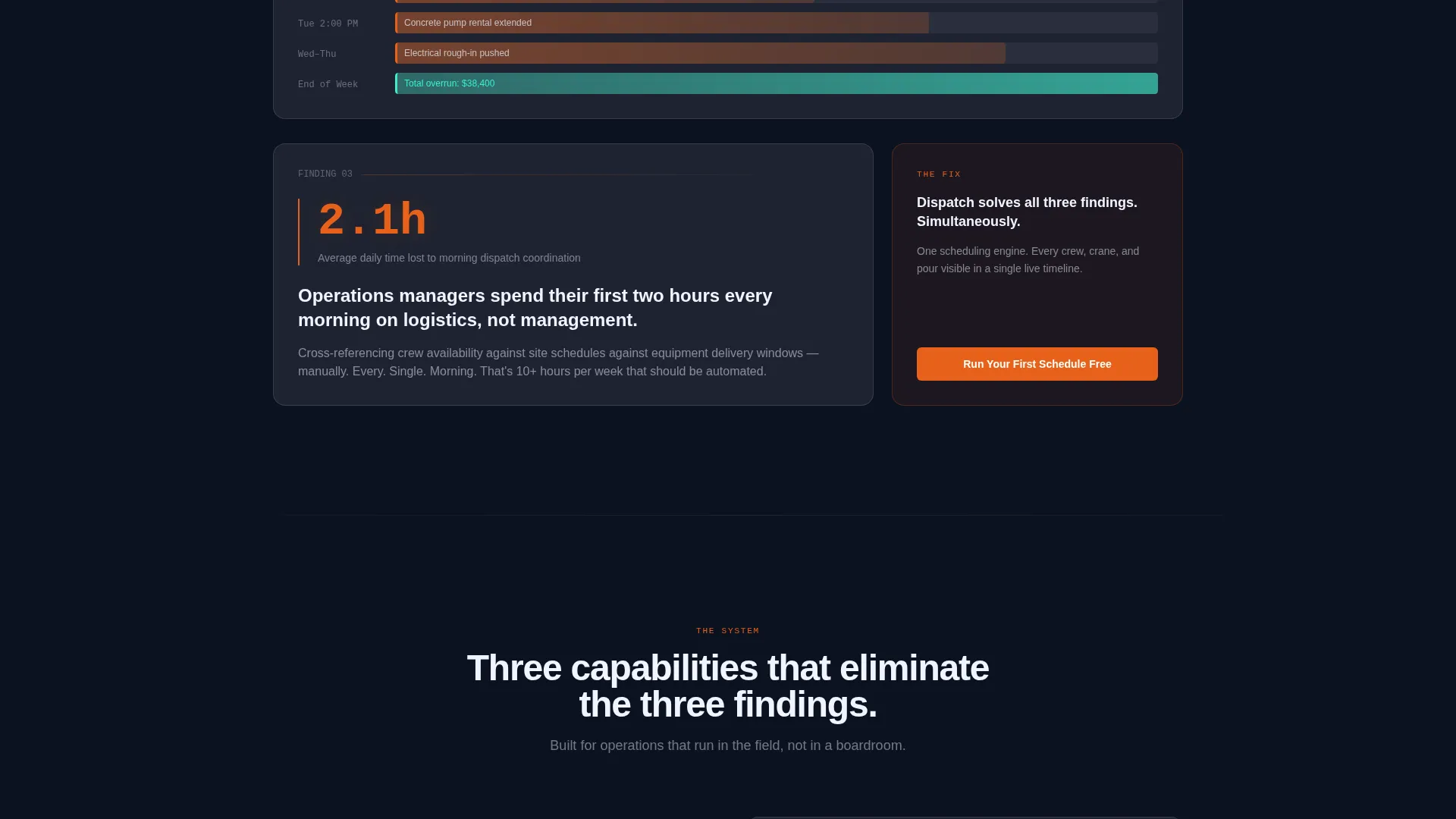
Each scroll event surfaces a new frosted panel presenting a scheduling problem as a data finding. The sequence moves from cost-of-chaos stats through feature demonstrations, building evidence until the product feels inevitable rather than promotional.
Glassmorphic Interface Preview
The scheduling system's interface appears behind layered glass panels as the visitor scrolls deeper. Features like drag-to-assign timelines, automated sub notifications, and weather-delay rescheduling are revealed one at a time, framed as report findings.
Dual Conversion Path Design
The primary call to action, "Run Your First Schedule Free," appears after the third scroll reveal and pins to the bottom navigation bar. A secondary path, "See the Full Industry Report," captures leads who prefer data over a direct trial commitment.
Minimal Freemium Signup Flow
The signup form asks for only two inputs: an email address and a dropdown for number of active jobsites (1 to 5, 6 to 20, or 20 and above). On completion, the user lands directly in a pre-loaded demo timeline ready to interact with.
Tech Glass Visual Identity
The full color system uses deep site-night navy as the base, translucent frost panels with a one-pixel white border, rebar-orange for live data pulses and primary actions, and readout teal for confirmation states and success metrics. Typography uses a monospace typeface for all data readouts.
Page sections overview
| Section | Purpose |
|---|---|
| Live Metrics Hero | Opens with pulsing operational stats to establish credibility immediately |
| Problem Stat Reveal | First scroll surfaces the 14.3-hour weekly scheduling loss finding |
| Cost Impact Panel | Frosted slide-in showing the $38K average overrun tied to double-bookings |
| Interface Reveal Layers | Glass-layered demo of drag-to-assign, notifications, and delay rescheduling |
| Primary call to action Block | "Run Your First Schedule Free" with two-field email and jobsite form |
| Secondary Lead Capture | "See the Full Industry Report" path for data-curious non-trial visitors |
| Pinned Bottom Nav | Persistent call to action bar anchoring the conversion action across all scroll depth |
Design & branding system
The visual identity is built around the Tech Glass theme, using a layered glassmorphic color system that feels like a rain-streaked operations tablet at dusk. Every glow in the design is earned by real data underneath it, not decorative.
- Base layer uses deep site-night navy (#0B1120) with translucent frost panels at 8% white opacity and a one-pixel white border
- Rebar-orange (#E8611A) drives primary actions and live data pulse indicators across the page
- Readout teal (#3CEFCF) marks confirmation states and success metrics, creating a clear visual grammar between action and outcome
Mobile & speed optimization
The template is structured for responsive display, with glassmorphic panel layouts and parallax effects adapted for smaller viewports. Scroll-reveal sequencing is designed to remain legible and impactful on mobile screens without losing the report-style narrative.
- Frosted card layouts reflow cleanly for single-column mobile reading
- Monospace stat typography scales across breakpoints to stay bold and readable
- Pinned bottom call to action bar remains visible at all scroll depths on mobile devices
How this template helps you convert
Dispatch is engineered around a specific conversion philosophy: accumulate evidence until action feels obvious. The page architecture moves visitors from problem awareness to product confidence before asking for anything.
- The hero stats open with operational credibility, immediately positioning the product as something already in use at scale rather than a concept being sold.
- Each progressive reveal raises the emotional and financial cost of inaction, making the freemium trial feel like a low-risk resolution to a high-cost problem.
- The dual call to action structure captures both ready-to-try visitors and research-mode leads, keeping no interested visitor without a clear next step.
Other information about this template
Dispatch was designed at the intersection of Construction Vertical SaaS and a Tech Glass visual theme, making it a strong fit for modern construction technology platforms looking to stand out in a traditionally low-design market.
- The template style is Scroll Reveal (Progressive), meaning the page narrative builds section by section as the visitor scrolls
- The creative direction follows an Industry Report format, giving every feature reveal the weight of a data finding rather than a marketing claim
- The header concept centers on a Stats and Metrics dashboard, which builds immediate trust through specificity before any product claim is made
- The freemium trial model is paired with a secondary lead-capture path, ensuring the page serves both high-intent and research-stage visitors
- This template is categorized under Technology and Construction Vertical SaaS, making it relevant for teams building scheduling, dispatch, or field operations products for the construction industry
Theme
Tech Glass
Creative direction
Industry Report
Color system
Glassmorphic
Style
Scroll Reveal (Progressive)
Direction
Freemium/Trial
Page Sections
Live Metrics Hero Dashboard
Progressive Scroll Reveal Storytelling
Glassmorphic Interface Preview
Dual Conversion Path Layout
Minimal Two-field Signup Form
Tech Glass Visual Identity System
Related questions
Who is the Dispatch template designed for?
What conversion model does this template use?
What does the signup flow look like?
Can I replace the stat numbers and panel copy with my own data?
Does the template include the industry report document?



