Expert Government Software Cost Estimator Website Template
Dispatch is a government field service management landing page template built for municipal software platforms. It leads with an interactive Cost Savings Calculator above the fold, then unfolds into a modular card grid that covers route optimization, mobile dispatch, compliance reporting, and real-time crew dashboards. The Slate and Sky color system gives it institutional credibility with a modern edge.
by Rocket studio
Quick summary
Dispatch is a single-page landing page template designed for government field service management platforms. It opens with a hands-on Cost Savings Calculator and flows into a modular card grid that proves every number the visitor just saw. The design balances procurement-ready authority with the kind of modern clarity that signals this is not another legacy vendor.
Who this template is for
This template is built for the people who pitch, buy, and implement field service software inside local government. If your platform routes inspectors, code officers, or maintenance crews across municipal territories, this page speaks directly to your buyers.
- Public works directors managing large fleets who are still relying on spreadsheets
- County IT managers tasked with modernizing departments that still print triplicate forms
- City managers watching overtime budgets climb because crew visibility is limited
What problem this template solves
Government field operations run on too many disconnected tools. Dispatchers juggle whiteboards, radio calls, and paper work orders while crews waste hours in transit. A landing page that just lists features does nothing to close that gap for a skeptical procurement audience.
- Buyers need to feel the time and cost savings before they commit to a demo
- Generic templates lack the institutional tone that passes a procurement review
- There is no clear conversion path that fits both a self-serve trial and a guided demo flow
What you get with this template
You get a fully structured, single-page layout that moves a public works buyer from cold skepticism to a completed trial signup. Every section is designed to do real work, not just fill space.
- An interactive Cost Savings Calculator above the fold with animated result counters
- A modular card grid covering route optimization, mobile dispatch, compliance, and live dashboards
- Two conversion paths: a free pilot signup form and a guided demo booking with calendar embed
Feature list
This template ships with purpose-built components tied directly to government field service use cases. Each one is described below.
Interactive Cost Savings Calculator
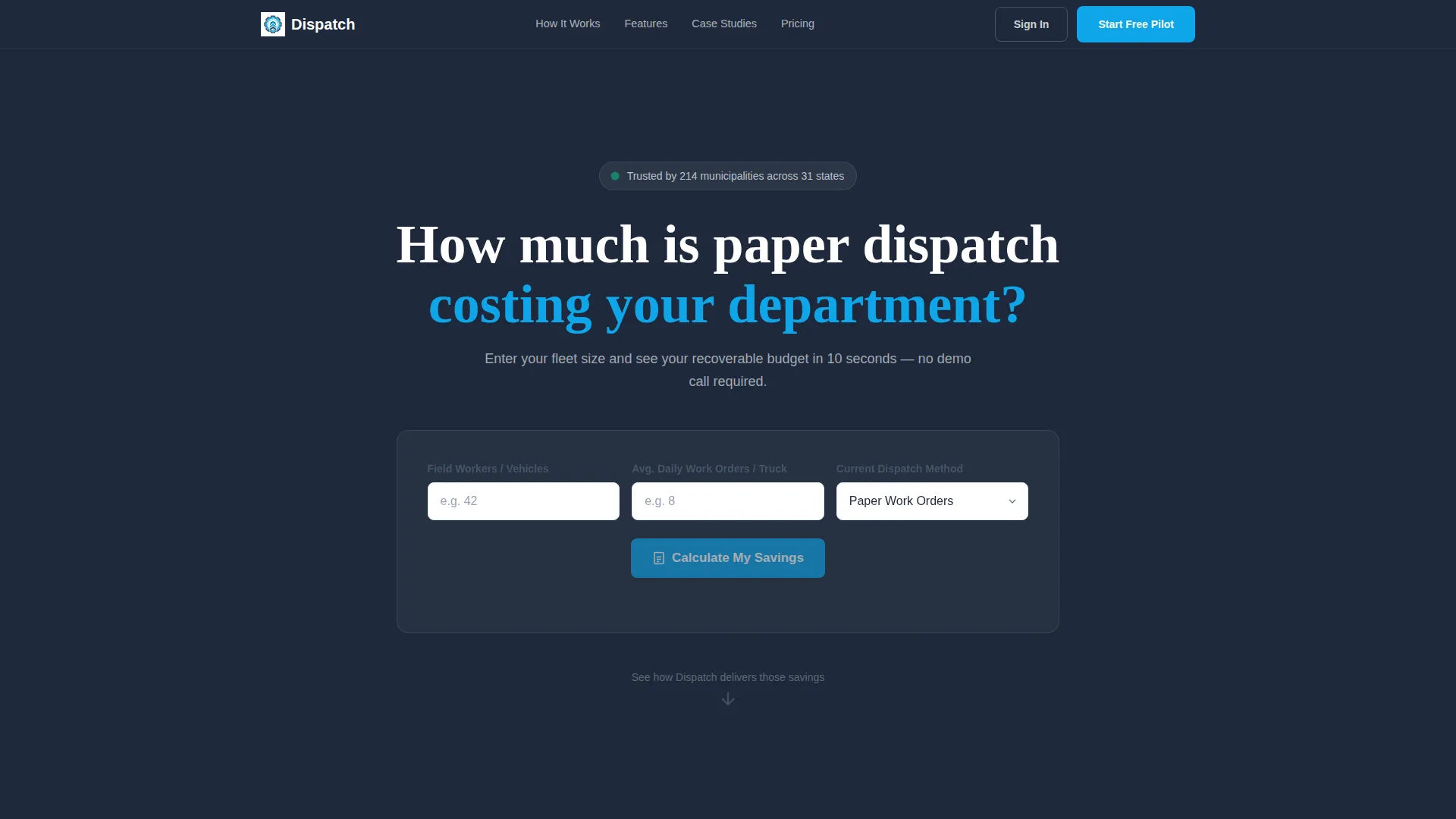
The calculator sits above the fold and asks three questions: number of field workers, average daily work orders, and current dispatch method chosen from a dropdown. Visitors click "Calculate My Savings" and watch animated counters render annual hours recovered, fuel dollars saved, and additional work orders completed in sky blue digits against deep slate.
Modular Feature Card Grid
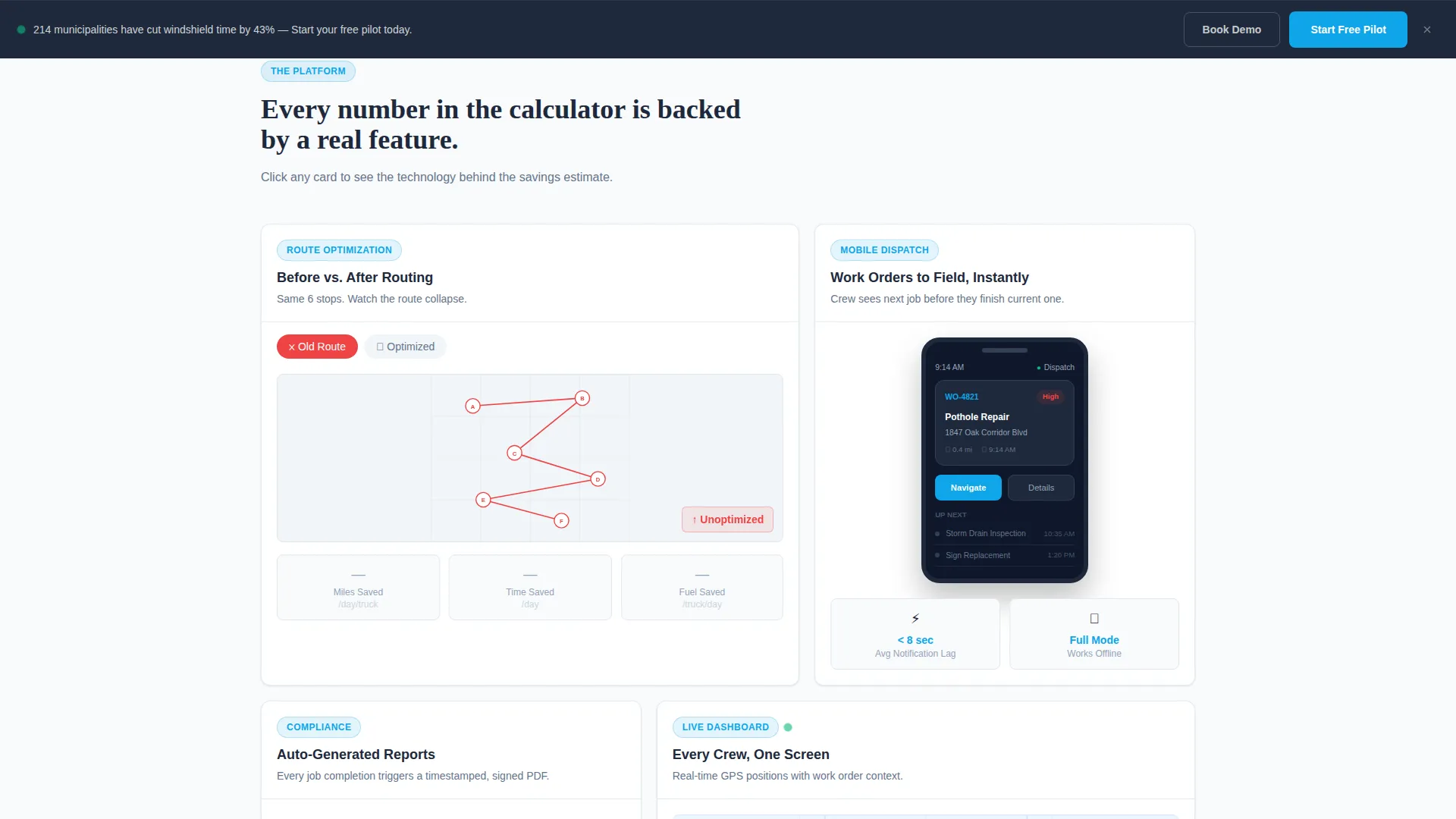
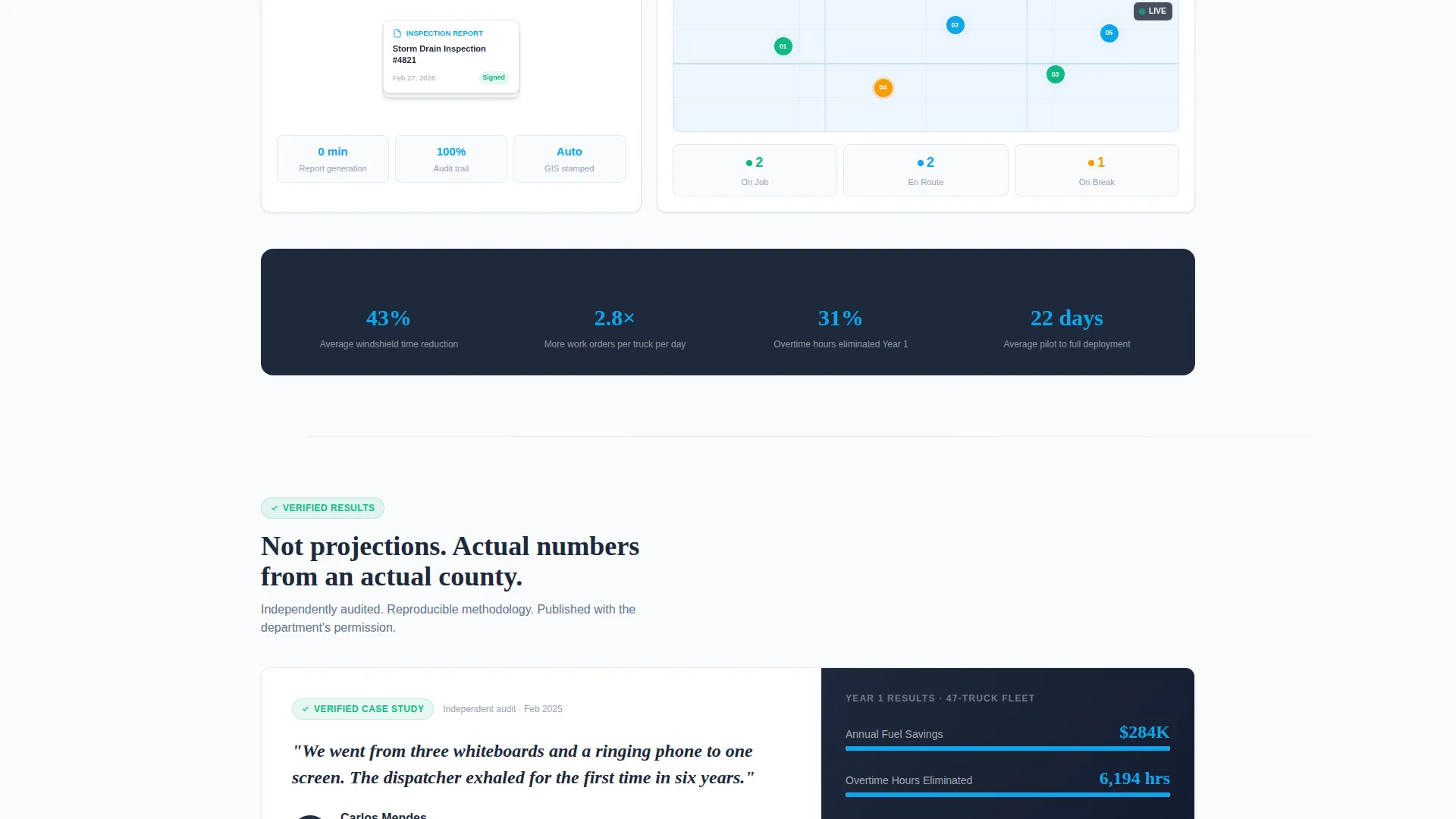
Below the calculator, a scrollable card grid breaks the platform story into self-contained proof points. Each card is clickable and expands into a mini-demo experience. Cards cover route optimization with a before and after map animation, mobile dispatch with a phone mockup, auto-generated compliance reports, and a real-time dashboard pulsing with crew location dots.
Dual Conversion Flow
The primary call to action, "Start Your Free Pilot," appears inside the calculator results panel and as a persistent bottom bar during scroll. The trial form collects work email validated against government domains, department name, and fleet size. A secondary path labeled "See It With Your Data" leads to a guided demo booking with an embedded calendar.
Municipal Case Study Card
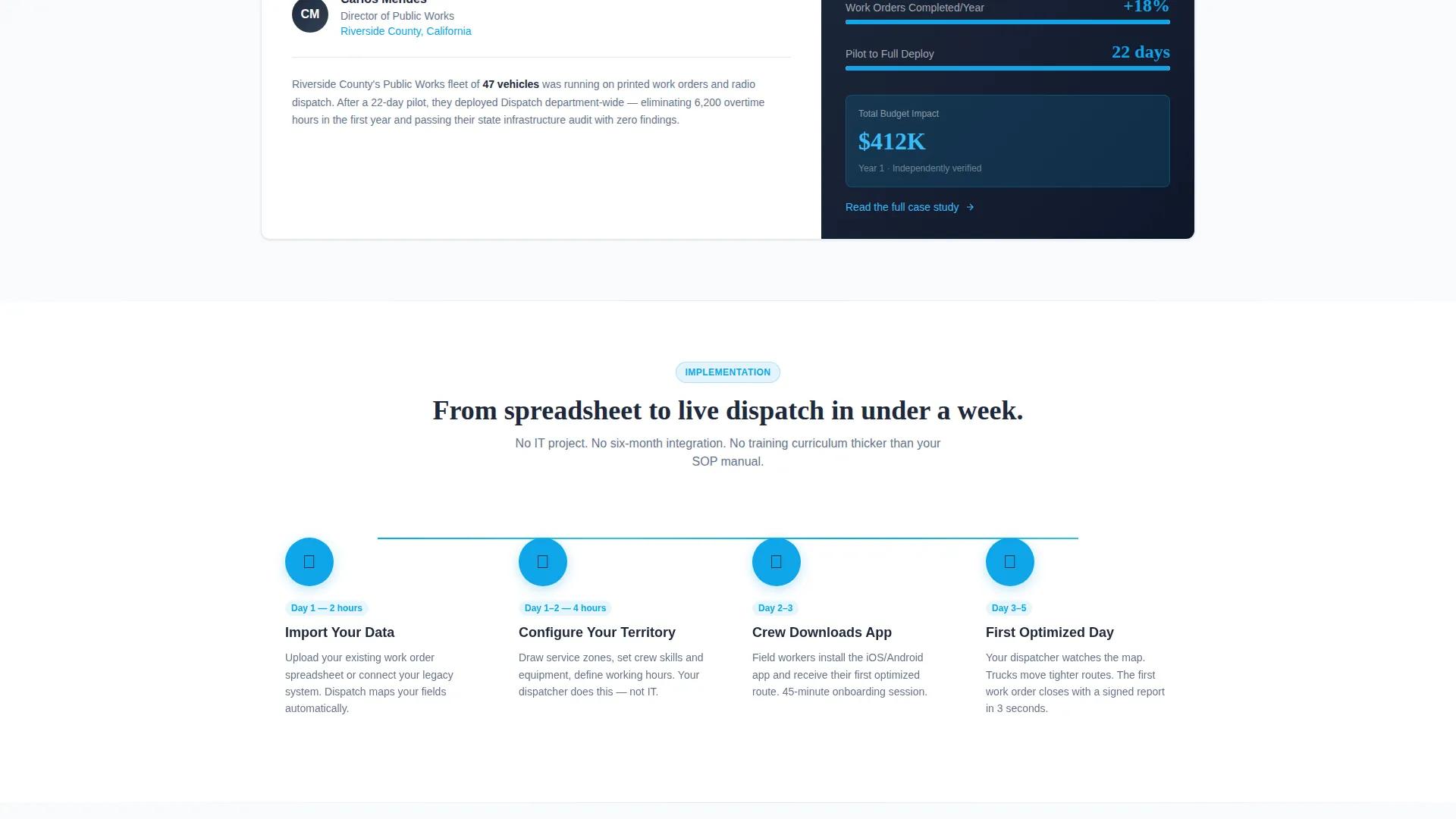
The page closes with a named municipality case study card showing verified savings figures. This gives procurement-stage buyers a concrete reference point and builds the kind of credibility that moves a budget approval forward.
Persistent Bottom Conversion Bar
A sticky bar anchors the primary call to action throughout the entire scroll journey. Visitors never have to scroll back up to take action. The bar keeps the trial offer visible without interrupting the reading experience.
Page sections overview
| Section | Purpose |
|---|---|
| Calculator Hero | Capture attention and deliver personalized savings estimates above the fold |
| Route Optimization Card | Show before and after route efficiency with an animated map comparison |
| Mobile Dispatch Card | Demonstrate live work order delivery via a phone mockup |
| Compliance Reports Card | Fan out auto-generated inspection reports to prove audit readiness |
| Real-Time Dashboard Card | Pulse crew GPS positions on a city map to show live operational control |
| Case Study Card | Anchor trust with verified savings from a named municipality |
| Trial Signup Form | Convert calculator-warmed visitors with a focused four-field form |
| Demo Booking Path | Offer a guided demo option with an embedded calendar for higher-intent buyers |
| Persistent call to action Bar | Keep the primary trial offer visible throughout the entire page scroll |
Design & branding system
The Slate and Sky color system is built to feel like stepping out of a fluorescent government office into sharp daylight. It is institutional enough to pass a procurement review and modern enough to signal a break from legacy vendors.
- Deep administrative slate (#1E293B) anchors headers and navigation; concrete corridor gray (#64748B) handles secondary text and borders
- Open-sky blue (#0EA5E9) drives every interactive element including hover states, animated counters, progress rings, and toggle switches
- Clean compliance white (#F8FAFC) surfaces every card, keeping individual proof points crisp and readable against the slate backbone
Mobile & speed optimization
The card grid layout is built to reflow cleanly on smaller screens without losing the interactive character that makes the template effective. Field service buyers review vendor pages on mobile just as often as at a desk.
- Modular card components stack vertically on smaller viewports, preserving readability and tap targets
- The persistent bottom conversion bar is designed to sit comfortably on mobile screens without obscuring content
- Animated counter elements and card expand interactions are scoped to keep visual load light on lower-bandwidth connections
How this template helps you convert
The conversion strategy is built around emotional momentum. The calculator does not just display numbers; it makes the cost of inaction personal and specific before a single feature is described.
- The Cost Savings Calculator creates a personalized anchor figure early. Once a public works director sees a recoverable overtime number tied to their own fleet size, filling out four form fields feels like a small trade.
- The modular card grid sustains that momentum by visually proving each saving category. Route optimization, compliance readiness, and real-time crew visibility each get a dedicated interactive card that connects the calculator output to a concrete capability.
- The dual conversion path removes friction for different buyer types. High-intent visitors go straight to the free pilot form. Buyers who need internal sign-off choose the guided demo path instead of leaving the page.
Other information about this template
This template is built on a Card Grid layout styled within the Startup Velocity theme. It is designed to work as a standalone government software landing page without requiring additional pages.
- The template style is Card Grid (Modular), making it straightforward to add, remove, or reorder feature cards to match your platform's capabilities
- The creative direction is Calculator First, meaning the header component doubles as the primary product demonstration rather than a static illustration or video
- The freemium and trial conversion direction is baked into the layout, with two separate paths serving both self-serve buyers and procurement-led buyers
- This template suits any government field service management platform, including those serving public works, code enforcement, parks maintenance, or utilities inspection departments
Theme
Startup Velocity
Creative direction
Calculator/Tool First
Color system
Slate & Sky
Style
Card Grid (Modular)
Direction
Freemium/Trial
Page Sections
Interactive Cost Savings Calculator
Modular Feature Card Grid
Dual Conversion Path Layout
Municipal Case Study Card
Persistent Bottom Conversion Bar
Related questions
Can I customize the calculator inputs for my specific platform?
Does the trial signup form support domain validation out of the box?
Is this template suitable for platforms serving multiple government departments?
Does the page include case study content, or do I need to supply it?
How does the persistent bottom conversion bar behave on mobile screens?



