AI for Nonprofit Cost Calculator Website Template
Dispatch is a scroll-reveal landing page template built for nonprofit AI customer service platforms. It opens with a live calculator showing real-time savings projections, then walks visitors through the cost of unanswered inquiries, a live AI conversation demo, and a 90-day impact dashboard. The entire page is designed to convert development directors into app downloads.
by Rocket studio
Quick summary
Dispatch is a single-page, scroll-reveal landing page template purpose-built for nonprofit AI customer service tools. It leads with an interactive calculator that animates savings projections on load, then escalates through four high-motion sections before landing on a frictionless app download flow. The template is built for small nonprofit teams who need to show, not just tell, what AI-powered support resolution looks like.
Who this template is for
This template is designed for founders, marketers, and product teams launching AI-powered support tools aimed at the nonprofit sector. If your platform helps small organizations handle donor questions, volunteer signups, or grant inquiries without hiring more staff, Dispatch was built around your pitch.
- Development directors at five- to fifty-person nonprofits who are buried in unanswered donor emails
- Volunteer coordinators tired of answering the same onboarding question forty times a day
- Solo executive directors who function as the entire customer service department
What problem this template solves
Nonprofit help desks are a slow, manual bottleneck. A three-person team cannot realistically respond to four hundred monthly inquiries while also running programs, stewarding donors, and applying for grants. Most landing page templates treat this as a features problem. Dispatch treats it as an urgency problem, and the template is structured to make the cost of inaction impossible to ignore before a visitor reaches the first call to action.
- Generic templates do not show live product behavior, leaving visitors to imagine the value instead of experience it
- Static hero sections fail to communicate real-time resolution speed, which is the core differentiator for AI support tools
- Most nonprofit tech pages bury the download or trial flow behind account creation steps that kill momentum
What you get with this template
Dispatch ships as a fully structured, single-page scroll-reveal layout with five purpose-built content sections and a fixed-position call-to-action bar. Every section is designed to escalate urgency and guide visitors toward the app download flow with minimal friction.
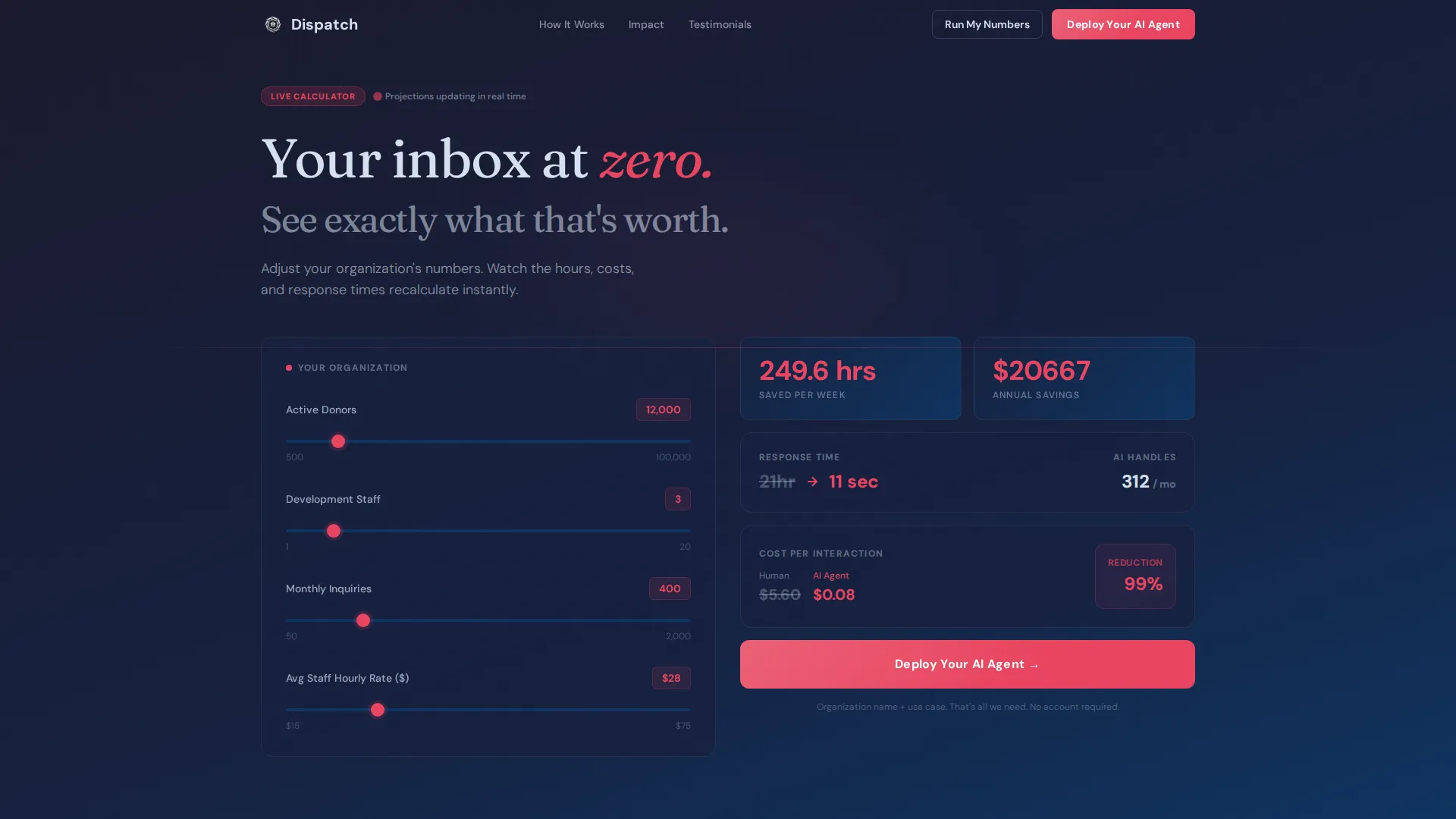
- A live calculator widget pre-filled with a mid-size nonprofit profile, ready for visitor input and real-time recalculation
- Four animated body sections covering problem cost, live AI demonstration, 90-day impact metrics, and social proof
- A dual call-to-action system with a primary "Deploy Your AI Agent" button and a secondary "Run My Numbers" deep-link path
Feature list
This section covers the built-in components and interaction patterns included in the Dispatch template.
Live Impact Calculator Widget
The page opens with a calculator already running. It arrives pre-filled with a mid-size nonprofit profile: 12,000 donors, three staff members, and 400 monthly inquiries. Numbers animate in real time, hours saved ticking upward, cost per interaction dropping, and response time collapsing from 27 hours to 11 seconds. Visitors can swap in their own figures and watch projections recalculate with spring-physics animations.
Scroll-Triggered Section Animations
Each content section detonates into view as it enters the viewport. Panels slide in from off-canvas, metrics count up on entry, and the pacing accelerates as the visitor scrolls deeper. The effect builds a sensation that momentum is already in motion.
Live AI Conversation Simulation
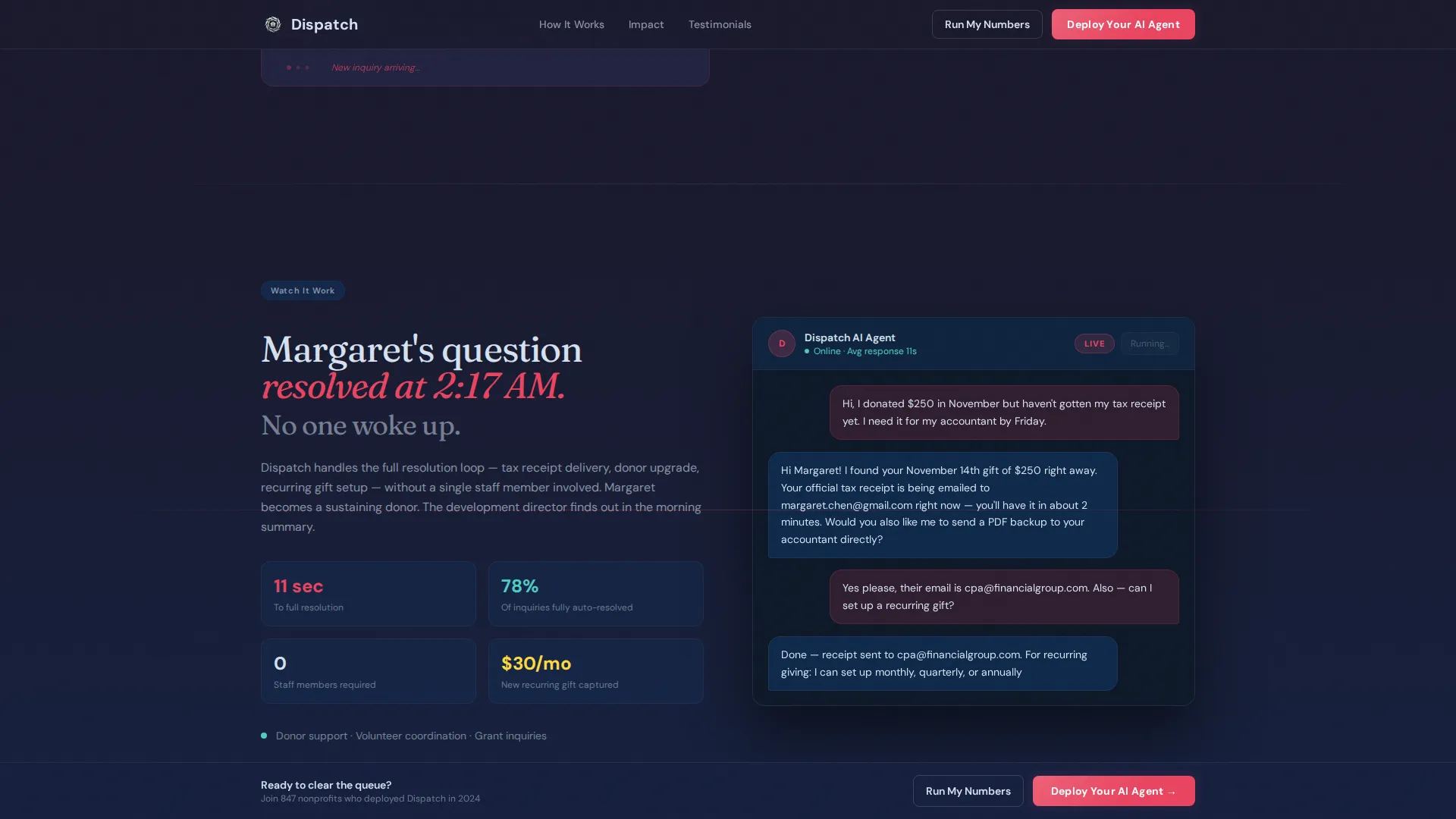
The "Watch It Work" section displays a typewriter-effect transcript of an AI agent resolving a real donor inquiry in real time. This is not a screenshot or a mockup. The interaction plays out on screen so visitors can see exactly how a resolution unfolds.
90-Day Impact Dashboard Section
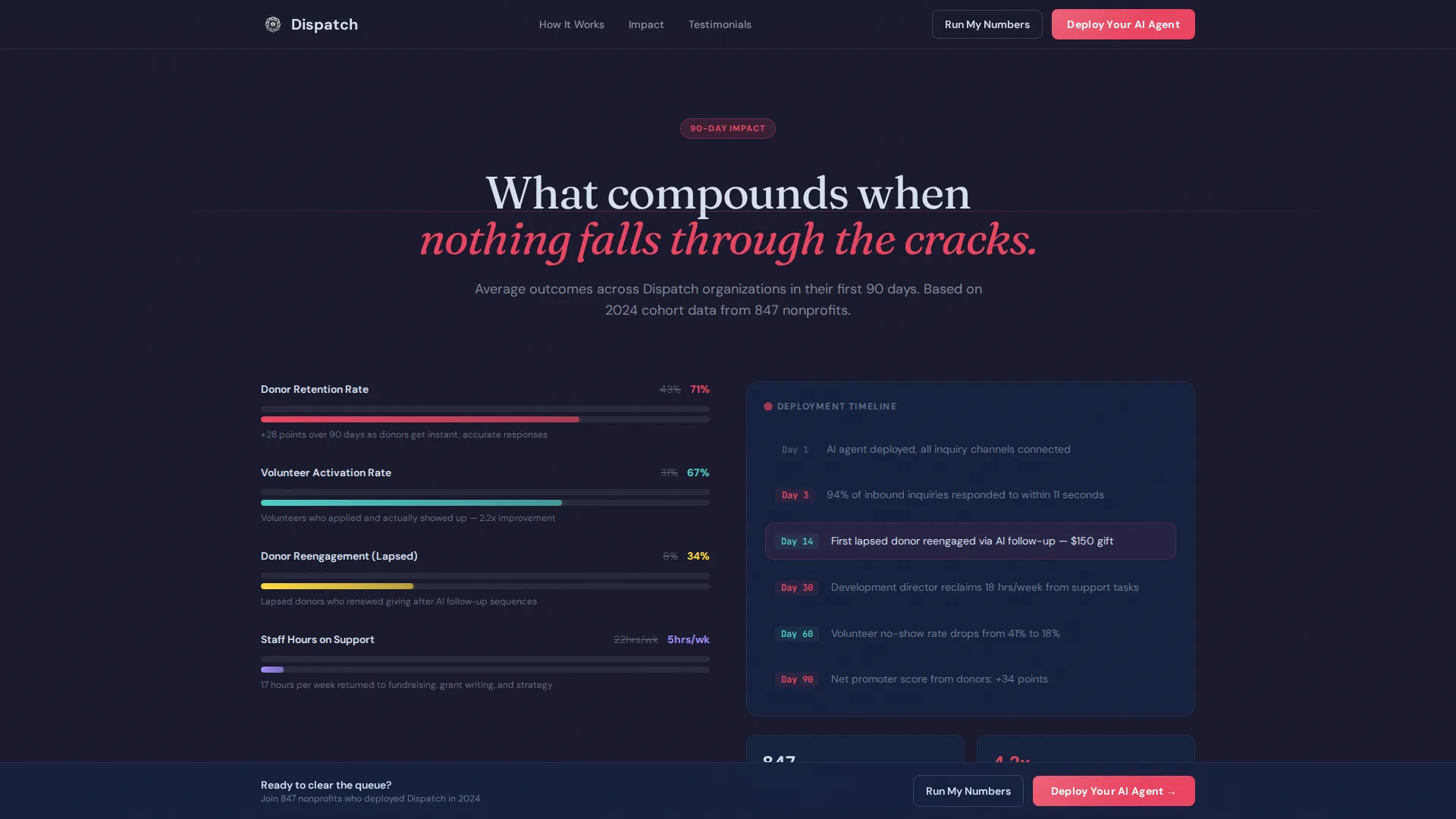
A dedicated section visualizes compounding results over a 90-day window. It surfaces three key outcome categories: donor retention lift, volunteer activation rate, and donor reengagement. Metrics animate as the section enters the viewport.
Fixed-Position Call-to-Action Bar
After the calculator populates results, a "Deploy Your AI Agent" button appears inline. As the visitor scrolls, that same call to action locks to the bottom of the viewport. A secondary "Run My Numbers" option deep-links visitors who skipped the header calculator back to the top with scroll position saved.
Frictionless App Download Flow
The download path asks only for organization name and primary use case, donor support, volunteer coordination, or general inquiries. No account creation is required on the page. The form sends the visitor directly to their app store.
Page sections overview
| Section | Purpose |
|---|---|
| Hero Calculator | Show live savings projections and invite visitor input |
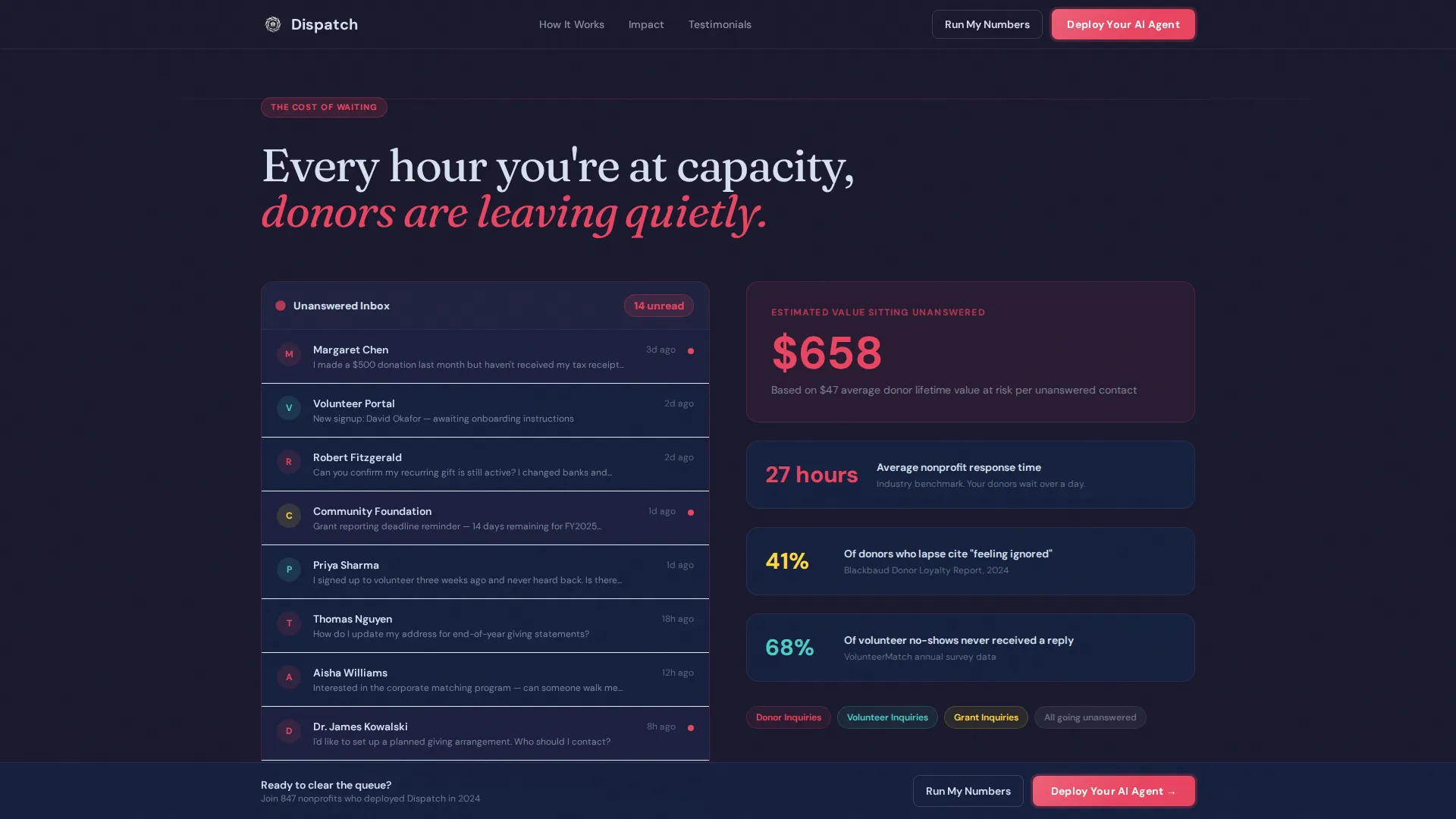
| What You're Losing | Visualize unanswered message accumulation and cost |
| Watch It Work | Display a live AI conversation transcript simulation |
| 90-Day Impact Dashboard | Animate retention, volunteer, and reengagement metrics |
| Social Proof | Testimonials from development directors with specific outcomes |
| Footer | Single-row linear layout with minimal navigation |
Design & branding system
The visual identity follows a Dynamic Motion theme built on a Carbon Fiber color system. The aesthetic reads like a mission control cockpit, engineered, lightweight, and precise. Every color decision reinforces the sense that the platform is alive and operating right now.
- Background layers cycle through deep carbon black (#1A1A2E) and woven graphite (#16213E), with titanium highlight (#0F3460) used for structural depth
- Silver-white (#D6E0F0) renders all body text for high contrast against dark backgrounds, while electric relay blue (#E94560) is reserved exclusively for calls to action, active states, and animating data
- Typography pairs DM Sans for interface and body text with Fraunces for impact statements, creating a clear hierarchy between operational detail and emotional emphasis
Mobile & speed optimization
Dispatch is built desktop-first to match the primary workflow of development directors reviewing tools at their desks. Full mobile support is included so the page remains usable across all screen sizes.
- Scroll-triggered animations use Intersection Observer, keeping entry effects lightweight and tied to actual viewport visibility
- Counter animations run on Request Animation Frame (RAF) for smooth number transitions without layout shifts
- All motion is handled through CSS transforms only, avoiding layout recalculations during animation sequences
How this template helps you convert
The page is structured as a progressive persuasion sequence. Each section removes a different objection before the visitor reaches the download prompt.
- The calculator makes the value tangible before any claim is made in prose, so the visitor has already seen their own projected outcome by the time they read a single headline
- The "What You're Losing" counter reframes inaction as an active cost, shifting the mental frame from "do I need this" to "how much longer can I wait"
- The fixed call-to-action bar and friction-free download flow catch the momentum the earlier sections build, asking only for organization name and use case before routing directly to the app store
Other information about this template
Dispatch is localized for the United States nonprofit sector. All terminology, currency, and framing reflect US-based development operations and donor management workflows. The template is category-matched to the intersection of technology, AI for nonprofit, and nonprofit AI customer service.
- The social proof section is structured to represent three distinct ideal customer archetypes: development directors, volunteer coordinators, and solo executive directors
- The footer uses a Pattern 1 linear single-row layout, keeping the close of the page clean and uncluttered
- The template is built for B2B SaaS positioning within the nonprofit technology space, making it relevant for any platform targeting small to mid-size mission-driven organizations
Theme
Dynamic Motion
Creative direction
Launch Energy
Color system
Carbon Fiber
Style
Scroll Reveal (Progressive)
Direction
App Download
Page Sections
Live Impact Calculator with Spring Physics
Scroll-triggered Viewport Entry Effects
AI Conversation Transcript Simulation
Day Impact Dashboard Section
Fixed Call-to-action Bar on Scroll
Friction-free App Download Flow
Related questions
Can I customize the calculator inputs for my platform's specific metrics?
Does this template require account creation before the visitor can download the app?
Is the AI conversation simulation connected to a live backend system?
Who is the primary audience this template is designed to reach?
Can I update the social proof section with my own customer testimonials?



