Offshore Vertical SaaS Professional Website Template
Dispatch is a glassmorphic offshore scheduling landing page built for crew logistics teams. It opens with a live interactive scheduling board, walks visitors through modular capability cards, and converts them through a no-credit-card freemium trial. The design echoes a bridge console at night, dark, precise, and purposeful.
by Rocket studio
Quick summary
Dispatch is a single-page offshore booking system template designed for the offshore energy sector. It opens with a drag-and-drop scheduling preview, scrolls through a modular card grid of operational capabilities, and closes with a two-step freemium sign-up flow. Every section earns its place. Every color carries a function.
Who this template is for
This template is built for teams operating in high-pressure offshore logistics environments. If your daily work involves crew rotations, vessel manifests, or last-minute backfill requests, this landing page speaks your language directly.
- Logistics coordinators managing multiple rigs simultaneously
- Operations installation managers (OIMs) handling urgent crew changes around the clock
- Crewing managers currently reconciling manifests across multiple spreadsheets
What problem this template solves
Offshore scheduling is genuinely complex. Crew hitches, helicopter seat allocations, bunk assignments, and compliance checks all collide inside fragmented tools. A generic SaaS landing page cannot communicate that depth. Dispatch is built to close that gap.
- Visitors arrive skeptical because most scheduling tools look identical at first glance
- Coordinators need to see real workflow value before they will start a trial
- The freemium offer loses credibility if the page feels generic or slow to demonstrate capability
What you get with this template
You get a fully structured, single-page layout that guides an offshore logistics buyer from curiosity to sign-up. Every section is scoped to a real stage of that buying decision.
- An interactive header that functions as a live product demo inside the viewport
- A modular card grid that maps directly to operational pain points your buyers recognize
- A floating call-to-action bar and a two-step sign-up form optimized for the freemium conversion model
Feature list
This template includes purpose-built sections and interactive components grounded in the offshore scheduling use case. Each feature below is present in the source brief and delivered as a designed, functional template element.
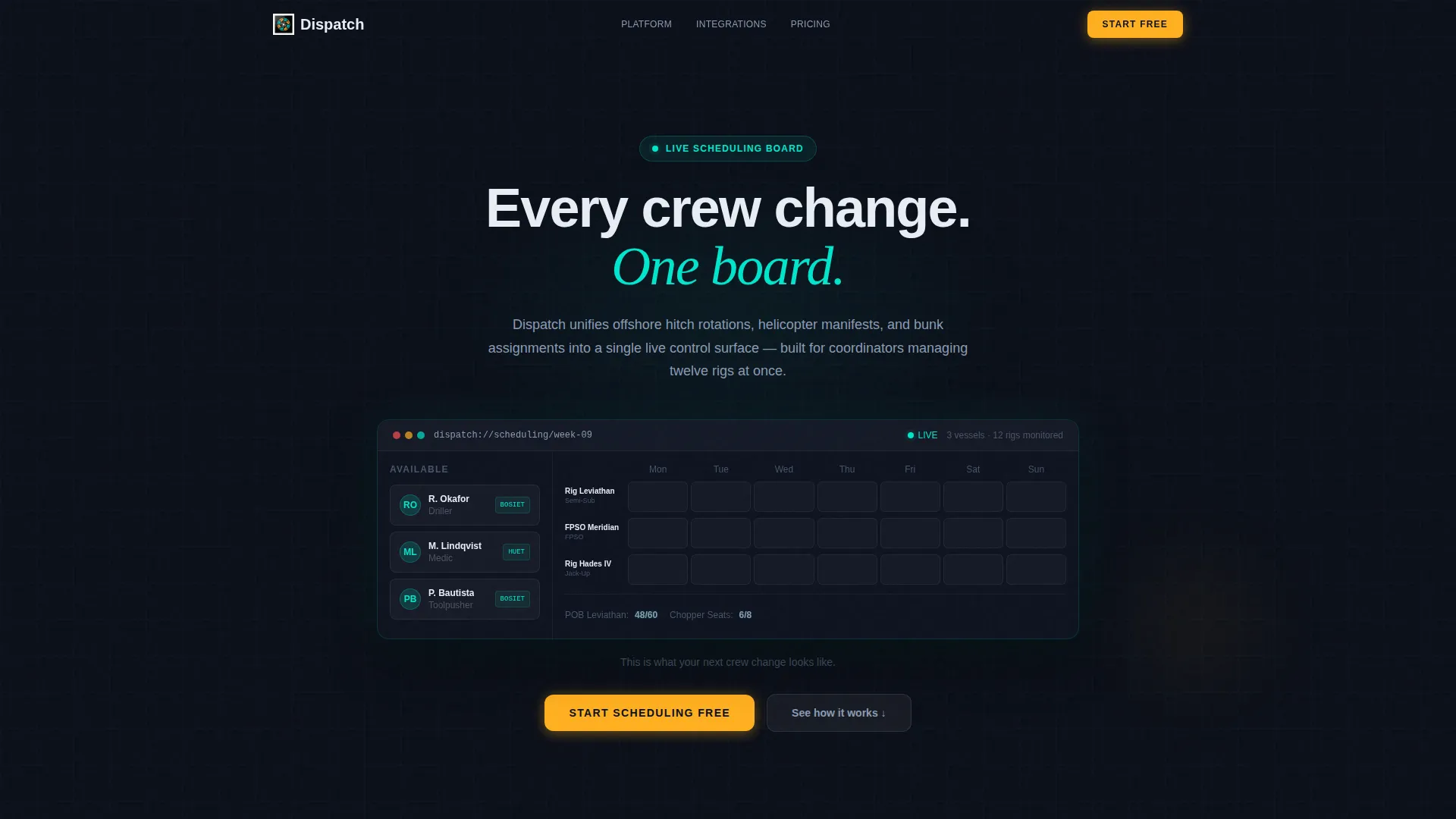
Interactive Scheduling Board Header
The header renders a working micro-version of the scheduling board directly in the viewport. Visitors can drag a crew member token from an "Available" column onto a rig slot. The manifest count updates, a helicopter seat auto-assigns, and a confirmation badge animates into place. No screenshot. No explainer video. The product demonstrates itself within the first five seconds.
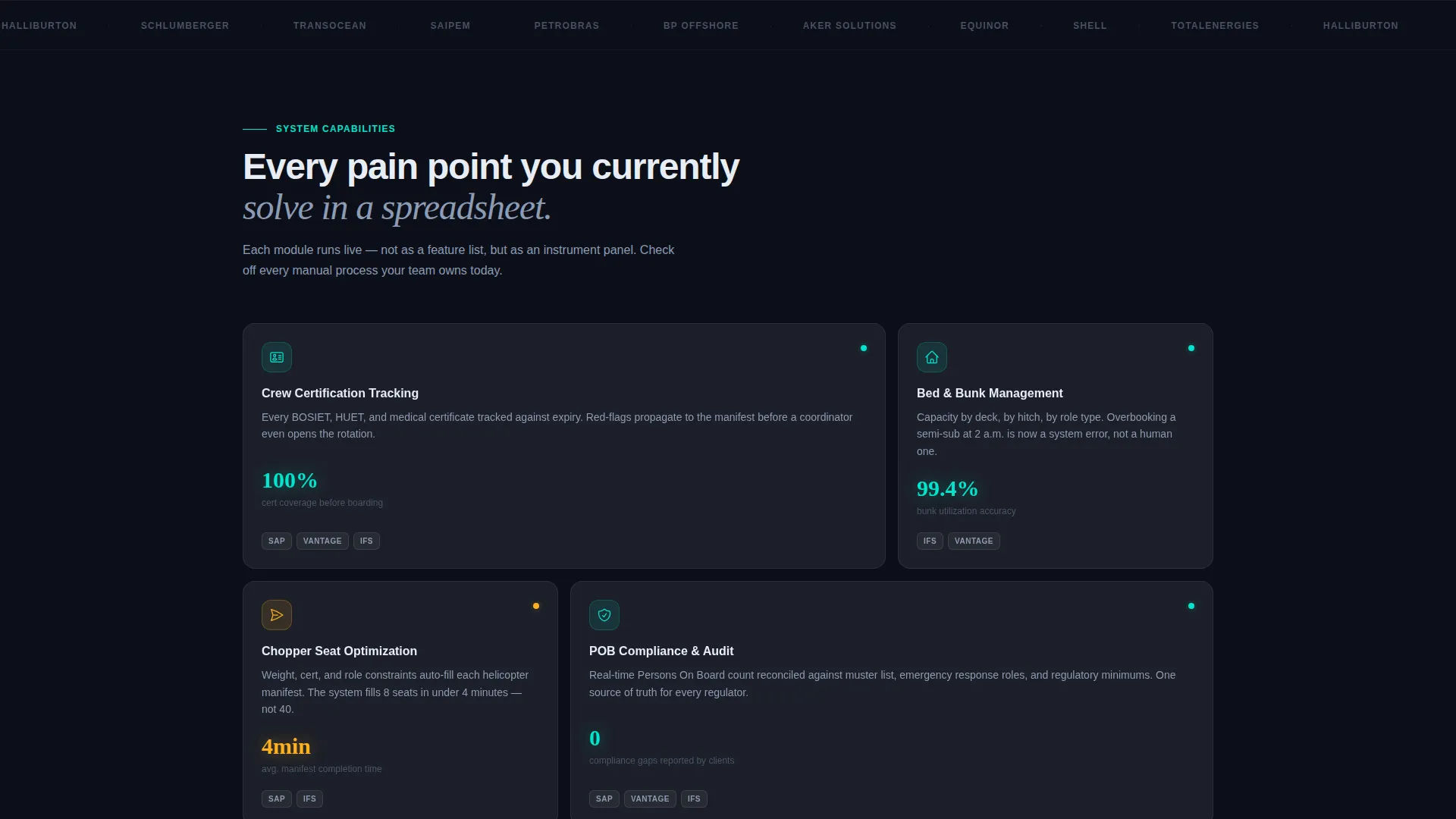
Modular Capability Card Grid
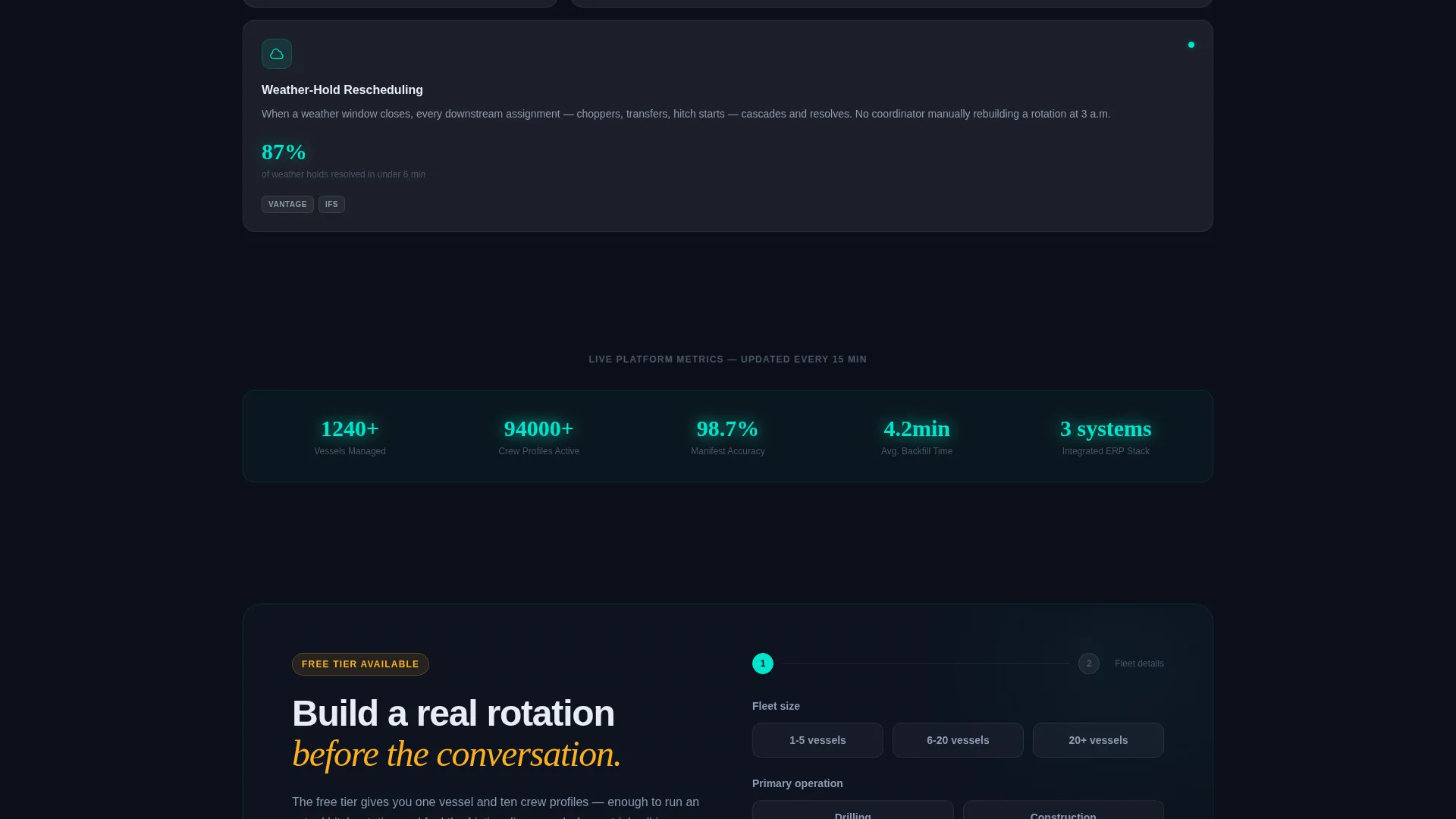
The scroll section presents each core system capability as a titled glass card. Each card displays a single animated metric, a three-line functional description, and an integration badge row. Cards stagger-animate into view with subtle parallax lift. The grid covers Crew Certification Tracking, Bed Management, Chopper Seat Optimization, Personnel on Board (POB) Compliance, and Weather-Hold Rescheduling.
Floating Conversion Bar
After the first scroll, a persistent bottom bar pins the primary call-to-action button to the viewport. The button reads "Start Scheduling Free" in hazard amber. It stays visible throughout the entire scroll journey without interrupting content reading.
Two-Step Freemium Sign-Up Form
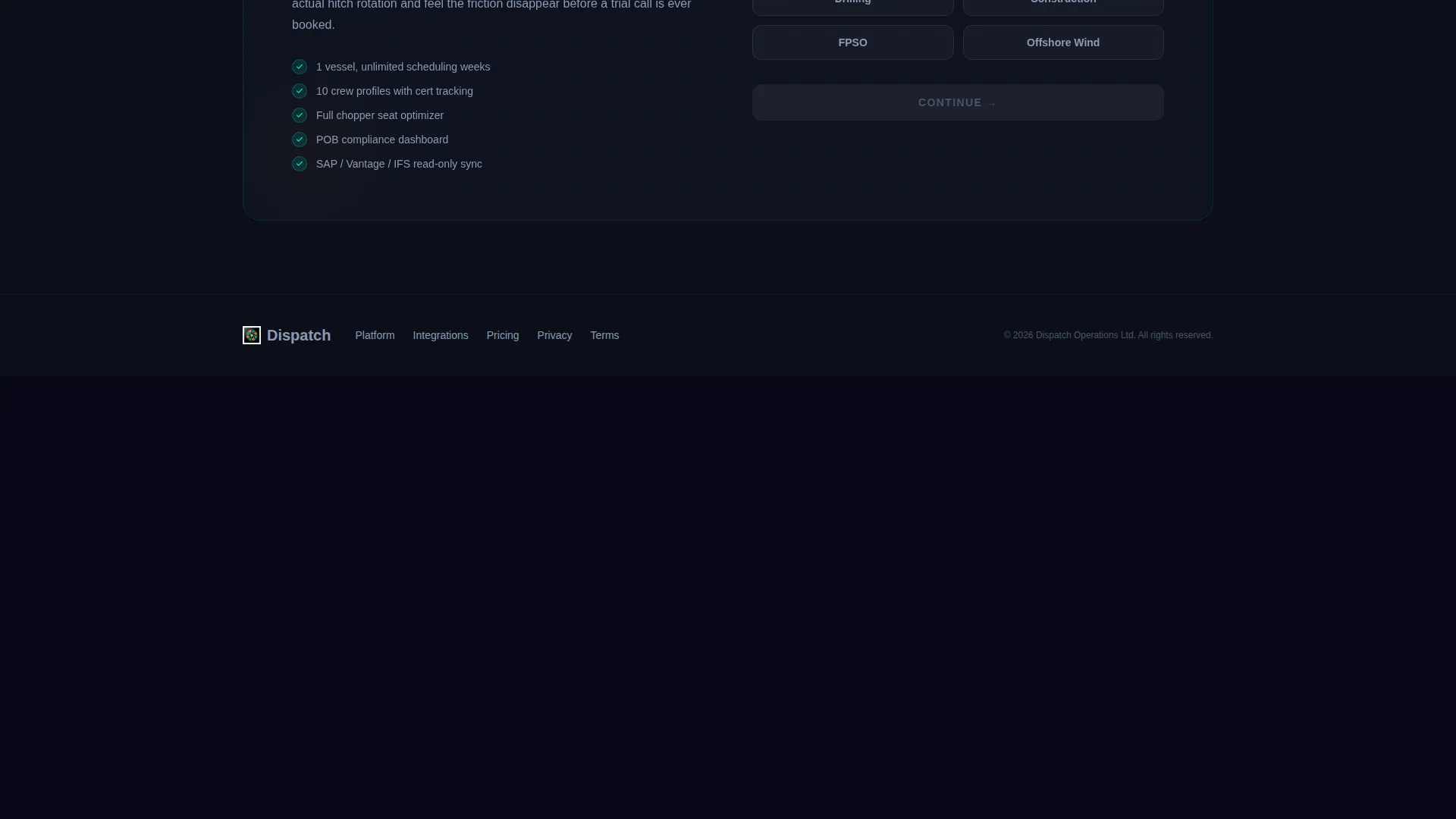
Clicking the primary call-to-action opens a two-step form. Step one captures fleet size and primary operation type. Step two captures work email and an optional single sign-on (SSO) domain. No credit card is required. The free tier includes one vessel and ten crew profiles.
Glassmorphic Dark user interface System
The visual system uses deep subsea black as the base, translucent panel overlays at 12% opacity, electric teal for live-state indicators and interactive borders, and hazard amber reserved for alerts and calls to action. Cards float on frosted-glass panels with soft blur backdrops. Every color is load-bearing, not decorative.
Page sections overview
| Section | Purpose |
|---|---|
| Interactive Board Header | Live drag-and-drop scheduling preview in viewport |
| Tagline Text Line | One-line product positioning below the header |
| Capability Card Grid | Modular deep-dive into each system feature |
| Crew Certification Card | Highlights certification tracking capability |
| Bed Management Card | Covers bunk assignment and availability logic |
| Chopper Seat Card | Shows helicopter seat optimization feature |
| POB Compliance Card | Addresses personnel on board compliance tracking |
| Weather-Hold Card | Explains weather-triggered rescheduling capability |
| Floating call to action Bar | Persistent sign-up prompt pinned after first scroll |
| Two-Step Sign-Up Form | Fleet size, operation type, email, and SSO capture |
Design & branding system
The visual identity follows a Dynamic Motion theme expressed through a Glassmorphic color system. Every design decision references the mental model of a bridge console operating at night, dark glass, purposeful glow, and data that reads at a glance.
- Base palette: deep subsea black (#0B0F19), translucent panel white at 12% opacity (#FFFFFF1F), electric teal (#00E5CC) for interactive edges and live-state indicators, hazard amber (#FFB020) for alerts and calls to action
- Cards use frosted-glass panels with soft blur backdrops and teal-lit borders that refract like light through water
- Motion system: stagger-animate card entries with subtle parallax lift, giving each capability card the feel of a new instrument powering up on a dashboard
Mobile & speed optimization
The card grid layout is modular by design, which supports natural reflow across screen sizes. The template is structured to keep the most critical conversion element, the floating call-to-action bar, accessible regardless of device.
- Modular card grid reflows cleanly from multi-column desktop to single-column mobile layouts
- The floating bottom bar remains pinned and visible across viewport sizes so the sign-up prompt is never buried
- Glassmorphic blur effects are scoped to panels rather than full-page backgrounds, keeping visual weight manageable on smaller devices
How this template helps you convert
The conversion architecture is built around the freemium model described in the brief. Every design and copy decision is designed to reduce friction for the offshore logistics buyer.
- The interactive header removes the need for a sales call to understand the product, visitors experience the workflow themselves within the first five seconds of arriving on the page.
- The modular card grid lets the coordinator mentally check off every pain point they currently solve manually, building purchase confidence before they reach the sign-up form.
- The two-step form with no credit card requirement lowers the commitment threshold to nearly zero, making it easy to start with one vessel and ten crew profiles before any commercial conversation.
Other information about this template
This template is categorized under Technology, specifically within the Offshore Vertical SaaS subcategory, targeting the offshore booking system niche. It is built as a Card Grid (Modular) layout using a Dynamic Motion theme and Glassmorphic color system. The header concept is an Interactive Preview, and the landing page direction is Freemium and Trial.
- The integration badge row on each capability card references enterprise resource planning systems such as SAP, Vantage, and IFS, as shown in the source brief design direction
- The free tier is defined in the brief as one vessel and ten crew profiles with no credit card required
- Operation type options in the sign-up form include drilling, construction, floating production storage and offloading (FPSO), and wind
- Fleet size options in step one of the form are 1 to 5 vessels, 6 to 20 vessels, and 20 or more vessels
Theme
Dynamic Motion
Creative direction
Spec Sheet
Color system
Glassmorphic
Style
Card Grid (Modular)
Direction
Freemium/Trial
Page Sections
Interactive Scheduling Board Header
Modular Capability Card Grid
Floating Amber Call to Action Bar
Two-step Freemium Sign-up Form
Glassmorphic Dark Visual System
Stagger-animate Parallax Motion
Related questions
Does this template include a working scheduling board or just a visual mockup?
What does the free tier include?
Who is the two-step sign-up form designed for?
Can this template be adapted for different offshore operation types?
How does the floating call-to-action bar work?



