Dispatch - Powerful Scheduling Landing Page Template
Dispatch is a split-screen landing page template built for home services scheduling platforms. It leads with bold, animated metrics, walks visitors through a live-style scheduling grid, and drives every section toward a single demo click. The Midnight Blue color system and Stats-First layout make a strong first impression for operations managers, dispatchers, and franchise owners.
by Rocket studio
Quick summary
Dispatch is a single-page template designed for home services staff scheduling platforms. It opens with three animated metrics, transitions through a split-screen product reveal, and closes every second section with a primary call to action. The design feels like a dispatch console at dawn: calm, controlled, and ready to act.
Who this template is for
This template is built for companies selling scheduling and dispatching software to the home services industry. It speaks directly to the people who feel the daily pressure of keeping field crews on time and on task.
- Operations managers overseeing 15 to 80 field technicians across a metro service area
- Dispatchers juggling multiple browser tabs, incoming calls, and shifting job assignments
- Franchise owners who need a full route overview before the workday begins
What problem this template solves
Scheduling platforms in the home services space often struggle to communicate their value quickly. A visitor who manages 40 HVAC technicians needs to feel the product before they fill out any form.
- Generic SaaS landing pages bury the product benefit under long feature descriptions
- Prospective buyers leave before reaching the call to action because the stakes feel abstract
- The gap between "we save you time" and "here is exactly how much time" costs conversions
What you get with this template
You get a fully structured, single-page layout that leads with proof and ends with action. Every section is built to remove hesitation and move the visitor one step closer to the demo.
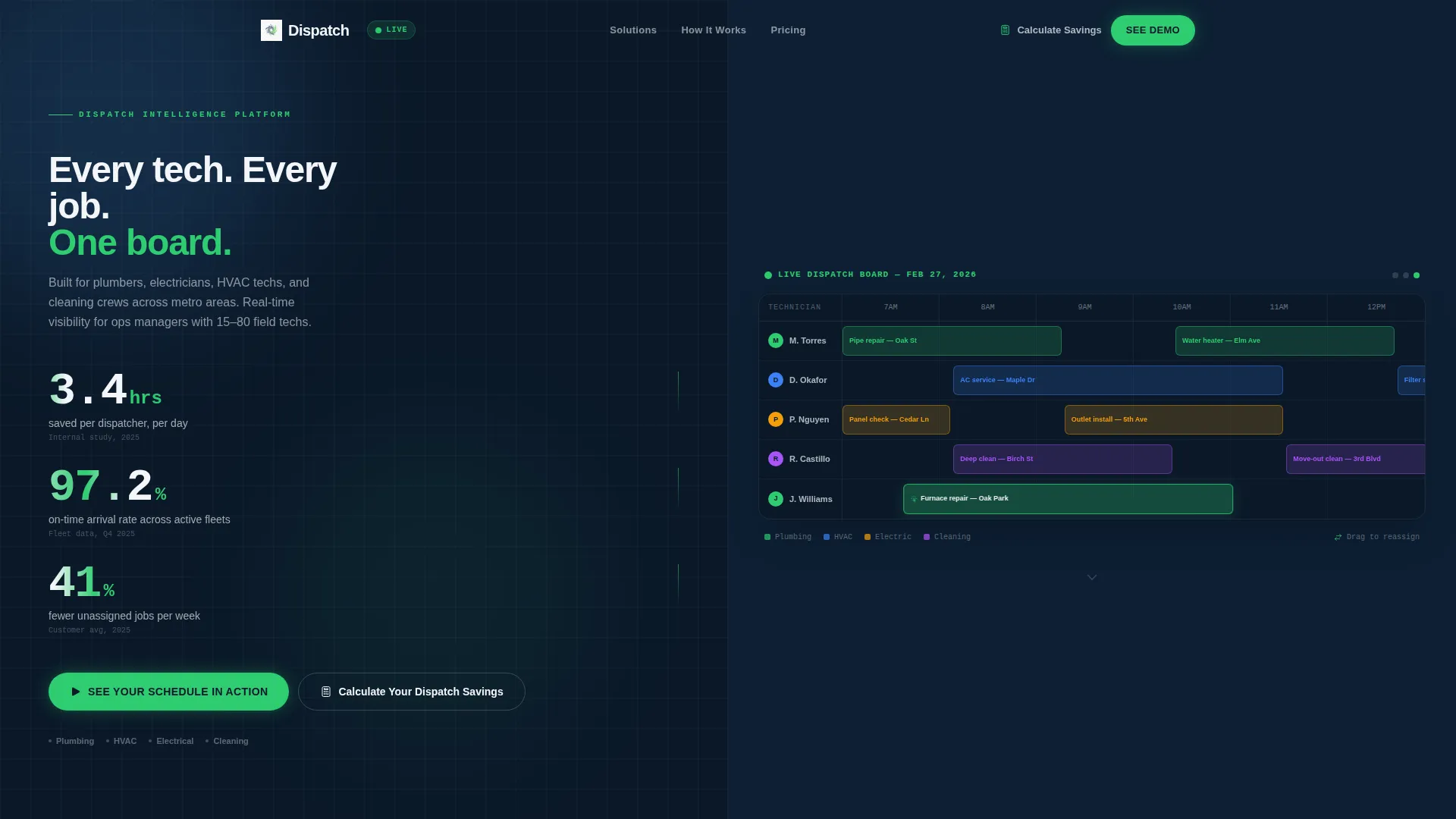
- A Stats/Metrics header with three animated counters and a live-style scheduling grid panel
- A Stats-First Impact scroll flow that pairs each bold metric with a supporting product view
- A primary call-to-action button and a secondary calculator modal, both wired for click-through to a demo environment
Feature list
This template is built around a tight set of high-intent layout components. Each one is designed to serve a specific conversion moment inside a field service scheduling sales flow.
Animated Metrics Header
The header stacks three specific performance numbers in large schedule-white type against a terminal navy background. Each number counts up from zero on page load, mimicking a live dashboard refresh and immediately signaling that the product delivers measurable results.
Split-Screen Product Reveal
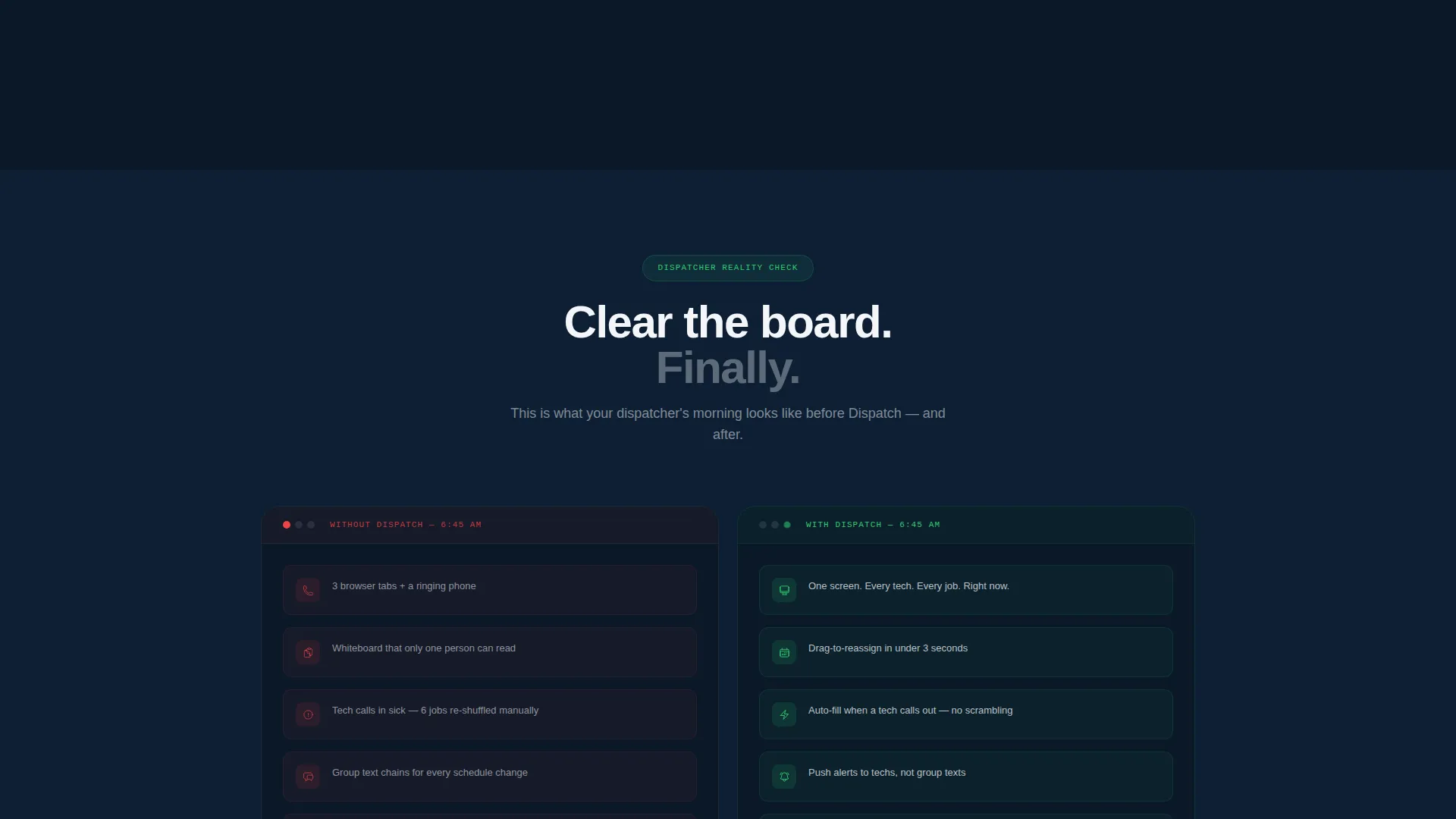
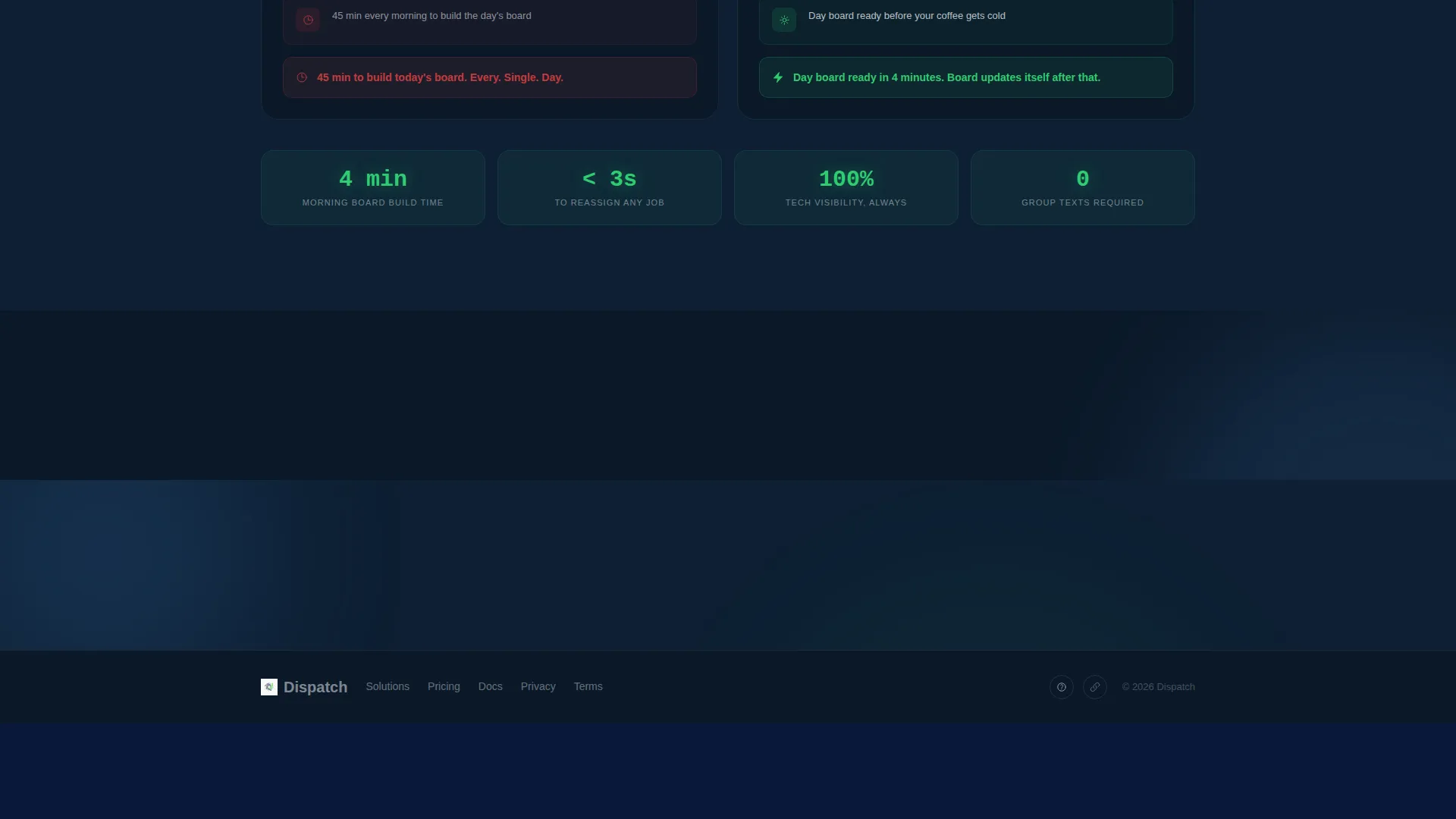
Each major scroll section uses a 50/50 split layout. One panel shows a bold metric; the other peels open to display the product view behind that number, such as a route optimization map or a before-and-after dispatcher workflow comparison.
Live-Style Scheduling Grid
The right panel of the header displays a scheduling grid with technician names on the left axis and time blocks across the top. Color-coded job cards sit in assigned slots, and one card appears mid-drag into an open slot to simulate active dispatching.
Click-Through Call-to-Action System
The primary call-to-action button, labeled "See Your Schedule in Action," appears in the header and repeats after every second stat section. It routes directly to a pre-loaded demo with sample technicians and jobs. No form stands between the visitor and the demo experience.
Dispatch Savings Calculator Modal
A secondary call-to-action button opens a lightweight modal. The modal asks for three inputs: number of technicians, average daily jobs, and current scheduling method. It earns the click by letting the visitor calculate their own savings before any commitment is required.
Stats-First Scroll Rhythm
The page follows a repeating pattern: a large, specific metric appears first, then the split screen opens to explain and prove it. Stakes escalate from time savings to revenue impact to employee retention, keeping the visitor engaged across every scroll transition.
Page sections overview
| Section | Purpose |
|---|---|
| Stats Metrics Header | Opens with three animated performance numbers and a live scheduling grid |
| Route Optimization Split | Pairs a time-savings metric with a route map product view |
| Dispatcher Workflow Split | Shows before-and-after dispatcher workflow alongside a revenue metric |
| Retention Impact Split | Connects employee retention stat to a scheduling consistency product view |
| Demo Call to Action | Repeating primary button driving visitors to the pre-loaded demo |
| Savings Calculator Modal | Secondary trigger for a lightweight three-input savings calculator |
Design & branding system
The visual identity uses a Midnight Blue color system built to feel like a professional dispatch console. Every color choice serves a specific function within the layout.
- Deep terminal navy (#0B1929) dominates section backgrounds and dividers, while dispatcher-console blue (#1B3A5C) frames secondary containers and panels
- Clean schedule white (#F4F6F9) carries body text, card surfaces, and large metric numerals for maximum contrast against the dark backgrounds
- Live-status green (#2ECC71) appears exclusively on interactive elements, active-state indicators, confirmed job cards, and clickable buttons
Mobile & speed optimization
The template is designed with a lean, single-page structure that keeps load weight low and scroll performance smooth on any device. Field service buyers often check vendor pages from a phone between job calls.
- The split-screen layout reflows gracefully on smaller screens, stacking panels vertically without losing the metric-first narrative order
- Animated counters and color-coded job cards are built to render cleanly on mobile viewports without layout breakage
How this template helps you convert
The entire page is structured as a trust-building sequence that ends in a low-friction demo click. There are no forms between the visitor and the product experience.
- The animated metrics header creates immediate credibility by leading with specific, sourced numbers before any product explanation appears
- The Stats-First scroll rhythm keeps visitors moving through the page by pairing every bold claim with a visible product view that proves it
- The dual call-to-action system gives confident visitors a direct path to the demo and hesitant visitors a calculator that does the convincing for them
Other information about this template
This template is part of a Directory and Discovery theme collection and is well-suited for home services software and SaaS products targeting the field scheduling and workforce dispatching niche.
- The template style is Split Screen (50/50), making it a strong fit for platforms that want to show product user interface alongside performance data
- The creative direction is Stats-First Impact, which is especially effective when your target audience, such as dispatchers and operations managers, responds to concrete numbers over abstract claims
- The landing page direction is Click-Through, meaning the entire page is optimized to route visitors into an interactive demo environment rather than capturing leads through a form
- This template is categorized under Technology and is designed for the Home Services Software and SaaS subcategory, including platforms serving plumbers, electricians, HVAC technicians, and cleaning crews

Theme
Directory & Discovery
Creative direction
Stats-First Impact
Color system
Midnight Blue
Style
Split Screen (50/50)
Direction
Click-Through
Page Sections
Animated Metrics Header
Split-screen Product Reveal
Live-style Scheduling Grid
Click-through Call-to-action System
Dispatch Savings Calculator Modal
Stats-first Scroll Rhythm
Related questions
Who is the Dispatch template designed for?
Does this template include a contact form?
Can I edit the animated metrics in the header?
What makes the split-screen layout effective for a scheduling product?
How does the savings calculator modal work?



