Self-Hosted ITSM Landing Page Template
Dispatch is a self-hosted IT service management landing page template built for infrastructure teams who demand full data ownership. The hub and spoke layout guides visitors from inbox chaos to a clean, Docker-powered ticketing engine. With terminal dark aesthetics, iridescent accents, and ungated download calls to action, it converts technical buyers on first contact.
by Rocket studio
Quick summary
Dispatch is a single-page landing page template for a self-hosted IT service management platform. It uses a hub and spoke anchor navigation layout to walk technical buyers through ticket management, workflow automation, service-level agreement enforcement, and air-gapped deployment. The conversion goal is an immediate, ungated Docker image pull or tarball download.
Who this template is for
This template is built for teams and individuals who run their own infrastructure and need to present a self-hosted help desk product with authority. It speaks operator language from the first scroll to the last call to action.
- Solo sysadmins and DevOps leads managing incident chaos across shared inboxes
- IT directors at compliance-sensitive organizations who cannot route incident data through external cloud services
- Independent software vendors shipping a self-hosted IT service management tool to technical buyers
What problem this template solves
Most software landing pages push visitors toward a signup form or a sales call. That friction kills conversion for infrastructure teams who want to evaluate a tool by running it, not by talking to someone. Dispatch solves this at the template level.
- Visitors land on a page that feels native to their workflow, dark, terminal-styled, and direct
- Anchor navigation lets them jump instantly to the section that matches their current objection, tickets, workflows, or compliance
- The download is ungated and copy-ready, removing every barrier between interest and installation
What you get with this template
You get a fully structured landing page layout with five content spokes, a hero section, and a footer. Every section is designed for a technical audience that reads fast and decides faster.
- Hero section with a typewriter headline animation and a floating live ticket queue dashboard visual
- Five anchor-linked spokes covering tickets, workflow automation, service-level agreements, self-hosting, and integrations
- Primary and secondary download calls to action with a tertiary live demo path, all ungated and immediate
Feature list
This template includes the following built-in design and layout features.
Typewriter Hero with Terminal Glow
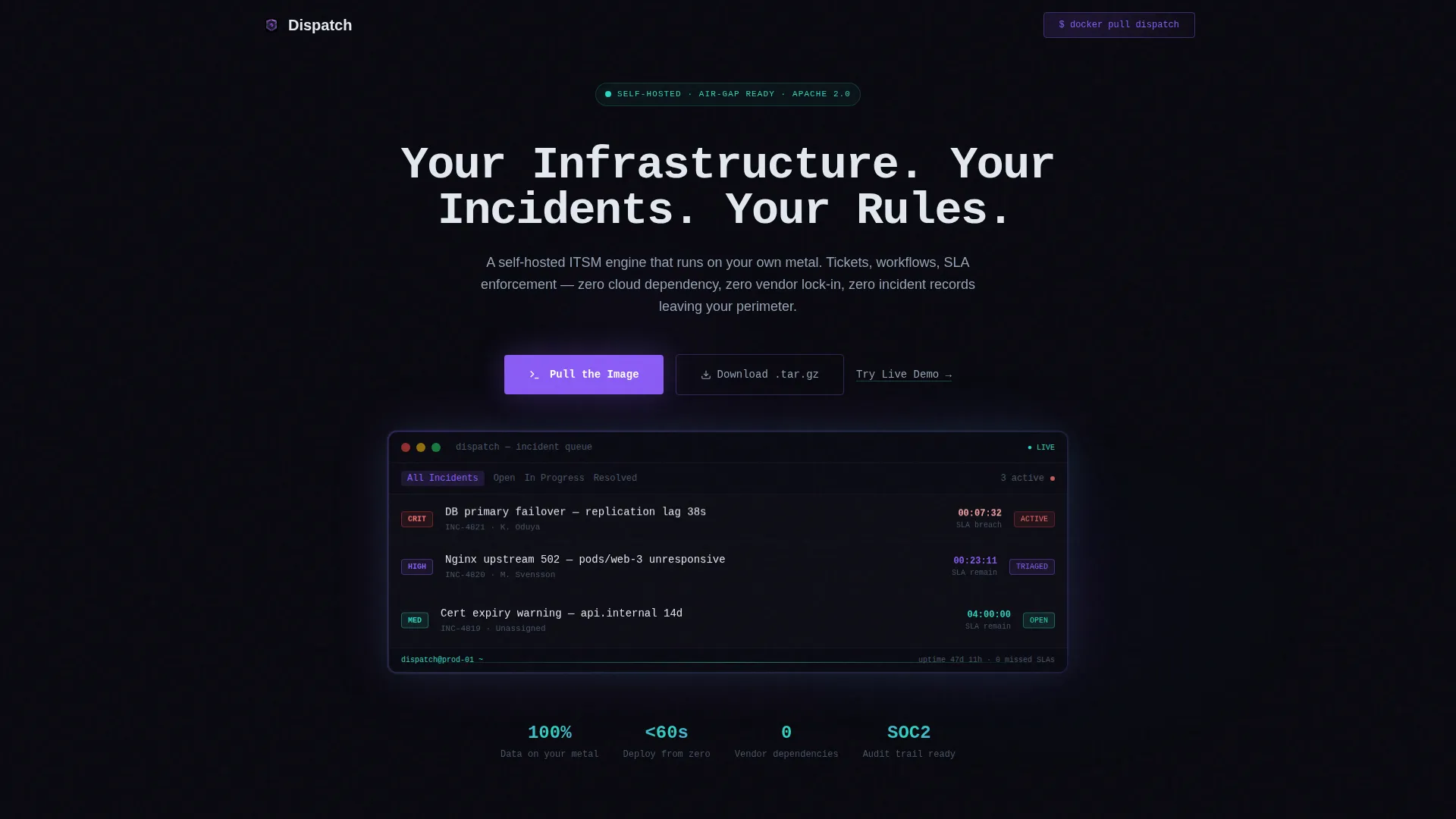
The hero headline types out character by character against a pure void black background. A softly glowing incident management dashboard sits center stage, showing a live-looking ticket queue with severity badges and a ticking service-level agreement countdown. The effect is immediate and atmospheric.
Hub and Spoke Anchor Navigation
A sticky anchor bar pins to the top of the page after the hero clears. Each spoke, labeled Tickets, Workflows, SLA Engine, Self-Host, and Integrations, links directly to its section. Hover states pulse in holographic violet so the active position is always clear.
Problem to Solution Scroll Arc
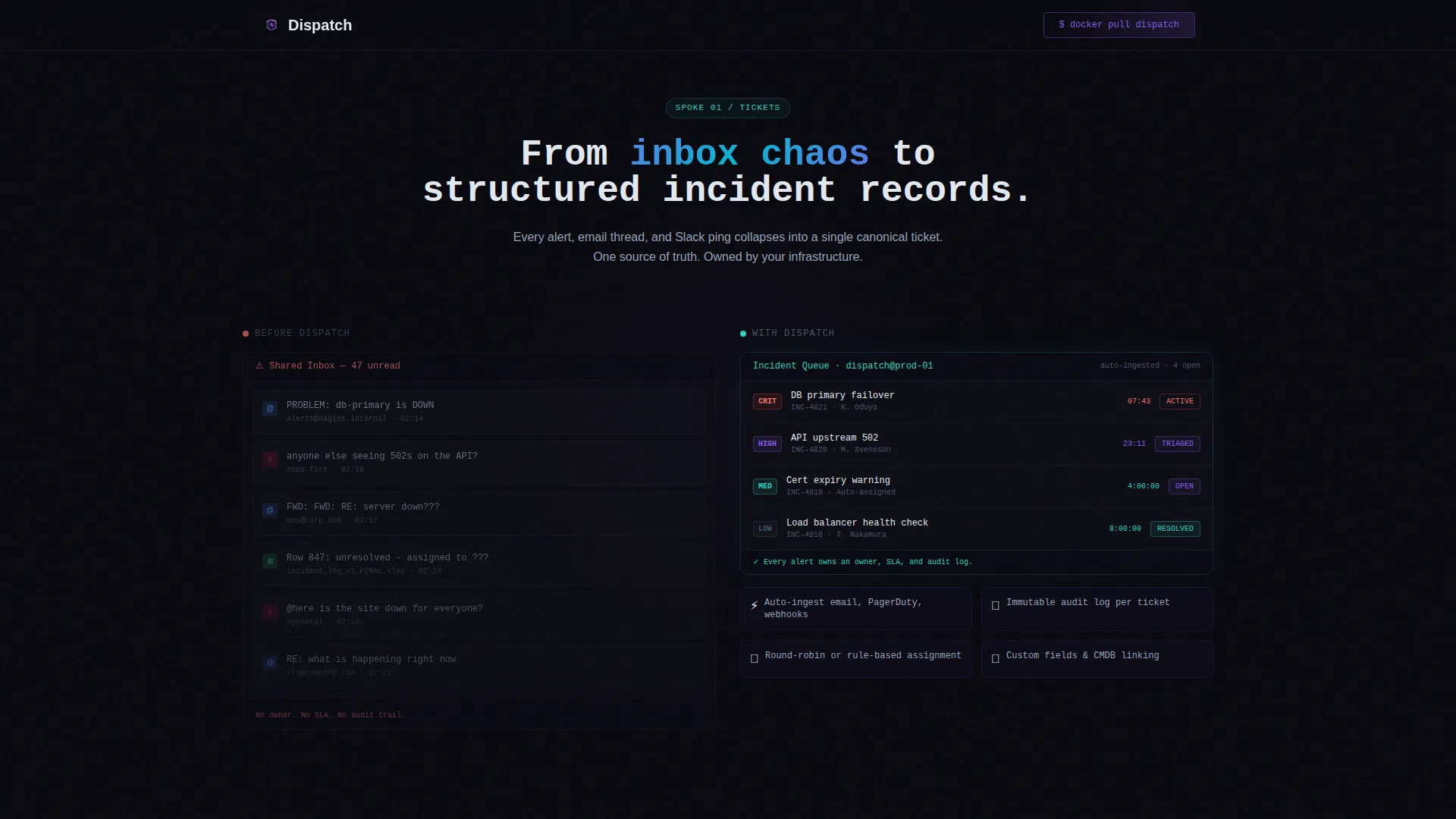
The first content section opens with a chaotic wall of forwarded emails and spreadsheet fragments. As the visitor scrolls, the visuals dissolve into a clean ticket board. This before-and-after tension is built into the scroll flow, not added as a static image.
Interactive Micro-Interactions Per Spoke
Each spoke section ends with a hands-on element. Options include a copy-to-clipboard code snippet, a toggle, or a configuration preview. These micro-interactions let the visitor feel like they are already inside the product before they download anything.
Ungated Download Call to Action Block
The primary call to action is a one-click copy of the Docker pull command. A secondary button offers a tarball download for air-gapped environments. A tertiary link points to a sandboxed live demo. No form fields, no email gates, no friction.
Iridescent Animation System
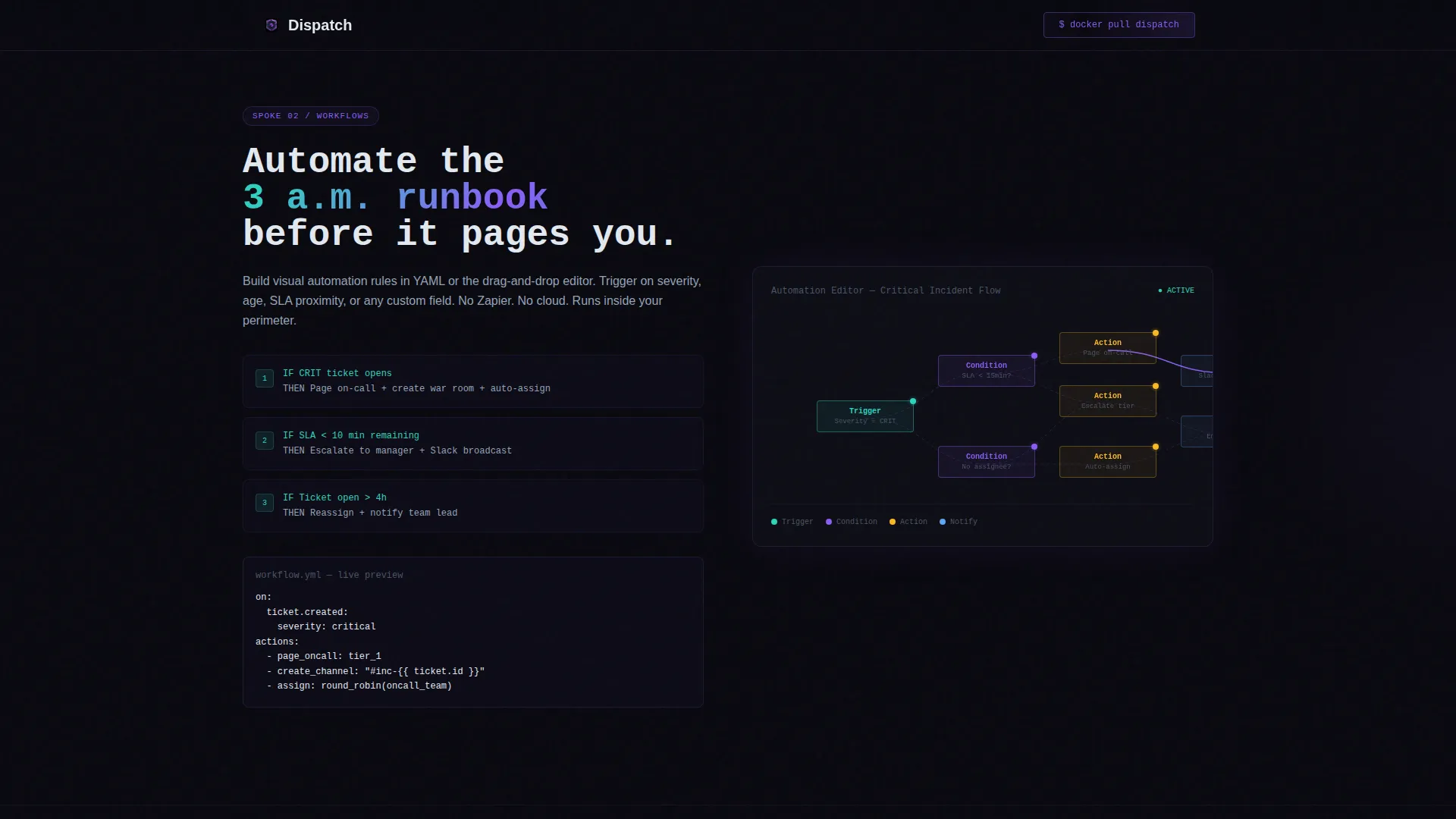
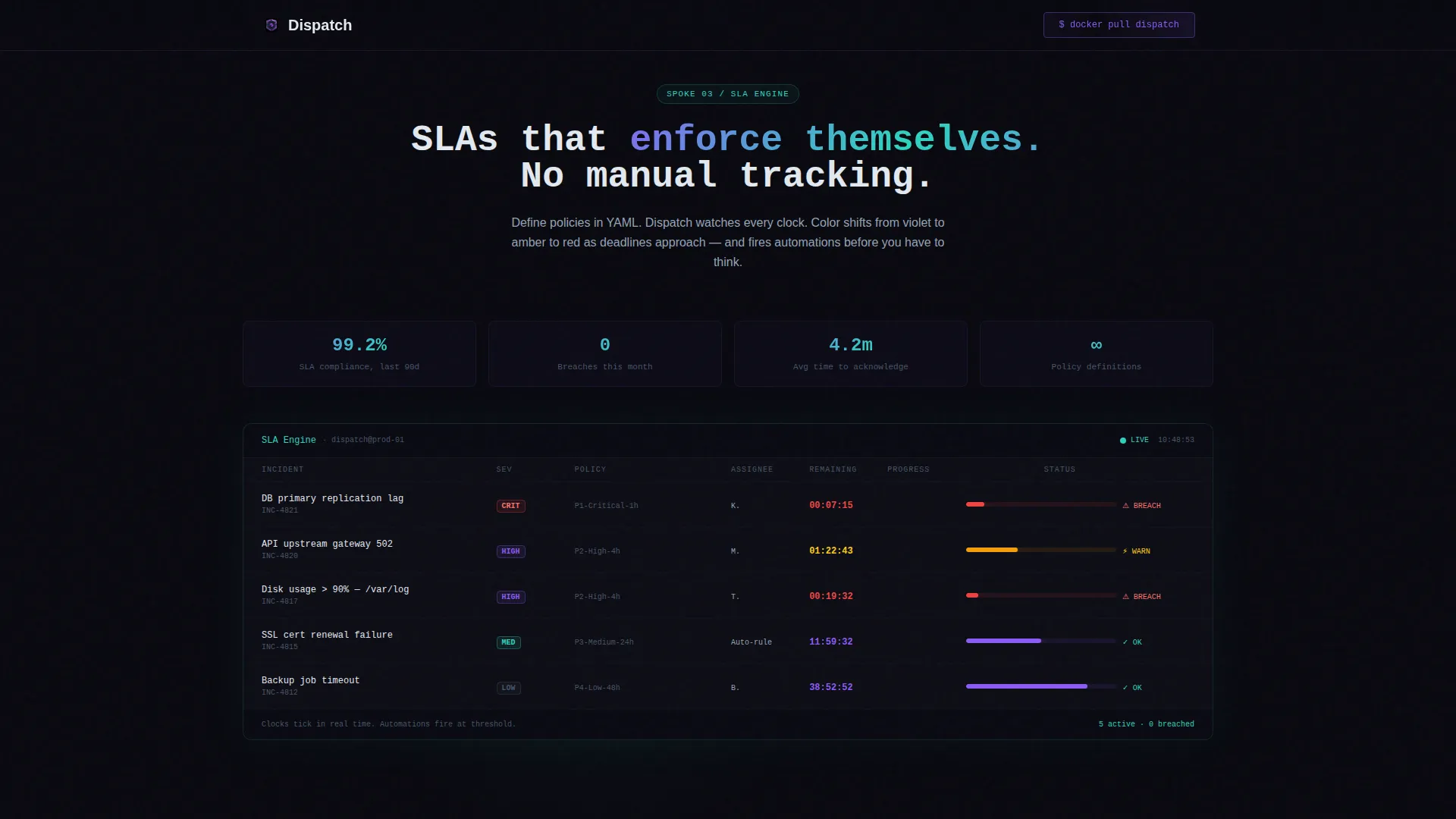
Gradients shift between holographic violet and iridescent teal on interactive elements. Scroll reveals, node graph animations in the workflow spoke, and color-shifting countdown clocks in the service-level agreement spoke give the page a sense of motion without losing the dark, anchored aesthetic.
Page sections overview
| Section | Purpose |
|---|---|
| Hero Header | Establish atmosphere and product identity with typewriter headline and ticket queue dashboard |
| Tickets Spoke | Show the before-and-after transition from inbox chaos to structured ticket board |
| Workflows Spoke | Visualize automation rules as an animated node graph |
| SLA Engine Spoke | Demonstrate live countdown clocks that shift color as deadlines approach |
| Self-Host Spoke | Present the Docker pull command and air-gap tarball download in a glowing code block |
| Integrations Spoke | Surface compatibility context for the technical buyer evaluating fit |
| Footer | Horizontal flow footer pattern closing the page with final calls to action |
Design & branding system
The visual identity runs on an AI Iridescent color system layered over a Startup Velocity theme. Void black dominates every background. Prismatic accents appear only where interaction demands attention, keeping the eye anchored in darkness until it needs to move.
- Core palette: void black (#09090F) background, holographic violet (#8B5CF6) for hover and active states, iridescent teal (#2DD4BF) for data badges and status indicators, shimmer white (#E2E8F0) for body text
- Typography pair: JetBrains Mono for headlines and code blocks, DM Sans for body copy
- Gradient behavior: violet-to-teal gradients animate on interactive elements so buttons and toggles appear to breathe without breaking the dark dominance
Mobile & speed optimization
The template is designed desktop-first, matching the sysadmin audience that typically operates from a workstation or a large monitor. It scales down to 375 pixels for completeness.
- Desktop-first layout with responsive breakpoints down to 375px viewport width
- Static sections use server-rendered components; interactive elements such as the copy-to-clipboard snippet and animated node graphs use client-side components
- High-motion animations including typewriter text, scan lines, scroll reveals, and countdown clocks are scoped to client components to keep static rendering clean
How this template helps you convert
The conversion philosophy built into this template matches the ethos of the product it promotes. Give everything away up front, earn trust, and let the tool speak for itself.
- The ungated download removes every form-field barrier, meaning a visitor can go from landing to pulling a Docker image in under sixty seconds
- The anchor navigation lets skeptical buyers jump directly to their specific concern, compliance posture, workflow automation, or deployment method, without reading sections they do not care about
- Each spoke closes with a micro-interaction that creates a sense of already using the product, reducing the psychological distance between evaluation and commitment
Other information about this template
This template is built for the self-hosted IT service management niche, where trust is built through transparency and technical specificity rather than marketing language. A few additional details are worth knowing before you use it.
- The page is localized for English (US) with ISO date formatting and no currency symbols
- Animation intensity is high by design; the template includes typewriter effects, scan lines, animated node graphs, and live countdown clocks
- The upgrade path to a paid support tier is intentionally absent from the landing page and surfaces only inside the running application, matching the ungated conversion philosophy
- The footer follows a horizontal flow pattern suited to developer-tool products
Theme
Startup Velocity
Creative direction
Problem→Solution Arc
Color system
AI Iridescent
Style
Hub & Spoke (Anchor Nav)
Direction
App Download
Page Sections
Typewriter Hero with Terminal Atmosphere
Sticky Hub and Spoke Anchor Nav
Problem to Solution Scroll Arc
Per-spoke Micro-interactions
Ungated Download Call to Action
Iridescent Animation and Color System
Related questions
Does this template include actual backend ticketing functionality?
Can I replace the Docker command with a different install method?
Is the primary download call to action really ungated?
How many anchor navigation spokes does the template include?
Who is this template best suited for?



