E-Commerce Digital Presence Appointment Booking Website Template
Dispatch is a hub-and-spoke landing page template built for e-commerce scheduling tools. It opens with a live-typed code snippet, moves visitors straight into an interactive scheduling simulator, and builds every feature section around the data they enter. The result is a frictionless, app-install-focused page that proves the cost of booking collisions before asking for a single tap.
by Rocket studio
Quick summary
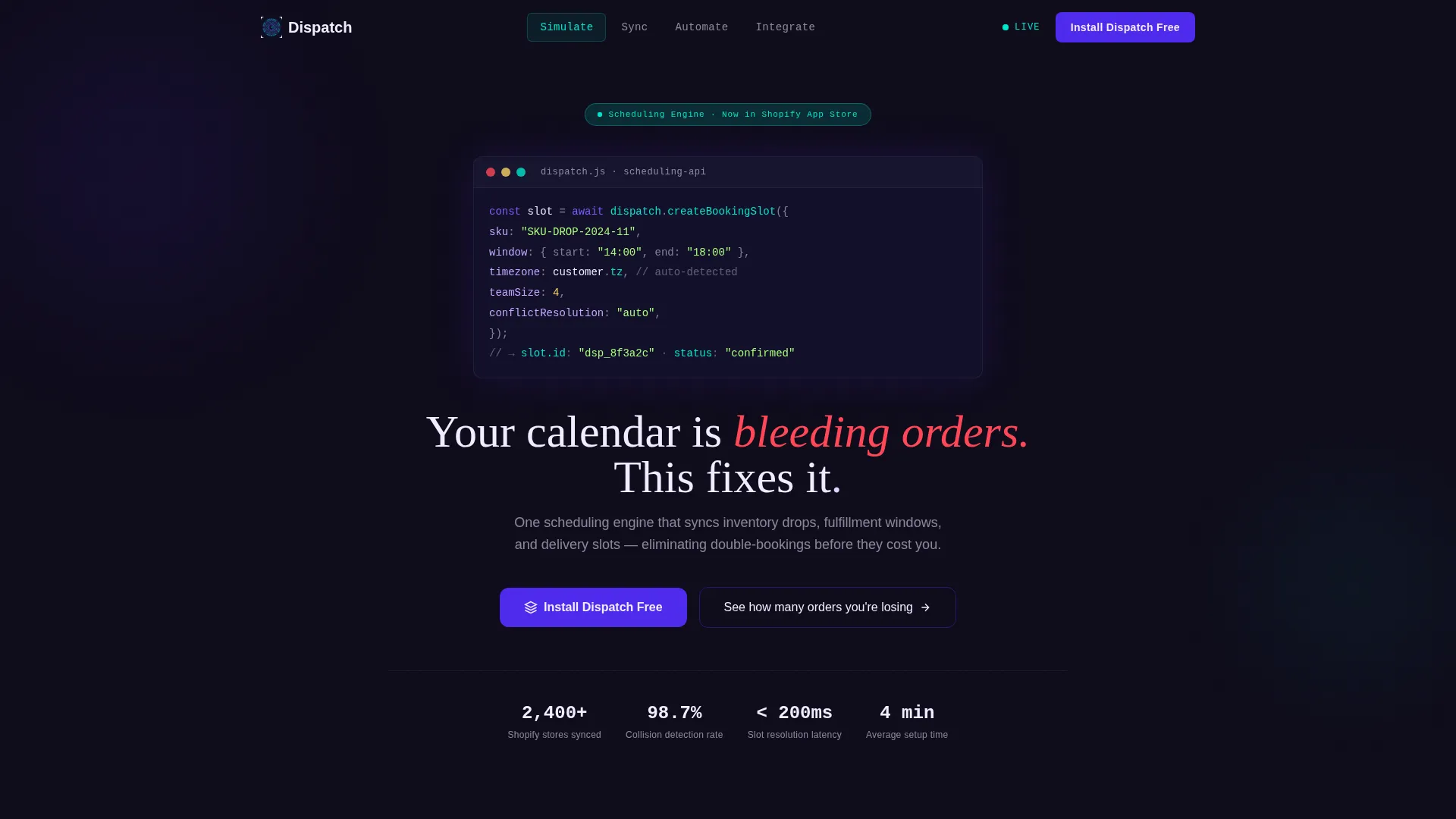
Dispatch is a single-page, anchor-nav landing page template designed for e-commerce booking and scheduling tools. It leads with a syntax-highlighted code header, drops visitors into a live scheduling simulator, and walks them through five spoke sections, Sync, Automate, Scale, and Integrate, ending with a frictionless app install call to action.
Who this template is for
This template is built for operators who manage real scheduling complexity every day. It speaks directly to the people watching orders slip through gaps in their calendar.
- Shopify merchants running local delivery routes who need to eliminate double-booked time blocks
- Direct-to-consumer brands offering appointment-based pickup windows for their customers
- Operations managers at mid-size warehouses toggling between multiple tabs and still missing conflicts
What problem this template solves
E-commerce operators lose orders not because demand is low, but because their booking infrastructure cannot keep up. Inventory drops, fulfillment windows, and customer delivery slots live in separate systems, and collisions are inevitable.
- Booking collisions and double-booked time blocks that quietly drain revenue each week
- No clear, single view that connects inventory availability to customer-facing delivery slots
- A disconnected tool stack that forces operators to reconcile conflicts manually and reactively
What you get with this template
You get a complete, ready-to-customize landing page that functions as a live product demo before a visitor ever reads a feature bullet. Every section is purpose-built for driving app installs without friction.
- A syntax-highlighted, animated code snippet header that establishes technical credibility instantly
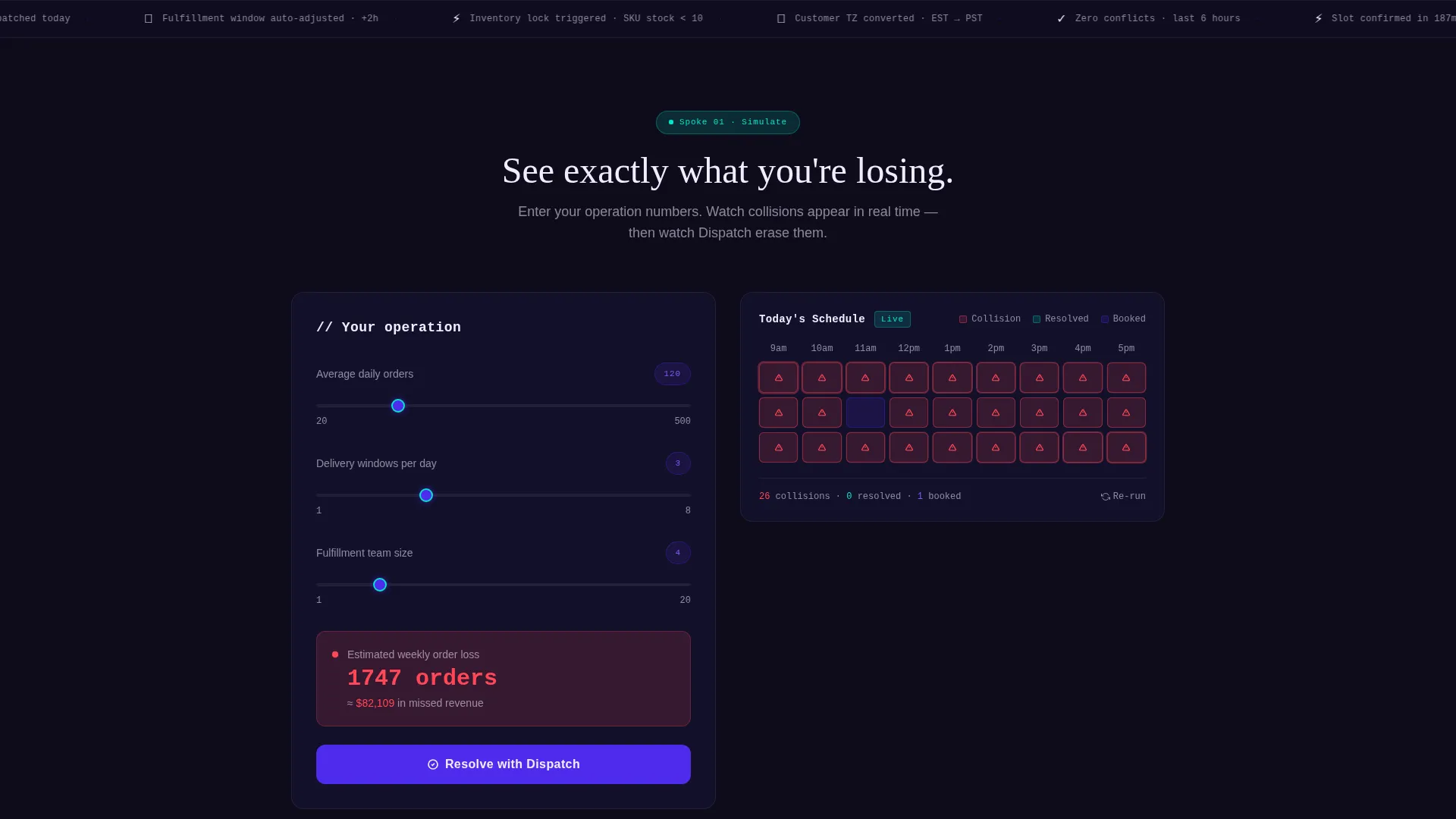
- An interactive scheduling simulator that visualizes booking collisions and recovered slots in real time
- Five anchor-nav spokes (Sync, Automate, Scale, Integrate) that adapt in context to the visitor's own simulator data
- A pinned "Install Dispatch Free" call to action with smart platform routing for App Store and Shopify App Store
- A results card at the simulator close that shows recovered orders per month with a secondary call to action
Feature list
This template is packed with components that make a scheduling product feel tangible and trustworthy before any form is filled.
Live-Typed Code Snippet Header
The page opens with a stylized createBookingSlot() API call, syntax-highlighted in indigo and cyan, animating as if typed in real time. Parameters for inventory SKU, fulfillment window, and customer timezone appear line by line. It signals technical depth to operators before the product user interface is ever shown.
Interactive Scheduling Simulator
Visitors input their average daily orders, delivery windows, and fulfillment team size. The simulator instantly renders booking collisions in red and resolved slots in cyan. This tool-first approach makes every downstream feature section feel personally relevant rather than generic.
Anchor Navigation Hub and Spoke Layout
A persistent anchor nav pins five spoke sections in place: Sync, Automate, Scale, and Integrate. Each section builds on the data the visitor entered in the simulator. Motion transitions slide panels like calendar blocks snapping into a grid.
Frictionless App Install Call to Action
The primary call to action, "Install Dispatch Free," is pinned to the anchor nav throughout the scroll. Smart platform detection routes visitors to the correct App Store or Shopify App Store. No form fields stand between the visitor and the install.
Recovered Orders Results Card
At the close of the simulator, a results card calculates recovered orders per month using the visitor's own inputs. A secondary call to action, "Get This Calendar Running in 4 Minutes," appears directly beneath it. The page earns the install by showing the cost of inaction in the visitor's own numbers.
Dynamic Motion Transitions
Panel transitions mimic calendar blocks snapping into a scheduling grid as the visitor scrolls. Motion is purposeful and tied to the product concept, reinforcing the feeling of a system coming into order. The animation system uses the Electric Indigo palette to keep every movement on-brand.
Page sections overview
| Section | Purpose |
|---|---|
| Code Snippet Header | Establish technical credibility with a live-typed API call |
| Scheduling Simulator | Let visitors quantify their own booking collision losses |
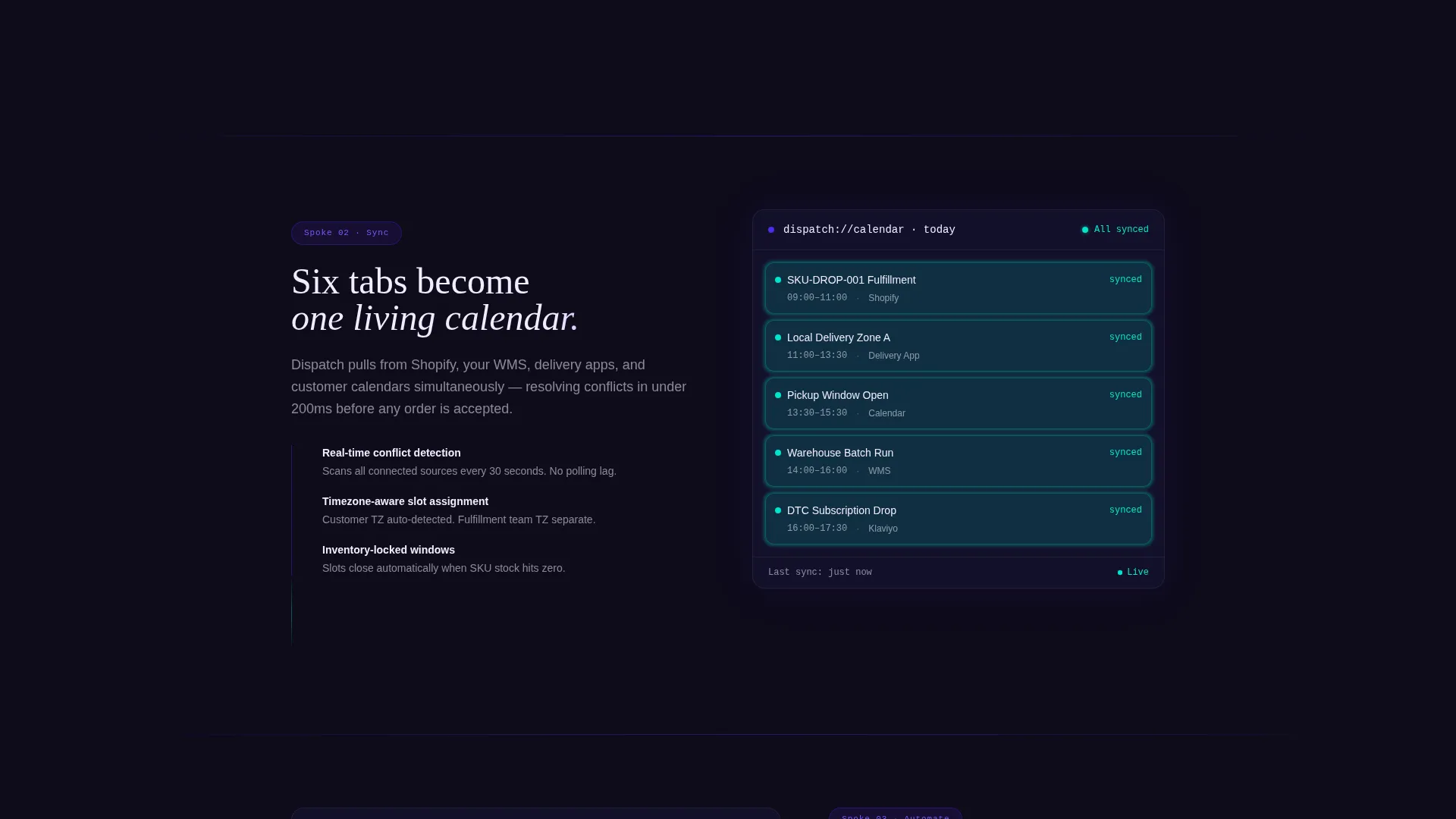
| Sync Spoke | Show how inventory drops sync into the live calendar |
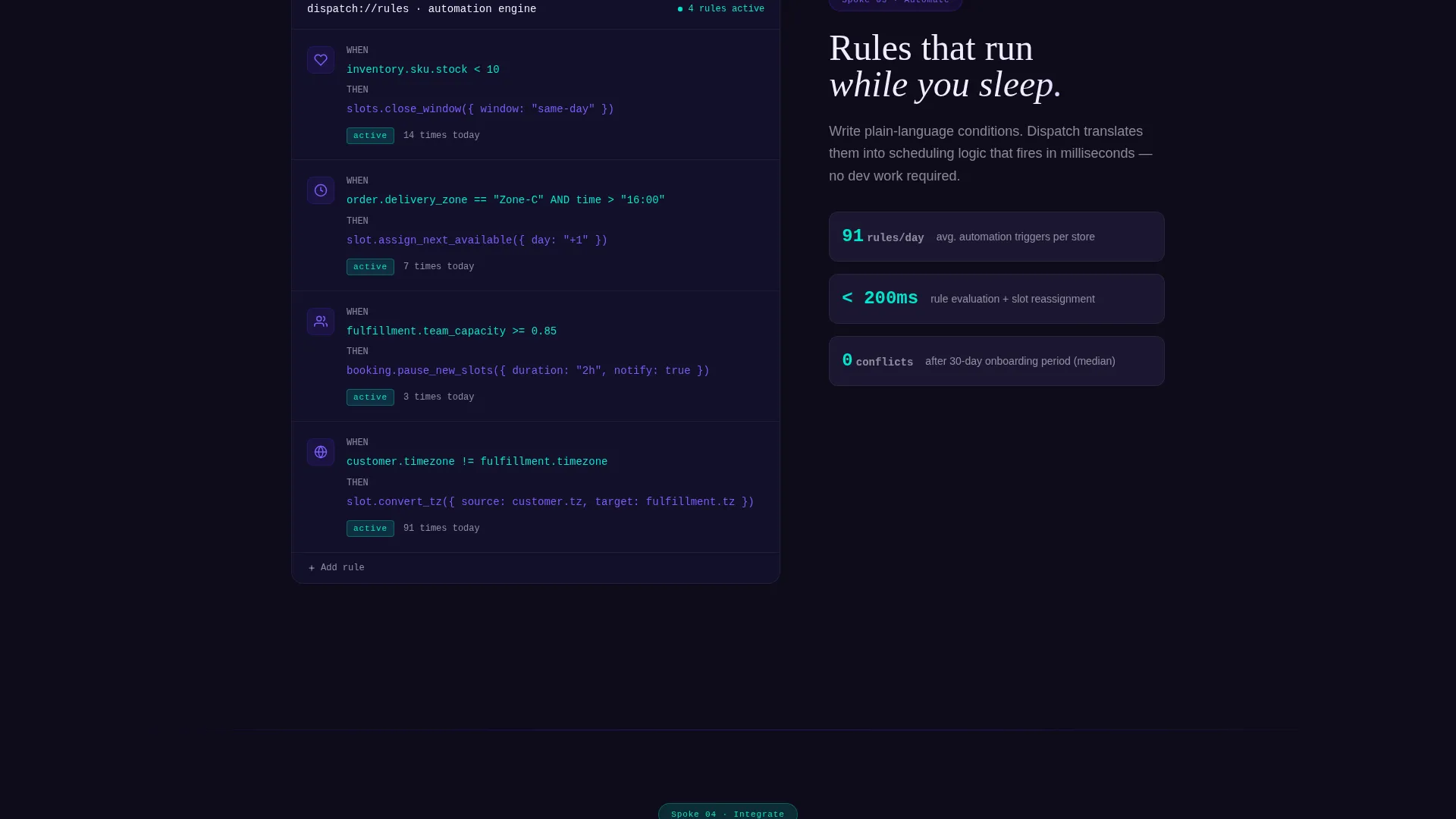
| Automate Spoke | Demonstrate fulfillment window automation in context |
| Scale Spoke | Address growth scenarios for higher order volumes |
| Integrate Spoke | Cover connection points with existing e-commerce workflows |
| Results Card | Deliver a personalized recovered-orders summary |
| Pinned Install call to action | Drive frictionless app downloads with smart routing |
Design & branding system
The Electric Indigo color system gives this template the feel of a high-stakes operations dashboard running at full tilt. Every color choice reinforces precision and velocity.
- Deep screen-dark (#0E0B1A) as the base background, charged indigo (#4F2BED) for primary interactive elements, and reactive violet (#7C5CFC) for hover states
- High-voltage white (#F0EDFF) for all body text and card surfaces, keeping readability sharp against the dark background
- Signal cyan (#00E5CC) reserved for live-data moments: active bookings, confirmed slots, and sync pulses in the simulator
Mobile & speed optimization
The layout is designed to translate the simulator and anchor-nav experience cleanly across screen sizes. Operators checking their fulfillment calendar from a phone get the same clarity as those on a desktop.
- Anchor navigation remains accessible on smaller screens so spoke sections are reachable without excessive scrolling
- The simulator inputs and results card are sized for touch interaction, keeping the tool usable on mobile devices
- Motion transitions are designed to stay purposeful and controlled even as viewport dimensions shift
How this template helps you convert
Every structural decision in Dispatch is built to move a skeptical operator from awareness to install without friction or hesitation.
- The simulator forces engagement before any feature copy appears, so the visitor is already invested in the outcome by the time they reach the spoke sections.
- The pinned call to action stays visible at every scroll depth, removing the need for the visitor to hunt for the next step once they are ready to act.
- The results card closes the loop with the visitor's own numbers, replacing abstract product claims with a concrete, personalized reason to install.
Other information about this template
Dispatch is part of a broader set of Dynamic Motion templates built for technology and e-commerce digital presence niches. A few additional details worth knowing before you customize and deploy.
- The template style is Hub and Spoke with Anchor Navigation, making it well-suited for single-product tools that benefit from guided, section-by-section storytelling
- The header concept is a Code Snippet, a creative direction that works especially well for developer-adjacent audiences and technical operators
- The app download landing page direction means the entire page is optimized around a low-friction install action rather than a lead-capture form
- The Calculator and Tool First creative direction means the simulator is the page's centerpiece, not a supplementary widget added after the feature copy
- This template is built for the e-commerce booking and scheduling site niche and fits naturally within technology-category marketplace contexts
Theme
Dynamic Motion
Creative direction
Calculator/Tool First
Color system
Electric Indigo
Style
Hub & Spoke (Anchor Nav)
Direction
App Download
Page Sections
Live-typed Code Snippet Header
Interactive Scheduling Simulator
Hub and Spoke Anchor Navigation
Pinned Frictionless Install Call to Action
Recovered Orders Results Card
Dynamic Motion Panel Transitions
Related questions
Who is this landing page template designed for?
Does the scheduling simulator require a backend to function?
Can I customize the Electric Indigo color system?
How does the smart platform routing work for the install call to action?
Is this template suitable for a product that is not yet live?



