Last-Mile & Delivery Specialist Cost Calculator Website Template
Dispatch is a single-column landing page template built for urban bike messenger services. It leads with live operational metrics, a delivery tier table, a coverage zone map, and a live rate calculator. Every section answers a logistical question before the visitor asks it, so the only decision left is the pickup address.
by Rocket studio
Quick summary
Dispatch is a click-through landing page template designed for professional bike messenger and same-day courier services. It front-loads every operational spec, from delivery tiers and coverage zones to weight limits and live pricing, so potential clients arrive at the booking call to action already informed and ready to act.
Who this template is for
This template is built for urban courier and bike messenger businesses that serve time-critical professional clients. It speaks directly to operators who need to convert serious, deadline-driven buyers rather than casual browsers.
- Law firm mailroom managers coordinating courthouse filing deadlines
- Medical office coordinators handling pathology slides and lab specimen transport
- Print shop owners who have promised same-day delivery to their own clients
What problem this template solves
Professional buyers for same-day delivery services need proof before they commit. A generic service page with vague claims and lifestyle imagery loses the sale before the visitor reaches the call to action.
- Visitors leave when they cannot find zone coverage, weight limits, or pricing upfront
- Deadline-driven buyers have no patience for pages that bury operational details in fine print
- Without clear delivery tier options, high-value clients default to a competitor they already know
What you get with this template
This template gives you a fully structured, single-column landing page flow that reads like a live dispatch board. Every scroll section is a clean data card that answers the next operational question in sequence.
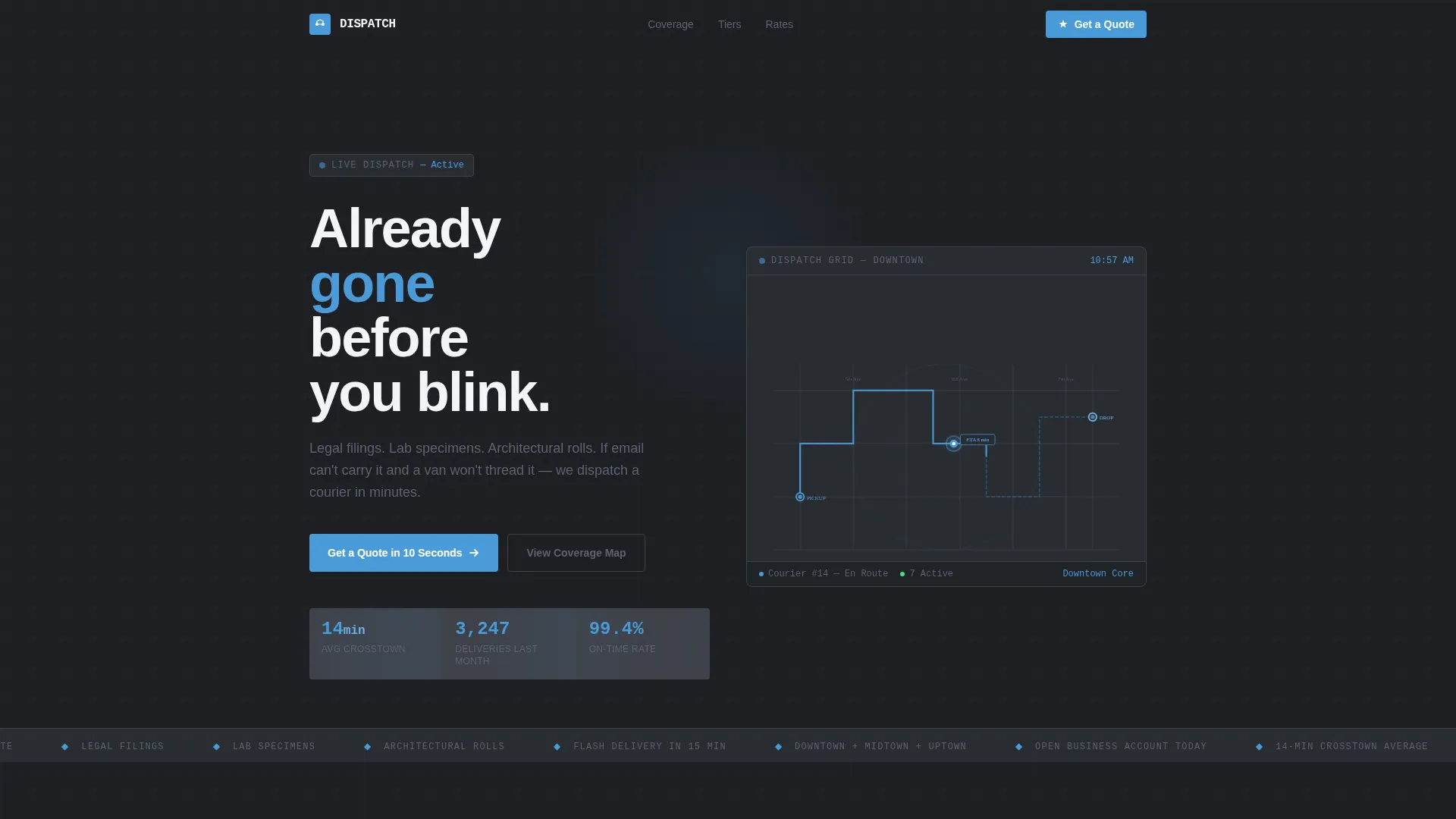
- An animated hero section with a city grid graphic and live-style dispatch metrics
- A delivery tier table, a coverage zone map, and a live rate calculator section
- A sticky bottom bar carrying the secondary business account call to action
Feature list
This template ships with six purpose-built sections that work together as one continuous, persuasive scroll.
Animated Infographic Hero
The hero renders a simplified city grid in thin slate lines with a single pulsing blue dot moving from pickup to dropoff. Real operational numbers populate the frame: 14-minute average crosstown time, 3,200-plus deliveries last month, and 99.4 percent on-time rate. The effect reads like a live dispatch board rather than a promotional banner.
Delivery Tier Table
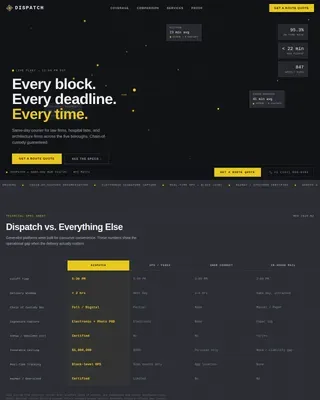
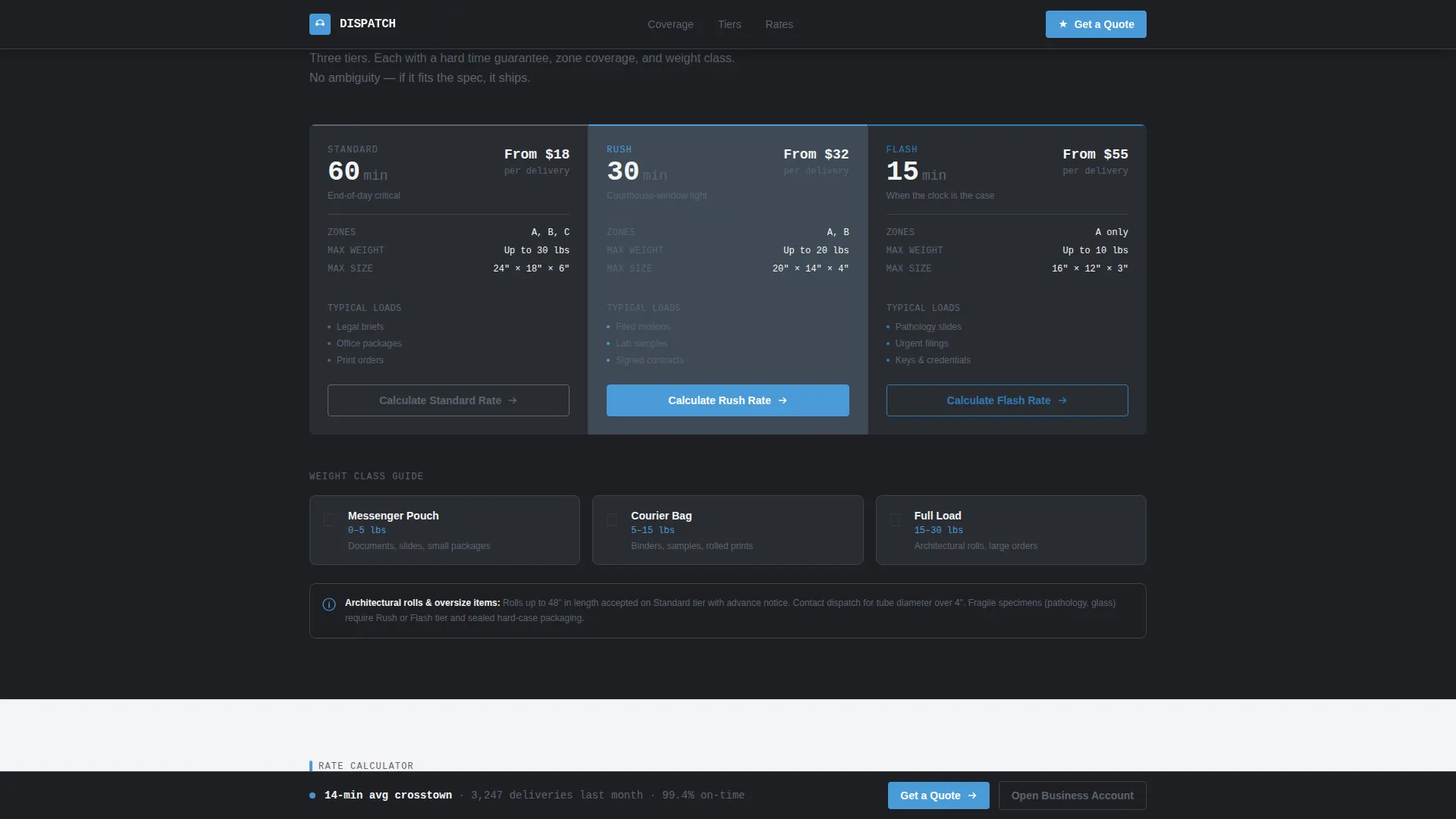
A clean, scannable table presents three service tiers side by side: Standard at 60 minutes, Rush at 30 minutes, and Flash at 15 minutes. Each tier entry includes weight and dimension limits, shown alongside messenger bag silhouettes for instant scale reference. Visitors understand exactly what they are booking before they reach the calculator.
Coverage Zone Map
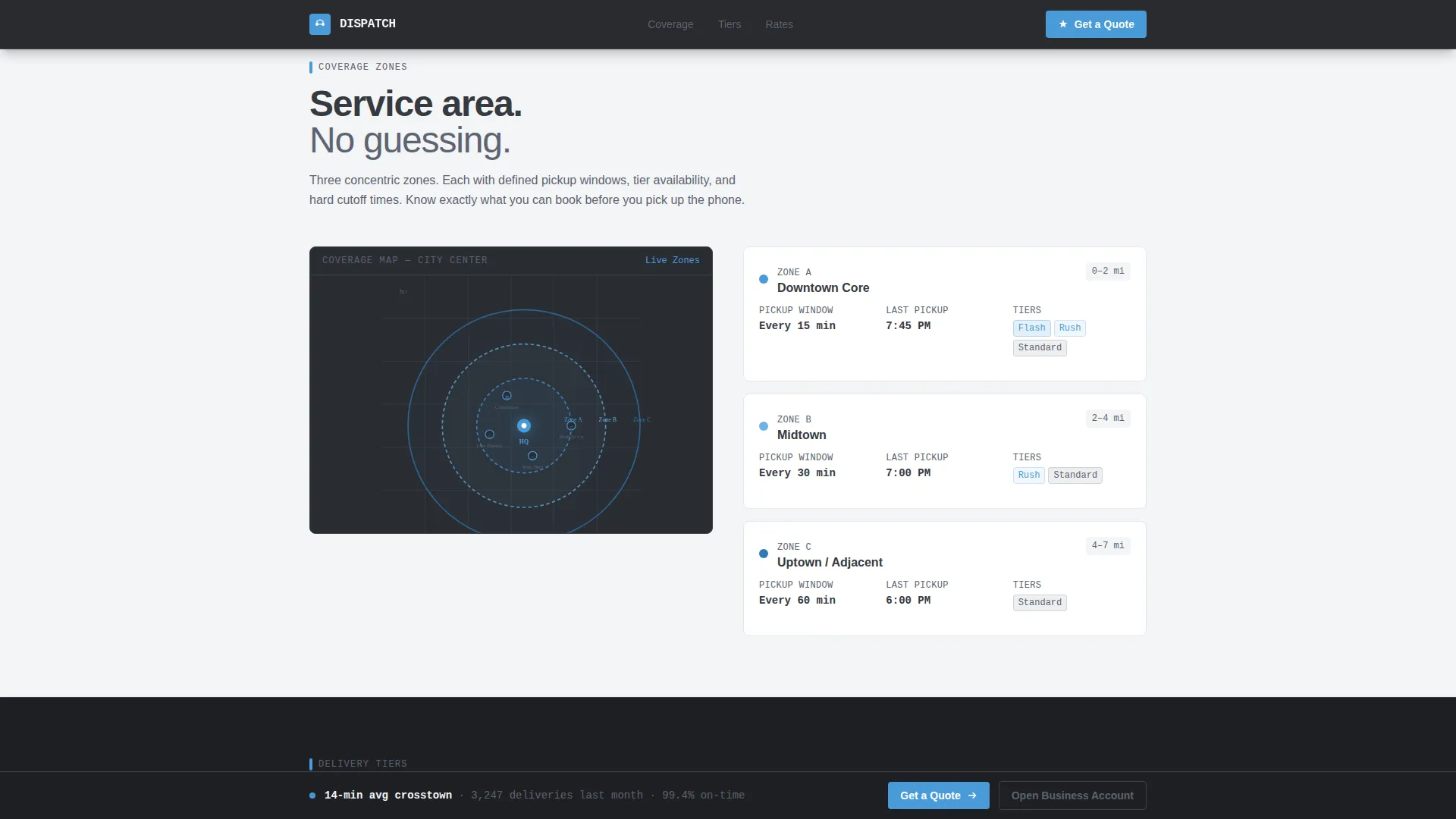
A radius ring map displays the full service area with zone cutoff times and data cards for each coverage ring. Clients can immediately confirm whether their pickup and dropoff addresses fall within the service boundary. No ambiguity, no follow-up phone calls needed.
Live Rate Calculator
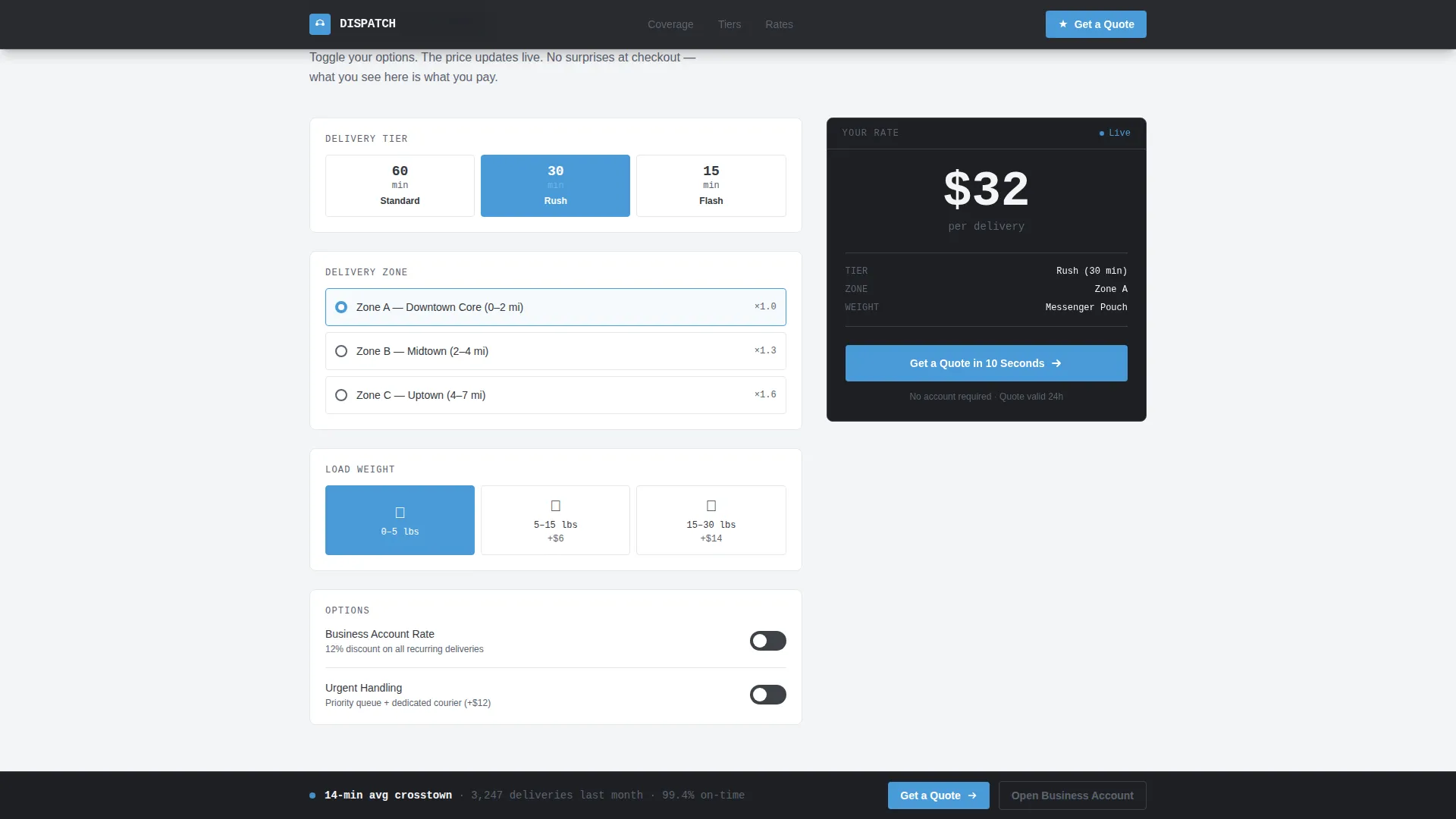
An interactive toggle calculator updates pricing in real time as visitors select delivery tier, weight, and zone options. When the visitor clicks the primary call to action, the booking portal opens pre-filled with whichever options they already selected. This removes the friction of re-entering details on the next screen.
Primary and Secondary Calls to Action
The primary call to action, labeled "Get a Quote in 10 Seconds," appears directly after the rate calculator at the moment intent peaks. A sticky bottom bar carries the secondary call to action, "Open a Business Account," targeting mailroom managers who need recurring courier service rather than a one-off booking.
Single-Column Scroll Flow
The entire page runs as one focused, vertical column with no sidebars or branching navigation. Scroll-linked reveals and staggered data card animations guide the visitor through each spec section in sequence. The layout keeps attention fixed on the information and the action.
Page sections overview
| Section | Purpose |
|---|---|
| Hero Dispatch Board | Animated city grid with pulsing courier dot and live operational metrics |
| Coverage Zone Map | Radius rings, zone cutoff times, and service area data cards |
| Delivery Tiers Table | Standard, Rush, and Flash tier specs with weight and dimension limits |
| Rate Calculator | Live toggle pricing that pre-fills the booking call to action |
| Business Account call to action | Recurring service pitch with sticky bottom bar secondary call to action |
| Footer | Linear single-row footer with essential links |
Design & branding system
The visual identity follows a Service Utility theme. Every color choice and typographic decision is designed to feel like operational infrastructure, not a marketing brochure.
- Asphalt charcoal (#36393F) anchors body sections, wet pavement gray (#5C6370) adds depth, open-sky blue (#4A9BD9) marks every interactive element and data point, and crosswalk white (#F4F5F7) keeps reading lanes open
- Manrope handles all editorial text for clean, modern readability, while JetBrains Mono renders all numerical data and specs to reinforce the dispatch board aesthetic
- No stock photography and no lifestyle imagery appear anywhere on the page; the data itself performs as the visual
Mobile & speed optimization
The template is designed desktop-first to match the primary audience of law firm mailroom managers working at their desks, with full mobile support built in for on-the-go coordinators.
- SVG path animations and the pulsing courier dot use GPU-accelerated CSS to keep motion smooth without straining the browser
- Scroll-linked section reveals use Intersection Observer so content loads progressively as the visitor scrolls rather than all at once
- The sticky bottom bar and the live rate calculator remain fully functional and correctly sized on mobile screen widths
How this template helps you convert
Dispatch converts by earning the click instead of demanding it. By the time the call to action appears, the visitor has already read every spec they need to make a decision.
- The hero section leads with hard operational numbers, establishing credibility in the first three seconds of the visit before any persuasive copy appears.
- The rate calculator lets visitors self-qualify by selecting their tier and zone, so they arrive at the booking portal already committed to a specific option.
- The sticky business account call to action stays visible throughout the scroll, giving high-value repeat clients a direct path without interrupting first-time visitors reading the spec sections.
Other information about this template
This template is part of a broader single-column flow category designed for professional service businesses that sell on specification rather than emotion.
- The layout style is classified as Service Utility, sharing visual DNA with transit schedules, dispatch boards, and utility rate tables
- The Slate and Sky color system was chosen specifically for the bike messenger and urban last-mile delivery niche, evoking wet city pavement and open sky rather than warehouse logistics
- The Spec Sheet creative direction means every section prioritizes proof over persuasion, making the template well suited to business-to-business buyers in logistics and supply chain categories
- Imperial measurements, USD pricing, and 12-hour time format are used throughout to match the United States market context built into the template
Theme
Service Utility
Creative direction
Spec Sheet
Color system
Slate & Sky
Style
Single Column Flow
Direction
Click-Through
Page Sections
Animated SVG Infographic Hero
Three-tier Delivery Table
Coverage Zone Map
Live Toggle Rate Calculator
Dual Call-to-action System
Single-column Scroll with Staggered Reveals
Related questions
What type of business is this template built for?
Can I customize the delivery tiers and pricing in the rate calculator?
Does the template include the animated city grid graphic?
Is the sticky bottom bar included in the template?
Is this template designed for desktop or mobile use?