Freight & Cargo Privacy Policy Website Template
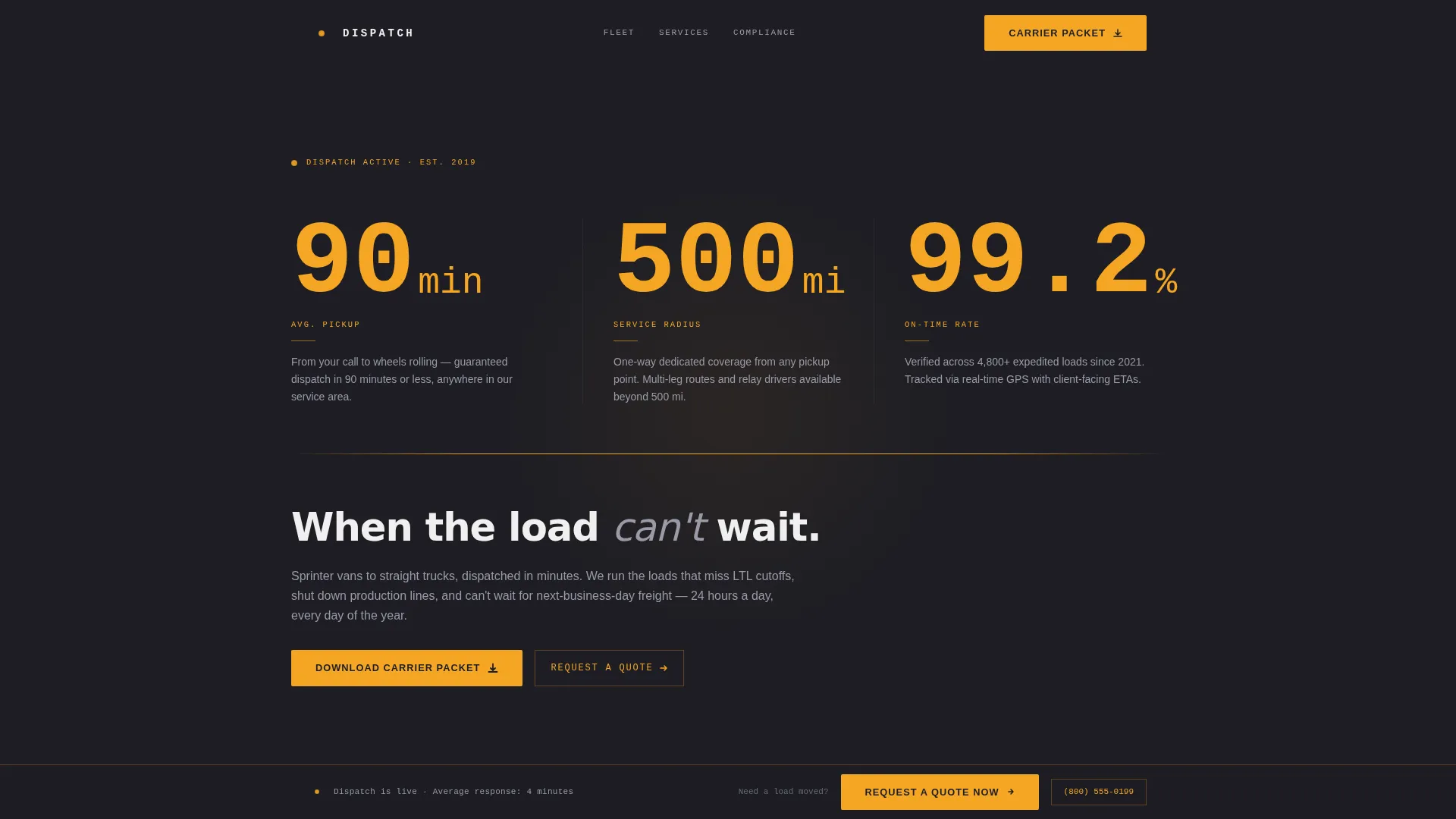
Dispatch is a single-column landing page template built for expedited freight and hot shot trucking services. It leads with three oversized amber metrics, 90-minute average pickup, 500-mile service radius, and 99.2% on-time rate, then walks buyers through fleet specs, service tiers, compliance credentials, and a carrier packet download form. Every section earns trust before asking for contact information.
by Rocket studio
Quick summary
Dispatch is a no-nonsense landing page template for expedited and hot shot delivery businesses. It opens with a stats wall of three key operational metrics, then scrolls through a fleet spec sheet, service tier comparison, compliance credentials, and a carrier packet download form. The design feels like a technical data sheet, not a brochure.
Who this template is for
This template is built for B2B freight and logistics services that need to convert informed, time-pressed buyers. It works best when your audience already knows what they need and just has to confirm you can deliver it.
- Expedited freight carriers and hot shot trucking operators marketing to logistics coordinators and plant managers
- Third-party logistics brokers looking to qualify a reliable dedicated carrier partner
- Freight businesses that want to lead with hard operational data before asking for a quote or contact
What problem this template solves
Logistics buyers fielding a crisis load at 2 AM are not browsing. They are vetting. A generic freight website full of stock photography and vague promises gives them no reason to stop scrolling. They need verifiable specs, compliance data, and clear service options, fast.
- Buyers cannot find fleet capacity, coverage radius, or service tier details without making a phone call
- Standard templates bury credibility signals below the fold, after the trust window has already closed
- No clear conversion path separates a casual visitor from a qualified broker or coordinator ready to submit a load
What you get with this template
You get a fully structured single-column landing page that moves from proof to pitch in a deliberate sequence. Every section block answers one dispatcher question before the next one loads.
- A stats wall hero, fleet spec table, service tier comparison, compliance credential block, carrier packet download form, and a fixed bottom quote bar
- A highway-at-night visual system using deep charcoal backgrounds, gunmetal card surfaces, and high-visibility amber on every actionable element
- Scroll-linked GSAP animations including staggered stat counters and amber line draw reveals throughout the page
Feature list
This template delivers the following built-in capabilities:
Amber Stats Wall Hero
Three oversized amber numbers dominate the opening viewport: average pickup time, service radius, and on-time delivery rate. A thin amber rule and a six-word headline follow beneath. There is no hero image. The numbers carry the entire pitch.
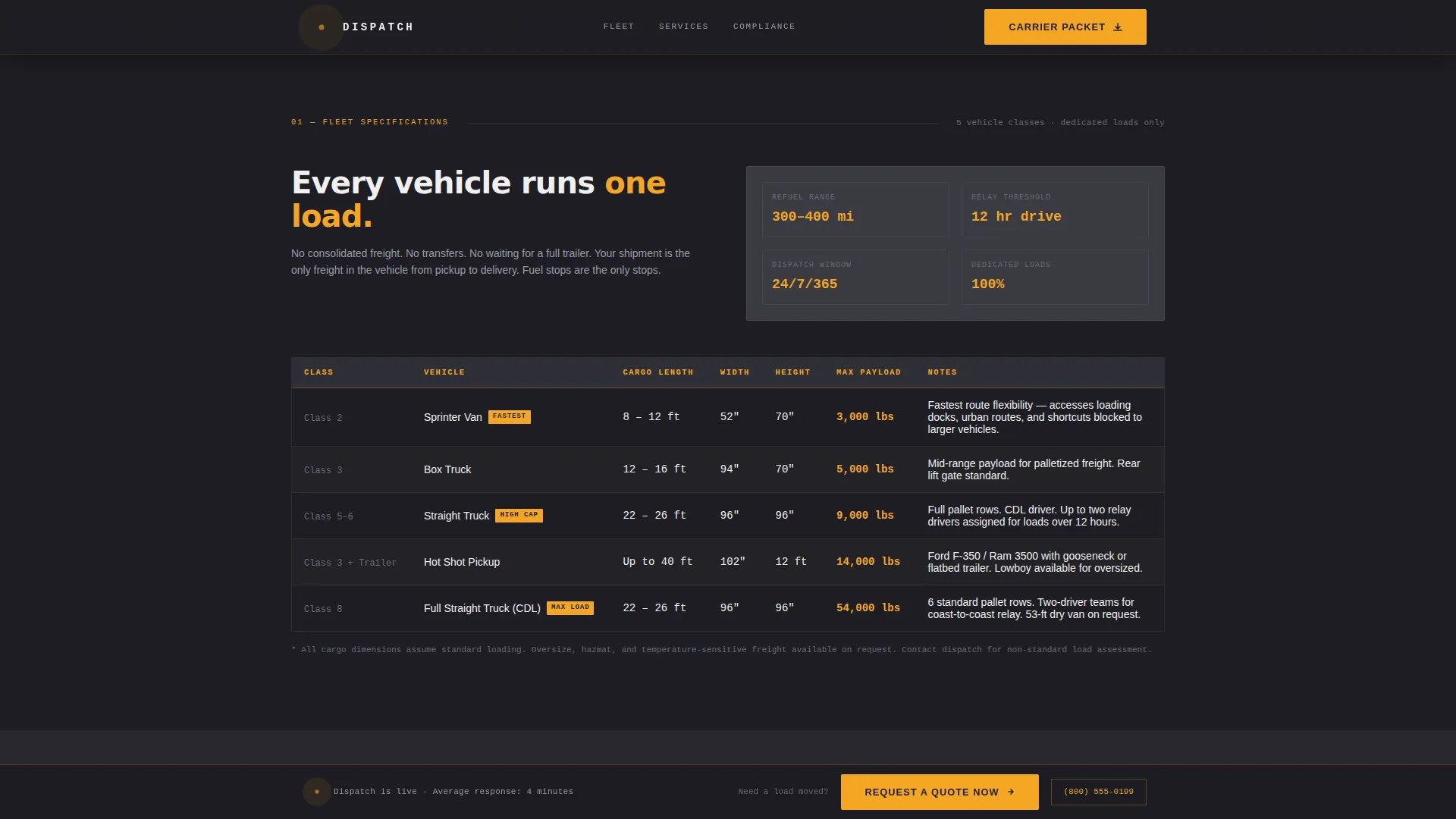
Fleet Spec Data Table
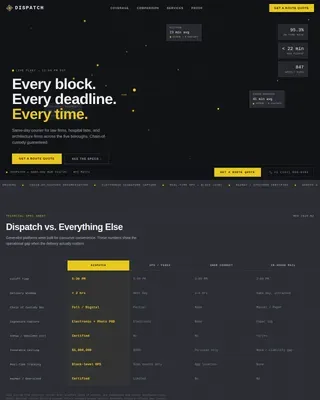
A structured data table presents vehicle classes, interior dimensions, and payload capacities in a clean, scannable format. The table follows the industrial data sheet aesthetic and gives logistics coordinators exact figures without requiring a callback.
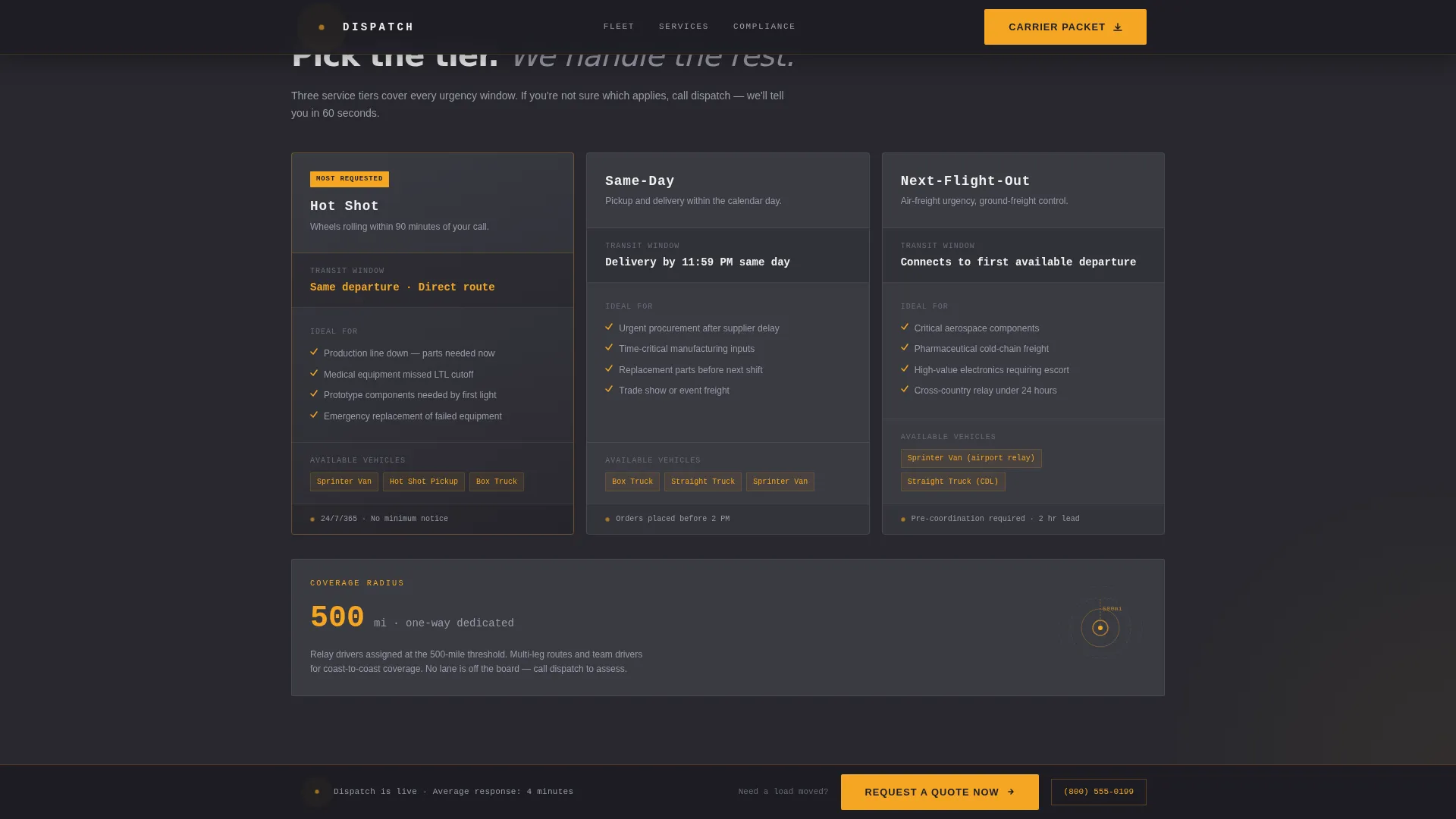
Service Tier Comparison Block
Hot shot, same-day, and next-flight-out service options are compared side by side. Each tier includes transit windows and ideal use cases so buyers can self-qualify the right option for their load.
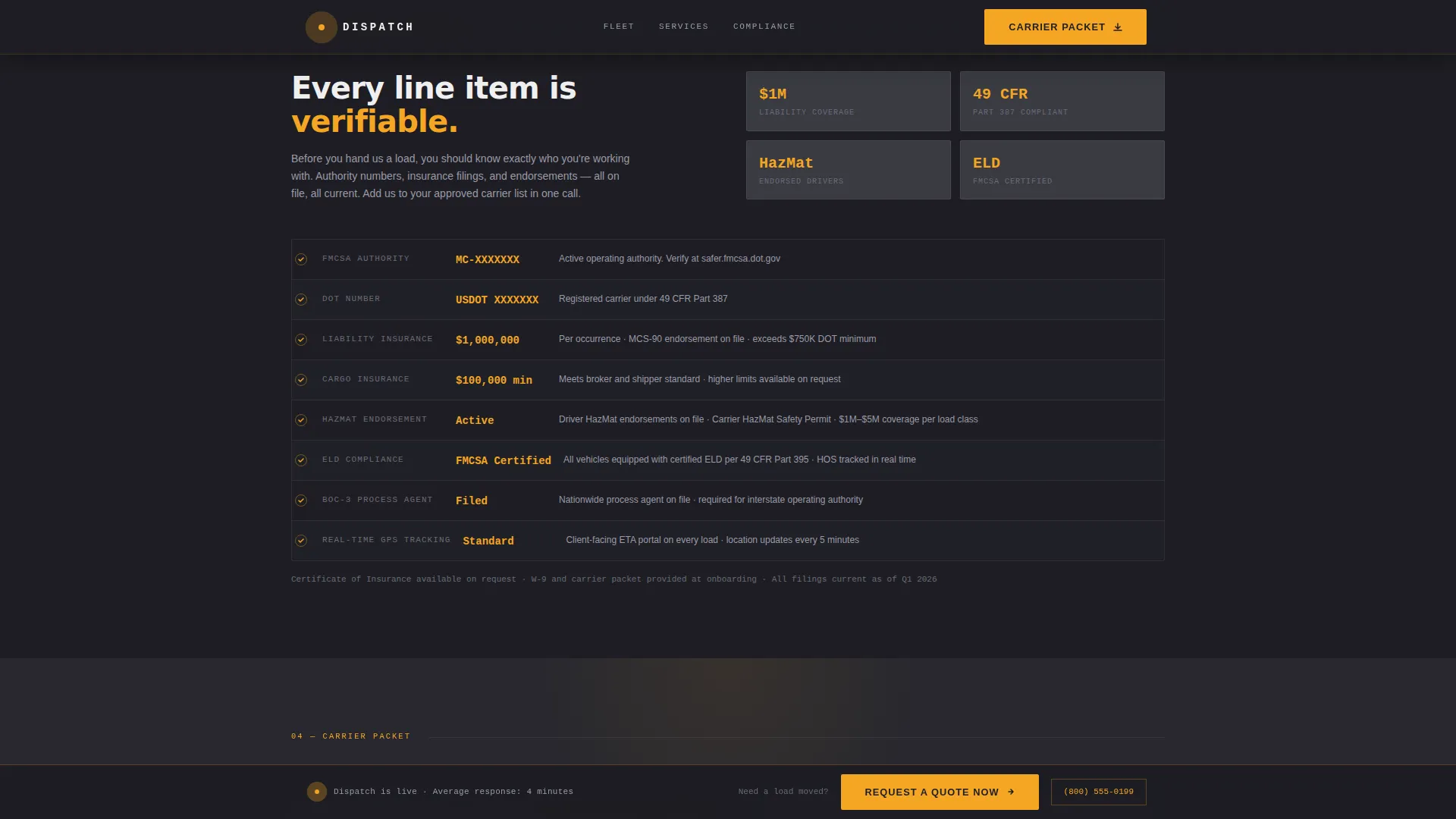
Compliance Credentials Section
Federal Motor Carrier Safety Administration (FMCSA) authority number, insurance minimums, HazMat endorsements, and Electronic Logging Device (ELD) compliance are presented as scannable line items. This section functions as a trust checkpoint, not a legal disclaimer.
Carrier Packet Download Form
A post-credibility call to action prompts qualified buyers to download the carrier packet. The form requests company name, Motor Carrier (MC) or Department of Transportation (DOT) number, and email address. It appears only after the fleet and compliance sections have done their work.
Fixed Bottom Quote Bar
A slim bar stays fixed at the bottom of the viewport throughout the scroll. It contains a "Request a Quote Now" link connected to a quick-quote form with fields for pickup zip code, delivery zip code, freight weight, and needed-by time.
Page sections overview
| Section | Purpose |
|---|---|
| Stats Wall Hero | Lead with three key operational metrics in amber |
| Six-Word Headline | Anchor the value proposition after the metrics |
| Fleet Spec Table | Display vehicle classes, dimensions, and payload data |
| Service Tier Comparison | Compare hot shot, same-day, and next-flight-out options |
| Compliance Credentials Block | Present FMCSA, insurance, HazMat, and ELD details |
| Carrier Packet Form | Capture qualified leads after full credibility is built |
| Fixed Quote Bar | Provide a persistent secondary conversion path |
| Linear Footer | Close with single-row navigation and contact links |
Design & branding system
The visual identity follows a Service Utility theme. Every color choice has a functional purpose, and the palette is deliberately restricted so amber only appears where the eye needs to go.
- Deep asphalt charcoal (#1E1E24) as the primary background, road-worn gunmetal (#3A3A42) for card surfaces and section dividers, high-visibility amber (#F5A623) on all actionable elements and key metrics, and headlight white (#F0F0F0) for body text
- Typography uses DM Sans for utility labels and body copy alongside JetBrains Mono for spec numbers and data fields, reinforcing the technical data sheet aesthetic
- Scroll-linked GSAP ScrollTrigger animations reveal each spec block as it enters the viewport, with staggered stat counters and amber line draw transitions between sections
Mobile & speed optimization
The template is built desktop-first, matching the workstation environment of its primary audience. It is also fully mobile-responsive for coordinators and brokers checking loads on the go.
- Server components handle all static sections, keeping JavaScript minimal and page load lean
- The fixed bottom quote bar adapts cleanly to smaller viewports without overlapping form fields or body content
- GSAP animations are scoped to scroll triggers and do not block initial page rendering
How this template helps you convert
The conversion architecture is sequenced deliberately. Credibility is built before any contact information is requested.
- The stats wall and fleet spec table establish hard operational capability in the first two scroll stops, giving a skeptical logistics buyer a reason to keep reading
- The compliance credentials section removes qualification friction by presenting FMCSA authority, insurance levels, and HazMat endorsements as scannable facts, not buried footnotes
- Two separate conversion paths serve different buyer urgency levels: the carrier packet download form captures relationship-ready contacts, while the fixed quote bar catches anyone ready to submit a load right now
Other information about this template
This template is designed for the United States market. All measurements use imperial units, currency references use US dollars, and regulatory details reference domestic freight authority standards.
- The template style is Single Column Flow, meaning all content reads in one uninterrupted vertical sequence with no sidebar navigation or multi-column layout to distract from the conversion path
- The Spec Sheet creative direction means every section block delivers one verifiable capability at a time, modeled after technical documentation rather than marketing copy
- This template is well-suited for carriers operating in the expedited freight and hot shot delivery niche who need a content and resource destination that pre-qualifies leads before a sales conversation begins
Theme
Service Utility
Creative direction
Spec Sheet
Color system
Charcoal & Amber
Style
Single Column Flow
Direction
Content/Resource
Page Sections
Amber Stats Wall Hero
Fleet Spec Data Table
Service Tier Comparison Block
Compliance Credentials Section
Carrier Packet Download Form
Fixed Bottom Quote Bar
Related questions
Who is this landing page template designed for?
Can I replace the stats, fleet table, and compliance details with my own data?
What are the two conversion paths in this template?
Does the fixed quote bar work on mobile devices?
What does the carrier packet form collect from visitors?