Franchise Digital Presence Booking Website Template
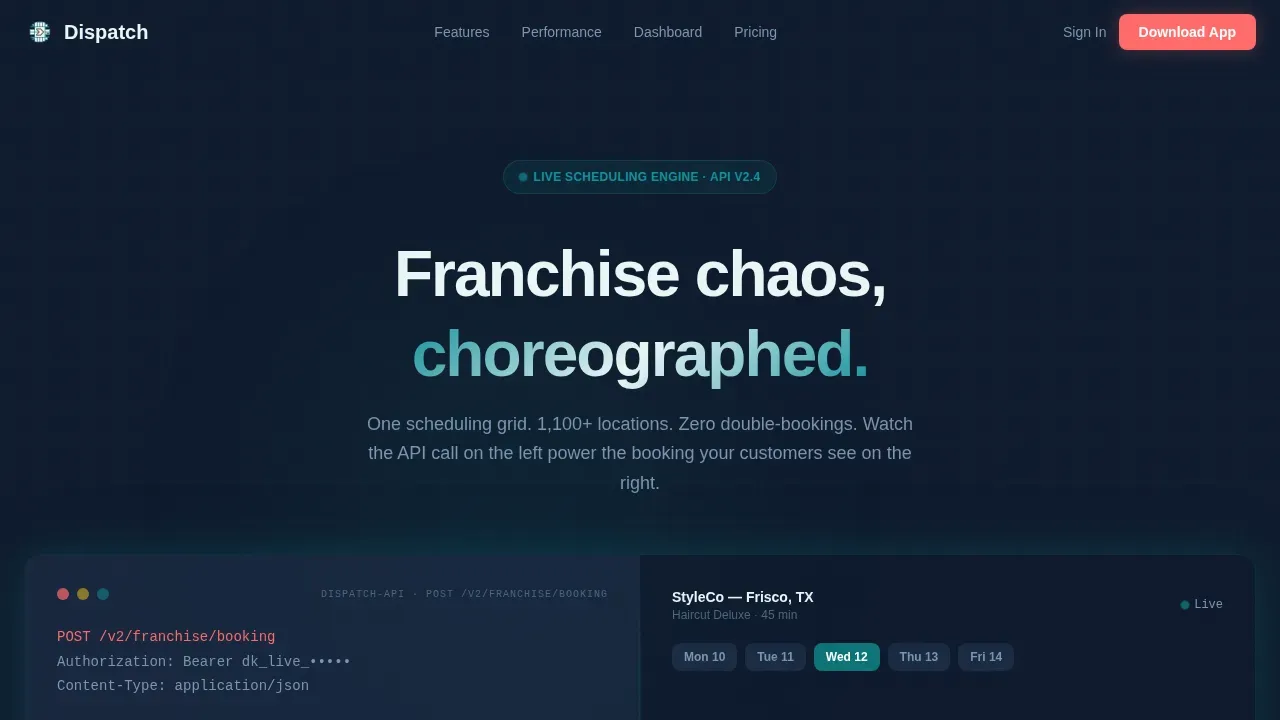
Dispatch is a split-screen landing page template built for franchise scheduling software. It pairs a typewriter API code block with a live booking widget, opens with animated stat counters, and drives visitors toward an app download. The structure, style, and motion work together to show the product in action before asking for a single tap.
by Rocket studio
Quick summary
Dispatch is a high-motion, split-screen landing page template for franchise booking and scheduling software. It leads with a code snippet hero, animated performance stats, and a dual-view dashboard section. Every section serves one goal: earn the download by showing the product working at full power before the call-to-action appears.
Who this template is for
This template serves multi-unit franchise operators who need a fast, credible way to present their scheduling software to potential users. It is equally well-suited for regional managers, front-desk teams, and marketing leads responsible for franchise digital presence.
- Multi-unit franchise owners managing ten to five hundred or more locations
- Regional managers and front-desk staff looking for tools to reduce scheduling chaos
- Marketing teams building a high-conversion site for a B2B scheduling software company
What problem this template solves
Franchise scheduling software is complex. A landing page that lists features without showing the product in action loses visitors fast. Dispatch solves this by making the product feel real before any form or request appears.
- Owners and operators cannot find a clear, trustworthy way to present multi-location scheduling value
- Standard templates fail to communicate the speed and reliability that field service business customers need
- Marketing pages bury the customer experience behind paragraphs instead of proof
What you get with this template
This template is fully prepared for a high-stakes software launch. Each section is ready to build on and document your product's strongest proof points.
- A split 50/50 hero with a typewriter API code block on the left and a live booking widget on the right
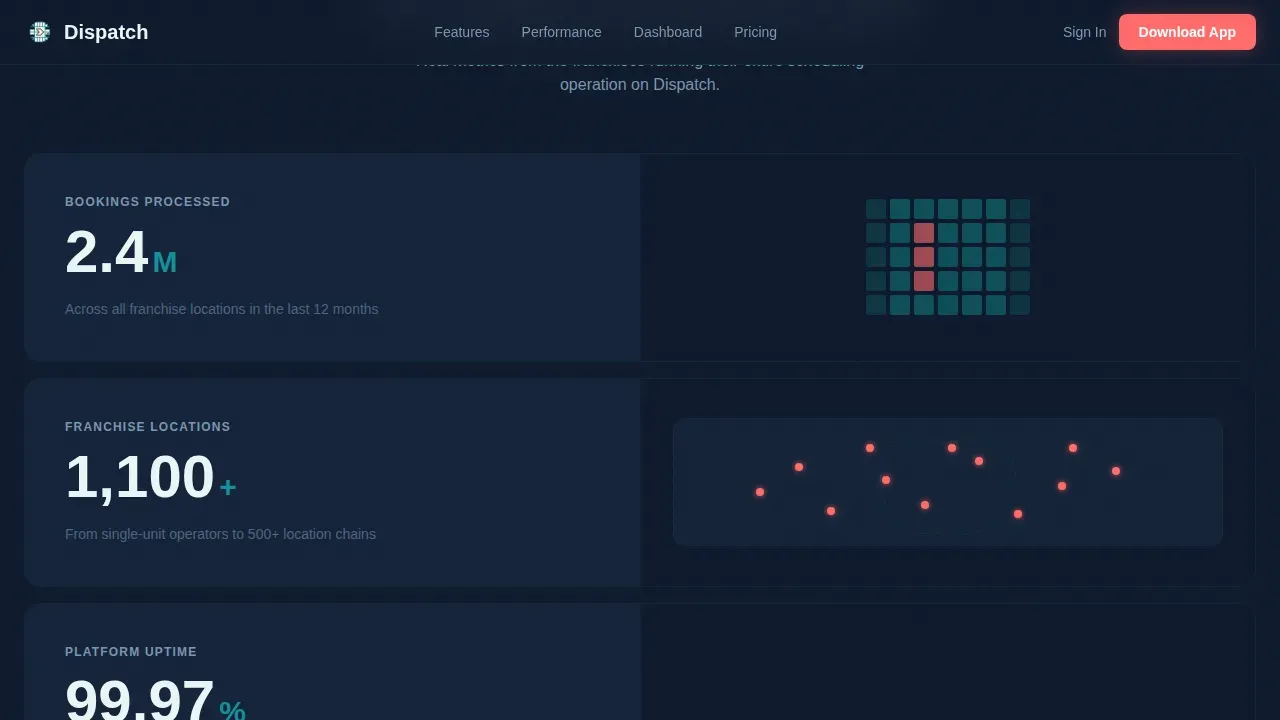
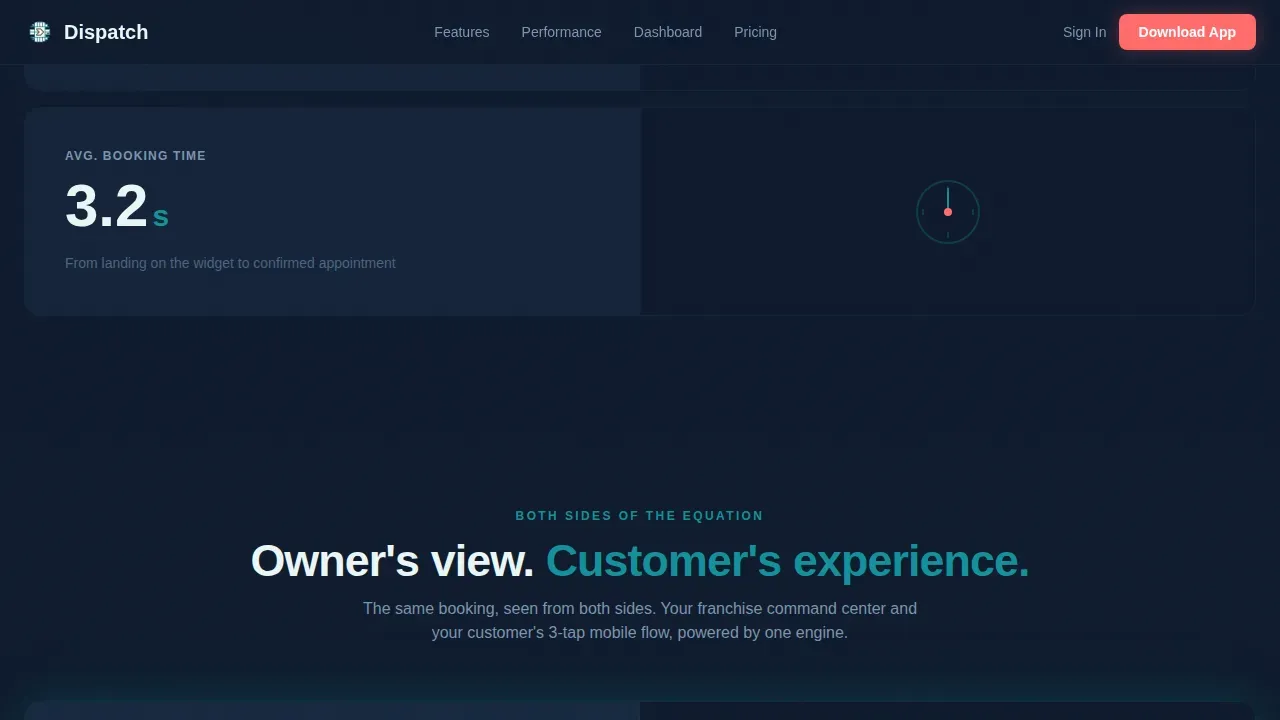
- Animated stat counters (2.4M bookings, 1,100-plus locations, 99.97% uptime, 3.2-second booking time) with paired micro-animations
- A franchise owner dashboard view beside a customer mobile booking experience, a social proof section, and an app download call-to-action with SMS link field
Feature list
This template includes six core sections that form a persuasive, document-ready structure for any dispatch scheduling software launch.
Typewriter Code Hero
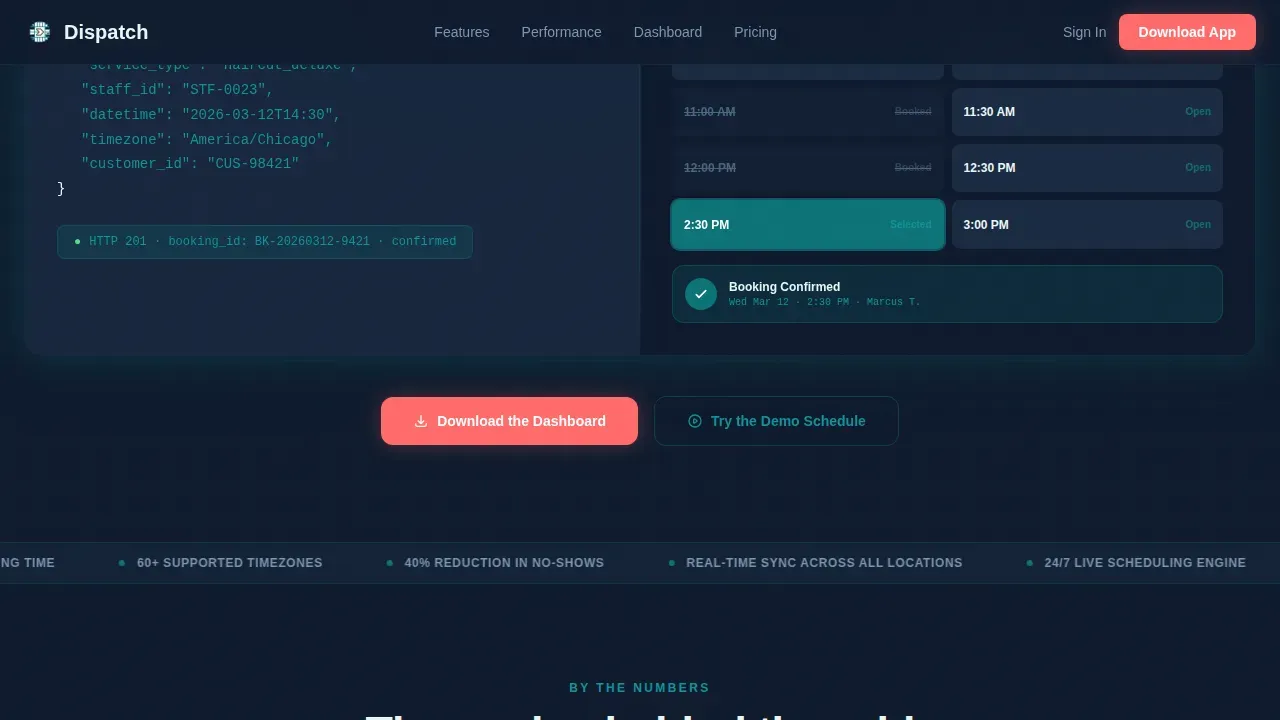
The left half displays a live-styled API call animating in character by character using JetBrains Mono. As the final bracket closes, the right half springs to life with a booking widget populating real time slots, a confirmation badge sliding in.
Animated Stats Counter Section
Four key metrics race to their final values on scroll. Each stat occupies a split-screen moment: the number on one side, a micro-animation illustrating it on the other. This section gives the customer instant, scannable proof before a single paragraph of copy appears.
Dual Dashboard Section
The left side shows the franchise owner's command center view. The right side shows the same action from the customer's mobile booking experience. Both sides of the scheduling equation are visible at once.
Social Proof Block
Named franchise operator testimonials include location counts and booking volume. Trust badges and real-world metrics support every claim. This section helps build credibility at the moment a visitor is deciding whether to request the download.
App Download Call-to-Action
The primary form includes App Store and Google Play badges, a "Try the Demo Schedule" option that opens an in-browser simulation, and a phone number field with a country selector so visitors can text themselves the download link.
Single-Row Footer
A clean, linear footer closes the page without adding navigation links or distractions, keeping the 1:1 attention ratio intact throughout.
Page sections overview
| Section | Purpose |
|---|---|
| Split Code Hero | Show API power and live booking widget side by side |
| Animated Stats Row | Deliver instant proof with racing counters and micro-animations |
| Dual Dashboard View | Compare owner command center and customer mobile experience |
| Social Proof Block | Build trust with operator testimonials and location metrics |
| App Download call to action | Drive downloads via badges, demo modal, and SMS form field |
| Linear Single Footer | Close the page cleanly without navigation distractions |
Design & branding system
The visual style follows a Dynamic Motion theme using the Teal Catalyst color system. The palette feels like a control room at full capacity: precise, data-dense, and alive.
- Deep operational teal (#0D7377) as the primary brand anchor; midnight dashboard (#0F1B2D) for dark backgrounds; catalyst white (#EAF6F6) for card surfaces
- Ignition coral (#FF6B6B) reserved for alerts, live counters, and primary call-to-action elements only
- DM Sans for all body and heading copy; JetBrains Mono for code blocks and data-field displays
Mobile & speed optimization
Over 58% of web traffic arrives on mobile, so this template is built to support full responsiveness across every device without sacrificing the impact of its animations.
- Responsive layout adapts the split-screen structure to a single-column format on smaller device sizes
- Large, tap-friendly buttons and a minimal form structure keep the mobile customer experience fast and frictionless
- Optimized image handling and lean script structure help protect time-to-interaction on every device
How this template helps you convert
Dispatch earns the conversion before it asks for one. The page structure is built around showing the product at work, then presenting the download as a natural next step.
- The hero section demonstrates real API code and a live booking widget so the customer understands the product instantly, without reading a paragraph
- Animated counters and the dual dashboard section build trust through visible proof, reducing the need for the visitor to request additional context before acting
- The app download form closes the loop with clear items: a primary download path, an in-browser demo, and an SMS field to send the link directly to any device
Other information about this template
This template sits within the Franchise Digital Presence subcategory and the Franchise Booking and Scheduling Site niche. It is one of the most technically detailed templates in its categories.
- The dispatch seamless franchise scheduling landing page template is designed around a 1:1 attention ratio, with no navigation menus or external links pulling visitors away from the call-to-action
- Benefit-driven headlines focus on the customer's outcome rather than raw features, following best practices for field service marketing pages
- The page structure supports brand consistency across franchise locations by providing a fixed document of sections, style rules, and code-level layout guides
- Teams can add the template to their workflow quickly; it is easy to customize without rewriting the underlying code structure
- All rights to template usage are granted upon license, and the company receives full access to source files and support resources
- The Dispatch platform is used by some of the world's largest service brands to manage over 60,000 jobs per day, and the platform can reduce scheduling time by 65% and customer churn by half
Theme
Dynamic Motion
Creative direction
Stats-First Impact
Color system
Teal Catalyst
Style
Split Screen (50/50)
Direction
App Download
Page Sections
Typewriter API Code Hero
Animated Stats Counter Section
Dual Dashboard Split View
Operator Social Proof Block
App Download Call to Action with SMS Field
Single-row Linear Footer
Related questions
Who is this landing page template built for?
Can I customize the code snippet and booking widget in the hero?
Does the template support mobile devices?
How many form fields does the app download section include?
What support and resources come with this template?



