Zero Backlog Serverless ITSM Landing Page Template
Dispatch is a serverless IT Service Management (ITSM) landing page built for platform engineering teams who are done babysitting ticket queues. It pairs a dark-mode command-center aesthetic with an interactive card grid, animated incident flows, and a two-step lead generation form. Engineers see their stack reflected back at them from the first scroll.
by Rocket studio
Quick summary
Dispatch is a single-page serverless ITSM landing page template designed for platform engineering leads and IT directors who want incident management that routes, escalates, and resolves itself. The page combines a live-data dashboard preview, an interactive modular card grid, and a progressive lead generation form into one cohesive, high-impact product experience.
Who this template is for
This template speaks directly to the engineers and engineering leaders who treat infrastructure as code and expect their service desk to keep up. It is built for teams who respond to incidents at 3 a.m. and want their tooling to respond even faster. If your team lives in terminals, reads YAML for fun, and measures everything in mean time to resolution, this page was designed with you in mind.
The business context here is clear: platform teams at growth-stage companies need solutions that scale without adding headcount. Generative AI is transforming the way teams work across various industries, and 79% of organizations now use generative AI in at least one business function, up from 65% in 2024. This template helps businesses position themselves at that frontier.
- Platform engineering leads and DevOps teams who want zero-server incident orchestration
- IT directors at Series B startups who want to skip hiring a dedicated service management administrator
- Engineering-led businesses that treat ITSM configuration as a code-first, YAML-native practice
What problem this template solves
Most ITSM marketing pages talk at engineers. They use stock photos of handshakes, promise vague "digital transformation," and bury the actual product logic three scrolls down. Engineers close those pages in seconds. The Dispatch template solves this by making the product experience the page itself.
Traditional service desk landing pages also fail to communicate scale. When ticket volume spikes, businesses need solutions that respond instantly without manual intervention. The approach of using serverless ITSM eliminates server maintenance, scales instantly during traffic spikes, and reduces operational costs, and this page communicates that value from the very first frame.
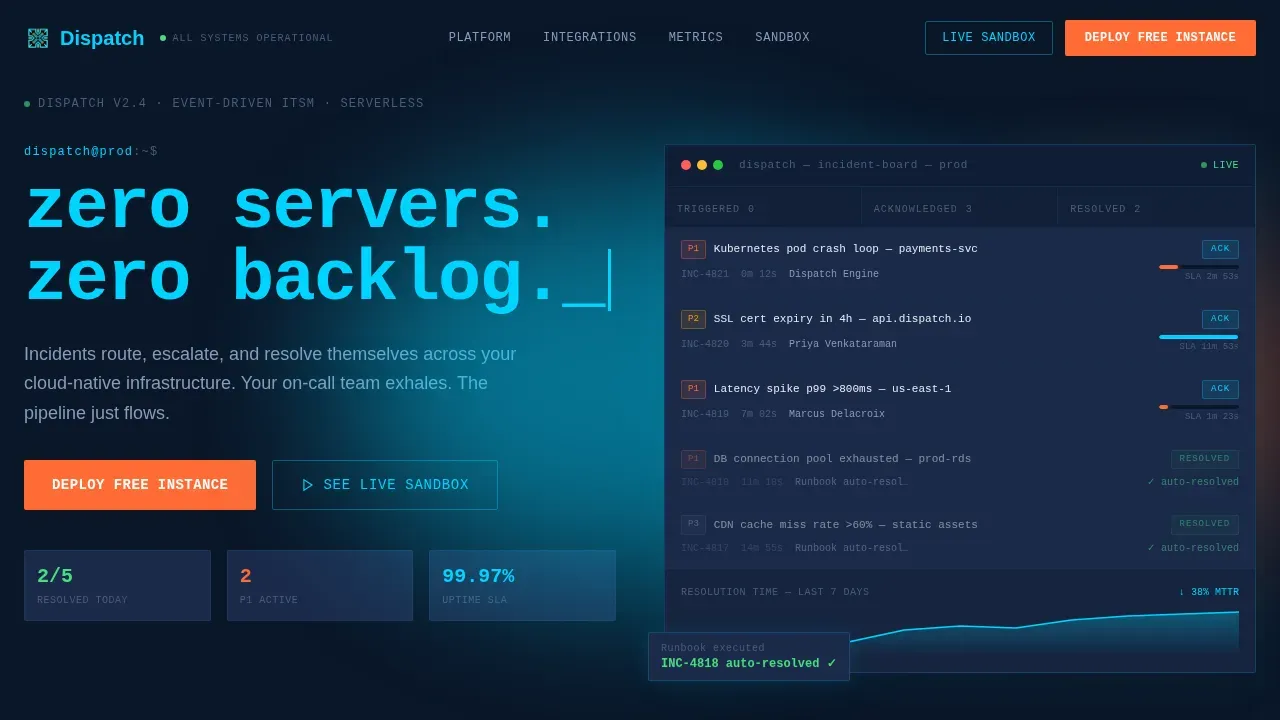
- Engineers land on a live animated ITSM command board and immediately see familiar incident language: Kubernetes pod crash loops, SSL certificate expiry warnings, latency spikes by region
- Visitors who are skeptical of yet another service desk tool can explore each feature card interactively, expanding architecture diagrams and integration context before ever filling in a form
- IT leaders evaluating costs and ROI see proof-of-concept through the animated dashboard and metric counters before committing a single input to the lead form
What you get with this template
You get a complete, deployment-ready serverless ITSM landing page that bridges technical infrastructure and business value from the first pixel. The template is fully structured for lead generation while letting prospects learn the product through hands-on exploration. Every section earns attention before asking for it.
The page is designed to generate qualified pipeline from platform engineering audiences. It does this through layered content disclosure, animated data storytelling, and a two-step form that asks only for essential information to minimize drop-offs. Prospects can also explore a sandbox path without filling in a single field.
- A hero section with a live animated ITSM command board, typewriter headline, and SLA countdown timers rendered in electric cyan
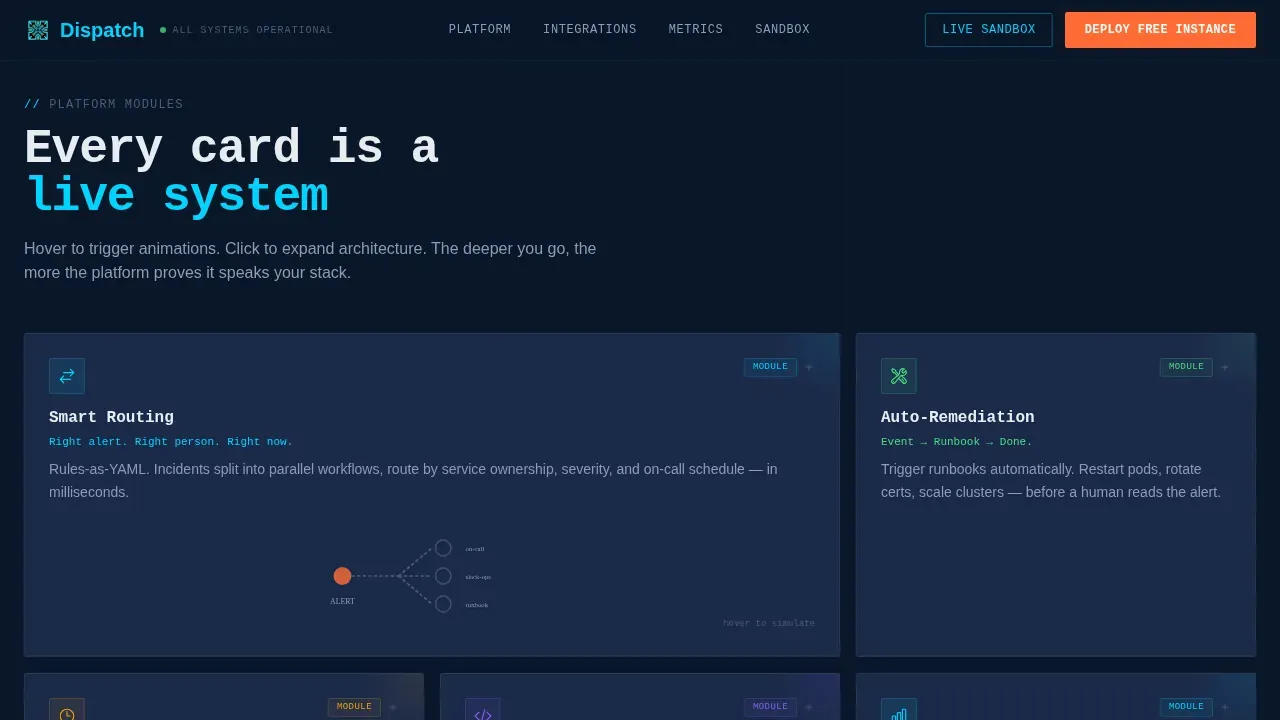
- A modular card grid where each feature card is a self-contained interactive experience with hover animations and expandable architecture diagrams
- An integration showcase, a metrics and social proof section, and a two-step lead generation form modal, all included and ready to customize
Feature list
This section covers the core capabilities built into the Dispatch landing page template. Each module is designed to communicate product value in the business context of incident management, not just describe it.
Animated Live Dashboard Hero
The hero section fills the viewport with a stylized ITSM command board. Incident cards animate from "Triggered" to "Acknowledged" to "Resolved" in real time. SLA countdown timers tick in electric cyan. A resolution-time graph draws itself upward on load. The headline types itself into view like a terminal prompt: zero servers. zero backlog._. This is the moment that hooks an engineer in the first three seconds.
Interactive Modular Card Grid
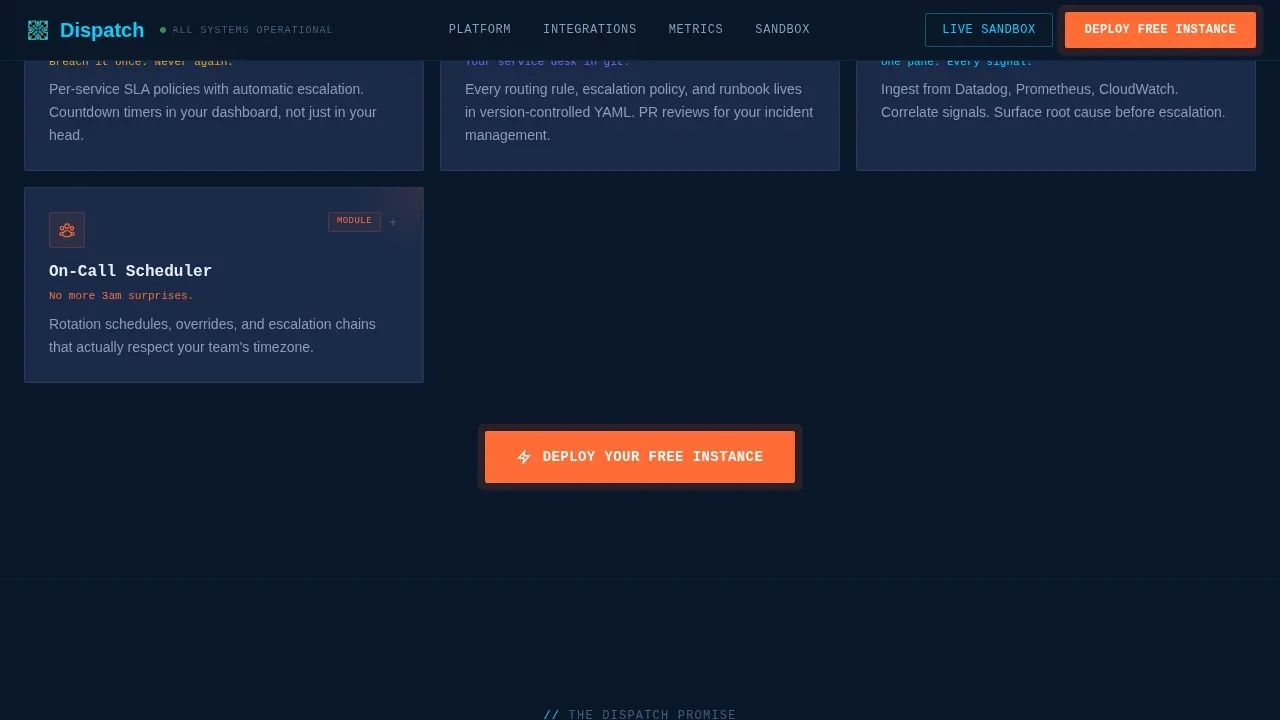
The card grid is the backbone of the page. Each card is a self-contained micro-experience that rewards curiosity. Hovering a Smart Routing card triggers a miniature animation of a ticket splitting across three parallel workflows. Clicking an Auto-Remediation card expands it into a mini-flowchart that walks through the event, runbook, and resolution chain. Complexity reveals itself in layers: one-line outcomes on the surface, architecture diagrams and integration logos in the expanded state. Visitors can explore at their own pace and learn how the platform works before reaching any form.
Progressive Lead Generation Form
The primary call to action, labeled "Deploy Your Free Instance," appears fixed in the navigation and repeats after every third card row. Clicking it opens a two-step modal form. Step one collects work email and company size. Step two presents clickable integration logo chips so prospects can signal which tools matter most to their team. This low-friction setup minimizes drop-offs while generating high-intent, segmented leads. The form asks only for essential inputs, consistent with best practices for engineering-led lead capture.
Integration Showcase Section
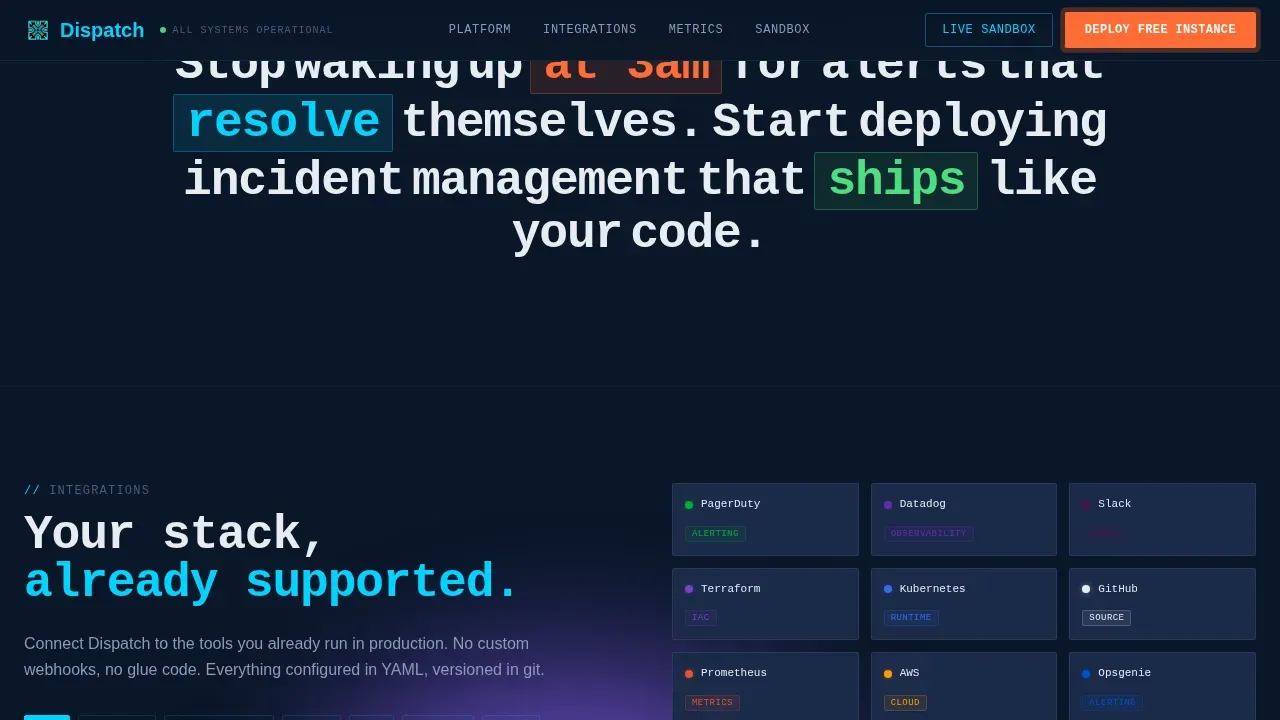
The integration section surfaces logo chips for tools the platform connects with, including Slack, PagerDuty, Terraform, and Datadog. Chips are clickable inside the form flow, letting visitors signal their stack preferences before a sales conversation happens. This section communicates ecosystem depth without requiring a wall of text. It helps businesses understand the platform fits into their existing systems from the first interaction.
Metrics and Social Proof Section
Counter stats animate into view on scroll using Intersection Observer, displaying specific performance data that resonates with platform engineering audiences. Engineering-voice testimonials and company logos appear alongside the counters. This section gives prospects the peer validation they need to respond with confidence. It turns abstract claims about efficiency into concrete, recognizable outcomes.
Secondary Sandbox Path
A secondary call to action labeled "See the Live Sandbox" provides a no-form path to an interactive demo environment. This link captures intent through usage analytics rather than form submissions, letting hesitant visitors explore the product logic before committing. It reduces friction for high-value prospects who are not ready to submit their details but are actively evaluating solutions.
Page sections overview
| Section | Purpose |
|---|---|
| Hero Dashboard Preview | Hooks engineers with a live animated incident command board and typewriter headline |
| Interactive Card Grid | Lets visitors explore each feature module through hover and click micro-interactions |
| Integration Logo Showcase | Communicates ecosystem fit using clickable tool chips for Slack, PagerDuty, and more |
| Metrics and Social Proof | Animates counter stats and testimonials to validate platform performance claims |
| Lead Gen Form Modal | Captures qualified leads through a two-step form with email and integration preferences |
| Footer Horizontal Flow | Closes the page with a clean Vercel-style horizontal footer pattern |
Design & branding system
The Dispatch template uses a Startup Velocity visual theme built around a Midnight Blue color system. Every design decision reinforces the feeling of a dark-mode command center at 2 a.m., where everything urgent is already handled. The palette and typography work together to signal credibility and technical authority without requiring a single word of explanation.
- Deep terminal navy (#0A1628) as the primary background, desaturated slate (#1B2A4A) for card surfaces, electric cyan (#00D4FF) on interactive accents and live-data highlights, cool white (#E8ECF1) for body text, and signal orange (#FF6B35) reserved for primary calls to action and alert-state badges
- JetBrains Mono for headlines and terminal-style copy, DM Sans for body text, creating a readable contrast between precision engineering aesthetics and approachable prose
- High-animation treatment throughout: typewriter effects on the hero headline, card flow animations on the command board, counter-on-scroll in the metrics section, and GPU-accelerated hover micro-interactions across the card grid
Mobile & speed optimization
The Dispatch template is designed desktop-first, reflecting the reality that platform engineers evaluate tools from workstations, not smartphones. The layout prioritizes large-viewport experiences where the animated dashboard, expandable card grid, and metrics counter have room to breathe and perform. Mobile responsiveness is included to ensure the page renders cleanly across devices.
- All animations use GPU-accelerated CSS transforms to keep rendering smooth without leaning on heavy JavaScript libraries
- Intersection Observer handles scroll-triggered effects, so counter animations and card reveals fire only when they enter the viewport
- The two-step form modal is optimized for quick open and close, keeping the interaction lightweight and the page experience uninterrupted
How this template helps you convert
Conversion on this page is not accidental. Every structural decision is designed to move a skeptical platform engineer from cold visitor to warm lead. The page earns the click by letting visitors experience the product logic before entering a single field.
- The animated hero dashboard creates immediate recognition: engineers see Kubernetes crash loops, SSL cert warnings, and latency spikes labeled by region. This moment of recognition builds trust faster than any headline claim. They learn the platform speaks their language before reading a single feature bullet.
- The interactive card grid turns passive scrolling into active product discovery. Visitors who expand architecture diagrams and trigger workflow animations are self-qualifying. By the time they reach the lead form, they have already decided the platform is worth exploring. The two-step form then captures that intent with minimal friction.
- The secondary sandbox path captures undecided prospects who are not yet ready to submit a form. Usage analytics from sandbox interactions provide intent signals that support follow-up. This dual-path approach ensures the page responds to every visitor type without losing high-value leads who need more time to evaluate.
Other information about this template
The Dispatch template is built for businesses that want to modernize their incident management marketing without starting from scratch. It is a single-page layout, structured for fast setup and straightforward customization. Teams can clone the repository, configure environment variables, and have the page live in minutes using hosting platforms such as Vercel, AWS Amplify, or Azure Static Web Apps for low-latency delivery.
The page architecture reflects real serverless ITSM infrastructure concepts. Creating a serverless ITSM landing page template involves leveraging event-driven cloud architecture to automate ticket intake, prioritize requests, and route them in real time. The Dispatch template communicates this pipeline visually through its animated hero and interactive card grid, making abstract architecture tangible for both technical evaluators and business stakeholders.
From a cost and ROI perspective, the serverless model that the page promotes pays only for computing time consumed during active ticket periods, eliminating idle costs entirely. Serverless landing pages eliminate idle costs since users only pay for the resources they consume. This cost efficiency story is woven into the template's metrics section, where counter stats make the business case concrete.
The template is also aligned with broader AI-driven innovation in IT service management. AI agents can analyze data and provide actionable insights in real time, improving decision-making processes. Generative AI solutions are driving deeper industry-specific transformation through automated content creation and AI-driven operations. The Dispatch page is designed to position a serverless ITSM platform at the center of this shift.
For teams evaluating export and reporting needs in adjacent tools: the PDF Export Center in Jira Service Management now includes four new quick export options, and the Better PDF Exporter app for Jira Cloud has been certified as a Cloud Fortified app by Atlassian, indicating enterprise readiness. Teams using Jira Service Management alongside the Dispatch platform can extract development information and generate powerful reports from integrated tools. The Better PDF Exporter app can export development information stored in the Development field, which includes data from multiple development tools, enabling richer cross-platform documents and dashboards.
Key additional details about the template:
- The template is download-ready and designed for teams that want to skip lengthy setup processes and start customizing immediately
- Serverless landing pages can be maintained easily by updating HTML and deploying changes through version control systems like GitHub, making ongoing edits straightforward for any engineering team
- The page supports multiple call-to-action placements, giving businesses control over where and how they surface the primary conversion form
- Budget-conscious teams benefit from the serverless hosting model: the use of serverless technologies can significantly reduce the monthly costs associated with hosting landing pages across multiple domains
- Real-time tracking of dispatch health and backlog metrics can be achieved using tools like Amazon CloudWatch when the platform is connected to cloud monitoring infrastructure
- Amazon DynamoDB or Cosmos DB offers fast, serverless NoSQL storage for incident data, relevant context for prospects evaluating data persistence in their stack
- EventBridge or Simple Queue Service (SQS) handle asynchronous dispatching in the serverless ITSM model, and the template's integration showcase section can surface these architectural choices to technical evaluators
- Intelligent dispatching routes urgent tickets directly to on-call engineers based on categorization, and the Smart Routing card in the grid visualizes this logic interactively
- Automated categorization of tickets utilizes AI classification to analyze keywords for instant routing to the correct queue, a capability that the Auto-Remediation card expands into a full flowchart when clicked
- Security and reliability in serverless ITSM can be highlighted by adherence to the AWS Well-Architected Framework, a detail that builds trust with enterprise evaluators who need compliant, audit-ready solutions
- The page's open architecture makes it straightforward for teams to add notes, adjust permissions, and extend the template across multiple sites or portfolio properties
- Proactive monitoring and self-service options can prevent a growing backlog in serverless ITSM, and the template's self-service portal section concept supports this by highlighting quick-fix resources for end users
Theme
Startup Velocity
Creative direction
Interactive Explorer
Color system
Midnight Blue
Style
Card Grid (Modular)
Direction
Lead Generation
Page Sections
Animated Live ITSM Dashboard Hero
Interactive Modular Card Grid
Progressive Two-step Lead Form
Integration Logo Showcase
Metrics Counter and Social Proof Section
Secondary No-form Sandbox Path
Related questions
What types of businesses is this template best suited for?
Can I customize the incident data shown in the animated hero dashboard?
How does the two-step lead generation form work?
Does the template include the secondary sandbox path?
Is the template ready to deploy without starting from scratch?



