Pharmacy Digital Presence Professional Website Template
Dispense is a dashboard-style pharmacy landing page template built for independent pharmacy owners and small chain operators. It leads with animated performance metrics, an industry-report scroll flow, and interactive demo tiles. The design uses a deep navy and clinical white palette to project authority. A three-field free trial signup drives conversion without friction.
by Rocket studio
Quick summary
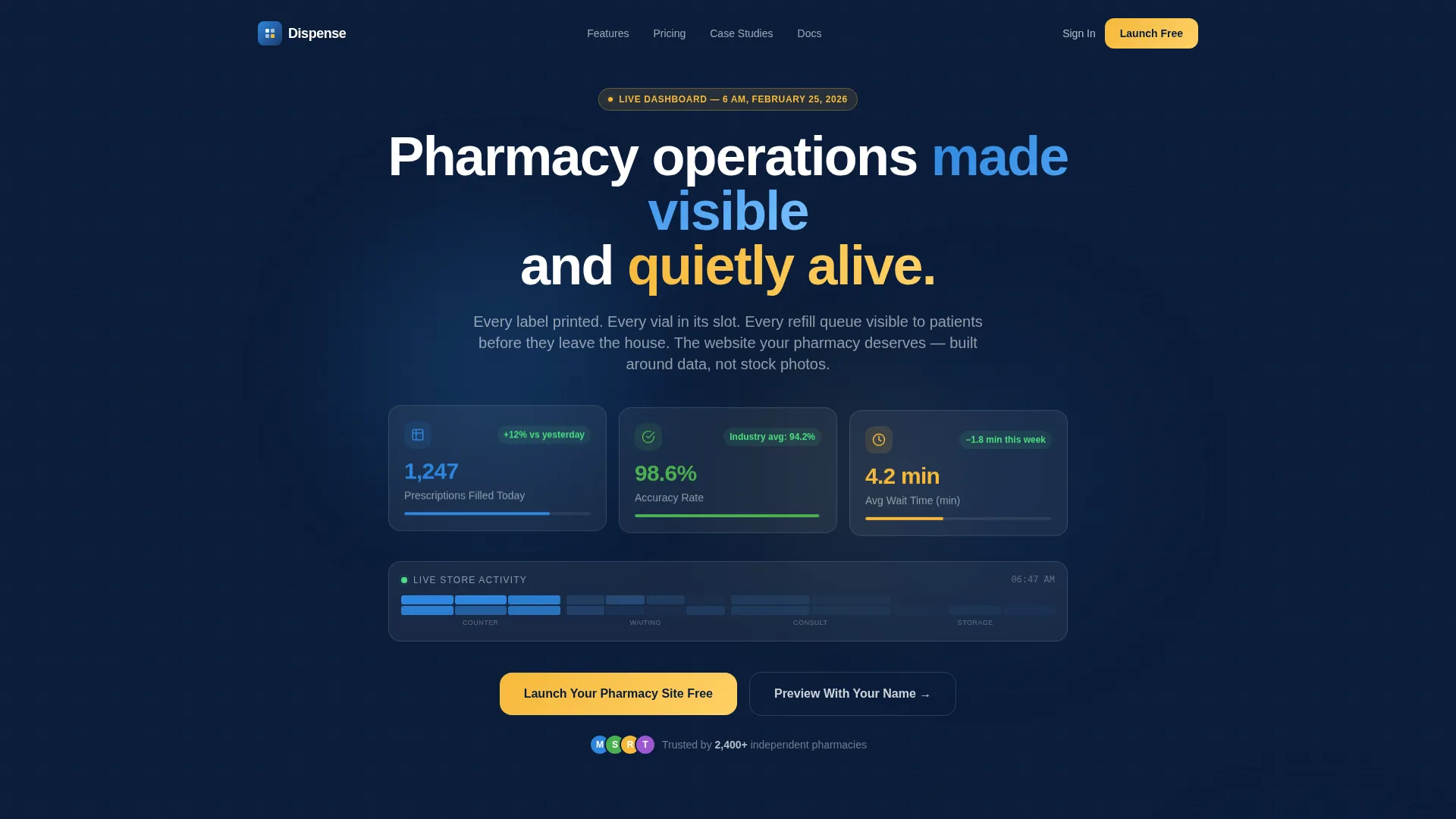
Dispense turns pharmacy operations into a compelling digital storefront. The template opens with live animated counters, frosted glassmorphic stat cards, and a pulsing foot-traffic heatmap. Scroll reveals an industry-report grid pairing real pharmacy statistics with built-in feature demos. Every section earns trust before asking for a signup.
Who this template is for
This template is built for pharmacy professionals who need a credible digital presence without hiring a web design team. It speaks the language of scripts, refills, and consultation volume rather than generic small-business copy.
- Independent pharmacy owners managing compound prescriptions and insurance workflows
- Small chain operators expanding into telehealth consultation services
- Pharmacy school graduates launching their first physical location on a limited budget
What problem this template solves
Most pharmacy websites look like repurposed medical clinic themes. They show stock photos of smiling staff and generic "we care" copy. Patients and partners expect real operational confidence, not brochure filler.
- Patients abandon refill requests when they cannot see wait times or queue status
- Independent pharmacies miss consultation volume because booking is buried or missing entirely
- Non-technical owners struggle to build a site that reflects their clinical expertise
What you get with this template
Dispense delivers a complete single-page layout structured around pharmacy performance data. Every section doubles as a product demonstration, showing visitors exactly what their own pharmacy site could look like before they commit.
- An animated hero dashboard with three live metric counters and a zone heatmap
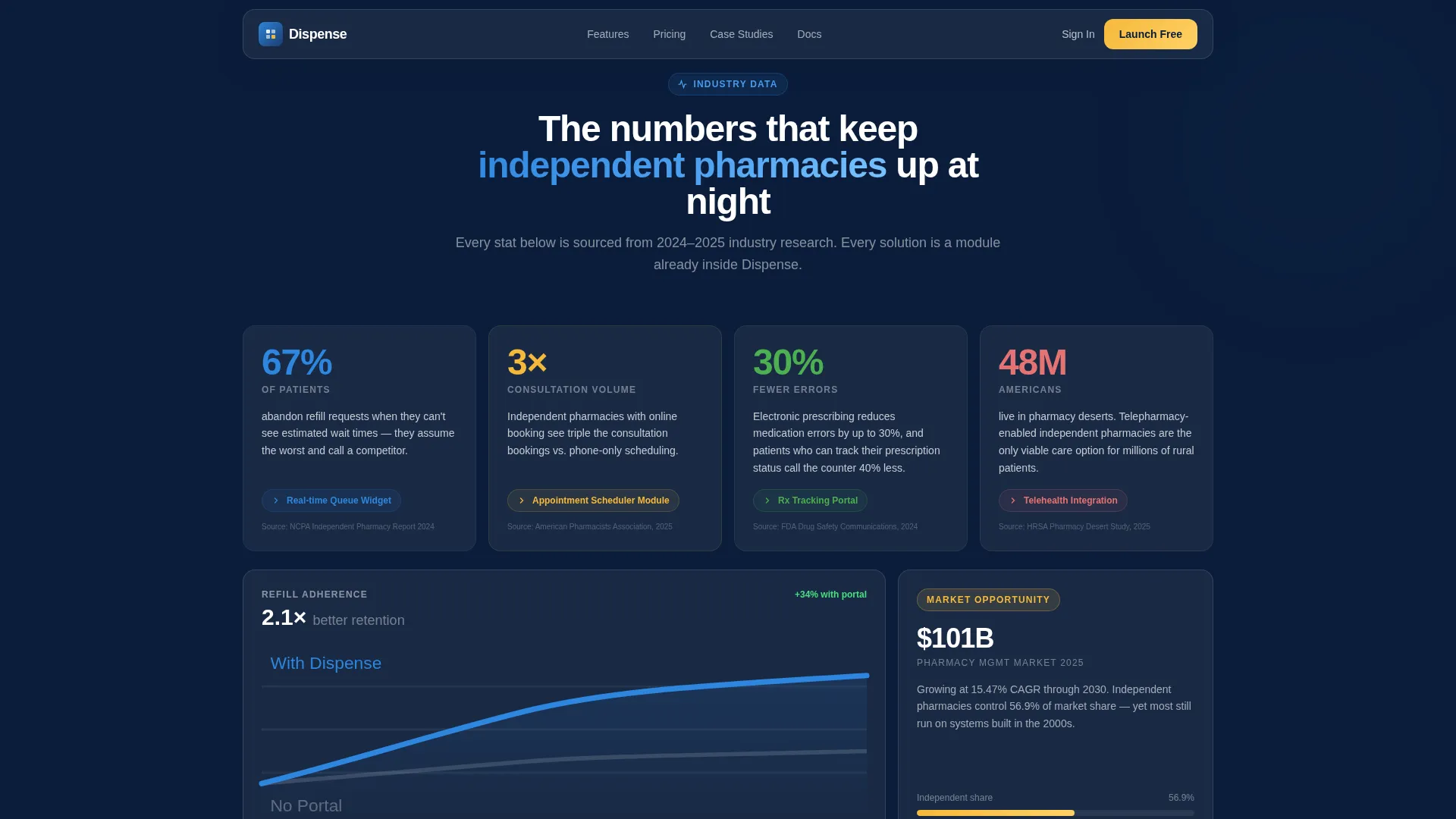
- An asymmetric bento grid linking sourced industry statistics to interactive feature modules
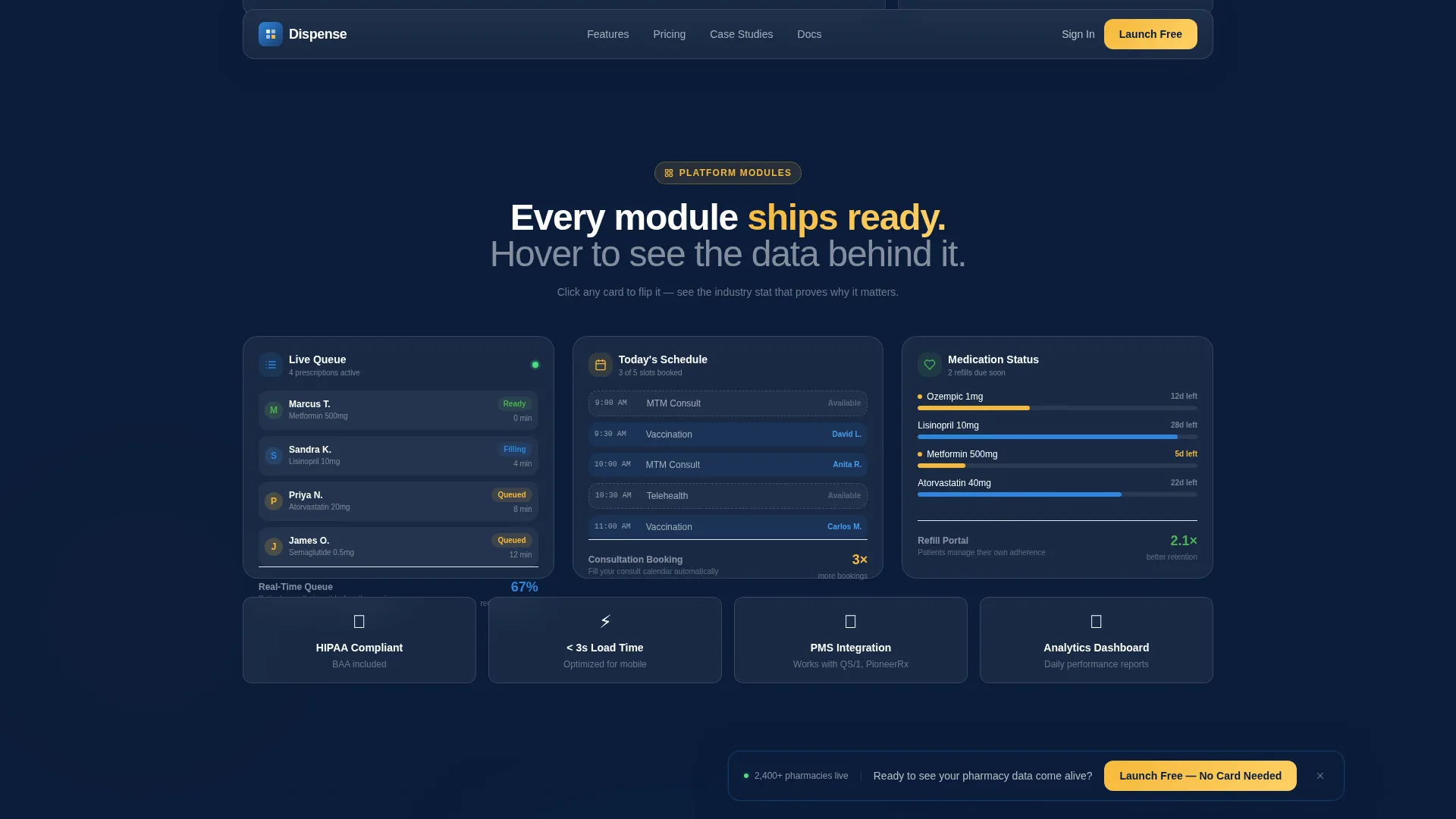
- Expandable demo tiles for the queue widget, appointment scheduler, and refill portal
- A live name-preview input that renders the visitor's pharmacy name into the template mockup
- A floating conversion bar with a three-field free trial signup form
Feature list
This template is built around interactivity and data visibility. Each feature listed below is included in the template as described in the source brief.
Animated Metrics Hero Dashboard
The header section displays three counter animations that tick upward in real time, showing prescriptions filled, accuracy rate, and average wait time. Each counter sits inside a frosted glass card with a subtle parallax drift effect. A miniature heatmap pulses below, simulating foot traffic patterns across store zones.
Industry Insights Bento Grid
An asymmetric bento-style grid pairs sourced pharmacy industry statistics with the template features they justify. Each statistic introduces a relevant module. Visitors read a data point and immediately see the solution built into the template.
Expandable Interactive Demo Tiles
Three core modules appear as clickable demo tiles: the real-time queue widget, the appointment scheduler, and the refill portal. Each tile expands with motion on click. Cards flip, graphs draw themselves, and interface previews slide into frame.
Live Pharmacy Name Preview
A name-input field lets visitors type their pharmacy name and watch it render instantly inside a live template mockup. This creates a sense of ownership before any commitment is made. It is one of the most direct conversion tools on the page.
Floating Freemium Conversion Bar
A persistent bottom bar appears after the visitor scrolls past the second data section. It displays the primary call to action in prescription-amber and contains a three-field signup form asking only for pharmacy name, state license number, and email.
Testimonial Cards with Operational Metrics
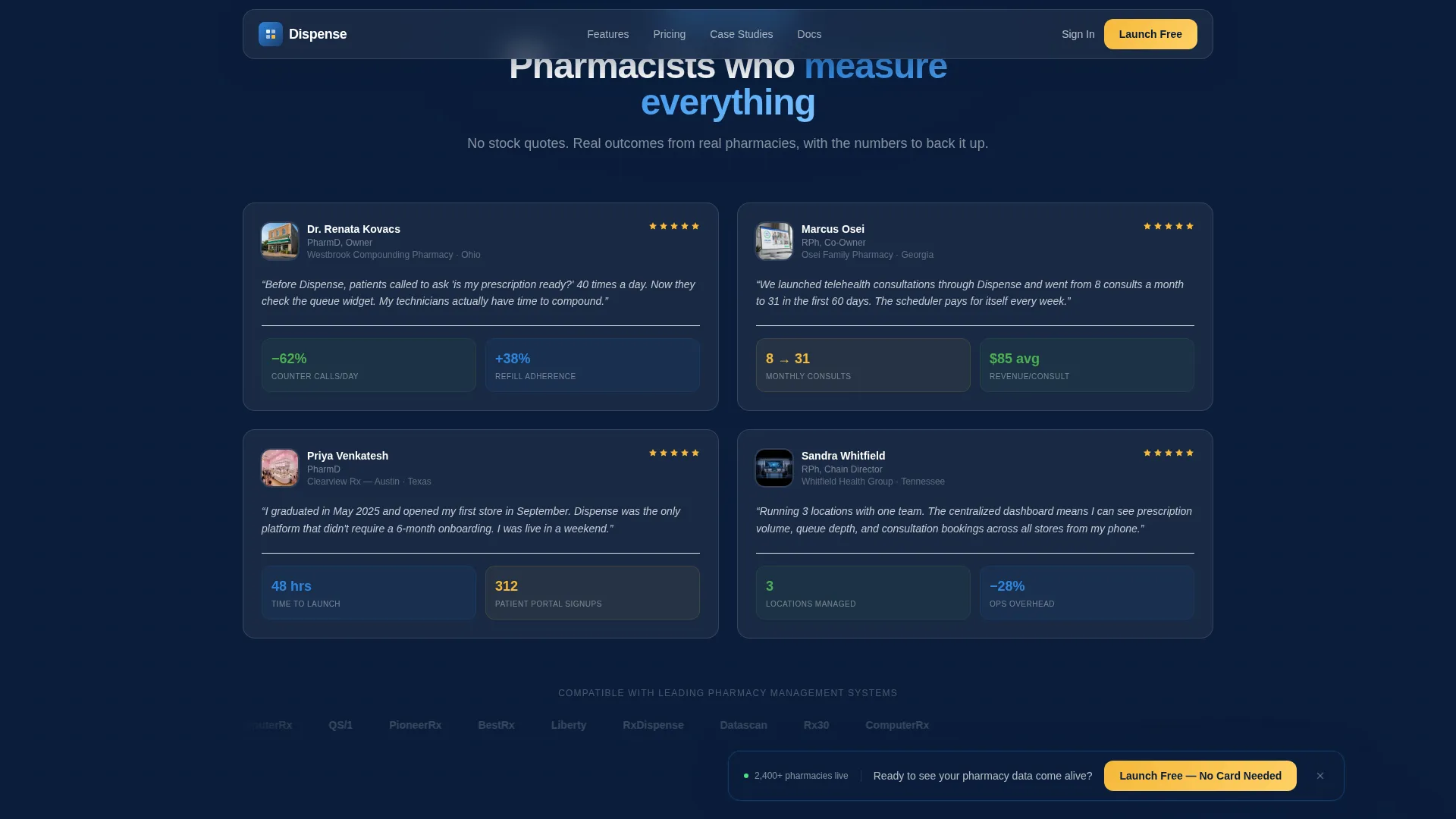
The social proof section uses pharmacy-specific testimonial cards. Each card includes engagement metrics such as scripts per day and consultation volume, making the proof feel professional and relevant rather than generic.
Page sections overview
| Section | Purpose |
|---|---|
| Animated Hero Dashboard | Opens with live metric counters and a pulsing heatmap |
| Industry Insights Bento | Pairs pharmacy statistics with template feature reveals |
| Module Showcase Tiles | Expandable demos of queue, scheduler, and refill portal |
| Testimonials Section | Pharmacy owner proof with operational engagement metrics |
| Live Preview and call to action | Name-input mockup renderer and floating three-field signup |
| Footer | Linear single-row footer with essential links |
Design & branding system
The visual identity is built on a clinical dashboard aesthetic. Deep pharmaceutical navy provides the primary background, while frosted glass card surfaces create depth without noise. Pulse-blue and prescription-amber animate the interactive layer, keeping the palette purposeful and restrained.
- Primary background: deep pharmaceutical navy (#0B1D3A) with glassmorphic card panels in clinical white (#F4F7FA)
- Interactive and animated layer: pulse-blue (#2E86DE) on progress bars and hover states, prescription-amber (#F6B93B) on alerts, badges, and the primary call-to-action button
- Typography: Plus Jakarta Sans throughout, selected for its clean premium weight at dashboard scale
Mobile & speed optimization
The template is built desktop-first to match how pharmacy owners review vendor tools on office computers. Full mobile responsiveness is included so the page remains functional across all screen sizes.
- Desktop-first layout with responsive breakpoints for tablet and mobile viewing
- Static server components power the non-animated sections for fast initial load
- Client-side components handle animated counters and the interactive name-preview input separately
How this template helps you convert
Dispense is structured to earn trust through data before it asks for anything. The page flow moves a visitor from curiosity to ownership in a logical sequence.
- The animated hero dashboard opens with credible pharmacy performance numbers, establishing operational authority within the first viewport.
- The industry-report scroll flow pairs sourced statistics with live feature demos, so every claim is immediately backed by a visible, working solution.
- The live name-preview input and floating conversion bar work together to lower commitment friction, letting visitors see their own brand inside the product before signing up.
Other information about this template
Dispense is designed specifically for the United States pharmacy market. The signup form uses state licensing terminology, and all copy references American pharmacy industry language and context.
- The template targets the estimated 19,000 independent pharmacy owners operating in the United States
- The freemium conversion model supports a free launch path with pharmacy name, state license number, and email as the only required fields
- The Dynamic Motion theme and Midnight Blue color system are designed to feel like a live pharmacy management screen, not a generic healthcare website
- The dashboard-style layout and Industry Report creative direction are well suited for pharmacy digital presence goals, including telehealth expansion
Theme
Dynamic Motion
Creative direction
Industry Report
Color system
Midnight Blue
Style
Dashboard/Data Grid
Direction
Freemium/Trial
Page Sections
Animated Metrics Hero Dashboard
Industry Insights Bento Grid
Expandable Interactive Demo Tiles
Live Pharmacy Name Preview
Floating Freemium Conversion Bar
Pharmacy Testimonial Cards
Related questions
Do I need technical skills to use this template?
What sections are included in this template?
Can I preview the template with my own pharmacy name?
Is this template designed for both desktop and mobile?
What do I need to start the free trial?



