Pharmacy Software Reviews Website Template
Dispense is a hub-and-spoke landing page template built for pharmacy project management firms. It opens with a live-style dashboard preview, hands visitors an interactive Project Complexity Estimator before asking for anything, and guides them through four anchor-linked phases: Plan, Track, Comply, and Launch. The design blends sterile precision with data-command energy to earn trust fast and convert serious buyers.
by Rocket studio
Quick summary
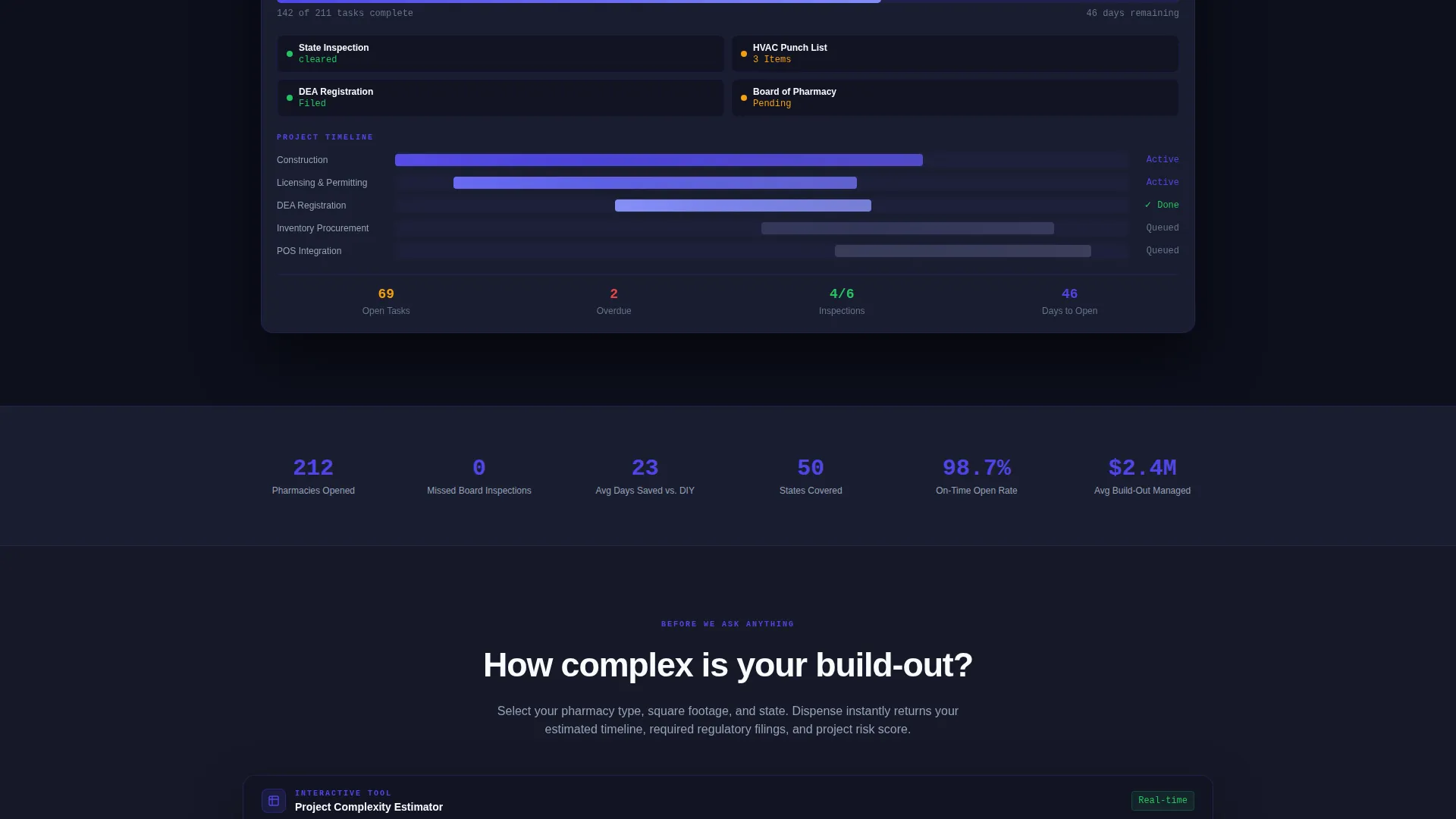
Dispense is a single-page, anchor-nav landing page template for pharmacy build-out management services. It leads with a pixel-perfect dashboard preview showing a live project at 67% completion, then immediately gives visitors an interactive estimator tool. Every scroll reveals a new panel of the command view, building confidence phase by phase until the "Map My Build-Out" call to action lands.
Who this template is for
This template is built for pharmacy project management firms that guide clients through complex, high-stakes build-outs. It speaks the language of operators who cannot afford a missed inspection or a delayed opening.
- Independent pharmacy owners opening a second location who need structured oversight
- Hospital systems converting retail spaces into outpatient dispensaries on tight timelines
- Private-equity-backed pharmacy groups acquiring multiple stores at once and managing parallel build-outs
What problem this template solves
Opening a pharmacy involves dozens of overlapping workstreams: construction, state board licensing, DEA registration, inventory procurement, and point-of-sale integration. Missing a single deadline can cost days of lost revenue or trigger a failed inspection. Most service firms struggle to communicate this complexity in a way that earns trust quickly.
- Prospects land without context and leave before understanding the full scope of what a firm manages
- No clear entry point for early-stage leads who are researching but not yet ready to book a call
- The firm's operational depth stays invisible because the website looks like every other consultancy
What you get with this template
This template gives you a complete, conversion-focused landing page structured around the four phases of a pharmacy build-out. It is designed to show operational depth instantly, qualify visitors through an interactive tool, and capture leads at multiple stages of readiness.
- A dashboard preview header showing a realistic project in progress with live-style status badges and task counters
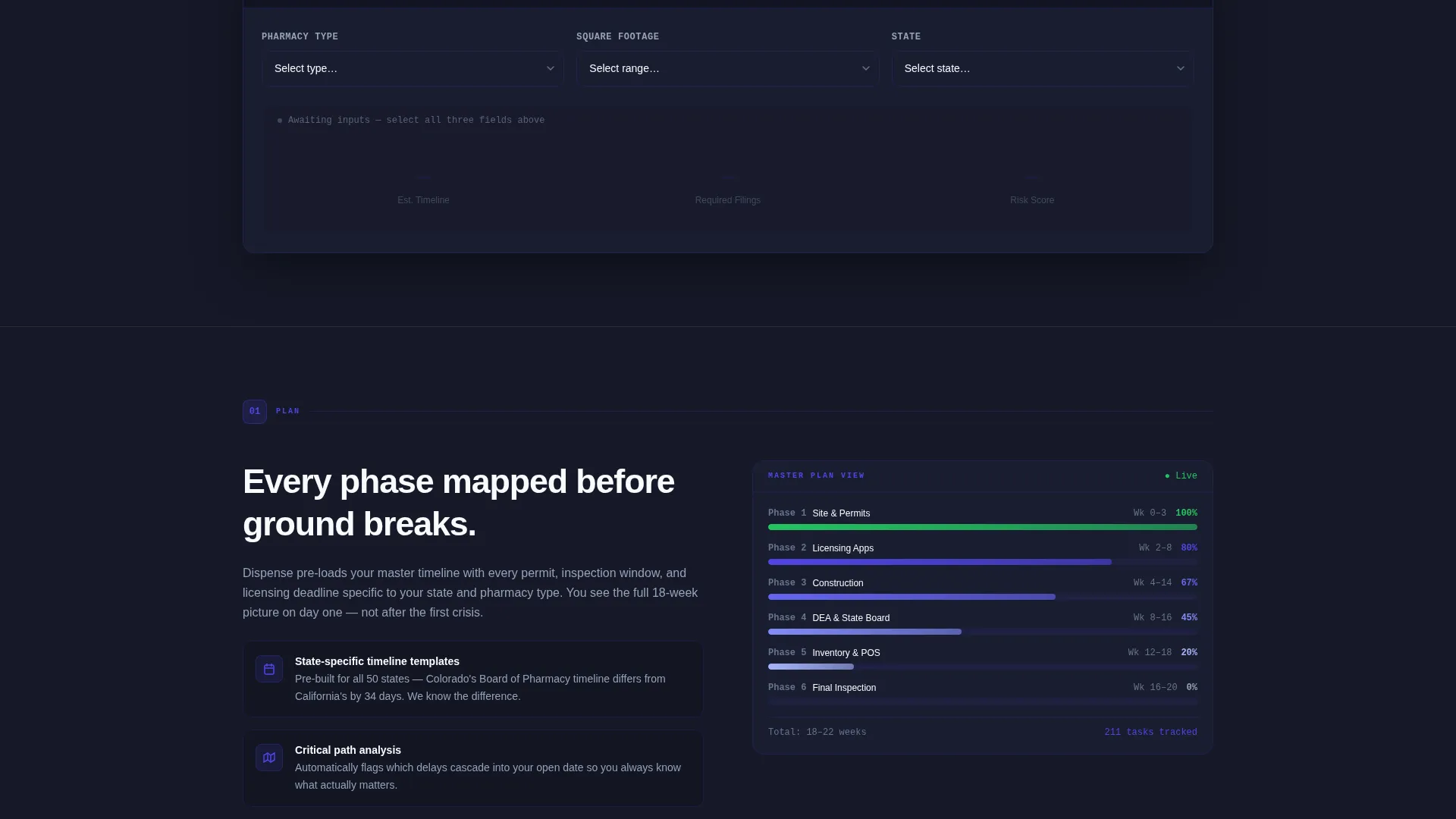
- An interactive Project Complexity Estimator that returns an estimated timeline, regulatory filing count, and risk score
- Two lead capture paths: a primary "Map My Build-Out" consultation form and a secondary compliance checklist download gated by email and state selection
Feature list
This template includes purpose-built components that work together to demonstrate expertise, engage visitors, and drive conversions across two distinct lead segments.
Dashboard Preview Header
The header opens with a pixel-perfect rendering of a pharmacy project management interface. A Gantt-style timeline shows overlapping tracks for construction, licensing, DEA registration, inventory procurement, and point-of-sale integration. A green badge pulses next to "State Inspection - Cleared," an amber badge flags "HVAC Punch List - 3 Items," and a task counter reads "142 of 211 tasks complete."
Interactive Project Complexity Estimator
Before the page asks for anything, it gives visitors a working tool. Users select pharmacy type (retail, compounding, specialty, or hospital outpatient), square footage range, and state. The tool instantly returns an estimated build-out timeline, a count of required regulatory filings, and a risk score tailored to those inputs.
Anchor Navigation Bar
A fixed top navigation bar links to four spoke sections: Plan, Track, Comply, and Launch. Visitors can jump directly to the phase most relevant to their current challenge, or scroll through the full sequence as each section adds a new live panel to the command view.
Progressive Dashboard Assembly
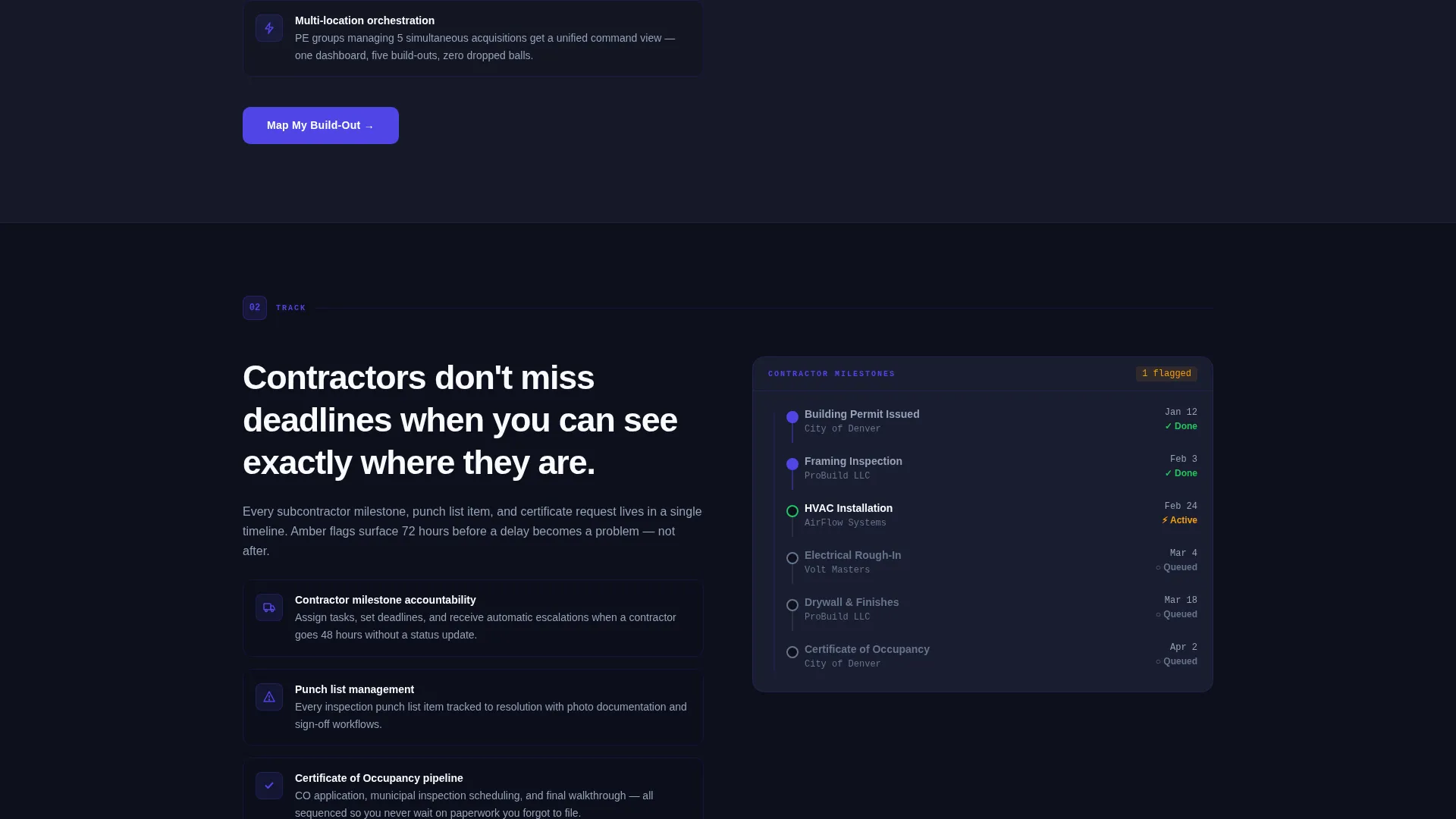
Each anchor section expands the dashboard preview introduced in the header. As visitors scroll, new data panels appear, building the full command view piece by piece. This motion reinforces the idea that every phase is tracked and nothing falls through the cracks.
Dual Lead Capture System
The primary call to action, "Map My Build-Out," appears first below the estimator and repeats at the close of each spoke section. The form captures pharmacy type, number of locations, target open date, and biggest current bottleneck. A secondary path offers a 50-state compliance checklist download gated behind email and state selection, capturing earlier-stage prospects.
Data Command Visual Theme
The Electric Indigo color system runs across every component. Deep console black forms the base, primary indigo pulses across active states and progress bars, cool slate handles secondary text and dividers, and signal white surfaces card readouts. The result feels like a pharmaceutical cleanroom lit by an intelligent terminal.
Page sections overview
| Section | Purpose |
|---|---|
| Dashboard Preview Header | Opens with a live-style project interface to establish credibility immediately |
| Fixed Anchor Nav | Lets visitors jump to Plan, Track, Comply, or Launch at any point |
| Project Complexity Estimator | Interactive tool that qualifies visitors and delivers instant, personalized output |
| Plan Spoke Section | Unpacks the planning phase with real metric snapshots and a new dashboard panel |
| Track Spoke Section | Shows how contractor milestones and timelines are monitored in one view |
| Comply Spoke Section | Covers state board deadlines, DEA registration, and inspection tracking |
| Launch Spoke Section | Details the final push from punch list to first prescription filled |
| Map My Build-Out Form | Primary lead capture form repeated at the close of each spoke |
| Compliance Checklist Download | Secondary lead capture for early-stage visitors not ready for a consultation |
Design & branding system
The visual identity follows a Data Command theme that positions the service as a mission-critical operator, not a generic consultancy. Every color choice reinforces precision, intelligence, and control.
- Deep console black (#0D0F1C) as the base creates a terminal-like environment that signals serious operational software
- Primary indigo (#4F46E5) pulses across active states, progress bars, and interactive elements to guide the eye
- Cool slate (#94A3B8) handles secondary text and divider lines, while signal white (#F8FAFC) surfaces card readouts and data panels
Mobile & speed optimization
The layout is built to stay functional and readable across screen sizes. The command-room aesthetic translates to smaller screens without losing the sense of precision.
- The fixed anchor navigation bar remains accessible on mobile so visitors can jump between phases without excessive scrolling
- Dashboard preview components and the estimator tool are structured to reflow cleanly on narrower viewports
How this template helps you convert
The page is engineered around a Calculator/Tool First creative direction, which means it gives before it asks. That shift changes how visitors experience the firm.
- The Project Complexity Estimator creates immediate personal relevance by returning a timeline, filing count, and risk score specific to the visitor's situation, warming them up before any form appears.
- The "Map My Build-Out" call to action appears at the natural end of each phase section, meeting visitors at the moment they feel the weight of that phase and are most ready to take action.
- The compliance checklist download creates a lower-commitment entry point for prospects still in research mode, extending the lead funnel without diluting the primary offer.
Other information about this template
This template is designed for a single-page, anchor-nav structure, meaning all content lives on one scrollable page with fixed navigation. It is built around the hub-and-spoke pattern where the estimator acts as the hub and each build-out phase functions as a spoke.
- The template is categorized under Technology and Pharmacy Software, positioned at the intersection of project management tooling and regulated healthcare operations
- The four anchor sections (Plan, Track, Comply, Launch) mirror a real pharmacy build-out lifecycle, making the page immediately legible to industry insiders
- The 50-state compliance checklist download is a standalone secondary conversion asset built into the page layout, useful for firms that serve clients across multiple jurisdictions
- The template is well-suited for firms that work with PE-backed roll-up groups or hospital systems, where the audience expects data-dense, operationally fluent communication

Theme
Data Command
Creative direction
Calculator/Tool First
Color system
Electric Indigo
Style
Hub & Spoke (Anchor Nav)
Direction
Lead Generation
Page Sections
Dashboard Preview Header
Interactive Project Complexity Estimator
Fixed Anchor Navigation
Progressive Dashboard Assembly
Dual Lead Capture Paths
Data Command Visual System
Related questions
What type of business is this template designed for?
How does the lead capture work on this template?
What makes this template different from a standard service landing page?
Can I use this template if I serve clients across multiple states?
Is this template suitable for a firm managing multiple simultaneous pharmacy openings?



