District - Powerful School Management Landing Page Template
District is a bento grid landing page template built for school district management software. It leads with live-scale proof, scrolling district logos, and a stats-first bento layout that turns every metric into a selling point. The Tech Glass visual identity, electric indigo palette, and App Download call to action make it ready for enterprise education technology marketing out of the box.
by Rocket studio
Quick summary
District is a single-page bento grid template designed for school district management software. It opens with institutional trust signals, delivers capability through stats-first data cells, and closes with a clear mobile app download path. The Tech Glass theme gives every section the feel of a live operations dashboard without a single stock photo in sight.
Who this template is for
This template is built for teams marketing vertical software to school district decision-makers. It speaks directly to the people who approve, implement, and use district-wide platforms.
- District IT directors and assistant superintendents evaluating new platforms
- Education technology vendors pitching to procurement and school board audiences
- Product teams who need a polished, data-forward landing page ready to launch
What problem this template solves
School district software is a hard sell. Decision-makers are cautious, budgets are scrutinized, and the buying cycle is long. A generic landing page with stock imagery and vague benefit copy loses the room before the pitch begins.
- Disconnected legacy systems make it hard to show the value of a unified platform at a glance
- Procurement audiences need credibility signals and outcome data before they will engage a demo request
- Mobile app products need a clear, friction-free download path that desktop-first templates rarely include
What you get with this template
You get a complete, production-ready bento grid landing page structured around proof and conversion. Every section is pre-built and purpose-assigned, so you spend time replacing placeholder metrics with your own, not figuring out layout.
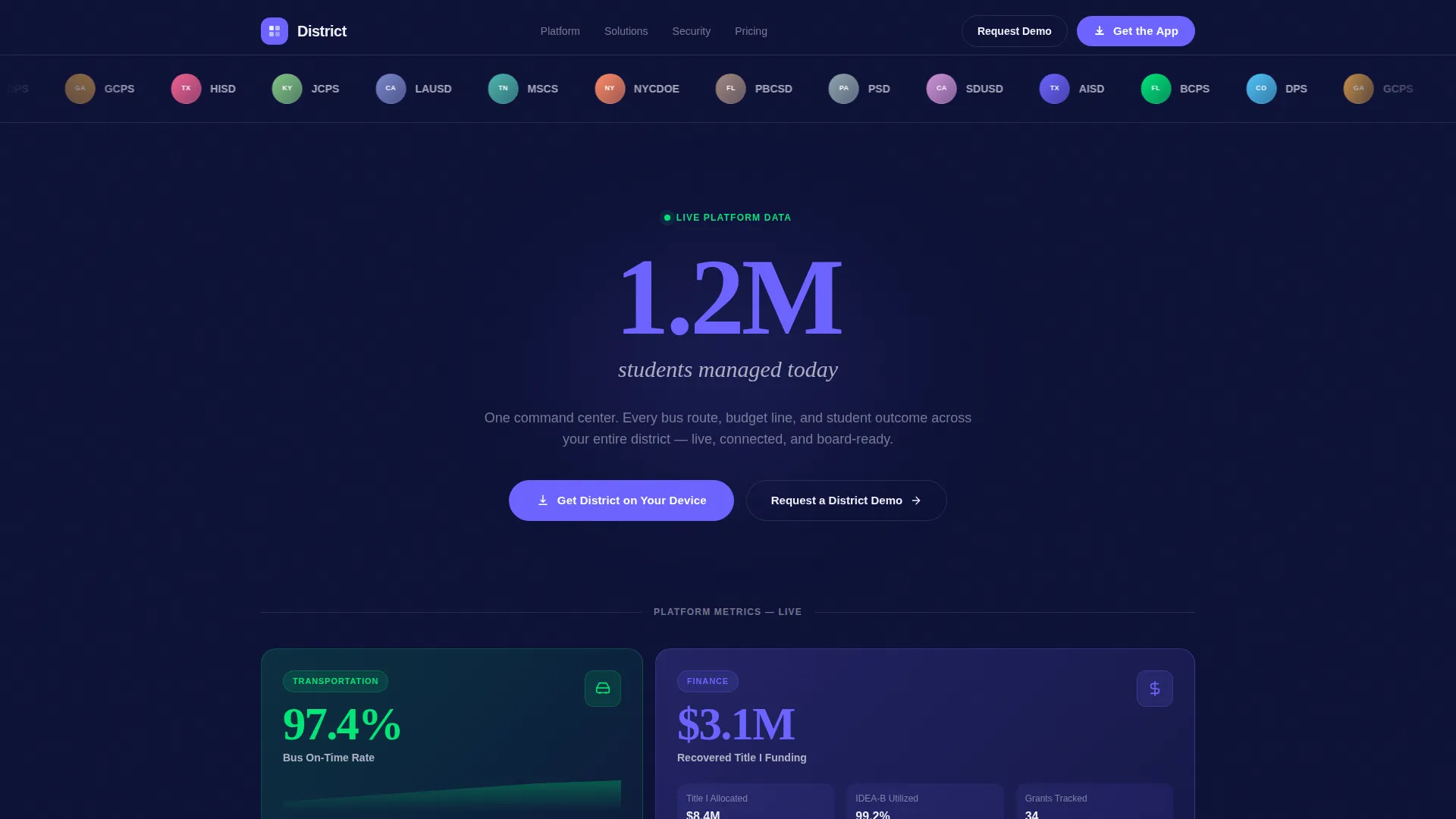
- A scrolling Logo Bar header, oversized impact stat opener, and full bento grid section with mixed-size tiles
- App Store and Google Play badge pairing, an electric indigo QR code block, and a secondary demo request path
- A Tech Glass design system with four pre-set color roles, frosted card surfaces, and hover micro-interaction states on every tile
Feature list
This section covers the core built-in capabilities delivered by the District template as described in the source brief.
Stats-First Bento Grid Layout
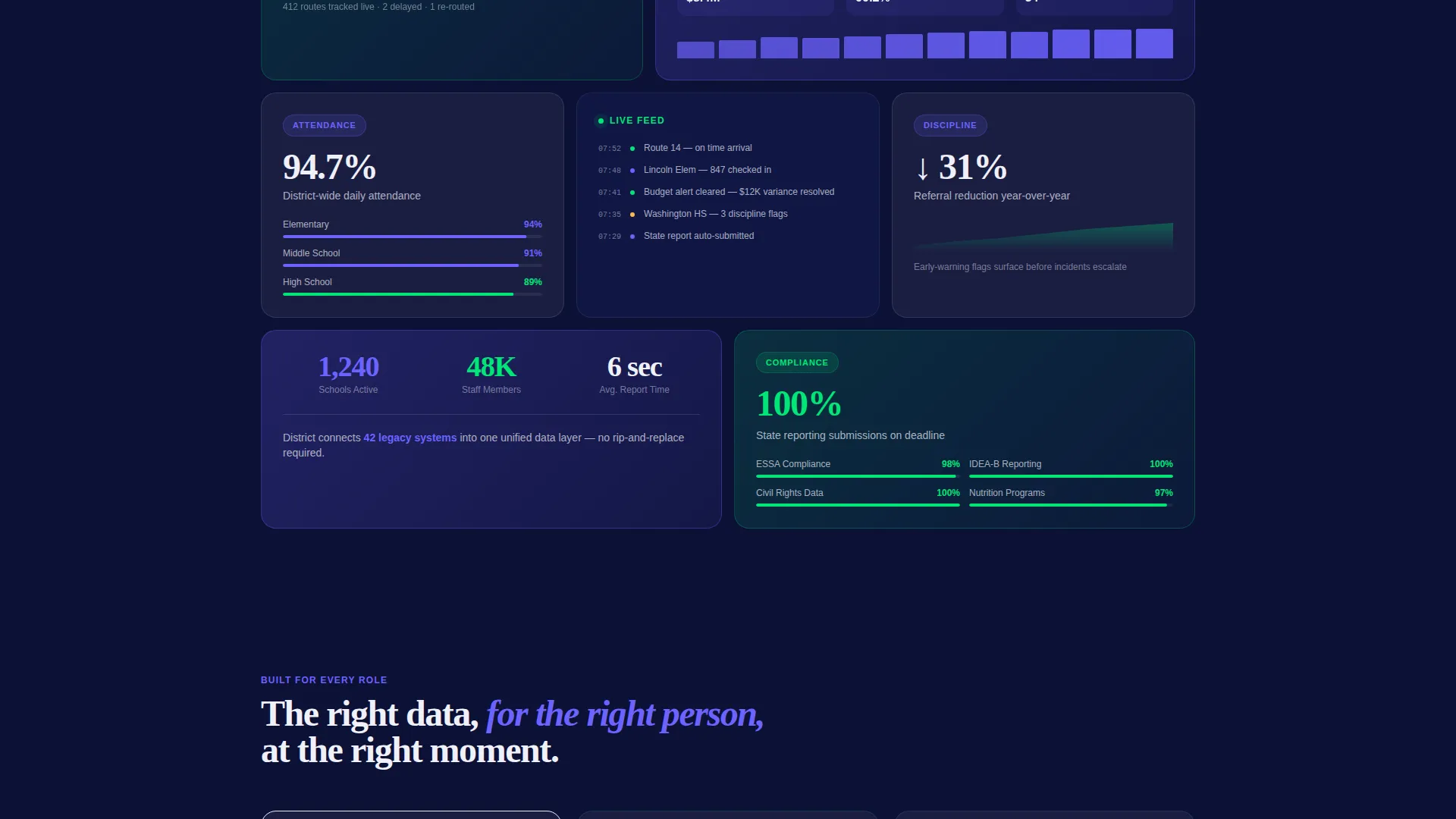
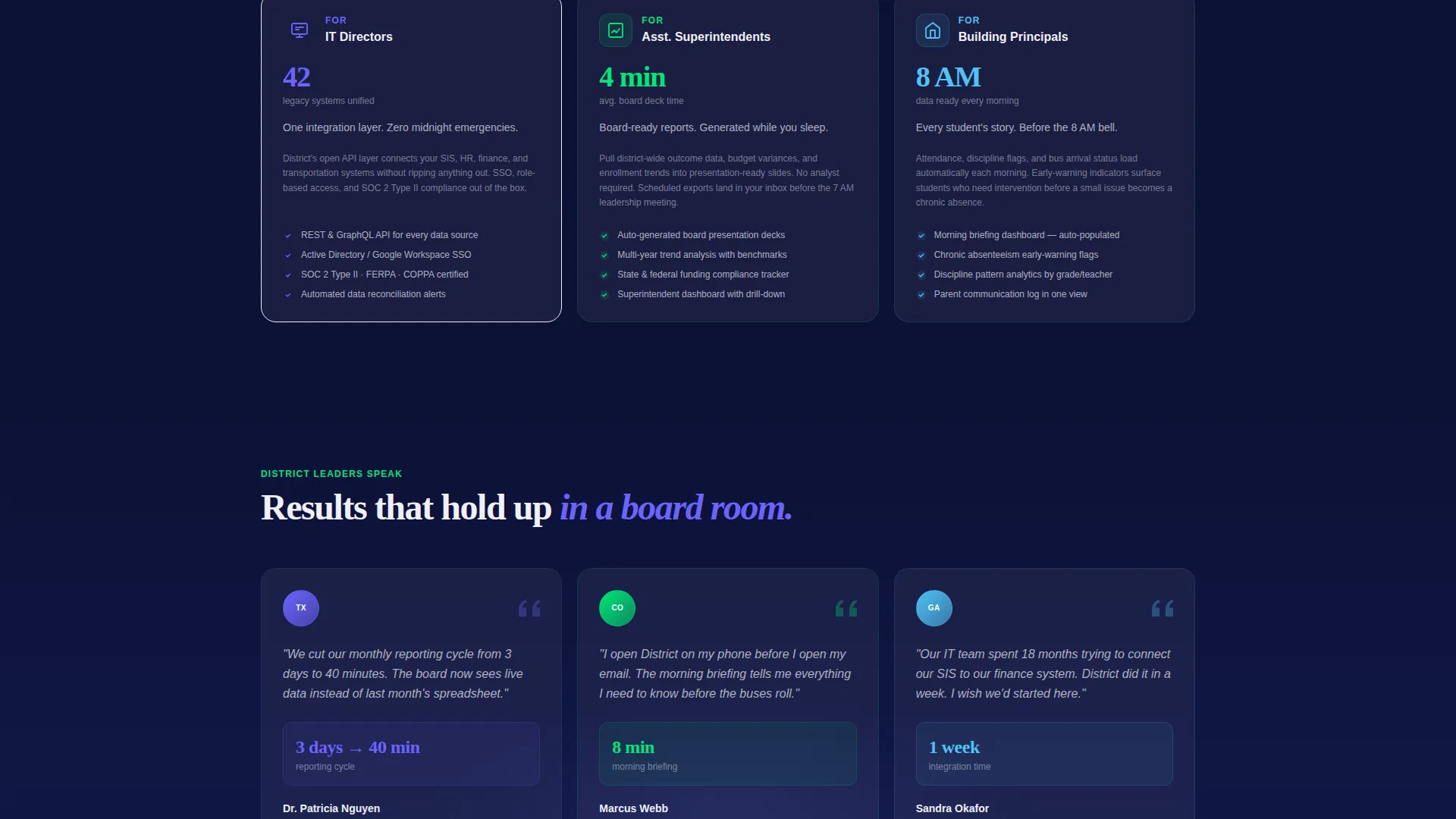
Each bento cell opens with a headline metric before explaining the feature behind it. Large double-width cells carry flagship figures. Smaller square cells hold secondary capabilities. The grid rhythm mirrors a live dashboard, pulling readers deeper with every row.
Scrolling Logo Bar Header
A horizontal ribbon of school district seals and education agency logos scrolls at a slow, measured pace. This placement turns the very top of the page into an institutional trust signal before a single word of body copy is read.
App Download Conversion Block
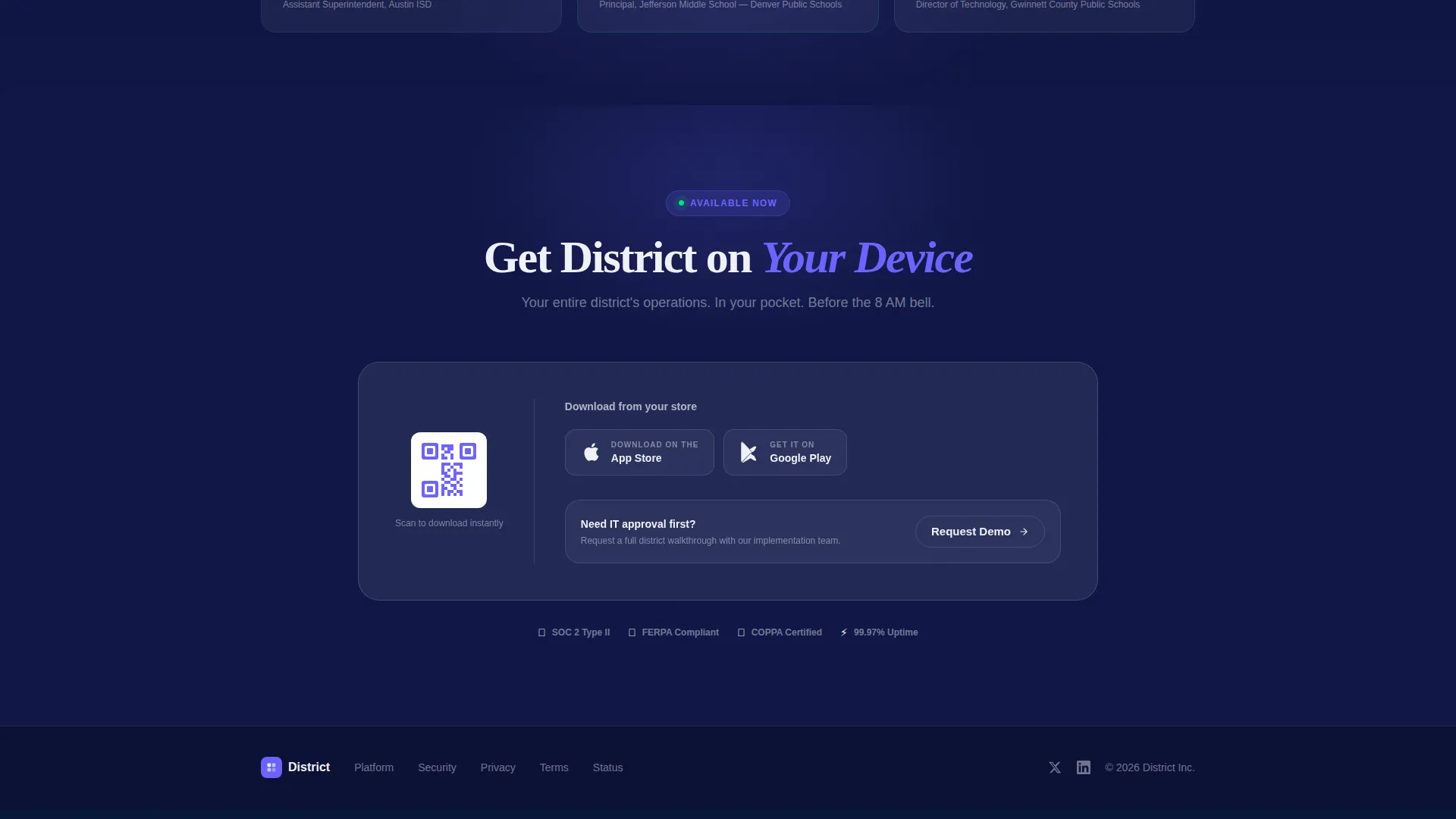
The primary call to action pairs App Store and Google Play badges with a QR code rendered in electric indigo. Visitors on desktop can scan and land directly on mobile. A secondary "Request a District Demo" path serves procurement teams who need a full walkthrough before approving a purchase.
Hover Micro-Interaction Tiles
Every glass tile in the bento grid lifts on hover and reveals a brief product animation beneath the surface. This behavior reinforces the dashboard metaphor and gives visitors a tactile sense of the product before they ever download it.
Tech Glass Visual Theme
The design system layers deep dashboard navy backgrounds with frosted panel white card surfaces and electric indigo active states. Signal green marks positive metrics. The result reads like a glowing tablet in a dim boardroom, legible at presentation scale.
Oversized Impact Stat Opener
Below the logo ribbon, a single district-scale statistic lands in oversized electric indigo type. This single element does more convincing work than a paragraph of benefit copy. It establishes scale, credibility, and relevance in under two seconds.
Page sections overview
| Section | Purpose |
|---|---|
| Logo Bar | Scrolling district and state education agency logos build institutional trust immediately |
| Impact Stat | Oversized headline metric announces platform scale before any feature copy appears |
| Flagship Bento Row | Double-width cells highlight top-tier outcomes with stats leading each tile |
| Secondary Bento Row | Smaller square tiles cover supporting features and module-level capabilities |
| App Download Block | Paired badges, QR code, and primary call to action drive mobile app conversion |
| Demo Request Path | Secondary conversion route for procurement teams needing a guided walkthrough |
Design & branding system
The template uses a four-role Electric Indigo color system. Each role has a specific function, so the palette stays coherent even as the bento grid scales.
- Deep dashboard navy (#0D1137) sets the background and communicates authority
- Electric indigo (#6C63FF) drives active states, data highlights, the QR code, and primary type accents
- Frosted panel white (#F0F0F8) surfaces every bento card, keeping data legible against dark backgrounds
- Signal green (#00E676) marks positive metrics and confirmation states throughout the grid
Mobile & speed optimization
The template is designed with mobile conversion as a primary outcome, not an afterthought. The App Download block is the clearest example: QR code, paired badges, and a frictionless path from desktop browser to mobile install.
- Bento grid tiles are sized and spaced to reflow cleanly on smaller viewports
- The QR code renders in electric indigo for sharp contrast at any screen size or ambient light condition
How this template helps you convert
The conversion architecture works in three layers, each doing a specific job before asking anything of the visitor.
- The Logo Bar and oversized impact stat establish trust and scale in the first viewport, giving skeptical procurement audiences a reason to keep reading.
- The stats-first bento grid proves capability through outcomes rather than feature lists, making the product feel already-proven before the demo request appears.
- The dual conversion block offers two matched paths: an instant QR-code download for hands-on evaluators and a demo request form for teams who need IT or board approval first.
Other information about this template
The District template is built specifically for the school district management software vertical. It suits any education technology vendor whose product serves superintendents, principals, or district-level administrators. The bento grid format is flexible enough to swap in your own metrics, module names, and district logo set without restructuring the layout. The Tech Glass theme and electric indigo palette are fully documented in the design system, making handoff to a development team straightforward. This template works as a standalone app marketing page or as the top-of-funnel entry point in a broader product marketing site.
- The template ships as a single-page bento grid layout with no multi-page routing required
- All color roles are named and defined, supporting consistent brand application across your organization
- The creative direction is Stats-First Impact, meaning placeholder content is already formatted to lead with numbers rather than copy
Theme
Tech Glass
Creative direction
Stats-First Impact
Color system
Electric Indigo
Style
Bento Grid
Direction
App Download
Page Sections
Stats-first Bento Grid
Scrolling Logo Bar Header
App Download Conversion Block
Hover Micro-interaction Tiles
Tech Glass Visual Theme
Oversized Impact Stat Opener
Related questions
Who is the District template designed for?
Can I replace the placeholder metrics with my own data?
Does the template include both App Store and Google Play download paths?
What design assets come with the template?
Is this template suitable for a school district's own marketing team?



