Dock - Powerful Docker Landing Page Template
Dock is a scroll-reveal landing page template built for container orchestration tools and open source developer projects. It features a void-dark glassmorphic design, a live terminal hero animation, scroll-triggered feature comparison cards, and a three-tier conversion flow. The template is desktop-first, written in JetBrains Mono and Manrope, and converts visitors through proof before ask.
by Rocket studio
Quick summary
Dock is a dark, terminal-aesthetic landing page template designed for container orchestration command-line tools and open source infrastructure projects. It pairs a spacecraft cockpit glassmorphic visual system with a scroll-reveal feature matrix, real command snippets, and a frictionless three-tier conversion flow. Every design decision reflects the confidence and precision that platform engineers expect.
Who this template is for
This template was built for technical founders, DevOps leads, and open source maintainers who need a landing page that earns trust through competence rather than marketing copy. The audience works in terminals, reads infrastructure diagrams, and skips anything that feels like a brochure.
- Platform engineers who need to prove a tool works at 2 a.m. before they'll touch it
- DevOps leads standardizing deployment pipelines across many services who want a clear feature comparison
- Solo founders who have outgrown Docker Compose but find Kubernetes too complex for their current stage
What problem this template solves
Most developer tool landing pages either over-explain with walls of prose or under-deliver with vague taglines. Neither works for a technically skeptical audience. This template solves the credibility gap by making the tool demonstrate itself through real commands, real comparisons, and real architecture before asking for any commitment.
- Visitors leave when proof is missing; this template leads with a live terminal animation that shows the actual deploy command running
- Feature comparisons are buried or absent on most tool pages; here they appear as scroll-revealed glassmorphic cards before the call to action
- Conversion friction is high on developer tools; the primary install path is a one-click copy curl command with no form and no signup required
What you get with this template
You get a fully structured, single-page scroll-reveal layout purpose-built for a container orchestration open source project. Every section is pre-built and ready to customize with your own commands, metrics, and copy.
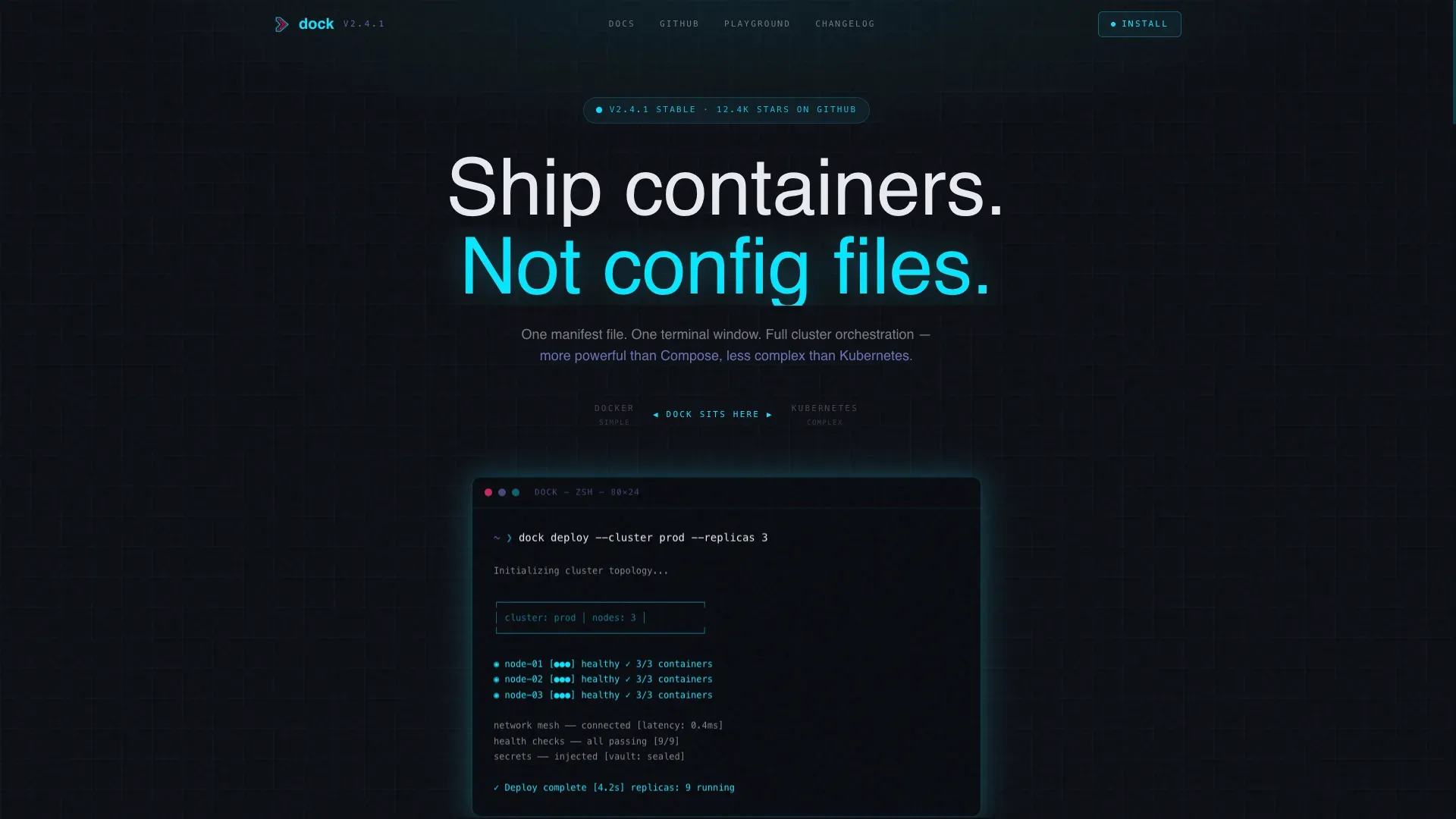
- A dark full-bleed hero section with a typewriter terminal animation showing a real deploy command and an ASCII topology map
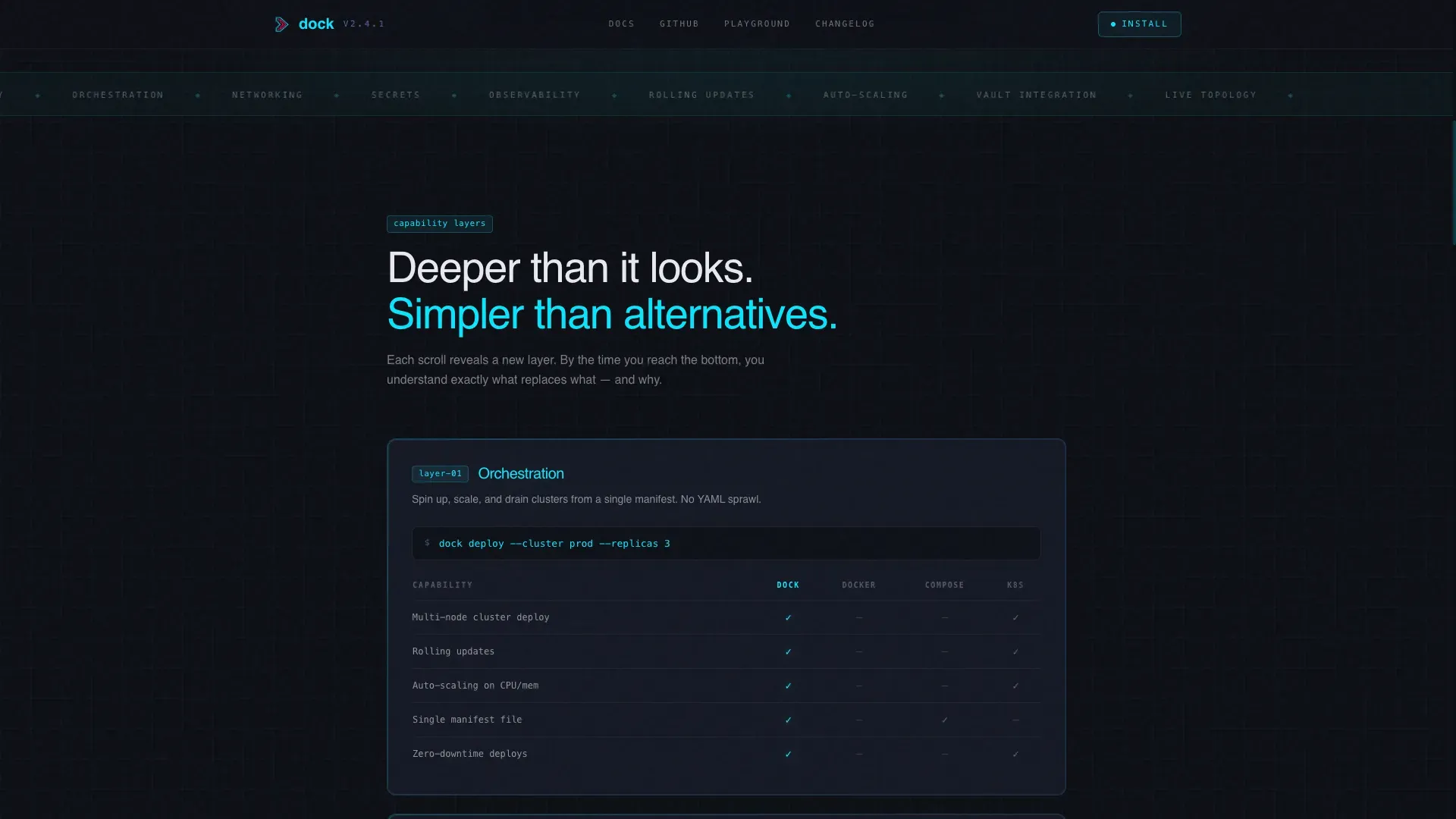
- Four scroll-triggered glassmorphic feature comparison cards covering orchestration, networking, secrets, and observability capability layers
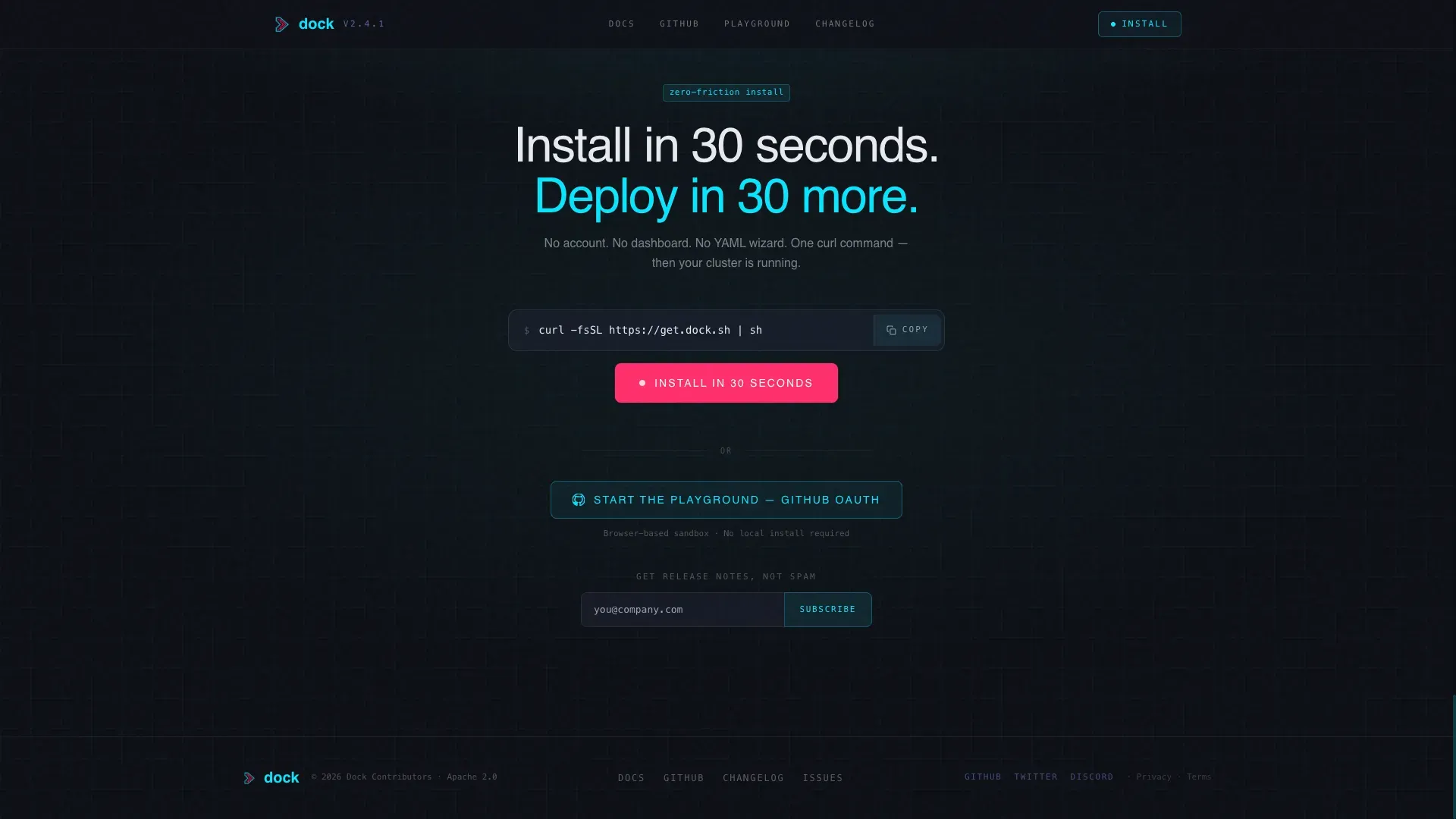
- A three-tier conversion section with a curl install block, a playground link, and an email capture field
Feature list
This template ships with six distinct capability areas, each grounded in the source brief and ready to use out of the box.
Live Terminal Hero Animation
The hero section opens with a full-bleed void background and a single animated terminal at center. It types a real dock deploy command keystroke by keystroke, then renders an ASCII topology map showing containers spinning up and health checks passing. The glow radiates softly from the terminal edges, making the screen feel like the only light source in the room.
Scroll-Reveal Feature Matrix
Four glassmorphic cards slide up from opacity zero as the visitor scrolls. Each card covers one capability layer: orchestration, networking, secrets, and observability. A compact comparison grid inside each card shows capability coverage across raw Docker, Compose, and the featured tool, with cyan glowing checkmarks for active features.
Floating Command Showcase
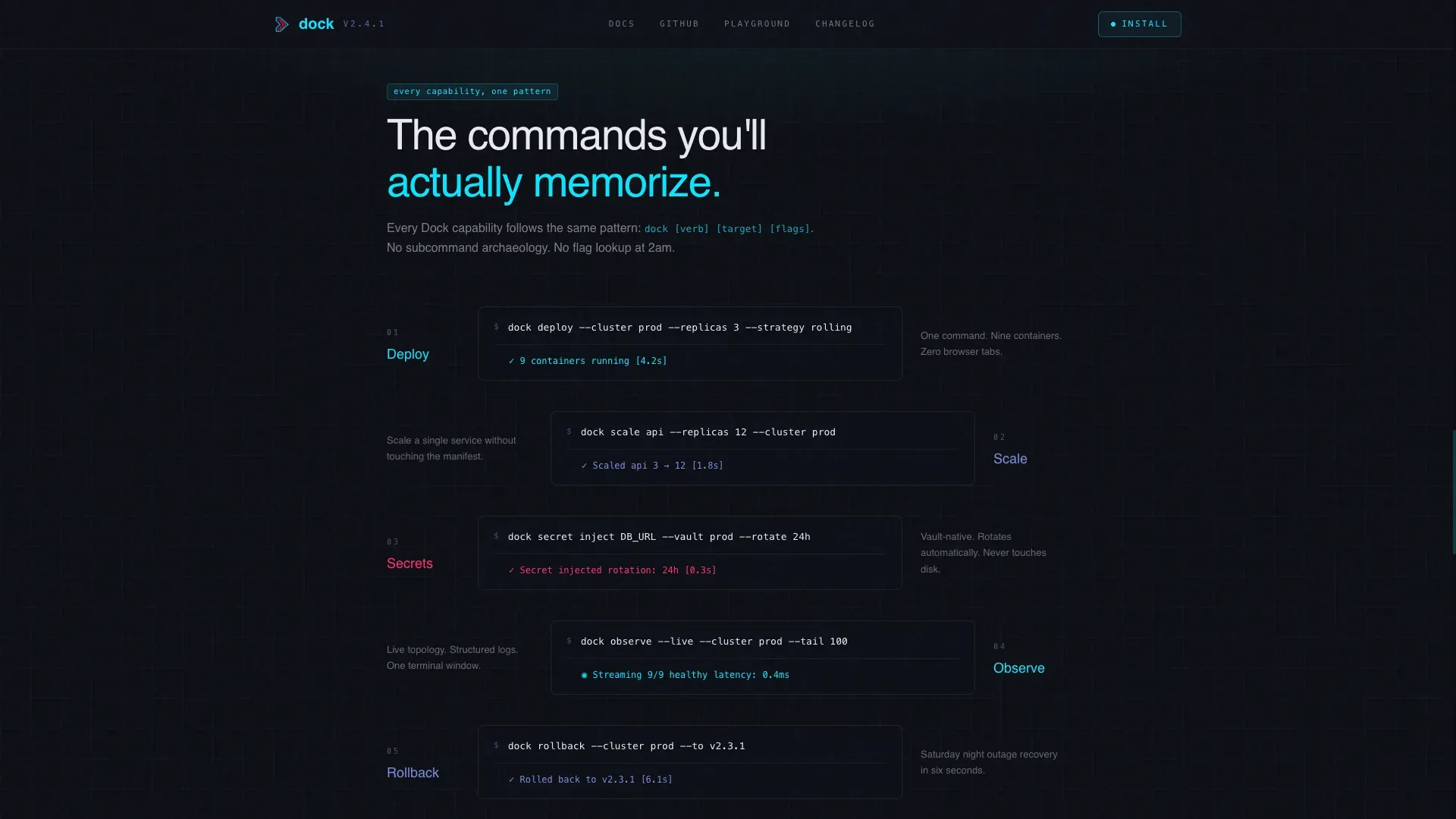
Between each feature matrix card, a single monospace command snippet floats in view. Each snippet shows the exact command that activates the capability described in the card above it. This keeps the content grounded in real usage rather than abstract feature claims.
Three-Tier Conversion Flow
The call-to-action section offers three paths at once. The primary path reveals a curl install command with one-click copy and no form. The secondary path links to a browser-based sandbox requiring only a GitHub OAuth login. The tertiary path is a minimal email field for release notes.
Social Proof Section
A dedicated social proof section displays GitHub star counts, deployment metrics, and a single testimonial from a platform engineer persona. The metrics are presented inline with the glassmorphic panel style, keeping the visual system consistent across the page.
Dashboard Pro Glassmorphic Design System
Every card, code block, and panel sits on a backdrop-blur surface with a 1-pixel border of translucent white. The void black base, electric cyan active states, muted lavender secondary text, and critical magenta call-to-action pulse are all pre-wired into the design tokens. The result is a spacecraft cockpit aesthetic that feels earned and alive.
Page sections overview
| Section | Purpose |
|---|---|
| Hero Terminal Animation | Opens with a live deploy command typewriter and ASCII topology reveal |
| Feature Matrix Cards | Four scroll-triggered cards comparing capability layers |
| Command Snippet Showcase | Floating monospace commands anchoring each feature layer |
| Social Proof Block | GitHub stars, deployment stats, and one engineer testimonial |
| Three-Tier Call to Action | curl install, playground link, and email capture in one section |
| Minimal Developer Footer | GitHub-pattern footer with project links and attribution |
Design & branding system
The visual system is built on a spacecraft cockpit glassmorphic palette. Every element earns its glow by representing something active in the system rather than using decoration for its own sake.
- Color tokens: void black (#0B0E14) as the base, translucent panel gray (#1A1F2E at 60% opacity) for surfaces, electric cyan (#00E5FF) for active states, muted lavender (#7B8CDE) for secondary text and graph lines, and critical-alert magenta (#FF2D6B) reserved for the single call-to-action pulse
- Typography pairing: JetBrains Mono for all terminal, code, and command content; Manrope for headlines and body copy
- Surface treatment: cards and code blocks on backdrop-blur panels with 1-pixel rgba white borders, creating frosted layers floating over a pure void background
Mobile & speed optimization
The template is designed desktop-first to match the working environment of platform engineers on large monitors. It remains fully responsive for mobile viewports.
- Scroll-reveal animations use Intersection Observer so cards activate only when they enter the viewport, avoiding unnecessary rendering work
- GPU-accelerated transforms power the terminal typewriter, ASCII topology render, and card slide-up effects to keep motion smooth
- The layout reflows cleanly on smaller screens, preserving the terminal aesthetic and readable code blocks across device sizes
How this template helps you convert
The template is structured to earn the install before asking for it. By the time a visitor reaches the call-to-action section, they have already seen a working deploy command, four capability comparisons, and real adoption signals.
- The hero terminal animation establishes immediate credibility by showing the tool doing its job in the first five seconds of the visit, reducing bounce before any copy is read
- The scroll-reveal feature matrix builds trust layer by layer, so each capability reveal deepens confidence rather than demanding it upfront
- The three-tier conversion flow removes friction at every level: the curl install requires no account, the playground requires only a GitHub login, and the email capture asks for nothing beyond an address
Other information about this template
This template is part of the Dashboard Pro theme family and uses the Glassmorphic color system as its foundation. It is categorized under containerization technology and open source infrastructure tooling.
- The template style is Scroll Reveal (Progressive), meaning content layers appear as the visitor scrolls rather than loading all at once
- The header concept is Dark Full-Bleed with Glow, a deliberate choice to match the terminal-first mental model of the target audience
- The conversion direction is Freemium and Trial, supporting open source projects that rely on install adoption and playground engagement rather than paid signup walls
- The footer follows a GitHub Developer Minimal pattern, keeping the bottom of the page clean and technically credible with project links and no marketing noise
Theme
Dashboard Pro
Creative direction
Feature Matrix
Color system
Glassmorphic
Style
Scroll Reveal (Progressive)
Direction
Freemium/Trial
Page Sections
Live Terminal Hero with ASCII Topology
Scroll-reveal Glassmorphic Feature Matrix
Floating Monospace Command Showcase
Three-tier Frictionless Conversion Section
Social Proof with Github Metrics
Dashboard Pro Glassmorphic Design Tokens
Related questions
What type of project is this template designed for?
Can I swap in my own commands and comparison data?
Does the template require a backend or database to run?
Is the scroll-reveal animation easy to adjust?
Does the three-tier conversion layout work for a paid product too?



