Advanced Consulting Firm Software Comparison Website Template
Docket is a consulting firm case management landing page template built around an animated comparison table and a frosted-glass header. It gives managing partners, operations directors, and analysts a single place to demonstrate platform value against spreadsheets, legacy tools, and custom systems. The Dynamic Motion design and interactive explorer layout make the pitch feel as precise as the work it supports.
by Rocket studio
Quick summary
Docket is a single-page landing page template designed for consulting firm case management platforms. It pairs a cinematic Dark Glass Panels header with a breathing, interactive comparison table that reorders itself in real time. The result is a page that earns visitor trust before asking for a sign-up.
Who this template is for
This template is built for consulting technology teams and platform founders who need to convince a skeptical, senior audience. The buyers visiting this page have seen every overpromised tool on the market, and they need evidence fast.
- Managing partners running multiple active client engagements at once
- Operations directors tracking utilization rates and delivery health across teams
- Junior analysts looking for a system that replaces status-update email chains
What problem this template solves
Consulting teams often struggle to show prospective clients and internal stakeholders why a new platform is worth switching to. Generic product pages fail to answer the real question: "Is this better than what we already use?"
- Visitors leave before reaching the call to action because static pages offer no interactive proof
- Comparison pages built in spreadsheets or basic tables feel cheap against the tools they are meant to sell
- Senior decision-makers need to feel the difference, not just read about it
What you get with this template
This template delivers a complete, single-page conversion experience designed around proof and momentum. Every section is structured to move a skeptical visitor one step closer to acting.
- A Dark Glass Panels header with three parallax frosted-glass panels each revealing a different live data view
- A full-width animated comparison table with toggleable capability categories and entry animations
- Two conversion paths: a locked bottom call to action bar and a short personalization form for demo qualification
Feature list
This template ships with six purpose-built components drawn directly from the brief. Each one is designed to do a specific job in the consulting firm case management conversion flow.
Parallax Dark Glass Panels Header
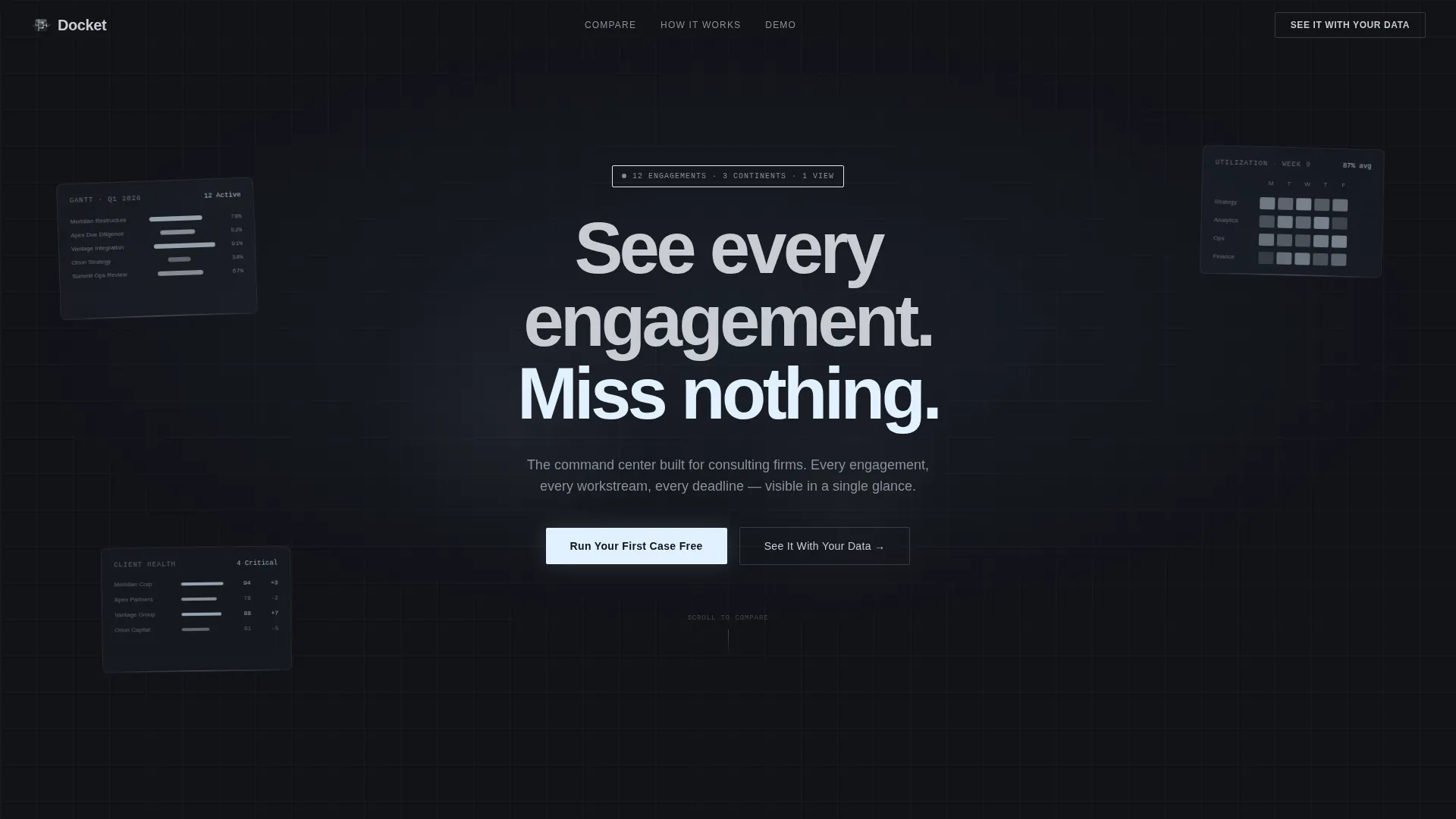
Three frosted-glass rectangles float against a forge-black background, each tilted at a slight parallax angle. Beneath each panel sits a different data view: a Gantt timeline, a utilization heatmap, and a client health scorecard. As the cursor moves, the panels shift like panes in a skylight. A letter-by-letter headline animation etches the core message into view.
Animated Comparison Table
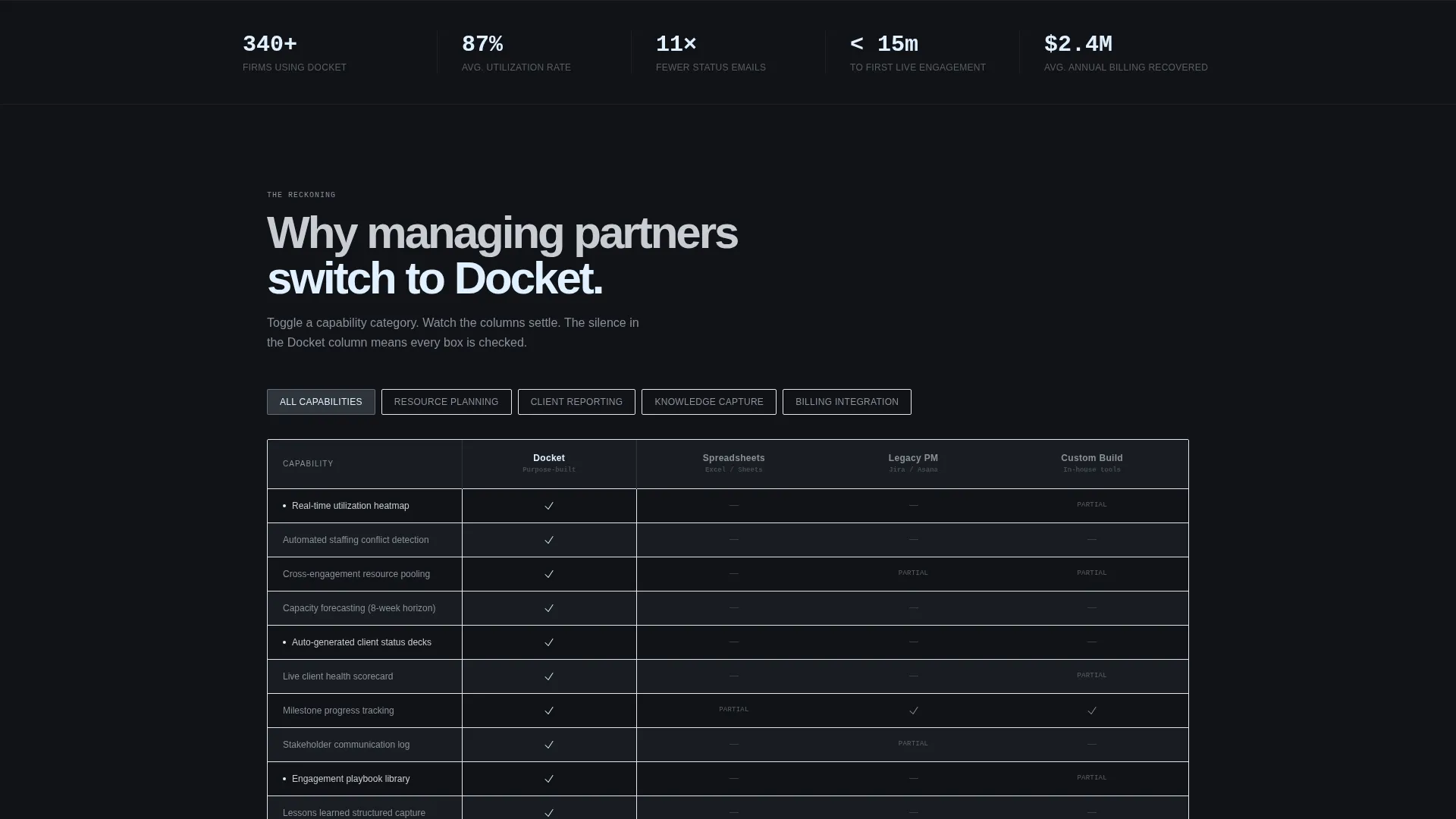
The full-width versus grid compares the platform against spreadsheets, legacy project management tools, and custom-built internal systems. Steel columns slide in from opposite edges on scroll and lock into place with a subtle metallic snap. Each row animates on entry, keeping the experience kinetic and confident.
Toggleable Capability Categories
Visitors can filter the comparison table by capability category: resource planning, client reporting, knowledge capture, and billing integration. Toggling a category restructures the table in real time, with rows reordering by relevance. This gives each visitor a view tuned to what they actually care about.
Interactive Engagement Case Studies
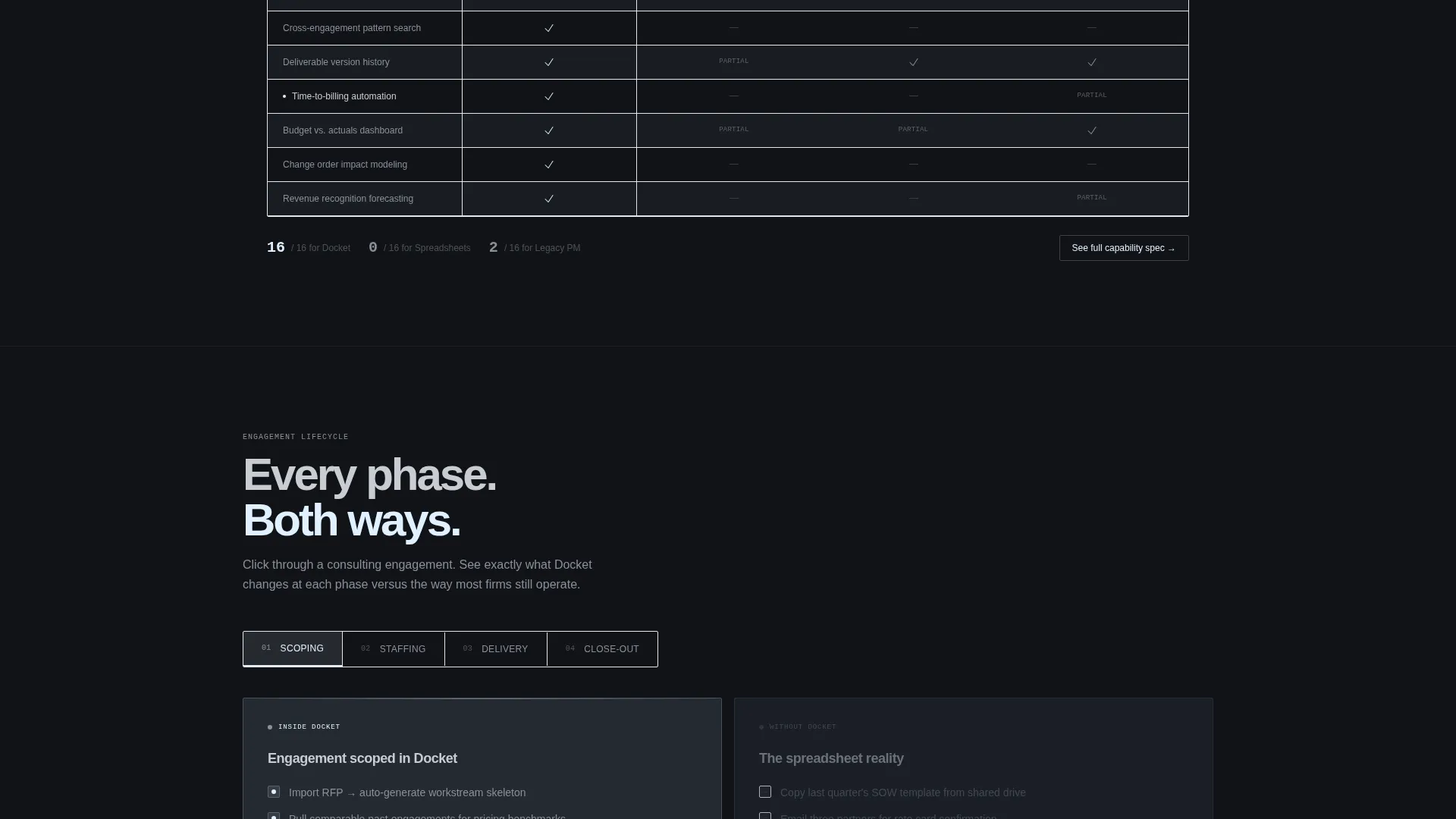
Below the comparison table, three interactive case studies let visitors click through a full consulting engagement lifecycle. Each phase, covering scoping, staffing, delivery, and close-out, is shown side by side: the platform experience versus the legacy approach. Scroll depth rewards curiosity with a new layer of operational clarity at every interaction.
Intent-Gated Primary call to action Bar
The primary call to action, "Run Your First Case Free," is locked to the bottom of the viewport as a slim chrome bar. It only activates after the visitor has interacted with at least one table toggle. This design filters for genuine intent before surfacing the conversion moment.
Personalized Demo Request Form
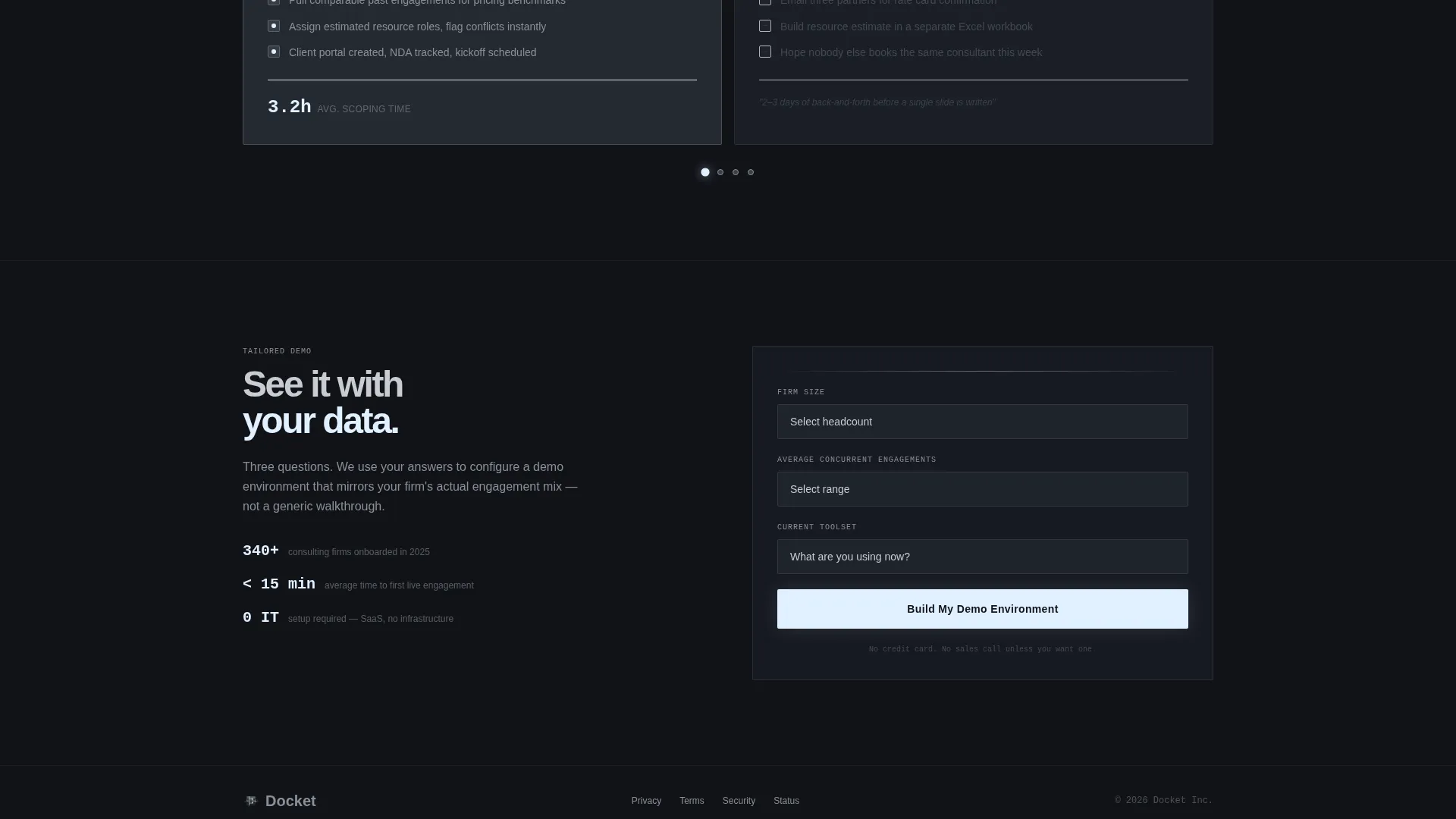
The secondary path, "See It With Your Data," opens a short three-field form. Visitors enter firm size, average concurrent engagements, and current toolset. These inputs serve as both qualification signals and personalization data, feeding directly into a tailored demo environment.
Page sections overview
| Section | Purpose |
|---|---|
| Dark Glass Header | Sets tone and reveals platform data views through parallax panels |
| Animated Comparison Table | Compares platform against spreadsheets, legacy tools, and custom systems |
| Capability Toggle Bar | Lets visitors filter table rows by planning, reporting, knowledge, or billing |
| Engagement Case Studies | Walks through a consulting lifecycle phase by phase, old way versus new |
| Intent-Gated call to action Bar | Activates the primary conversion action after proven visitor interaction |
| Demo Request Form | Qualifies visitors and feeds their inputs into a personalized demo path |
Design & branding system
The visual identity follows a Dynamic Motion theme built on a Monochrome Steel color system. Every color choice is deliberate, referencing the machined precision of a Swiss watch interior where surfaces reflect just enough light to signal movement.
- Forge-black (#111318) as the base background, brushed gunmetal (#3A3F47) for panel surfaces, and polished chrome (#C8CDD2) for text and structural elements
- A single electric cold white-blue (#E0F0FF) reserved exclusively for hover states and active data points, never used as ambient fill
- Frosted-glass translucency, parallax tilt, letter-by-letter text etching, and metallic snap animations carry the Dynamic Motion theme throughout
Mobile & speed optimization
The template is designed with a layout that adapts cleanly across screen sizes, ensuring the comparison table and interactive panels remain functional on smaller viewports. Animation complexity scales with the device context so the experience stays coherent without depending on hover interactions alone.
- The comparison table collapses gracefully on mobile, keeping capability toggles and row content readable without horizontal scrolling
- The intent-gated call to action bar remains visible and functional at the bottom of the viewport across device widths
- Interactive case study panels adjust their tap-and-click behavior for touch screens, preserving the lifecycle walkthrough experience
How this template helps you convert
Every structural decision in this template is made to earn the click rather than demand it. The page builds proof progressively, letting visitors feel the platform advantage before a single sign-up field appears.
- The parallax header creates immediate visual authority, positioning the platform as a command-level tool before any copy is read.
- The animated comparison table with live category toggling lets visitors self-select the evidence most relevant to their role, making the case personally.
- The intent-gated call to action bar delays the ask until the visitor has already demonstrated interest, resulting in a warmer, more qualified conversion moment.
Other information about this template
This template is categorized under consulting firm software within the broader technology vertical. It is specifically designed for the consulting firm case management niche, where the buying audience is analytical, time-constrained, and resistant to generic marketing copy.
- The template style is a Comparison Table layout, making it well-suited for platforms that need to win a direct competitive evaluation
- The Interactive Explorer creative direction means every scroll and toggle interaction is a designed moment, not decoration
- The Comparison/Versus landing page direction means the page architecture is built around proving superiority, not just describing features
- This template pairs well with consulting firm software positioning strategies where a live proof-of-value moment is needed before a demo request
Theme
Dynamic Motion
Creative direction
Interactive Explorer
Color system
Monochrome Steel
Style
Comparison Table
Direction
Comparison/Versus
Page Sections
Parallax Dark Glass Panels Header
Animated Comparison Table
Toggleable Capability Categories
Interactive Engagement Case Studies
Intent-gated Primary Call to Action Bar
Personalized Demo Request Form
Related questions
Can I customize the comparison table categories?
How does the intent-gated call to action bar work?
Is this template suitable for a SaaS product in a different industry?
What does the demo request form collect?
How many sections does this landing page include?



