Legal Inventory Management Landing Page Template
Docket is a dark, clinical landing page template built for legal inventory management platforms. It combines a Tech Glass visual identity with hub-and-spoke navigation to guide paralegals, managing partners, and legal ops directors from first scroll to app download. Every section builds an evidence-grade argument that earns trust before asking for anything.
by Rocket studio
Quick summary
Docket is a single-page, anchor-nav landing page template designed for litigation portfolio management platforms. It follows an Industry Report creative direction, presenting each spoke section like a chapter in a legal technology white paper. The template moves visitors from raw pain points to a confident app download decision, all inside a precise, glass-evidence-locker aesthetic.
Who this template is for
This template is perfect for legal technology companies launching or relaunching a litigation inventory platform. It is designed to convert three distinct audiences who each need a different kind of proof.
- Litigation paralegals who track exhibits, filings, and discovery documents across multiple active matters daily
- Managing partners at law firms overseeing large case portfolios who need a fast view of firm-wide progress
- Legal ops directors at larger firms who need compliance-grade inventory management at scale
What problem this template solves
A law firm running on spreadsheets faces a slow, fragile system. Misfiled documents, broken chains of custody, and missed due date items are not edge cases. They are the daily cost of fragmented inventory management.
- Paralegals waste significant time searching through disorganized case files instead of building stronger cases
- Firms have no single place to monitor evidence status, track task progress, or generate compliance reports quickly
- Legal ops teams cannot easily determine audit readiness or share up-to-date case details across the office
What you get with this template
You get a fully structured, hub-and-spoke landing page that uses anchor navigation to guide every visitor through a persuasive, section-by-section argument. The template houses all core sections and interactive components needed to support an app download conversion flow.
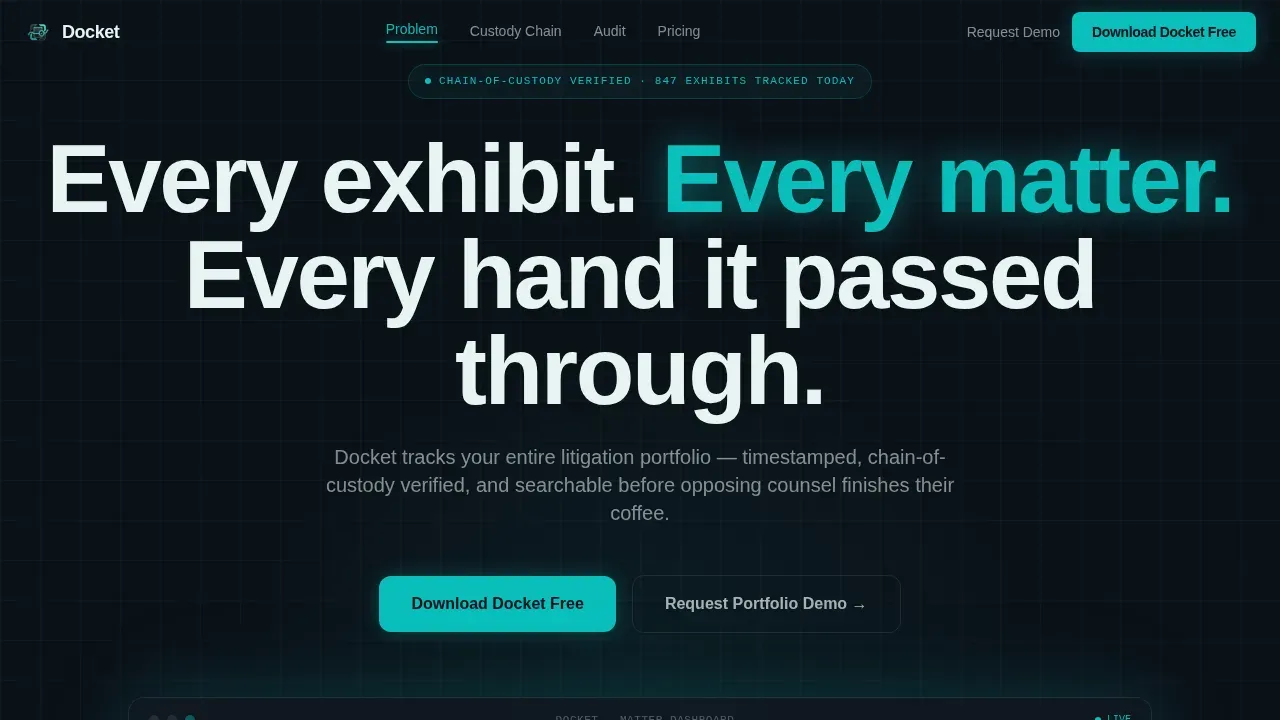
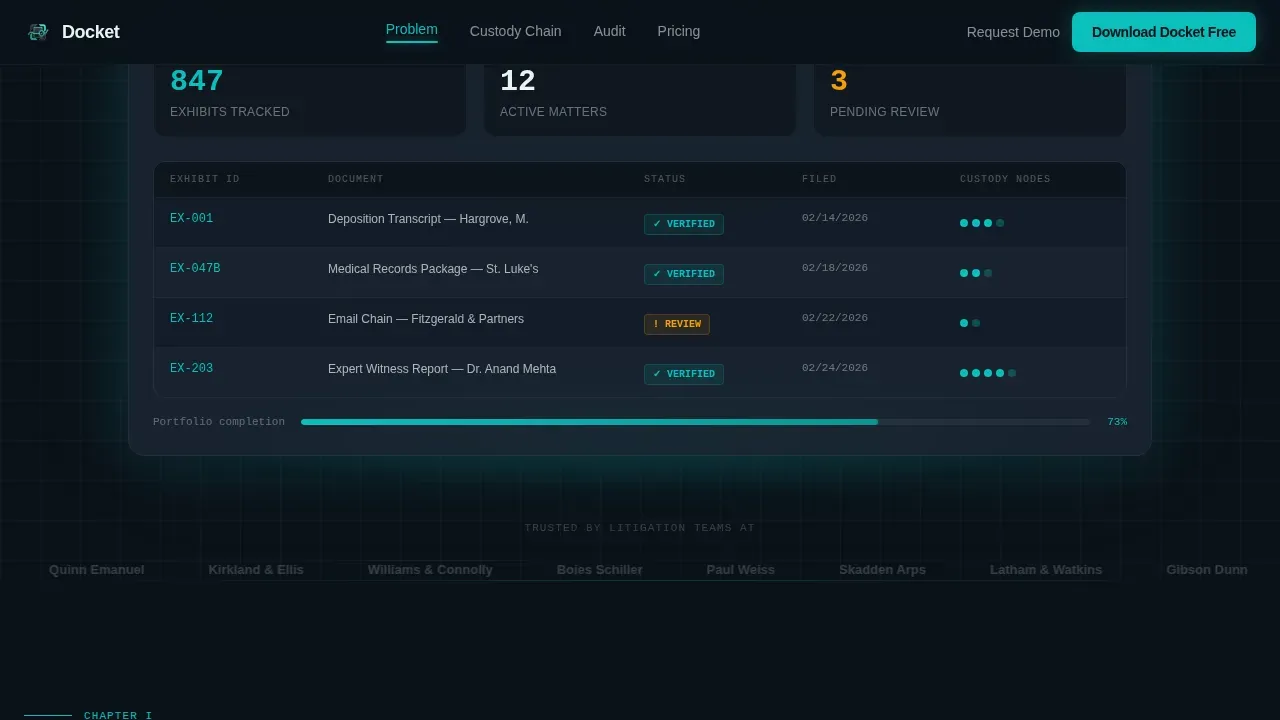
- A dark, full-bleed hero with a floating app dashboard mockup showing live inventory data and a teal glow effect
- Four spoke sections covering discovery costs, chain-of-custody visualization, compliance reporting, and a download call-to-action form
- Anchor navigation bar with a fixed download button, active-state highlights, and contextual section call-to-action variants
Feature list
This template includes six built-in components that work together to build case credibility and drive downloads.
Anchor Navigation with Fixed Download Call to Action
The sticky nav bar lists every spoke section and keeps the primary download button visible at all times. Teal active-state indicators show visitors exactly where they are on the page without any extra effort.
Hero Dashboard Mockup with Inventory Data
The hero section displays a floating app interface showing 847 exhibits tracked, 12 active matters, and 3 items pending review. A teal glow effect and chain-of-custody timeline with verification checkmarks make the product the visual centerpiece.
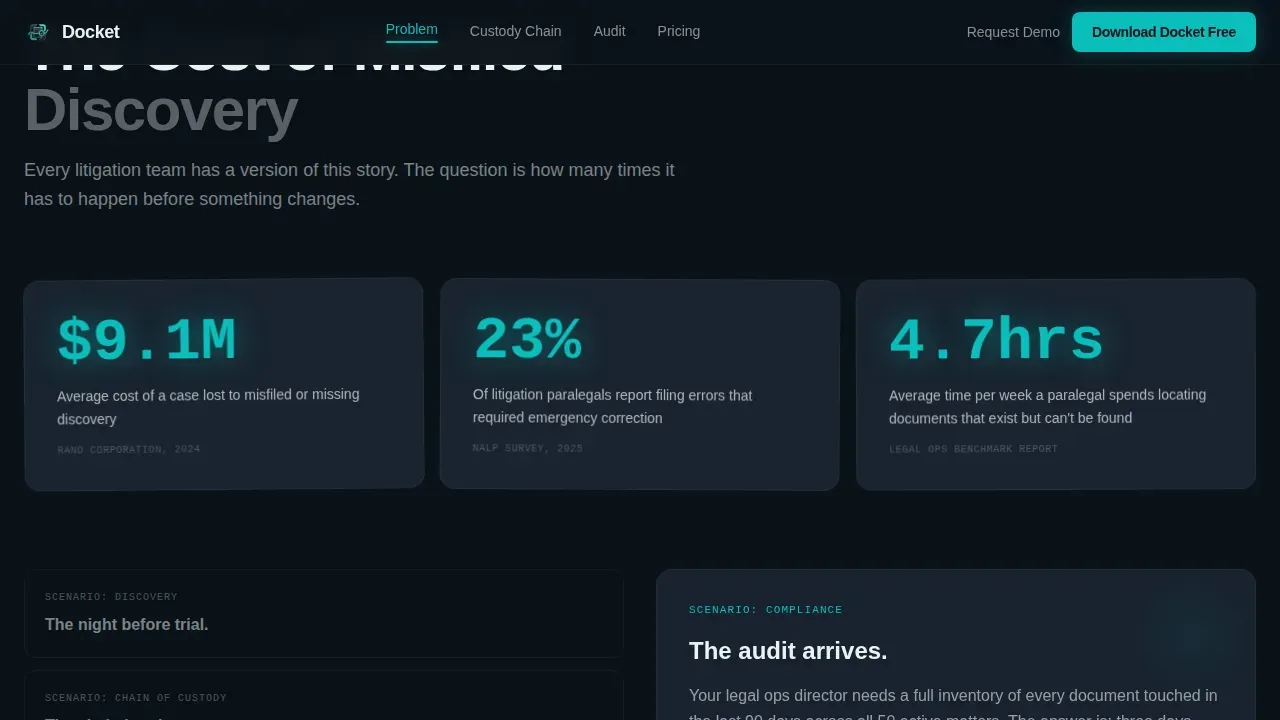
Evidence Cost Spoke Section
This section opens with a stark statistic and scrolls into a paralegal pain-point case study. It uses scroll-linked reveal animations to surface data at the right moment, ensuring each fact lands with full context before the next appears.
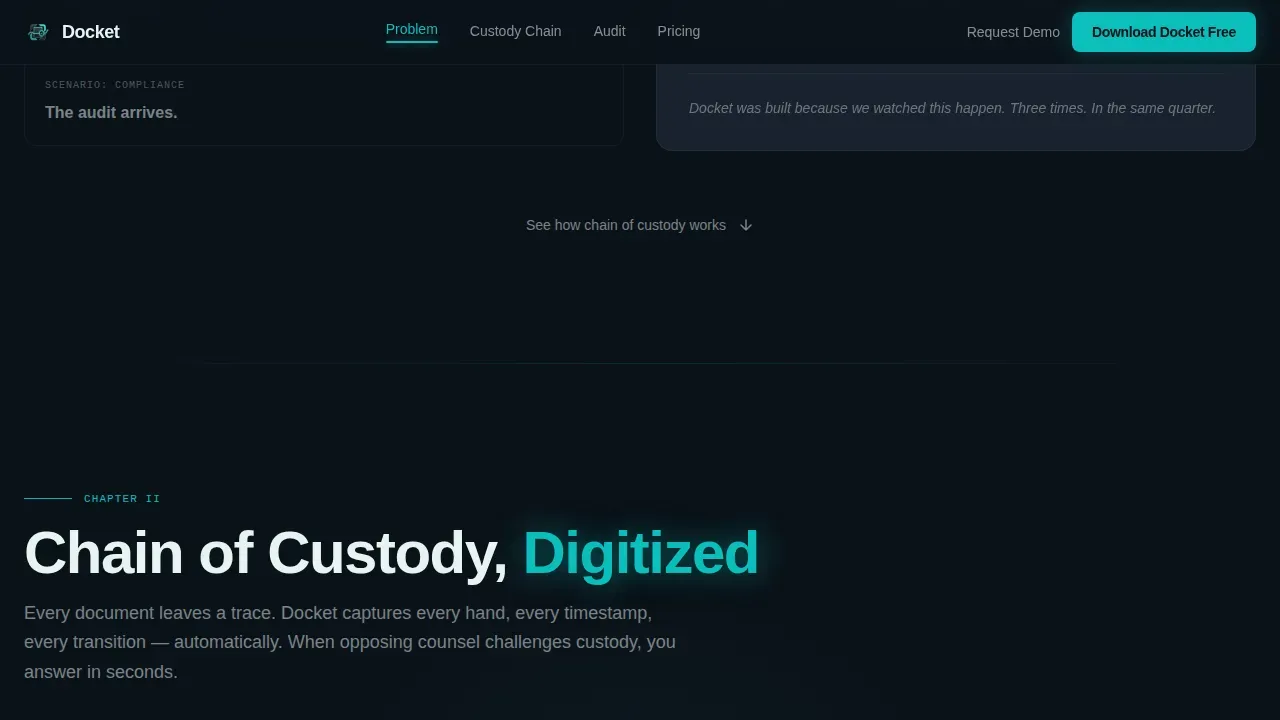
Chain of Custody Timeline Animation
A GSAP ScrollTrigger animation traces a teal thread connecting custody nodes from document intake to courtroom stage. Each node is timestamped and categorized, giving visitors a visual record of how the platform tracks every hand a document passes through.
Compliance Report Live Demo Mockup
The audit-ready spoke section shows a compliance report generating in real time. Visitors can view how the platform collects, organizes, and surfaces case details into a single, ready-to-share compliance checklist without manual drafting.
Download Flow Modal with Firm Size Selection
The conversion section asks only for a work email and firm size selection before presenting iOS, Android, and desktop download links. A secondary path offers a portfolio demo request for enterprise legal ops teams who need to see multi-matter scale first.
Page sections overview
| Section | Purpose |
|---|---|
| Hero with Dashboard | Establish the product as the visual hero and surface live inventory statistics |
| Cost of Discovery | Open with a striking statistic and a paralegal case study to surface the real cost of misfiled documents |
| Chain of Custody | Animate a teal custody thread across intake-to-courtroom nodes to demonstrate document tracking visually |
| Audit-Ready Demo | Show a compliance report generating live to prove how fast the platform surfaces audit information |
| Download Call to Action | Capture work email and firm size, then present platform download links and a portfolio demo path |
| Footer | Minimal developer-style footer with essential firm and company links |
Design & branding system
The visual identity uses a Tech Glass theme built around the Teal Catalyst color system. Every design decision reinforces a clinical, precision-grade evidence locker feeling that legal professionals immediately recognize as serious.
- Core palette: deep courtroom black (#0B1219) for backgrounds, cool slate (#1E2A38) for card surfaces, and signal white (#E8F4F3) for all writing and divider lines
- Teal (#0ABFBC) functions as the catalyst color, appearing only on active states, progress bars, status indicators, and hover elements to signal that something is live
- Typography uses DM Sans for headlines and JetBrains Mono for timestamps, data fields, and inventory record details to reinforce a technical, evidence-grade tone
Mobile & speed optimization
The template is built desktop-first, matching how paralegals and legal ops professionals actually work. Full mobile support is included so attorneys can access inventory dashboards and case details on the go.
- Server Components handle all static sections, keeping initial load fast and reliable across office networks
- Client-side rendering powers GSAP ScrollTrigger animations, tab switching, the download modal, and the anchor nav active states only where interactivity is needed
How this template helps you convert
Every section earns the download by proving the platform understands the chaos before asking for anything. The conversion path is short, low-friction, and contextualized at every stage.
- Each spoke section ends with a contextual call-to-action variant linked to the section topic, so the next step always feels like a natural conclusion rather than an interruption
- The download modal asks only for work email and firm size, minimizing friction and letting visitors choose their preferred platform immediately
- The portfolio demo path gives enterprise legal ops teams a separate conversion route, ensuring the template works for both individual users and large firm procurement workflows
Other information about this template
This template fits any legal technology company that needs to present an inventory management platform to professional legal audiences. It is fully customizable, making it easy to adjust colors, copy, and section details to match specific brand needs.
- The template structure supports a legal case management template use case, with sections for cases, contacts, tasks, and compliance items all represented visually inside the hero mockup
- Inventory templates for businesses across legal and professional services sectors can use the same hub-and-spoke structure to monitor stock, equipment, office supplies, and firm resources
- The checklist-style compliance section helps a company determine whether its legal standards are met, covering contracts, stock matters, and government filing items in a format any lawyer can review
- Template.net and similar platforms offer structured law firm inventory list resources; this template provides a polished landing page to present such tools to prospective users
- Users are encouraged to verify specific legal compliance requirements with their lawyer before relying on any inventory checklist for binding business decisions
- The docket evidence grade legal inventory management landing page template is built to serve both solo practitioners and AmLaw 200 legal ops teams through its tiered download and demo conversion paths
Theme
Tech Glass
Creative direction
Industry Report
Color system
Teal Catalyst
Style
Hub & Spoke (Anchor Nav)
Direction
App Download
Page Sections
Anchor Navigation with Fixed Download Button
Hero Dashboard with Live Inventory Data
Evidence Cost Spoke Section
Chain of Custody Timeline Animation
Compliance Report Live Demo Mockup
Download Modal with Firm Size Selection
Related questions
Who is this landing page template built for?
Can I customize the template to match my firm's branding?
Does this template include the app, or just the landing page design?
How does the download conversion flow work in this template?
Can this template support a compliance checklist section?



