Auto-Generated Developer Documentation Landing Page Template
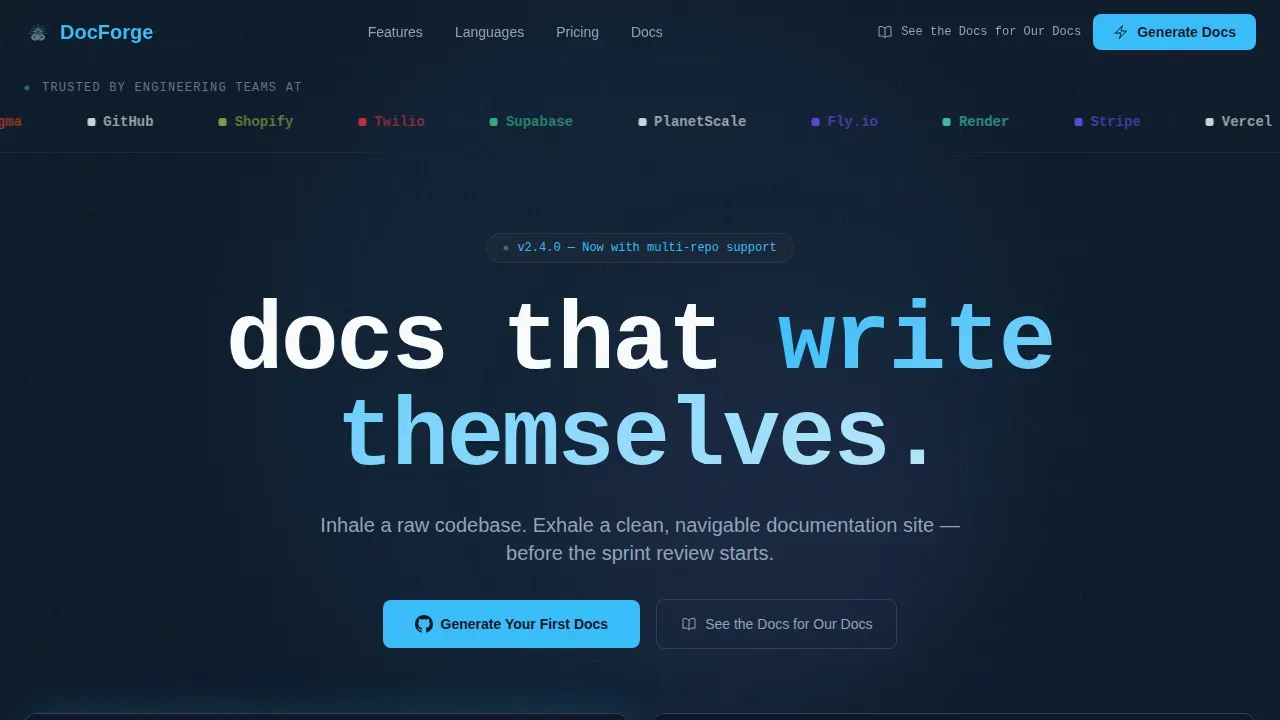
Docstring is a scroll-reveal landing page template built for documentation generator tools. It pairs a terminal CLI animation hero with a live code input demo, a language explorer accordion, and a hover-activated feature grid. The IDE-inspired Slate & Sky color system and monospace typography give it instant credibility with engineering audiences evaluating docs automation products.
by Rocket studio
Quick summary
Docstring is a single-page, scroll-reveal landing page template for documentation generator products. It opens with a logo bar and terminal animation, walks visitors through a live code-to-docs demo, and closes with a persistent call-to-action bar. Every section teaches by doing, so engineers experience the product before they decide to try it.
Who this template is for
This template is built for teams and makers who ship documentation tooling. If your product turns source code into structured, navigable docs automatically, this page speaks your audience's language without apology.
- Engineering leads managing growing Confluence debt across 50 to 500-person teams
- Open-source maintainers whose READMEs no longer match the current API
- Developer relations teams who need api documentation that reflects the actual product
What problem this template solves
Designing a landing page template for auto-generated developer documentation is genuinely difficult. You need to balance high-level marketing copy with technical, in-depth content generated from code docstrings, all without losing either audience. Generic templates ignore the technical buyer completely, while raw docs pages have no conversion layer at all.
- Engineers distrust marketing pages that show screenshots instead of working code examples
- Teams lose confidence in a product when the documentation page itself looks outdated or underdone
- Conversion stalls because visitors leave before they understand what the tool actually does
What you get with this template
You get a complete, production-ready landing page layout with every section pre-built and wired for interactivity. The template is structured so the visitor's first scroll already teaches them how the documentation generation process works in practice.
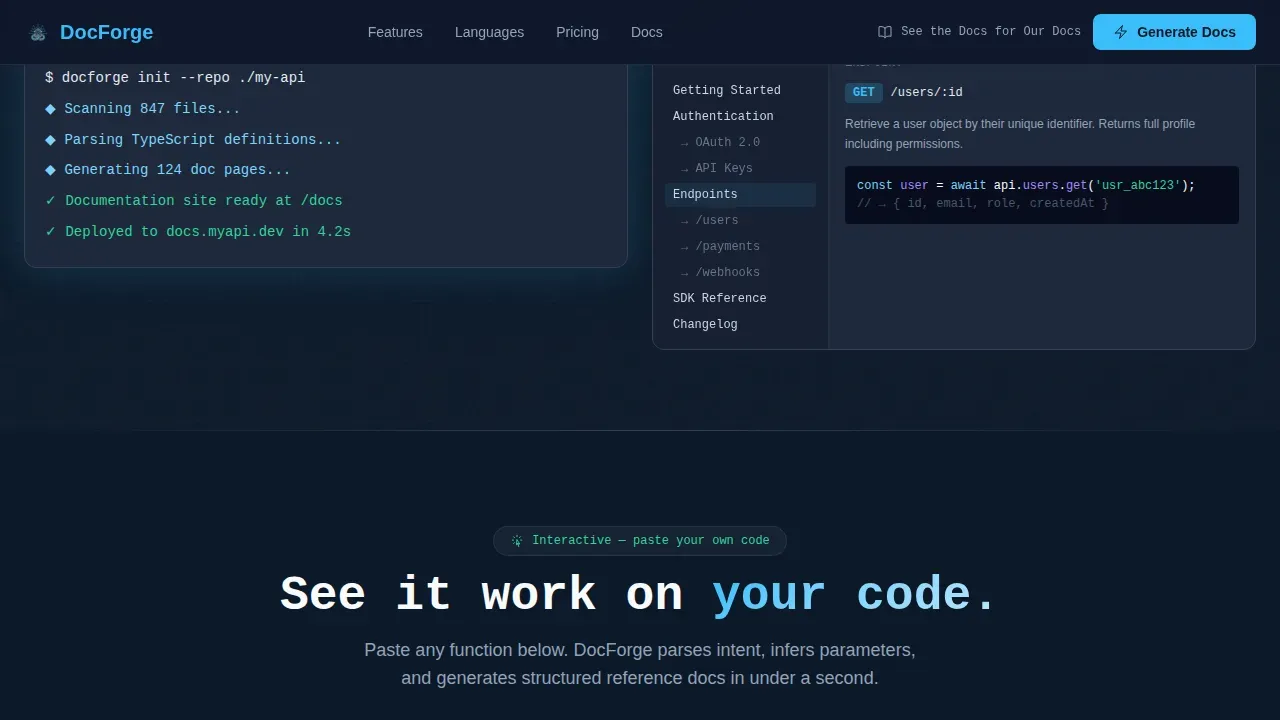
- A hero section with a logo bar, monospace headline, terminal CLI animation, and a browser mockup showing a docs site blooming into view
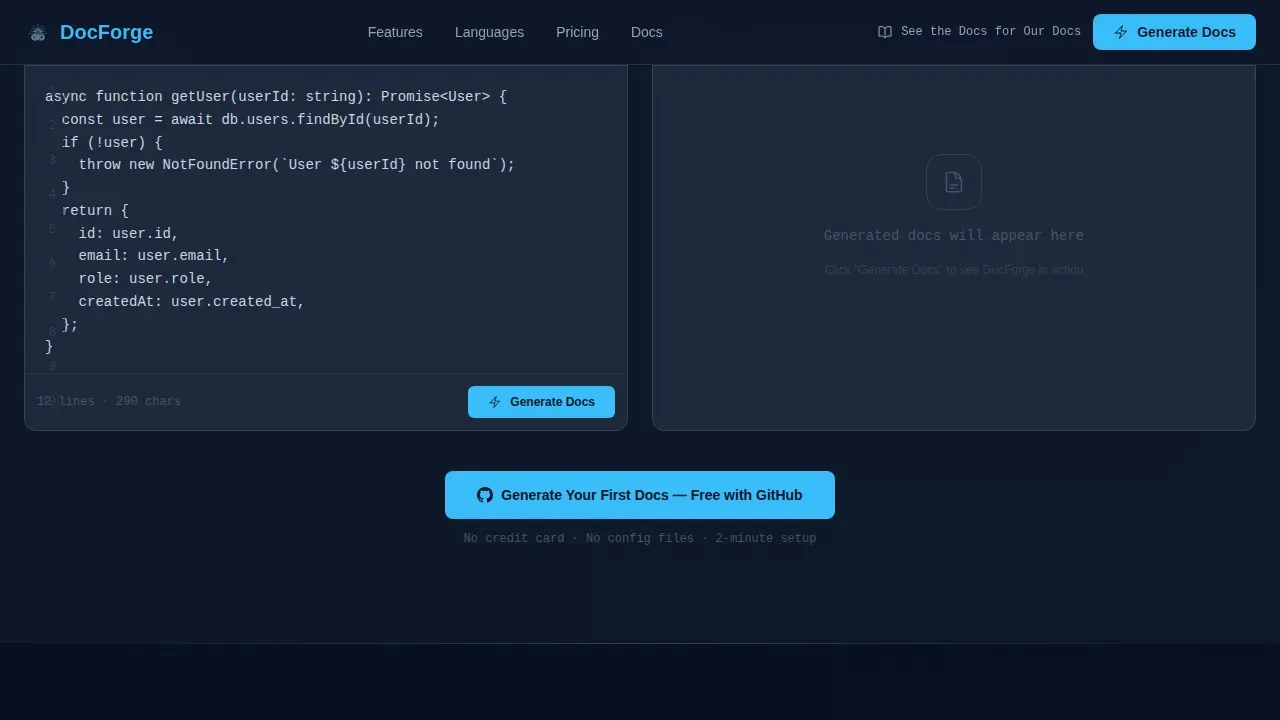
- A live code input demo where visitors paste a function and watch the doc output generate beside it in real time
- A language explorer accordion, a hover-activated feature grid, a social proof section, and a persistent bottom call-to-action bar
Feature list
This template ships with six distinct interactive sections, each designed to move a skeptical engineering audience from curiosity to action.
Live Code-to-Docs Demo Panel
Visitors paste their own functions directly into the page and watch generated documentation appear alongside it in real time. This single interaction demonstrates the automatic documentation generation value proposition faster than any written description. The panel supports syntax-highlighted output so the result looks like a finished html documentation page from the first keystroke.
Terminal CLI Hero Animation
The hero opens with a miniature terminal that types a CLI command, hits enter, and renders a full documentation site into a browser mockup. The sidebar populates progressively and syntax highlighting flickers on, showing exactly what users get when they run the tool against their own source files. It is a credible, technically honest first impression.
Language Explorer Accordion
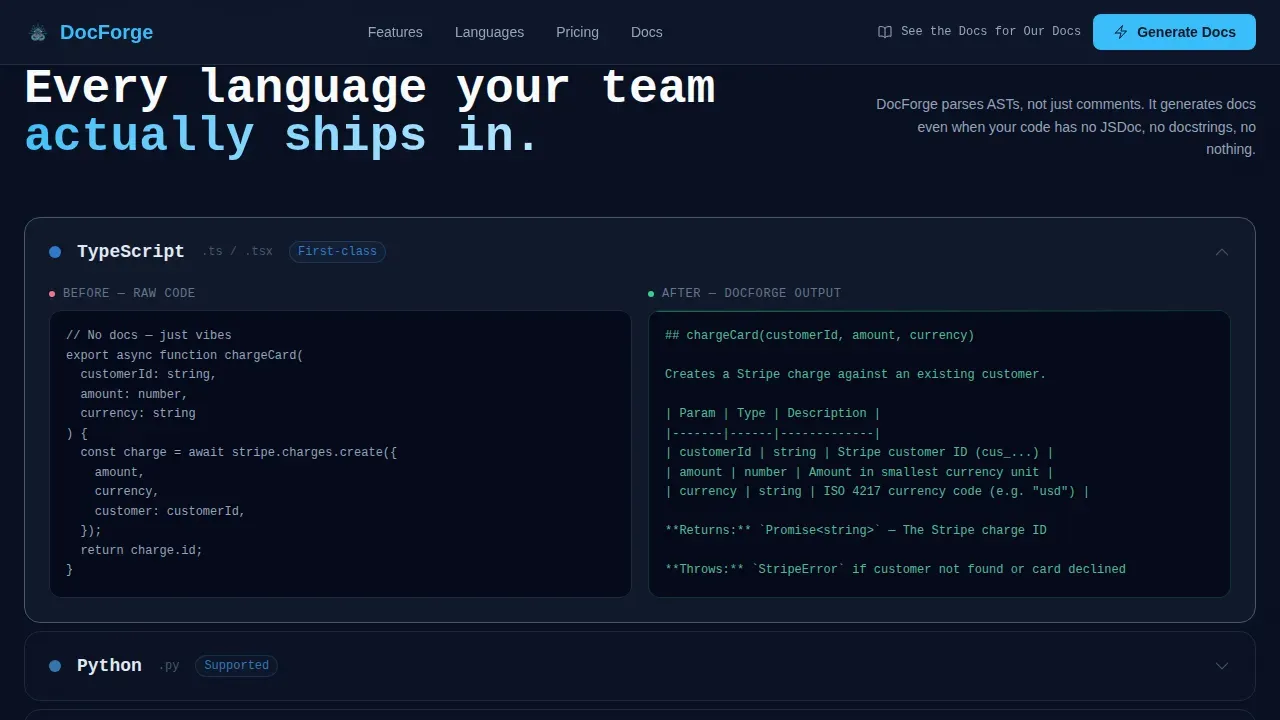
Each supported language clicks open to reveal a before-and-after snippet. Visitors can see raw source code on one side and the automatically generated, structured docs output on the other. This section is where the range of the tool becomes tangible, reinforcing that the template can support multiple language contexts.
Hover-Activated Feature Grid
Each card in the feature grid triggers a micro-animation of that specific capability in action. Versioning shows a diff view, search shows a query resolving, and theming shows a live palette swap. These micro-demos let visitors interact with features rather than read about them, which reduces cognitive load significantly.
Persistent Conversion Bar
After 60 percent scroll depth, a bottom bar appears and stays visible. It carries the primary call-to-action and follows the visitor through the remaining sections. This directive keeps the conversion goal in view without interrupting the demo-first experience the page is designed to create.
Social Proof Section
Engineering team quotes and recognizable company logos appear after the feature grid. Including testimonials and a list of companies using the api provides social proof that resonates specifically with technical buyers who verify claims before they commit.
Page sections overview
| Section | Purpose |
|---|---|
| Logo Bar Header | Establish instant credibility with developer tool logos |
| Terminal CLI Hero | Show the docs generation process in motion |
| Live Demo Panel | Let visitors generate docs from their own code |
| Language Explorer | Reveal before-and-after snippets per language |
| Feature Grid | Demonstrate capabilities through hover micro-animations |
| Social Proof | Build trust with engineering team quotes and logos |
| Footer | Provide navigation links and a final conversion directive |
Design & branding system
The visual identity uses a Slate & Sky color system that feels like a well-configured IDE at 2 AM. Deep editor slate forms the primary background, sky-blue pulls the eye to every interactive element, and clean white surfaces keep content readable without strain.
- Colors: deep slate (#1E293B) for backgrounds, mid-tone toolbar gray (#475569) for secondary elements, sky-blue accent (#38BDF8) for links and highlights, and clean white (#F8FAFC) for content surfaces
- Typography: JetBrains Mono for code blocks, headlines, and the terminal animation; DM Sans for body copy and descriptions
- Style: IDE-inspired dark theme with monospace accents, surgical spacing, and high-contrast syntax highlighting throughout
Mobile & speed optimization
The template is built desktop-first because engineering leads and developers typically evaluate tools on large screens. That said, the layout is fully responsive so the page reads cleanly on any device. Optimizing images and scripts within the template structure helps keep load times practical for all visitors.
- Desktop-first layout with responsive breakpoints for tablet and mobile reading
- Server Components handle static sections while Client Components manage the interactive demo, keeping the initial page load lean
- Animation and interactivity are scoped to interactive zones so scroll performance stays smooth even with the terminal and demo panel running
How this template helps you convert
Every design decision on this page is in service of one goal: earning the click to "Generate Your First Docs" through demonstrated value rather than written promises.
- The live demo panel means the visitor has already watched their own code get documented before the call-to-action button appears, making the signup feel like a natural next step rather than a cold ask.
- The persistent bottom bar appears after 60 percent scroll depth and stays visible, keeping the focused directive in front of visitors who are clearly engaged but haven't clicked yet.
- The secondary call-to-action, "See the Docs for Our Docs," links to the product's own generated documentation as living proof, removing the last layer of doubt for technical buyers who want to verify the output quality before they commit.
Other information about this template
This template is built around the workflow patterns that make documentation generator products credible to technical audiences. The sections below cover additional context for builders using this template.
- Pdoc is one of the most referenced tools in this space. Pdoc generates api documentation by extracting docstrings from python modules and presenting them in a user-friendly format. Pdoc supports various docstring formats including markdown, Google, numpy, and reStructuredText, and can be run from the command line to generate documentation for a specified module, creating html files that can be served or hosted. Pdoc generates documentation by extracting docstrings from python code and rendering them into html format. Pdoc can be customized by enabling various flags when launching it via the console. Pdoc focuses on simplicity and ease of use, making it ideal for small to medium-sized python projects. Pdoc generates documentation by importing modules and using introspection on the various objects within them.
- Docstring formats matter for parsed output quality. Popular docstring styles include Google style docstrings, numpy style, and reStructuredText. Choosing a standard format is crucial for documentation tools to parse them effectively. Different styles of docstrings, such as google style docstrings and numpy style, can be used in python projects. Using consistent docstring styles across a project improves the overall quality of the generated documentation. Python docstrings are an essential part of python documentation, providing a way to describe modules, classes, functions, and methods. Docstrings can be parsed directly from the code to generate function descriptions, parameter explanations, return values, and type annotations.
- The abstract syntax tree is how many tools introspect source files without running the code, enabling safe documentation extraction across large codebases. Tools that parse an abstract syntax tree can accurately capture instance variables, other identifiers, and module names without executing anything.
- Automatic documentation generation integrates naturally with CI/CD pipelines. Setting up GitHub Actions automates the rebuilding and deployment of the page to keep documentation in sync with the codebase. Each pull request can trigger a fresh docs build, ensuring the html documentation never drifts from the source files.
- GitHub Pages is a common deploy target for generated documentation. Teams can publish their html file output to GitHub Pages directly from a repository with minimal configuration. GitHub Pages works well alongside markdown-based generators for straightforward project documentation hosting.
- Good documentation is essential for open-source project success. Creating good documentation helps teams organize big projects and see the big picture. Good documentation increases development speed by making information easier to find. Automated tools reduce the effort required to maintain documentation, especially in projects with rapid changes.
- The mkdocstrings plugin for MkDocs can inject docstring content directly into markdown pages. Mkgendocs automatically generates documentation pages in markdown from python source files by parsing google style docstrings. MkDocs is simpler and requires less configuration than Sphinx, giving it a lower barrier of entry for project documentation. The MkDocs index.md file can be customized to act as the default landing page.
- Sphinx's autodoc extension allows for automatic documentation generation from python docstrings. Sphinx can pull in docstrings using the automodule or autoclass directives in.rst files. Sphinx's autosummary extension can generate documents containing all necessary autodoc directives. The autoDocstring extension for versus Code generates pre-filled template docstrings including arguments and return types.
- A dedicated, auto-generated API Reference section should cover endpoints, a parameter per endpoint, and responses. A three-column layout using left-hand navigation, a central column for main content, and a right-hand rail for code examples and parameters is a proven documentation pattern. This template's layout supports that structure within its section architecture.
- A search bar that filters through all documented constructs improves usability significantly. Adding a copy-to-clipboard button to all code blocks is a recommended usability enhancement. Offering a dark theme option is preferred by many developers, and this template's default color system satisfies that preference out of the box.
- Supplementing auto-generated content with manually written guides, walkthroughs, and error explanations provides necessary context for users. This template can support a "more examples" section or additional web-linked resources to cover those needs alongside the auto-generated reference docs.
Theme
Dashboard Pro
Creative direction
Interactive Explorer
Color system
Slate & Sky
Style
Scroll Reveal (Progressive)
Direction
Click-Through
Page Sections
Terminal CLI Hero with Browser Mockup
Live Code Input Demo Panel
Language Explorer Accordion
Hover-activated Feature Grid
Persistent Bottom Conversion Bar
Social Proof Section with Engineering Quotes
Related questions
What types of documentation tools is this template designed for?
Can I adapt the live demo section to show my own tool's output?
Does the template support showing multiple docstring format styles?
How does the call-to-action flow work on this page?
Can the generated documentation output be deployed to GitHub Pages?



