Advanced Consulting Firm Software Reviews & Social Proof Website Template
Dossier is a consulting firm document management landing page template built for knowledge-intensive teams. It combines a dark, data-rich dashboard aesthetic with a structured, evidence-first narrative flow. From a glowing search hero to a filterable document grid and permissions matrix, every section is designed to move consultants from chaos to clarity in one scroll.
by Rocket studio
Quick summary
Dossier is a single-page template for consulting firm document management platforms. It opens with a cinematic dark hero, builds a data-backed case across three scroll sections, and closes with a clear freemium trial conversion path. The design feels like a precision-built intelligence interface, dense with purpose and free of clutter.
Who this template is for
This template is built for founders and product teams launching platforms aimed at high-output professional services firms. If your product helps knowledge workers find, organize, or share work product faster, this layout was designed for you.
- Management consultants and firm operators drowning in versioned deliverables
- Practice leads who need firm-wide visibility into existing intellectual capital
- Associates spending billable hours hunting for documents built last quarter
What problem this template solves
Consulting teams lose significant time searching for documents across disconnected systems. Legacy storage tools were not built for the pace or complexity of client engagements. This template gives your platform a landing page that speaks directly to that pain.
- Client deliverables, engagement letters, and workstream artifacts buried across shared drives
- No fast way to filter documents by client, author, practice area, or engagement phase
- No clear visual for how access permissions differ across partner, associate, and client tiers
What you get with this template
You get a fully structured, single-page layout that argues for your platform the way a consultant would argue a recommendation: structured, evidence-first, and building toward an inevitable decision.
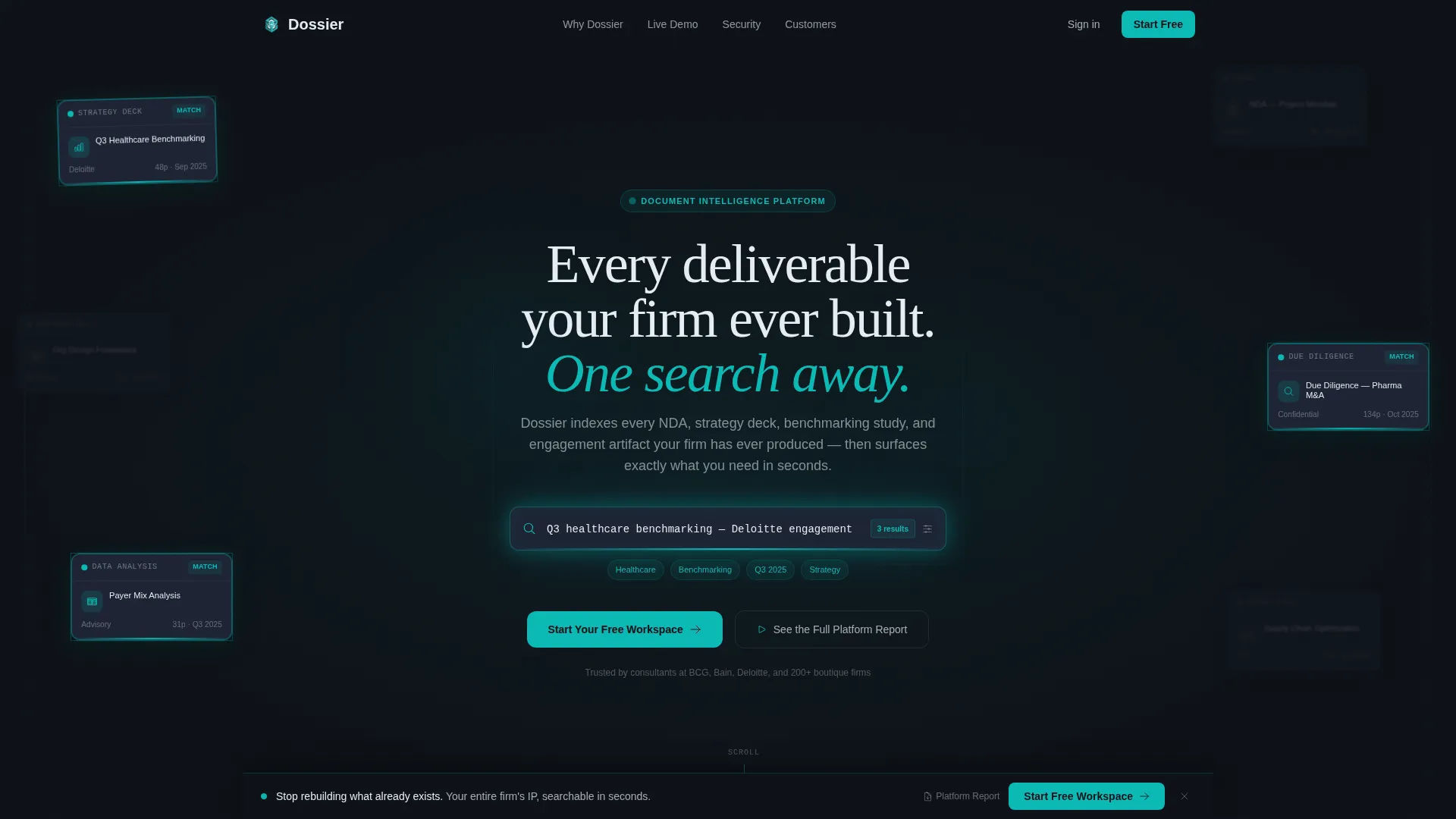
- A dark full-bleed hero with an animated search bar and floating document tile constellation
- Three narrative scroll sections covering search efficiency, filterable grid demo, and a permissions matrix
- A dual conversion path featuring a free workspace signup and a gated platform report lead capture
Feature list
This template ships with six purpose-built sections. Each one earns its place in the conversion story.
Animated Search Hero
The header fills the full viewport in deep operations black. A teal search bar pulses gently at center, surrounded by floating document tiles with realistic metadata previews. A query auto-types in real time and the tiles rearrange, pulling relevant results forward and dimming others. It is the most direct possible demonstration of the product's core promise.
Live Efficiency Counter
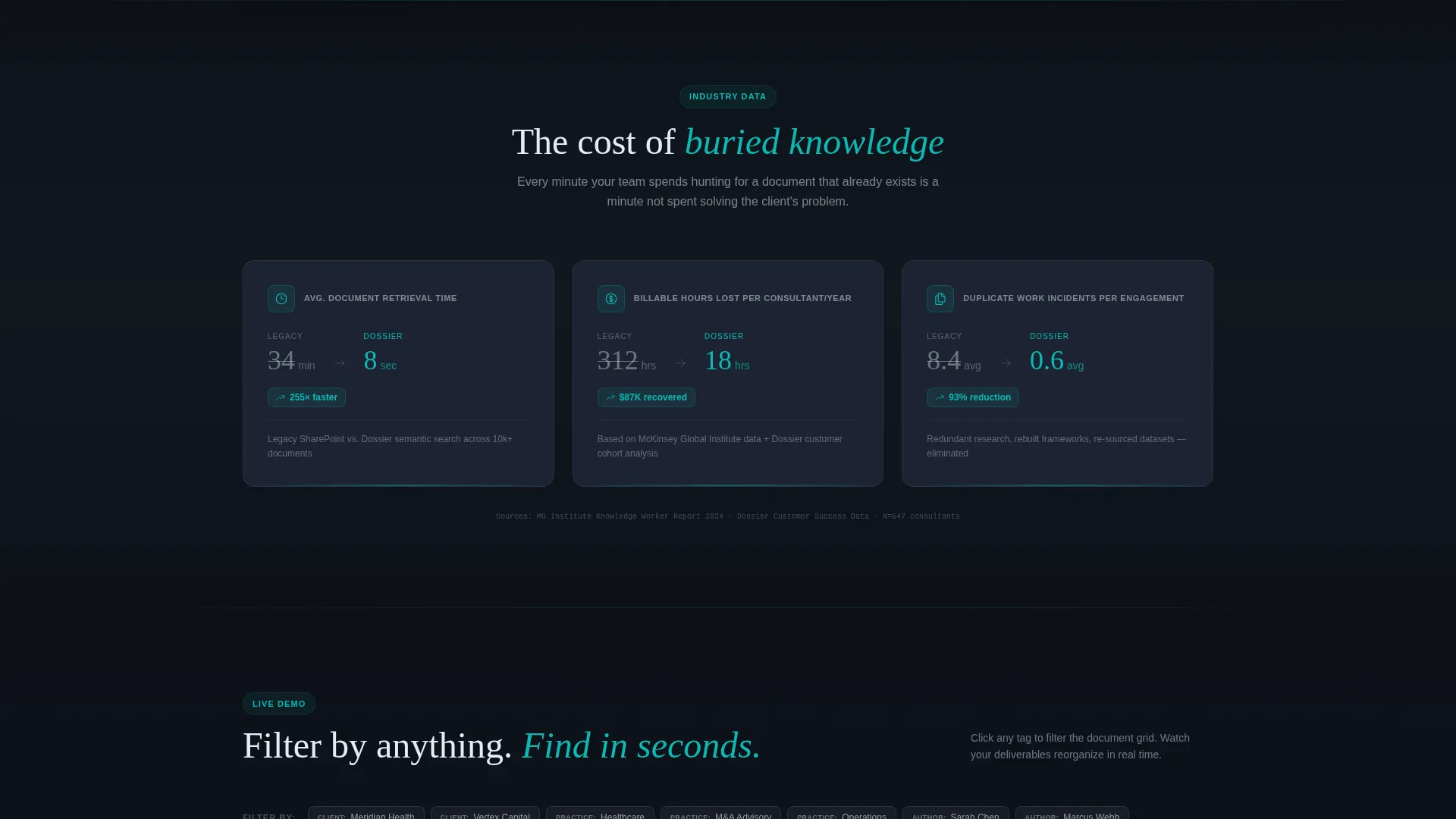
The first scroll section presents a data-backed argument in visual form. A live counter shows average minutes spent per document search across legacy systems versus the platform. This turns an abstract pain point into a concrete, scannable number that resonates immediately with any consultant who has lived the experience.
Filterable Document Grid Demo
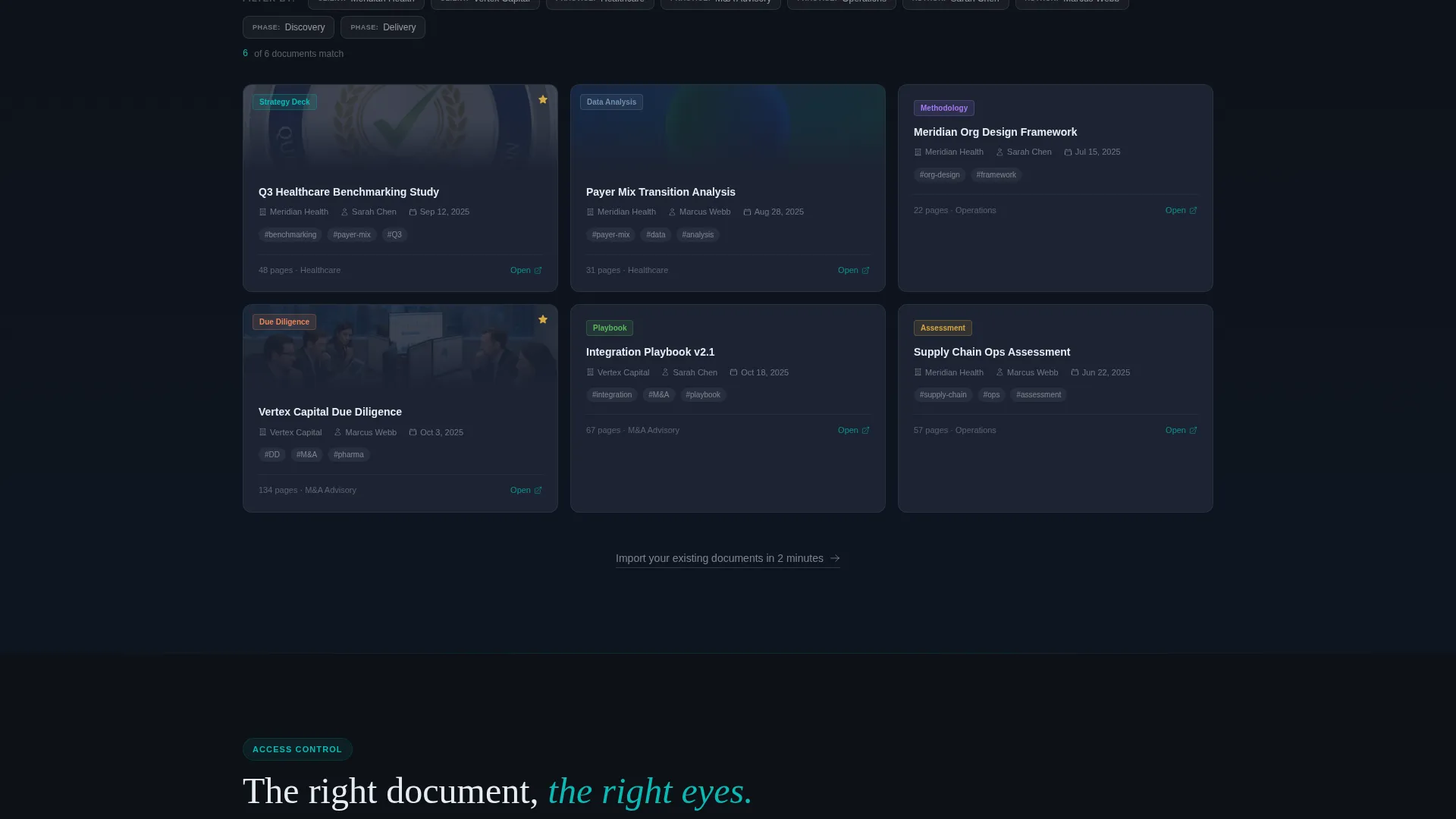
Visitors can interact with a grid of document tiles and click filter tags by client, practice area, author, and engagement phase. The grid reorganizes instantly with each selection. This section lets the product demonstrate its own logic without requiring a full trial signup first.
Visual Permissions Matrix
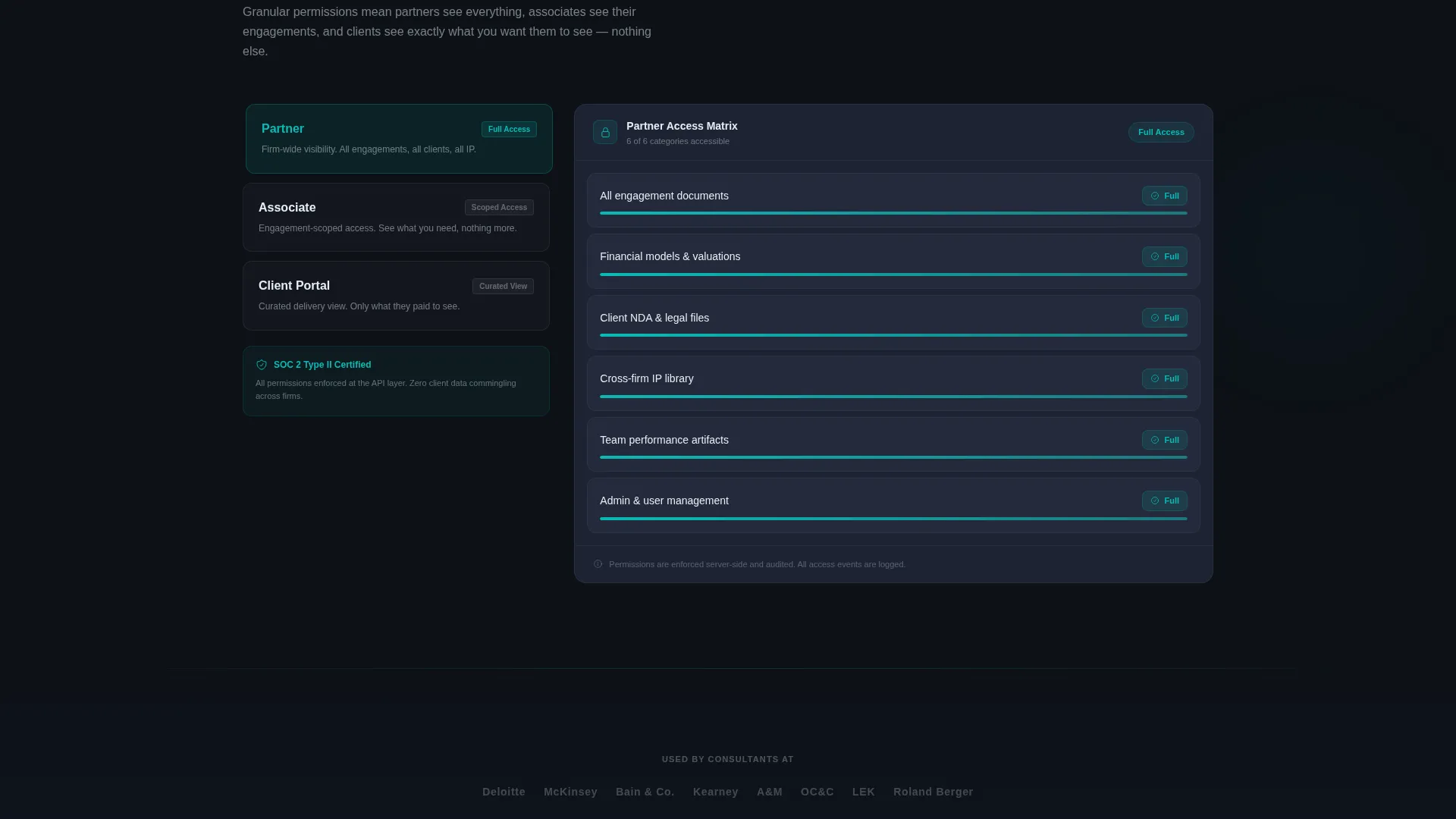
A dedicated section renders partner-level, associate-level, and client-facing access tiers as a clear visual matrix. It answers the access control question before prospects even think to ask it. For firm decision-makers evaluating security and governance, this section does meaningful work.
Freemium Trial Conversion Flow
The primary call to action, "Start Your Free Workspace," appears directly beneath the hero demo and again as a persistent bottom bar that activates after the first scroll. The signup sequence collects work email, firm size, and a single cloud import checkbox. It is short, intentional, and low-friction.
Gated Platform Report Path
A secondary conversion route offers a downloadable platform report styled to mirror the page's industry report narrative. This captures leads who are building an internal business case before committing to a trial. It functions as a parallel funnel for longer-consideration buyers.
Page sections overview
| Section | Purpose |
|---|---|
| Dark Search Hero | Demonstrates core search value with animated document tiles |
| Efficiency Counter | Visualizes time-cost argument with live comparison data |
| Filterable Grid Demo | Lets visitors interact with document filtering in real time |
| Permissions Matrix | Shows access tier structure across firm roles visually |
| Trial Signup Bar | Persistent bottom call to action driving free workspace conversion |
| Gated Report call to action | Secondary path capturing leads building an internal case |
Design & branding system
The Teal Catalyst color system gives the template the feel of a Bloomberg terminal rebuilt for knowledge workers. Every color choice serves legibility and focus on a dark background.
- Deep operations black (#0D1117) as the base canvas, slate panel gray (#1C2333) for card surfaces, and cool white (#E6EDF3) for body typography
- Active teal (#0ABAB5) on search bars, active filters, and hover states, functioning as a visual signal for discovery and interaction
- The overall palette is information-dense but never cluttered, with each element earning its place against the dark field
Mobile & speed optimization
The layout is structured to remain readable and functional across screen sizes. The data-grid style adapts cleanly because each section is modular and self-contained.
- Document tile grids and filter tags reflow for smaller viewports without losing their interactive logic
- The persistent bottom bar is designed to remain visible and tappable on mobile without obscuring content
- Section-by-section scroll pacing keeps the narrative intact on touch devices, preserving the evidence-first argument flow
How this template helps you convert
The page is structured as a persuasion arc, not a feature list. Every section moves the reader one step closer to starting a workspace or downloading the report.
- The animated hero creates immediate product comprehension through a live search demonstration, reducing the need to explain the concept in words alone.
- The efficiency counter and filterable grid demo build credibility and desire before any signup friction is introduced, so the call to action appears after trust is already earned.
- The dual conversion path (free trial and gated report) means the template captures both ready-to-act visitors and longer-consideration leads in a single page flow.
Other information about this template
This template is built within the Directory and Discovery theme and follows the Industry Report creative direction. That means each section reads like a chapter of a structured argument rather than a traditional marketing page.
- The template style is Dashboard and Data Grid, making it a strong fit for platforms where the product itself is the interface
- The header concept is Dark Full-Bleed with Glow, a visual treatment that positions the platform as an intelligence tool rather than a simple storage app
- The landing page direction is Freemium and Trial conversion, which shapes the entire call to action hierarchy from the hero to the bottom bar
- The color system is named Teal Catalyst, reflecting the role of active teal as the signal color for search, discovery, and actionable states throughout the page
Theme
Directory & Discovery
Creative direction
Industry Report
Color system
Teal Catalyst
Style
Dashboard/Data Grid
Direction
Freemium/Trial
Page Sections
Animated Dark Search Hero
Live Document Search Counter
Interactive Filterable Grid
Visual Permissions Matrix
Persistent Trial Conversion Bar
Gated Platform Report Download
Related questions
Who is this template designed for?
What conversion paths does this template include?
Can the filter tags in the document grid be customized?
How does the permissions matrix section communicate access control?
Is this a single-page layout or a multi-page template?



