Precision CAD Landing Page Template
A zigzag landing page built for an AutoCAD and technical drawing online course. It leads with a free trial header showing a live drafting workspace, then scrolls through real student case studies that prove learning outcomes. The design uses a Corporate Precision theme with a Botanical color palette. The page captures leads through a progressive email form and a downloadable shortcut sheet.
by Rocket studio
Quick summary
This is a single-page lead generation template for an AutoCAD and technical drawing online course. It opens with a free trial invitation set inside a live CAD viewport, then builds trust through three student case studies in a zigzag layout. The Botanical color palette keeps the page disciplined and readable, while two email capture paths convert both ready and browsing visitors.
Who this template is for
This template is built for course creators and educators who need to convert cold visitors into enrolled students without a high-pressure sales approach. It suits instructors whose audience includes people who need practical proof before they commit to a course.
- Junior drafters looking for their first industry role
- Mid-career engineers switching from hand sketching to digital tools
- Architects' assistants under tight deadlines to learn computer-aided design
What problem this template solves
Most online course pages either list features or make vague promises. Neither approach works well for technical learners who want evidence before they invest time. This template replaces promises with proof by using real student journeys as the scroll driver.
- Visitors leave before converting because they see no tangible outcomes
- Technical audiences distrust marketing copy without concrete deliverables shown
- A single call to action loses the visitor who is not yet ready to start a lesson
What you get with this template
You get a fully structured single-page layout with all key sections pre-built and ready to populate with your own course content. The layout is designed to guide a cold visitor from curiosity to email submission without friction.
- A live-workspace header with email capture and a primary call-to-action button
- Three alternating case study sections, each paired with a module bridge strip
- A progressive lead form and a secondary downloadable PDF capture path
Feature list
This template includes purpose-built components that support the full visitor journey, from first impression to form submission.
Live Workspace Header Section
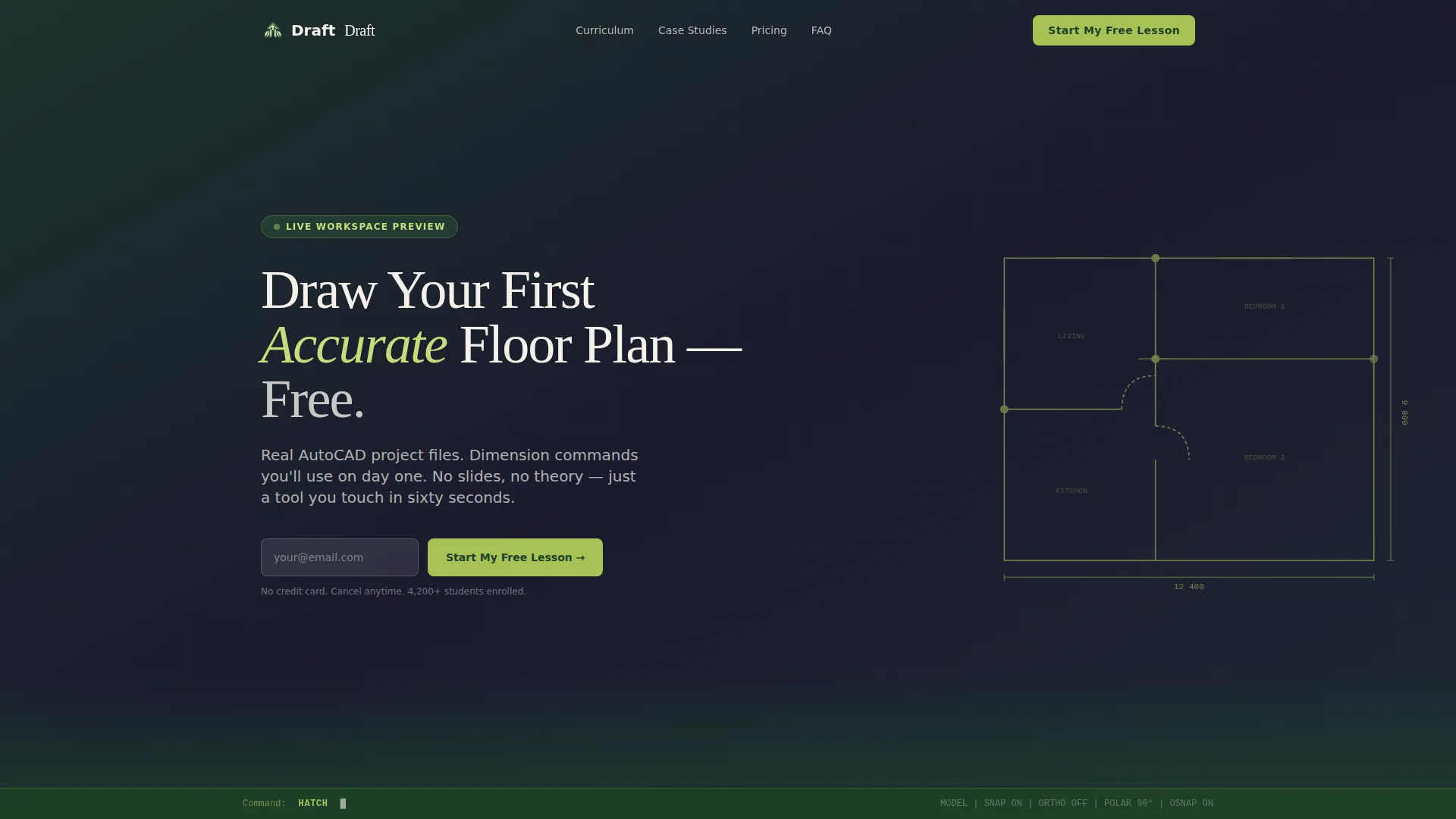
The header stages a free trial invitation inside a simulated AutoCAD viewport. A partially dimensioned floor plan with a visible command line creates immediate context. The headline and a single email field with a chartreuse button appear over this scene, communicating hands-on learning from the first second.
Zigzag Case Study Layout
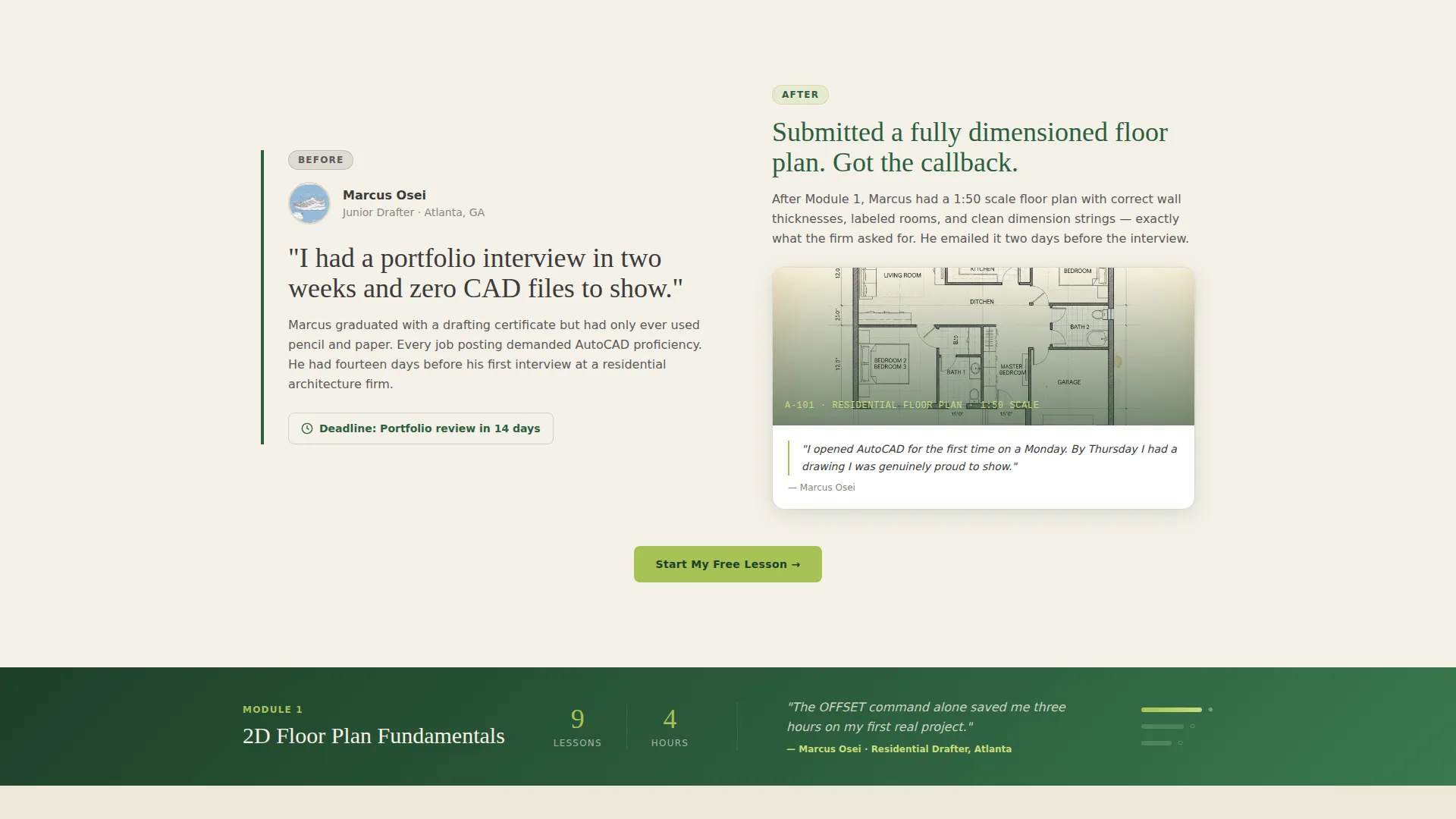
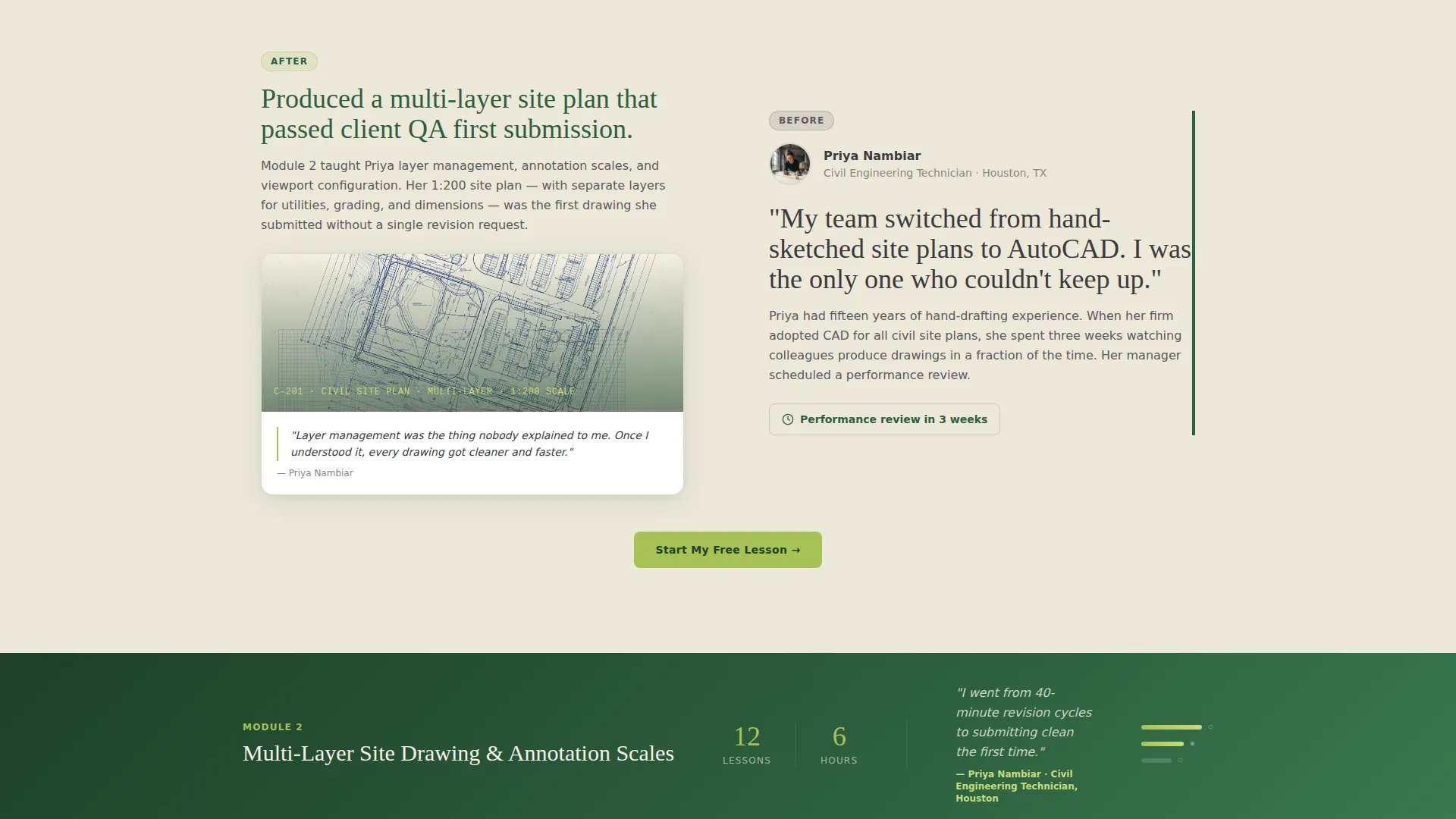
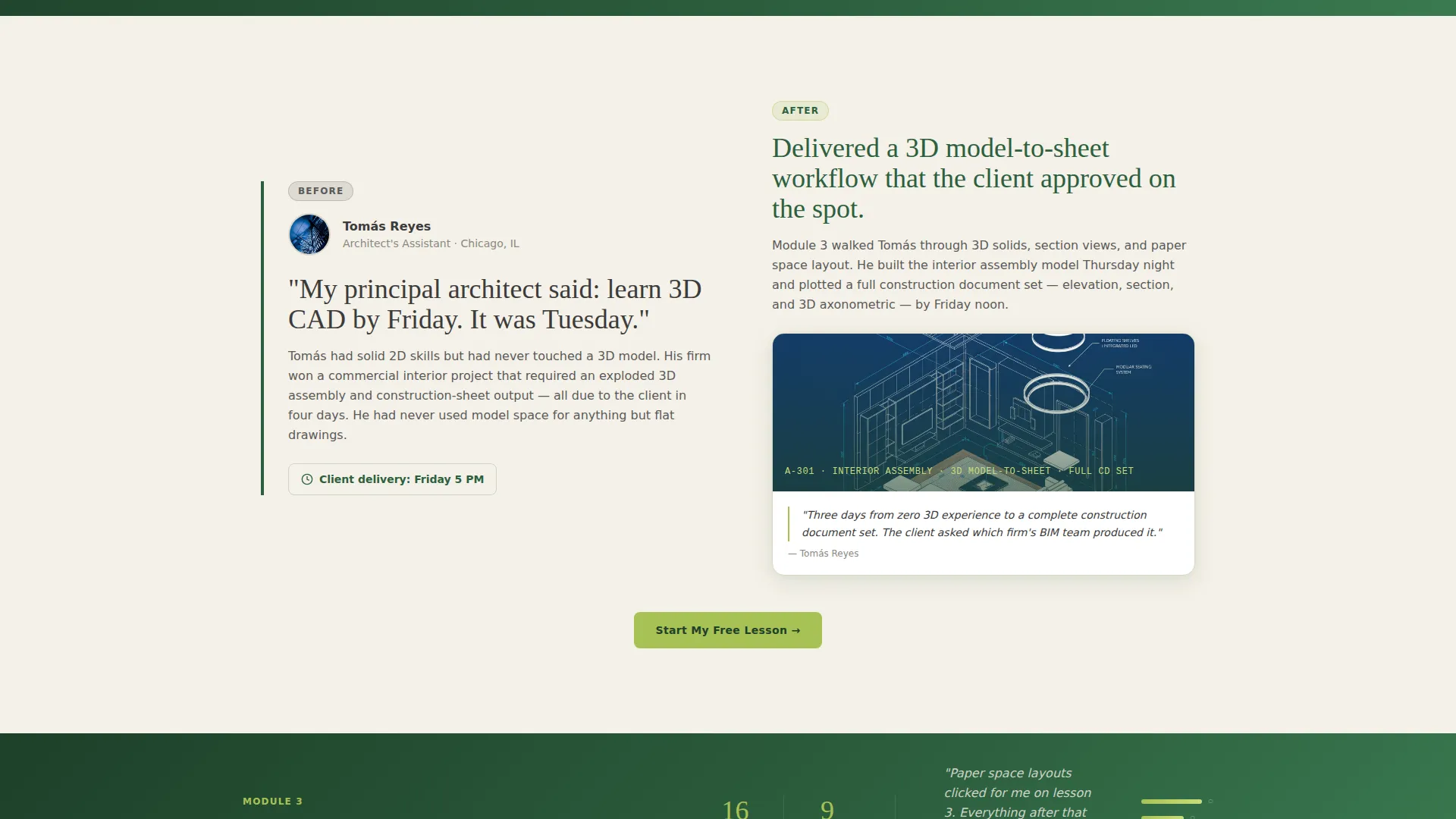
Three alternating sections each pair a student's before story on one side with their after deliverable on the other. Stakes rise section by section, from a simple 2D floor plan to a full 3D model-to-sheet workflow. This structure lets visitors scroll through evidence rather than claims.
Module Bridge Strips
Between each case study, a narrow full-width strip names the exact course module that bridged the skill gap. It shows lesson count, estimated hours, and a single student quote. These strips keep the narrative grounded in the actual course structure.
Progressive Lead Capture Form
The primary form captures only an email address on first touch. A follow-up modal then asks about the visitor's current experience level and their primary goal, such as career change, upskilling, or certification preparation. This staged approach reduces early friction.
Secondary PDF Download Path
A downloadable resource titled "Download the AutoCAD Shortcut Sheet" is gated by the same email field. This gives visitors who are not ready to start a lesson a lower-commitment reason to share their contact information and engage with the course brand.
Repeating Call-to-Action Anchors
The primary call to action "Start My Free Lesson" appears in the header, repeats after each case study, and anchors a final full-width closing section. This rhythm ensures a conversion opportunity is always visible no matter how far the visitor has scrolled.
Page sections overview
| Section | Purpose |
|---|---|
| Header with viewport | Free trial invitation with email capture over a live CAD scene |
| Case study one | 2D floor plan before-and-after with module bridge strip |
| Case study two | Multi-layer site drawing journey with lesson count and quote |
| Case study three | 3D model-to-sheet workflow with final deliverable shown |
| Closing call to action section | Full-width anchor repeating the primary free lesson offer |
Design & branding system
The template follows a Corporate Precision theme expressed through a Botanical color palette. The result is a page that feels structured and professional without being cold or sterile.
- Deep fern green (#2D5F3E) anchors headers, navigation, and zigzag section edges
- Drafting-paper cream (#F5F1E8) fills section backgrounds so content has room to breathe
- Technical graphite (#3B3B3B) handles body text and dimension-line style details, while propagation-leaf chartreuse (#A8C256) activates buttons, progress indicators, and hover states
Mobile & speed optimization
The zigzag layout is designed to reflow cleanly on smaller screens. Each case study section stacks vertically on mobile so the before-and-after storytelling remains intact and readable at any screen width.
- Alternating columns collapse to a single vertical stack on narrow viewports
- Module bridge strips remain full-width across all screen sizes for consistent rhythm
- The email capture form is sized for thumb-friendly input on touch devices
How this template helps you convert
The page is built around two conversion paths working together. Every structural decision prioritizes moving the visitor toward one of those two actions.
- The progressive form lowers the barrier to entry by asking only for an email on the first interaction, then gathering richer data in a follow-up modal after the visitor has already committed their address.
- The repeating call-to-action placement means a motivated visitor never has to scroll back up to find the sign-up button, reducing drop-off at the moment of decision.
Other information about this template
This template is a strong fit for educators building their first course sales page as well as established instructors refreshing an existing page. The source brief positions it specifically for the AutoCAD and technical drawing online course niche, where proof-based content outperforms feature lists.
- The template style is Zigzag/Alternating, making it well suited for story-led course pages in the Education and Training category
- The creative direction is Case Study Narrative, which is particularly effective in Online Skill Courses where learners want to see real outcomes before enrolling
- The header concept is Free Trial, reducing the perceived risk for visitors who are evaluating the course for the first time
- The lead generation direction supports both an immediate free lesson path and a softer PDF download path for visitors at different stages of readiness
Theme
Corporate Precision
Creative direction
Case Study Narrative
Color system
Botanical
Style
Zigzag/Alternating
Direction
Lead Generation
Page Sections
Live Workspace Header with Email Capture
Zigzag Case Study Sections
Module Bridge Strips
Progressive Lead Capture Form
Secondary PDF Download Path
Repeating Call-to-action Anchors
Related questions
Can I use this template for a course on a topic other than AutoCAD?
How does the two-path lead capture work?
Is the student case study content included in the template?
What makes the zigzag layout effective for a course landing page?
Does the progressive form need special configuration?



