Drafthouse - Dynamic Architecture Landing Page Template
Drafthouse is a hub-and-spoke landing page template built for architecture job boards. It combines a glassmorphic dark interface with interactive section demos, a product screenshot header, and a streamlined freemium signup flow. Designed for studios and job seekers in the architecture field, it converts visitors through play before it ever asks for commitment.
by Rocket studio
Quick summary
Drafthouse is a single-page architecture job board landing page built on a hub-and-spoke anchor navigation structure. It pairs a glassmorphic dark color system with five interactive spoke sections, a product screenshot hero, and a two-path freemium conversion model. The result feels focused, spatial, and built for the people who actually fill these roles.
Who this template is for
This template is built for anyone launching or marketing an architecture-focused job board. It speaks directly to a professional audience that has seen too many generic listing pages and expects something sharper.
- Studio founders and hiring teams looking to attract design talent across regions
- Junior architects and mid-career project managers who browse job listings between project sprints
- Job board builders and digital product makers serving the architecture and built environment sector
What problem this template solves
Most job board landing pages treat architecture roles like any other listing. They use generic filters, flat layouts, and language that means nothing to someone who knows the difference between parametric modeling tools. Drafthouse solves that disconnect.
- Visitors land on a page that mirrors the craft they practice, earning trust immediately
- The interactive spoke sections let people explore the product before they sign up
- The minimal signup flow removes friction by asking for just one meaningful data point upfront
What you get with this template
You get a fully structured single-page layout with a fixed anchor navigation bar, five interactive spoke sections, and two distinct conversion paths. Every section is built to demonstrate value before asking for anything.
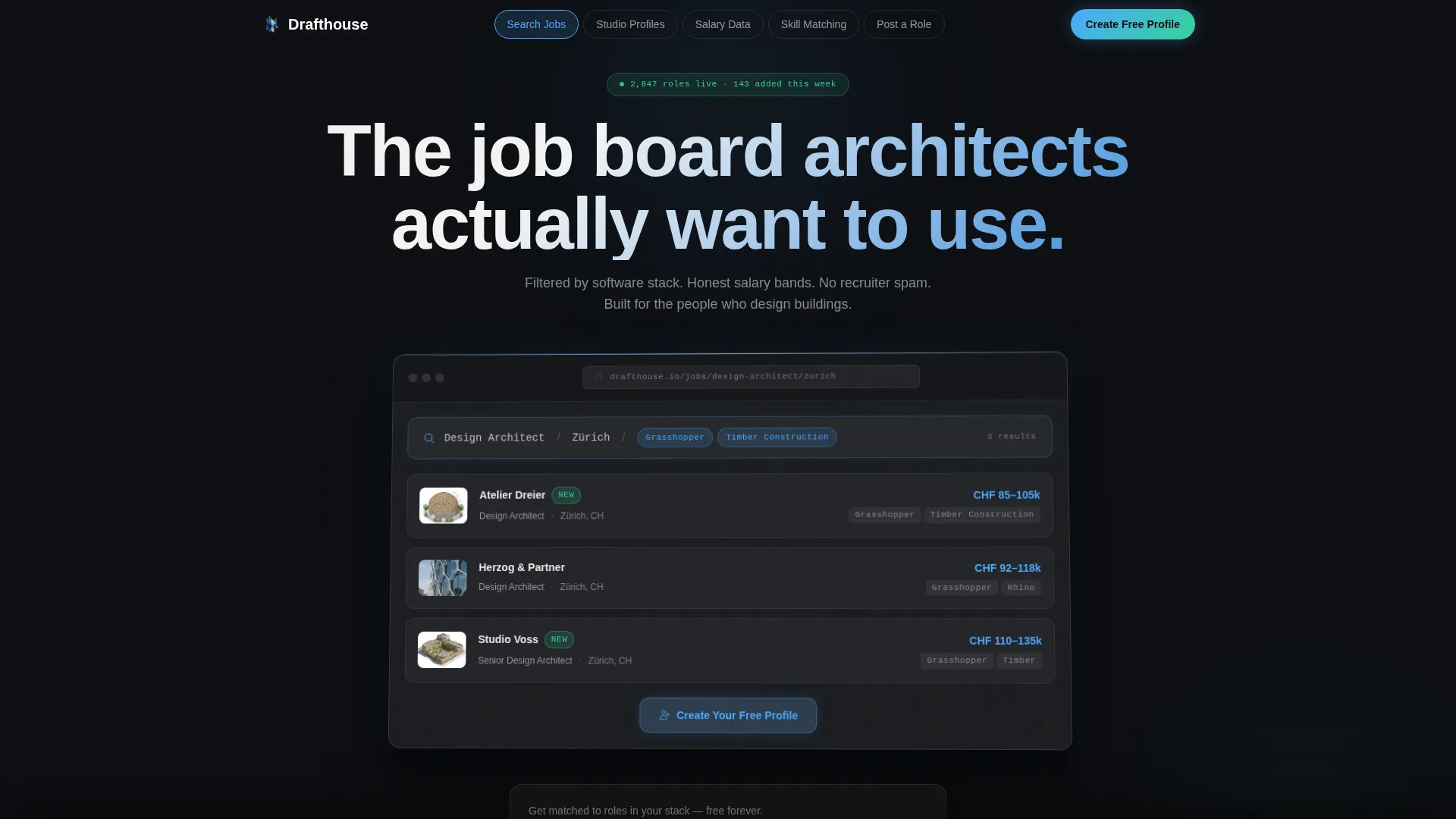
- A hero section with a perspective-tilted product screenshot and a primary frosted-glass call-to-action button
- Five anchor-linked spoke sections covering job search, studio profiles, salary data, skill matching, and role posting
- Two freemium conversion flows: one for job seekers and one for hiring studios
Feature list
This template delivers six carefully designed building blocks that work together across the full page experience.
Anchor Navigation Bar
Five glass pill links sit fixed horizontally across the viewport. Each pill label corresponds to a spoke section below: Search Jobs, Studio Profiles, Salary Data, Skill Matching, and Post a Role. The nav acts as a persistent spine for the entire page.
Interactive Product Screenshot Hero
The header fills 70 percent of the viewport with a pixel-perfect render of the job board interface, tilted at a subtle two-degree perspective. A live-style search result showing studio name, salary band, and a small axonometric project thumbnail is visible inside the screenshot. A frosted-glass call-to-action button sits embedded within the screenshot card.
Live-Filter Search Demo Spoke
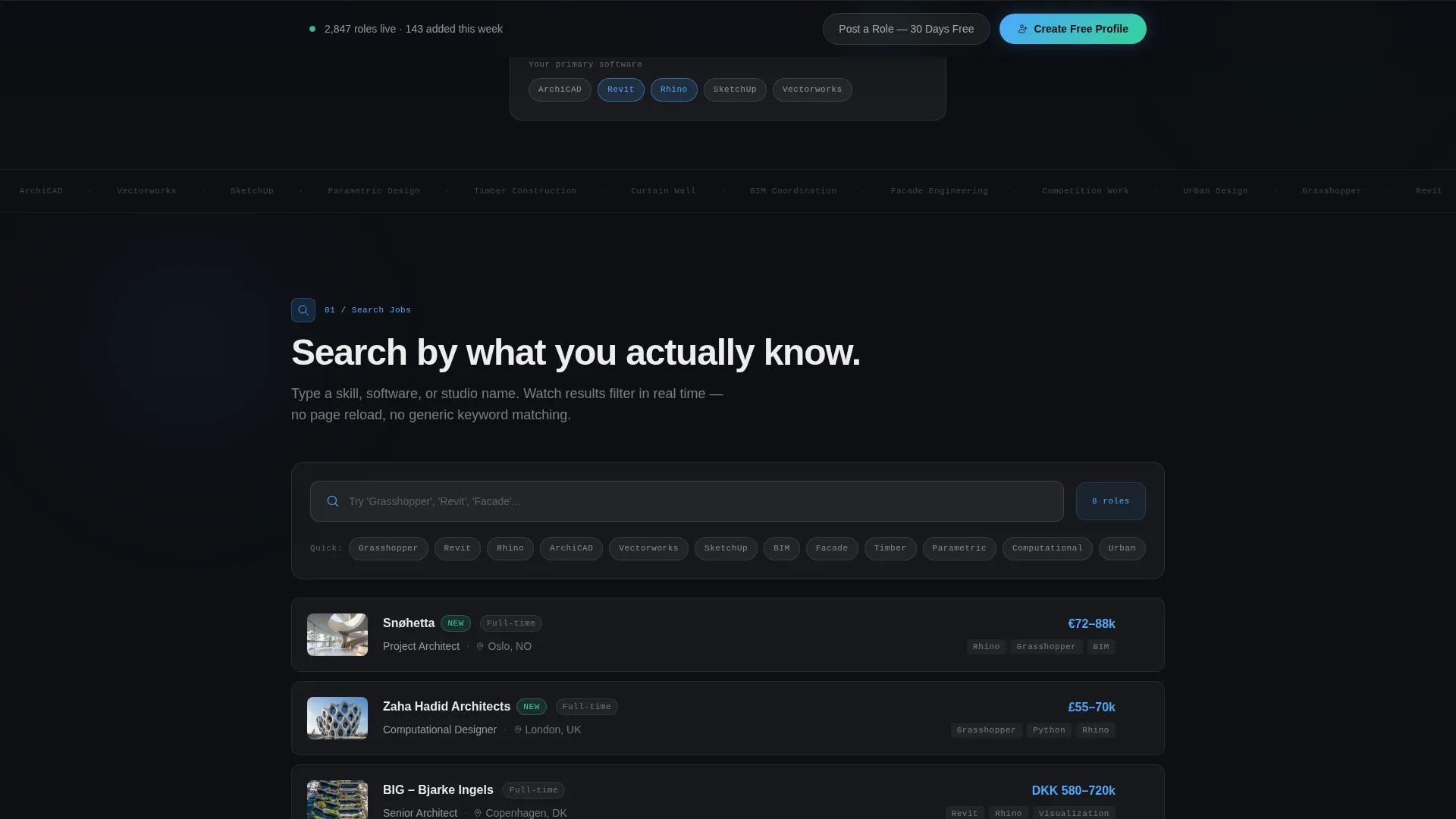
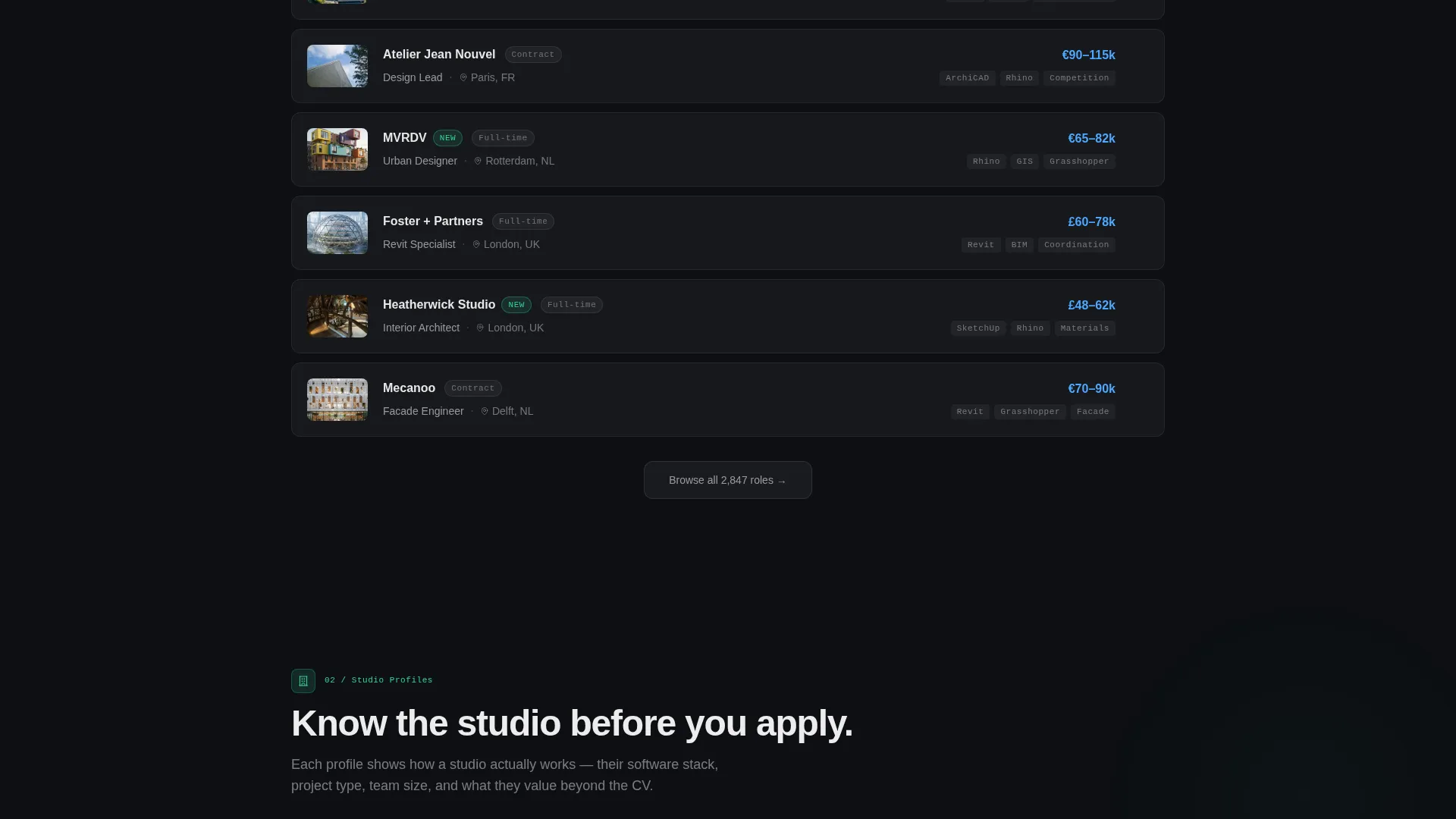
The Search Jobs spoke lets visitors type a real skill and watch filtered results animate in response. This gives potential users a hands-on sense of the product before any account is created.
Interactive Salary Bell Curve
The Salary Data spoke renders a visual bell curve that responds to region selection. Visitors can explore compensation ranges across different markets without leaving the page.
Skill Matching Radar Chart
The Skill Matching spoke displays a radar chart that overlays a visitor's self-reported software stack against the requirements of a sample listing. It makes the matching concept tangible and visual rather than descriptive.
Dual-Path Freemium Conversion
Two distinct signup flows appear across the page. Job seekers are asked for an email and a multi-select chip input for their primary software tools. Studios are asked for a studio name and team size to unlock a 30-day free role posting trial.
Page sections overview
| Section | Purpose |
|---|---|
| Hero Screenshot Header | Establishes product credibility with a perspective-tilted interface render and primary call-to-action |
| Anchor Navigation Bar | Provides fixed horizontal navigation linking to each of the five spoke sections |
| Search Jobs Spoke | Demonstrates live skill filtering with animated results to show search functionality |
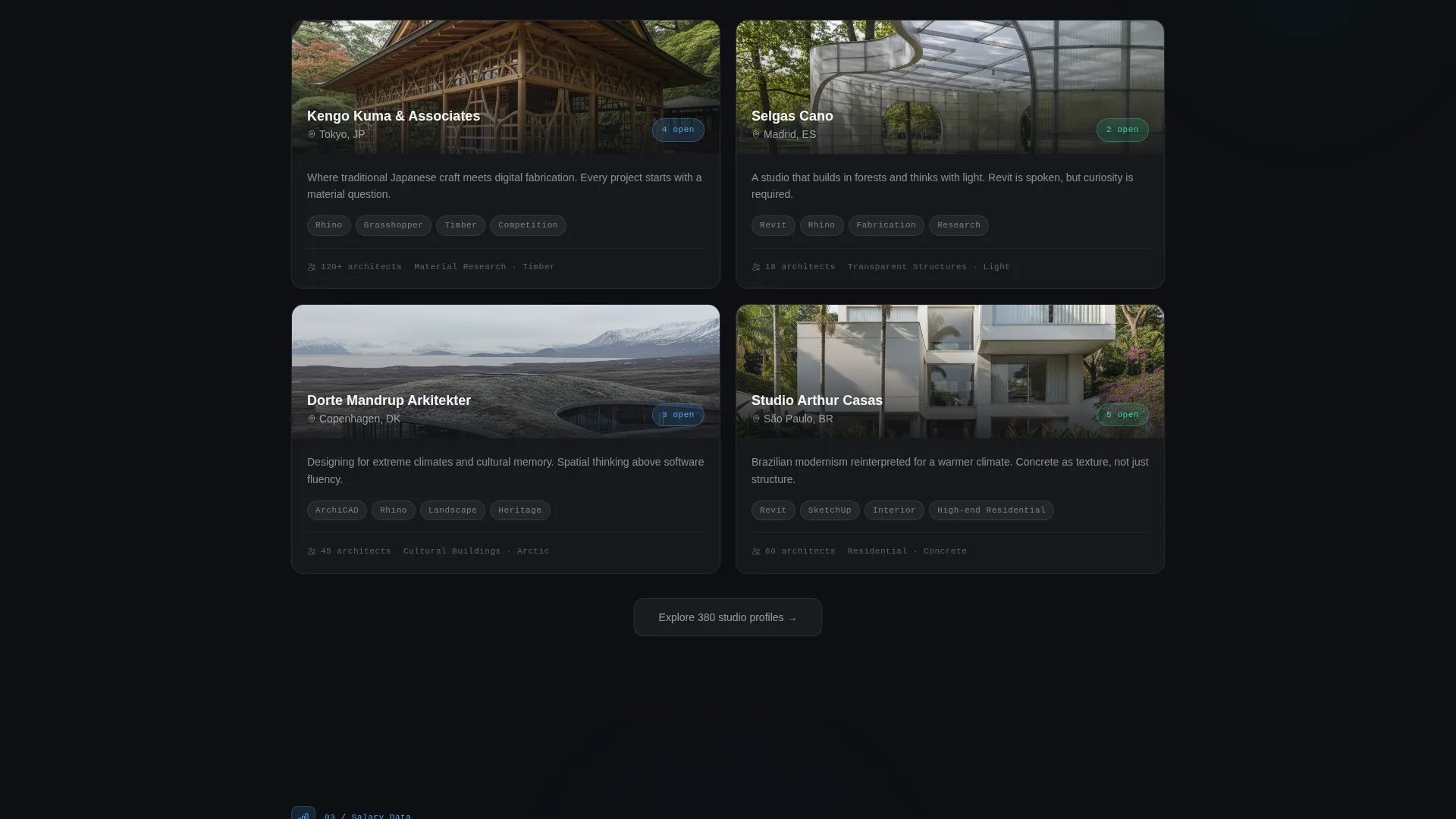
| Studio Profiles Spoke | Introduces the studio directory feature as a browsable product demo |
| Salary Data Spoke | Renders an interactive regional bell curve to surface compensation context |
| Skill Matching Spoke | Visualizes a radar chart comparing visitor skills against a sample listing |
| Post a Role Spoke | Targets hiring studios with a frosted card and a two-field trial signup form |
| Sticky Conversion Bar | Reintroduces the primary call-to-action after the second spoke as a persistent prompt |
Design & branding system
The visual identity channels a startup velocity aesthetic through a glassmorphic layer system. Every surface feels like a translucent card floating over a deep workspace, with depth created through blur and opacity rather than hard borders.
- Core palette: deep workspace black (#0D0F13) as the base, frosted glass panels at 12 percent white opacity (#FFFFFF1F), luminous architect-blue (#4DA8FF) for active states and hover rings, and signal green (#34D399) reserved for new listing badges and success confirmations
- Typography and surface treatment emphasize crisp glass-card edges, soft blur backgrounds, and hover states that lift elements one pixel above the surface plane
Mobile & speed optimization
The layout is structured to translate from wide desktop to narrower viewports without losing the glassmorphic depth that defines its identity. The interactive elements are designed to remain usable at touch scale.
- The anchor navigation bar adapts to horizontal scroll or a compact icon row on smaller screens
- Interactive spokes including the search demo, bell curve, and radar chart are each contained in self-sufficient card modules that reflow cleanly on mobile
How this template helps you convert
Drafthouse is built around the principle that the best way to convert a skeptical professional is to let them experience the product before asking for a commitment.
- The hero screenshot and embedded frosted-glass button establish immediate product credibility, giving visitors a reason to scroll rather than bounce
- Interactive spoke demos across Search, Salary, and Skill Matching let visitors derive personal value from the page before any signup prompt appears
- The minimal two-field signup form and the chip-based software selector reduce sign-up friction to near zero, making the first step feel low-stakes and personally relevant
Other information about this template
Drafthouse is shaped around the real behavioral patterns of architecture professionals. The template name and tone reflect the drafting-room culture of the field.
- The template is built as a hub-and-spoke anchor navigation landing page, making it straightforward to extend with additional spoke sections if the product grows
- The signal green (#34D399) accent is intentionally reserved for new listing badges only, keeping the success-state color meaningful and uncluttered
- The two-degree perspective tilt on the hero screenshot is a subtle but deliberate detail that differentiates the header from a flat mockup
- The chip-based software selector in the signup form immediately personalizes the post-signup dashboard, making the onboarding feel responsive from the first interaction
- This template supports architecture job board use cases across global markets, with the salary spoke designed to surface regional compensation variation
Theme
Startup Velocity
Creative direction
Interactive Explorer
Color system
Glassmorphic
Style
Hub & Spoke (Anchor Nav)
Direction
Freemium/Trial
Page Sections
Fixed Glass Pill Anchor Navigation
Perspective-tilted Product Screenshot Hero
Live Skill Search Demo
Regional Salary Bell Curve
Skill Matching Radar Chart
Dual Freemium Signup Flow
Related questions
Can I adapt this template for a job board in a different design discipline?
How does the two-path conversion model work?
Do the interactive spoke demos require a live database connection?
Is the anchor navigation bar visible while scrolling through the page?



