Auto Repair Shop Cost Calculator Website Template
Torque is a modular card-grid landing page built for independent auto repair shops. It features an interactive vehicle dashboard header, symptom-to-fix card flows, and an integrated cost-comparison calculator. The Teal Catalyst color system and Dashboard Pro theme give the page a confident, clinical look that builds trust before a visitor ever fills out the contact form.
by Rocket studio
Quick summary
Torque is a single-page contact template designed for neighborhood auto repair shops. It opens with a clickable dashboard interface, guides visitors through a Problem to Solution card arc, and closes with a sticky booking bar and a quick-estimate calculator. Every section earns trust by showing the repair math before asking for the commitment.
Who this template is for
This template is built for independent auto repair shops that compete against dealership service centers on price, turnaround time, and personal attention. It suits shop owners who want a page that does the selling before the phone rings.
- Independent garage owners and small shop operators
- Auto repair businesses targeting commuters, families, and everyday drivers
- Shops that want to show clear cost comparisons against dealership pricing
What problem this template solves
Most auto repair shop contact pages list a phone number and a service menu and stop there. They do nothing to address the anxiety a driver feels when an unfamiliar warning light comes on. Torque replaces that blank-slate experience with guided, symptom-first information.
- Drivers feel confused and distrustful before they even call a shop
- Shops have no way to pre-qualify visitors or surface the right service information quickly
- Cost uncertainty pushes potential customers toward dealerships by default
What you get with this template
You get a fully structured, single-page layout built around modular cards, an interactive header, and a conversion-focused sticky footer. Every component is designed around real driver pain points and maps naturally to common repair categories.
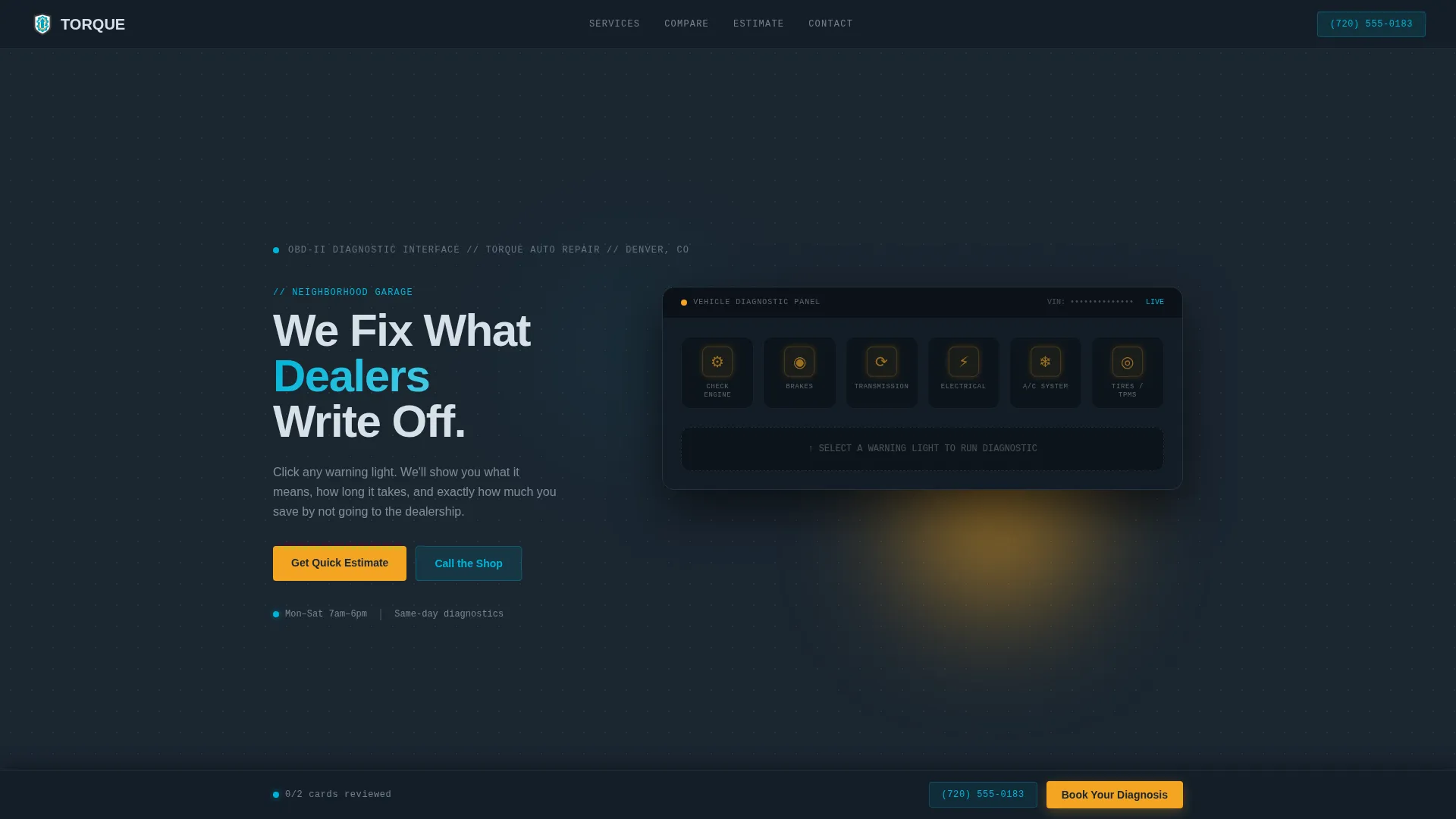
- An interactive vehicle dashboard header with clickable warning icons
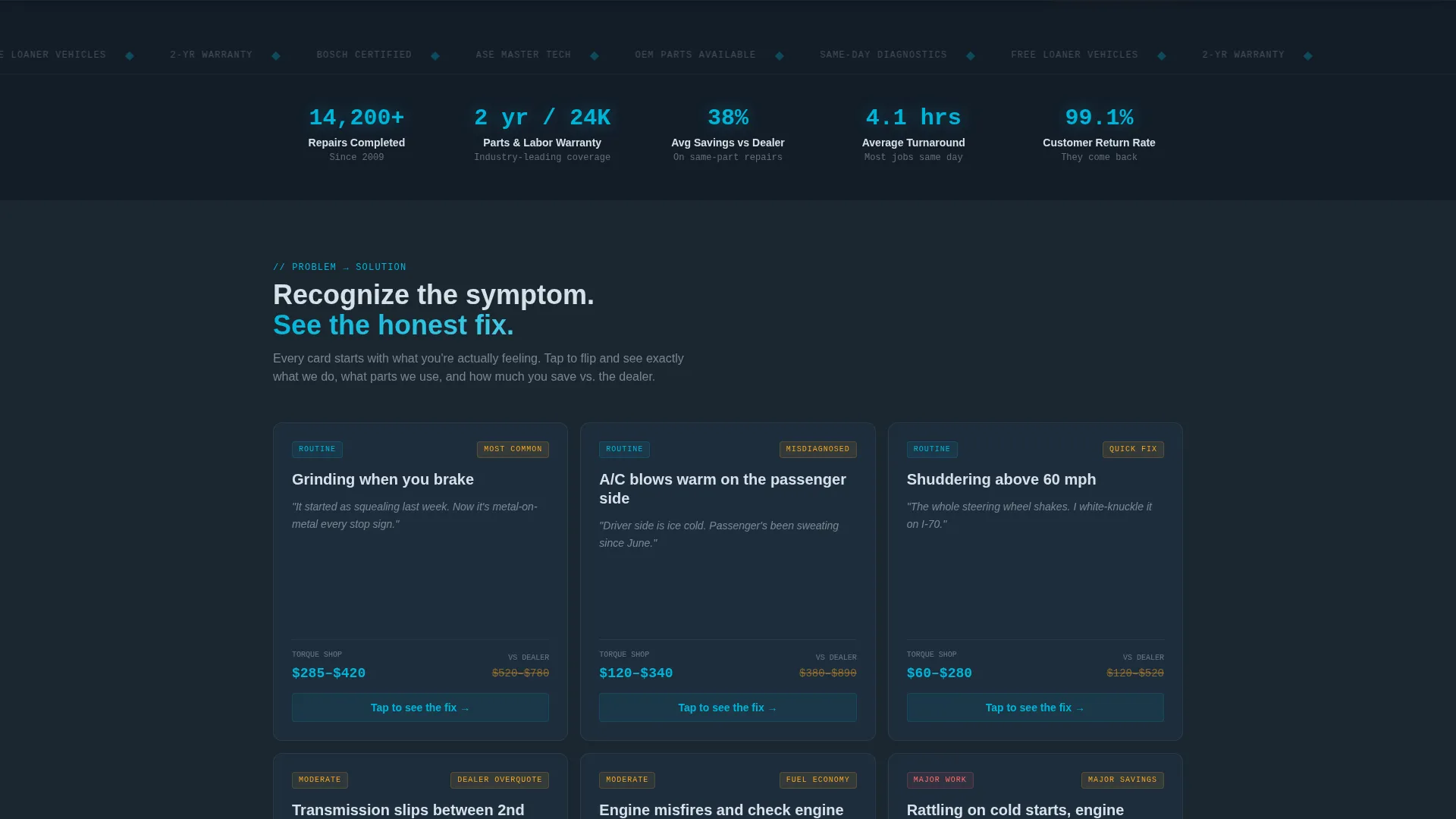
- A scrolling card grid that moves from symptom to diagnosis to repair solution
- A sticky footer booking bar and a secondary quick-estimate cost calculator
Feature list
This template packs several purposeful components into one cohesive page. Each feature reflects a specific moment in the visitor's decision journey.
Interactive Dashboard Header
The header renders a stylized vehicle dashboard. Warning icons for engine, brakes, transmission, electrical, air conditioning, and tires pulse softly in amber. When a visitor clicks any icon, it flares teal and a card slides into view showing the diagnosis, average repair time, and a cost-range comparison. The interaction makes the shop feel prepared before the visitor has said a word.
Symptom-Led Card Grid
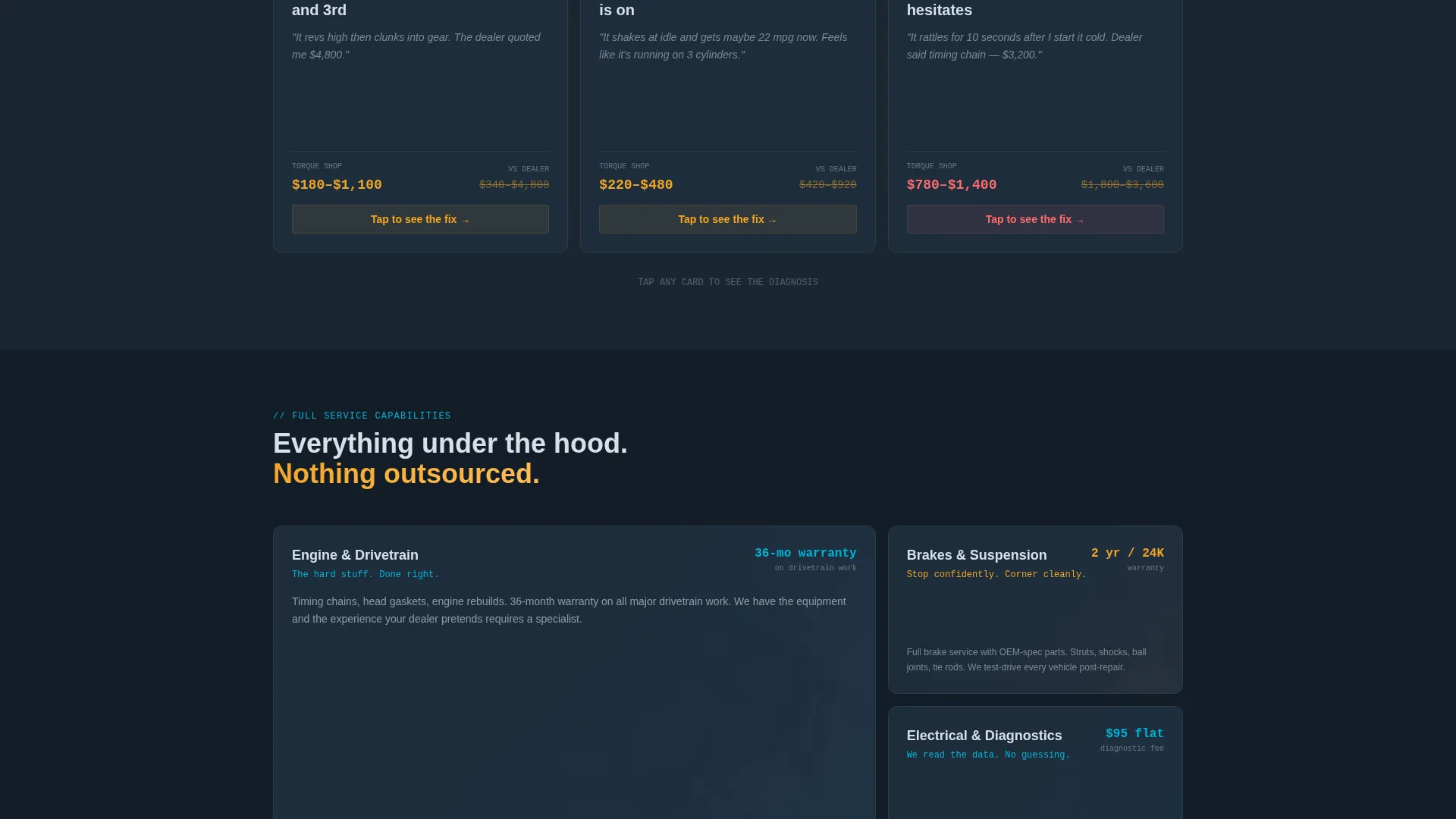
Each row of cards opens with a real driver symptom such as grinding when braking, warm air from the passenger-side vent, or shuddering above 60 miles per hour. The card then flips to reveal the shop's fix, parts quality, and warranty alongside the dealership alternative. As the visitor scrolls, the complexity escalates from routine maintenance through major drivetrain work.
Embedded Comparison Tables
Every card carries a compact comparison table showing labor rates, part sourcing options (original equipment manufacturer versus aftermarket), and turnaround time against the dealership benchmark. The evidence accumulates row by row until the cost difference speaks for itself.
Sticky Footer Booking Bar
A "Book Your Diagnosis" call-to-action bar is pinned to the bottom of the page at all times. After the visitor has interacted with at least two cards, the bar shifts from spark-plug silver to ignition amber. The short booking form collects vehicle year, make, and model first via an auto-populating dropdown, then the symptom category, then preferred drop-off time.
Quick-Estimate Cost Calculator
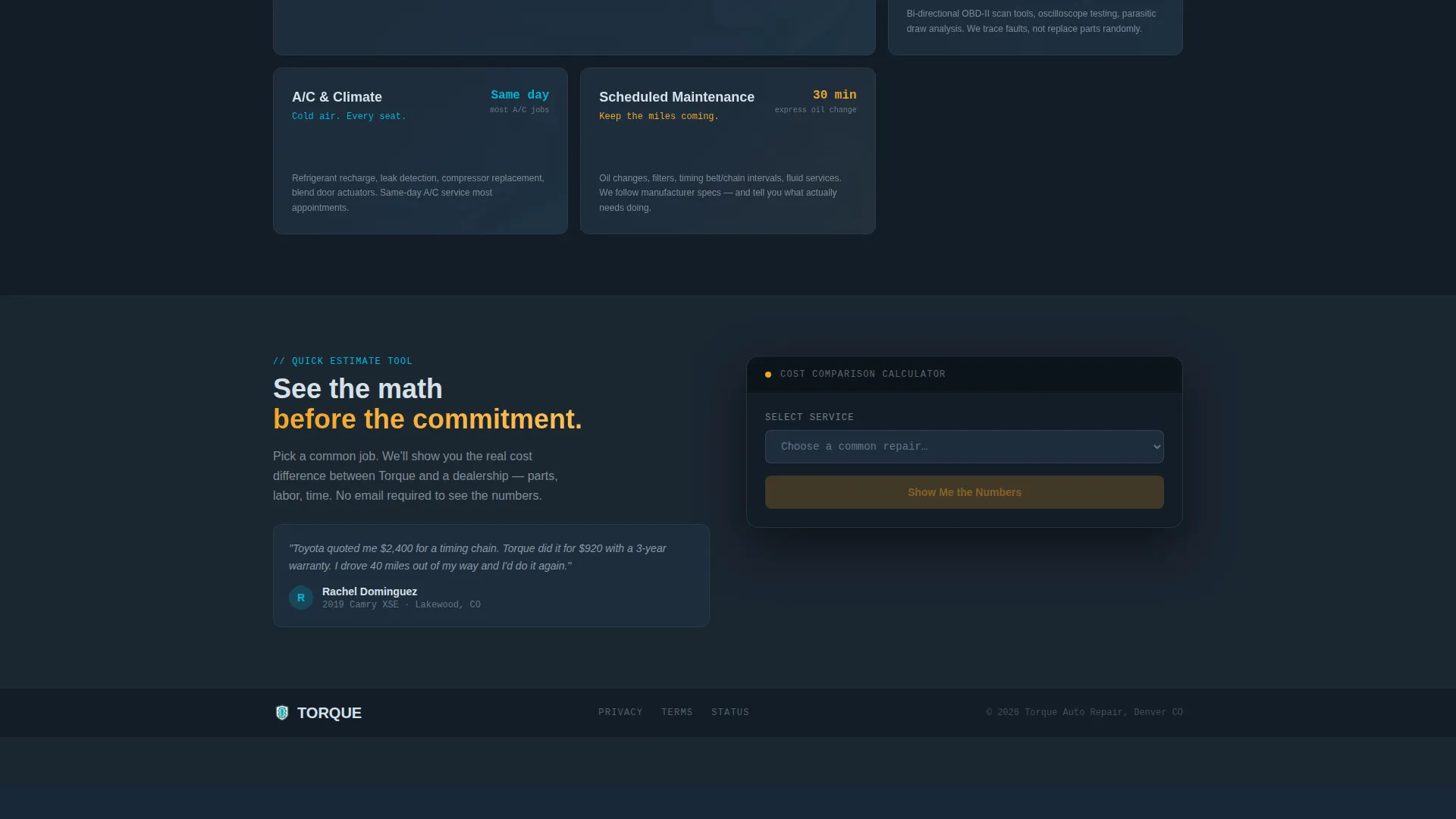
A secondary conversion path labeled "Get a Quick Estimate" opens a lightweight calculator. It compares shop versus dealer cost on common repair jobs. The template captures the visitor's email address at the result screen, placing the ask after the value has already been delivered.
Page sections overview
| Section | Purpose |
|---|---|
| Dashboard Warning Header | Greet visitors with a clickable, symptom-aware interface |
| Symptom Card Row | Connect driver experience to relevant repair category |
| Repair Solution Card | Reveal the shop fix, parts tier, and warranty detail |
| Comparison Table Block | Show labor, parts, and time versus dealership pricing |
| Escalating Drivetrain Row | Prove competence on complex, high-stakes repair work |
| Quick Estimate Calculator | Let visitors run cost math before committing to a form |
| Sticky Booking Footer | Keep the primary call-to-action visible at all times |
| Booking Contact Form | Capture vehicle details, symptom, and preferred drop-off |
Design & branding system
The visual system uses the Teal Catalyst color palette built on a Dashboard Pro theme. The overall feel is clinical and confident, like a professional scan tool connected to an on-board diagnostics port on an early morning in a well-lit service bay.
- Deep shop-floor charcoal (#1B2631) as the primary background, diagnostic teal (#00B4D8) for active states and highlights
- Spark-plug silver (#D6E0E8) for neutral interface elements and the default footer bar state
- Ignition amber (#F4A523) reserved strictly for calls-to-action, warning icon pulse states, and status indicators
Mobile & speed optimization
The card-grid layout is modular, which means it adapts naturally to narrower screens without sacrificing the comparison structure. Visitors on a phone can still tap warning icons, read comparison tables, and reach the booking form without horizontal scrolling.
- Each card column stacks vertically on smaller viewports so comparison content stays readable
- The sticky booking bar remains accessible at the bottom of the screen on mobile devices
- The quick-estimate calculator opens as an overlay, keeping the main page content intact underneath
How this template helps you convert
Torque is built around a Comparison and Versus conversion strategy. Every design decision is aimed at reducing the visitor's hesitation and moving them toward booking.
- The interactive dashboard header immediately engages curiosity and anchors the visit to a specific vehicle symptom, making the rest of the page feel personally relevant.
- The Problem to Solution card arc and embedded comparison tables compound the case row by row, so by the time the sticky footer bar turns amber, the visitor has already seen the evidence.
- The quick-estimate calculator captures email addresses at the moment of highest intent, after the visitor has already done the math and seen the value.
Other information about this template
This template is categorized under auto repair shop website templates and is specifically designed for the auto repair shop contact page use case. It is a strong fit for shops that want a page doing active sales work rather than passively listing services.
- The template style is Card Grid (Modular), making individual service rows easy to reorder or expand with additional repair categories
- The Dashboard Pro theme and Teal Catalyst color system are purpose-built for this template and give it a distinctive, professional identity
- The page is a single-page landing structure, not a multi-page site, so all visitor journeys resolve within one scrollable experience
Theme
Dashboard Pro
Creative direction
Problem→Solution Arc
Color system
Teal Catalyst
Style
Card Grid (Modular)
Direction
Comparison/Versus
Page Sections
Interactive Vehicle Dashboard Header
Symptom-to-solution Card Arc
Embedded Per-card Comparison Tables
Sticky Booking Bar with Behavior Trigger
Quick-estimate Cost Calculator
Related questions
Can I add more repair categories to the card grid?
How does the interactive dashboard header work?
What information does the booking form collect?
Is the quick-estimate calculator part of the main booking form?
What type of auto repair shop is this landing page template designed for?



