Serverless Computing Technology Advanced Professional Website Template
Edgebench is a scroll reveal landing page template built for serverless computing research labs. It combines a dark terminal aesthetic with a Feature Tab Switcher header, progressive section animations, and a Freemium/Trial conversion flow. The design is sharp, focused, and built for technical audiences who expect precision from the first pixel to the final call to action.
by Rocket studio
Quick summary
Edgebench is a single-page landing page template designed for a serverless computing research lab. It uses progressive scroll reveals, a three-tab header switcher, and a dark monitoring-dashboard visual identity. The conversion model is freemium, anchored by a persistent amber call-to-action and a secondary email-only research access path.
Who this template is for
This template speaks directly to technically sophisticated audiences. It is built for teams and individuals who treat serverless infrastructure as a subject of serious inquiry, not just a deployment choice.
- Platform engineers and DevOps professionals who need to communicate benchmarking work clearly
- Researchers and PhD candidates publishing findings on Function-as-a-Service (FaaS) platforms and edge compute
- Chief Technology Officers evaluating event-driven migration paths for their engineering organizations
What problem this template solves
Technical research labs often struggle to present complex findings in a way that feels credible and engaging at the same time. A generic template cannot carry the weight of cold start data, concurrency limit analysis, or cost-model research. Edgebench solves that gap.
- It gives serverless computing research a visual language that matches the discipline: dark, precise, and data-forward
- It structures the narrative so visitors move from problem awareness through methodology to open-source tooling without losing momentum
- It separates academic visitors from hands-on engineers through two distinct conversion paths, so neither audience feels ignored
What you get with this template
The template delivers a complete, ready-to-customize landing page structure. Every section is purpose-built for the serverless research niche, from the animated cost-curve opener to the live dependency tree closer.
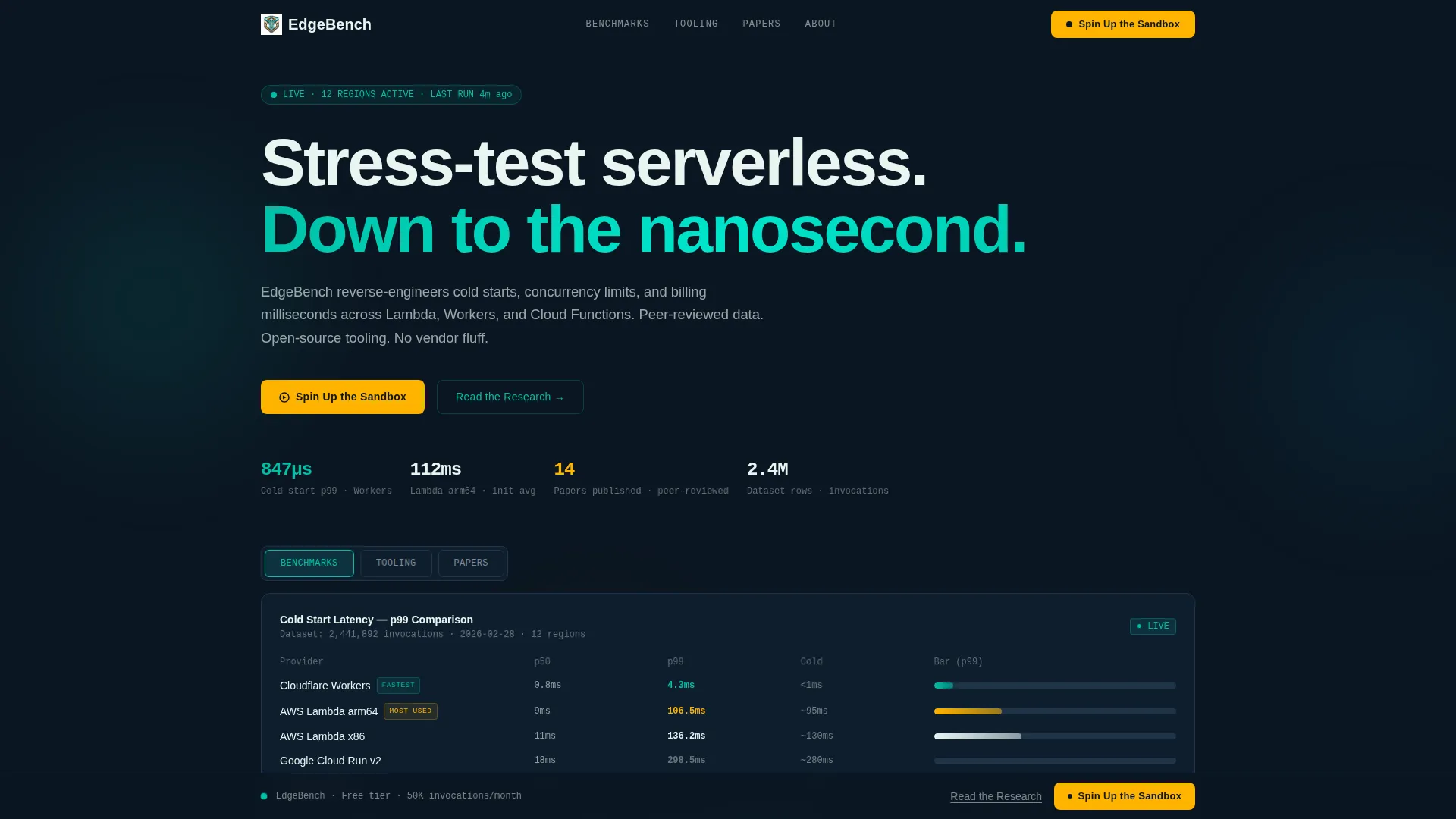
- A Feature Tab Switcher header with three labeled panes: Benchmarks, Tooling, and Papers
- Scroll reveal animations that fire directionally as the visitor moves down the page
- A dual conversion flow combining a sandbox signup form and a research paper email gate
Feature list
This template ships with six distinct functional and visual components, each grounded in the source brief.
Feature Tab Switcher Header
The header contains three horizontal tabs labeled Benchmarks, Tooling, and Papers. Each tab swaps the content inside a contained viewport instantly, with transitions capped at 120 milliseconds. Benchmarks displays a latency comparison chart with p99 numbers. Tooling shows a CLI snippet mid-execution. Papers reveals journal covers and citation counts.
Progressive Scroll Reveal Animations
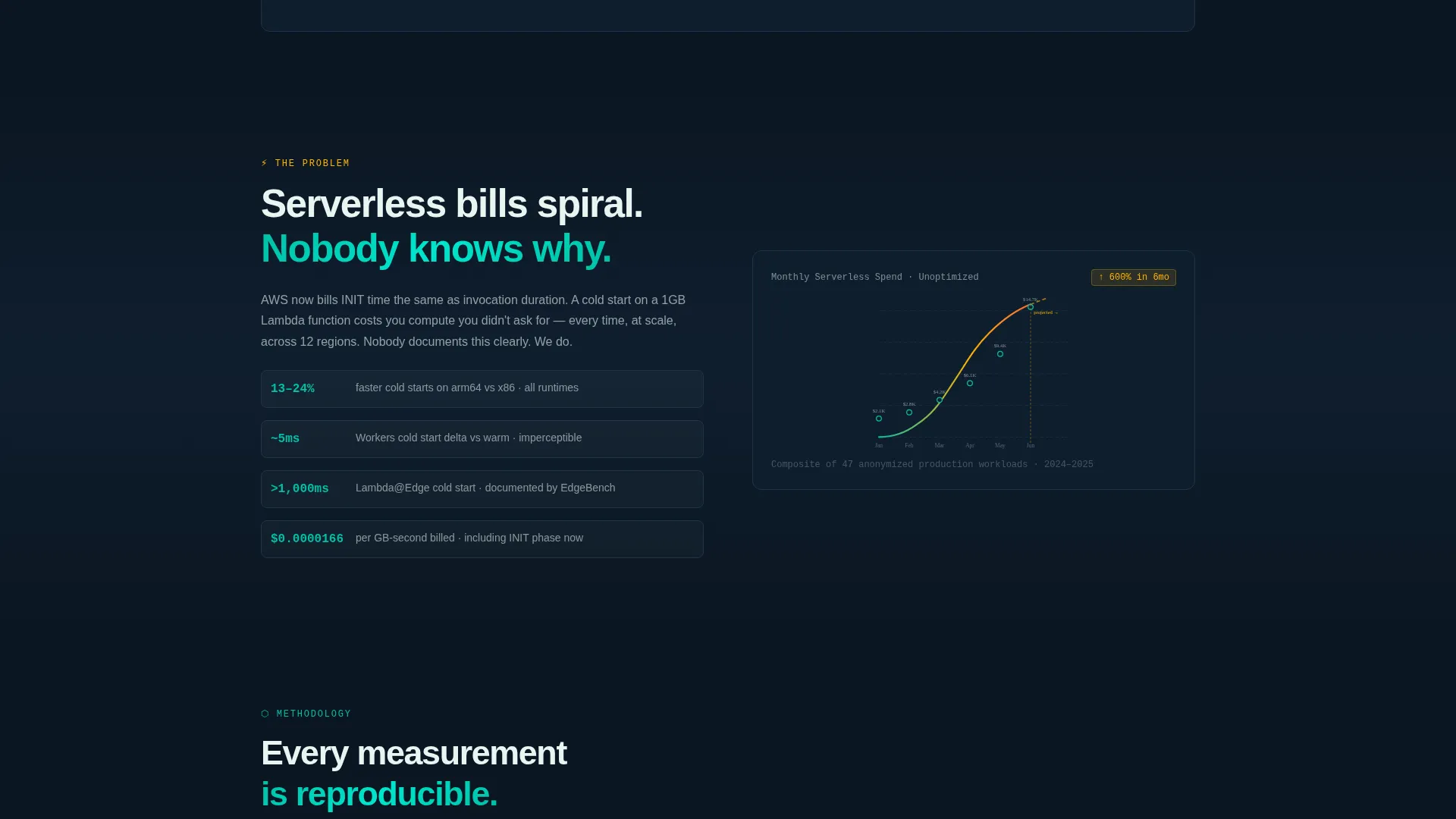
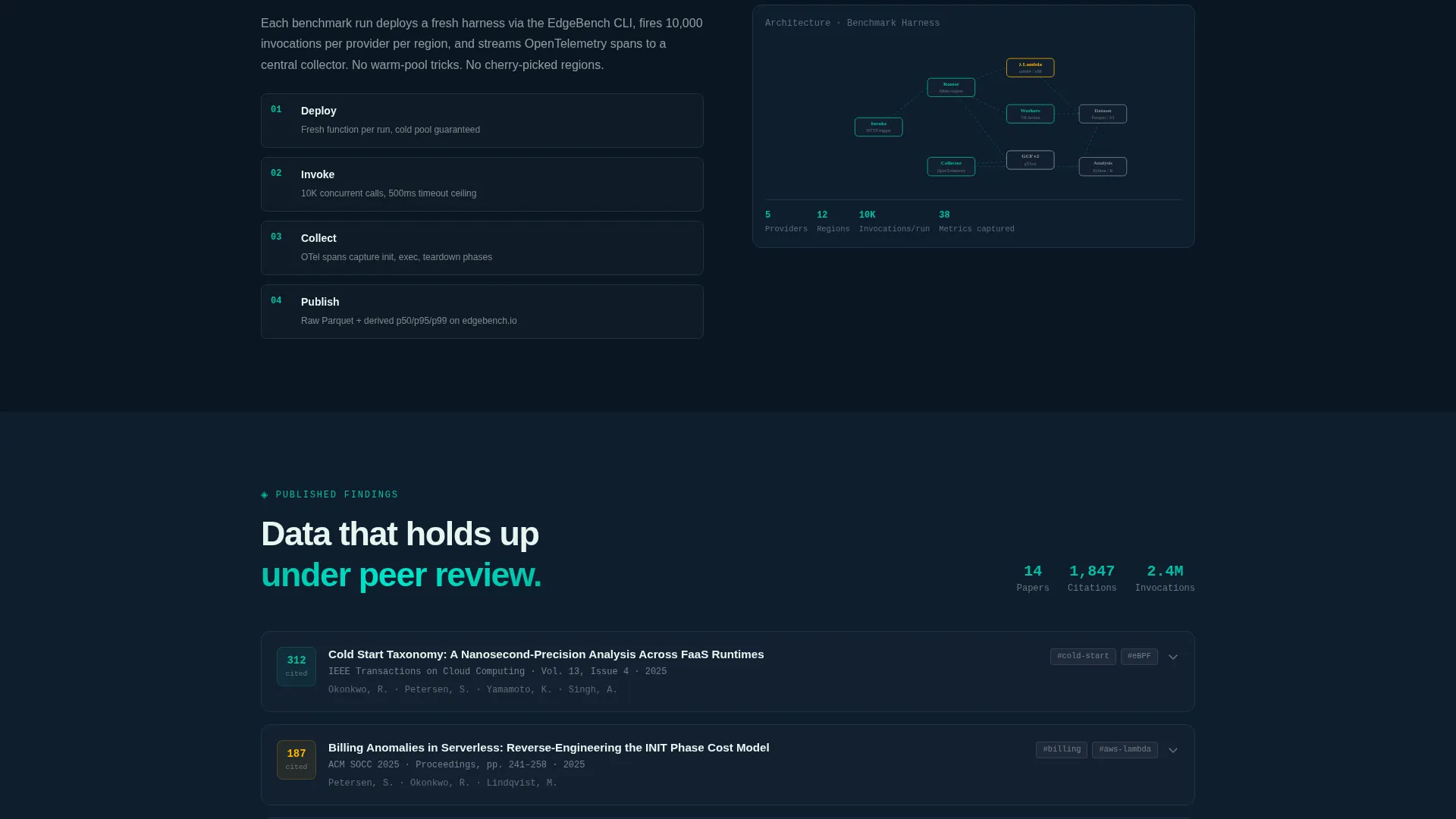
Every section below the header animates into view on scroll. Elements enter from the left, mimicking log entries appending in a terminal. The reveal sequence starts with a cost-curve animation, escalates through self-assembling architecture diagrams, expands abstract cards for published findings, and closes with an open-source dependency tree.
Dual Conversion Flow
The primary call to action, labeled "Spin Up the Sandbox," appears first after the Tooling section and stays pinned to the bottom rail from that point forward. Clicking it opens a two-field form collecting a work email and a preferred cloud provider selection. A secondary text link labeled "Read the Research" captures academic visitors through an email-only gate, requiring no additional form fields.
Latency Comparison Chart
The Benchmarks tab includes a live-updating chart that compares latency figures across three major serverless providers. The chart displays p99 latency data, giving engineers and researchers a concrete reference point without leaving the page.
Expanding Abstract Cards
The findings section presents published research through cards that expand to reveal abstracts. Each card includes citation context, making the section useful for both casual readers and academics evaluating the lab's output.
Open-Source Dependency Tree
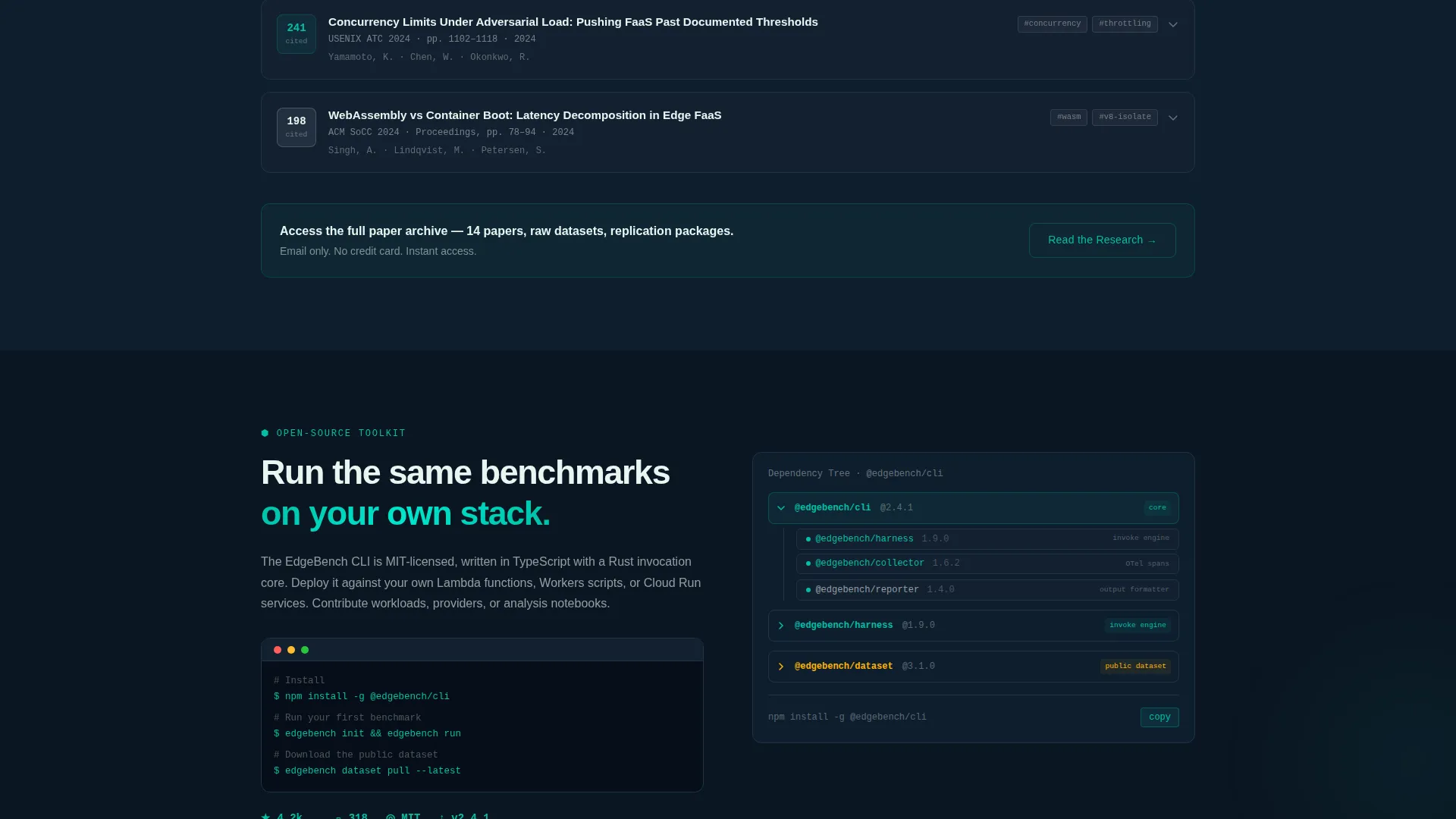
The final content section visualizes the open-source toolkit as a live dependency tree. This gives engineering visitors a clear picture of what they are working with before they commit to the sandbox signup.
Page sections overview
| Section | Purpose |
|---|---|
| Tab Switcher Header | Introduces benchmarks, tooling, and papers |
| Cost Curve Animation | Opens with the serverless spend problem |
| Methodology Diagrams | Assembles architecture visuals node by node |
| Published Findings Cards | Expands abstracts with citation context |
| Open-Source Toolkit | Displays the live dependency tree |
| Sandbox call to action Rail | Pins the primary conversion action persistently |
| Research Email Gate | Captures academic visitors via text link |
Design & branding system
The visual identity follows the Teal Catalyst color system inside a Directory and Discovery theme. The palette is built to feel like a monitoring dashboard running at night: dark backgrounds, a teal heartbeat, and amber alerts.
- Deep terminal black (#0B1622) forms the base background across all sections
- Reactor teal (#00BFA6) drives headlines, interactive states, and the tab switcher active indicators
- Signal white (#E8F5F1) handles body text and card surfaces, while ignition amber (#FFB300) is reserved strictly for calls to action and status indicators
Mobile & speed optimization
The template is structured for fast, directional rendering on any screen size. The scroll reveal animations are designed to feel instantaneous rather than decorative.
- Tab switcher transitions are hard-capped at 120 milliseconds so pane swaps never feel sluggish
- Scroll reveal elements use directional entry from the left, keeping motion purposeful and non-distracting on smaller viewports
- The pinned call to action rail is designed to remain usable on mobile without obscuring content
How this template helps you convert
The conversion architecture serves two distinct visitor types without conflicting with either. Every structural decision nudges the right visitor toward the right action.
- Engineers and evaluators see "Spin Up the Sandbox" in ignition amber after the Tooling section, then again as a persistent bottom rail element, keeping the free sandbox offer visible throughout the rest of the page without interrupting the content flow.
- Academic visitors who are not ready to run code encounter the "Read the Research" text link as a softer entry point, gating the full paper archive behind an email address only, with no credit card and no friction beyond a single field.
Other information about this template
This template sits at the intersection of serverless computing technology and research communication. It is a strong fit for labs, independent research groups, and open-source infrastructure projects that need to present technical depth without sacrificing visual credibility.
- The freemium model means the free tier covers benchmark dataset access and CLI tool access, lowering the barrier for first contact
- The template style is Scroll Reveal (Progressive), meaning sections load in sequence as the visitor scrolls rather than all at once
- The Launch Energy creative direction ensures the pacing feels momentum-driven, rewarding visitors who keep scrolling
- The template is themed around Directory and Discovery, making it easy to adapt for labs that want to surface datasets, papers, or tooling catalogs alongside core research content
Theme
Directory & Discovery
Creative direction
Launch Energy
Color system
Teal Catalyst
Style
Scroll Reveal (Progressive)
Direction
Freemium/Trial
Page Sections
Feature Tab Switcher Header
Progressive Scroll Reveal Animations
Dual Conversion Flow
Live Latency Comparison Chart
Expanding Abstract Cards
Open-source Dependency Tree
Related questions
Who is this landing page template designed for?
What does the free tier include after signup?
Can academic visitors access research papers without using the sandbox?
How does the scroll reveal animation sequence work?
Is the primary call-to-action button always visible on the page?



