Effective Pest Management Landing Page Template
Exterminate is a scroll-reveal landing page template built for pest control job boards. It opens with a scrolling employer logo bar, a centered search interface, and progressively discloses salary data, job cards, and employer testimonials as the visitor scrolls. The Teal Catalyst color system keeps the layout clinical and trustworthy, with safety yellow reserved for every action-driving call to action.
by Rocket studio
Quick summary
Exterminate is a single-page, scroll-reveal landing page template designed for pest control job boards. It targets licensed technicians and branch managers looking for faster, cleaner hiring. The page builds trust through progressive disclosure, real employer logos, salary data, and direct calls to action, no stock photography, no wasted space.
Who this template is for
This template is built for operators and employers who live inside the pest control industry. It speaks directly to people who understand service routes, license requirements, and the cost of a bad hire.
- Route technicians tired of sorting through unverified job listings looking for legitimate opportunities
- Branch managers at regional pest control operations who need qualified inspectors hired quickly
- Solo operators and independent pest control businesses hunting commercial contracts or permanent staff
What problem this template solves
Finding and filling pest control roles is slower than it needs to be. Generic job boards bury relevant listings under irrelevant results, and candidates have no way to filter by license type, region, or salary range before clicking through.
- Job seekers waste time on listings that do not match their certifications or location
- Employers have no fast way to signal credibility to qualified candidates scanning for scams
- Neither side gets the direct, no-friction path that a transactional hiring moment requires
What you get with this template
You get a complete, ready-to-customize landing page layout built around one goal: earning the click into your job search interface. Every section earns the next scroll by answering the question the previous section raised.
- A scrolling employer logo ribbon, a centered search bar, and a persistent mobile call-to-action bar
- Four progressively revealed content sections: featured job cards, a how-it-works triptych, employer testimonials, and a regional salary comparison widget
- Two clearly defined calls to action targeting job seekers and employers separately, with no form on the page itself
Feature list
This section covers the core components built into the Exterminate landing page template.
Scrolling Employer Logo Bar
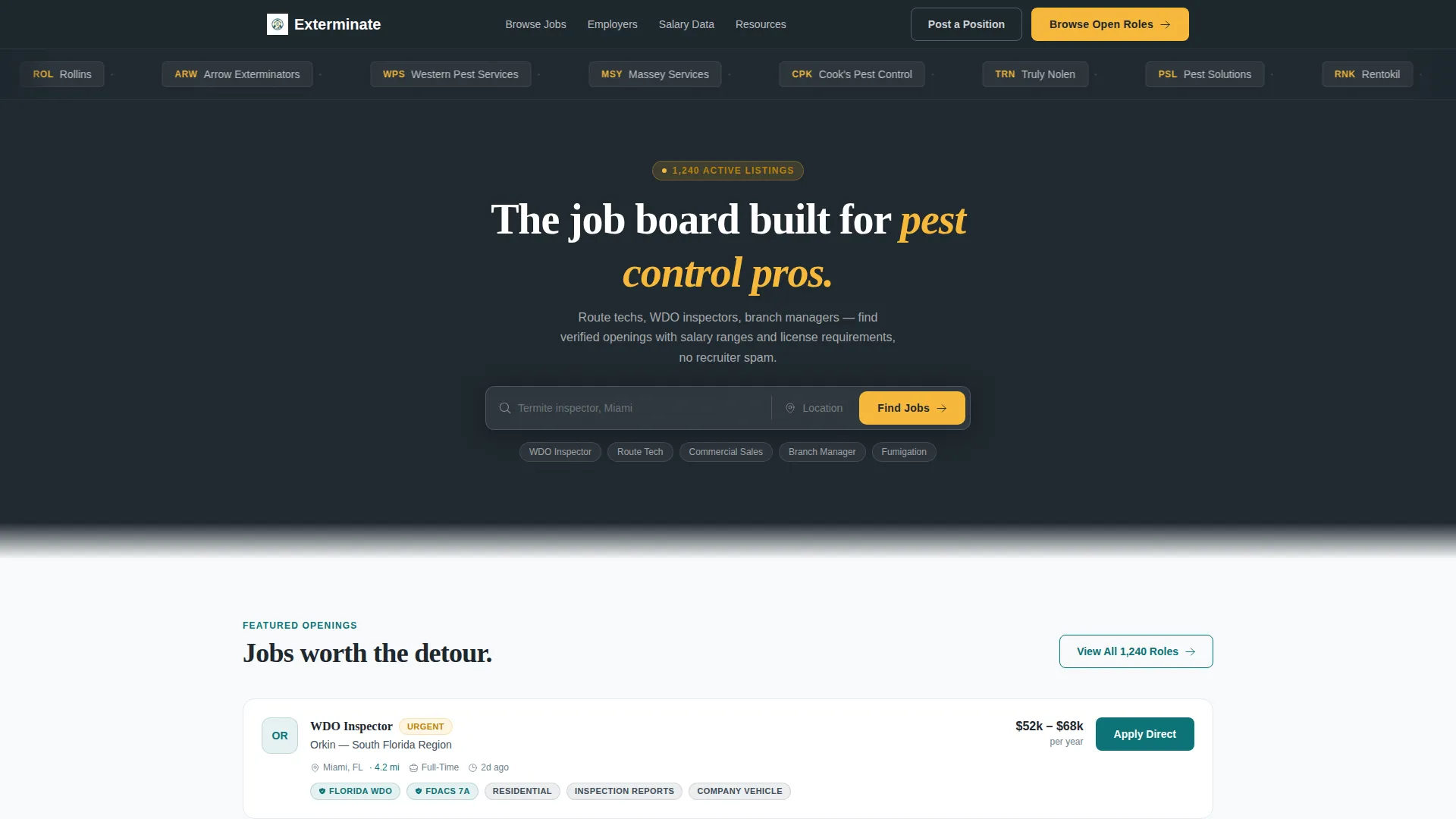
A horizontal ribbon of employer logos loops continuously against the dark charcoal navigation background. It loads before the search bar and acts as immediate, visual proof of platform credibility without a single word of copy.
Centered Search Interface
A single search bar sits centered on the page with ghost text guiding the user. A teal "Find Jobs" button anchors the action. No hero image competes for attention, the search bar is the product.
Progressive Scroll Reveal Sections
Each content section animates into view as the visitor scrolls. Job cards slide in from the left. The how-it-works triptych, testimonials, and salary widget each appear only when reached, keeping the experience clean and the message layered.
Featured Job Cards
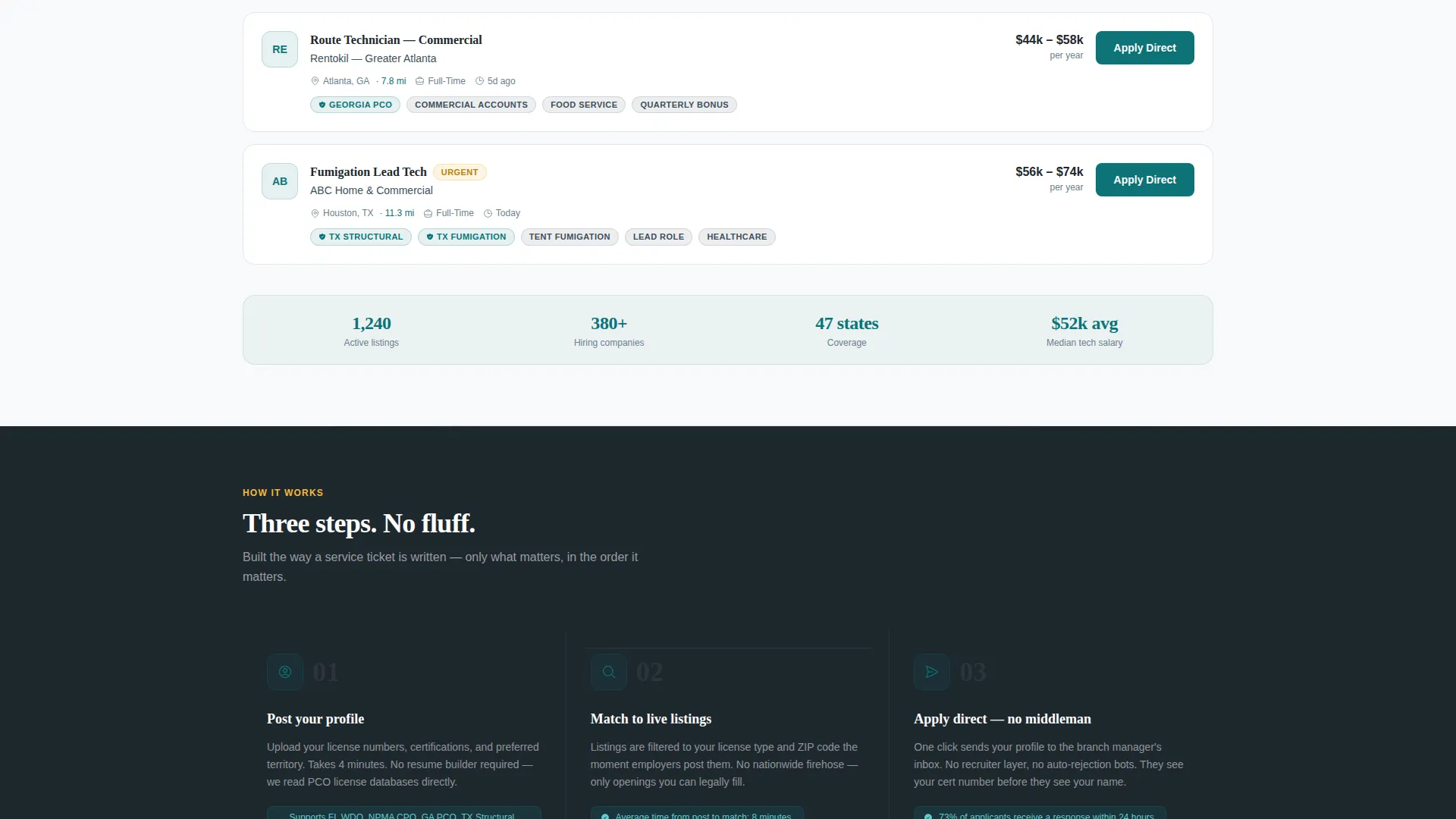
Three job cards are displayed in the first reveal, each showing a salary range, required license type, and distance from the user. The cards animate in like sliding drawers, immediately communicating the depth of listing data.
Regional Salary Comparison Widget
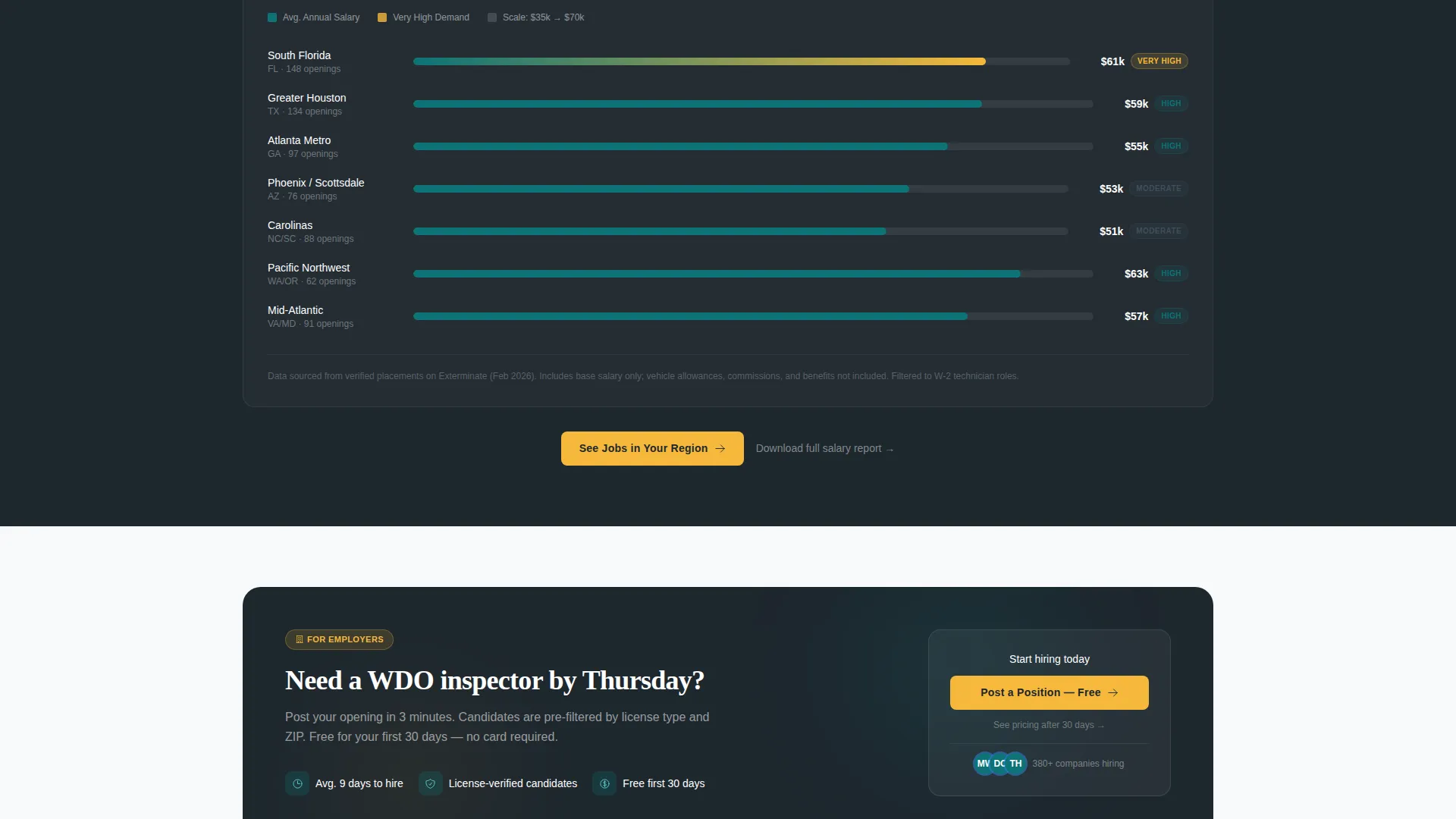
A horizontal bar chart renders average pest control technician pay by region in teal and charcoal. It provides proof before asking for any action, building the kind of trust that converts skeptical visitors into active job seekers.
Dual Call-to-Action System
The primary call to action, "Browse Open Roles," appears first in the search bar area in safety yellow, then reappears as a persistent bottom bar on mobile after the first scroll. A secondary outlined teal button targets employers with "Post a Position, Free for 30 Days."
Page sections overview
| Section | Purpose |
|---|---|
| Employer Logo Ribbon | Establishes platform credibility instantly |
| Centered Search Bar | Delivers the core product interaction |
| Featured Job Cards | Shows real listing depth and data quality |
| How It Works | Explains the three-step process visually |
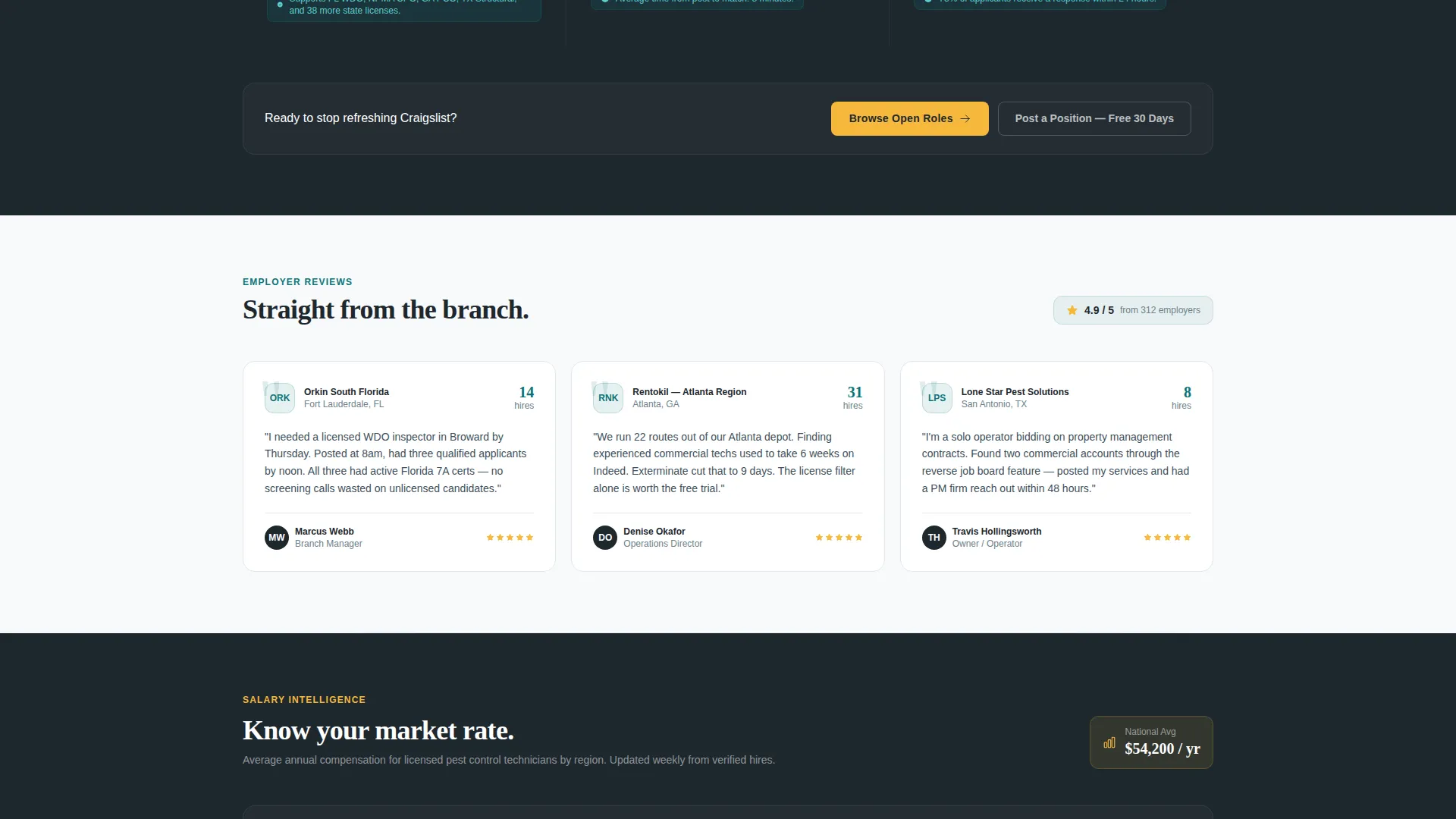
| Employer Testimonials | Builds trust through social proof |
| Salary Comparison Widget | Validates the platform with real pay data |
| Mobile call to action Bar | Keeps the primary action always reachable |
Design & branding system
The Teal Catalyst color system is built to feel like a freshly printed technician ID badge, clinical and trustworthy, with one bright element that signals action. Every color serves a distinct role and is never used interchangeably.
- Deep field teal (#0D7377) is the primary brand anchor used for buttons, icons, and interactive accents
- Dark uniform charcoal (#1E272E) covers navigation backgrounds and body text, grounding the layout
- Clean inspection white (#F7F9FA) fills content panels, keeping information easy to read at a glance
- High-visibility safety yellow (#F6B93B) is reserved exclusively for calls to action and badge highlights, ensuring they stand out immediately
Mobile & speed optimization
The template is structured for fast, distraction-free loading on mobile devices. The persistent call to action bar appears after the first scroll on mobile, ensuring the primary action is always within thumb reach without interrupting the content experience.
- The layout uses clean columns with no decorative images, reducing visual load without reducing impact
- The persistent mobile bottom bar keeps "Browse Open Roles" accessible throughout the entire scroll journey
- Each scroll-reveal section loads progressively, so content appears as needed rather than all at once
How this template helps you convert
This template is a click-through page with one job: move visitors into the full job search interface with filters pre-loaded. It earns that click by delivering proof before asking for anything.
- The employer logo bar and salary widget establish credibility immediately, so visitors arrive at the call to action already trusting the platform
- The dual call-to-action system targets both job seekers and employers without splitting the page's focus, keeping each audience on a clear path
Other information about this template
The Exterminate template fits naturally into the pest control digital presence space, where most job platforms are either too generic or too visually cluttered to serve field technicians well. The Spec Sheet creative direction keeps the layout methodical and easy to scan, mirroring the way technicians actually work through an inspection report.
- The template uses a Directory and Discovery theme, making it suitable for any niche job board that needs a fast, filterable browsing experience
- The scroll-reveal structure follows a Spec Sheet logic, progressively disclosing platform value room by room rather than overwhelming visitors upfront
- Employer testimonials include company logo, hire count, and a single quote, keeping social proof compact and credible
- The template is designed as a Click-Through page, meaning no forms appear on the landing page itself, all data capture happens inside the linked job search interface
Theme
Directory & Discovery
Creative direction
Spec Sheet
Color system
Teal Catalyst
Style
Scroll Reveal (Progressive)
Direction
Click-Through
Page Sections
Scrolling Employer Logo Ribbon
Centered Search Bar with Ghost Text
Progressive Scroll Reveal Layout
Featured Job Cards with Salary and License Data
Regional Salary Comparison Widget
Dual Call-to-action System
Related questions
Does this template include a job listing database or search functionality?
Can employers and job seekers both use this page?
Is the regional salary comparison widget editable?
Does the persistent mobile call to action bar appear automatically?
Can I adapt this template for a pest control niche other than hiring?



