Embed - Precision Vectorsearch Landing Page Template
Embed is a split-screen landing page template built for vector search newsletters and technical communities. It combines a Feature Tab Switcher header, interactive content explorer sections, and a minimal lead-generation form into one cohesive page. The Data Command visual theme and Carbon Fiber color system give it the feel of a live infrastructure dashboard built for ML engineers and data platform teams.
by Rocket studio
Quick summary
Embed is a single-page template designed for vector search newsletters and technical communities. It uses a 50/50 split-screen layout, a tab-driven header, and interactive explorer sections to let visitors engage with real content before committing. The Data Command theme and Carbon Fiber palette make it feel like a live monitoring environment rather than a standard marketing page.
Who this template is for
This template is built for technical newsletter publishers and community operators who serve a demanding engineering audience. It speaks directly to the people building retrieval-augmented generation (RAG) pipelines, debugging index configurations, and evaluating vector database infrastructure.
- ML engineers and data platform leads running vector search infrastructure
- Startup founders and technical CTOs launching newsletters for engineering audiences
- Community builders who want to showcase real content before asking for an email
What problem this template solves
Most newsletter landing pages ask for an email before proving their value. Technical readers bounce immediately when there is nothing substantive to evaluate. This template flips that order by making the content itself the conversion mechanism.
- Visitors can explore real issue previews, community threads, and benchmark data before signing up
- A searchable archive lets readers verify depth and relevance on their own terms
- The minimal form reduces friction once the reader is already convinced
What you get with this template
You get a fully structured single-page layout with interactive components wired to a clear lead-generation flow. Every section is designed to earn trust before asking for action.
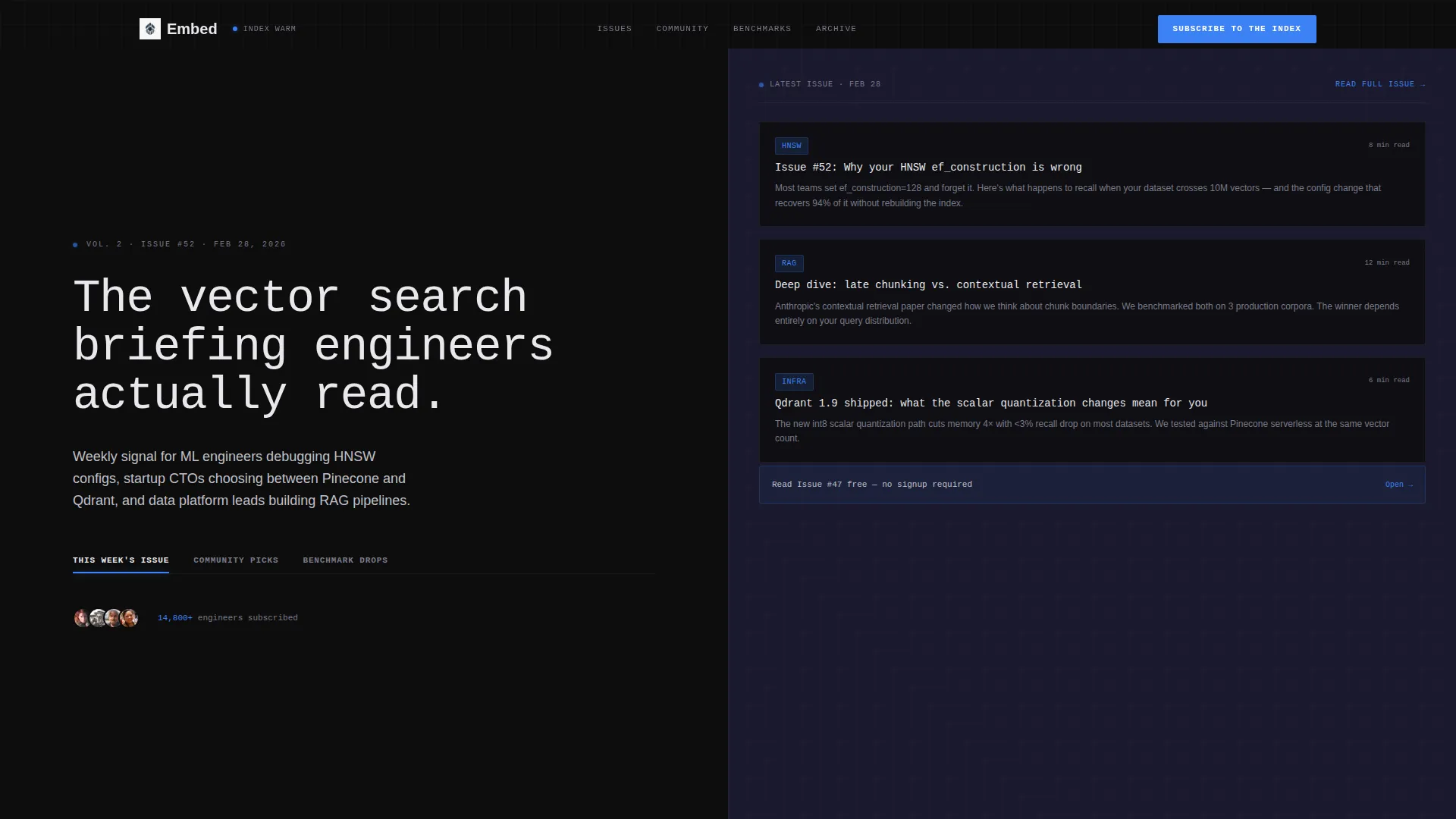
- A 50/50 split-screen header with three switchable content tabs
- An Interactive Explorer scroll with drag slider, filterable community grid, and searchable archive
- A persistent top-nav call-to-action button and a secondary lead magnet path below the fold
Feature list
This template includes a focused set of interactive components. Each one is grounded in the brief and serves a specific conversion or credibility purpose.
Feature Tab Switcher Header
The header splits the screen evenly. The left side holds the headline and three clickable tabs: "This Week's Issue," "Community Picks," and "Benchmark Drops." Each tab swap updates the right panel instantly, showing a newsletter preview, a live-feed community list, or a mini benchmark chart. The interaction feels like toggling panes in a monitoring dashboard.
Curation Slider Section
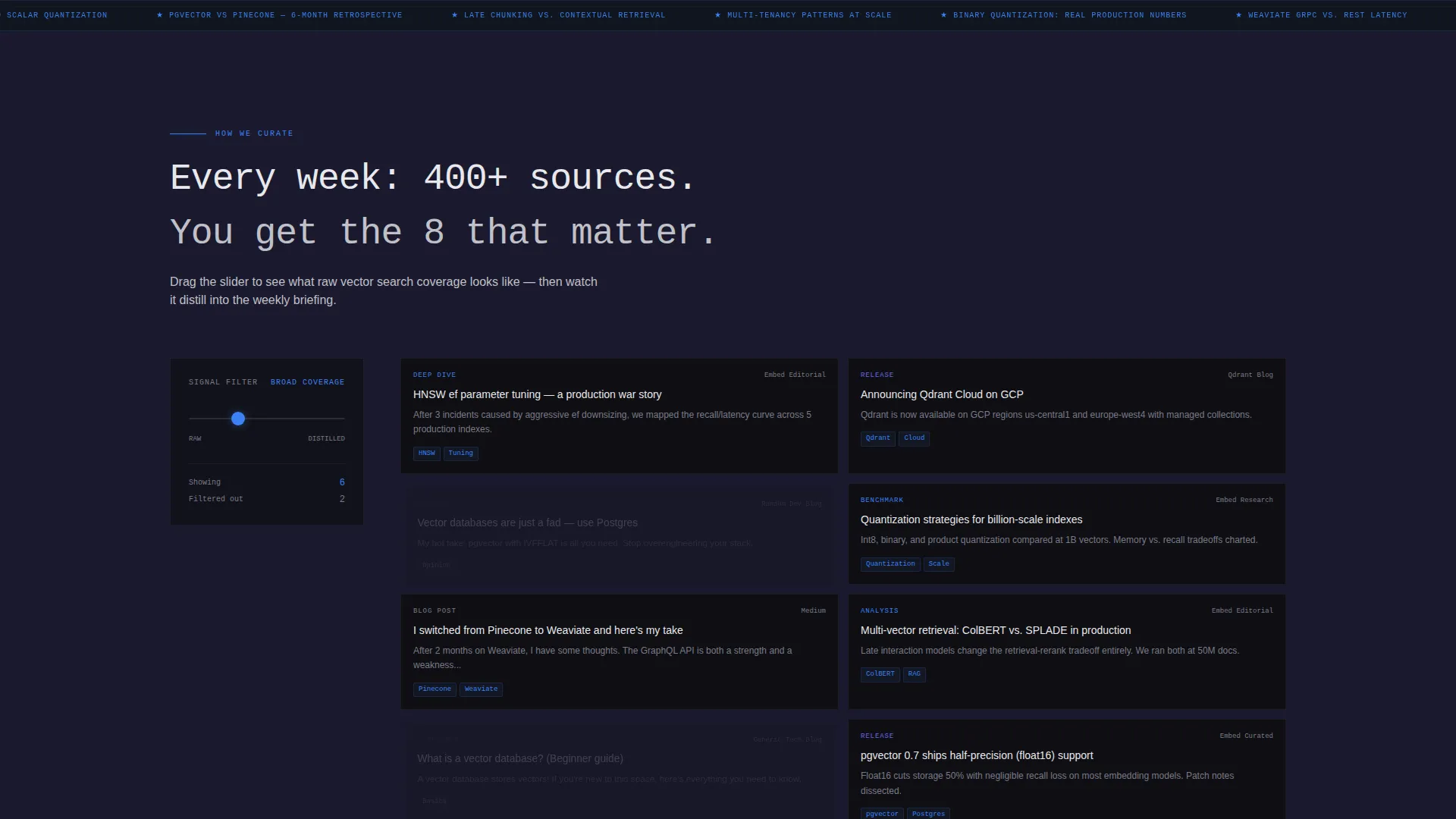
The "How We Curate" section features a draggable slider running from RAW FIREHOSE to DISTILLED SIGNAL. As the visitor drags, example content cards on the opposite panel filter and refine in real time. This single interaction communicates editorial value more clearly than any paragraph of copy could.
Filterable Community Grid
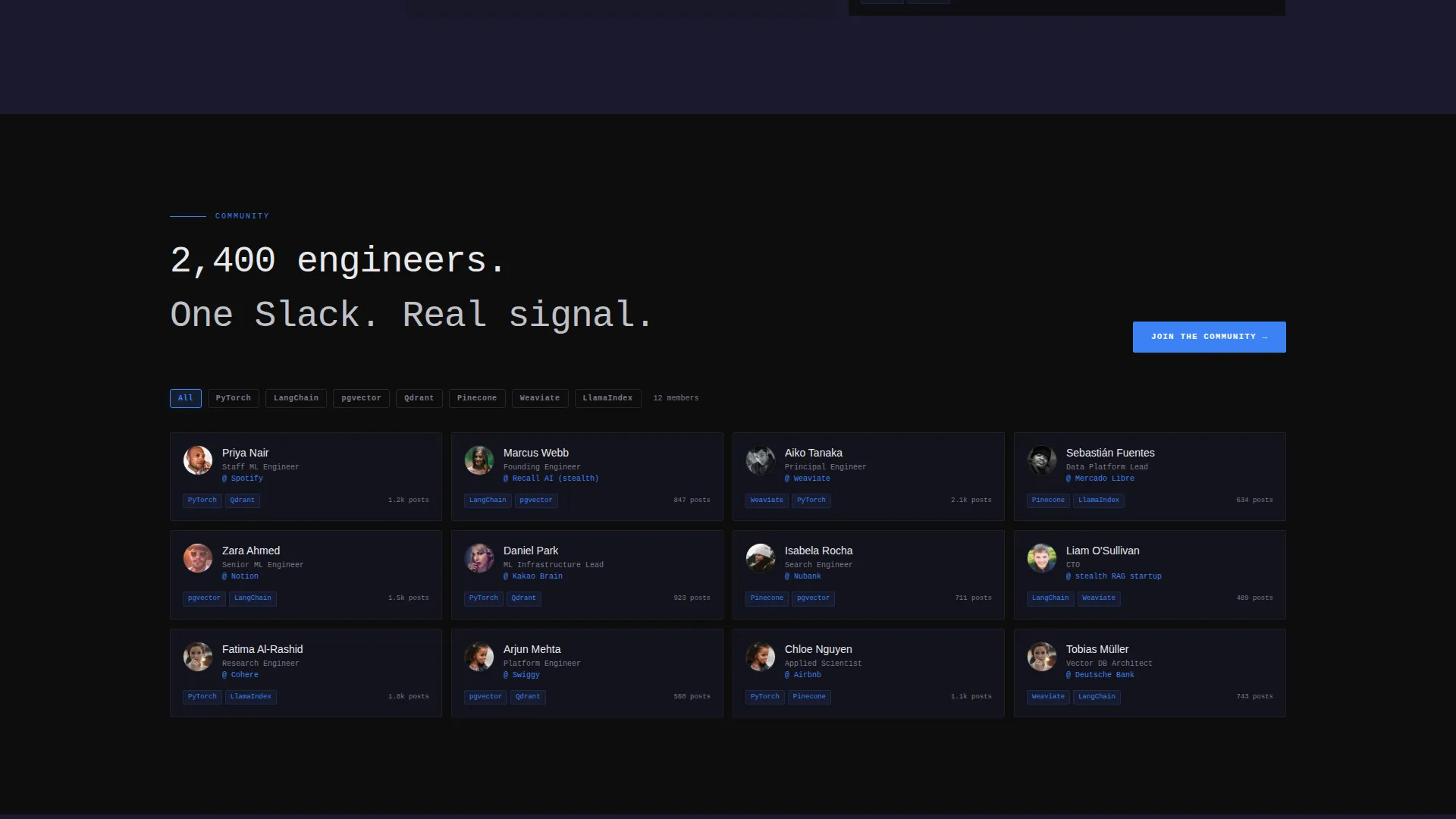
A live-updating grid displays member roles and affiliations. Visitors can filter the grid by technology stack. This surfaces the quality and diversity of the community in a format that feels active rather than static.
Searchable Back-Catalog Archive
Past issues are presented as an interactive archive. Visitors can search by topic tag, such as quantization, HNSW (Hierarchical Navigable Small World graphs), pgvector, or multi-tenancy. The archive demonstrates the newsletter's depth before the visitor reaches any conversion prompt.
Persistent Subscribe Button
The primary call-to-action, "Subscribe to the Index," is pinned in the top navigation bar and repeated at each section break. The form requires only one email field, with a single optional checkbox to also join the community Slack workspace.
Lead Magnet Gateway
A secondary conversion path below the fold offers "Read Issue #47 Free." Clicking it captures the visitor's email before delivering the free issue. This gives visitors a low-commitment entry point while still building the subscriber list.
Page sections overview
| Section | Purpose |
|---|---|
| Split-screen header | Introduce the newsletter with three switchable content tabs |
| Curation slider panel | Demonstrate editorial filtering from raw signal to distilled content |
| Community proof grid | Show filterable member roles to establish community credibility |
| Back-catalog archive | Let visitors browse past issues by topic tag before subscribing |
| Primary subscribe call to action | Collect email with a minimal one-field form at each section break |
| Lead magnet gateway | Offer a free issue below the fold as a secondary conversion path |
Design & branding system
The visual identity follows a Data Command theme built on a Carbon Fiber color system. The palette is drawn from the inside of a server rack: matte dark surfaces with faint structural texture, broken by a single active-state blue.
- Core colors: deep carbon black (#0D0D0D), woven graphite (#1A1A2E), filament silver (#C0C0C8) for body text, and electric index blue (#3B82F6) for all interactive elements and active states
- Headings render in near-white (#E8E8EC); backgrounds alternate between carbon black and graphite to create depth without relying on visible borders
- Every clickable surface uses the electric index blue, giving the page a consistent and readable interactive language
Mobile & speed optimization
The split-screen layout is structured to adapt across screen sizes. Interactive components are designed to remain usable on smaller viewports without losing the Data Command visual character.
- The 50/50 split collapses cleanly for narrow screens, keeping the tab switcher and content panels readable
- Interactive elements like the curation slider and filterable grid are touch-friendly by design
- The minimal conversion form requires only one required field, keeping load and interaction lightweight on any device
How this template helps you convert
The entire page is structured around earning the subscription rather than demanding it. Every interactive section moves the visitor closer to the form without pressure.
- The tab-switching header lets visitors read real issue snippets, browse community activity, and review benchmark data before seeing any signup prompt, building trust through content rather than claims.
- The searchable archive and filterable community grid let technically skeptical readers self-qualify, so the visitors who reach the form are already invested in what the newsletter offers.
- The persistent top-nav button and the free-issue lead magnet below the fold give both high-intent and low-intent visitors a clear next step matched to where they are in the page.
Other information about this template
This template is categorized under Technology, with a specific focus on the Vector Database Technology subcategory and the Vector Database Newsletter and Community niche. It is well suited to publishers covering tools and infrastructure in the vector search space, including comparisons between options like Pinecone and Qdrant, coverage of embedding frameworks, and community discussion around retrieval-augmented generation pipelines.
- The template style is Split Screen (50/50) with a Feature Tab Switcher header concept and an Interactive Explorer creative direction
- The theme is Data Command using the Carbon Fiber color system, making it a strong visual fit for technical infrastructure content
- The lead-generation direction is built around a single primary action with a secondary lead magnet, keeping the conversion flow clean and intentional

Theme
Data Command
Creative direction
Interactive Explorer
Color system
Carbon Fiber
Style
Split Screen (50/50)
Direction
Lead Generation
Page Sections
Feature Tab Switcher Header
Curation Slider Interaction
Filterable Community Grid
Searchable Issue Archive
Persistent Subscribe Call to Action
Free Issue Lead Magnet
Related questions
Who is this landing page template designed for?
Can I change the tab labels and content in the header?
What does the conversion form include?
Does the archive section require a separate database or integration?
Can I use this template for a community page rather than a newsletter?



