Embedlab - Intelligent Vectordb Landing Page Template
Embedlab is a glassmorphic, card-grid landing page built for a vector database research lab. It features a live Dimensionality Estimator header, interactive algorithm explorer cards, recall-versus-latency sliders, and a focused app-download call to action. The design pairs deep void black with frosted glass surfaces and electric accent glows, giving technical audiences an experience that feels as fast as the product it promotes.
by Rocket studio
Quick summary
Embedlab is a single-page, card-grid landing page template for a vector database research lab. It opens with a live Dimensionality Estimator, moves through interactive algorithm and benchmark cards, and closes on a CLI download call to action. The glassmorphic visual system keeps the experience precise and immersive throughout.
Who this template is for
This template is purpose-built for technically sophisticated audiences who need to evaluate a vector database tool quickly and hands-on. It skips the sales pitch and puts real controls in front of the visitor immediately.
- Machine learning engineers benchmarking nearest-neighbor recall and index performance
- Startup technical leads comparing managed services against self-hosted approaches
- PhD candidates and researchers validating sub-millisecond latency on custom index configurations
What problem this template solves
Most infrastructure landing pages describe performance with static numbers and marketing copy. Technical visitors stop trusting the page the moment they cannot verify a claim themselves. This template solves that credibility gap by letting the data make the argument.
- Visitors can input their own dataset size and see projected performance before reading a single claim
- Algorithm cards show live animations instead of static diagrams, removing the need to imagine tradeoffs
- The download path feels earned because the estimator already answered the visitor's real question
What you get with this template
You get a fully structured, single-page layout with every section pre-built and ready to customize. The card-grid system is modular, so individual rows can be reordered or replaced without rebuilding the page.
- A live Dimensionality Estimator panel with animated output fields and a reactive particle background
- A row of algorithm toggle cards covering IVF-Flat, HNSW, and ScaNN with 2D point-cloud animations
- A recall-versus-latency benchmark row with draggable sliders, flippable architecture cards, and a CLI download section with platform toggle pills
Feature list
This template ships with six purpose-built interactive modules, each grounded in the brief.
Live Dimensionality Estimator
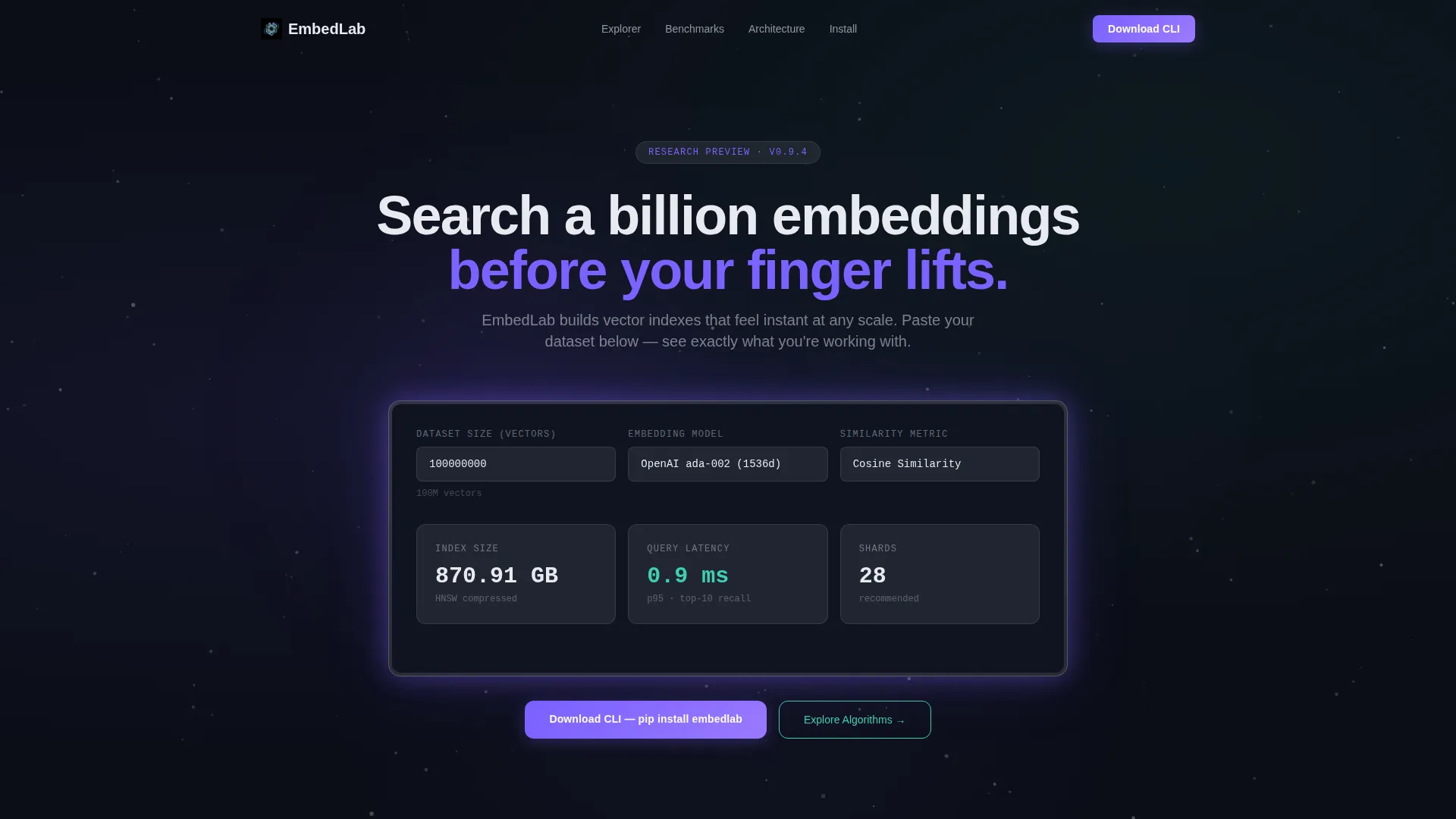
Visitors paste or type a dataset size, select an embedding model from a dropdown, and choose a similarity metric. The panel instantly returns estimated index size in gigabytes, approximate query latency in milliseconds, and a recommended shard count. Output numbers tick upward like a departures board inside a frosted glass panel.
Reactive Particle Background
A particle field of softly glowing vectors drifts in three-dimensional space behind the estimator. Faint connecting edges brighten when the calculation runs, giving the impression that the data itself is responding to visitor input in real time.
Algorithm Toggle Cards
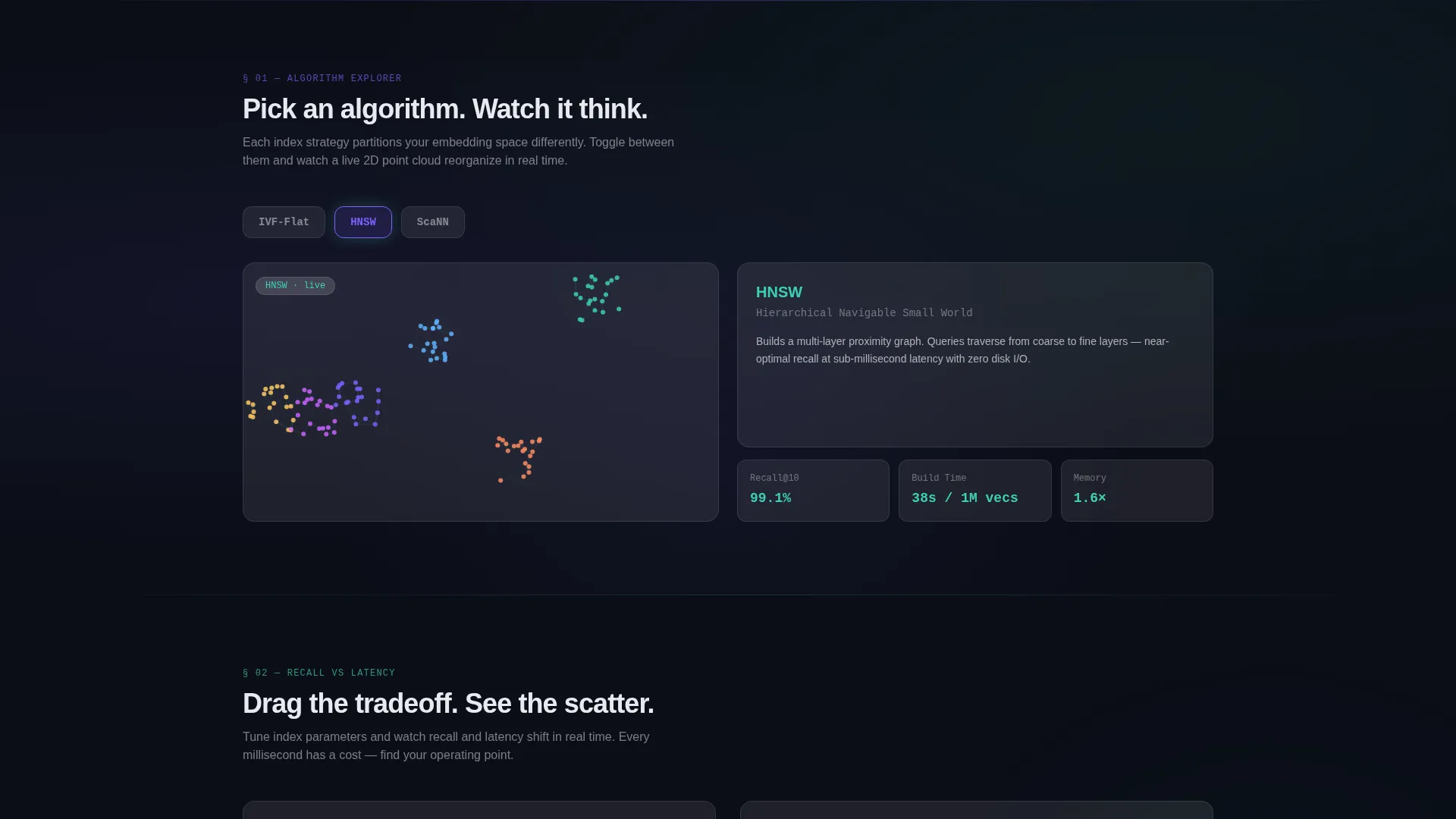
The first card row lets visitors switch between IVF-Flat, HNSW (Hierarchical Navigable Small World), and ScaNN (Scalable Nearest Neighbors) indexing algorithms. Each selection triggers a live animation showing how that algorithm partitions a two-dimensional point cloud differently.
Recall versus. Latency Benchmark Sliders
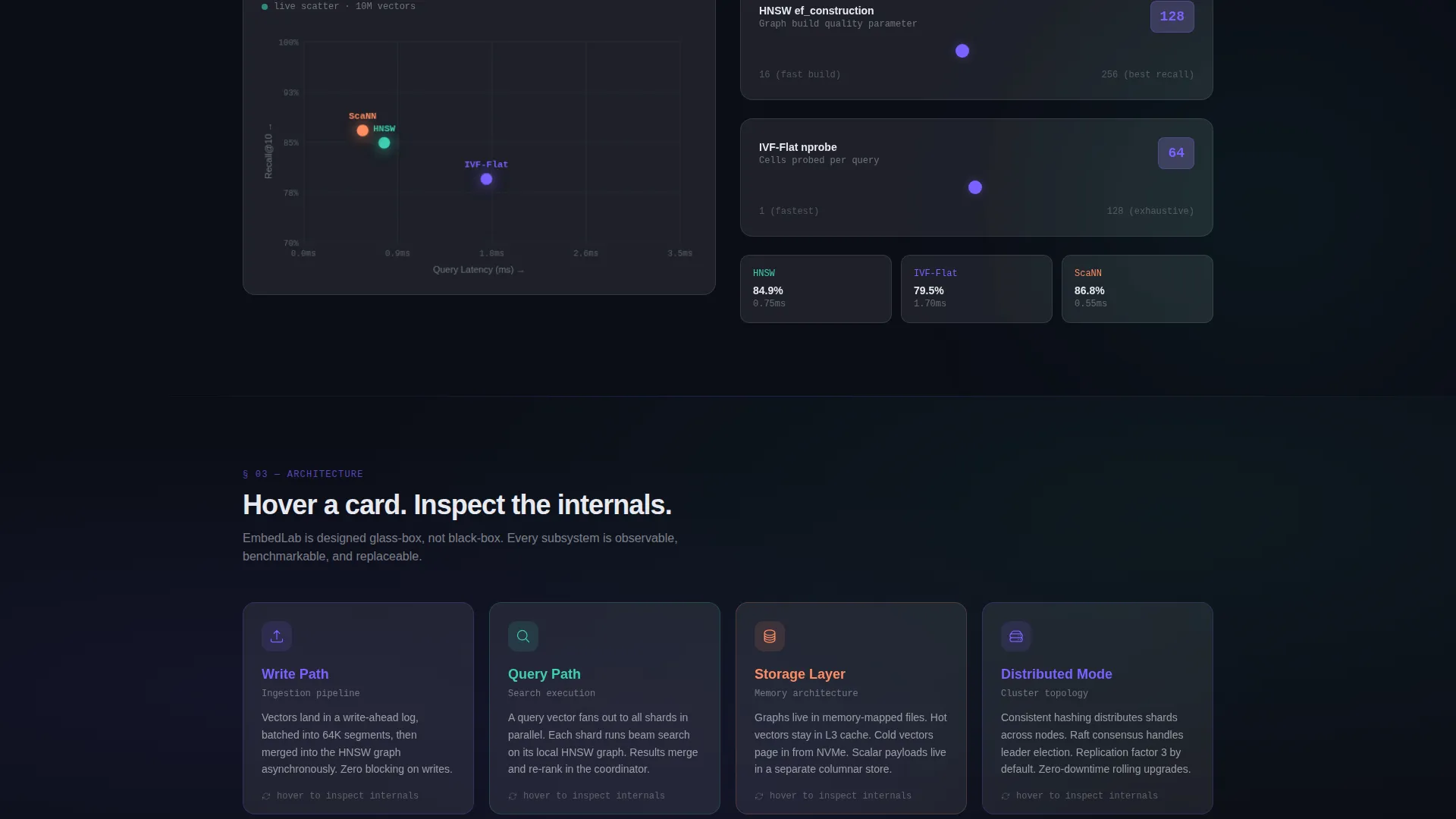
A dedicated card row presents draggable sliders that adjust index parameters. As visitors drag, the displayed recall and latency figures update live, making performance tradeoffs tangible rather than theoretical.
Flip-to-Reveal Architecture Cards
Architecture overview cards sit face-down on the page until a visitor hovers. Flipping the card reveals a backend diagram for that component. This keeps the surface clean while rewarding curious visitors with deeper technical detail.
CLI Download and Platform Switcher
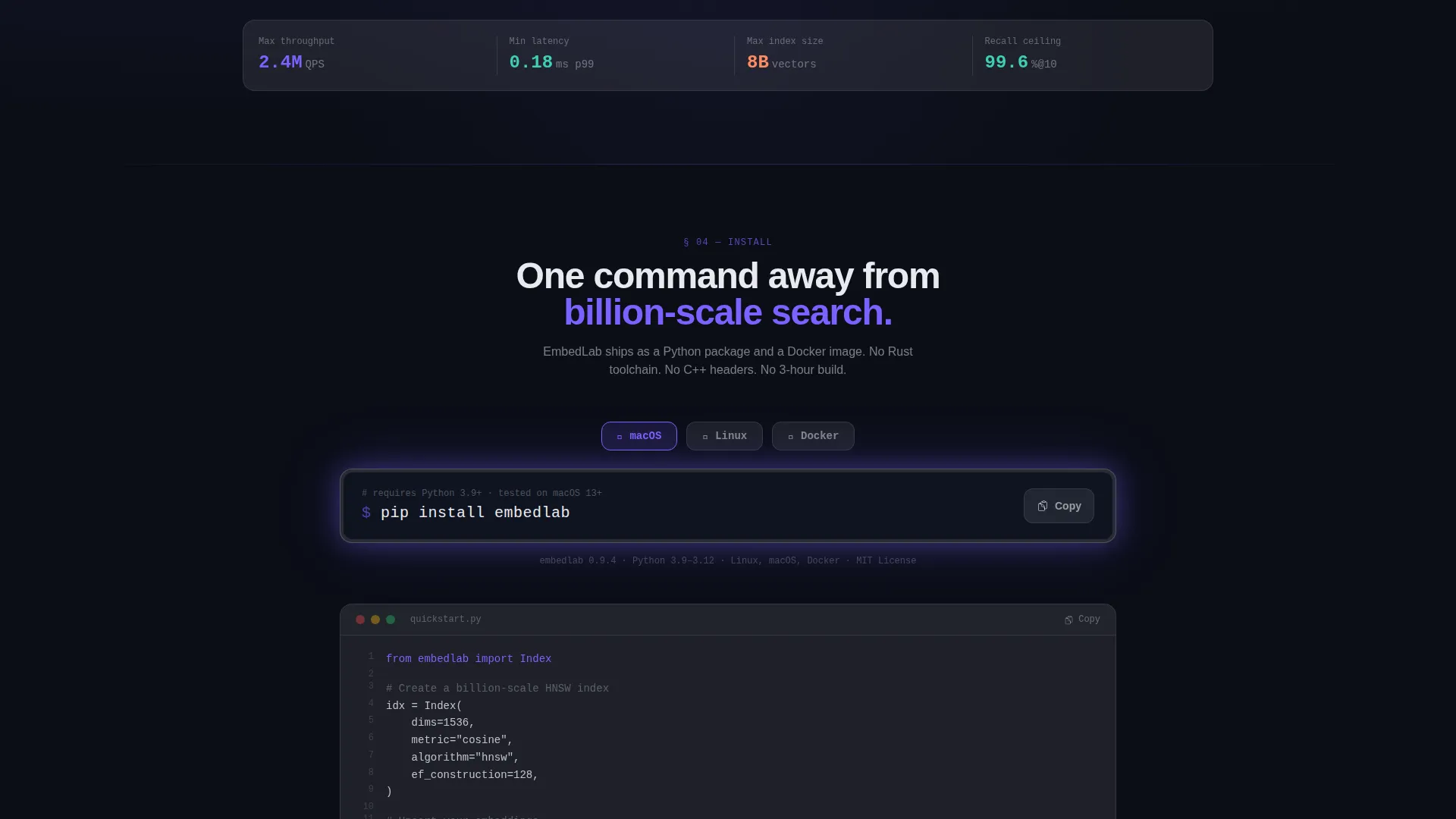
The primary call-to-action section displays a monospace frost card with a one-click copy of the install command. Platform toggle pills let visitors switch between macOS, Linux, and Docker instructions. A secondary link offers a browser-based sandbox for visitors not ready to install.
Page sections overview
| Section | Purpose |
|---|---|
| Estimator Header | Let visitors calculate projected index performance with their own data |
| Particle Vector Field | Provide a reactive visual backdrop that responds to estimator input |
| Algorithm Toggle Row | Show live partitioning animations for three indexing approaches |
| Benchmark Slider Row | Enable hands-on recall and latency tradeoff exploration |
| Architecture Flip Cards | Reveal backend diagrams on hover for deeper technical context |
| CLI Download Section | Drive the primary app-download conversion with platform options |
| Browser Sandbox Link | Offer a low-commitment secondary path for first-time evaluators |
Design & branding system
The visual system is built on a Tech Glass theme with a glassmorphic color palette. Every surface reads like smoked glass held in front of a lit server room: detail is present, but it arrives diffused and precise.
- Core palette: deep void black (#0B0E17) base, translucent frost cards at 8% white opacity with a 12-pixel backdrop blur, electric iris (#7B61FF) for interactive states and accent glows, soft signal teal (#3ECFB4) for success states and secondary highlights
- Cards float on frosted surfaces with 1-pixel luminous borders, and background gradients shift subtly on scroll to add depth without visual noise
Mobile & speed optimization
The card-grid layout is modular by design. Each row stacks cleanly at smaller viewport widths without requiring a separate mobile layout file.
- Frosted glass effects use CSS backdrop-filter, which renders efficiently on modern browsers without heavy image assets
- Particle field animations are scoped to the header viewport so they do not run continuously as the visitor scrolls down
How this template helps you convert
The conversion path is built into the page structure itself. Each section earns the next click rather than asking for it upfront.
- The Dimensionality Estimator at the top personalizes the experience immediately, using the visitor's own numbers to demonstrate value before any marketing claim appears.
- The interactive algorithm and benchmark cards deepen confidence by replacing static proof with live, controllable experiments the visitor runs themselves.
- By the time the CLI download section appears, the visitor has already seen their own dataset's projected performance, making the install command feel like the natural next step rather than a cold ask.
Other information about this template
This section covers additional context useful for evaluators and builders working with the Embedlab template.
- The template is categorized under Vector Database Technology within the Technology category, making it directly relevant to teams building or promoting similarity search infrastructure
- The interactive estimator supports three embedding model options out of the box: ada-002, BGE-large, and Cohere v3, as well as three similarity metrics: cosine, dot product, and L2 distance
- The card-grid structure follows a modular system, so individual card rows can be reordered, duplicated, or removed to match a specific product's feature set
- The template is designed to serve as a standalone landing page for a vector database tool, a research lab showcase, or a technical product launch page for nearest-neighbor search infrastructure
Theme
Tech Glass
Creative direction
Interactive Explorer
Color system
Glassmorphic
Style
Card Grid (Modular)
Direction
App Download
Page Sections
Live Dimensionality Estimator
Reactive Particle Vector Field
Algorithm Toggle Cards
Recall Versus. Latency Sliders
Flip-to-reveal Architecture Cards
CLI Download with Platform Toggle
Related questions
Who is this landing page template designed for?
Can I swap out the embedding model options in the estimator?
Does the template require a backend or API to run the estimator?
Can the algorithm toggle cards be updated with different indexing methods?
Is the CLI download section easy to customize for a different install command?



