Dynamic Signage Craftsperson Landing Page Template
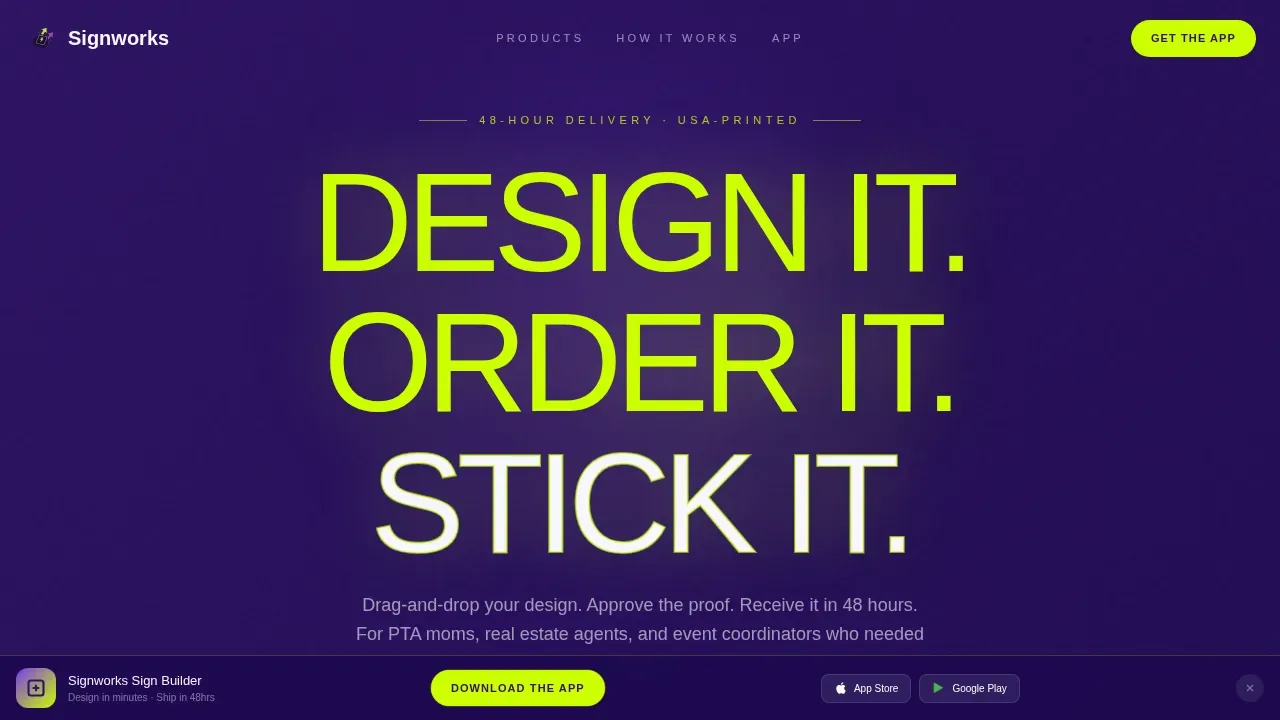
Signworks is a dark-mode, card-grid landing page built for custom sign and banner businesses. It pairs a high-voltage Electric Indigo color system with Launch Energy scroll behavior to drive app downloads. Bold typography, a scrolling logo ticker, hover-animated product cards, and an SMS call to action give every visitor a fast, confident path from browsing to ordering.
by Rocket studio
Quick summary
Signworks is a single-page, modular card-grid template built for online sign and banner stores. It follows a Dashboard Pro dark-mode aesthetic, an Electric Indigo color system, and a Launch Energy creative direction. The page is structured to earn app downloads through sequential scroll reveals, testimonial social proof, and a sticky bottom bar with App Store and Google Play access.
Who this template is for
This template is built for sign and banner businesses that sell direct to time-pressured buyers online. It works equally well for a solo print shop owner and a growing company managing dozens of repeat clients.
- Event coordinators, PTA presidents, and real estate agents who need custom signage fast
- Small business owners developing a web presence for their print services
- Sign shop teams looking to launch a professional app-first storefront quickly
What problem this template solves
Most sign and banner websites feel static and slow. They bury the order button, skip social proof, and give users no sense of how fast their sign will arrive. Customers leave before they convert.
- Visitors cannot quickly find the product category they need, so they bounce
- There is no clear call to action driving the app download that speeds up reorders
- The page design fails to project trust, so first-time buyers hesitate to place an order
What you get with this template
You get a fully structured, scroll-driven landing page that covers every step of the buyer journey, from first glance to confirmed download. The design is ready to customize with your own logo, graphics, and product mockups.
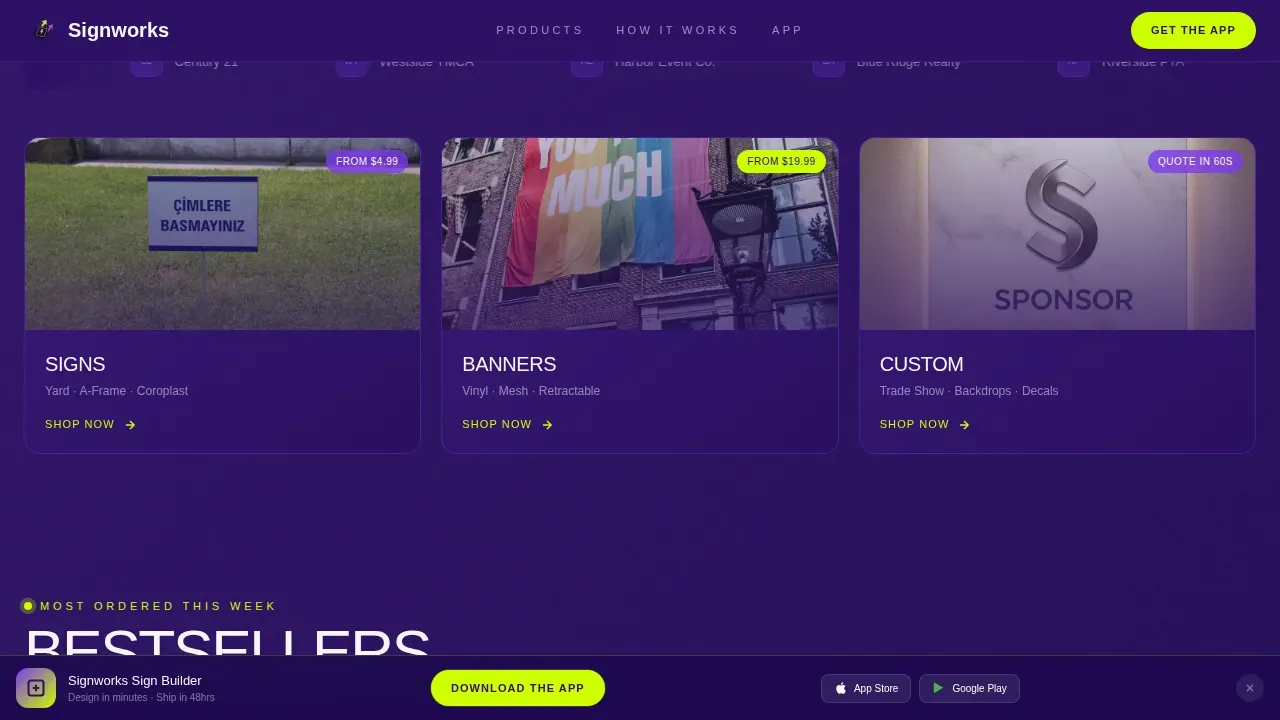
- A hero section with a chartreuse headline, scrolling logo ticker, and three hover-animated product category cards
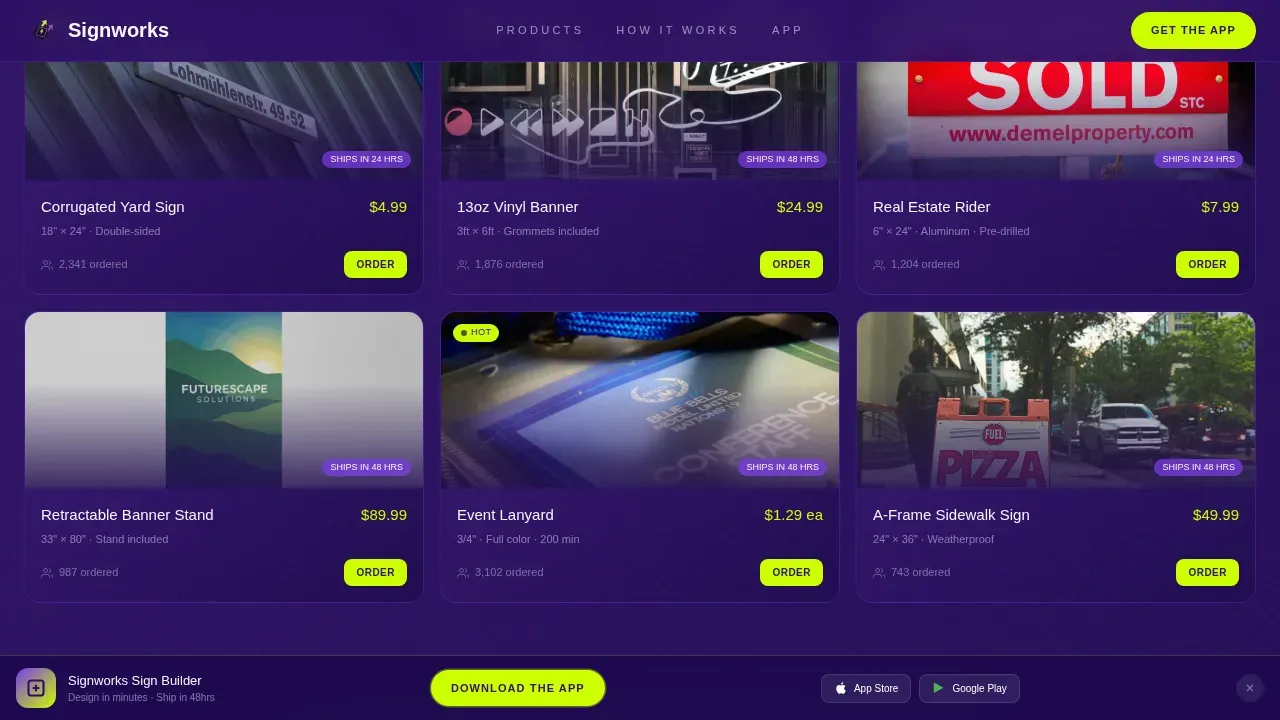
- A bestseller card grid, a full-width printing video section, a three-step process animation, and an app download section with device mockups
- A sticky bottom bar with App Store and Google Play badges plus an SMS input field in chartreuse
Feature list
This template is packed with prompt-backed, design-forward features that serve a sign and banner storefront at every scroll depth.
Scrolling Logo Ticker Header
The header opens with a horizontal ticker of brand logos, school crests, and event wordmarks. It scrolls continuously left to right at a calm pace. This display gives new visitors instant proof that real organizations trust your print services.
Hover-Animated Product Cards
Three product category cards, Signs, Banners, and Custom, sit on the dark indigo field and rotate five degrees on hover. The motion gives the page tactile energy before the visitor scrolls at all. Bold colors and sharp graphics make each card easy to read and click.
Bestseller Grid with Order Pips
The first card row shows bestselling sign products with "Most Ordered This Week" pips. Each card carries a product mockup so users can view real examples at a glance. This social proof element helps build trust and drives sales by showing what other customers choose.
Full-Width Printing Video Section
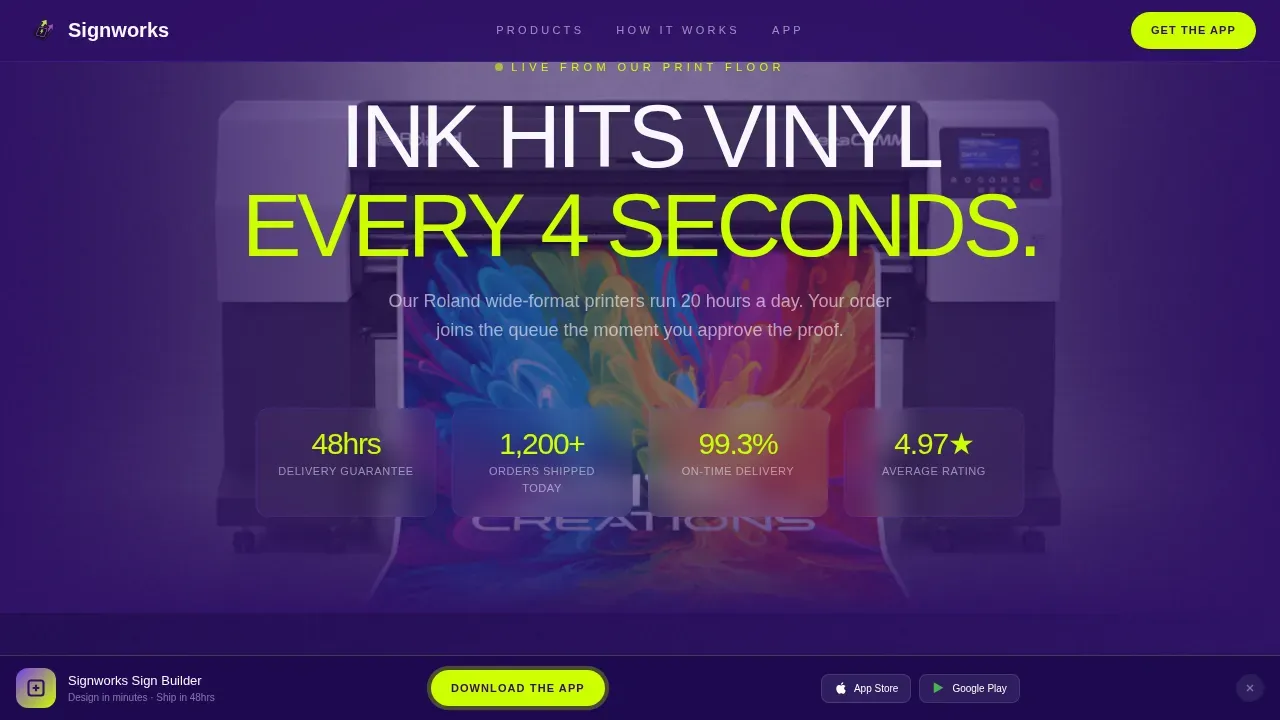
A full-width time-lapse video of a wide-format banner being printed sits between the bestseller grid and the process steps. Ink hitting vinyl in real time is one of the most powerful ways to communicate quality and speed. Videos like this save the company from having to explain what other pages only describe.
Sequential Step Animation
The three-step process, Upload, Proof, Ship, fires sequentially as each step enters the viewport. Each sign order step is triggered by an Intersection Observer so the animation feels earned, not automatic. The design direction keeps users engaged and helps them understand exactly how the process works.
Sticky App Download Bar with SMS Input
A sticky bottom bar appears after the first scroll. It anchors App Store and Google Play badges alongside an SMS input field and a chartreuse "Text Me the App" button. This gives every device, whether a computer or a phone, a clear and compelling call to action to download the sign builder app.
Page sections overview
| Section | Purpose |
|---|---|
| Hero Headline Area | Oversized chartreuse headline and brand statement above the logo ticker |
| Logo Ticker Bar | Continuous scroll of client logos, school crests, and event wordmarks |
| Product Category Cards | Three hover-animated cards for Signs, Banners, and Custom orders |
| Bestseller Card Grid | Top sign products with "Most Ordered This Week" order count pips |
| Printing Video Row | Full-width time-lapse video of banner print run with stats overlay |
| Process Step Animation | Sequential three-step reveal: Upload, Proof, Ship |
| Testimonial Cards | Star-rated reviews with installed-in-wild sign photos |
| App Download Section | Device mockups showing three in-app screens plus SMS field |
| Sticky Bottom Bar | Persistent App Store and Google Play badges with SMS call to action |
| Single-Row Footer | Linear footer with essential links and brand sign-off |
Design & branding system
The design system follows a Dashboard Pro dark-mode aesthetic that makes sign graphics and product images glow against a deep indigo shell. Every color has a specific role, and the typography is tight, bold, and technical throughout the page.
- Deep app-shell indigo (#2E1065) forms the page background; bright interactive violet (#7C3AED) handles hover states and interactive elements; crisp card-surface white (#F8F7FF) keeps product cards readable
- High-voltage chartreuse (#CCFF00) is reserved exclusively for calls to action, badges, and notification pips, ensuring every important button and step stands out with maximum contrast
- Typography uses Plus Jakarta Sans at bold weight, giving headlines and labels a technical, design-app feel that matches the overall dark-mode direction
Mobile & speed optimization
The landing page is designed with a mobile-first approach, ensuring that app download calls to action are prominent and easy to tap on any device. The sticky bottom bar and SMS input are equally usable on a small phone screen and a large desktop computer.
- Scroll-triggered animations use CSS transforms and Intersection Observer, so the page can run smoothly without heavy scripting overhead
- Product card hover states and logo ticker are built with CSS-only transforms to ensure consistent behavior across devices and screen sizes
- The sticky bottom bar remains accessible at every scroll depth, keeping the primary call to action visible whether users are on mobile or web
How this template helps you convert
This template is structured around a single, clear conversion goal: get the visitor to download the sign builder app. Every section adds evidence and momentum toward that one action.
- The hero section delivers a bold, chartreuse headline and a scrolling logo ticker immediately, capturing attention and establishing credibility before the visitor scrolls past the first view
- Testimonial cards with star ratings and real installed-sign photos add social proof that helps customers trust the service, while the bestseller grid with order pips adds further evidence of popularity and consistent sales
- The sticky bottom bar and SMS input ensure the call to action is always one tap or one click away, removing any friction from the final step of the conversion path
Other information about this template
This template is well-suited for sign companies developing web projects that serve a wide range of clients, from commercial storefronts to community organizations. Teams can easily customize colors, swap logo graphics, and update product card content to match their own brand guidelines and signage solutions.
- The Signworks Launch Energy Sign Builder Landing Page Template is the reference name for this template in the marketplace, and it is built for the Sign and Banner Online Store niche within the Technology category
- Fusion Sign is one example of a company that serves commercial, multi-family, municipality, and single-family clients with complete signage solutions across multiple locations, including operations on the West Coast with over fifteen years in the industry; a template like this one is designed to support that kind of broad, professional service presence
- Colorado-based sign companies and other regional sign businesses can use this page to serve local clients, run scheduled marketing campaigns, and build awareness for services such as menu boards, regulatory signage, vehicle wrap graphics, and wayfinding installations
- The page structure supports a vice president of marketing or a sales director who needs a polished web presence launched quickly, without developing everything from scratch; teams can find all the guidance they need in the included design system
- AI-powered software tools and natural-language app builders are common among users developing storefronts today; this template saves that team time by providing a production-ready page that functions as a strong starting point, with the ability to add or adjust sections as the project grows
- The page is built to help sign businesses improve brand awareness, support reorder sales, and serve customers who check back regularly for scheduled print runs or new signage solutions
Theme
Dashboard Pro
Creative direction
Launch Energy
Color system
Electric Indigo
Style
Card Grid (Modular)
Direction
App Download
Page Sections
Scrolling Logo Ticker Header
Hover-animated Product Category Cards
Bestseller Grid with Popularity Pips
Full-width Printing Video Section
Sequential Three-step Process Animation
Sticky App Download Bar with SMS Field
Related questions
Can I customize the colors and logo on this template?
Does this template include the app or just the landing page?
Who is this template best suited for?
Can I replace the video section with a static image?
How does the SMS call to action work in this template?



