Nonprofit Digital Presence Blog & Content Website Template
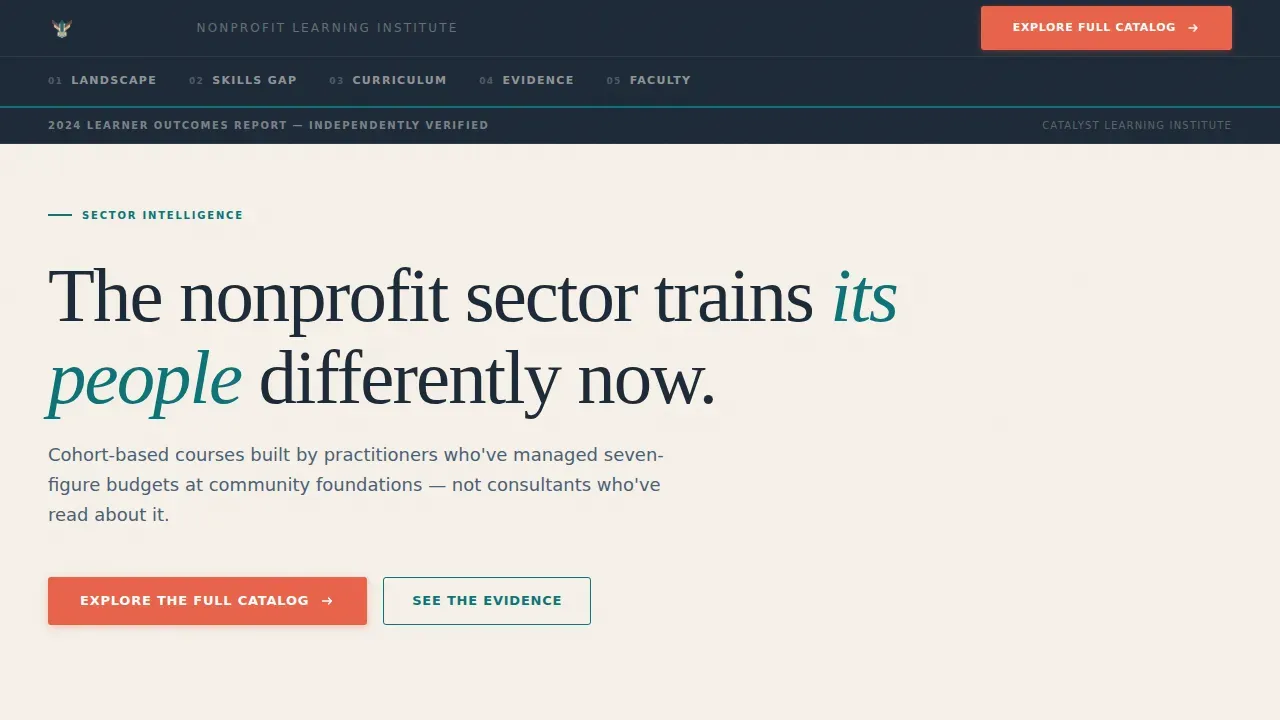
The Catalyst nonprofit professional training platform landing page template is a hub-and-spoke, anchor-nav landing page built for the nonprofit sector. It opens with an animated stats wall, guides learners through five editorial chapters, and closes every spoke with a click-through call to action pointing to the full course catalog. The design reads like a credible think-tank report and converts like a focused digital campus.
by Rocket studio
Quick summary
The Catalyst template gives nonprofits a data-forward landing page that earns trust before it asks for a click. Three animated metrics open the page, an anchor nav holds five editorial chapters in place, and every section builds a case from sector diagnosis to curriculum to proof. The result is a landing page that feels like a sector report and works like a conversion tool.
Who this template is for
This template is built for organizations and individuals in the nonprofit sector who need a credible, professional online presence for cohort-based training programs. It works especially well for teams launching a digital campus for professional development.
- Development directors at mid-size nonprofits managing active grant deadlines and needing fast, relevant course access
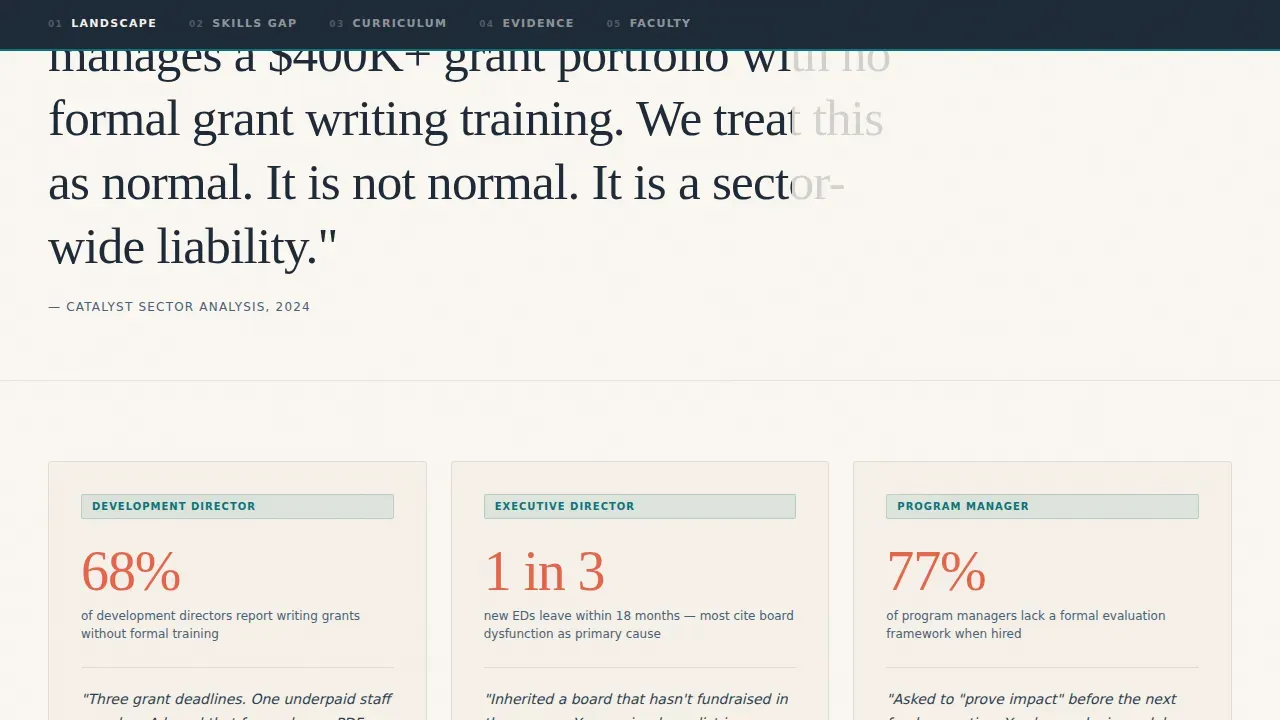
- Newly appointed executive directors inheriting a board with no fundraising history who need leadership and governance training
- Program managers asked to prove impact without an evaluation framework, and the platform teams who serve them
What problem this template solves
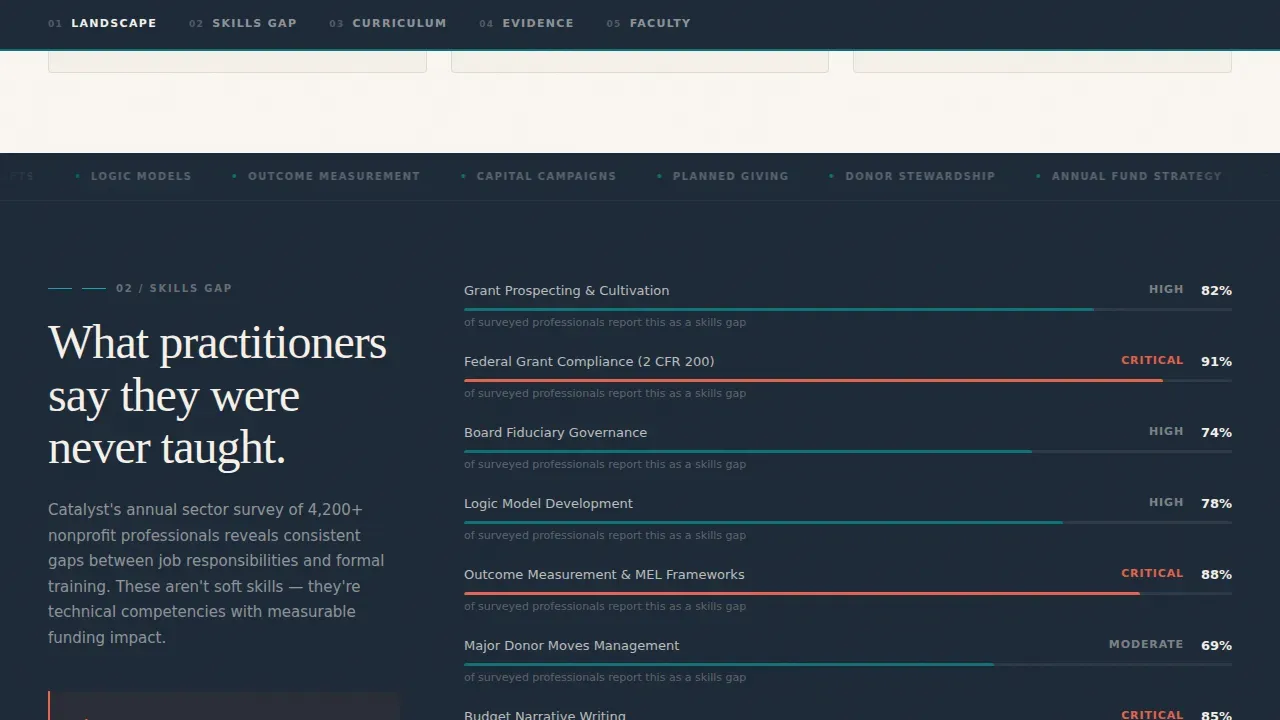
Nonprofits face a genuine skills gap. The sector needs practitioners who can write competitive grants, govern boards effectively, and report program outcomes with confidence. Most training resources available to nonprofit employees feel either too academic or too generic. This template solves the presentation problem: how do you communicate the value of specialized, practitioner-built training so that a busy development director stops scrolling and clicks?
- Visitors arrive skeptical. The template front-loads verified data so learners feel informed before they invest a single click.
- Sector-specific course categories are hard to communicate at a glance. The bento-grid curriculum section organizes them by role so the right course finds the right person.
- Without social proof, training programs feel like a gamble. The evidence chapter uses alumni outcomes and specific data points to build the case.
What you get with this template
The Catalyst template is a complete, single-page hub-and-spoke layout with five anchor-linked chapters and a pinned navigation rail. Every element is designed to support nonprofits in sharing their training offer clearly and moving learners toward the course catalog.
- An animated stats wall with three count-up metrics, teal underlines, and a warm parchment background that sets the editorial tone immediately
- A five-chapter anchor nav covering Landscape, Skills Gap, Curriculum, Evidence, and Faculty, each opening with a coral pull-quote stat and closing with a context-specific call to action
- A bento-grid course section, scroll-scrub alumni testimonials, spotlight-effect faculty cards, and a marquee ticker, all built as staggered-reveal components
Feature list
This template includes the following built-in design and layout capabilities.
Animated Stats Wall Header
The header displays three oversized data points that animate upward on page load using count-up motion. Each number is set in charcoal slate on a warm parchment background, with a teal underline beneath every metric. A single line of smaller context type grounds each data point in a verified 2024 Learner Outcomes Report frame, giving learners immediate confidence in the numbers.
Pinned Anchor Navigation
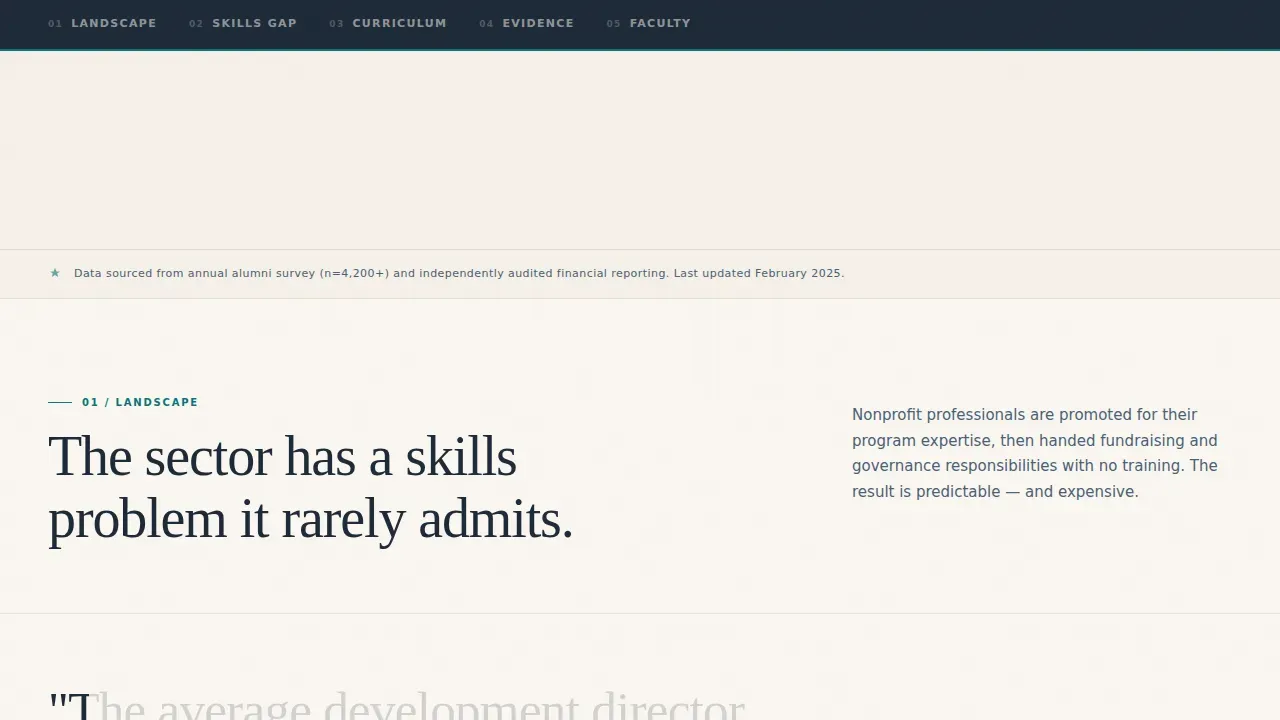
A five-chapter anchor nav pins to the top of the page as visitors scroll. The chapter labels, Landscape, Skills Gap, Curriculum, Evidence, and Faculty, create a chapter-based reading environment that mirrors a sector report. This structure supports engagement by helping learners understand exactly where they are in the narrative and what comes next.
Role-Based Curriculum Bento Grid
The curriculum section organizes course categories by professional role using a bento grid with varied card sizes. Development directors, executive directors, and program managers each find a relevant entry point. This layout makes it easy for visitors to identify the course track that fits their current workplace challenge without reading every word on the page.
Scroll-Scrub Evidence Chapter
The evidence chapter uses scroll-linked animation to surface alumni testimonials and outcome data as the visitor moves down the page. This approach keeps the data feeling fresh and earned rather than static. Each testimonial connects a specific skill area to a concrete professional result, reinforcing the curriculum's practical value.
Spotlight Faculty Cards
Faculty profiles are displayed with a spotlight hover effect that highlights each practitioner's credentials and sector background. The design signals that these are not generic instructors. They are practitioners who have managed seven-figure budgets at community foundations, and the spotlight treatment gives each profile the visual weight that credibility deserves.
Context-Specific Calls to Action
The primary call to action, "Explore the Full Catalog," appears beneath the header and repeats at the close of each spoke chapter with slightly different framing: "Find Your Skills Gap," "See the Evidence," and "Browse by Role." This approach removes friction by pointing every click to a filterable course directory rather than a form, so learners access the catalog through a path that already feels earned.
Page sections overview
| Section | Purpose |
|---|---|
| Hero Stats Wall | Opens with three animated metrics to establish sector credibility immediately |
| Landscape Chapter | Diagnoses the nonprofit sector skills gap with a coral pull-quote stat and role cards |
| Curriculum Bento Grid | Organizes course categories by professional role for fast, relevant discovery |
| Evidence Chapter | Presents alumni outcomes and scroll-scrub testimonials to validate training effectiveness |
| Faculty Spotlight | Profiles practitioner instructors with spotlight hover cards to build authority |
| Footer Rail | Single-row linear footer with site links and publishing details |
Design & branding system
The Catalyst template follows a Teal Catalyst color system inspired by the visual language of a well-funded think-tank annual report. The palette is credible enough for a board presentation and warm enough for a late-night reading session.
- Deep mission teal (#0D7377) anchors primary elements and underlines key metrics; charcoal slate (#1E2A38) carries body text and the navigation rail; warm parchment (#F5F0E8) fills section backgrounds like the inside cover of a policy brief
- Signal coral (#E8634A) is reserved exclusively for calls to action, pull-quote stats, and progress indicators, creating a clear visual hierarchy that guides the eye without noise
- Typography pairs Fraunces serif headlines with DM Sans for body copy and user interface elements, balancing editorial authority with clean readability across all section types
Mobile & speed optimization
The Catalyst template is designed desktop-first to honor the sector-report aesthetic, with a fully responsive mobile fallback that keeps every chapter readable and every call to action tappable. The animation layer uses Client Components for interactive elements while static sections use Server Components to keep the page load lean.
- Count-up number animations, scroll-scrub testimonials, and spotlight card effects are implemented as Client Components, keeping interactivity scoped and the rest of the page lightweight
- The bento-grid curriculum layout and marquee ticker reflow cleanly at smaller breakpoints, maintaining visual hierarchy without horizontal scrolling or clipped content
- Call-to-action buttons maintain touch-friendly sizing on mobile so learners on any device can access the course catalog with a single tap
How this template helps you convert
The Catalyst template is built as a click-through landing page with one conversion goal: move the visitor into the full course catalog. Every design and copy decision supports that path.
- The stats wall front-loads credibility so visitors feel they have already received value from the report itself, making the catalog click feel like a natural next step rather than a sales funnel entry.
- The anchor nav and chapter structure give the page a sense of progress and completeness, so visitors who reach the Faculty section arrive with enough context to act with confidence rather than hesitation.
- Each spoke chapter closes with a context-specific call to action that removes decision friction by matching the prompt to the visitor's current mindset, whether they want to find a skills gap, review evidence, or browse by role.
Other information about this template
This section covers additional context relevant to nonprofits, platform builders, and teams evaluating this template for a professional training site.
- The Catalyst nonprofit professional training platform landing page template is categorized under Technology and Nonprofit Digital Presence, making it a strong fit for organizations investing in sector-specific digital capabilities.
- Catalyst partners have targeted training offers at emerging areas of need, and this template is designed to support that approach by making it easy to highlight specific course tracks for specific communities.
- Inclusive workplace cultures make organizations magnets for top talent, improving retention and reducing costly turnover. This template gives training providers a compelling way to communicate inclusion-focused courses, diversity initiatives, and equity-centered program offerings to the communities they serve.
- Diverse, inclusive teams generate more ideas, drive innovation, and outperform less inclusive competitors. Embedding inclusion into the template's course categories and faculty profiles reinforces an organization's commitment to equitable professional development.
- Genuine inclusion builds psychological safety and engagement. The template's warm parchment environment and data-forward structure create a space that feels welcoming to learners at every career stage, from first-time grant writers to seasoned executive directors.
- The template supports organizations that see digital as a priority, consistent with insights from the Charity Digital Skills Report. Catalyst's coordinated, ecosystemic approach distributes power and governance among partners, and this page design reflects that philosophy by foregrounding community outcomes over institutional authority.
- Teams can customize the color system, logo placement, section order, and course card content without touching the underlying layout structure. Organizations can incorporate specific brand colors, logos, and design elements to align the site with their mission and maintain visual consistency across all client-facing materials.
- Self-service course customization means teams can update training content, add new assessments, and adjust module order to reflect evolving program needs without rebuilding the page from scratch.
- The template is compatible with publishing workflows that require fast turnaround. Nonprofit website templates like this one can significantly reduce the time and effort required to launch a website, freeing staff to focus on learner engagement rather than web development.
- Volunteering, events, and member-focused initiatives can be highlighted in the curriculum bento grid or in a custom spoke chapter, giving organizations flexibility to expand the page as their training catalog grows.
- For teams exploring compliance training, the template's chapter structure supports clear, organized presentation of compliance course categories, workplace policy modules, and assessments, without requiring a separate site or dedicated microsite.
Theme
Directory & Discovery
Creative direction
Industry Report
Color system
Teal Catalyst
Style
Hub & Spoke (Anchor Nav)
Direction
Click-Through
Page Sections
Animated Stats Wall Header
Pinned Anchor Navigation
Role-based Curriculum Bento Grid
Scroll-scrub Evidence Chapter
Spotlight Faculty Cards
Context-specific Calls to Action
Related questions
Can I customize the course categories and role cards in this template?
Does this template include the course catalog itself?
Who is this template best suited for?
Can I add my organization's logo and brand colors?
Is this template suitable for promoting compliance or workplace training courses?



