DNA Data Storage Landing Page Template
Encode is a scroll-reveal landing page template built for DNA data storage tools and frameworks. It combines a Data Command visual theme, a Teal Catalyst color system, and progressive scroll animations to guide bioinformatics researchers, biotech startups, and enterprise data architects from first glance to a free trial signup with clear, staged momentum.
by Rocket studio
Quick summary
Encode is a single-page, scroll-reveal landing page template designed for a DNA data storage framework. It opens with a product screenshot header, activates each section on scroll, and drives conversions through a freemium trial model. The design feels like a live sequencer display: precise, electric, and technically credible.
Who this template is for
This template is built for teams and individuals who need to communicate a technically dense, forward-looking data storage product to a sophisticated audience. It works best when the product itself needs to earn trust before a visitor commits.
- Bioinformatics researchers encoding archival datasets into synthetic DNA sequences
- Biotech startups prototyping molecular storage pipelines and seeking early adopters
- Enterprise data architects evaluating post-silicon preservation strategies for long-term records
What problem this template solves
Cutting-edge technology products often struggle to translate raw technical capability into a compelling first impression. A generic template cannot hold the weight of a concept as dense and unfamiliar as DNA data storage. Visitors arrive skeptical and leave before they understand what the tool actually does.
- No clear visual language to represent molecular-scale, high-density data processes
- No scroll structure that builds technical credibility progressively rather than dumping it all at once
- No conversion path that separates researchers who want documentation from users ready to start encoding
What you get with this template
You get a fully structured, single-page landing page with every section pre-designed and sequenced for maximum progressive engagement. The layout moves from product proof to technical explanation to a clear trial offer without losing momentum.
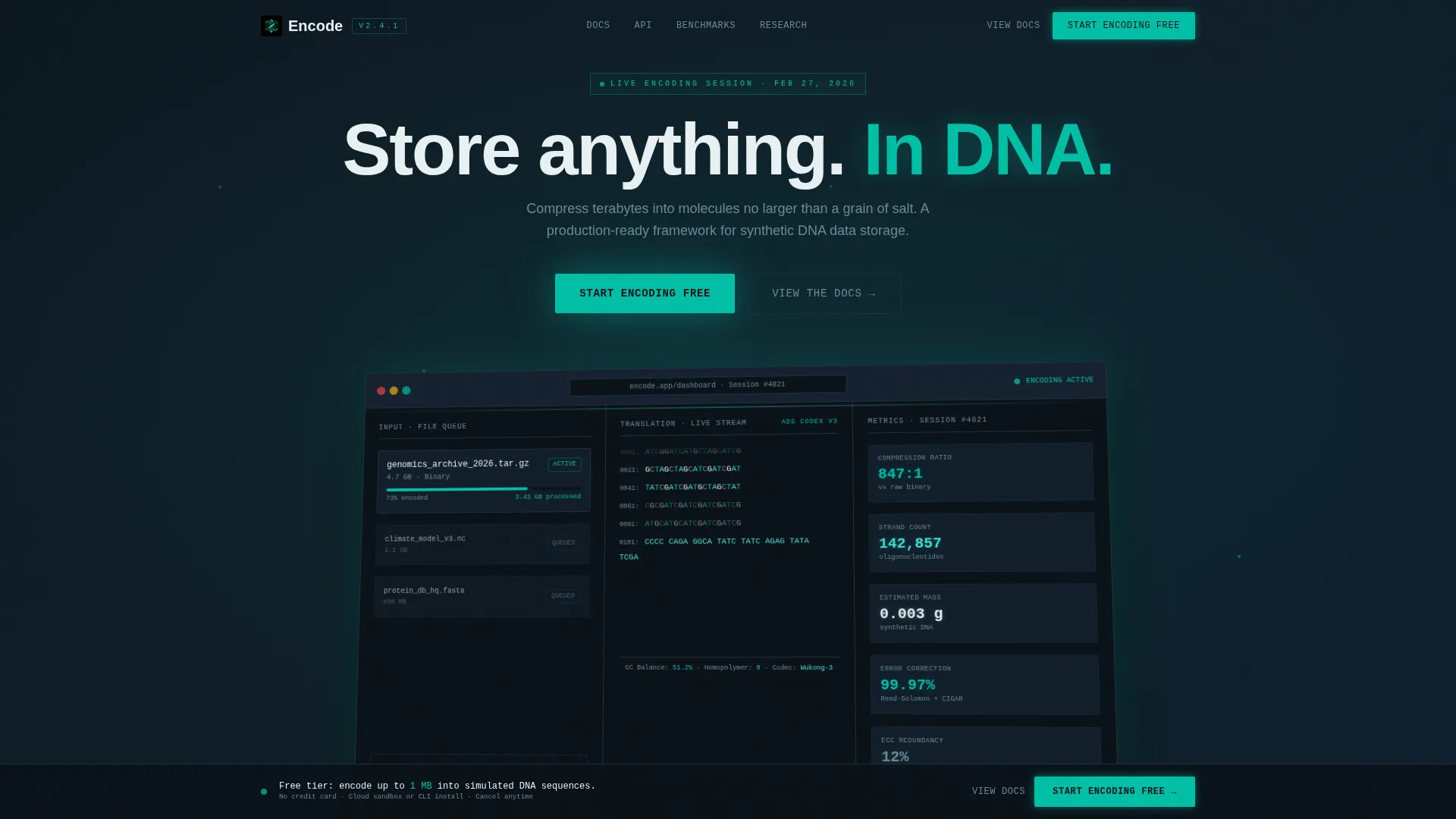
- A full-width product screenshot header showing the encoding dashboard mid-process, with a 3D tilt and teal glow effect
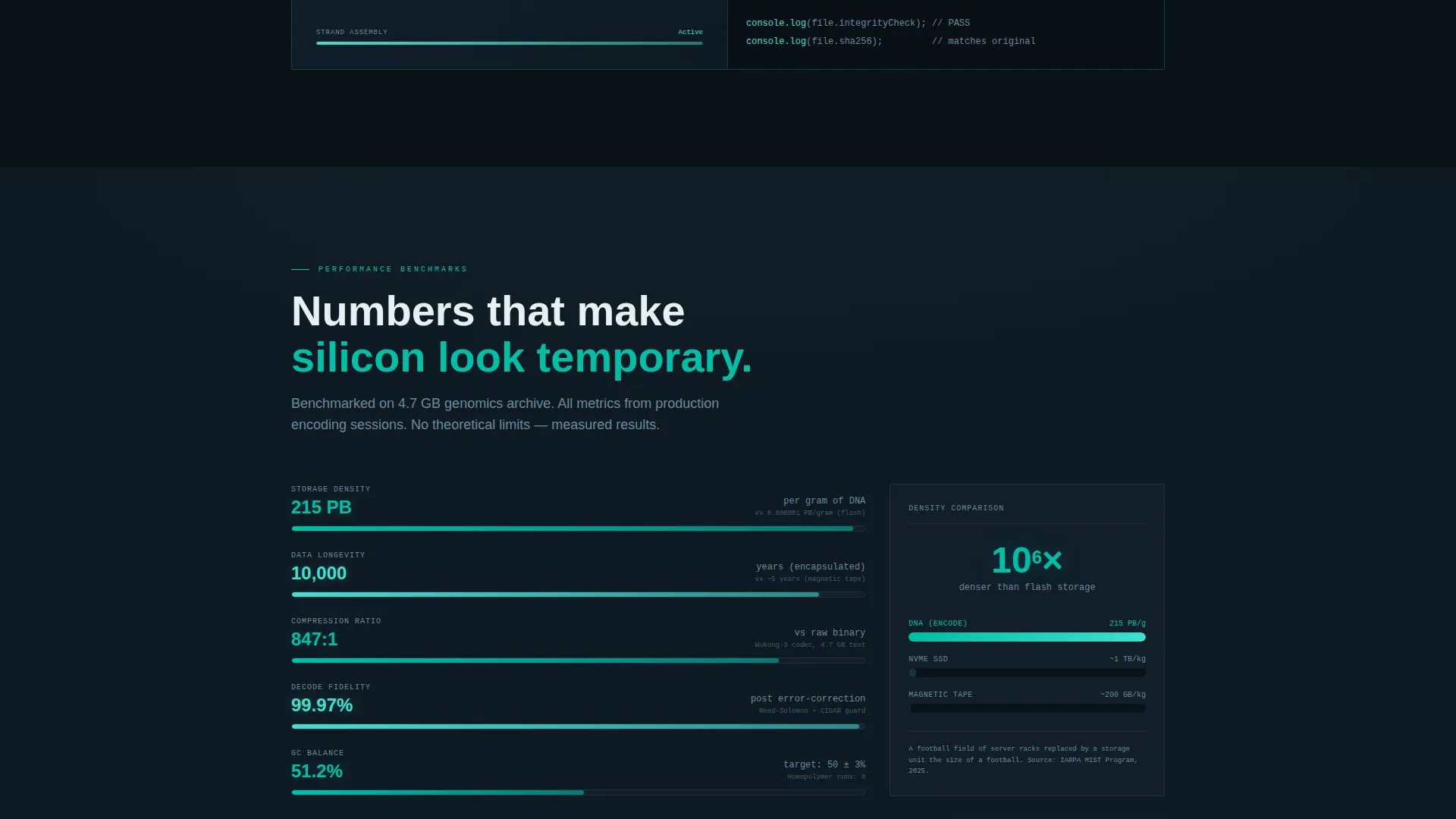
- Scroll-activated sections where code snippets type themselves out, strand diagrams animate left to right, and benchmark charts fill like loading bars
- A freemium conversion layer with a primary "Start Encoding Free" call to action, a persistent bottom bar, and a secondary "View the Docs" path
Feature list
This template is built around a small set of high-impact design and structural decisions. Each feature serves the goal of making a complex, unfamiliar technology feel real, immediate, and worth trying.
Progressive Scroll Reveal System
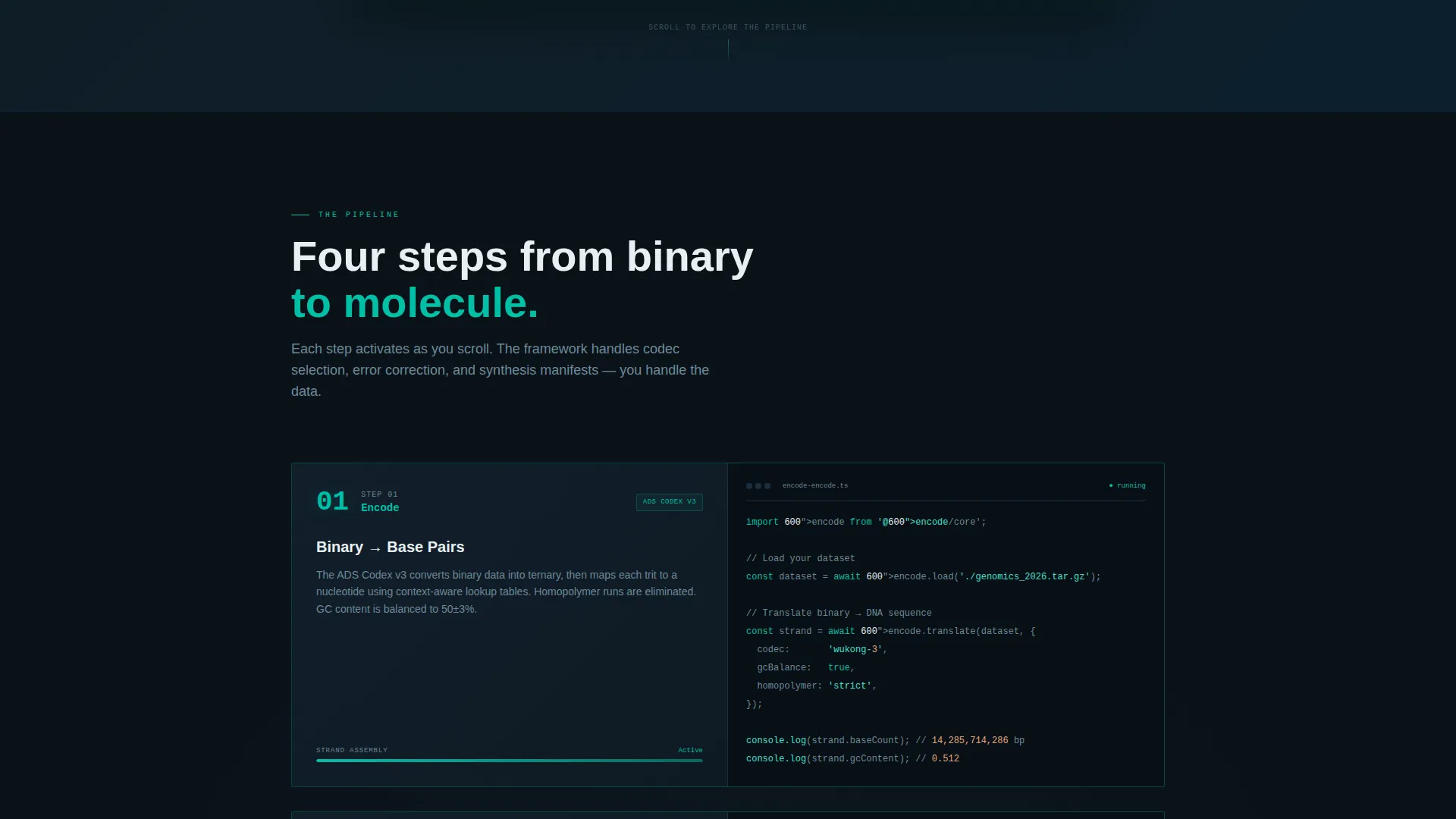
Each section activates as the visitor scrolls, rather than loading all at once. Code snippets type themselves out, strand diagrams animate from left to right, and benchmark charts fill progressively. The rhythm mimics a countdown, raising technical stakes with every revealed layer.
Product Screenshot Header
The header is a full-width capture of the encoding dashboard mid-process. It shows a file upload panel with a 4.7 gigabyte dataset, a live base-pair translation stream in monospaced phosphor type, and a right panel with compression ratio, error-correction redundancy, and estimated strand count. The screenshot sits on a slight 3D tilt with a soft teal glow behind it.
Freemium Trial Conversion Flow
The primary call to action, "Start Encoding Free," appears beneath the header and again as a persistent bottom bar after the second scroll section. Clicking opens a single-step signup: email address, use case dropdown (research, enterprise, or exploration), and a toggle between cloud sandbox and local command-line install.
Dual Conversion Paths
A secondary call to action, "View the Docs," sits alongside the primary button. This path captures engineers who need to read technical documentation before committing to a signup. Both paths are present from the first viewport onward.
Teal Catalyst Color System
The palette uses deep terminal black, catalytic teal, helix phosphor, and cold-lab white. Teal dominates interactive states and data visualizations. Black holds the negative space. Phosphor traces animated paths the way nucleotides thread into place during synthesis.
Staged Technical Narrative
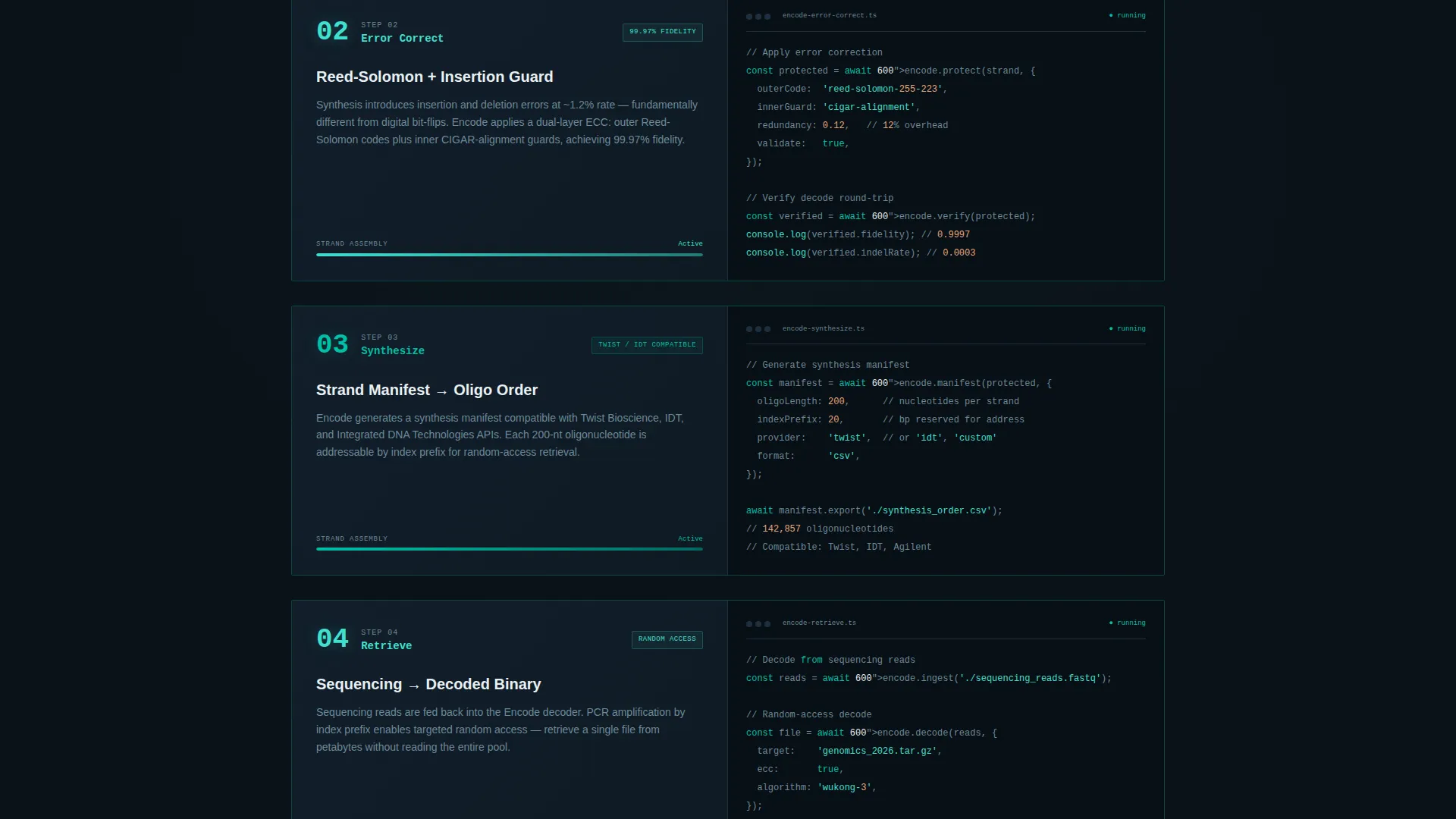
The page follows a four-stage framework: encode, error-correct, synthesize, retrieve. Each stage is its own scroll section. This structure teaches the visitor how the pipeline works while building emotional momentum toward the trial offer.
Page sections overview
| Section | Purpose |
|---|---|
| Header Screenshot | Establishes product proof with live encoding dashboard visual |
| Primary call to action Block | Delivers "Start Encoding Free" with use case dropdown and install toggle |
| Encode Section | Explains binary-to-base-pair translation with animated code snippets |
| Error Correction Section | Covers redundancy and error-correction logic with animated diagrams |
| Synthesize Section | Shows strand assembly process with left-to-right strand animations |
| Retrieve Section | Completes the pipeline story with retrieval mechanics |
| Benchmark Charts | Fills loading-bar style charts showing compression and strand count data |
| Persistent Bottom Bar | Repeats primary call to action after second scroll section for re-engagement |
| Docs Secondary Path | Offers "View the Docs" for engineers who need pre-commitment reading |
| Signup Modal | Single-step form with email, use case, and install preference |
Design & branding system
The visual identity follows a Data Command theme built entirely around the Teal Catalyst color system. Every color choice reinforces the feeling of a live sequencer display in a darkened wet lab: sterile, electric, and precise.
- Deep terminal black (#0B1219) as the dominant background, holding negative space like an unlit cleanroom
- Catalytic teal (#00BFA6) for interactive states, calls to action, and data visualization highlights
- Helix phosphor (#40E0D0) tracing animated paths and monospaced type streams, with cold-lab white (#E8F0F2) for readable typographic surfaces
Mobile & speed optimization
The scroll-reveal system and animated components are designed to translate across screen sizes without losing their sequential impact. The progressive reveal structure means content loads in stages, keeping the initial viewport light and fast.
- Animated strand diagrams and benchmark charts adapt to narrower viewports without breaking the left-to-right reveal logic
- The persistent bottom bar remains visible on mobile scroll, keeping the primary call to action accessible at all times
How this template helps you convert
The conversion strategy is built around progressive trust. Visitors earn understanding before they are asked to act, which makes the ask feel smaller and the decision feel obvious.
- The product screenshot header delivers immediate proof: a working encoding dashboard, not a concept illustration. Visitors see the tool processing real data before reading a single line of body copy.
- The freemium model lowers the entry barrier by offering 1 megabyte of simulated DNA encoding at no cost. The free tier is large enough to feel the pipeline work and specific enough to make the upgrade path clear.
Other information about this template
Encode is built as a scroll-reveal, single-page landing page template within the DNA data storage technology category. It fits the Technology niche broadly and the molecular data storage subcategory specifically. The template style and conversion model are matched to products that need to demonstrate a novel technical concept before asking for a commitment.
- The free tier encodes up to 1 megabyte into simulated DNA sequences, giving new users a working feel for the pipeline
- The use case dropdown in the signup modal covers three segments: research, enterprise, and exploration
- The install toggle lets users choose between a cloud sandbox environment and a local command-line interface install at signup
- This template is suited to products operating at the intersection of synthetic biology and archival data infrastructure
Theme
Data Command
Creative direction
Launch Energy
Color system
Teal Catalyst
Style
Scroll Reveal (Progressive)
Direction
Freemium/Trial
Page Sections
Progressive Scroll Reveal Animations
Product Screenshot Header
Freemium Trial Conversion Flow
Dual Call-to-action Structure
Four-stage Technical Narrative
Teal Catalyst Visual Identity
Related questions
What kind of product is this template designed for?
Can I customize the color system and typography?
What does the free tier include in the conversion flow?
How does the scroll-reveal animation system work in this template?
Is there a path for visitors who are not ready to sign up?



