Endpoint - Interactive API Landing Page Template
Endpoint is a scroll-reveal landing page template built for Notion API reference documentation. It combines an embedded API console, animated endpoint maps, live multi-language code snippets, and a rate-limit calculator into a single interactive experience. Developers can query mocked routes and explore the full API surface before writing a single line of code.
by Rocket studio
Quick summary
Endpoint turns a static API reference into a hands-on playground. The template opens with a live API console above the fold, then progressively reveals an animated endpoint map, switchable code snippets, and a throughput calculator. Every section is more interactive than the last, so developers build real confidence before they ever sign up.
Who this template is for
This template is designed for teams and individuals who need to communicate the value of a Notion API integration quickly and credibly. It works especially well when the audience arrives with technical intent and wants to validate a tool before committing.
- Indie makers connecting Notion to a SaaS product and looking to onboard other developers
- Agency operations leads who automate client wikis and need a reference developers can trust on first contact
- Senior engineers evaluating whether a Notion-based data model fits their integration architecture
What problem this template solves
Most API reference pages are walls of text. Developers skim, lose context, and leave before they understand what is possible. This template solves that by making the API itself the headline experience.
- Visitors can send a mocked GET request before reading a single paragraph, removing the friction of abstract documentation
- Progressive scroll sections reveal complexity in stages, so engineers are never overwhelmed all at once
- The lead-generation flow appears only after a visitor has already interacted, making the call to action feel earned rather than intrusive
What you get with this template
You get a fully structured, single-page interactive API reference landing page built around developer curiosity and progressive disclosure. Every section is purposeful and tied directly to a conversion goal.
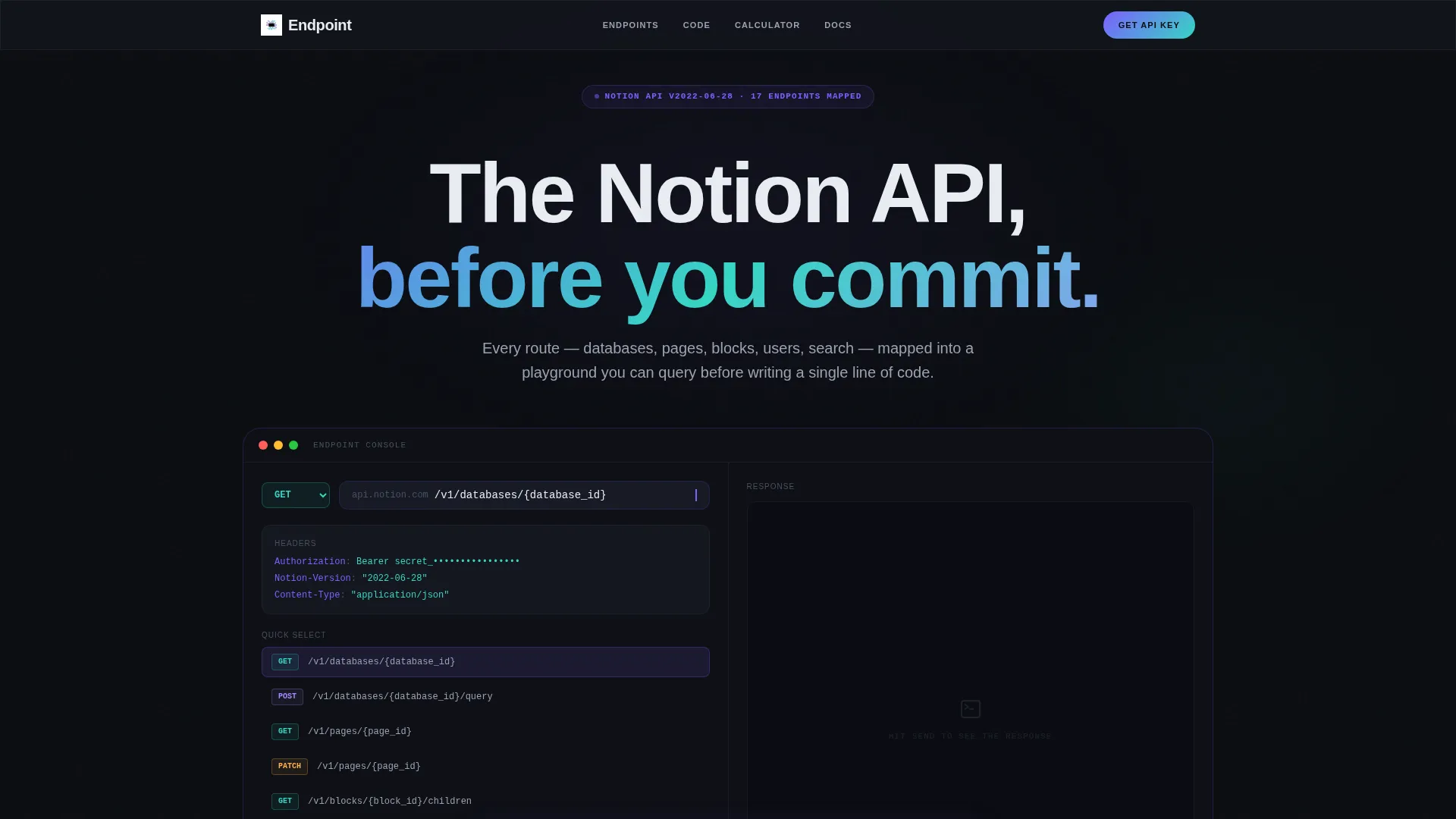
- An interactive API console in the header, pre-filled with a GET request to
/v1/databases/{database_id}and a cascading JSON response panel - An animated endpoint map that draws connection lines between API resources as sections enter the viewport
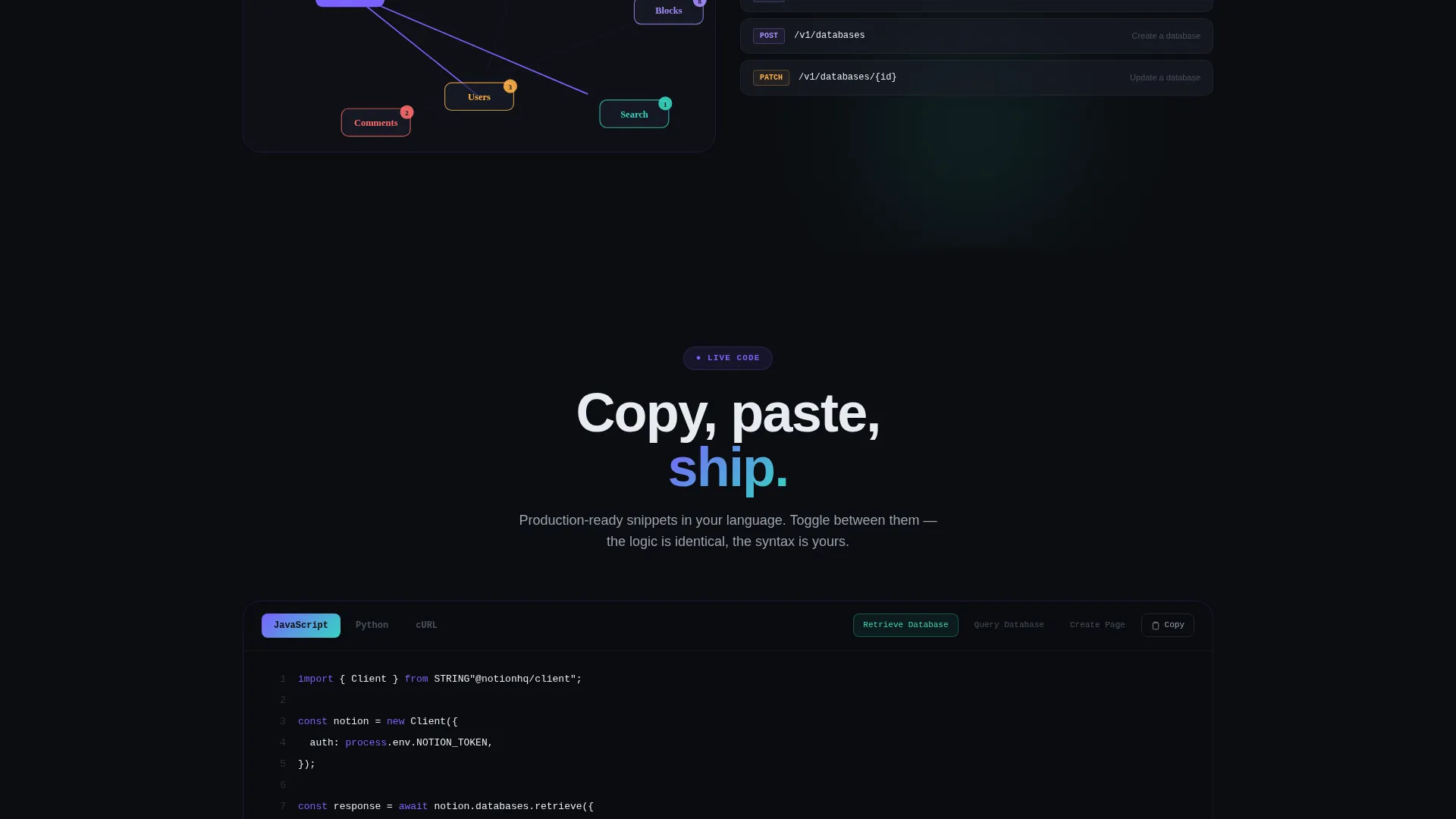
- Live code snippets in Python, JavaScript, and cURL with language-toggle tabs that rewrite in place
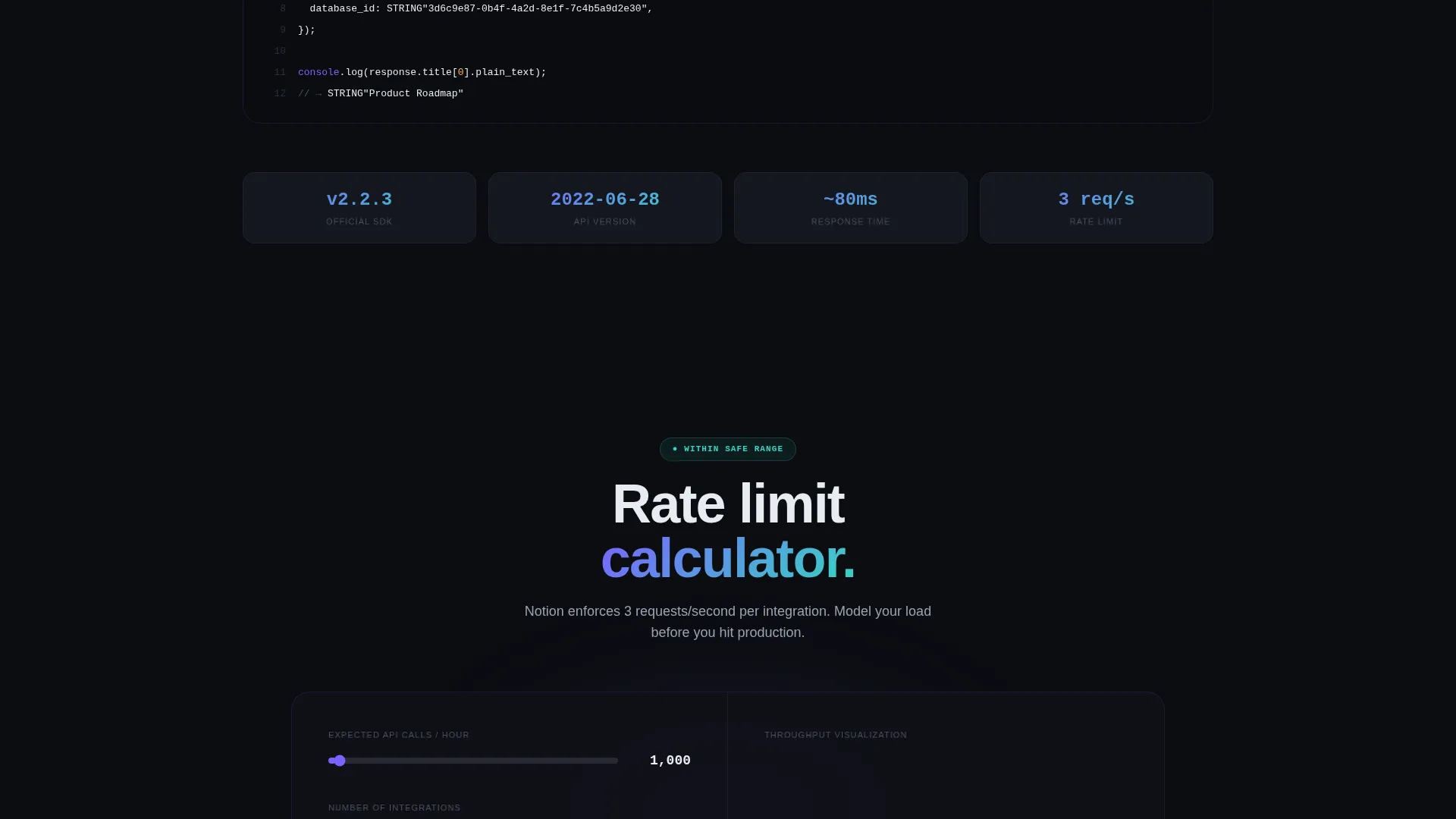
- A rate-limit calculator where visitors input expected call volumes and see throughput visualized as a filling waveform
- A sticky lead-generation bar with an email field, use-case dropdown, and estimated monthly API calls input
- A secondary gated PDF path offering a downloadable full endpoint map for visitors still in evaluation mode
Feature list
This section covers the core interactive and structural capabilities built into the Endpoint template.
Embedded API Console Header
A functional minimal API console sits above the fold with a pre-filled GET request and a blinking cursor. When a visitor clicks "Send," a mocked JSON response cascades down the right panel. Each key-value pair appears with a staggered motion blur that resolves into crisp monospace type.
Animated Endpoint Map
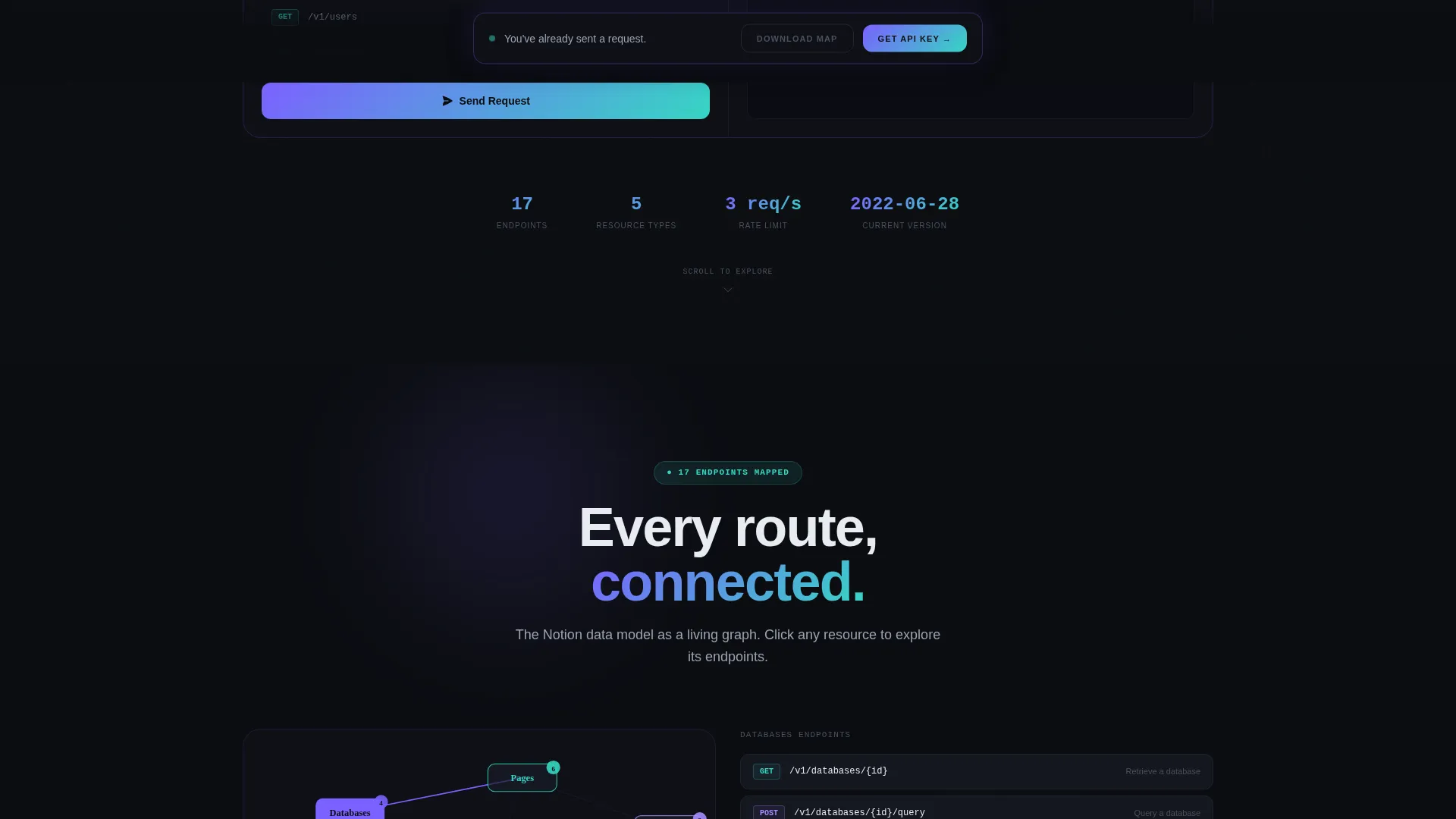
As visitors scroll, an animated diagram draws connection lines between Notion API resources including databases, pages, blocks, users, and search. The animation is triggered on viewport entry, so each relationship appears exactly when the visitor is ready to process it.
Multi-Language Code Snippets
Live code examples are shown in Python, JavaScript, and cURL. Visitors toggle between languages using tab controls, and the snippet rewrites itself in place. This lets developers see the exact call pattern in the language they already use.
Rate-Limit Calculator
Visitors enter their expected monthly API call volume and the calculator visualizes throughput as a filling waveform. This interactive tool gives engineers a concrete, data-grounded sense of capacity before they commit to an integration approach.
Scroll-Reveal Progressive Layout
Each section of the page unlocks as the visitor scrolls. The reveal sequence moves from console interaction to endpoint mapping to code examples to the calculator, building familiarity and confidence through doing rather than reading.
Sticky Lead Generation Bar
A persistent bottom bar appears after the first console interaction. It captures email address, primary use case via dropdown, and estimated monthly API calls. A secondary conversion path offers a gated PDF endpoint map download for visitors still in evaluation mode.
Page sections overview
| Section | Purpose |
|---|---|
| Interactive API Console | Hooks curiosity above the fold with a live mocked request and response |
| Animated Endpoint Map | Visualizes API resource relationships as scroll-triggered connection lines |
| Language Toggle Snippets | Shows Python, JavaScript, and cURL examples that rewrite on tab switch |
| Rate-Limit Calculator | Lets visitors input call volume and see throughput as a waveform |
| Lead Generation Bar | Captures email and use-case after first interaction via sticky bottom form |
| Gated PDF Download | Offers full endpoint map as a secondary path for evaluation-stage visitors |
Design & branding system
The visual identity follows a Dynamic Motion theme built on an AI Iridescent color system. The palette is designed to feel synthetic and alive, like light refracting through a prism in deep space. Every color choice reinforces the technical confidence the template is meant to create.
- Void black (#0B0D11) provides the persistent canvas that recedes behind interactive elements rather than competing with them
- Holographic violet (#7B61FF) covers primary interactive surfaces, with violet-to-teal gradients animating on hover states and loading sequences
- Spectral teal (#36D6C3) marks response highlights and success states, while pearl white (#E8ECF1) is used for body text and documentation prose
Mobile & speed optimization
The scroll-reveal structure and interactive components are designed with progressive loading in mind. Sections activate on viewport entry rather than all at once, keeping the experience responsive as visitors move through the page.
- Interactive elements such as the console, code snippets, and calculator are structured to load in stages, reducing the initial rendering load
- The sticky bottom bar appears conditionally after the first console interaction rather than on page load, keeping the opening view uncluttered
How this template helps you convert
The conversion strategy is built around the principle of earning the click. Visitors are never asked to sign up before they have experienced the product.
- The API console interaction above the fold creates an immediate hands-on moment, so visitors arrive at the lead form already engaged and with a positive first impression of the tool
- The sticky lead-generation bar anchors the primary call to action after the console interaction, pairing the form with the exact moment of highest intent
- The gated PDF download offers a low-commitment second path for visitors who need more time, keeping evaluation-stage developers inside the conversion funnel rather than letting them leave empty-handed
Other information about this template
This template is purpose-built for the Notion API documentation niche and fits naturally into developer-facing marketing for Notion integrations and automation workflows. It is categorized under Documentation and Support with a focus on Notion Documentation.
- The template style is Scroll Reveal (Progressive), meaning sections animate into view sequentially rather than loading all at once
- The header concept is Interactive Preview, which positions the API console itself as the hero rather than a static image or headline
- The creative direction is Calculator and Tool First, prioritizing hands-on interaction over passive reading
- The lead-generation direction means the primary goal is email and use-case capture, supported by a two-path conversion structure
Theme
Dynamic Motion
Creative direction
Calculator/Tool First
Color system
AI Iridescent
Style
Scroll Reveal (Progressive)
Direction
Lead Generation
Page Sections
Embedded API Console Header
Animated Endpoint Map
Multi-language Code Snippets
Rate-limit Calculator with Waveform
Scroll-reveal Progressive Layout
Two-path Lead Generation System
Related questions
What kind of developer is this template designed for?
Is the API console connected to a live Notion API?
Can I customize the dropdown options in the lead generation form?
What programming languages are shown in the code snippet section?
Do I need design experience to customize this template?



