Interactive REST API Documentation Landing Page Template
Endpoint is a REST API documentation landing page template built for developer-facing products. It features an interactive OpenAPI spec estimator, a live diff panel, a multi-language code console, and a doc engagement analytics grid. The design runs on a deep terminal dark theme with teal accents and a freemium conversion flow that earns signups through demonstrated value.
by Rocket studio
Quick summary
Endpoint is a single-page landing page template for REST API documentation platforms. It opens with a live spec estimator, accelerates through animated dashboard panels, and closes with a two-step freemium signup flow. The layout is built around dark terminal aesthetics, spring-physics motion, and a conversion model that shows real value before asking for an account.
Who this template is for
This template is built for technically minded teams who ship public-facing APIs and need documentation that keeps pace with their codebase. It speaks the language of developers and the people who support them.
- Backend leads at fintech startups shipping public REST APIs to partners and customers
- Developer relations teams at mid-size software companies tired of maintaining Swagger pages by hand
- Solo founders whose integration documentation is the deciding factor in whether a partner signs up or walks away
What problem this template solves
Most API documentation pages are static, out of date, and painful to maintain. Teams either keep a manually updated Swagger page alive or let docs drift behind the actual codebase. Neither option builds partner trust.
- Docs that fall out of sync with deploys destroy developer confidence and slow integrations
- Generic documentation pages fail to show the live, interactive nature of a modern API platform
- Friction-heavy signup flows lose potential users before they ever see the product working
What you get with this template
This template gives you a fully structured, motion-driven landing page that proves your platform works before asking for a commitment. Every section is a functional demonstration of the product it represents.
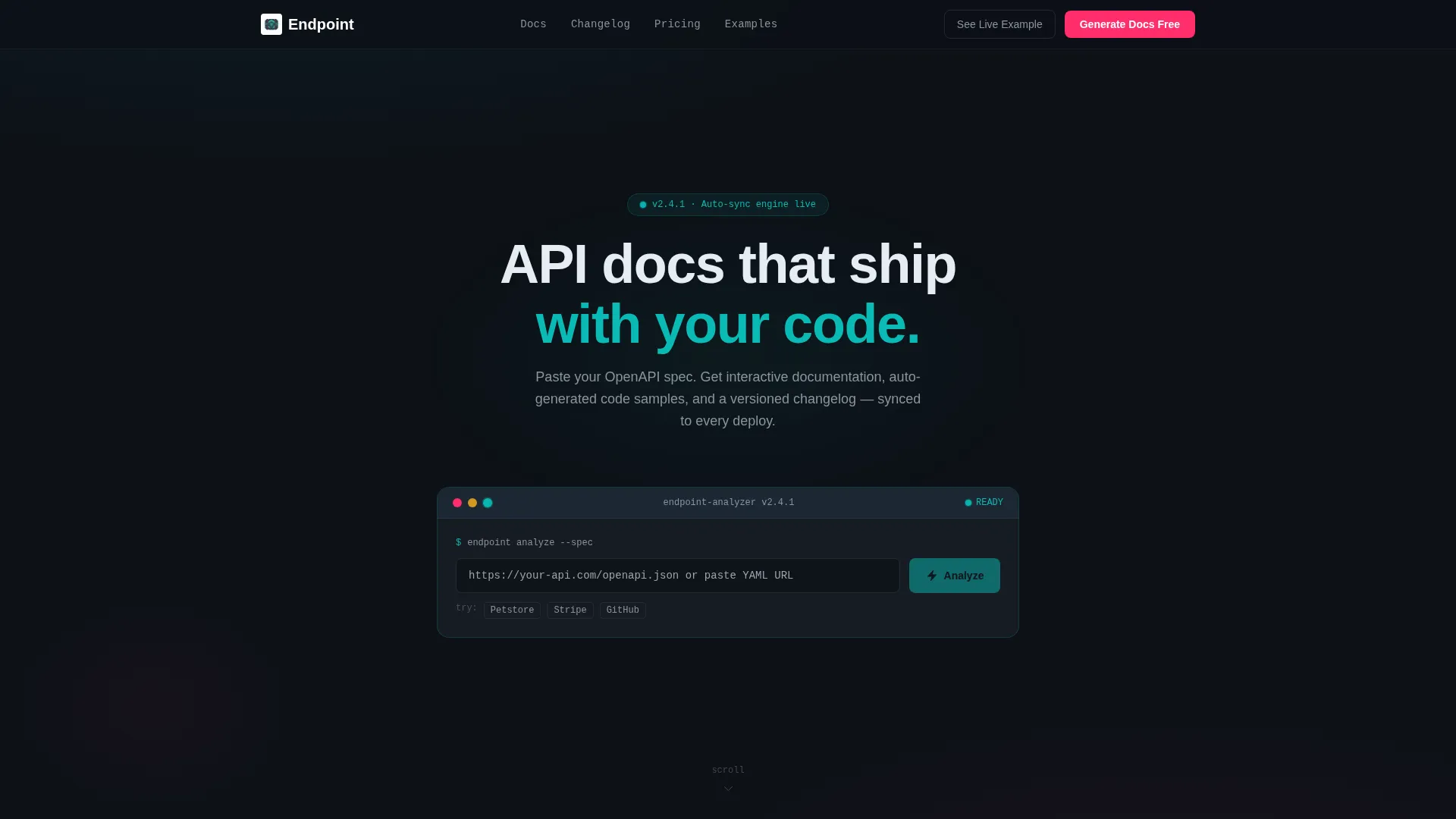
- An interactive header estimator that parses an OpenAPI spec and displays live endpoint counts, estimated documentation pages, supported code sample languages, and a readability score
- Three animated dashboard panels covering live doc diffs, a multi-language code console, and a doc analytics grid with engagement metrics
- A freemium conversion flow with a two-step signup, a persistent bottom-bar call to action, and a friction-reducing "See a Live Example" secondary path
Feature list
This template is built from purpose-driven components. Each one reflects a real feature of the platform it showcases.
Interactive OpenAPI Spec Estimator
The header widget lets visitors paste a sample OpenAPI spec URL or upload a YAML file. It instantly renders a preview grid showing endpoint count, estimated documentation pages, supported languages, and a readability score. Numbers animate in with staggered ticking counters in teal against the dark background.
Live Documentation Diff Panel
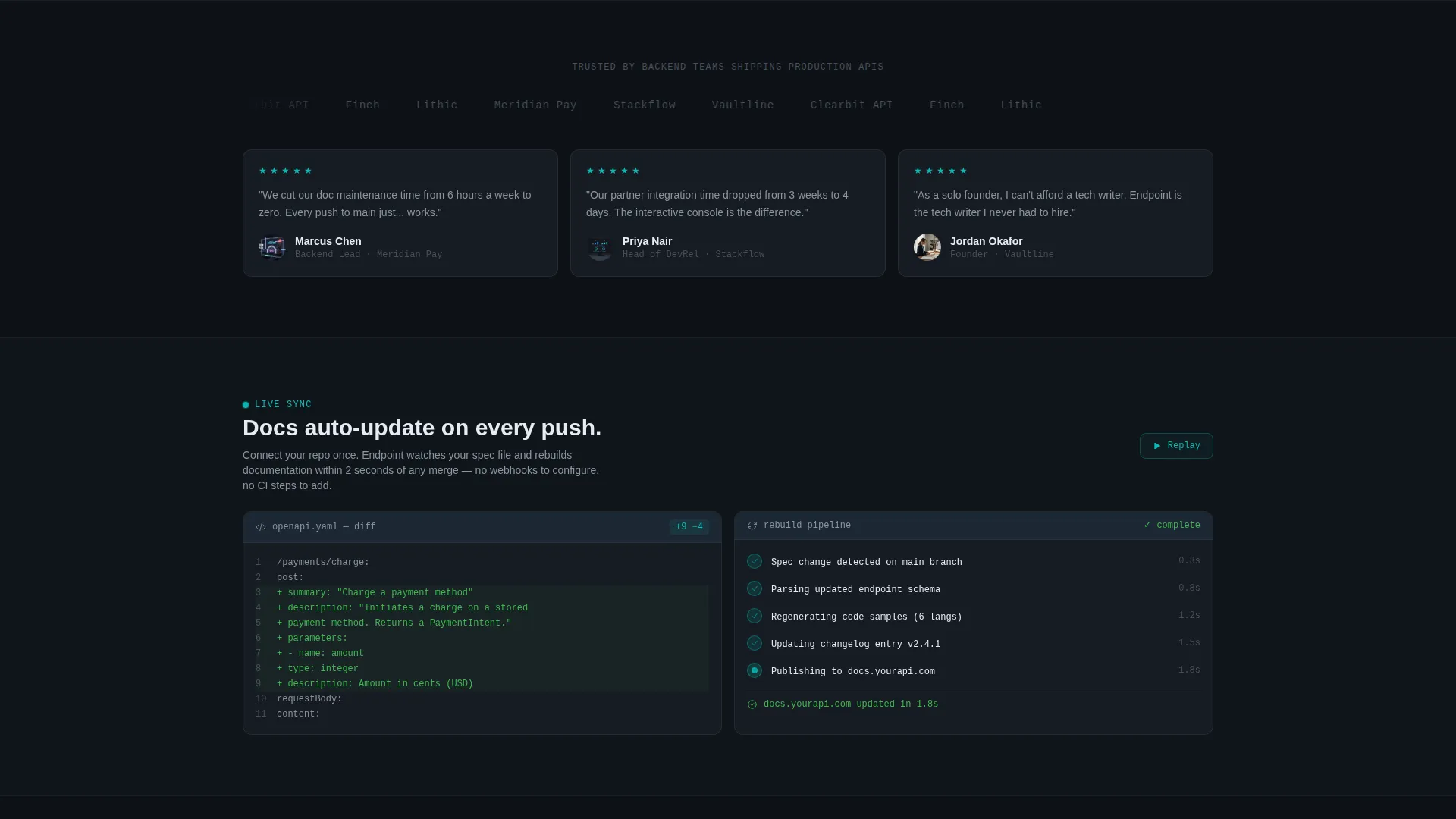
The first scroll panel shows a live diff view of how documentation auto-updates when an endpoint changes. This mirrors the core product promise and gives visitors a direct visual proof point within the first scroll.
Multi-Language Code Console
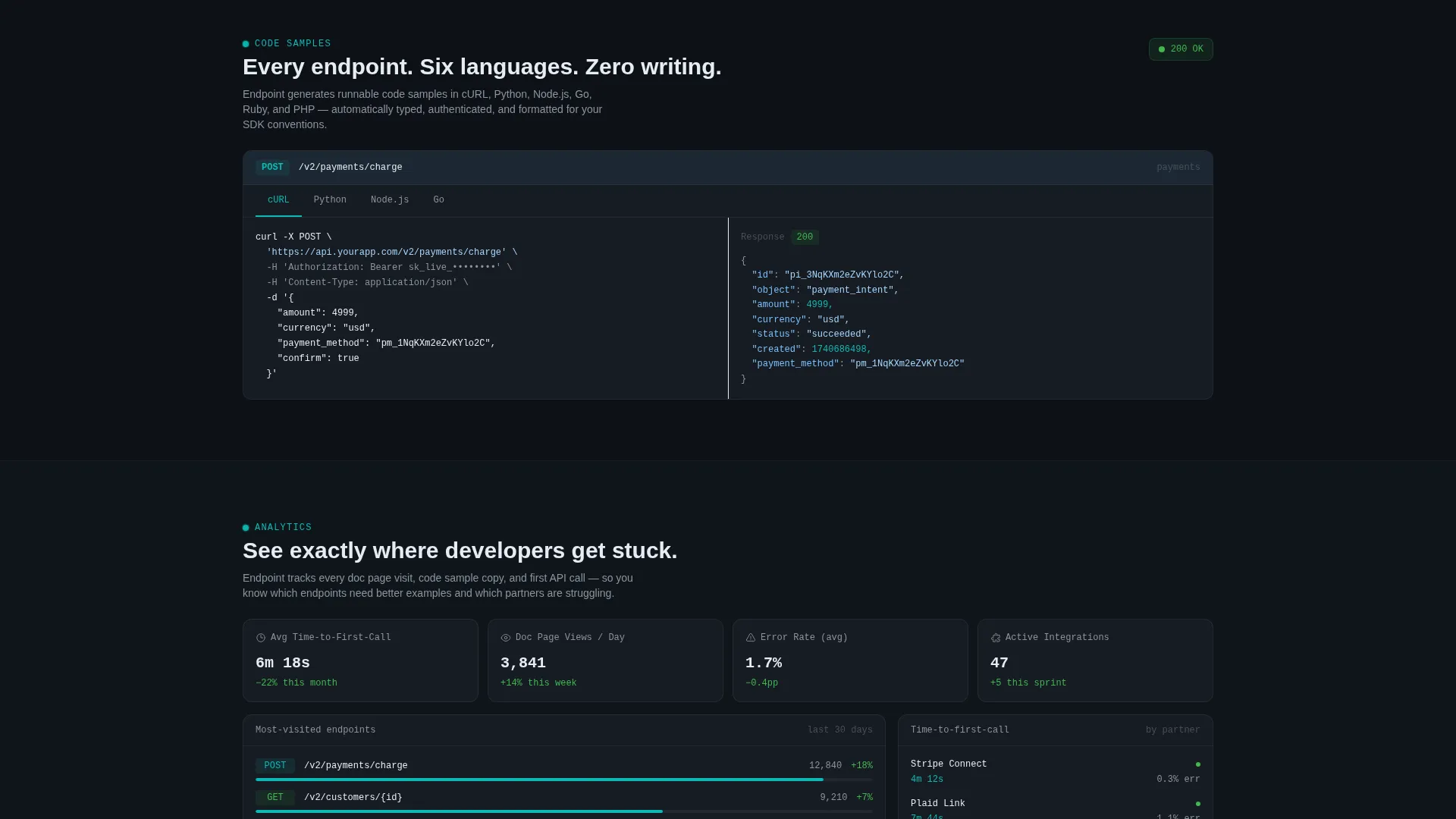
A split console panel displays the same API endpoint rendered in cURL, Python, Node.js, and Go. Tabs switch with snappy transitions, letting visitors explore the auto-generated code samples as they would inside the actual product.
Doc Engagement Analytics Grid
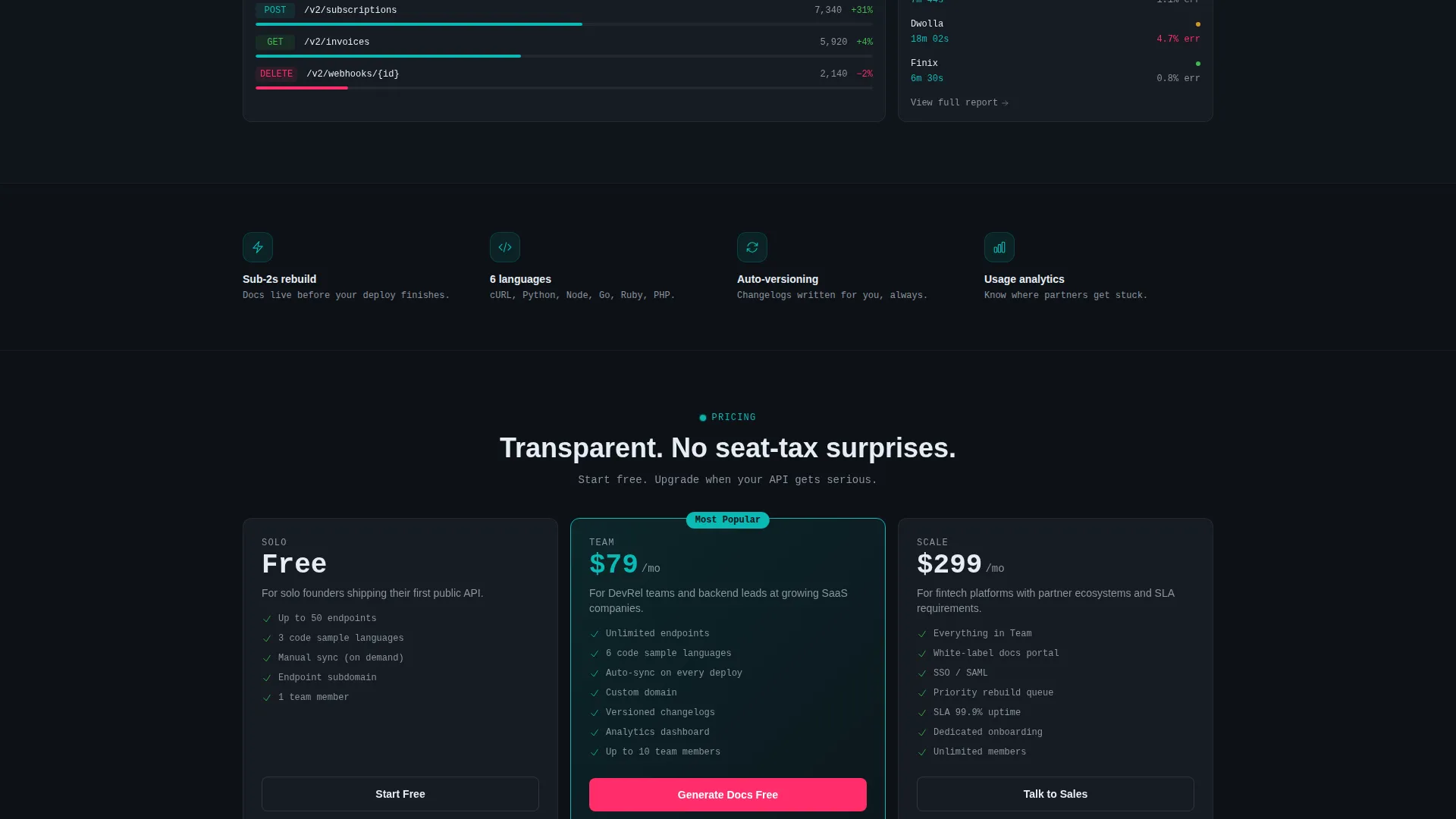
The third dashboard panel presents a data grid of documentation engagement metrics: most-visited endpoints, average time to first call, and error rates by integration partner. The grid reinforces the platform's analytics capabilities without static screenshots.
Two-Step Freemium Signup Flow
The primary conversion flow opens on click and runs two steps: Step 1 collects a GitHub or GitLab repository URL and auto-detects the spec; Step 2 collects email and team size across three tiers. The flow is lightweight and removes common signup friction.
Persistent Bottom-Bar Call to Action
After the second scroll panel, a fixed bottom bar carries the primary "Generate Docs Free" call to action. It stays visible as visitors scroll, maintaining conversion pressure without interrupting the reading experience.
Page sections overview
| Section | Purpose |
|---|---|
| Header Estimator Widget | Parses visitor's spec and displays live metrics to prove value immediately |
| Hero Headline Block | Delivers the core message after estimator results animate in |
| Live Diff Panel | Shows real-time doc updates when an endpoint changes |
| Code Console Panel | Displays auto-generated code samples across four languages |
| Analytics Grid Panel | Presents doc engagement metrics in a live dashboard layout |
| Primary call to action Bar | Persistent bottom bar carrying the freemium signup trigger |
| Two-Step Signup Flow | Captures repo URL in Step 1 and email plus team size in Step 2 |
| Secondary call to action Link | Offers a low-friction "See a Live Example" path for undecided visitors |
Design & branding system
The visual identity runs on a Dynamic Motion theme using the Teal Catalyst color system. The palette is built to feel like a well-designed command-line interface dashboard: dark, focused, and alive with purposeful color signals.
- Core colors: deep terminal black (#0D1117) for backgrounds, primary teal (#0ABAB5) for data highlights and animated counters, secondary slate (#1C2733) for card surfaces and panel backgrounds, and hot catalyst magenta (#FF2D6B) reserved for calls to action and error-state callouts
- Typography runs in crisp monospace white (#E6EDF3) for body text, reinforcing the developer-native aesthetic throughout
- Motion follows spring-physics principles: panels slide and expand into view on scroll, counters tick upward with staggered timing, and tab transitions in the code console use snappy easing to feel responsive rather than decorative
Mobile & speed optimization
The template is designed so that its motion-driven components translate cleanly to smaller screens without losing the interactive feel that makes the landing page compelling.
- Dashboard panels and the estimator widget are structured to stack vertically on mobile, keeping the scroll sequence intact and readable on narrower viewports
- The code console tab layout and analytics grid are designed to reflow so that key content remains visible without horizontal scrolling on standard mobile screen sizes
How this template helps you convert
The conversion strategy is built into the page structure. Every section earns trust before presenting a commitment, and the freemium model lowers the barrier to entry.
- The header estimator uses the visitor's own spec data to generate real numbers, making the value proposition concrete and personal before the headline even appears
- The animated dashboard panels build confidence by showing the product's core features in motion, so visitors arrive at the call to action already believing the platform works
- The "See a Live Example" secondary path captures visitors who are not ready to connect a repository, giving them a lower-friction route that keeps them engaged with the platform
Other information about this template
This template sits within the Documentation and Support category, specifically scoped to the REST API documentation niche. It is designed for teams building interactive API documentation experiences where the docs themselves are a growth and retention tool.
- The template style is Dashboard and Data Grid, which aligns directly with how developer tools products typically present data-rich interfaces to technical buyers
- The header concept is a Calculator and Estimator, a high-trust pattern that delivers personalized output before any signup is required
- The creative direction is Launch Energy, meaning the scroll experience is paced like a countdown: each panel arrives with momentum and purpose rather than passive layout
- The landing page direction is Freemium and Trial, supporting a "Generate Docs Free" primary call to action that captures early-stage teams and scales toward larger ones
Theme
Dynamic Motion
Creative direction
Launch Energy
Color system
Teal Catalyst
Style
Dashboard/Data Grid
Direction
Freemium/Trial
Page Sections
Interactive Openapi Spec Estimator
Live Documentation Diff Panel
Multi-language Code Console
Doc Engagement Analytics Grid
Two-step Freemium Signup Flow
Persistent Bottom-bar Call to Action
Related questions
What kind of team is this template designed for?
How does the header estimator widget work?
How does the two-step signup flow reduce friction?
What is the secondary conversion path for undecided visitors?
What visual style does this template use?



