Developer Portal Professional Website Template
Endpoint is a bento grid landing page template built for API playground products. It pairs a Feature Tab Switcher header with interactive micro-demo tiles, a live comparison table, and a Midnight Blue color system that feels like mission control at midnight. Developers see the product in action before they ever sign up.
by Rocket studio
Quick summary
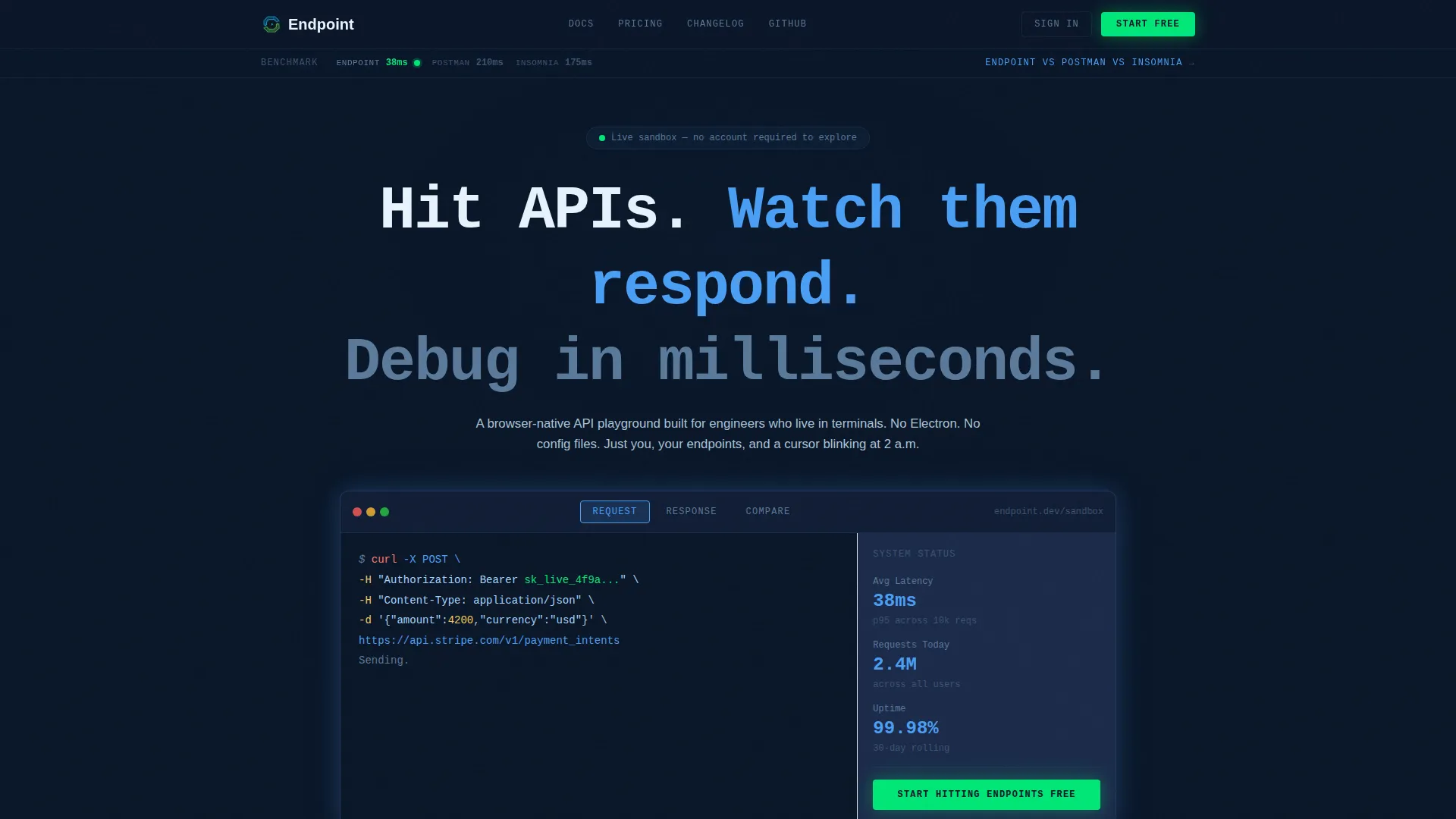
Endpoint is a single-page bento grid template designed for API playground tools. It opens with a Feature Tab Switcher showing live cURL commands, JSON responses, and a side-by-side latency comparison. Every tile on the page is an interactive micro-demo. The visual identity uses a Midnight Blue palette that signals precision, speed, and developer trust from the first scroll.
Who this template is for
This template is built for developer-tool founders, product teams, and indie hackers shipping API-first products. If your audience lives in terminals and pull request reviews, this page speaks their language.
- Backend engineers who need to test third-party integrations quickly and without friction
- Frontend developers validating webhook signatures before a sprint demo
- DevOps leads evaluating whether a faster alternative to their current API client is worth the switch
What problem this template solves
Most developer-tool landing pages explain features with bullet lists and static screenshots. That approach fails with a technical audience that wants to see the product work, not read about it. This template replaces passive description with active demonstration.
- Visitors interact with real API request flows directly on the page, building trust before any signup
- A persistent sticky comparison bar and dynamic table answer the "why switch" question without a sales call
- The minimal signup flow reduces friction to two fields maximum, so momentum from the demo carries straight into conversion
What you get with this template
You get a fully structured bento grid landing page with interactive components, a dark-mode design system, and a conversion path built around a comparison table rather than a form. Every section is scoped to the developer audience and wired to a clear call to action.
- Feature Tab Switcher header with three tabs: Request, Response, and Compare
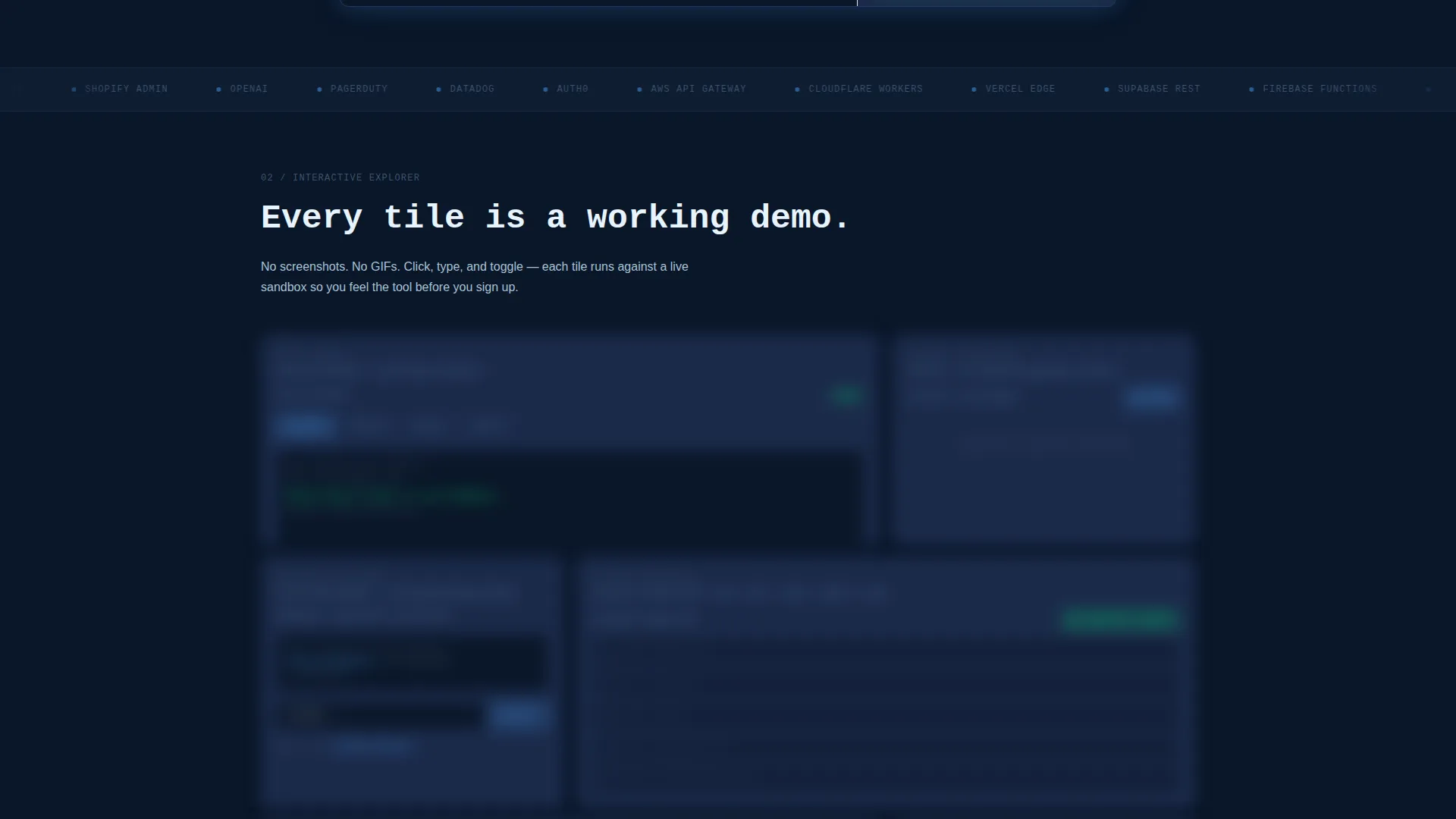
- Bento grid of interactive micro-demo tiles escalating from simple GET requests to chained multi-step workflows
- Sticky comparison bar and dynamic table with signal-green checkmarks and muted-gray cross marks
Feature list
This template includes purpose-built sections and interactive components grounded in the source brief. Each one is designed to move a skeptical developer from "interesting" to "I need this."
Feature Tab Switcher Header
The header renders a live code block in a monospaced font against the void-dark navy background. The default tab shows a cURL command mid-flight with an animated ellipsis. Clicking "Response" snaps a syntax-highlighted JSON payload into view. Clicking "Compare" splits the block into two panes with latency numbers ticking in real time.
Interactive Bento Grid Tiles
Each tile functions as a working micro-demo rather than a static screenshot. One tile lets visitors toggle authentication methods and watch the request header rewrite itself. Another tile is a latency histogram that populates with live data as visitors interact with it.
Authentication Toggle Tile
Visitors can switch between authentication methods directly inside the tile. The header block updates in real time to reflect the selected method. This single interaction shows more than a paragraph of documentation could.
Escalating Workflow Demos
The bento grid is sequenced deliberately. Tiles progress from simple GET requests through to chained multi-step workflows. Each step builds the visitor's confidence that the tool already understands how they work.
Sticky Comparison Bar
A persistent bar at the top of the viewport keeps the competitive context visible throughout the scroll. It anchors the page to the core conversion argument without interrupting the demo experience.
Dynamic Comparison Table
The lower section of the page anchors around a structured comparison table. Signal-green checkmarks and muted-gray cross marks make the contrast between options immediately readable. The primary call-to-action button sits directly below the table to capture intent at peak conviction.
Page sections overview
| Section | Purpose |
|---|---|
| Tab Switcher Header | Show live API request, response, and comparison flows |
| Auth Toggle Tile | Let visitors switch authentication methods interactively |
| Latency Histogram Tile | Display real-time latency data as visitors click |
| Workflow Escalation Grid | Progress demos from simple GET to multi-step chains |
| Sticky Comparison Bar | Keep competitive framing visible throughout the scroll |
| Dynamic Comparison Table | Compare options with checkmarks and cross marks |
| Primary call to action Block | Convert peak-confidence visitors with a low-friction signup |
Design & branding system
The visual identity follows a Data Command theme that feels like a mission control room at midnight. Every color has a specific job, and nothing is decorative without purpose.
- Void-dark navy (#0A1628) as the primary background, terminal slate (#1B2A4A) for card surfaces, and cold phosphor blue (#4A9FF5) for active states and syntax highlights
- Signal green (#00E676) reserved exclusively for successful response badges and the primary call-to-action buttons, making both immediately recognizable
- Monospaced typography throughout the code blocks reinforces the terminal aesthetic and keeps rendered payloads readable at a glance
Mobile & speed optimization
The bento grid layout is structured to adapt across screen sizes without losing the interactive nature of the tiles. The dark-mode palette also reduces visual fatigue during extended sessions on any device.
- Bento grid columns reflow for smaller viewports while preserving the hierarchy of interactive elements
- The signup flow requires two fields maximum, which keeps the conversion path clean and fast on mobile keyboards
How this template helps you convert
This template is structured around a conversion argument, not a feature list. Every design and layout decision reduces hesitation and moves the visitor toward the call to action.
- The interactive header lets visitors experience the product's speed and clarity before reading a single line of marketing copy, establishing trust immediately.
- The escalating bento grid builds familiarity progressively, so by the time a visitor reaches the comparison table they already feel competent using the tool.
- The comparison table resolves the final objection by making the competitive advantage visible in one glance, and the "Start Hitting Endpoints Free" call-to-action button placed directly below captures that converted intent with minimal friction.
Other information about this template
This template is categorized under Developer Portal and Documentation and Support, making it a strong fit for API-focused products that need a dedicated showcase page. The bento grid style is well suited for tools where the interface itself is the best marketing material.
- The template style is Bento Grid, the theme is Data Command, and the creative direction is Interactive Explorer
- The landing page direction is Comparison/Versus, meaning the layout is engineered around competitive differentiation rather than a feature announcement
- The signup flow supports GitHub OAuth or email entry with two fields maximum, keeping the path from demo to account creation as short as possible
- No stock imagery is used anywhere in the template; the product interface is the visual
Theme
Data Command
Creative direction
Interactive Explorer
Color system
Midnight Blue
Style
Bento Grid
Direction
Comparison/Versus
Page Sections
Feature Tab Switcher Header
Interactive Bento Grid Layout
Authentication Toggle Tile
Live Latency Histogram
Sticky Comparison Bar
Dynamic Comparison Table with Call to Action
Related questions
What kind of product is this template designed for?
Can I customize the color system for my own brand?
Does the template include any form fields for signup?
How does the comparison table work?
Is this template built exclusively for dark mode?



