Engineering Homework Help Landing Page Template
Engineeraid is a sidebar companion landing page built for engineering homework help services. It pairs a calm, notebook-inspired visual design with a scroll-through FAQ structure, a persistent sidebar chat prompt, and a freemium entry point. Students can ask their first question free, no account or credit card required, making the path from curiosity to conversion remarkably short.
by Rocket studio
Quick summary
Engineeraid is a single-page sidebar companion template designed for engineering tutoring and homework help services. It guides stressed students from first visit to first question using a clean FAQ-driven scroll, a persistent sidebar chat widget, and a frictionless freemium call to action. The design feels like a well-organized engineering notebook: precise, calm, and immediately trustworthy.
Who this template is for
This template was built for engineering education businesses that need to earn student trust quickly. It fits services where the product is expertise and the visitor is under pressure to solve something tonight.
- Engineering homework help platforms targeting undergraduate students in mechanical, electrical, and civil engineering programs
- Independent tutors and small tutoring teams offering subject-specific support in statics, dynamics, circuits, thermodynamics, fluids, and materials science
- Education startups running a freemium or free-trial conversion model that want to reduce signup friction to near zero
What problem this template solves
Most tutoring pages ask students to commit before they feel confident in the service. A student at 2 a.m. with a thermodynamics problem set does not want to fill out a form or create an account. They want to know: can you actually help me, right now?
- The template removes signup barriers at the top of the funnel by making the first question completely free
- It addresses credibility doubts through embedded micro-examples, free-body diagrams, step-by-step walkthroughs, and tutor-led video clips
- It collapses the gap between browsing and converting by keeping a fixed sidebar chat widget visible throughout the entire scroll
What you get with this template
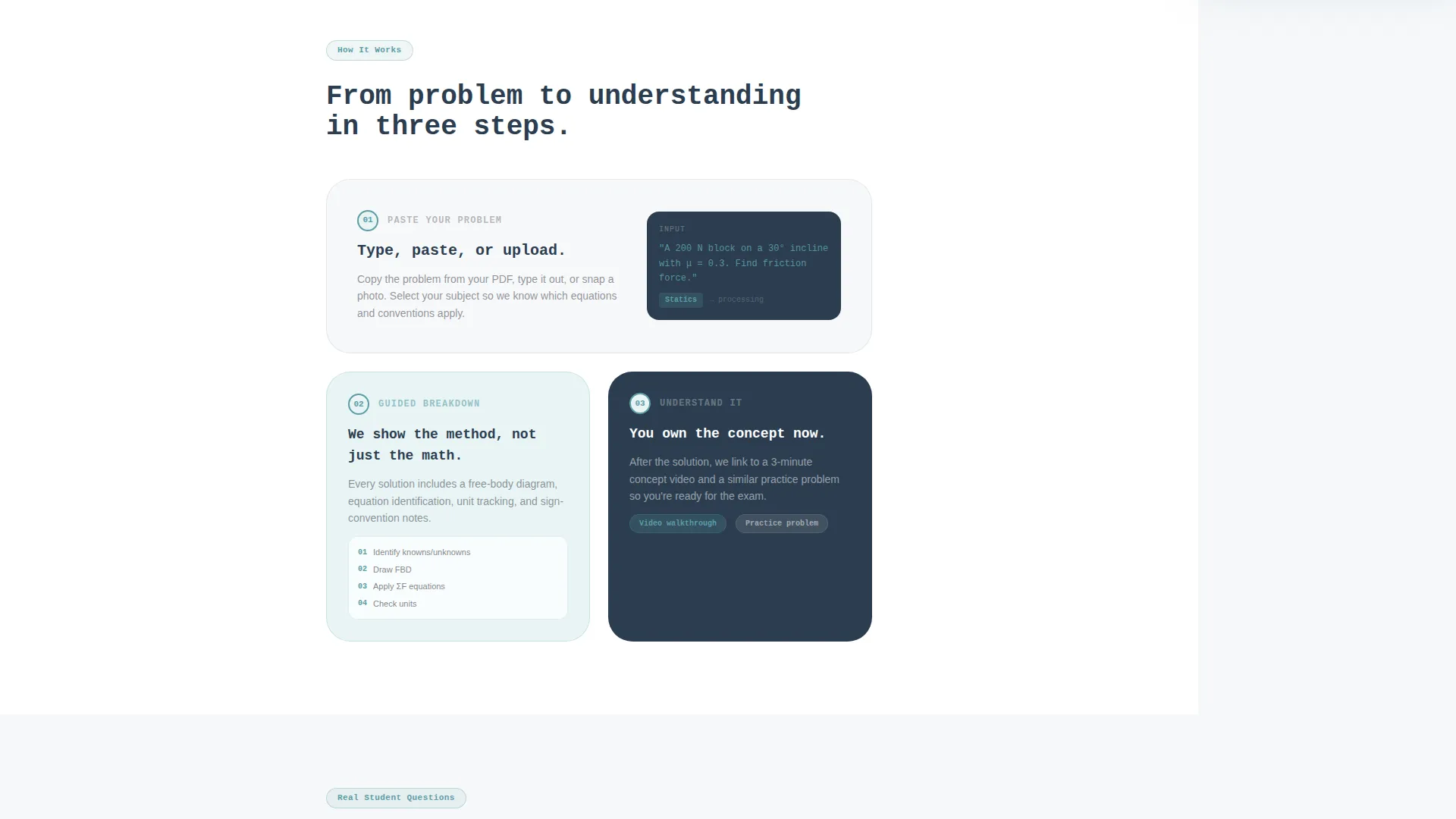
You get a fully structured sidebar companion landing page with every section, component, and conversion element pre-built and ready to customize. Nothing needs to be invented from scratch.
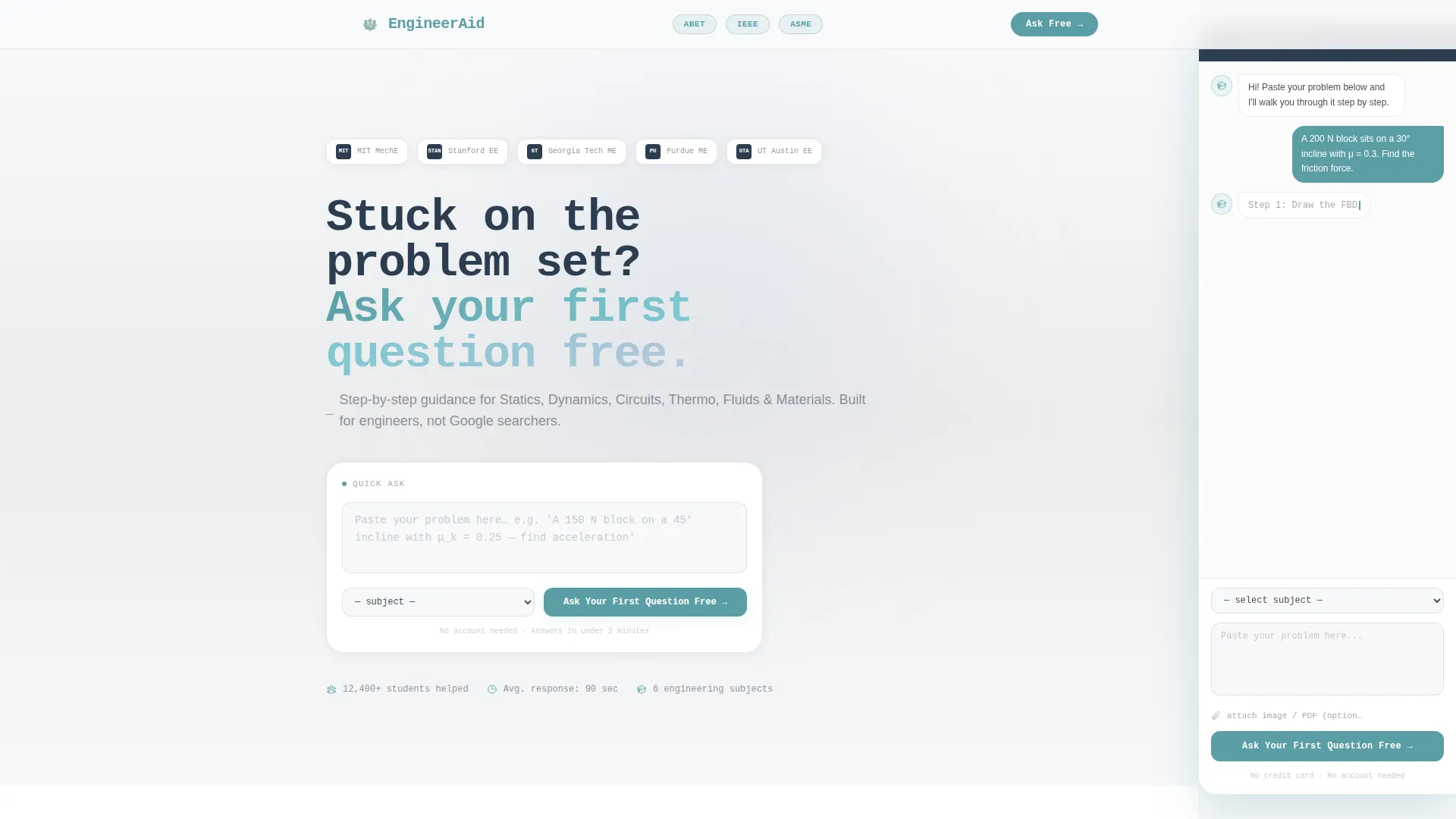
- A slim logo bar header featuring space for a wordmark alongside university engineering department crests and accreditation badges
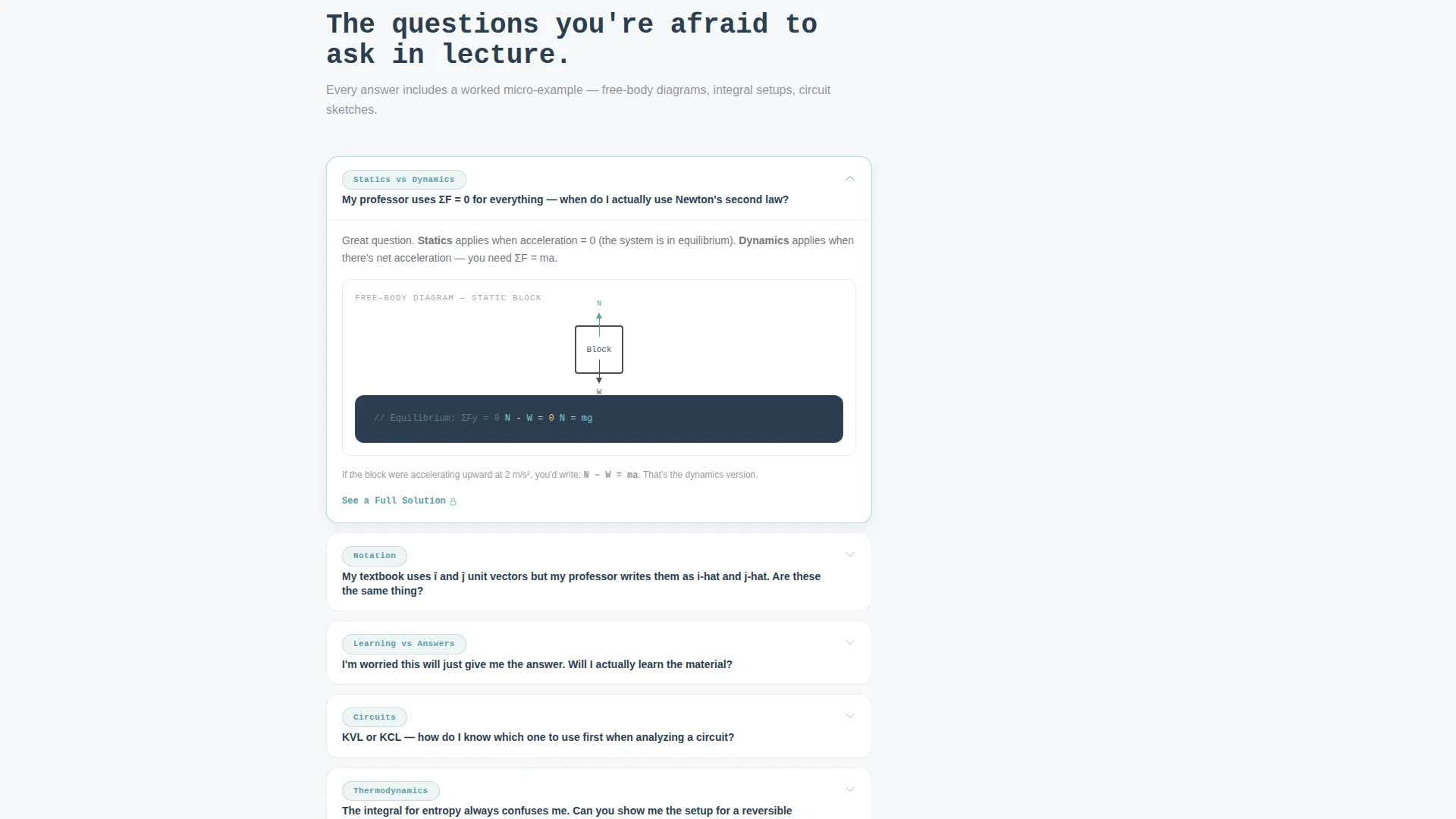
- A FAQ-driven main content column with progressive question anchors, embedded micro-examples, and gated "See a Full Solution" secondary conversion links
- A fixed right-side sidebar chat preview with a blinking cursor, a subject dropdown covering six engineering disciplines, and an optional file upload field for handwritten problem photos
Feature list
This template includes purpose-built components that serve one goal: helping an engineering student trust the service and take action before they close the tab.
Persistent Sidebar Chat Widget
A fixed sidebar stays visible on the right throughout the entire scroll. It contains a text field, a course-subject dropdown, and a file upload option. Students can begin typing their problem at any point without scrolling back to the top.
FAQ-Driven Scroll Structure
The main content column is organized around real student questions that grow progressively more specific. Each question anchors a section where the answer is supported by a micro-example, keeping the visitor engaged rather than skimming past blocks of marketing text.
Embedded Micro-Examples
Each FAQ section includes a rendered free-body diagram, a step-by-step integral walkthrough, or a short tutor-led video. These in-context examples demonstrate depth before the student commits to anything.
Freemium Entry-Point Form
The primary call to action requires no credit card and no upfront account creation. A single text field, a subject dropdown, and an optional photo upload are all that stand between the student and their first free answer.
Gated Secondary Conversion Path
A "See a Full Solution" link appears beneath each micro-example. Clicking it gates a complete worked problem behind a free email signup, letting students experience the full solution quality before choosing a paid plan.
Logo Bar with Trust Signals
The header displays the service wordmark alongside university engineering department crests and accreditation badges. The arrangement reads as quiet proof of subject fluency rather than a list of boasts.
Page sections overview
| Section | Purpose |
|---|---|
| Logo Bar Header | Displays wordmark, university crests, and accreditation badges |
| Hero Headline | Sets the freemium offer with a monospaced, notebook-style prompt |
| FAQ Section One | Answers broad subject-scope questions with a micro-example |
| FAQ Section Two | Addresses notation and professor-specific concerns |
| FAQ Section Three | Resolves learning-versus-answers doubt with a tutor video |
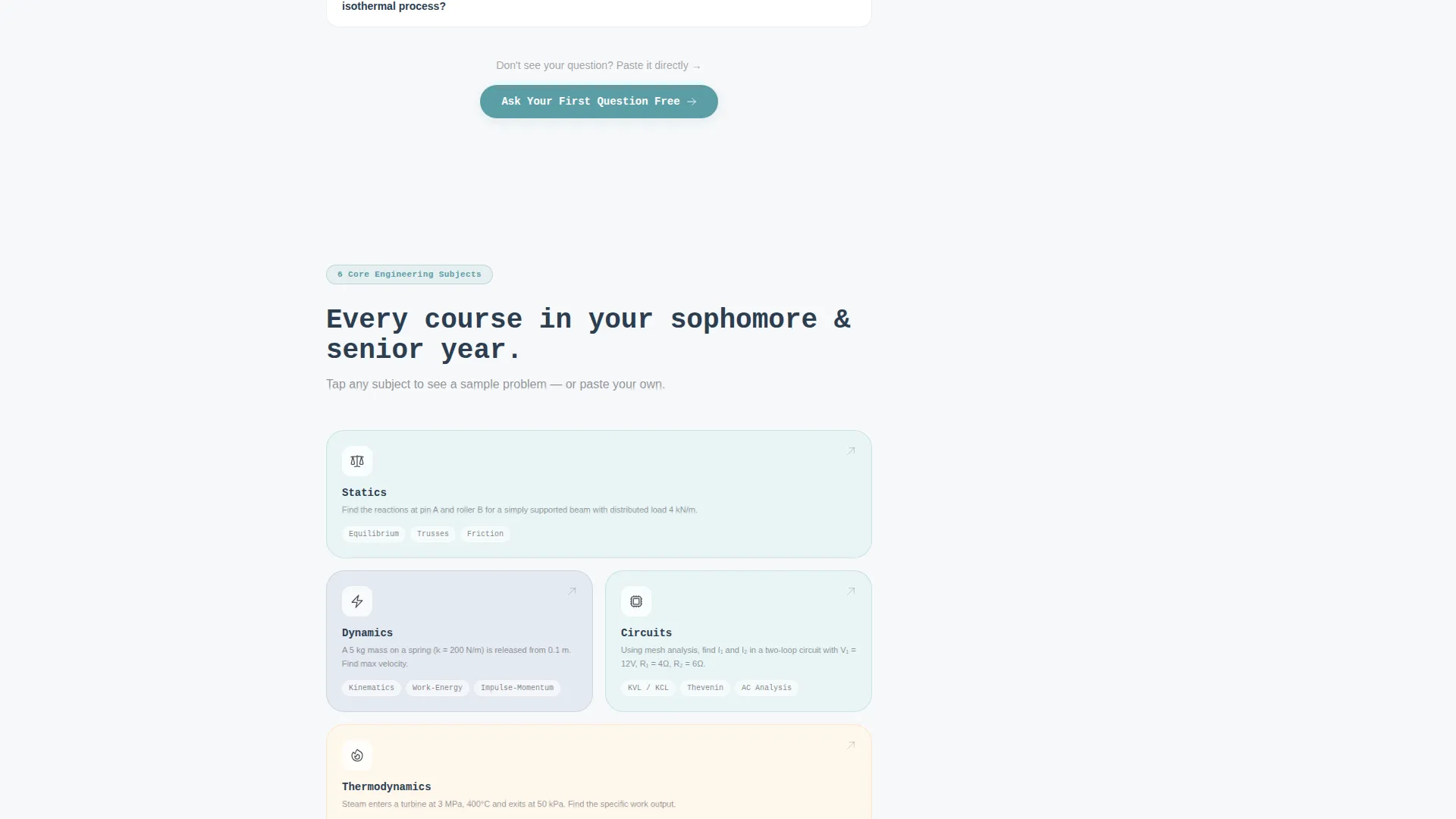
| Floating call to action Button | Appears after second FAQ section; repeats free question offer |
| Sidebar Chat Preview | Fixed right column with text field, dropdown, and file upload |
| Gated Solution Links | Secondary path to full worked problems behind email signup |
Design & branding system
The visual identity follows an Educational Guide theme built on a Soft Mist color system. Every color choice is grounded in the analogy of a clean engineering notebook: graph-paper soft, mechanical-pencil precise, with just enough contrast to guide the eye without competing with the content.
- Chalk-dust white (#F7F8FA) as the primary background, giving the page breathing room and keeping the student's focus on the equations and explanations
- Graphite pencil gray (#4A4E57) for body text and structural elements, with muted blue-fog (#B8C6DB) used for the sidebar background and secondary containers
- Quiet teal (#5B9EA6) reserved exclusively for interactive highlights, active states, and call-to-action elements, making every clickable moment easy to spot
Mobile & speed optimization
The sidebar companion layout adapts thoughtfully for smaller screens. The fixed right-side chat widget collapses into an accessible bottom bar or floating button on mobile, keeping the conversion path available without crowding the reading experience.
- The monospaced headline, FAQ sections, and micro-examples stack cleanly in a single column on narrow viewports
- Image assets such as free-body diagrams and handwritten problem upload previews are sized to load without blocking the primary reading flow
- The subject dropdown and file upload field remain fully usable on touch devices throughout the scroll
How this template helps you convert
Every structural decision in this template points toward one outcome: turning a stressed, skeptical student into someone who has already typed their first question.
- The freemium call to action appears in three places: the hero headline, the persistent sidebar widget, and a floating button after the second FAQ section, so the offer is always one tap away without feeling aggressive.
- The FAQ-driven scroll is designed to answer objections in order of increasing specificity, meaning the student's confidence grows with each section they read before the ask is ever made.
- The gated "See a Full Solution" path captures email addresses from students who are curious but not yet ready to submit a question, creating a secondary conversion layer that costs the visitor nothing upfront.
Other information about this template
This template is part of a broader set of education-focused landing page designs built for service-led businesses in the tutoring and academic help space. It is well suited to any engineering help service that relies on demonstrating expertise through examples rather than through feature lists alone.
- The template style is classified as a Sidebar Companion, meaning the right-side panel and the main scroll column operate as two parallel but connected experiences
- The creative direction is FAQ-Driven, which makes it particularly effective for engineering niches where student skepticism is high and credibility must be earned section by section
- Subject coverage built into the dropdown includes Statics, Dynamics, Circuits, Thermodynamics, Fluids, and Materials Science, reflecting the six core undergraduate engineering disciplines most commonly associated with homework help demand
Theme
Educational Guide
Creative direction
FAQ-Driven
Color system
Soft Mist
Style
Sidebar Companion
Direction
Freemium/Trial
Page Sections
Persistent Sidebar Chat Widget
Faq-driven Scroll Structure
Embedded Micro-examples
Freemium Entry-point Form
Gated Secondary Conversion Path
Logo Bar with Trust Signals
Related questions
Can I change the subject dropdown options in the sidebar form?
Does the floating call to action button appear automatically after scrolling?
Can I use this template without the sidebar chat widget?
Is the gated solution link connected to an email platform?
Who is the freemium entry point designed for?



