Engineering Education Professional Website Template
Engineerdrill is a precision exam prep landing page template built for engineering quiz and study apps targeting Fundamentals of Engineering (FE) and Professional Engineer (PE) license candidates. It opens with a live multi-step quiz in the header, guides visitors through a three-phase study narrative, and converts them with a free 10-question diagnostic. Single-column flow, desktop-first, high-animation build.
by Rocket studio
Quick summary
Engineerdrill is a single-column landing page template for an adaptive engineering exam prep app. The header drops visitors straight into a live discipline-picker quiz. A three-phase scroll narrative builds momentum. The primary call to action is a free 10-question diagnostic that branches by topic and delivers a personalized gap report, earning the signup before asking for it.
Who this template is for
This template is built for engineering exam prep app founders, edtech product teams, and solo developers launching a quiz-driven study tool. If your product helps candidates prepare for the Fundamentals of Engineering (FE) exam or the Professional Engineer (PE) license, this template matches your audience and conversion model precisely.
- Final-year mechanical and electrical engineering students preparing for the FE exam
- Working professionals studying for a PE license on nights and weekends
- International engineering graduates preparing for equivalency assessments
What problem this template solves
Most exam prep landing pages describe a product. This template makes the visitor experience it immediately. The standard hero-image-plus-tagline format fails with technical audiences who need proof before trust. Engineerdrill skips that pattern entirely.
- Visitors leave before engaging because the page feels like every other edu-tool
- A generic sign-up form cannot communicate what an adaptive drill platform actually does
- Students need to feel the product working before they commit to creating an account
What you get with this template
You get a fully structured single-column landing page with five defined content sections and a footer. The design, layout, and interactive logic are all scoped and named in the template. Each section has a clear job to do in the conversion sequence.
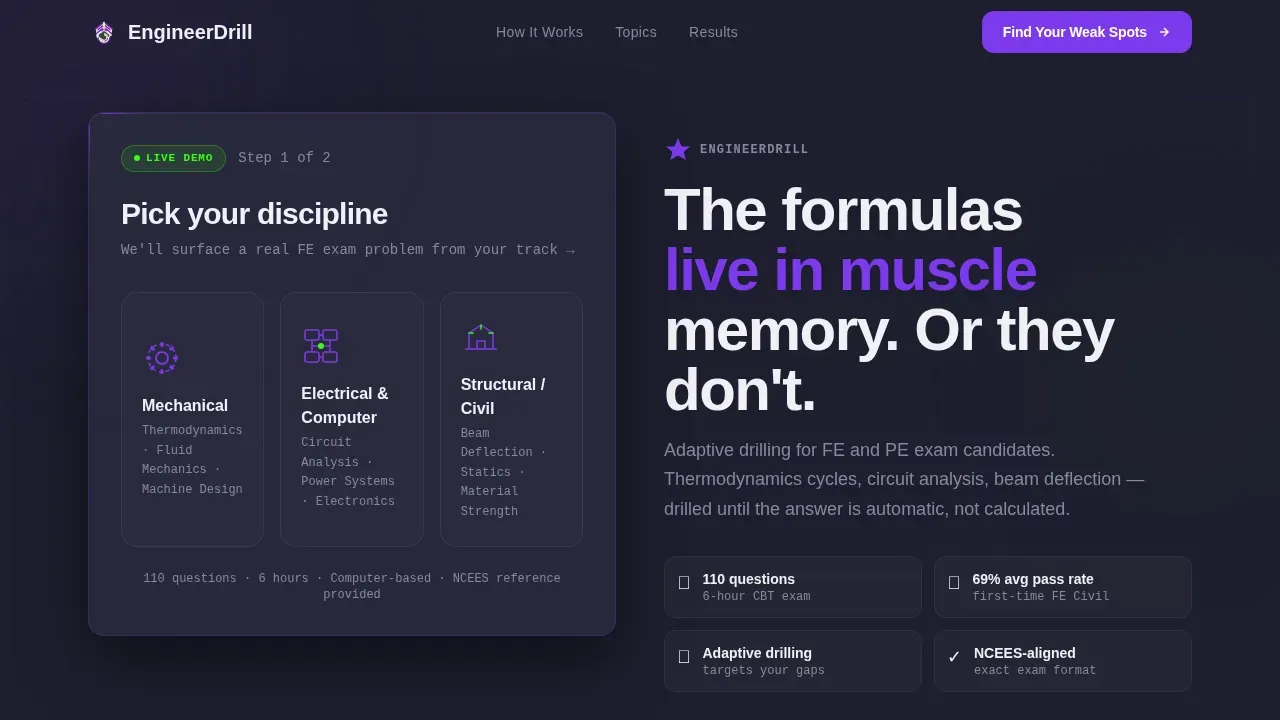
- A live multi-step quiz header that serves as both hero and product demo
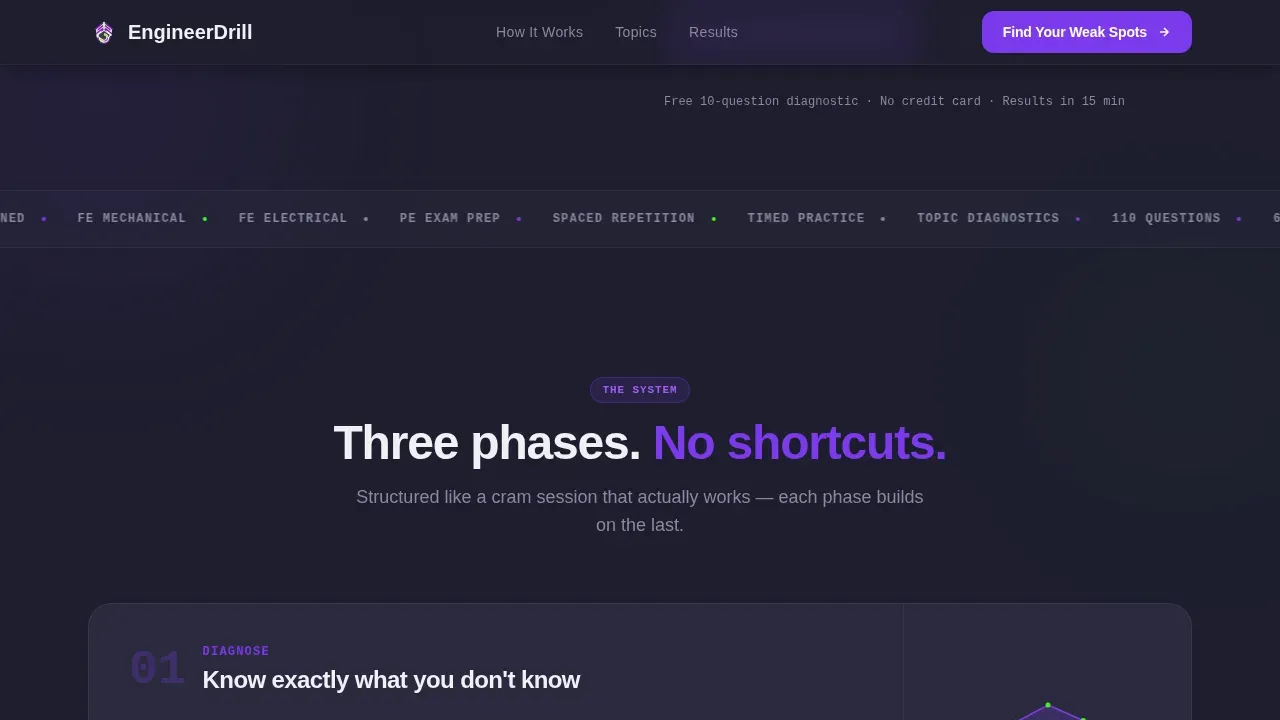
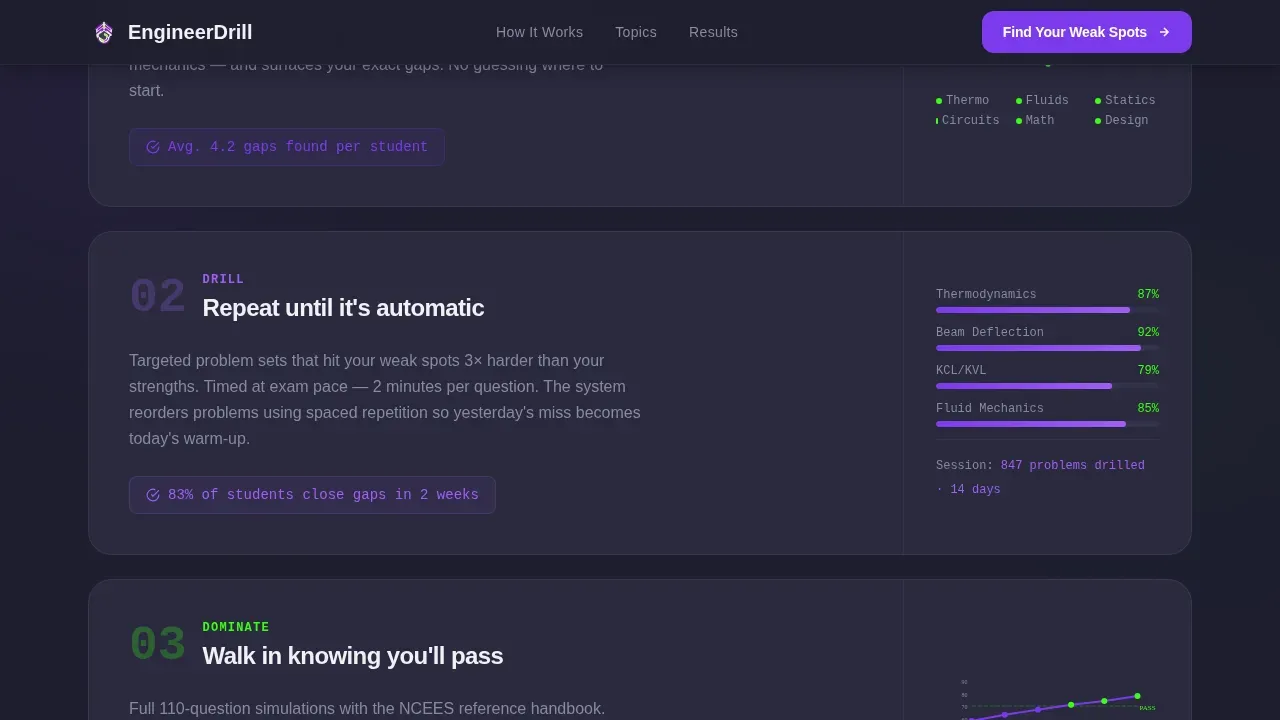
- A three-phase "Diagnose, Drill, Dominate" scroll narrative with animated phase cards
- A full-width diagnostic call-to-action section with a "Find Your Weak Spots" primary button
Feature list
This template is built around a specific set of interactive and visual components. Each one is tied directly to the conversion goal and the product story.
Live Multi-Step Quiz Header
The header skips the traditional hero image. Visitors land mid-quiz, choose their discipline from three illustrated tiles (mechanical, electrical, structural), and immediately face a timed free-body diagram problem with a 45-second countdown badge. The product becomes the first impression.
Diagnose, Drill, Dominate Phase Cards
Three numbered phase cards scroll in sequence after the header. Each card uses a mini-animation: a radar chart filling in weak topics, a progress bar climbing through repeated problem sets, and a mock-exam score crossing the pass threshold. The narrative builds momentum like a structured study session.
Topic Coverage Bento Grid
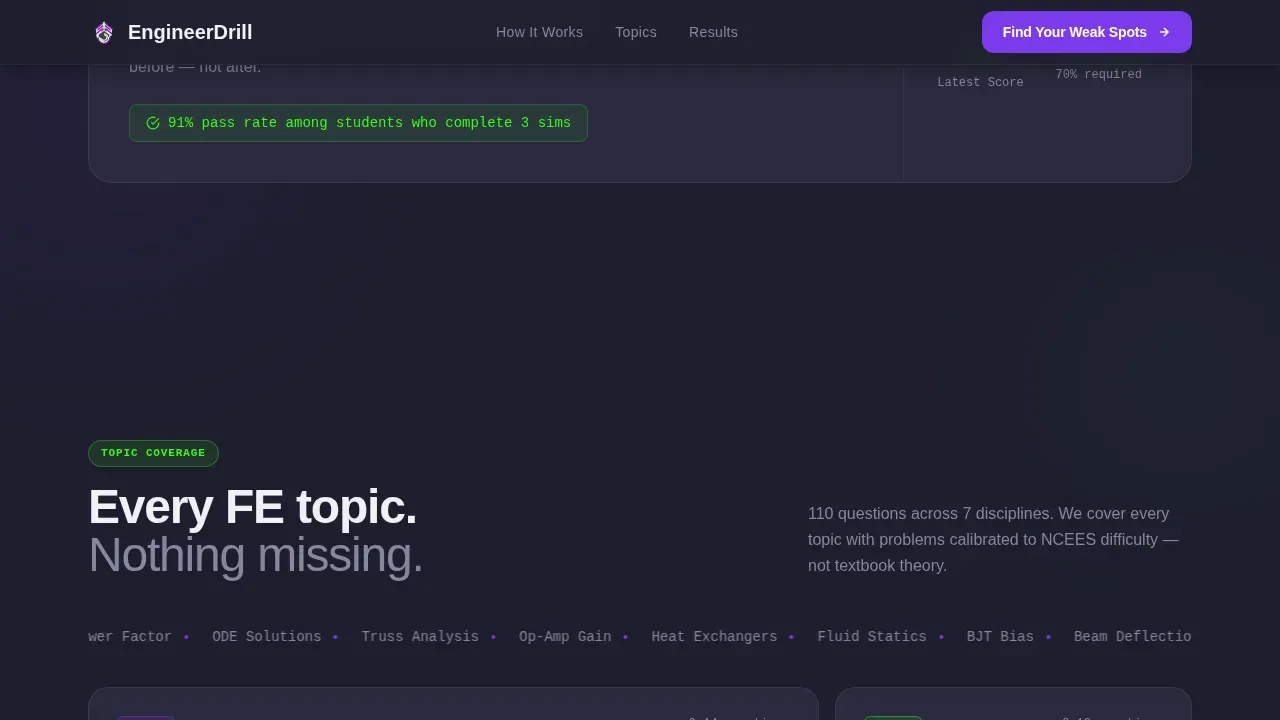
An asymmetric bento grid displays the full range of FE exam subject areas covered by the app. Thermodynamics cycles, beam deflection, and circuit analysis are among the disciplines shown. The layout communicates breadth without overwhelming the visitor.
Free Diagnostic Call-to-Action Section
A full-width section houses the primary conversion element: a "Find Your Weak Spots" button that triggers the free 10-question diagnostic. The diagnostic branches by discipline and difficulty, then delivers a personalized score breakdown with topic-level gaps highlighted in volt green and electric violet.
Social Proof Section
Pass rate statistics, a student count of over 10,000 users, and discipline-specific testimonials are displayed in a dedicated section. The data gives credibility to the conversion claim without requiring the visitor to take it on faith.
Personalized Study Plan Signup
After the diagnostic, a secondary call to action reads "Start Your Study Plan." Account creation requires only an email address and an exam date. The minimal form removes friction at the highest-intent moment in the page flow.
Page sections overview
| Section | Purpose |
|---|---|
| Multi-Step Quiz Header | Opens as live product demo; discipline picker and timed problem |
| How It Works | Three-phase Diagnose, Drill, Dominate animated card sequence |
| Topic Coverage Grid | Bento grid showing full FE exam subject breadth |
| Social Proof | Pass rates, student count stats, and testimonials |
| Diagnostic Call to Action | "Find Your Weak Spots" full-width conversion section |
| Footer | Linear single-row footer with minimal nav |
Design & branding system
The visual identity follows a Corporate Precision theme executed through a Dopamine Pop color system. The palette reads like a late-night engineering notebook where every correct answer gets rewarded with a hit of color. Typography pairs DM Sans for body readability with JetBrains Mono for numbers, data labels, and formula notation.
- Deep graphite (#1E1E2E) backgrounds, chalk white (#F0F0F5) body text, electric violet (#7C3AED) for buttons and progress bars
- Volt green (#39FF14) reserved for correct-answer feedback, achievement badges, and gap highlights in the diagnostic results
- DM Sans handles all narrative copy; JetBrains Mono handles numerical data, countdown timers, and exam notation
Mobile & speed optimization
The template is designed desktop-first, reflecting the reality that most FE and PE exam candidates study at a desk. Mobile support is built in as a solid secondary experience so the page holds up on any device.
- Desktop-first layout prioritizes the multi-step quiz header and bento grid at full viewport width
- Mobile breakpoints maintain the quiz interaction flow and card scroll sequence at smaller screen sizes
- Static sections use server component logic; interactive quiz and timer elements are scoped to client-side rendering
How this template helps you convert
The conversion architecture is built around a trust-first sequence. The page earns the signup by demonstrating value before asking for anything. Each phase of the page removes a reason not to act.
- The live quiz header creates immediate engagement and product proof before any marketing copy appears, reducing early bounce.
- The "Find Your Weak Spots" diagnostic delivers a personalized gap report at completion, so the visitor already has results when the study plan signup appears.
- The account creation form asks only for an email and exam date, removing friction at the highest-intent point in the page flow.
Other information about this template
This template is built for the Engineering Practice and Quiz App niche inside the Education and Training category. It is designed as a single-column flow landing page with high animation and high interactivity requirements. GSAP scroll reveals, a live countdown timer, progress bar animations, and a radar chart fill are all specified in the build scope.
- Animation stack: GSAP scroll reveals, live 45-second countdown timer, animated progress bars, radar chart fill on scroll
- Template style: Single Column Flow, desktop-first, with English (USA) localization and FE and PE exam terminology throughout
- Audience scope covers mechanical engineering, electrical engineering, and structural disciplines as represented by the three discipline tiles
Theme
Corporate Precision
Creative direction
Step-by-Step Guide
Color system
Dopamine Pop
Style
Single Column Flow
Direction
Quiz/Assessment
Page Sections
Live Multi-step Quiz Header
Diagnose, Drill, Dominate Cards
FE Exam Topic Bento Grid
Free Diagnostic Conversion Section
Social Proof Section
Minimal Study Plan Signup
Related questions
Who is this landing page template designed for?
Can I customize the quiz disciplines shown in the header?
Does the template include the actual quiz logic and scoring engine?
What makes this template different from a standard study app template?
Is this template suitable for international engineering exam candidates?



