Enroll - Comprehensive Schoolfinder Landing Page Template
Enroll is a dashboard-style K-12 school directory landing page built for families navigating enrollment decisions. It leads with a live school-match calculator above the fold, then progressively reveals school profile cards, test score data, enrollment deadlines, and parent reviews. The design uses a Monochrome Steel palette to make dense data feel structured and trustworthy rather than overwhelming.
by Rocket studio
Quick summary
Enroll is a single-page K-12 school directory landing page that puts a functioning school-match calculator front and center. Families enter a zip code, grade level, and priorities, then watch a live data grid re-sort in real time. Progressive scroll reveals school profile depth, social proof, and a gated full-results prompt, all wrapped in a carbon-and-steel visual system built for data clarity.
Who this template is for
This template is built for teams launching a K-12 school directory or education listing platform. It suits anyone who needs to present complex enrollment data without overwhelming first-time visitors.
- Edtech founders building a searchable K-12 school directory and listing site
- School search platforms targeting relocating families, charter lottery researchers, or re-entry homeschool parents
- Education K-12 digital presence teams who need a lead-generation landing page that earns signups through demonstrated utility
What problem this template solves
Parents searching for the right school face a fragmented, confusing landscape. Enrollment windows, test score data, waitlist rules, and program specialties live across dozens of disconnected sources. This template solves the navigation problem by organizing all of that into one scrollable, interactive surface.
- Families waste hours comparing public magnets, private academies, charter startups, and classical co-ops across separate websites
- Enrollment deadlines and lottery windows are easy to miss without a centralized, regularly updated reference
- Most directory pages feel cold and institutional, discouraging the trust needed to get families to sign up
What you get with this template
You get a fully structured dashboard and data grid landing page ready to present a K-12 school directory with authority and clarity. Every section is purpose-built to move a visitor from curious to committed.
- An interactive school-match calculator embedded above the fold with zip code input, grade-level dropdown, and a priorities checklist
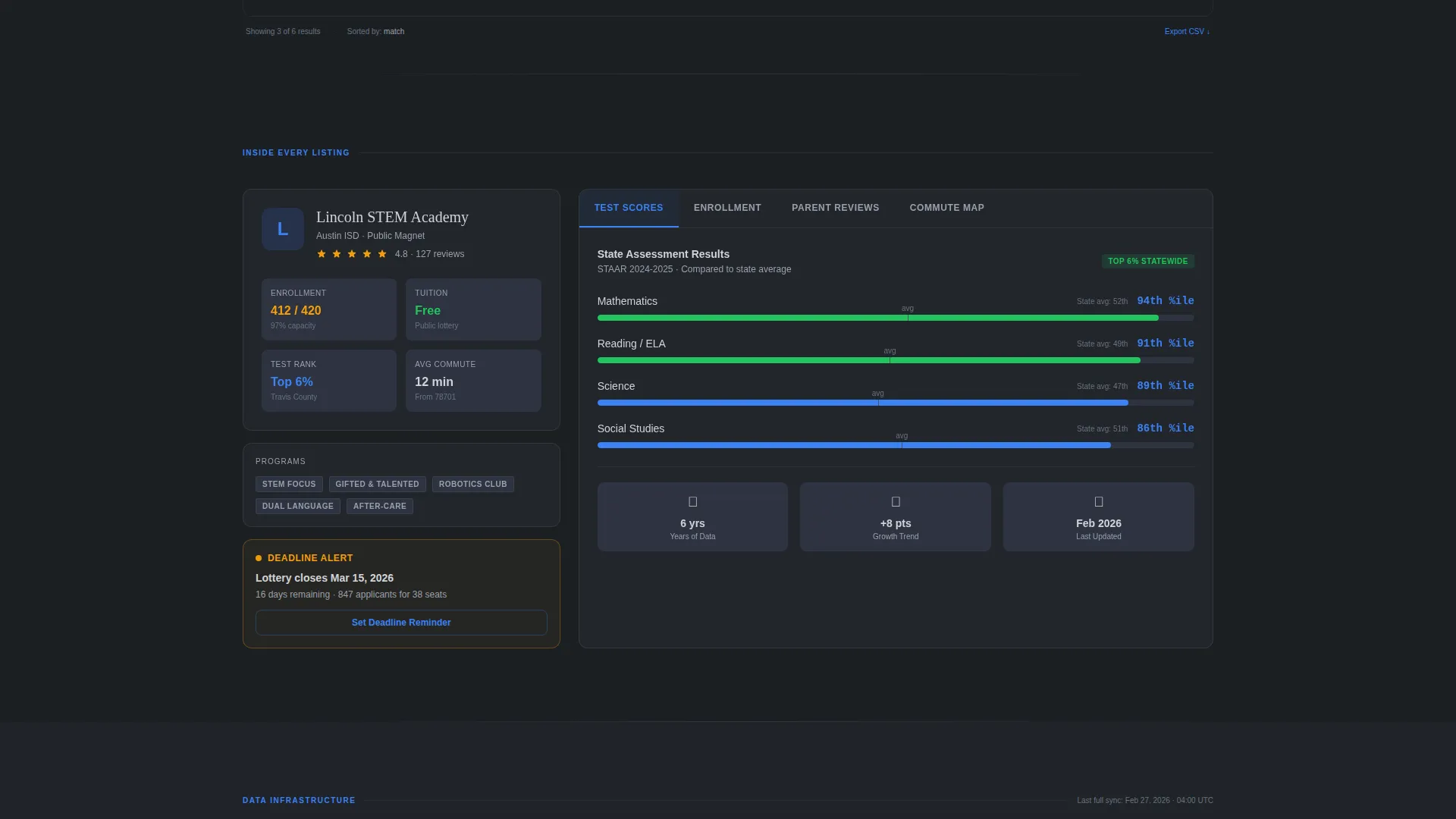
- A sample school profile card that expands to show test score percentile charts, enrollment deadline countdowns, parent review snippets, and a commute-time map overlay
- A dual conversion path: a gated "Unlock Full Results" prompt inside the truncated data grid, plus a softer "Download School Comparison Checklist" email capture for visitors not yet ready to create an account
Feature list
This template is built around a specific, prompt-defined feature set. Each component earns its place by serving a parent mid-decision.
Live School-Match Calculator
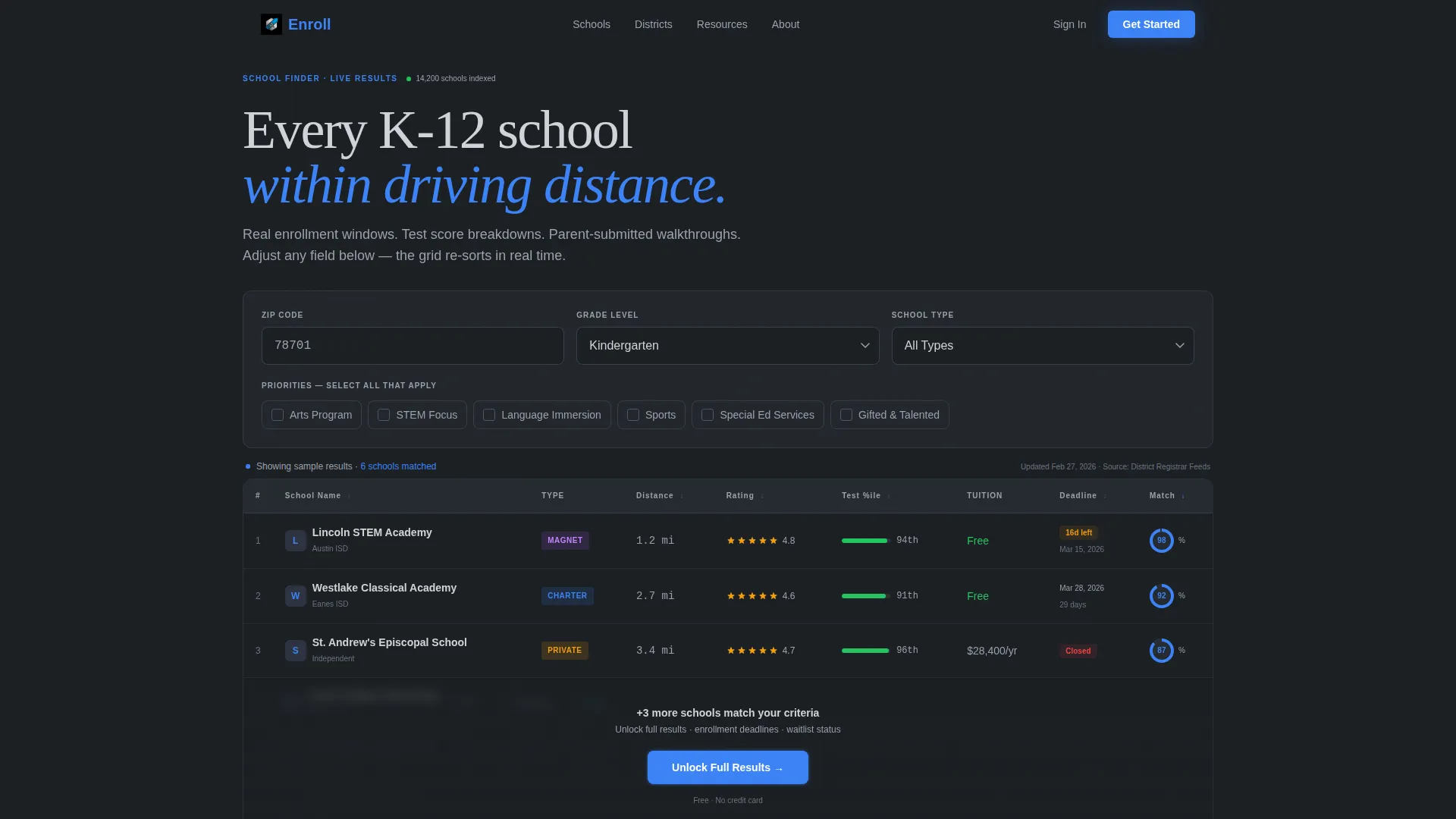
The header embeds a functioning school-match calculator directly into the viewport. Visitors see a zip code field with a blinking cursor, a grade-level dropdown defaulted to "Kindergarten," and a priorities checklist covering arts, STEM focus, language immersion, sports, and special education services. The data grid below re-sorts in real time as any field changes.
Real-Time Data Grid Display
The pre-populated data grid shows school names, star ratings, distance in miles, and tuition columns. Results shift dynamically as inputs change, giving visitors immediate proof that the directory is live and responsive before they ever scroll.
Expandable School Profile Cards
Below the calculator, a sample school profile card opens to reveal test score percentile charts, enrollment deadline countdowns with live timers, parent-submitted walkthrough review snippets, and a commute-time map overlay. This progressive disclosure builds trust without requiring a signup first.
Progressive Scroll Depth Structure
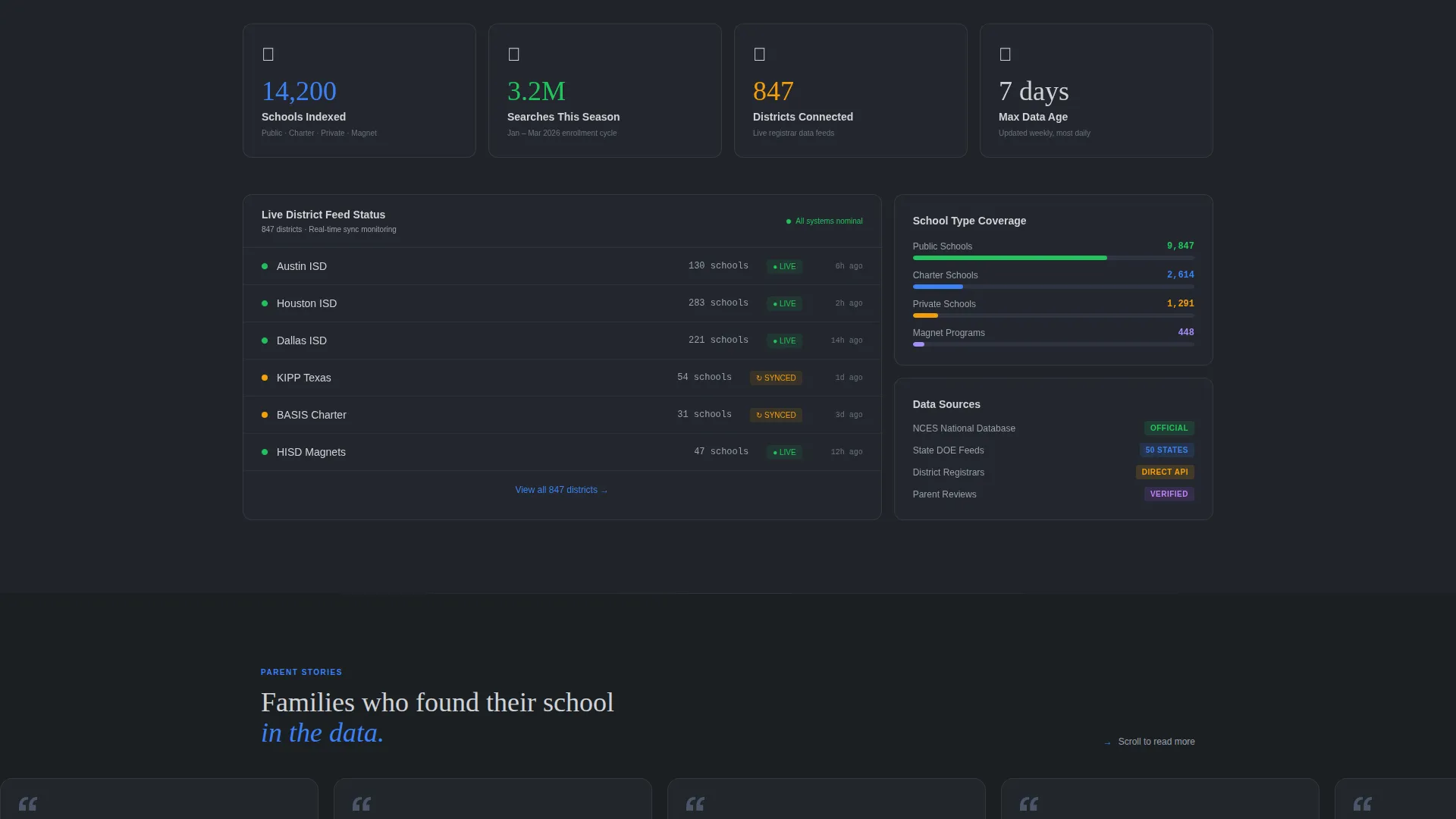
The page is structured so each scroll deeper reveals another layer of the database. Visitors move from tool interaction to profile depth to social proof stats ("14,200 schools indexed," "3.2 million searches this enrollment season," "updated weekly from district registrar feeds") in a deliberate, trust-building rhythm.
Dual Conversion Path Design
The primary call to action, "Unlock Full Results," appears inline where the fourth data-grid row blurs, and again as a sticky bottom bar after 40 percent scroll depth. A secondary path offers a downloadable School Comparison Checklist in PDF format, capturing email through a softer commitment for visitors not ready to create an account.
Minimal Three-Field Lead Form
The signup form asks for email first, then the child's grade level, then enrollment timeline, this fall, next year, or just researching. Three fields maximum keeps friction low while giving the platform enough context to personalize the follow-up experience.
Page sections overview
| Section | Purpose |
|---|---|
| Interactive Calculator Header | Anchors the tool as the hero; zip code, grade level, and priorities drive live grid results |
| Live Data Grid | Displays re-sorting school results with name, rating, distance, and tuition columns |
| School Profile Card | Expands a sample listing to show test scores, deadline countdowns, reviews, and map overlay |
| Social Proof Stats | Communicates directory scale and data freshness with indexed school count and search volume figures |
| Gated Results Prompt | Blurs the fourth row and overlays the primary call-to-action button to prompt account creation |
| Sticky Bottom Bar | Reappears after 40 percent scroll depth as a persistent secondary prompt to unlock full results |
| PDF Checklist Offer | Presents the softer conversion path for visitors who want value before committing to an account |
| Lead Capture Form | Collects email, grade level, and enrollment timeline in three fields maximum |
Design & branding system
The visual identity follows a Directory and Discovery theme using a Monochrome Steel color system. The palette is deliberately institutional without being cold, treating data density as a design asset rather than a liability.
- Carbon background (#1B1F23) with brushed aluminum panels (#D0D3D8) and gunmetal dividers (#4A5568) create a structured, terminal-style layout
- A single signal-blue accent (#3B82F6) is reserved exclusively for clickable elements, active filters, and matched-school indicators, so every interactive surface reads as actionable at a glance
- No hero image is used; the calculator tool itself fills the above-the-fold viewport, making data the visual anchor
Mobile & speed optimization
The dashboard layout is designed to adapt across screen sizes without losing the interactive integrity of the calculator and data grid. Parents searching during a commute or between school visits should be able to use the tool effectively on a phone.
- The data grid columns and profile card expand and collapse cleanly within a narrow viewport
- Sticky conversion elements, including the bottom bar and inline blur overlay, are positioned to remain visible and tappable on smaller screens
- The three-field form keeps mobile input minimal, reducing the friction that typically kills mobile lead-capture rates
How this template helps you convert
The conversion architecture is built on a "taste before you gate" principle. Visitors interact with a real tool before they are ever asked to sign up.
- The live calculator delivers immediate, personalized value above the fold. A family enters their zip code and sees real school results shift instantly, making the product feel indispensable before any commitment is requested.
- Progressive disclosure through scroll builds belief in the directory's depth. Social proof statistics and expandable profile cards prove data quality, so by the time the "Unlock Full Results" prompt appears, the visitor already wants what is behind it.
- The dual conversion path catches visitors at two different readiness levels. Families ready to act create an account; those still researching download the PDF checklist and enter the email nurture sequence either way.
Other information about this template
This template is categorized under Technology with a subcategory focus on Education K-12 Digital Presence. It is purpose-built for the Education K-12 Directory and Listing Site niche and carries a high intersection match score, meaning the design system, creative direction, and conversion logic are closely aligned with this specific use case.
- The template style is Dashboard and Data Grid, making it well suited for any platform that needs to present structured, filterable records to non-technical users
- The creative direction is Calculator and Tool First, which means the interactive element drives the entire page hierarchy rather than acting as a secondary feature
- The header concept is an Interactive Preview, where the tool itself replaces a traditional hero image or headline banner
- The lead-generation direction is reflected in every layout decision, from the blurred fourth grid row to the sticky scroll-triggered bar

Theme
Directory & Discovery
Creative direction
Calculator/Tool First
Color system
Monochrome Steel
Style
Dashboard/Data Grid
Direction
Lead Generation
Page Sections
Live School-match Calculator
Real-time Data Grid Display
Expandable School Profile Cards
Dual Conversion Path Design
Minimal Three-field Lead Form
Social Proof Statistics Block
Related questions
Can I use this template without a live database connected?
How does the dual conversion path work in practice?
Can I customize the calculator fields for different grade ranges or program types?
What information does each school profile card display?
Who is this landing page template designed to serve?



