Clinical Trial Vertical SaaS Cost Calculator Website Template
Enroll is a hub-and-spoke clinical trial CRM landing page template built for teams managing complex, multi-site studies. It opens with a live enrollment calculator above the fold, guides visitors through five core CRM modules via an anchor navigation, and drives downloads through a role-aware app download flow. The dark-mode Data Command aesthetic keeps every metric visible and every action obvious.
by Rocket studio
Quick summary
Enroll is a single-page clinical trial CRM landing page template designed around an interactive enrollment calculator. Visitors configure their own trial parameters above the fold, then scroll through five focused module walkthroughs before reaching a role-personalized app download flow. The Data Command visual theme makes dense operational data feel clear and controlled.
Who this template is for
This template is built for clinical operations professionals who live inside trial data every day. It speaks to the people responsible for enrollment timelines, site performance, and protocol compliance across complex, multi-site studies.
- Clinical operations managers overseeing multiple active protocols across multiple research sites
- Clinical Research Associates (CRAs) managing query resolution backlogs and monitoring visit schedules
- Sponsor-side project leads who need real-time enrollment velocity without waiting for weekly status emails
What problem this template solves
Most clinical trial teams are still coordinating critical enrollment data through spreadsheets, email threads, and disconnected tracking tools. That chaos slows timelines and creates gaps that affect every stage of a study.
- Spreadsheet-based enrollment tracking creates version confusion and delays across sites
- Fragmented tools mean no single view of patient status from pre-screening through final follow-up
- Sponsor teams lose visibility into real-time enrollment progress between scheduled reporting cycles
What you get with this template
You get a fully structured, single-page landing page built specifically for a clinical trial CRM platform. Every section is purpose-built to demonstrate platform value through interaction, not just description.
- An above-the-fold enrollment calculator with live dashboard animation tied to visitor inputs
- Five anchor-nav spoke sections covering Site Management, Patient Tracking, Query Resolution, Monitoring Visits, and Regulatory Documents
- A role-aware app download flow that routes visitors based on therapeutic area and job role
Feature list
This template includes six core design and interaction systems, each grounded in the source brief and built to carry a CRM platform's value to a technical, operations-focused audience.
Interactive Enrollment Calculator
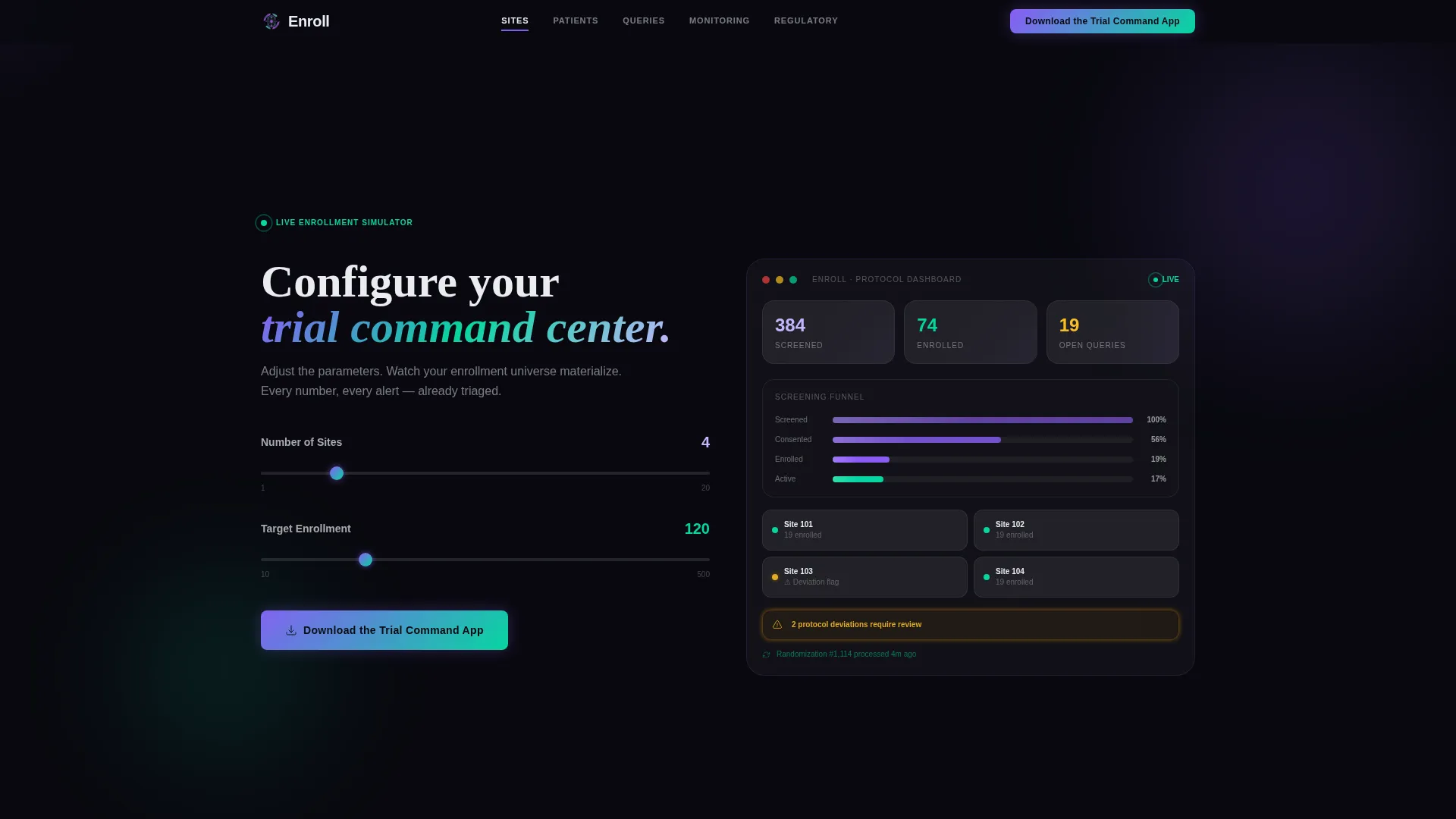
Two input fields sit above the fold: number of sites and target enrollment. As visitors adjust the sliders, a live CRM dashboard mockup animates in real time. Screening funnels fill, site cards populate, and a projected enrollment curve bends to match the visitor's own trial parameters.
Headline-on-Interaction Reveal
The hero headline does not appear on page load. It materializes only after the visitor makes their first calculator adjustment. The message reads "You just ran your first simulation." This interaction-first mechanic creates an immediate sense of ownership before any product copy has been read.
Hub-and-Spoke Anchor Navigation
A persistent anchor navigation bar links to five CRM module sections: Site Management, Patient Tracking, Query Resolution, Monitoring Visits, and Regulatory Documents. The primary call to action, "Download the Trial Command App," is pinned directly in the nav bar for constant visibility.
Module-Level Product Walkthroughs
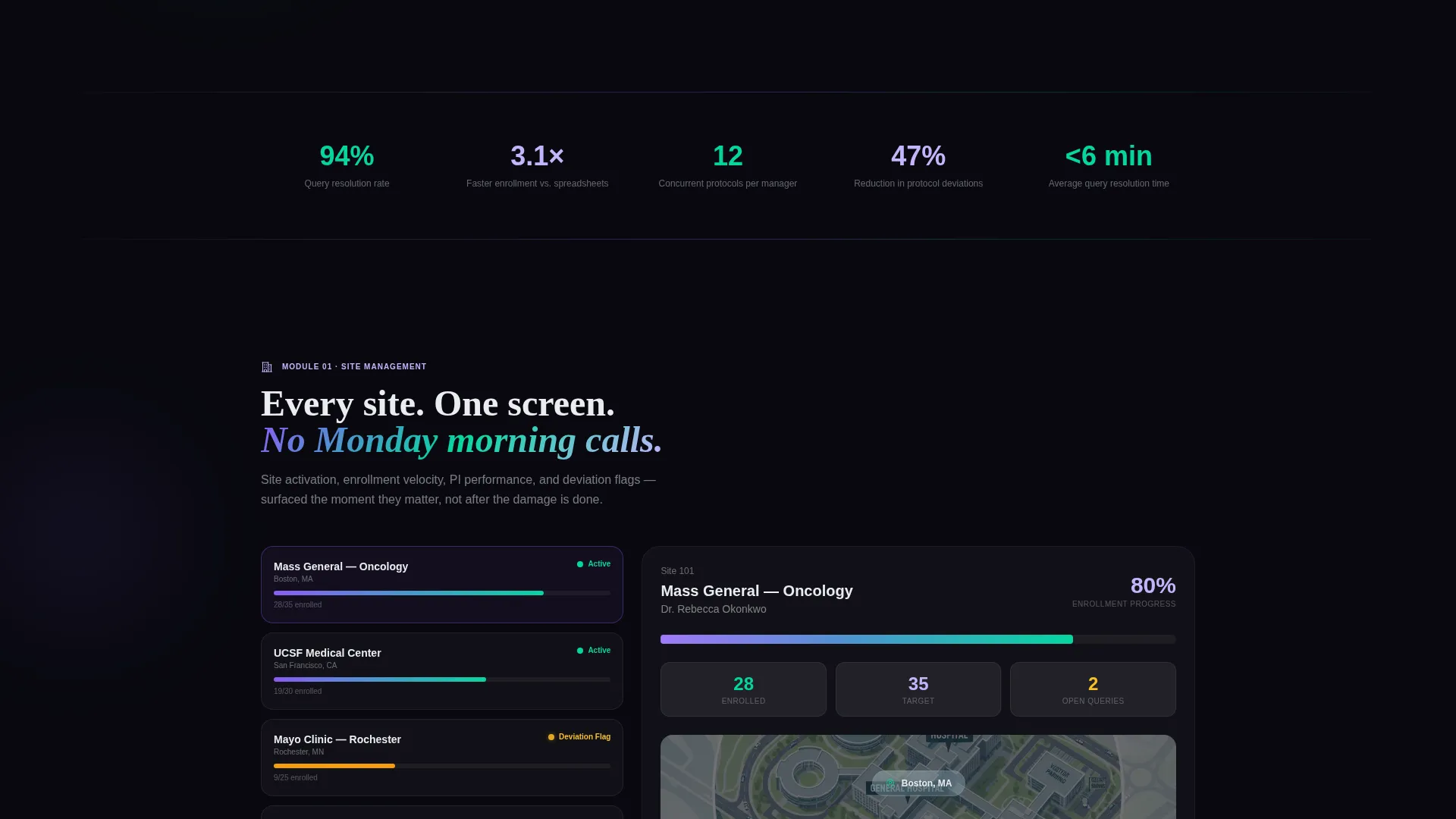
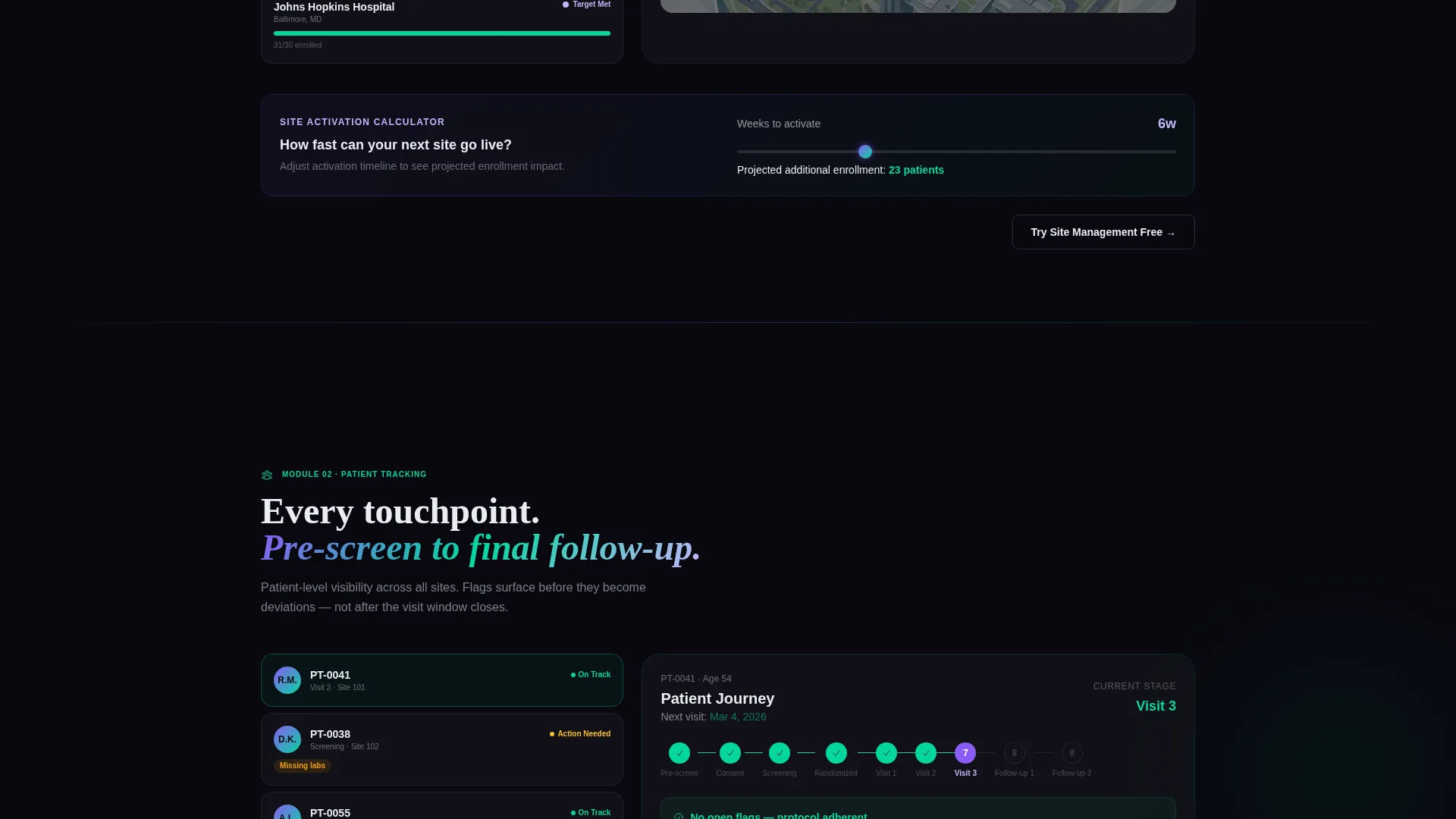
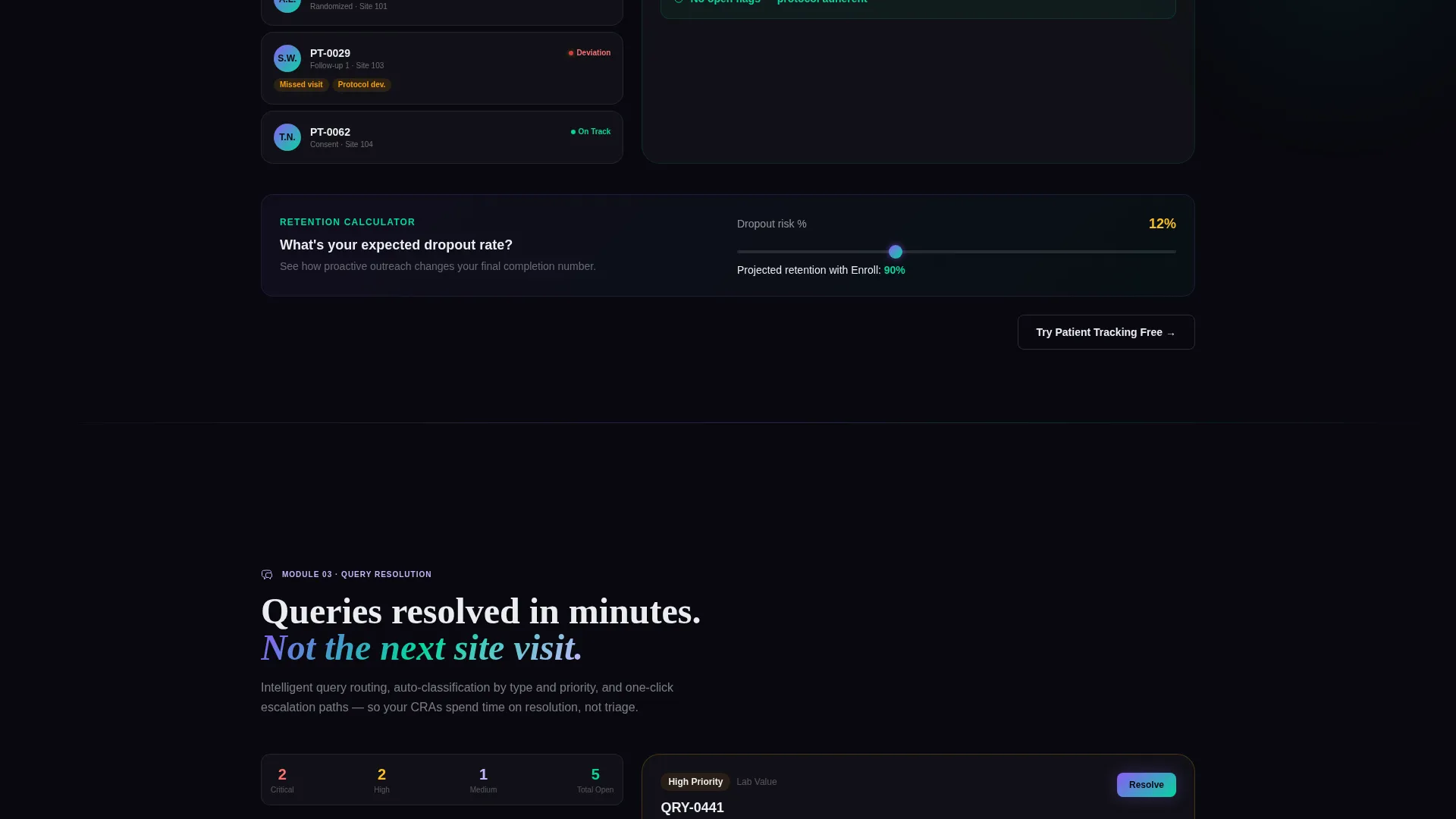
Scrolling into any spoke section triggers a focused walkthrough that zooms into that module's actual interface. Each walkthrough ends with a micro-tool that accepts visitor trial parameters and displays projected impact. Visitors use the platform before they download it.
Role-Aware Download Flow
The app download flow begins with a therapeutic area selector covering oncology, central nervous system (CNS), rare disease, and other. Visitors then select their role from CRA, Clinical Trial Manager (CTM), or sponsor project manager. The flow delivers a platform-specific download link matched to those inputs.
Live Dashboard Data Signals
The dashboard mockup includes animated data signals throughout the scroll: query counts tick upward, randomization numbers climb, and a protocol deviation flag pulses amber. These micro-animations reinforce the sense that the platform is actively processing real trial activity.
Page sections overview
| Section | Purpose |
|---|---|
| Enrollment Calculator Header | Engage visitors with live trial simulation above the fold |
| Headline Reveal Zone | Deliver the hero message only after first interaction |
| Anchor Navigation Bar | Provide persistent access to all five CRM module spokes |
| Site Management Spoke | Walk through multi-site oversight and site card interface |
| Patient Tracking Spoke | Show full patient journey from pre-screening to follow-up |
| Query Resolution Spoke | Demonstrate backlog management and query resolution flow |
| Monitoring Visits Spoke | Cover visit scheduling and CRA workflow interface |
| Regulatory Documents Spoke | Display document management and compliance tracking view |
| Module Micro-Tools | Let visitors input parameters and see projected module impact |
| App Download Flow | Route visitors by therapeutic area and role to download link |
Design & branding system
The visual identity follows a Data Command theme using an AI Iridescent color system. The palette is built for a dark-mode environment where data elements appear to emit their own light.
- Void black (#09090F) as the primary background, holographic violet (#8B5CF6) and spectral teal (#06D6A0) as gradient accents on active states and data visualizations
- Clinical white (#EAECF0) for body text and card surfaces, with a prismatic shimmer (#C4B5FD at 12% opacity) tracing section dividers
- Each metric is styled as a luminous filament suspended in deep space, with iridescent edges that activate on interaction
Mobile & speed optimization
The template is designed so that the interactive calculator and dashboard mockup translate clearly across screen sizes. The layout prioritizes the data-dense CRM interface without sacrificing readability on smaller displays.
- Anchor navigation adapts to mobile viewports so the primary download call to action stays reachable at all scroll depths
- Module walkthrough sections are structured to present cleanly on single-column layouts without losing the interactive micro-tool functionality
How this template helps you convert
The Enroll template is built around a deliberate conversion logic: by the time a visitor reaches the download call to action, they have already configured a trial and watched their own data populate the dashboard. The download feels like saving work already done.
- The enrollment calculator creates immediate personal investment, turning a passive page visit into an active trial configuration session before any product claim is read.
- Each module spoke ends with a "Try This Module Free" inline call to action, distributing conversion opportunities across the entire scroll rather than concentrating them at the bottom.
- The role-aware download flow reduces friction at the final step by personalizing the delivery link, so every visitor receives a platform entry point matched to their actual job context.
Other information about this template
This template is part of the Technology category under the Clinical Trial Vertical SaaS subcategory. It is designed specifically for the clinical trial CRM platform niche and carries a high intersection match score of 13, reflecting strong alignment between the template style, creative direction, and target audience.
- The template style is Hub and Spoke with Anchor Navigation, using a Calculator and Tool First creative direction
- The header concept is Interactive Preview, and the primary landing page direction is App Download
- The color system is AI Iridescent, and the theme is Data Command, both of which are referenced by their exact design system names in this template's style documentation
Theme
Data Command
Creative direction
Calculator/Tool First
Color system
AI Iridescent
Style
Hub & Spoke (Anchor Nav)
Direction
App Download
Page Sections
Interactive Enrollment Calculator
Interaction-triggered Hero Headline
Hub-and-spoke Anchor Navigation
Focused Module Walkthroughs
Role-aware App Download Flow
Animated Dashboard Data Signals
Related questions
Who is this landing page template designed for?
Does the enrollment calculator require coding to set up?
Can I customize the five CRM module spoke sections?
What does the app download flow ask visitors to do?
Is this template built only for dark-mode use?



