Advanced Dental Software Cost Estimator Website Template
Enroll is a single-page dental membership management landing page built around a comparison table layout. It speaks directly to dental offices drowning in spreadsheets and filing cabinets. With a dark glassmorphic design, a live-dashboard hero screenshot, and a revenue calculator, this template makes the case for a modern membership platform and drives visitors toward an app download.
by Rocket studio
Quick summary
Enroll is a dental membership management landing page template built for platforms that replace spreadsheet chaos with a real-time dashboard. The layout uses a Feature Matrix structure, a comparison table flanked by feature cards and a revenue calculator, to prove capability row by row. The design follows a Data Command visual theme with deep navy, frosted glass panels, and mint and violet accents.
Who this template is for
This template is designed for dental software platforms targeting the people who run membership programs day to day. If your product serves any of the following roles, this landing page speaks their language.
- Office managers handling 400 or more members across hygiene and periodontal plans
- Practice owners tracking recurring revenue and renewal rates as core business metrics
- Front-desk coordinators who need instant coverage verification at the point of checkout
What problem this template solves
Dental offices running in-house membership plans often rely on filing cabinets, spreadsheets, and disconnected tools. This creates real problems that slow down staff and frustrate patients. The Enroll template frames your platform as the direct solution to each of those pain points.
- No single place to see patient tiers, renewal dates, and remaining treatment allowances together
- Manual renewal tracking that causes missed revenue and lapsed memberships
- Slow coverage lookups that put patients on hold during checkout
What you get with this template
This template delivers a complete, single-page layout ready for a dental membership platform's app download campaign. Every section is purpose-built and visually consistent.
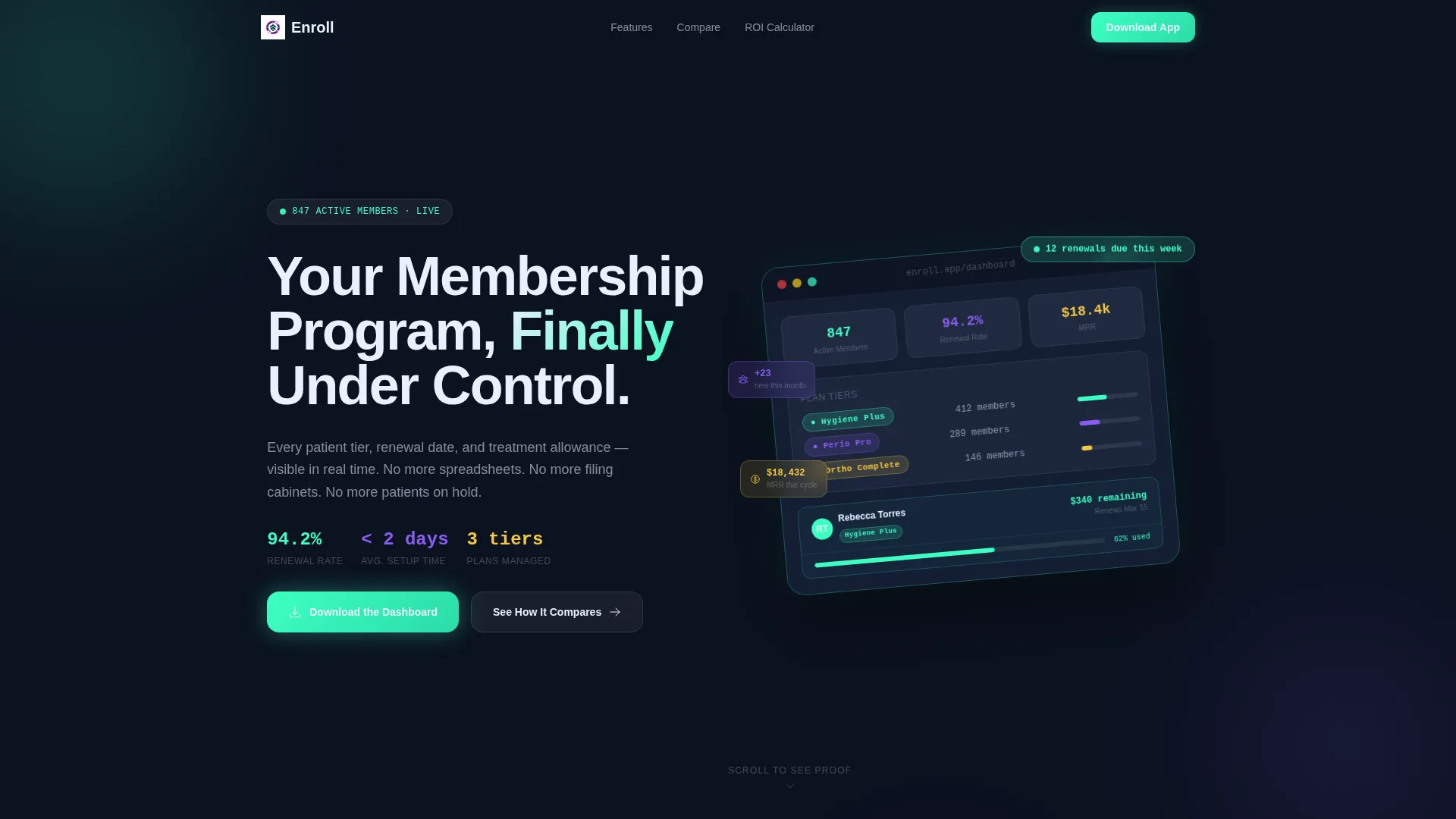
- A full-screen hero with a product dashboard screenshot, animated notification badge, and headline
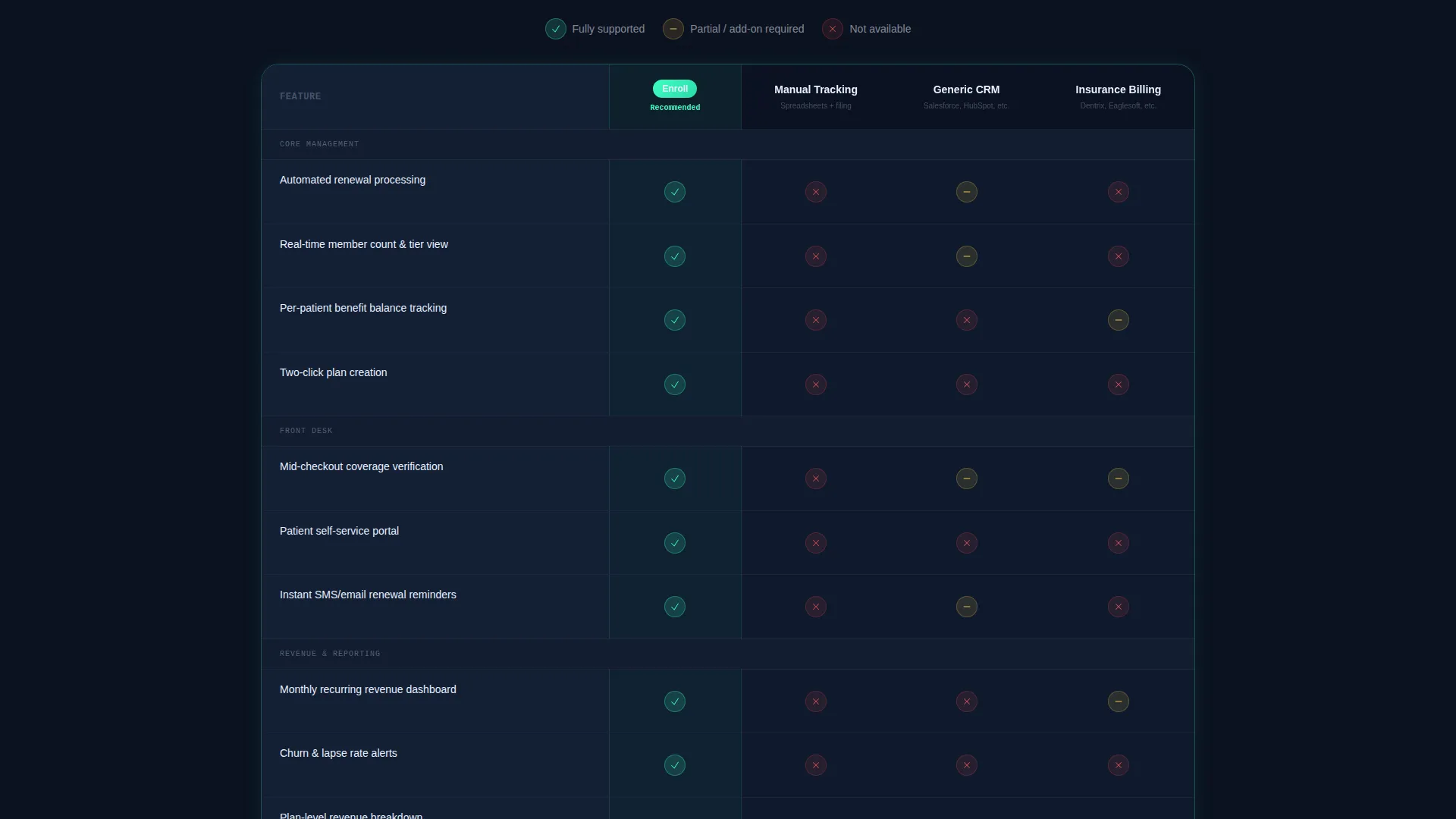
- A central comparison table that benchmarks the platform against manual tracking, generic CRM tools, and insurance billing software
- Feature cards with micro-animations, a revenue calculator section, and fixed app download call-to-action buttons at the base of the table viewport
Feature list
This template includes six distinct capability layers, each designed to move a visitor from skeptical to convinced.
Live Dashboard Hero Screenshot
The header opens with a pixel-perfect product screenshot mid-session: 847 active members, a 94.2% renewal rate, three plan tier chips, and a patient profile drawer half-open to show remaining benefits. A mint-green badge pulses with "12 renewals due this week." The screenshot sits on a frosted glass card, tilted five degrees on the Z-axis for visual depth.
Structured Comparison Table
The comparison table is the anchor of the page. It pits the platform against three alternatives, manual tracking, generic customer relationship management software, and insurance billing tools, across rows like automated renewals, patient self-service portals, real-time revenue reporting, and two-click plan creation. Each row makes the visitor feel the cost of their current method before the download prompt appears.
Feature Cards with Micro-Animations
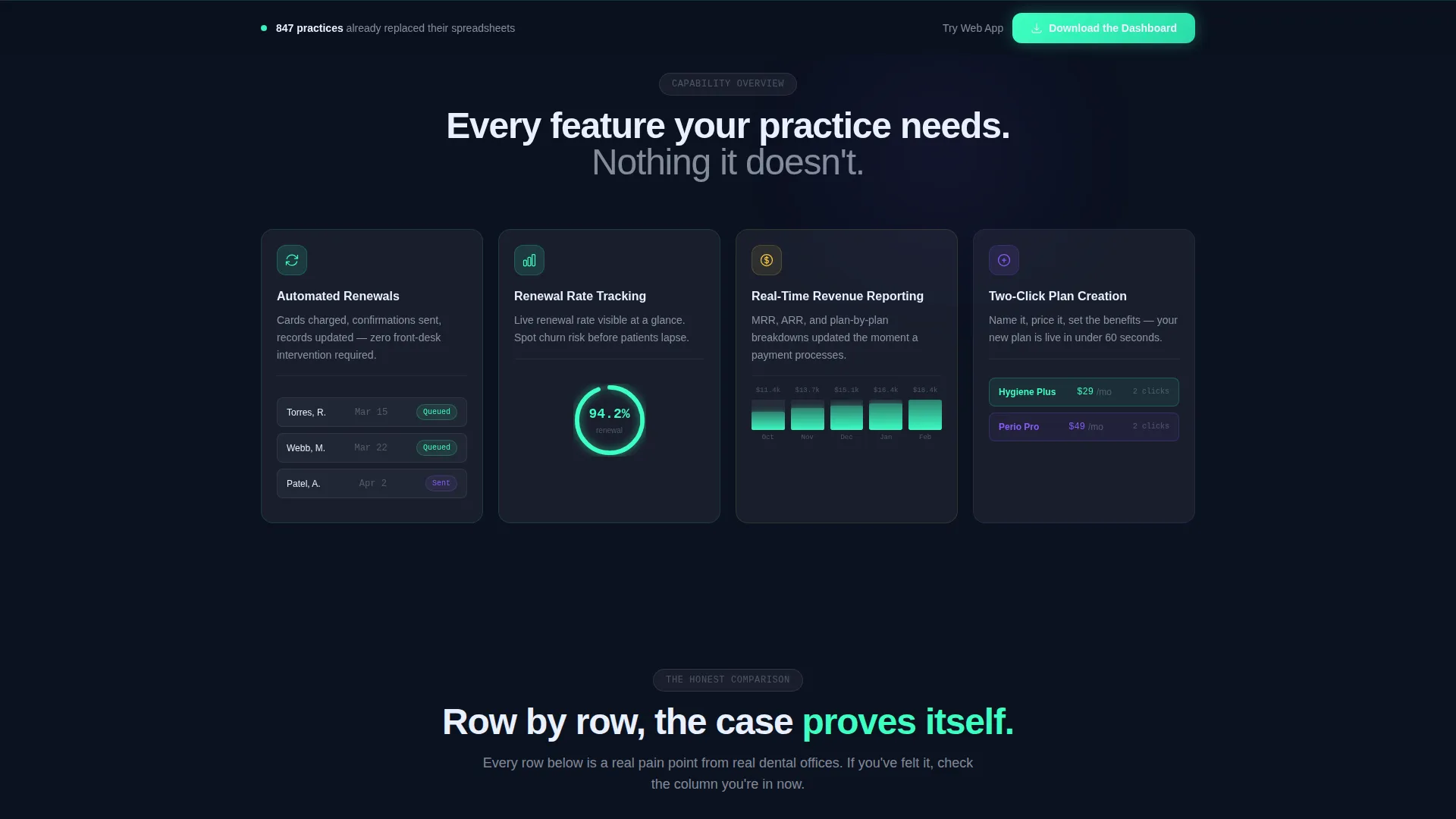
Above the comparison table, each platform capability gets its own frosted glass card. Every card includes a micro-animation that demonstrates the interaction it describes. This gives the feature list energy and specificity without requiring the visitor to imagine the product.
Interactive Revenue Calculator
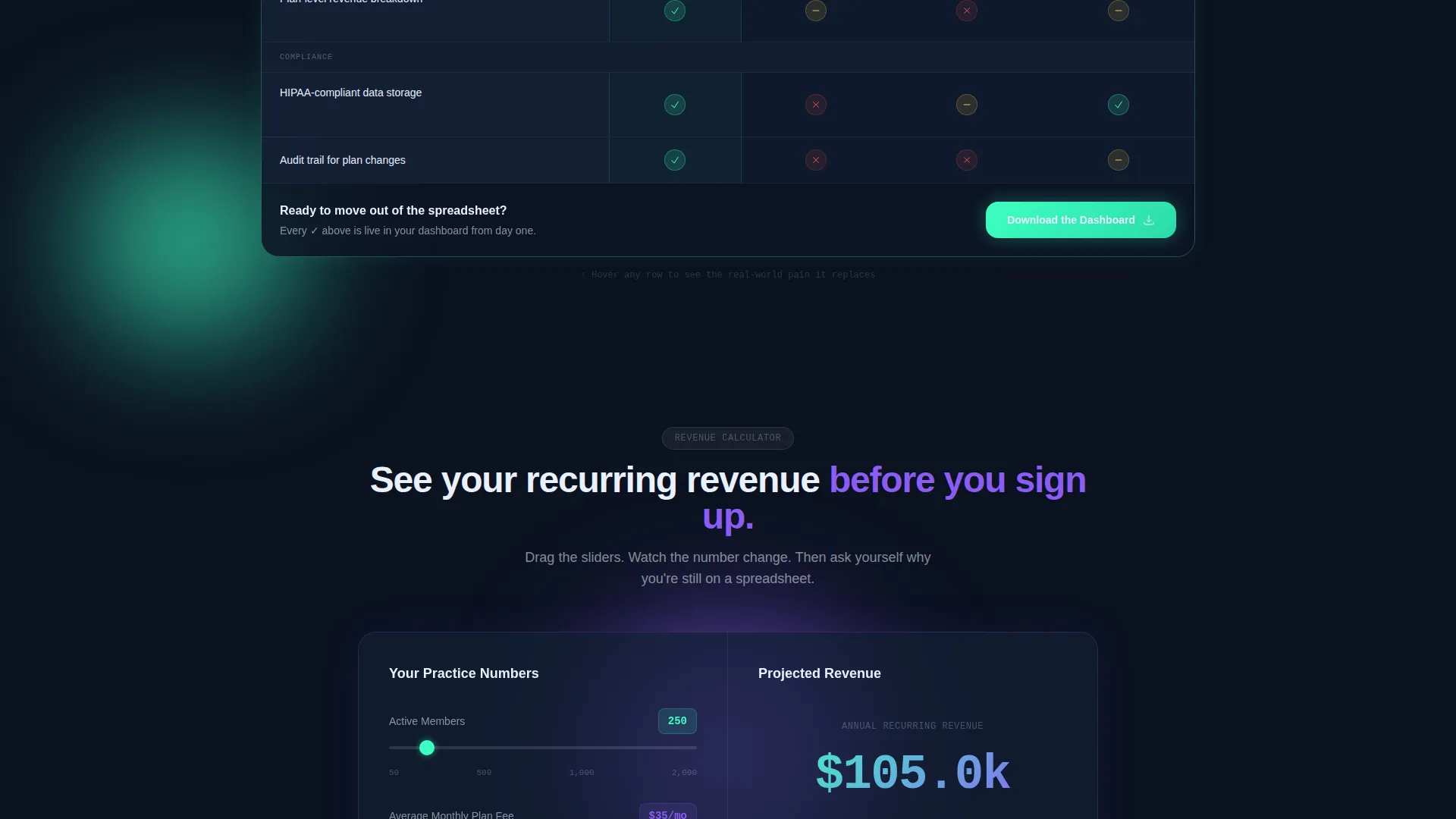
Below the comparison table, a revenue calculator lets visitors enter their member count and average plan fee. The output is a projected annual recurring revenue figure. This section converts an abstract financial benefit into a concrete, personalized number.
App Download Call-to-Action Block
The primary call-to-action reads "Download the Dashboard" and includes paired App Store and Google Play badges. A tertiary "Try the Web App" link serves desktop users. A phone number field with an SMS deep-link option sits beside the badges, letting visitors send the download link directly to their phone.
SMS Deep-Link Delivery
The phone number input field beside the app badges is not just decoration. It triggers an SMS deep-link so visitors can go from desktop discovery to mobile install in one step, removing friction from the download funnel.
Page sections overview
| Section | Purpose |
|---|---|
| Hero Dashboard Screenshot | Opens with a live-looking product screenshot and animated renewal badge to establish credibility immediately |
| Headline Fade-In | Presents the core value statement "Your Membership Program, Finally Under Control" above the screenshot |
| Feature Cards Row | Displays individual platform capabilities as frosted glass cards with micro-animations before the comparison table |
| Comparison Table | Benchmarks the platform against manual tracking, CRM tools, and insurance software across key feature rows |
| Revenue Calculator | Lets visitors input member count and plan fee to generate a projected annual recurring revenue figure |
| App Download Block | Fixed call-to-action area with App Store and Google Play badges, a web app link, and an SMS delivery field |
Design & branding system
The visual identity follows a Data Command theme expressed through a glassmorphic color system. The overall effect feels like a control room at early morning, dark ambient surfaces with information glowing through frosted glass layers.
- Base surface in deep operational navy (#0B1120) with frosted translucent panel overlays (rgba 255, 255, 255, 0.08) for card depth
- Clinical mint accent (#3DFFC2) used for active states, success indicators, and the pulsing renewal notification badge
- Soft signal violet (#8B5CF6) reserved for premium tier highlights and plan tier chips throughout the dashboard screenshot
Mobile & speed optimization
The template is structured for a smooth mobile experience, which matters because the primary conversion goal is an app download from a phone.
- App Store and Google Play badges are tap-optimized, with an SMS deep-link field for one-step mobile delivery
- The fixed call-to-action bar at the bottom of the comparison table viewport stays visible as the visitor scrolls through every feature row
- The glassmorphic card layout uses blur and luminance for depth, keeping the visual hierarchy clear on smaller screens without relying on complex shadow stacks
How this template helps you convert
The Enroll template is built on a specific persuasion structure: prove the pain, then offer the exit. Every design and layout decision reinforces this sequence.
- The hero screenshot leads with social proof in data form, real member counts, a high renewal rate, and visible plan tiers signal that the platform is already in active use by practices like theirs.
- The comparison table earns the download by making visitors feel the friction of their current method across every single row before the fixed call-to-action buttons come into view.
- The revenue calculator closes the logical argument with a personalized number, turning a vague value proposition into a specific, motivating figure that belongs to the visitor's own practice.
Other information about this template
This template is categorized under Technology and specifically targets the dental software and dental membership management niche. A few additional details worth knowing before you build with it.
- The template style is Comparison Table, and the header concept is a Product Screenshot, both confirmed in the matched intersection context
- The landing page direction is App Download, making this template purpose-built for platforms distributed through mobile app stores
- The Data Command theme and glassmorphic color system are consistent across all sections, giving the page a unified, professional feel from header to call-to-action
Theme
Data Command
Creative direction
Feature Matrix
Color system
Glassmorphic
Style
Comparison Table
Direction
App Download
Page Sections
Live Dashboard Hero Screenshot
Structured Comparison Table
Feature Cards with Micro-animations
Interactive Revenue Calculator
App Download Call-to-action Block
Related questions
Who is this landing page template designed for?
What makes the comparison table effective here?
Can I use this template if my platform is web-only?
What is the revenue calculator section?
Does this template work for a new product launch?



