Music & Performing Arts School FAQ Website Template
Ensemble is a hub-and-spoke landing page template built for amateur orchestral programs that welcome adult returners. It uses a warm Forest Trust color palette, FAQ-driven anchor navigation, and an emotion-led layout to dissolve hesitation before asking for a sign-up. The primary call to action drives free open rehearsal registrations through a simple inline form.
by Rocket studio
Quick summary
Ensemble is a single-page, anchor-nav landing page template for adult orchestral training programs. It greets nervous returners with honest answers, warm visuals, and a frictionless registration form. Every section earns the visitor's trust before asking for anything. The result is a page that feels less like a sales pitch and more like a door held open.
Who this template is for
This template is built for community orchestras, adult music programs, and rehearsal-based music schools that want to attract players who have been away from their instruments for years. If your audience needs reassurance before they will register, this layout speaks directly to them.
- Music directors and program coordinators running adult amateur orchestral groups
- Community arts organizations offering open rehearsal or drop-in music experiences
- Music schools expanding into adult education and returning-player programs
What problem this template solves
Many adult musicians quietly abandon the idea of rejoining an ensemble because they assume they are not good enough. A standard sign-up page does nothing to address that fear. Ensemble is built specifically to answer the unspoken objections that stop someone from registering.
- Visitors arrive carrying doubt about their skill level, sight-reading ability, or how long they have been away
- A generic page ignores those fears and loses the registration; this template confronts each worry directly with member stories and honest answers
- The anchor navigation lets visitors jump straight to the question that is holding them back, rather than reading through content that does not apply to them
What you get with this template
You get a fully structured, single-page layout with clearly defined sections that take a hesitant visitor from curiosity to confirmed registration. Every element is mapped to the emotional journey of an adult returner.
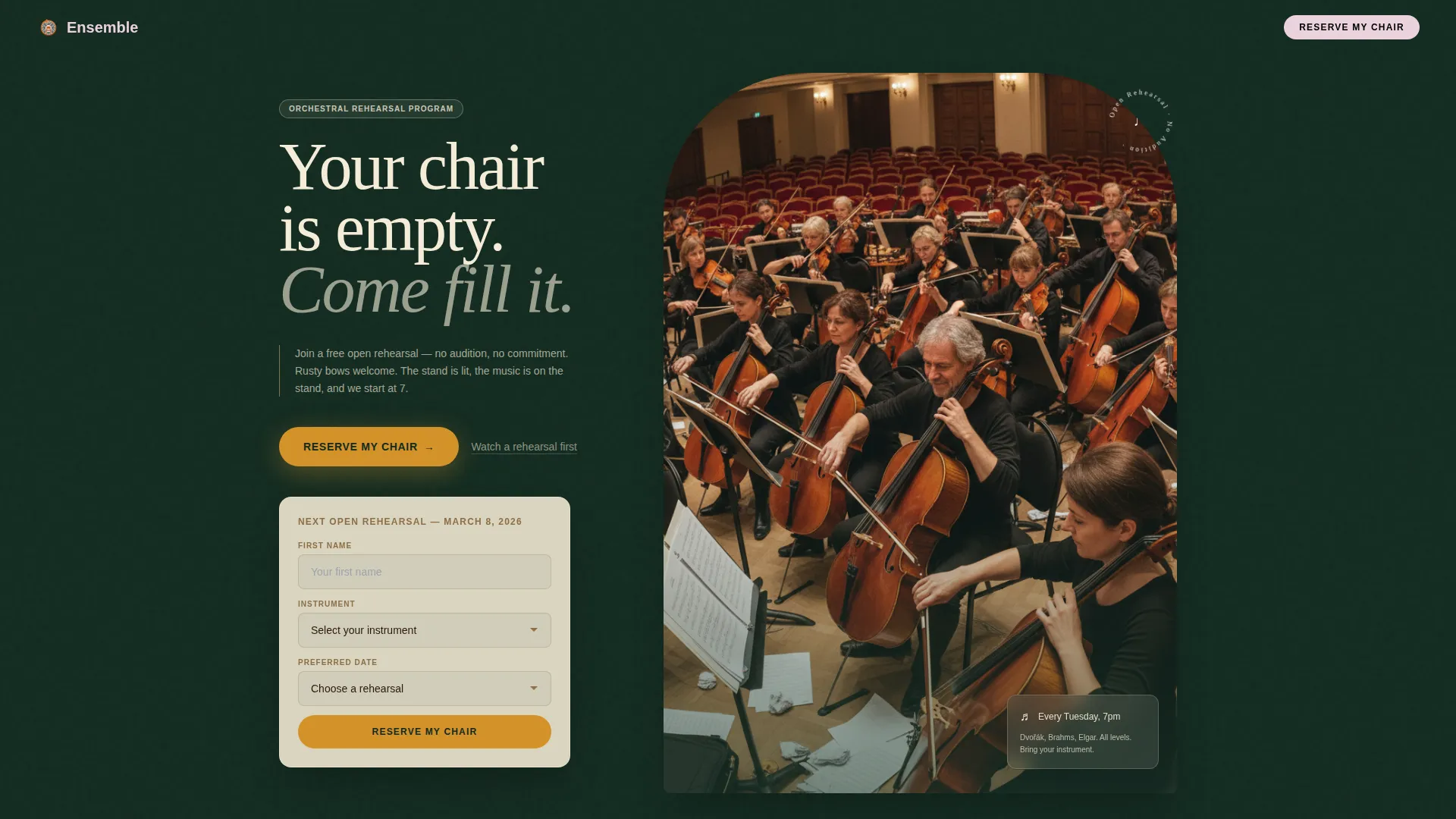
- A hero header with a conductor's-perspective photograph, a parchment headline, an amber call-to-action button, and a secondary video path
- Five FAQ-driven anchor sections, each opening with a real member story, a portrait photograph, and a reassuring fact
- An inline registration form asking for first name, instrument dropdown (including "I'm not sure yet"), and preferred rehearsal date from three upcoming sessions
Feature list
This template includes the following built-in capabilities drawn directly from the design brief.
FAQ-Driven Anchor Navigation
The navigation bar lists visitor anxieties as clickable section titles. Readers can jump directly to the worry most relevant to them, such as "I haven't played in years" or "What if I'm the worst one there?" This removes friction and keeps people on the page instead of bouncing.
Conductor's-Perspective Hero Header
The header uses a wide, warm photograph taken from the conductor's point of view, looking out across adult players mid-rehearsal. Overlaid parchment typography and a glowing amber call-to-action button set the emotional tone immediately on arrival.
Member Story Spoke Sections
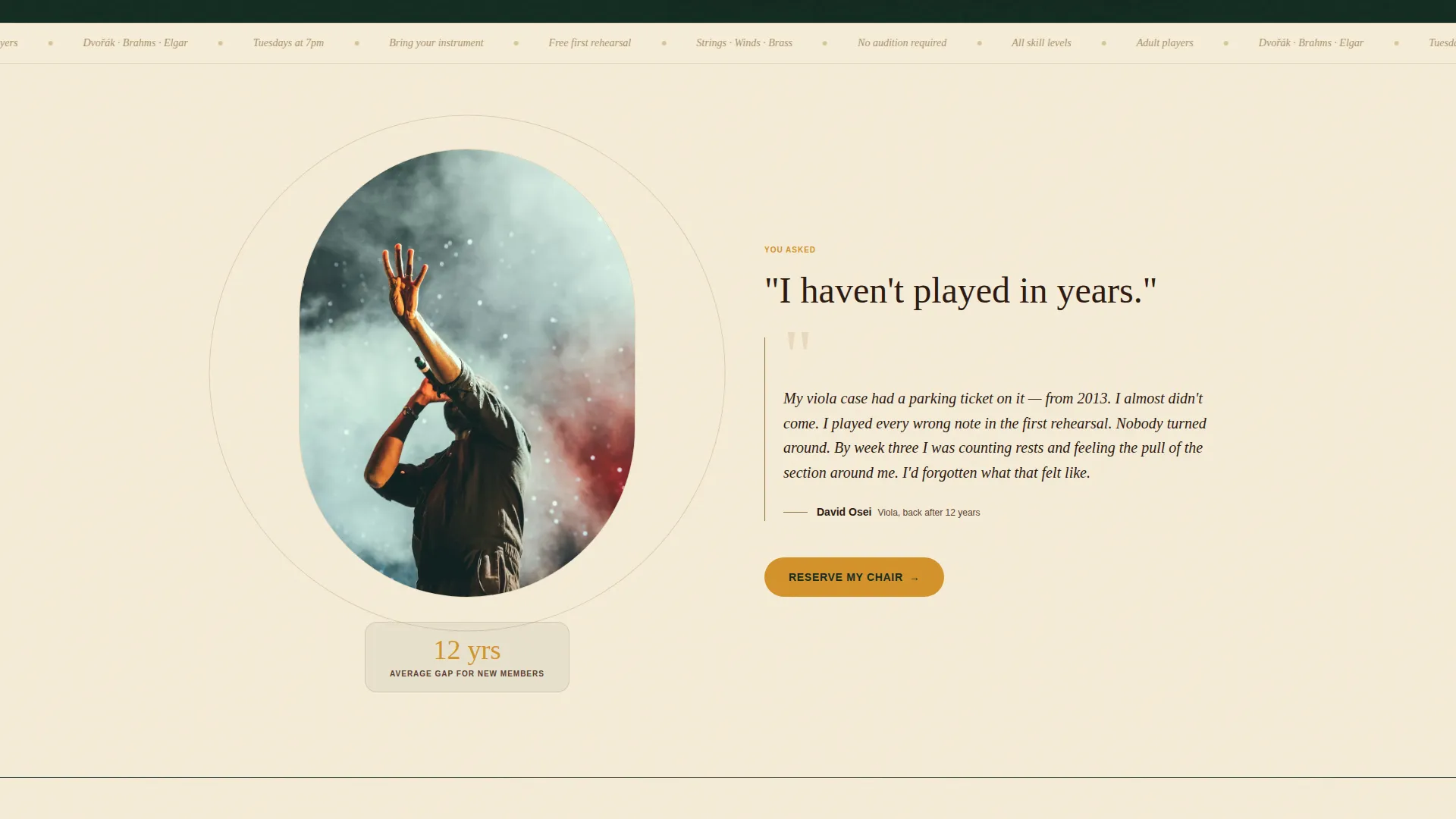
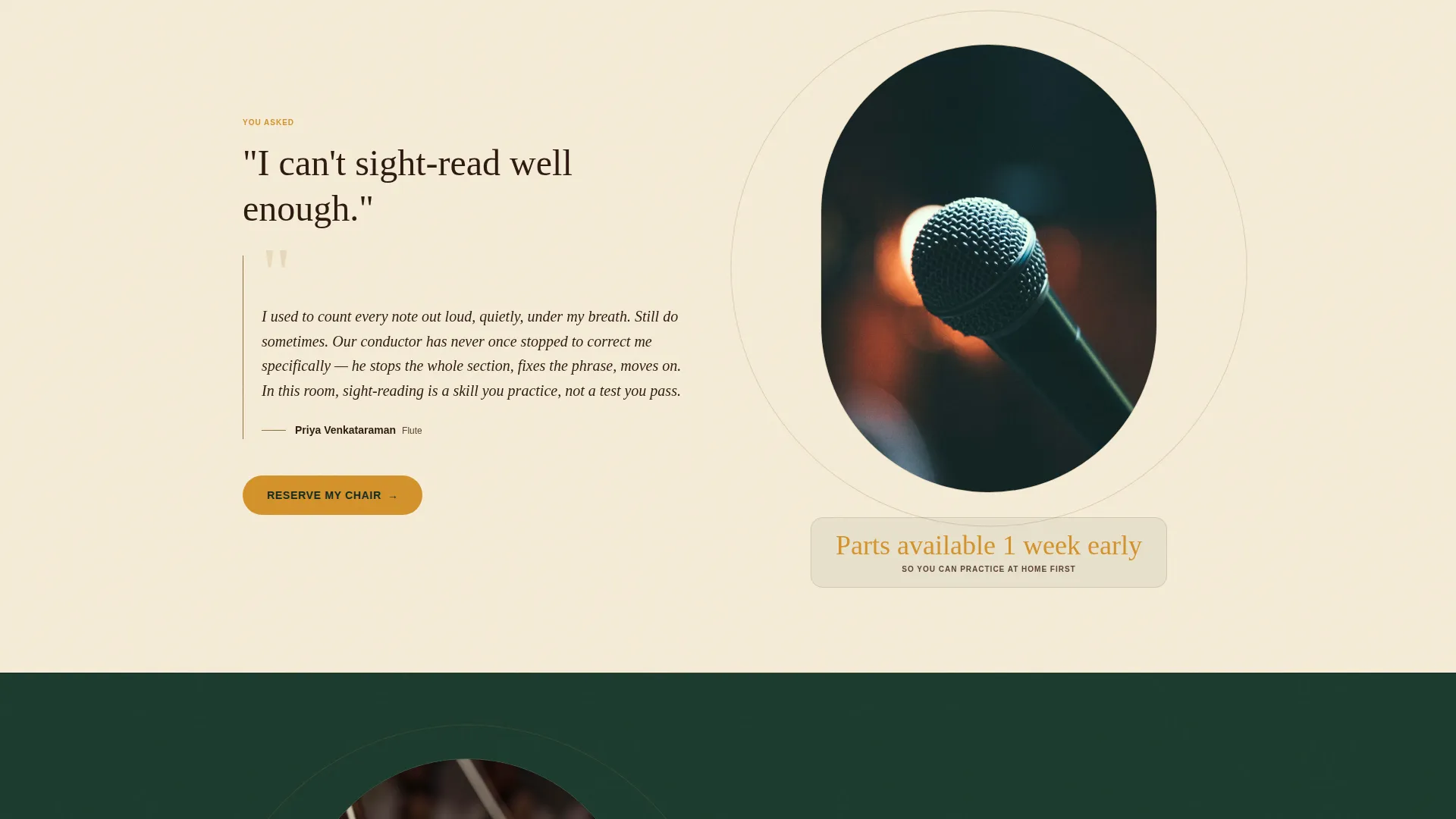
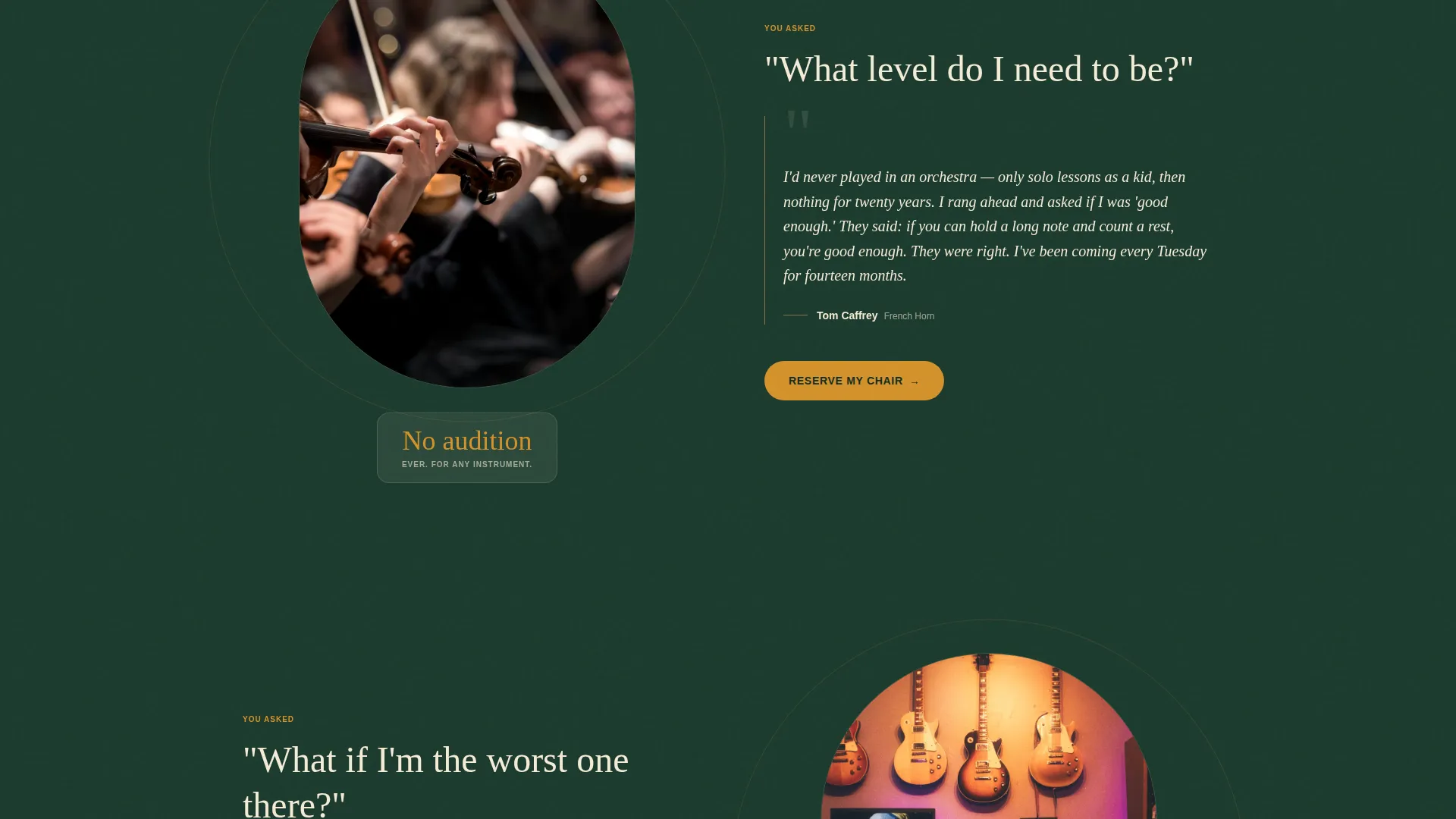
Each anchor section opens with the visitor's question in large type, then answers it with a short personal story from a real ensemble member, a photograph of that member playing, and one clear reassuring fact. This structure replaces policy language with human evidence.
Inline Rehearsal Registration Form
The primary call to action, "Reserve My Chair," appears in the header and after every spoke section. Each instance links to a compact inline form collecting only first name, instrument selection, and preferred rehearsal date from three available sessions.
Secondary Video Path
A "Watch a Rehearsal First" option appears alongside every primary call to action. It links to a two-minute rehearsal video for visitors who are not yet ready to commit, giving them a low-stakes next step that keeps them engaged.
Forest Trust Color System
The layout applies a structured four-color palette: deep evergreen for the header and footer, worn oak for navigation and dividers, warm parchment for text cards and content areas, and resonant amber reserved exclusively for call-to-action buttons and active navigation states.
Page sections overview
| Section | Purpose |
|---|---|
| Hero Header | Opens with a rehearsal photograph, headline, primary call to action, and secondary video link |
| Anchor Navigation Bar | Lists visitor anxieties as clickable links leading to each spoke section |
| Spoke Section One | Addresses "I haven't played in years" with a member story and reassuring fact |
| Spoke Section Two | Addresses "I can't sight-read well" with a member story and reassuring fact |
| Spoke Section Three | Addresses "What level do I need to be?" with a member story and reassuring fact |
| Spoke Section Four | Addresses "What if I'm the worst one there?" with a member story and reassuring fact |
| Inline Registration Form | Collects first name, instrument, and rehearsal date; repeats after every spoke |
| Footer | Closes the page with evergreen background and supporting navigation |
Design & branding system
The visual identity follows a Community Hearth theme. The palette is built around four tones that work together to create warmth, groundedness, and quiet confidence across every section of the page.
- Deep evergreen (#1B3A2D) fills the header and footer as a canopy; worn oak (#8B6F47) grounds the navigation bar and footer dividers; warm parchment (#F5ECD7) opens up the content sections like clearings in a forest
- Resonant amber (#D4922A) is used exclusively for call-to-action buttons and active navigation states, making every conversion point visually distinct without feeling aggressive
- The overall effect references a village hall in autumn: timber overhead, lamplight on music stands, tall windows with trees beyond
Mobile & speed optimization
The template layout is designed to remain clear and navigable on smaller screens, where most late-night "should I sign up?" decisions happen. The anchor navigation and form sections are structured to reflow cleanly at mobile widths.
- The anchor nav collapses gracefully so visitors can still jump to the section that matters most to them on a phone screen
- The inline registration form uses a minimal field set, keeping the tap-through experience short and achievable without unnecessary scrolling
How this template helps you convert
The page is built around a simple principle: answer every objection before asking for anything. By the time a visitor reaches the registration form, the decision feels natural rather than pressured.
- The FAQ-driven anchor structure lets visitors self-select their specific concern and read a targeted, human answer, which builds trust faster than a general features list
- The "Reserve My Chair" call to action appears repeatedly after each resolved concern, so every moment of reassurance is immediately followed by a clear and low-stakes invitation to register
Other information about this template
Ensemble is a strong fit for any adult music education program that relies on community word-of-mouth and emotional connection rather than technical prestige. The template's honest, story-first approach is especially well-suited to open rehearsal events and free trial enrollment campaigns.
- The template supports event registration for recurring rehearsal sessions, with the date dropdown handling up to three upcoming sessions at once
- The two-minute video path provides an alternative conversion route for visitors who need more evidence before committing, reducing drop-off without requiring a separate page
- The design system is fully documented with hex values and role assignments, making it straightforward to apply a program's own photography and copy within the established visual structure
Theme
Community Hearth
Creative direction
FAQ-Driven
Color system
Forest Trust
Style
Hub & Spoke (Anchor Nav)
Direction
Event Registration
Page Sections
Faq-driven Anchor Navigation
Conductor's-perspective Hero Header
Member Story Spoke Sections
Repeating Inline Registration Form
Secondary Video Conversion Path
Forest Trust Color System
Related questions
Does this template require visitors to audition or prove a skill level before signing up?
Can I replace the placeholder photography and member stories with my own?
What options does the instrument dropdown in the registration form include?
How does the secondary video path work within the template?
How many upcoming rehearsal dates can the registration form display?



