Reinforcement Learning Research Lab Landing Page
Epoch is a bento grid landing page template built for reinforcement learning research labs. It opens with a live metrics dashboard, puts an interactive environment picker in the visitor's hands immediately, and drives toward a CLI install command. The design uses a void black canvas with iridescent violet-to-cyan gradients that shift on hover, making the data itself the visual centerpiece.
by Rocket studio
Quick summary
Epoch is a single-page bento grid template designed for a reinforcement learning research lab. It leads with enormous ticking metrics, hands visitors an interactive model browser before asking for anything, and converts through a terminal install command. The aesthetic feels like peering into a running GPU: dark, luminous, and quietly kinetic.
Who this template is for
This template is built for teams that publish research and ship real models. It speaks directly to the people who want to evaluate, download, and deploy agents.
- Machine learning engineers looking to browse and fine-tune pretrained policies quickly
- Robotics researchers and PhD candidates who need to benchmark against published results
- Startup technical leads who need to assess sim-to-real transfer readiness before committing
What problem this template solves
Most research lab pages bury the proof. Visitors wade through prose before they see a single benchmark number. Epoch reverses that pattern.
- Benchmark scores, parameter counts, and checkpoint downloads are visible before any sales copy appears
- The interactive environment picker removes friction between curiosity and evaluation
- The install command is front and center, so qualified visitors can act the moment they decide
What you get with this template
You get a fully structured bento grid landing page that puts data first and copy second. Every cell in the grid has a defined purpose, from live metrics to looping agent videos.
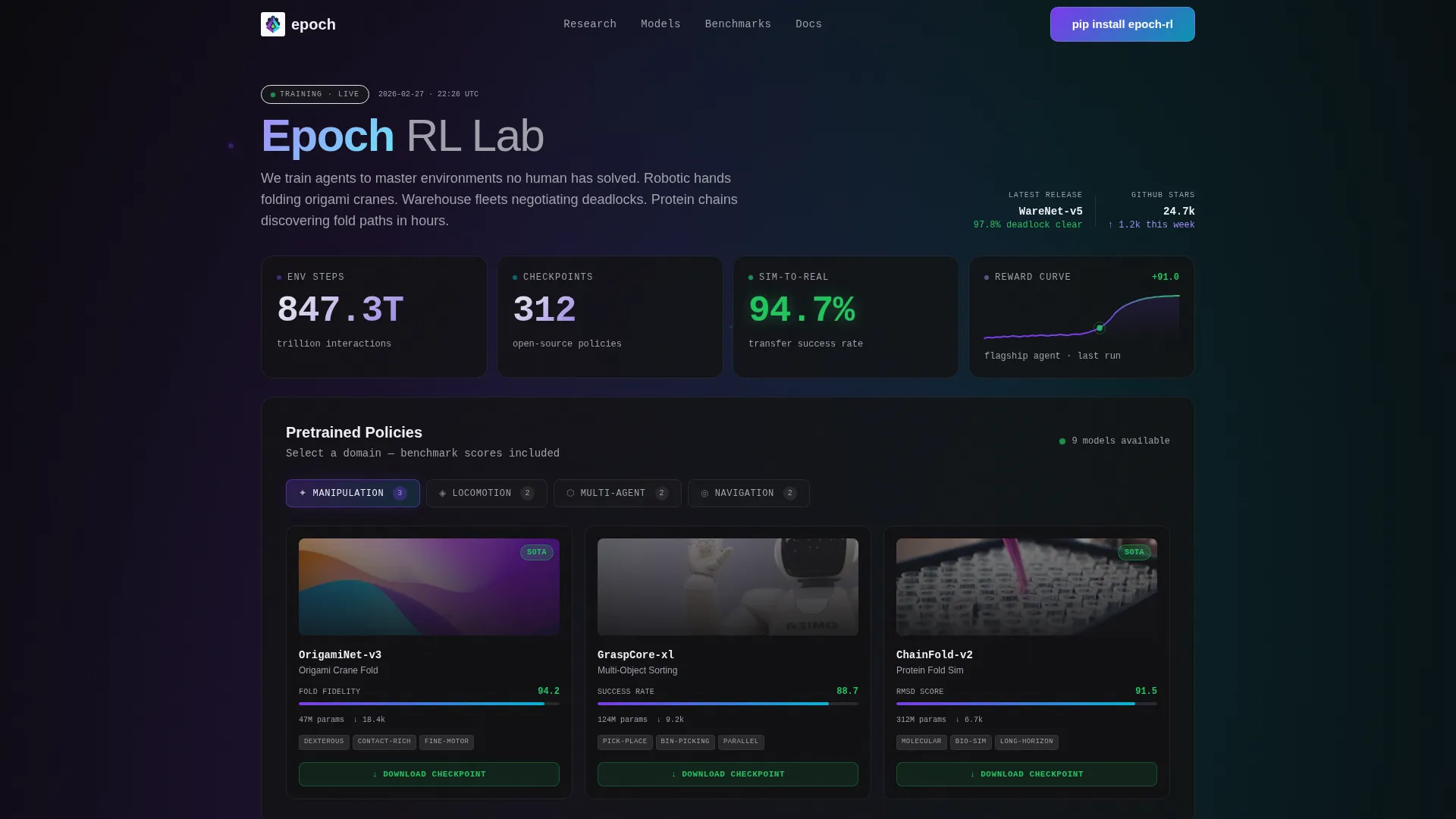
- A live metrics dashboard header with ticking counters for environment steps, checkpoints, transfer success rate, and a reward sparkline
- An interactive environment picker bento cell that reorganizes the model grid by task domain
- Individual model cards with benchmark scores, parameter counts, and one-click checkpoint download buttons tied to a lightweight auth modal
Feature list
This template ships with six purpose-built layout and interaction components drawn directly from the design brief.
Live Metrics Dashboard Header
Four bento cells display real-time counters: total environment steps trained in trillions, open-source checkpoints available, average sim-to-real transfer success rate, and a sparkline of cumulative reward from the lab's flagship training run. Numbers are set in a monospace variable font at display scale. The data opens the page because the data is the proof.
Interactive Environment Picker
The largest bento cell below the header embeds a domain selector covering manipulation, locomotion, multi-agent, and navigation tasks. Choosing a domain reorganizes the visible model grid to surface only relevant pretrained models. Each reorganized card shows benchmark scores, parameter counts, and a download button without requiring the visitor to leave the page.
Model Cards with Checkpoint Download
Individual model cards surface benchmark scores and parameter counts in a compact, scannable layout. Each card carries a one-click "Download Checkpoint" button. Clicking it opens a lightweight auth modal that asks only for a GitHub handle and intended use case (research, commercial, or education), keeping the friction minimal.
CLI Install Command Block
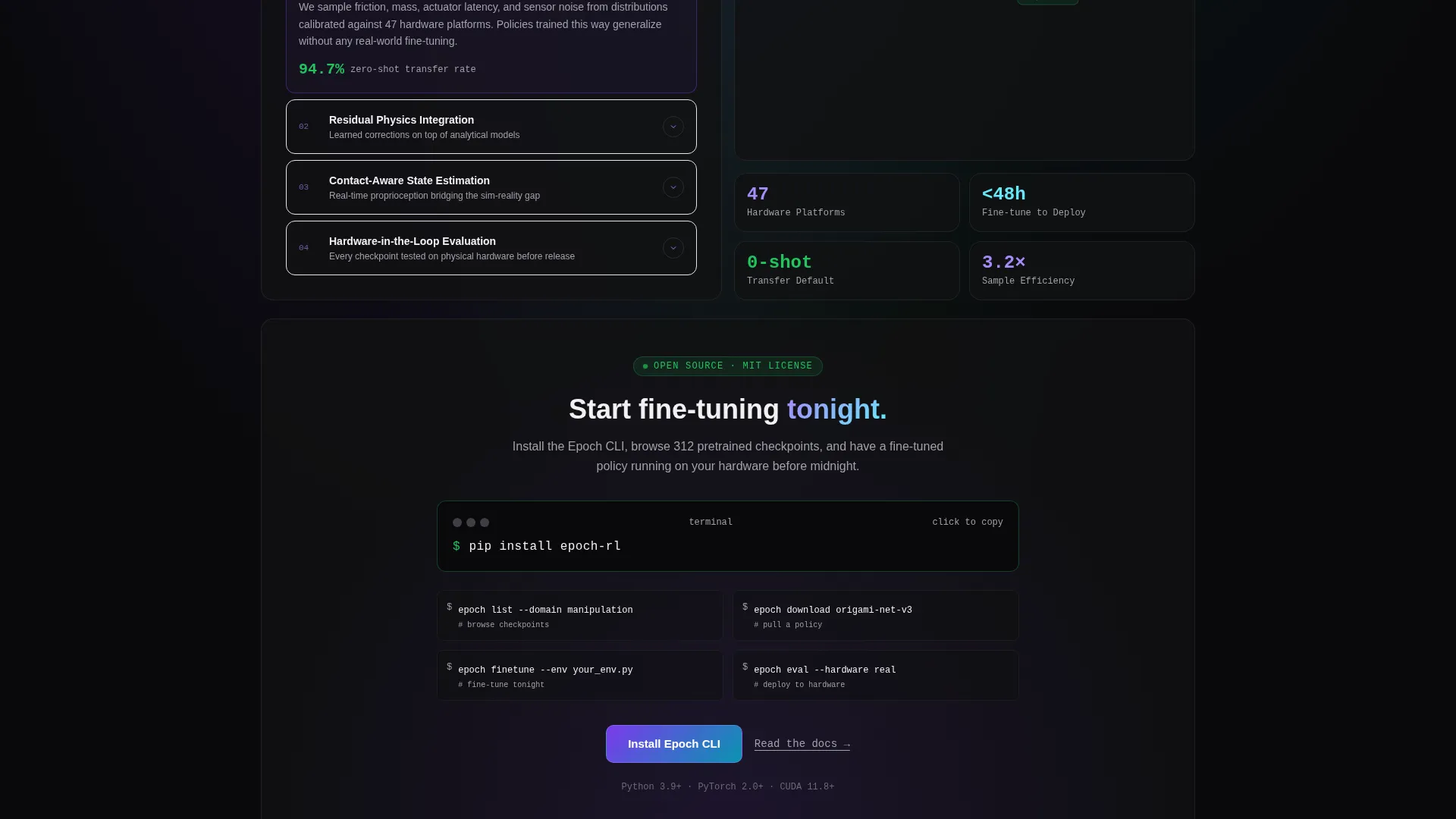
The primary conversion element is a code block displaying pip install epoch-rl. The block highlights on hover, making it easy to copy in a single interaction. The install path is positioned after visitors have already browsed real benchmarks, so the ask comes after the value.
Research Paper Cards
Bento tiles dedicated to research output show paper titles alongside citation counts. These cards reinforce credibility without requiring separate documentation pages. They integrate into the same grid rhythm as model cards and video tiles.
Expandable Architecture Diagrams
Architecture diagram cells expand on click to show full detail. This pattern lets the grid stay compact while still supporting visitors who want to inspect model internals. Looping simulation video tiles appear in the same alternating rhythm, giving the page motion without breaking the layout.
Page sections overview
| Section | Purpose |
|---|---|
| Metrics Dashboard Header | Opens with ticking counters and a reward sparkline as the visual proof |
| Environment Picker Cell | Lets visitors filter the model grid by task domain instantly |
| Pretrained Model Grid | Displays benchmark scores, parameter counts, and checkpoint downloads |
| Research Paper Cards | Shows published work and citation counts to establish credibility |
| Agent Simulation Videos | Looping video tiles showing agents performing tasks in simulation |
| Architecture Diagram Cells | Expandable diagrams for visitors who want model-level detail |
| CLI Install Block | Primary conversion cell with a copyable terminal command |
Design & branding system
The visual identity channels a dark, luminous aesthetic described as Startup Velocity through an AI Iridescent color system. Every surface is intentional and every gradient is active.
- Color palette: void black (#09090B) as the canvas, holographic violet (#7C3AED) bleeding into electric cyan (#06B6D4) on gradient mesh backgrounds, neural white (#F0F0F3) for body text, and reward-signal green (#22C55E) reserved strictly for positive metrics and active states
- Typography: monospace variable font at display scale for all metric numbers, creating a live-data feel that reinforces the lab's technical credibility
- Interaction layer: card borders catch iridescent light at 1px and are nearly invisible at rest; gradient backgrounds shimmer subtly on hover as if the interface itself is in a training loop
Mobile & speed optimization
The bento grid layout is designed with responsive behavior in mind. Cells that span two columns on desktop can restack gracefully on smaller viewports so flagship results remain prominent.
- The grid breathes by design: wide flagship cells and tight supporting metric clusters scale without losing the visual hierarchy
- The code block and model card calls to action remain tappable and copy-friendly on touch devices
- Looping simulation videos are scoped to individual bento cells, keeping them contained and layout-safe across screen sizes
How this template helps you convert
Epoch earns the conversion by delivering value before requesting anything. The page follows a deliberate sequencing logic that guides technically skeptical visitors toward action.
- The metrics dashboard header establishes credibility in the first scroll position, showing real training scale before any marketing copy appears
- The interactive environment picker and model card grid let visitors evaluate actual benchmark data, creating informed intent before they reach the install command
- The CLI install block and lightweight auth modal present the lowest-friction conversion path possible: one command to install, two fields to download a checkpoint
Other information about this template
This template is built for the reinforcement learning research lab context where trust is earned through transparency and reproducibility, not through promises.
- The template style is a bento grid, which suits research contexts where multiple data types (metrics, videos, papers, diagrams) need to coexist without hierarchy conflicts
- The lp direction targets app download, specifically the
pip install epoch-rlcommand, making it suitable for developer-facing lab pages rather than general marketing sites - The creative direction is calculator and tool first: visitors interact with a real model browser before any conversion ask appears
- The header concept is stats and metrics: the page opens with numbers, not imagery, which aligns with how technical audiences evaluate credibility
- Task domains covered by the environment picker include manipulation, locomotion, multi-agent coordination, and navigation, reflecting the lab use cases described in the brief


Theme
Startup Velocity
Creative direction
Calculator/Tool First
Color system
AI Iridescent
Style
Bento Grid
Direction
App Download
Page Sections
Live Metrics Dashboard Header
Interactive Environment Picker
Model Cards with Checkpoint Download
CLI Install Command Block
Research Paper Cards and Simulation Videos
Expandable Architecture Diagrams
Related questions
What kind of team is this template designed for?
Can I customize the task domains in the environment picker?
What triggers the auth modal for checkpoint downloads?
Does this template include actual model weights or training data?
What is the primary call to action on this landing page?



