Machine Learning Course Landing Page Template
Epoch is a hub-and-spoke landing page template built for machine learning online courses. It opens with an employer logo bar, introduces instructors through candid portrait grids, and guides visitors through a five-question diagnostic quiz that recommends a personalized learning path. The Slate and Sky color system and sticky anchor navigation keep every section purposeful and easy to follow.
by Rocket studio
Quick summary
Epoch is a single-page, anchor-nav landing page template designed for machine learning online courses targeting mid-career professionals. It combines an employer logo bar, instructor-led hub sections, curriculum spokes with testimonials, and a five-question quiz modal that delivers a personalized pathway recommendation and enrollment prompt, all held together by a deep chalkboard slate and open-sky blue visual system.
Who this template is for
This template was designed for course creators, independent educators, and EdTech platforms that teach machine learning, deep learning, or artificial intelligence to working professionals. It suits anyone who wants to convert technically skeptical visitors into enrolled students through honest, structured messaging rather than generic sales copy.
- Mid-career software engineers who are frustrated by ML black boxes and want to truly understand model training, gradient descent, and neural network behavior from first principles.
- Data analysts ready to move from spreadsheet tools to Python-based workflows, and bootcamp graduates who need a credible machine learning credential to open career doors.
- EdTech founders and course instructors who want a polished, faculty-forward landing page that positions their instructors as real practitioners, not anonymous content creators.
What problem this template solves
Most machine learning course pages look the same: a long syllabus, a stock photo, and a generic "Enroll Now" button. They do not help the visitor understand where they personally fit in the curriculum. Epoch solves this by making the diagnostic quiz the primary conversion event, so visitors feel understood before they ever reach a pricing page.
- Visitors with uneven backgrounds, strong in coding but weak in linear algebra, for example, cannot self-select into the right module without guidance, which leads to drop-off and refund requests.
- Course pages that list instructors as names on a roster fail to build the human trust that actually converts technically minded buyers who are skeptical of online education promises.
- A standard call-to-action button forces a binary decision before the visitor is ready. The quiz earns that click by first proving the course knows where the student currently stands.
What you get with this template
Epoch gives you a fully structured, section-rich landing page ready to present a machine learning course with authority and warmth. Every section is intentional, every interaction is mapped to a conversion moment, and the visual design reinforces the academic credibility of the subject matter.
- A hero section with employer logo bar, typographic headline, instructor portrait grid, and a persistent "Find Your Starting Point" call to action anchored in the sticky navigation.
- Six content sections covering the faculty hub, per-instructor curriculum spokes with embedded testimonials, alumni outcomes data, and the five-question diagnostic quiz modal with a live skill-radar graphic.
- A Slate and Sky color system using four defined palette values, Fraunces serif headlines, and DM Sans body text, all pre-applied so your brand colors and typefaces drop in without restructuring the layout.
Feature list
Epoch packages several high-impact layout and interaction patterns into one coherent template. Each feature below maps directly to what the prompt specifies.
Sticky Anchor Navigation with Active States
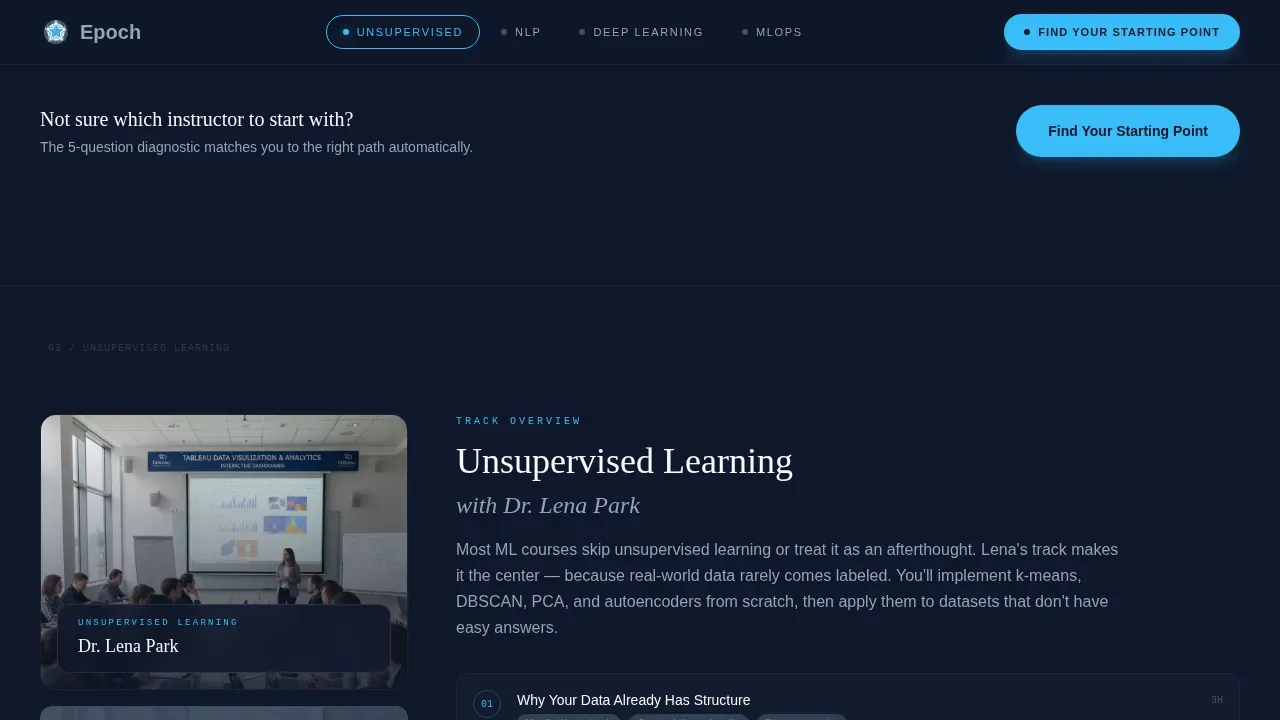
The sticky navigation bar sits at the top of the viewport as the user scrolls. Each nav item is a hub anchor that jumps to the corresponding instructor section. Active-state highlighting in accent sky blue shows visitors exactly where they are in the page, removing the disorientation that often comes with long single-page layouts. This structure supports the Z-pattern user flow that guides attention from the headline down through each curriculum spoke to the final enrollment action.
Five-Question Diagnostic Quiz Modal
The primary conversion mechanism is a five-question assessment that asks about current programming language, comfort with linear algebra, prior machine learning exposure, learning goal, and weekly hours available. As each question is answered, a visible progress bar advances and a skill-radar graphic updates in real time. On completion, the visitor receives a named instructor match, a suggested module sequence, and a single "Start Your Path" enrollment button paired with a fourteen-day refund badge. This approach transforms a passive landing page into an interactive learning process that earns trust before asking for a purchase.
Instructor-Led Hub and Spoke Layout
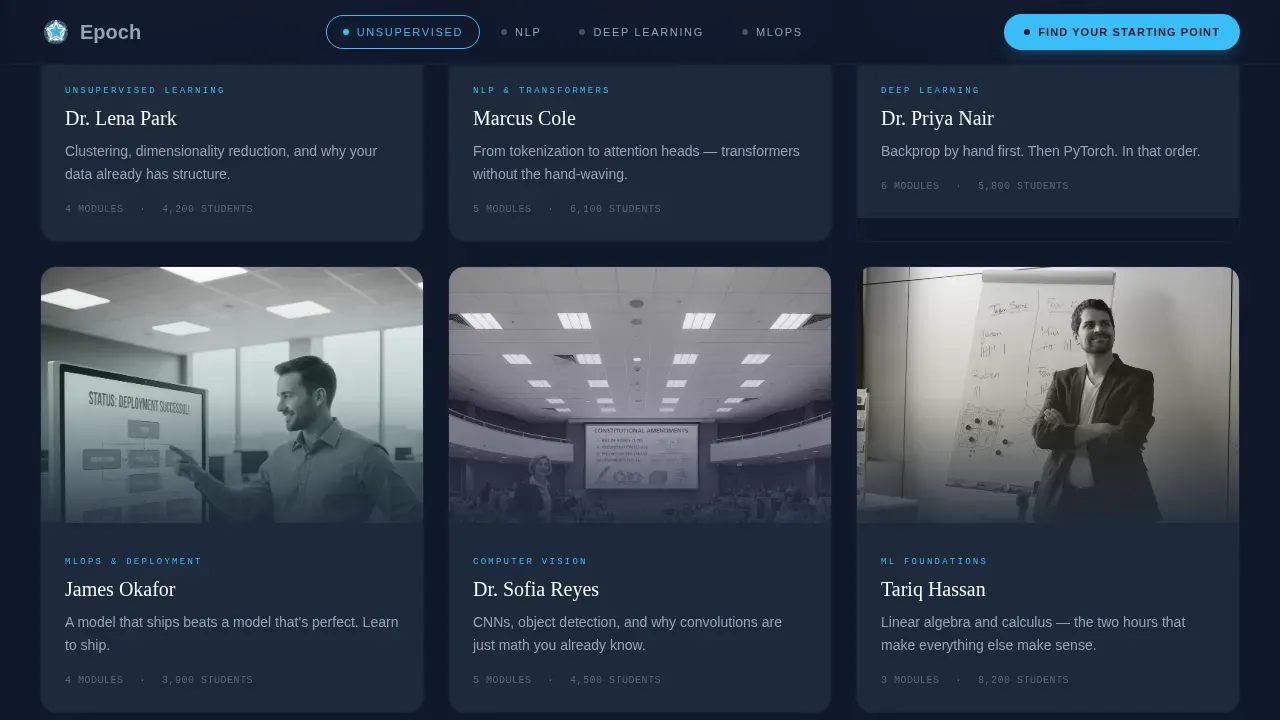
Each hub section is anchored in the sticky nav and introduced by a named instructor with a stated specialization. Clicking a spoke expands that instructor's module breakdown, surfaces a thirty-second teaching video clip, and reveals three student testimonials specific to that section. The layout makes each corner of machine learning feel approachable by attaching a human face and a real teaching moment to every topic, from neural network fundamentals to natural language processing and transformers.
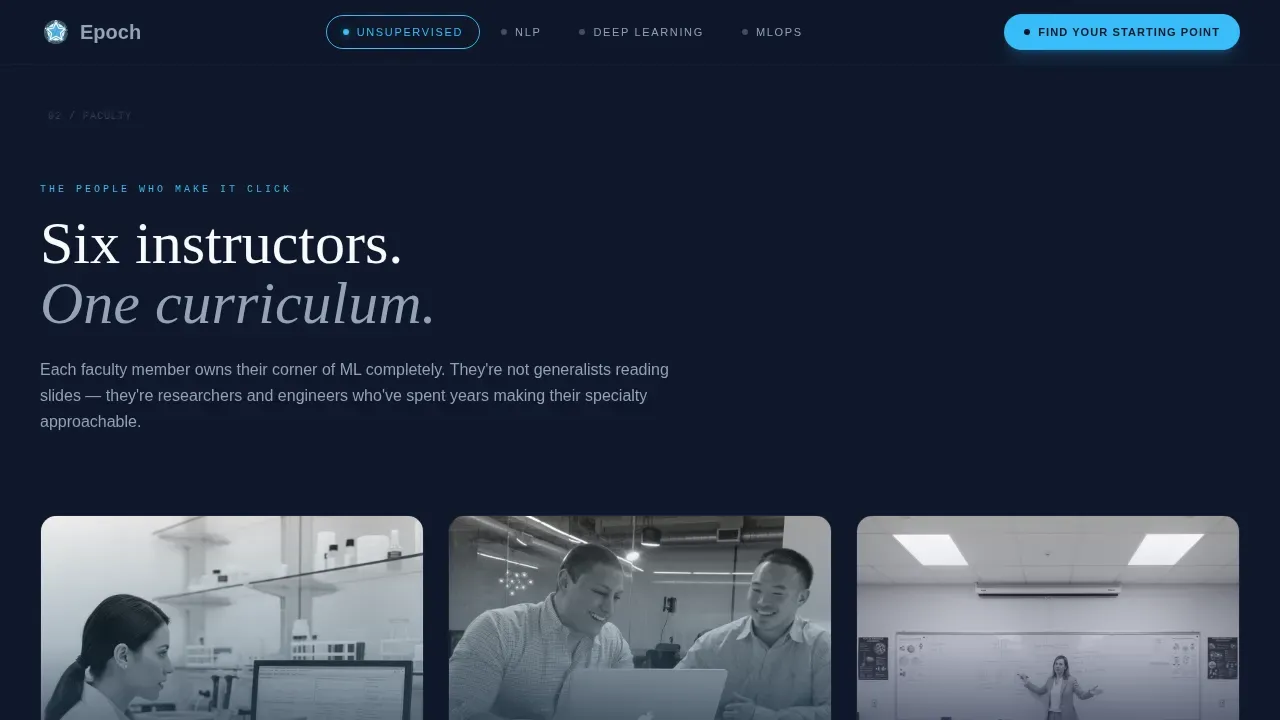
Candid Instructor Portrait Grid
The header includes a six-portrait grid of mid-gesture teaching moments: instructors pointing at terminal output, drawing diagrams at whiteboards, and laughing during office hours. These are not stock headshots. They are the hook that converts skeptical developers who have been burned by faceless online courses before. The portrait grid sits directly below the employer logo bar, so proof of outcomes and proof of human instruction land in the same visual breath.
Alumni Outcomes and Social Proof Section
A dedicated outcomes section presents alumni placement data and career transformation metrics. Employer logos for companies where alumni now ship models sit in the header logo bar, giving immediate credibility before the visitor reads a single word of curriculum copy. Per-instructor testimonials appear inside each curriculum spoke, keeping social proof contextually relevant rather than lumped into a single generic review section.
Personalized Pathway Recommendation Engine Layout
The quiz modal does not just collect answers, it delivers a structured output. The visitor sees their skill-radar graphic, a named instructor recommendation, and a sequenced list of modules suited to their current level and goal. This layout pattern treats every visitor as an individual, which is especially important for a subject like machine learning where prior knowledge ranges from zero to intermediate across the target audience.
Page sections overview
| Section | Purpose |
|---|---|
| Employer Logo Bar | Establishes alumni credibility instantly |
| Hero Typographic Headline | States the core value proposition clearly |
| Instructor Portrait Grid | Humanizes the faculty with candid teaching photos |
| Sticky Anchor Nav | Guides scroll flow across hub sections |
| Faculty Hub Introduction | Introduces each instructor by name and specialty |
| Curriculum Spoke: Instructor One | Expands module list, video clip, and testimonials |
| Curriculum Spoke: Instructor Two | Expands module list, video clip, and testimonials |
| Alumni Outcomes Section | Shows placement data and transformation metrics |
| Quiz Modal | Runs five-question diagnostic with radar output |
| Personalized Path Result | Delivers instructor match and enrollment prompt |
| Footer Linear Row | Closes page with minimal navigation links |
Design & branding system
Epoch uses an Educational Guide theme built on the Slate and Sky color system. The palette is deliberate and restrained, evoking the feeling of a well-worn university notebook: dark covers for authority, clean pages for clarity, and sky blue circles marking what matters most.
- Four defined color values: deep chalkboard slate (#1E293B) for headers and dominant text, soft lecture-hall gray (#94A3B8) for supporting text and dividers, open-sky blue (#38BDF8) for navigation dots, active states, and progress indicators, and clean whiteboard white (#F8FAFC) for content panel backgrounds.
- Typography pairing: Fraunces serif for headlines (professorial weight, high contrast at large sizes) and DM Sans for body text (readable at every size, optimized for developer-audience scanning behavior).
- White panel sections breathe between dense content areas, functioning like page margins left for notes, giving readers visual rest before the next instructor section loads.
Mobile & speed optimization
Epoch is built desktop-first to match its primary audience: developers working on laptops in focused environments. The layout adapts responsibly to smaller screens without sacrificing the key conversion interactions.
- The quiz modal, skill-radar graphic, and anchor navigation remain fully functional on mobile viewports, ensuring visitors who discover the course on a phone can still complete the diagnostic and reach the enrollment prompt.
- Staggered reveal animations, spotlight card effects, and scroll-scrub text transitions are designed to run as client-side components, keeping static sections lightweight while preserving the interactive richness that supports the quiz flow.
How this template helps you convert
Epoch is built around one conversion insight: technically minded buyers do not respond to urgency tactics. They respond to evidence of understanding. Every layout decision flows from that principle.
- The employer logo bar and instructor portrait grid in the header deliver two trust signals simultaneously, proof of outcomes and proof of human instruction, before the visitor has scrolled a single pixel. This front-loads credibility so the reader arrives at the curriculum sections already leaning toward enrollment.
- The five-question quiz modal earns the enrollment click by first demonstrating that the course understands exactly where the student is. A visitor who receives a personalized instructor match and a sequenced module recommendation feels seen, not sold to. That psychological shift is what makes the "Start Your Path" button feel like a logical next step rather than a risk.
Other information about this template
This section covers additional practical context about how Epoch is built and what makes it a strong fit for the machine learning education niche.
Understanding epochs is central to how this template is named and positioned. In machine learning, one epoch refers to one complete pass through the entire training dataset during the model training process. During one epoch, the model processes each training example once, executes a forward pass to generate predictions, calculates the loss function error, and runs a backward pass to update the model's weights using gradient descent. Each epoch comprises many iterations because training data is usually processed in batches rather than all at once. The batch size determines how many training examples are processed before the model's parameters are updated in one iteration.
Training over multiple epochs is how a model learns to recognize complex patterns. The number of epochs is one of the most consequential hyperparameters in any training process. Too few epochs and the model underfits: it fails to extract enough signal from the training set to generalize. Too many epochs and the model overfits: it memorizes the training data so precisely that validation performance collapses on unseen examples. Finding the optimal number of epochs requires monitoring validation performance after each epoch and applying early stopping when the model's ability to improve plateaus. A common starting point for the number of epochs is around 10, 20, or 50, with adjustments made as training progresses.
The batch size works in close relationship with the number of epochs and the learning rate. Mini batch gradient descent processes one batch of training examples per iteration, updating the model's weights more frequently than processing the whole dataset at once. Stochastic gradient descent takes mini batch gradient descent to its extreme by processing one data point per iteration. Adjusting the batch size also affects memory usage and training time, especially with a large dataset. Using the maximum batch size supported by available hardware can improve efficiency, though resource limitations and hardware constraints may cap what is practical. Mini batch size selection is a balancing act between training speed and the stability of each weight update.
Transfer learning changes these calculations significantly. A pretrained model has already completed many training runs on a large dataset and has developed general feature representations. Fine tuning that pretrained model on a smaller, task-specific training dataset typically requires fewer epochs because the model's weights already encode foundational knowledge. Using pretrained weights can accelerate training and improve model accuracy without requiring the computational resources needed to train large models from scratch. This is especially relevant for deep learning models such as computer vision models or large language models where training from scratch demands enormous training time and computational resources.
Early stopping is the standard technique to prevent overfitting during the training process. It monitors validation performance after each epoch and halts training when performance stops improving, avoiding the damage that too many epochs causes. Cross-validation across subsets of the training dataset can also help determine the optimal number of epochs before committing to a full training run. Monitoring the model's ability to generalize, not just its accuracy on the training set, is what separates careful practitioners from those who train by guessing.
The Epoch template is positioned as a game changer for ML educators who want a conversion-focused landing page that also teaches. The quiz, the instructor-led spokes, and the outcomes section together create a page that delivers genuine value before asking for a sale. For further information about how to customize the template sections or adapt the quiz parameters to your specific curriculum, the template includes inline documentation within each component block.
- The template name "Epoch" is a direct reference to the machine learning training concept: one complete pass through the entire training dataset per cycle.
- The quiz modal layout can support different numbers of questions; the default five-question structure maps to the five parameters most predictive of where a student should start.
- The hub-and-spoke anchor navigation is designed to scale: additional instructor spokes can be added as a course expands its faculty roster.
- The footer uses a linear single-row pattern for minimal visual weight, keeping the page's final moment clean and focused on the "Start Your Path" action rather than distracting links.
- The template supports English (US) copy, USD pricing display, and US date formats out of the box.

Theme
Educational Guide
Creative direction
Team & People
Color system
Slate & Sky
Style
Hub & Spoke (Anchor Nav)
Direction
Quiz/Assessment
Page Sections
Sticky Anchor Navigation with Active States
Five-question Diagnostic Quiz Modal
Instructor-led Hub and Spoke Layout
Employer Logo Bar and Outcomes Section
Candid Instructor Portrait Grid
Personalized Pathway Recommendation Layout
Related questions
What is an epoch in machine learning, and why is this template named after it?
Who is this landing page template built for?
How does the five-question quiz modal work?
Can the hub-and-spoke layout accommodate more instructors over time?
What makes this template more effective than a standard course sales page?



