Instant Video Production Landing Page Template
Slate is a split-screen video production booking landing page template built for brands that need real cost clarity before a single email is sent. The interactive shoot estimator lets users configure crew, gear, locations, and post-production hours while a sticky live estimate panel updates in real time. It is a dark, utilitarian page designed to convert curious visitors into confirmed leads.
by Rocket studio
Quick summary
Slate is a Calculator/Tool First landing page template for video production booking. Visitors configure a full shoot, crew roles, gear tier, edit revisions, and delivery formats, while a sticky estimate panel recalculates live. The matte-black, split-screen design feels like a professional edit suite. Social proof threads between calculator steps. The primary call to action locks the estimate and fires a minimal lead form.
Who this template is for
This template is built for anyone who needs to sell or source video production services without the usual back-and-forth. It makes sense for teams that schedule shoots regularly and want a frictionless way to present pricing.
- Startup marketing leads managing product launch campaigns with no in-house video team
- Agency producers who need to schedule shoots and source crews in unfamiliar cities
- Direct-to-consumer founders planning a first hero video with no clear sense of production costs
What problem this template solves
The biggest obstacle in video production booking is the cost question. Clients watch a brand's reel, want to schedule a shoot, and then wait days for a quote. That delay kills momentum and creates mistakes in scope that are hard to resolve later.
- No instant answer on cost means leads go cold before a proposal is ever sent
- Vague service pages force unnecessary back-and-forth and slow every project timeline
- First-time buyers have no frame of reference and often cancel inquiries out of uncertainty
What you get with this template
You get a fully structured, dark-themed split-screen landing page template ready to customize and deploy. Every section is designed to guide a visitor from curiosity to a locked estimate without friction.
- A live interactive shoot calculator with crew, gear, revision, and delivery variable fields
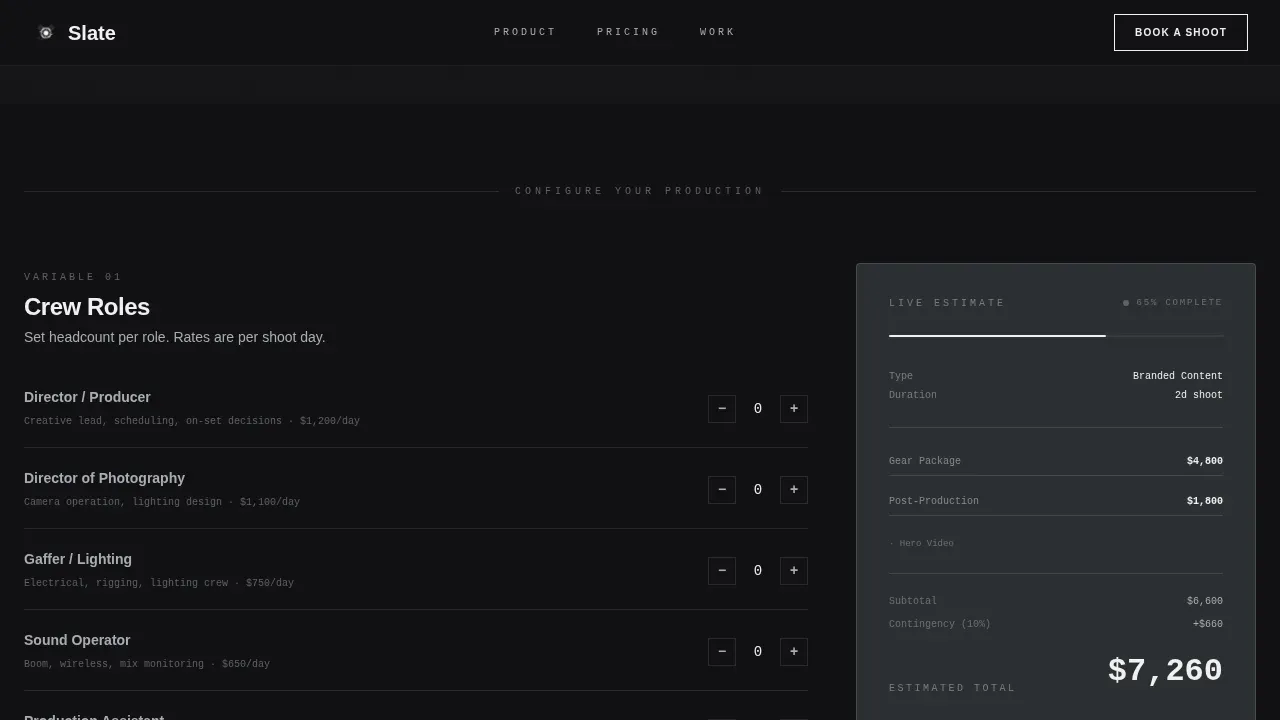
- A sticky estimate panel that stays visible and recalculates as users configure each production variable
- A lead capture sequence with a minimal form overlay, an estimate summary beside the form, and a secondary rate card download path
Feature list
This template ships with a focused set of interactive and visual features. Each one plays a specific role in moving a visitor from first scroll to confirmed lead.
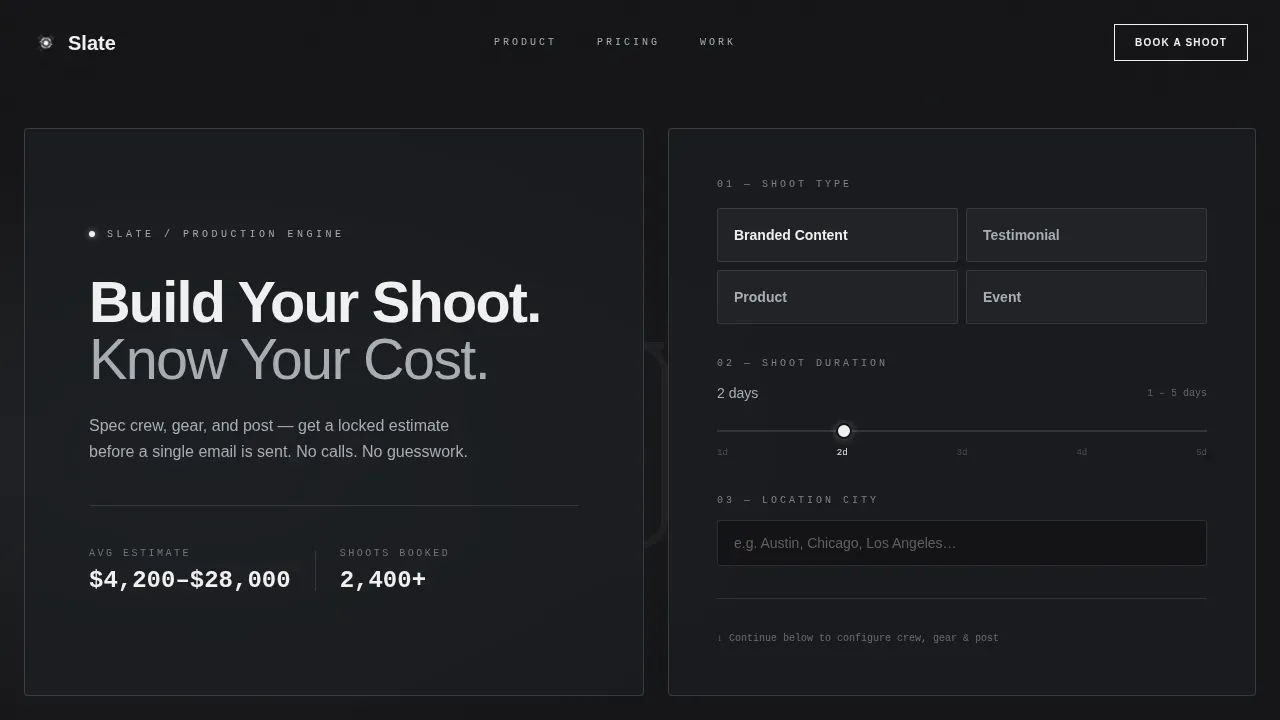
Dark Glass Panel Split-Screen Header
The header splits the viewport into two frosted-glass panels floating over a looping behind-the-scenes video reel. The left panel holds the headline. The right panel shows the first three interactive calculator fields, shoot type, duration dial, and location city search, already visible and ready to use on page load.
Live Shoot Estimate Calculator
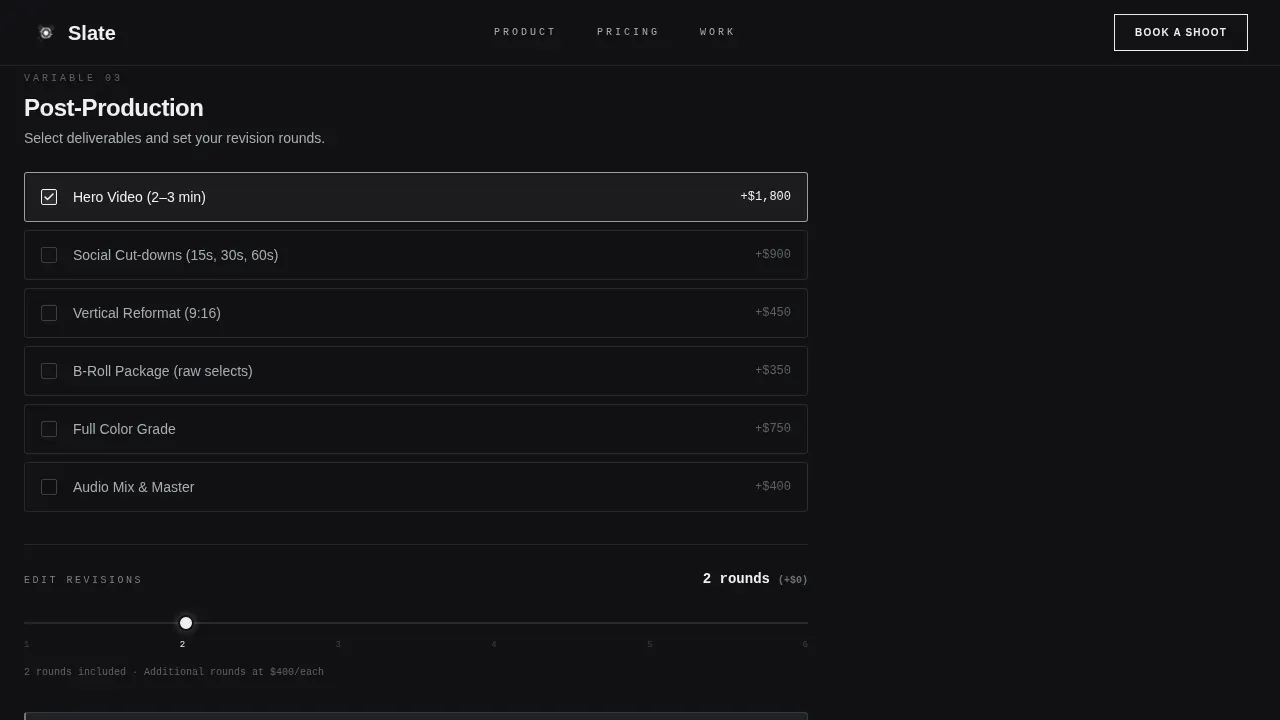
The left column walks users through each production variable in sequence: crew roles with headcount toggles, gear tier selector, number of edit revisions, and a delivery format checklist. The right column holds a sticky estimate panel that recalculates with every input. As complexity grows, the total becomes bolder. Users can reset and reconfigure until the numbers make sense.
Inline Social Proof Threading
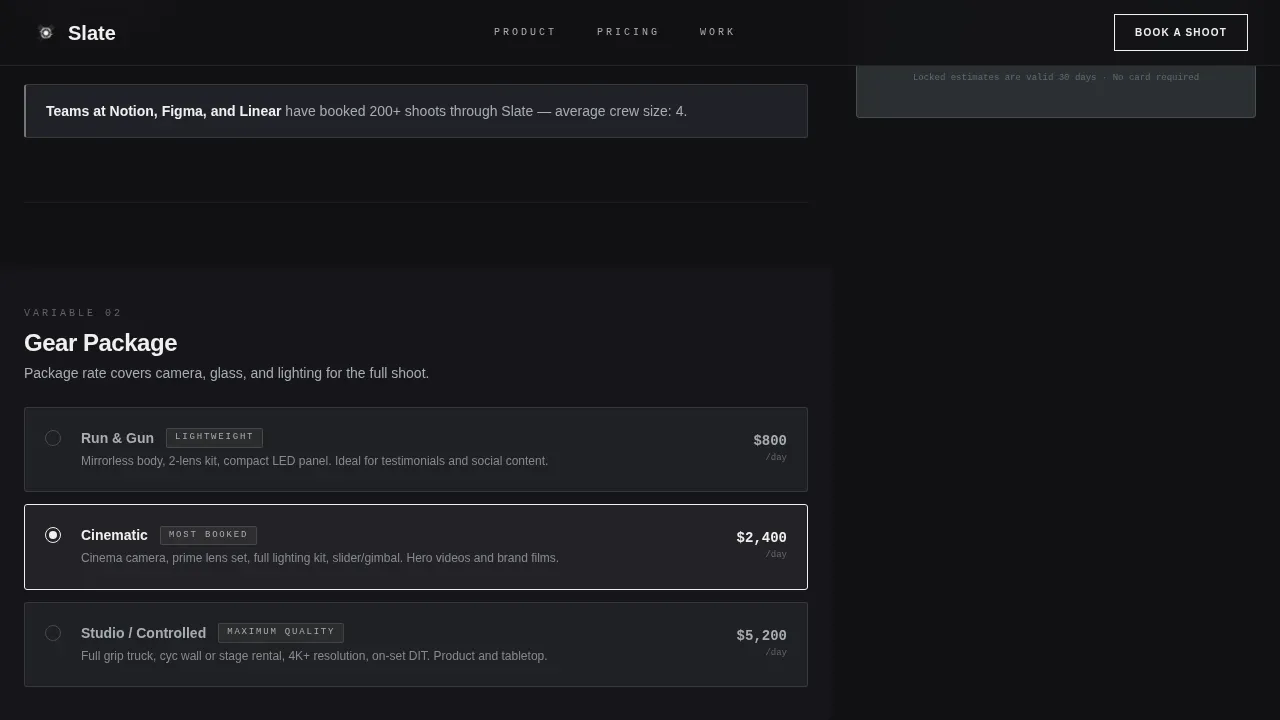
Social proof does not live in a separate testimonial carousel. Instead, short trust messages and booking data are threaded between calculator steps. This keeps brand credibility visible throughout the configuration process without interrupting the tool flow.
Lock Estimate Lead Form
Once all shoot variables are set, the primary call to action appears at the base of the calculator. Clicking it opens a minimal form overlay. The estimate summary stays visible beside the form so users never lose sight of what they configured. Fields collect work email, company name, and a preferred shoot-week date.
Rate Card Secondary Path
Below the primary call to action, a secondary option lets visitors download a PDF rate card in exchange for their email. This path captures explorers who are not ready to commit but still want to organize their thinking and promote the idea internally.
Scroll-Linked Section Animations
Each new production variable section slides into view with a subtle upward shift as users scroll down the page. The scroll experience feels like configuring a build, not reading a brochure. Glass panel effects, slide-in reveals, and sticky panel behavior are all part of the default animation sequence.
Page sections overview
| Section | Purpose |
|---|---|
| Dark Glass Header | Present headline and first calculator fields |
| Shoot Type Selector | Set shoot category and duration dial |
| Crew Configuration | Toggle crew roles and headcount |
| Gear Tier Selector | Choose run-and-gun, cinematic, or studio |
| Edit Revisions Block | Set revision count and delivery formats |
| Inline Social Proof | Thread brand trust between calculator steps |
| Sticky Estimate Panel | Show live recalculating cost at all times |
| Lock Estimate Form | Collect lead details with estimate visible |
| Rate Card Download | Capture explorer emails via PDF export |
| Footer Single Row | Link to key pages in minimal footer layout |
Design & branding system
The design language is anodized and utilitarian. Every visual choice reflects the matte-black edit suite aesthetic described in the brief. Nothing decorative is added; nothing functional is removed.
- Color palette: forge black (#111114) as the base background, brushed gunmetal (#2C2F33) for alternating sections, cold silver (#A8ADB3) as default text, and electric white (#F0F0F0) reserved for active states, input fields, and primary call-to-action borders
- Typography uses a tight medium-weight grotesque that is flush left and stacked, with text snapping from silver to electric white on hover
- Dividers are single-pixel lines at 12% opacity; the glass panels carry a 1px luminous border that catches the looping video movement beneath
Mobile & speed optimization
The template is built desktop-first because the split-screen calculator tool requires horizontal space to function clearly. On smaller screens, the layout collapses gracefully into a single column so the full production configuration flow remains usable.
- Desktop layout maintains the 50/50 split with the sticky estimate panel always visible in the right column window
- Mobile version stacks sections vertically, preserving the scroll-linked animation sequence and interactive field behavior
- The page uses a Server Component shell with a Client Component calculator for efficient rendering and smooth CSS scroll behavior
How this template helps you convert
The calculator is the conversion engine. Visitors interact before they read, which means intent is already high by the time the lead form appears.
- The tool creates immediate engagement, users invest time configuring their shoot, which builds commitment and makes the lock estimate call to action feel like a natural next step rather than a cold sign-up form
- The inline social proof and sticky estimate panel maintain trust and context throughout the scroll, so visitors never lose the thread of what they are building or why the services are credible
- The secondary rate card download path gives explorers a free, low-friction option to collect useful data and promote the idea to their team before committing
Other information about this template
This page is part of a broader Video Production Vertical SaaS template category. It fits naturally within the Startup Velocity theme and the Monochrome Steel color system. Several details are worth noting for teams who want to test, import, or extend the template.
- The slate instant video shoot estimator landing page template is designed for English, USD pricing, and US date formats by default
- Teams can customize color values, swap placeholder copy, and configure the form fields to match their own brand voice and services
- Social teams managing multiple video campaigns can use the rate card export and lock estimate forms to organize lead data across shoots and import it into their own workflow tools
- The template is built to be expanded into additional version variants, for example, teams running YouTube campaigns or Google video ads can adapt the shoot type selector and delivery format checklist to match those specific asset needs
- The combination of a sticky estimate panel, scroll-linked animations, and inline social proof is an interesting structural advantage over static pricing pages, giving users something to watch and interact with rather than a flat list of services
- Photos, transcript overlays, and metadata fields are not included in the default template but the layout can support them as added asset types in an expanded version
- Users can drag section blocks to reorder the page sequence during setup, and the program logic for live recalculation is scoped entirely to the Client Component so it does not affect the static shell
Theme
Startup Velocity
Creative direction
Calculator/Tool First
Color system
Monochrome Steel
Style
Split Screen (50/50)
Direction
Lead Generation
Page Sections
Dark Glass Panel Split-screen Header
Live Shoot Estimate Calculator
Inline Social Proof Threading
Lock Estimate Lead Form
Rate Card Secondary Download Path
Scroll-linked Section Animations
Related questions
Can I customize the calculator fields for my own shoot types?
Is the live estimate panel always visible as users scroll?
What happens when a visitor clicks Lock This Estimate?
Does the template include a path for visitors who are not ready to book?
Can social teams use this template for recurring video campaigns?



