Accounting Firm Software Advanced Cost Calculator Website Template
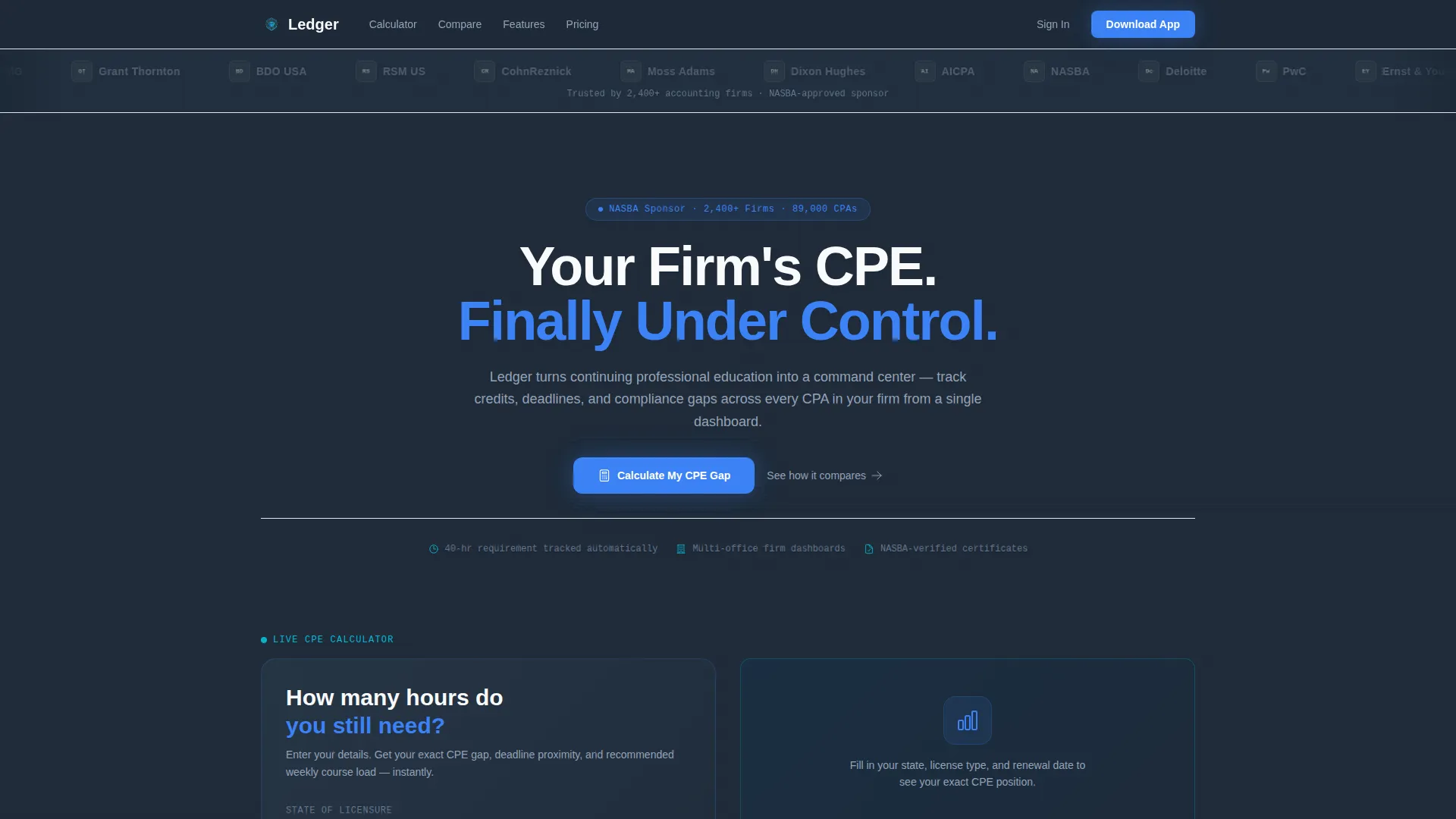
Ledger is a single-page comparison table landing page built for accounting firm learning management software. It opens with an institutional logo bar, drops visitors into a live CPE credit calculator, then walks them through a structured feature comparison. The page ends with a clear app download call to action, making the case through evidence before asking for commitment.
by Rocket studio
Quick summary
Ledger is a focused landing page template designed for accounting firm learning management software. It combines a scrolling logo bar, an interactive CPE credit calculator, and side-by-side comparison tables to build trust fast. The page closes with a direct app download prompt, earning the install by solving a real compliance problem within the first scroll.
Who this template is for
This template is built for software teams and firms marketing a continuing professional education (CPE) tracking platform. It speaks directly to the people doing the hardest compliance work inside accounting organizations.
- CPAs racing toward their 40-hour renewal requirement before a deadline hits
- Firm administrators managing course assignments across multiple office locations
- Tax managers who need their entire team current on state and local tax updates before busy season
What problem this template solves
Accounting professionals lose time chasing credit hours, cross-referencing spreadsheets, and guessing at compliance gaps. Generic software marketing pages offer no immediate value and fail to earn trust from a skeptical, detail-oriented audience.
- No clear way to show how a specialized platform beats manual tracking or generic tools
- Visitors leave before understanding what the product actually does for their license renewal workflow
- CPE compliance needs feel urgent, but most landing pages treat them as abstract benefits
What you get with this template
This template gives you a complete, conversion-ready single-page layout that proves product value through demonstration, not just description. Every section is intentional and earns its place on the page.
- A scrolling institutional logo bar that signals credibility before the headline loads
- A live CPE credit calculator letting visitors enter their state, license type, and renewal date for an instant result
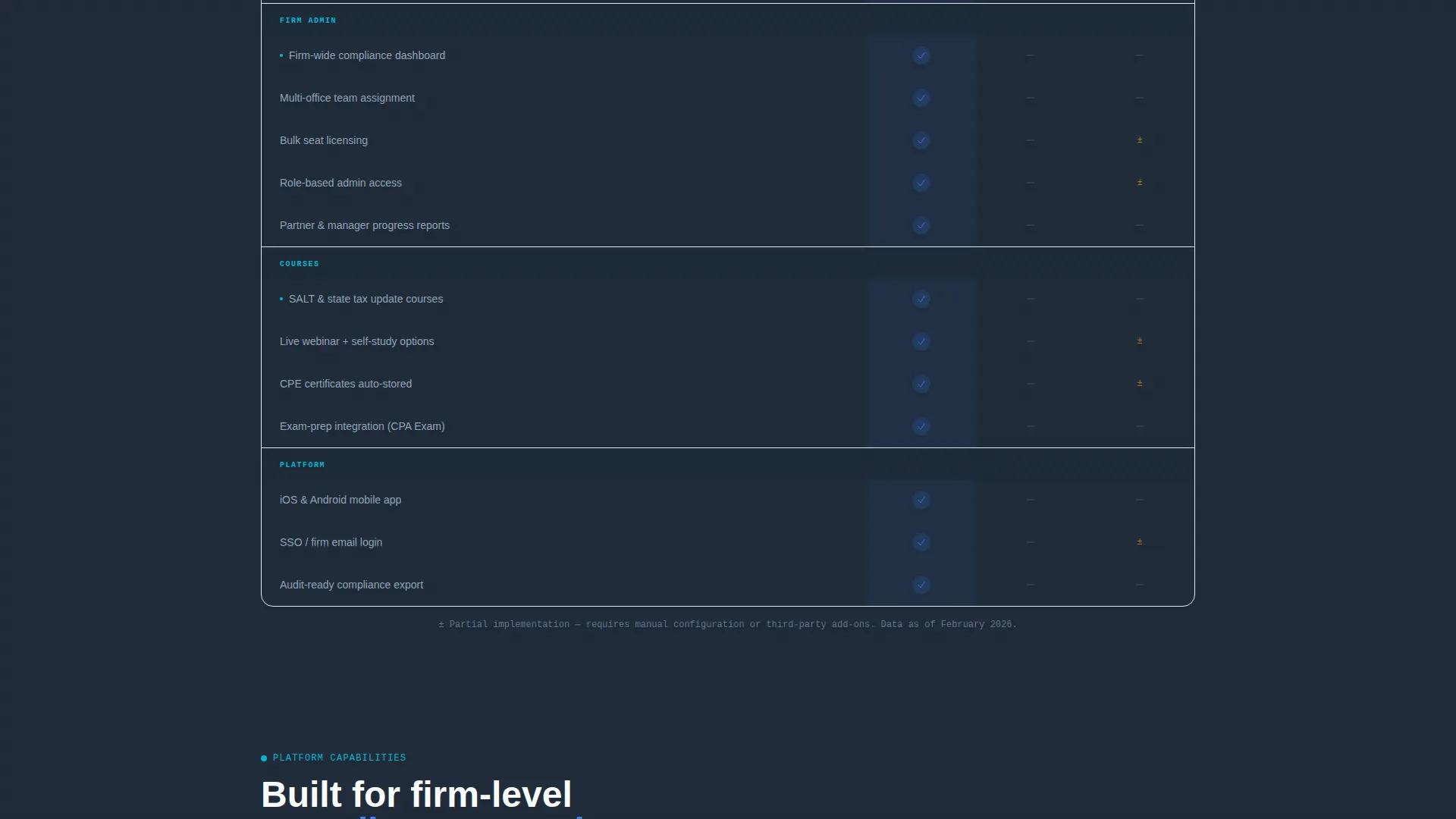
- Structured comparison tables contrasting the platform against manual tracking and generic alternatives
Feature list
This template ships with a tightly sequenced set of components, each designed to move an accounting professional from skeptical visitor to confident downloader.
Scrolling Institutional Logo Bar
A horizontal ribbon of accounting body and firm logos loops quietly at the top of the page. It establishes professional credibility before a single word of body copy is read, relying on recognition rather than persuasion.
Live CPE Credit Calculator
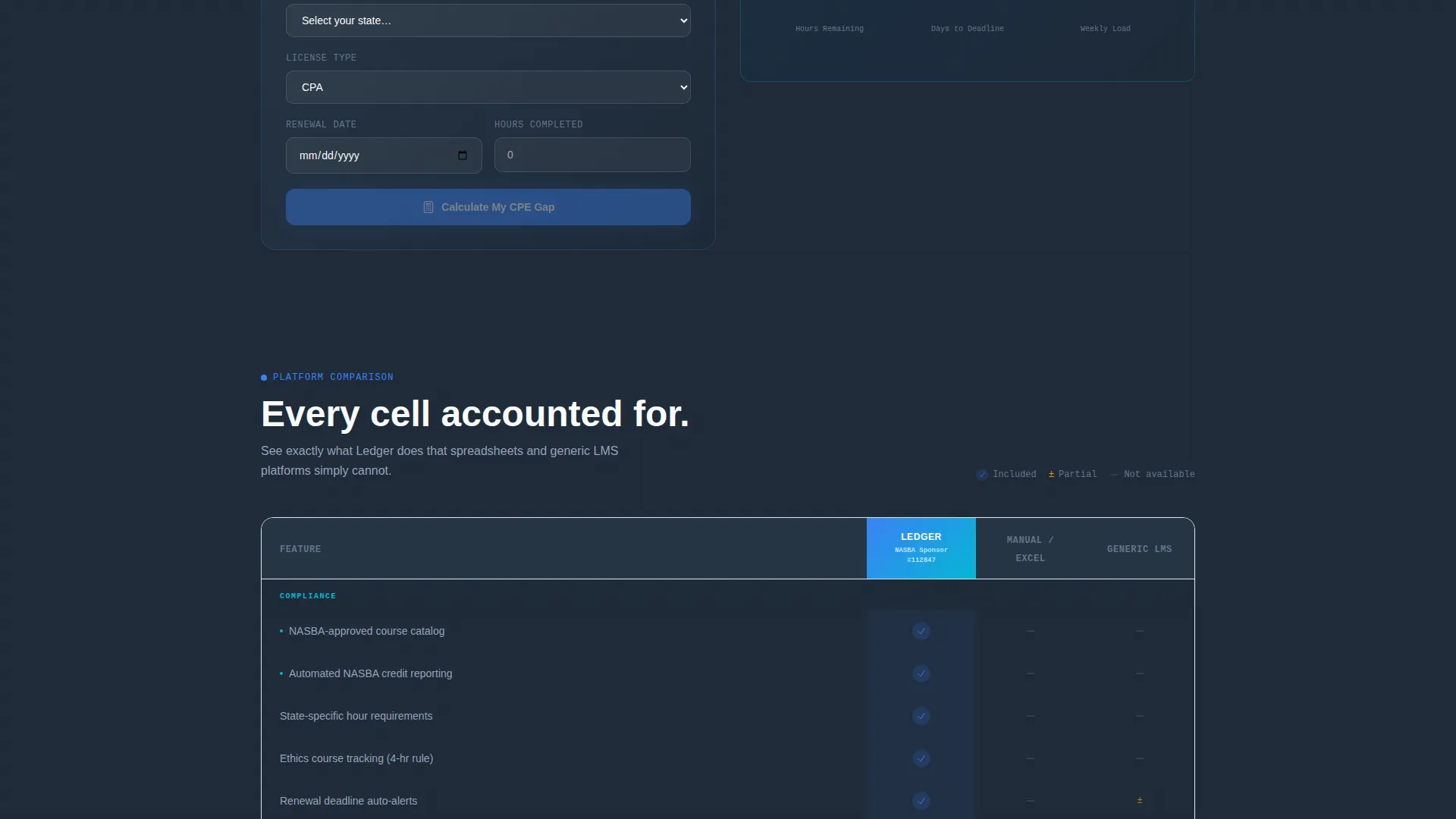
Visitors input their state, license type, and renewal date. The calculator instantly returns hours remaining, deadline proximity, and a recommended course load. It delivers real value in the first ten seconds, creating a natural reason to keep reading.
Side-by-Side Comparison Tables
The template includes structured comparison tables that stack the platform against manual tracking methods and generic learning tools. Each row targets a specific pain point, using sky blue check marks and pale slate empty cells to make the contrast unmistakable.
Soft Calculator Prompt and Download Trigger
Inside the calculator results, a soft call to action reads "Get these deadlines tracked automatically" with a single-tap download button. The prompt feels like a helpful next step, not a sales push.
Dual Call-to-Action Block
The primary call to action, "Download the Firm App," sits directly after the comparison tables with paired App Store and Google Play badges. A secondary path offers a free firm trial for administrators who prefer desktop access first.
Data Command Visual Theme
The page uses a structured visual hierarchy with deep slate backgrounds, sky blue active states, and clean white comparison rows. The design reinforces the product's authority without relying on decorative imagery.
Page sections overview
| Section | Purpose |
|---|---|
| Logo Bar Header | Establish institutional credibility through recognizable accounting bodies and firm silhouettes |
| Hero Headline Block | Land the core value statement: "Your Firm's CPE. Finally Under Control." |
| CPE Credit Calculator | Let visitors calculate hours remaining and deadline proximity before scrolling further |
| Calculator Results Prompt | Offer a soft download nudge directly inside the calculator output |
| Comparison Table Block | Compare the platform against manual tracking and generic tools row by row |
| App Download call to action | Drive installs with App Store and Google Play badges plus a secondary trial path |
Design & branding system
The visual identity follows a Data Command theme built on a Slate and Sky color system. The palette feels like a corner office at early morning, dark surfaces waking up under cool blue light, projecting quiet authority.
- Deep charcoal slate (#1E2A38) dominates backgrounds and data surfaces, with mid-tone graphite (#4A5568) for secondary text layers
- Open sky blue (#3B82F6) marks progress bars, active states, and check marks inside comparison rows, while cloud white (#F8FAFC) keeps comparison table rows clean and readable
- Signal cyan (#06B6D4) fires on interactive accent moments, and the overall restraint of the palette reinforces the product's seriousness
Mobile & speed optimization
The template is structured for a clean mobile experience, which matters when a CPA checks their renewal status from a phone two weeks before deadline. The layout adapts naturally to smaller screens without losing the comparison table's clarity.
- The calculator input fields and results are sized for thumb-friendly interaction on mobile devices
- The App Store and Google Play badges are prominently positioned for one-tap access on any screen size
How this template helps you convert
The page is engineered to earn trust and reduce friction at every stage of the visitor's scroll. It does not rely on emotional appeals; it builds a rational, evidence-based case for the product.
- The logo bar and headline create immediate authority, so visitors know within seconds they are looking at a serious professional tool and not a generic app page.
- The CPE credit calculator delivers personal, actionable results before asking for anything, turning an anonymous visitor into someone with a specific deadline and a reason to download.
- The comparison tables close the argument with structured evidence, and the dual call-to-action block offers the right path for every type of buyer, whether they want an app install or a desktop trial first.
Other information about this template
This template is part of a broader family of professional software landing page designs built for niche B2B audiences. It is well suited for any team marketing a compliance-focused platform to a credentialed professional audience.
- The comparison table style works effectively for any accounting firm software product where feature differentiation is the core sales argument
- The calculator-first creative direction can be adapted for other license types, states, or credential renewal requirements with minimal copy changes
- This template fits naturally within the accounting firm learning management system category, where buyers are detail-oriented and respond to specificity over generality

Theme
Data Command
Creative direction
Calculator/Tool First
Color system
Slate & Sky
Style
Comparison Table
Direction
App Download
Page Sections
Scrolling Institutional Logo Bar
Live CPE Credit Calculator
Side-by-side Comparison Tables
Soft Download Prompt in Calculator Results
Dual Call-to-action Block
Data Command Visual Theme
Related questions
Who is this landing page template designed for?
Can I adapt the CPE calculator for different states or license types?
Does this template support both mobile app and desktop trial conversion paths?
What makes the comparison table format effective for an accounting audience?
Is the logo bar section customizable for my firm's specific partners or certifications?



