Expo - Powerful Restaurant Landing Page Template
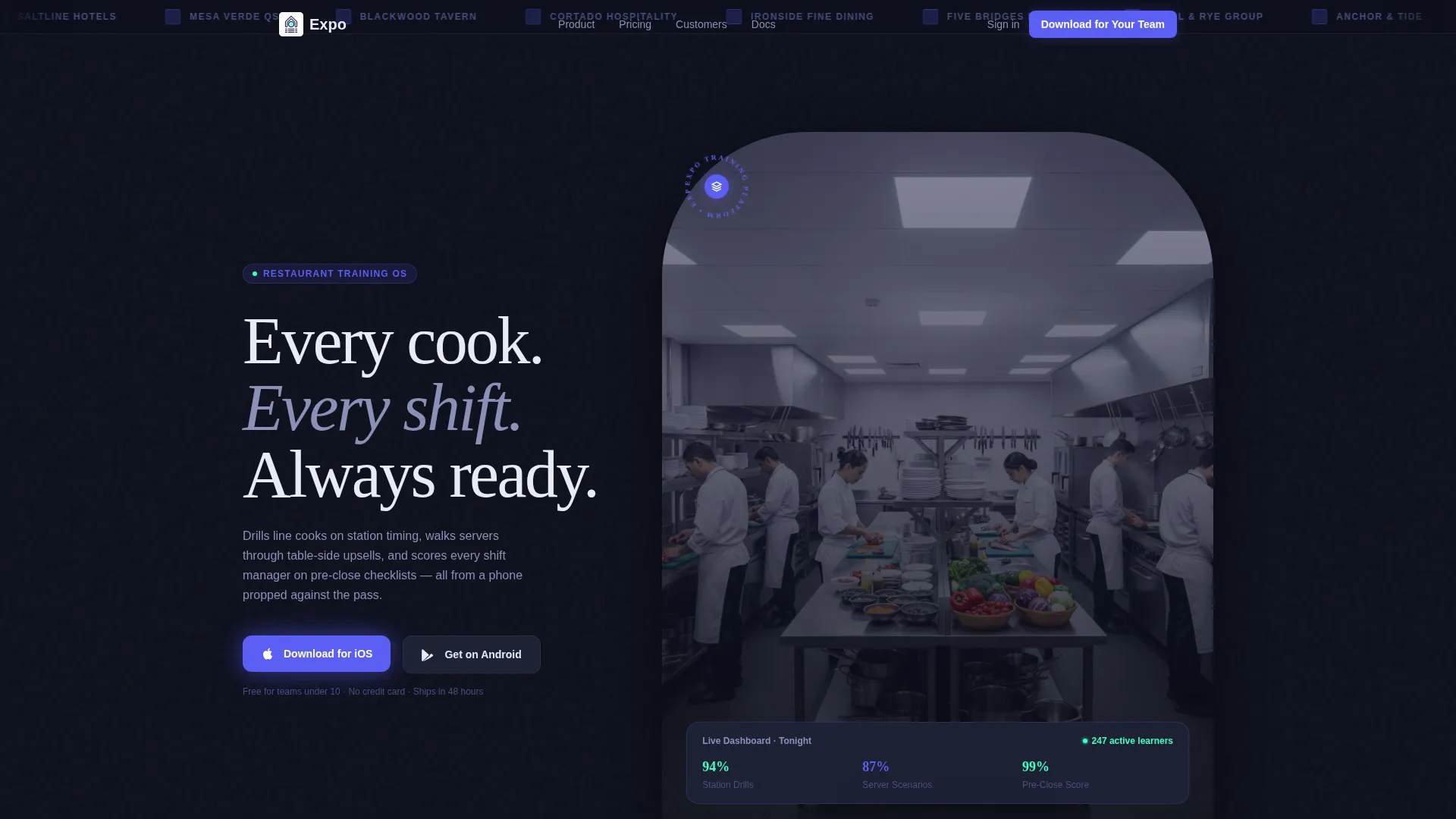
Expo is a dashboard-style landing page template built for restaurant training platforms. It combines a scrolling logo bar, live metric headlines, and a dense feature matrix of capability cards to build trust fast. The design targets multi-unit operators, independent restaurant managers, and franchise compliance teams who need a polished, app-download-focused page.
by Rocket studio
Quick summary
Expo is a single-page, dashboard-style template designed for restaurant training software. It opens with a scrolling logo bar and a live shift metric, then walks visitors through a feature matrix of capability cards before driving toward an app download. The visual system mirrors a POS screen at service, precise, always-on, and built to be read between tickets.
Who this template is for
This template is built for teams selling or showcasing restaurant training platforms. It speaks directly to the buyers who feel the cost of turnover most.
- Multi-unit operators running burger concepts or franchise groups with high annual staff turnover
- Independent fine-dining general managers who need a replacement cook productive within days
- Franchise compliance officers auditing training logs across multiple time zones
What problem this template solves
Restaurant training platforms struggle to earn trust before asking for a download. Visitors leave before they understand what the product does or who it helps. This template removes that friction by showing the product working before any ask is made.
- Operations teams need proof of adoption, not just feature claims
- New visitors need to see a real training scenario play out before committing
- Compliance buyers need evidence of audit trail and coverage breadth at a glance
What you get with this template
The template delivers a complete, conversion-ready landing page for a restaurant training platform. Every section is purposeful and ordered to build confidence progressively.
- A slim logo bar header with infinite-scroll restaurant brand silhouettes and wordmarks
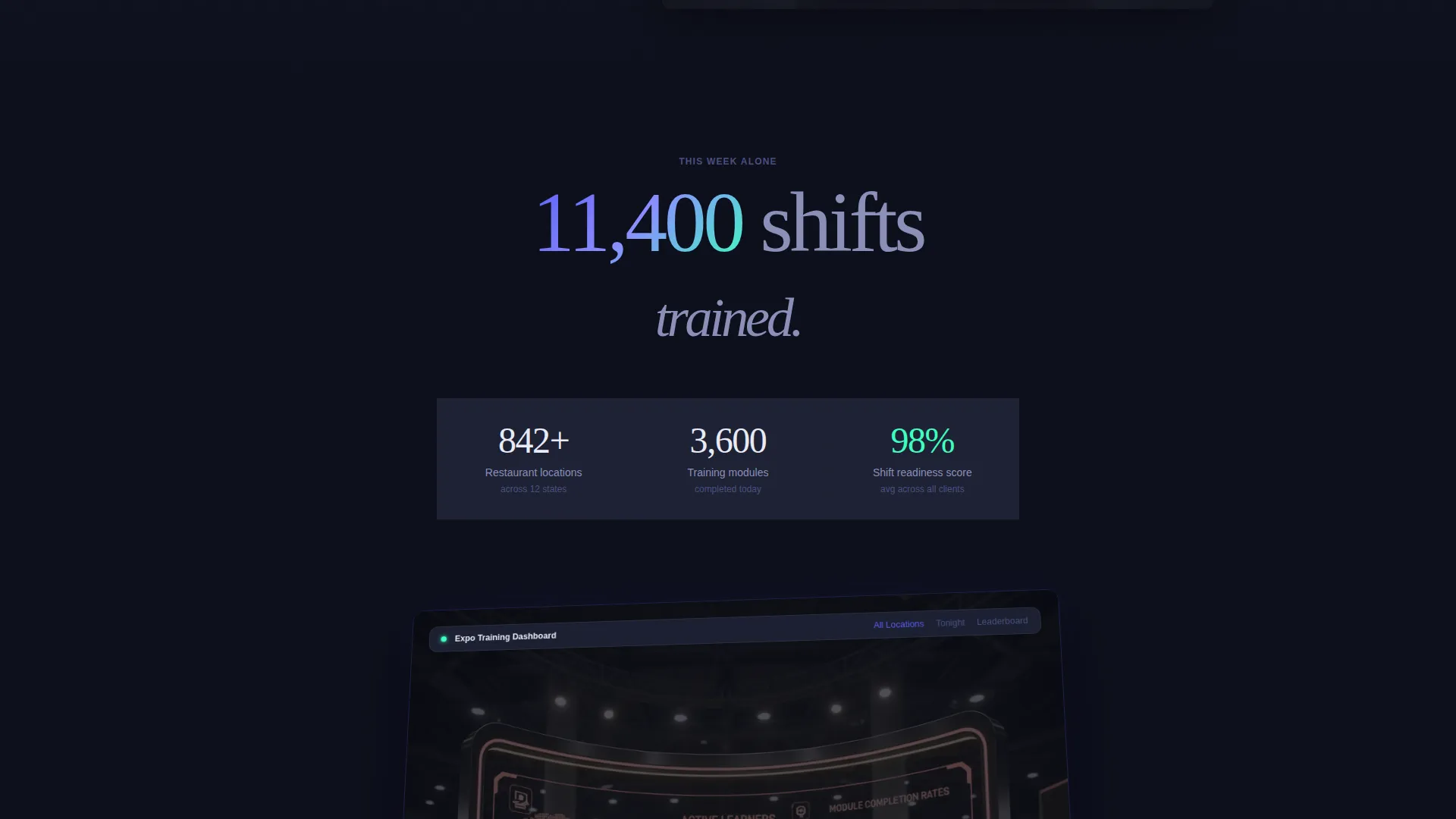
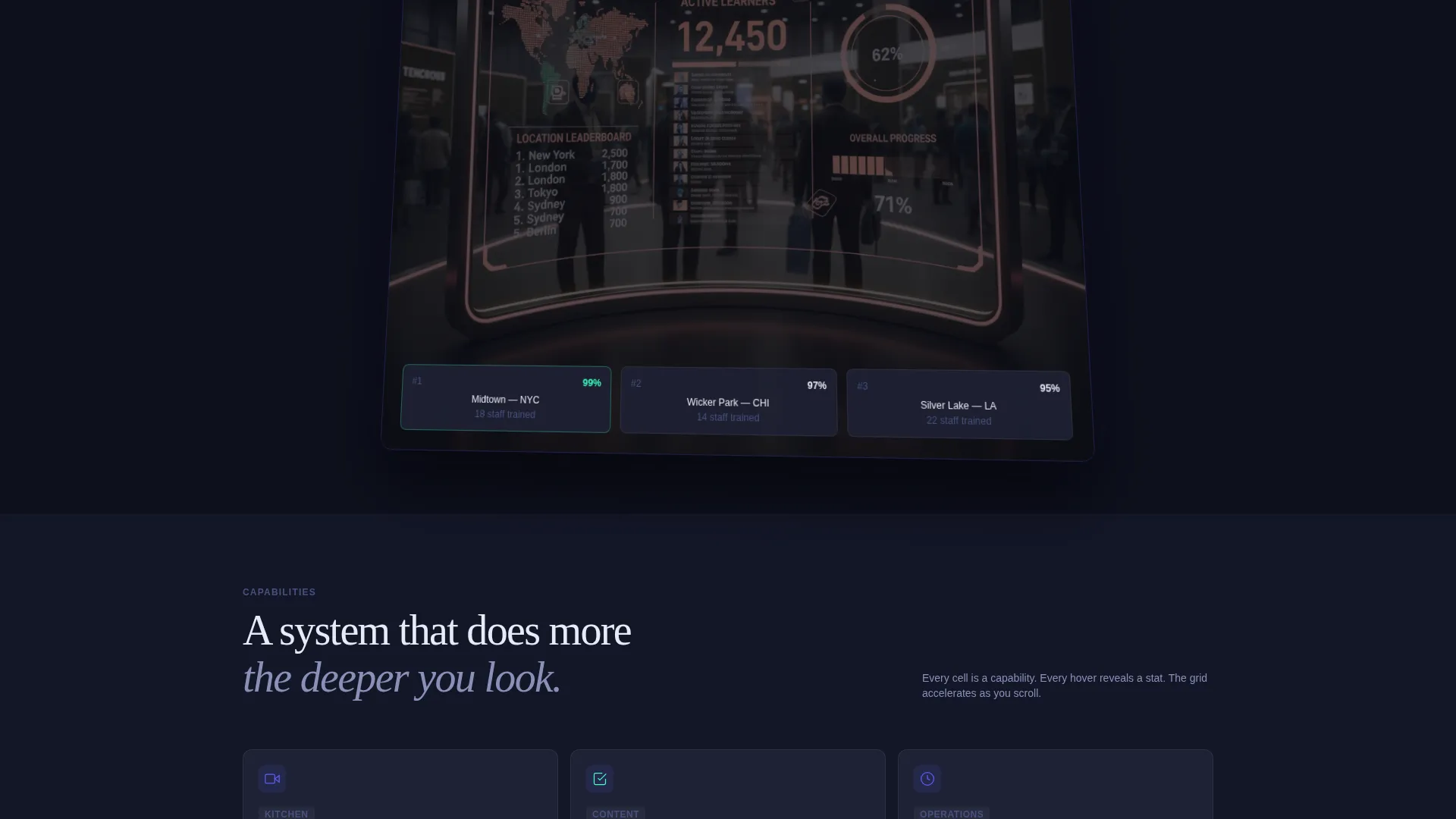
- A live metric headline with a counting animation, paired with a tilted dashboard screenshot showing active learners, module completion rates, and a location leaderboard
- A feature matrix with expanding capability cards, an embedded demo selector, and a dual-path call-to-action system
Feature list
This template ships with a set of purpose-built components drawn directly from the restaurant training context.
Scrolling Logo Bar Header
A slim, confident strip of restaurant brand logos loops slowly against the deep terminal navy background. Chain silhouettes, indie wordmarks, and hotel group crests scroll in an infinite animation, establishing adoption before any marketing claim appears.
Live Metric Headline
A single bold number fades in at the top of the hero section, animating upward like a live count. The stat anchors the page emotionally and communicates platform scale in one glance.
Tilted Dashboard Screenshot
A dashboard preview sits on a subtle isometric tilt in the hero area. It shows active learners, module completion rates, and a location leaderboard, giving operators an immediate sense of what managing training looks like inside the product.
Expanding Feature Matrix
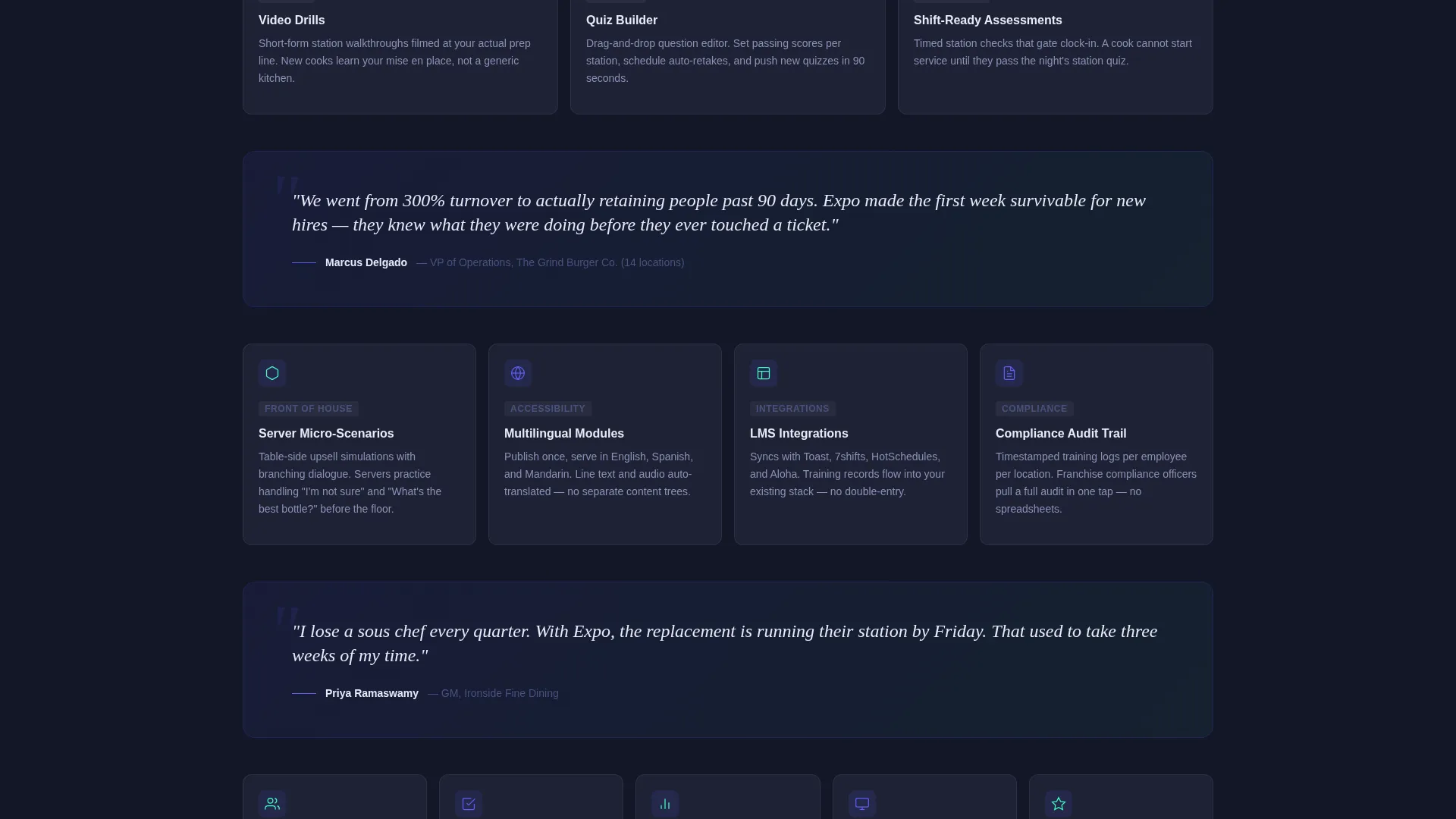
Cards are arranged in an accelerating grid: three in the first row, four in the second, five in the third. Each card covers a distinct capability such as video drills, quiz builder, shift-ready assessments, multilingual modules, and compliance audit trails. Hovering a card expands it to reveal a interface screenshot and a single supporting stat.
Interactive Demo Selector
A secondary call-to-action labeled "See It on Your Menu" opens a lightweight demo experience. Visitors pick a restaurant type, quick-service restaurant, casual dining, or fine dining, and watch a 30-second training module play inside a phone-frame mockup.
Dual Call-to-Action System
The primary call-to-action reads "Download for Your Team" and appears as a sticky bottom bar on mobile, paired with App Store and Google Play badges. A secondary path runs through the demo, ensuring the visitor has seen the product working before the install is requested.
Page sections overview
| Section | Purpose |
|---|---|
| Logo Bar Header | Scrolling brand logos establish platform adoption on arrival |
| Live Metric Hero | Animated shift count and tilted dashboard screenshot anchor credibility |
| Feature Matrix Grid | Expanding capability cards reveal platform depth as the visitor scrolls |
| Testimonial Break | A single ops-director quote resets the eye between feature grid rows |
| Demo Selector | Visitor picks restaurant type and watches a training module in a phone frame |
| App Download call to action | Sticky mobile bar and final section drive the install with store badges |
Design & branding system
The visual identity follows a Dashboard Pro theme built on an Electric Indigo color system. Every color choice has a specific job, matching the precision of a restaurant line at service.
- Deep terminal navy (#0D0F1C) sets the primary background, cool slate (#1E2235) surfaces every card, and electric indigo (#5B5EF4) highlights active states and progress rings
- Sharp mint (#3DFFC0) is reserved exclusively for completion indicators and success metrics, making wins visible at a glance
- The overall palette reads like the glow of a point-of-sale screen in a dimmed dining room: engineered for legibility, not decoration
Mobile & speed optimization
The template is structured mobile-first because the core audience uses phones propped against the pass between tickets. Every interaction is reachable with one thumb.
- The sticky bottom bar delivers the primary call-to-action without requiring the visitor to scroll back up on any device size
- The demo phone-frame mockup is sized and positioned to look natural on a handset screen, reinforcing the product's mobile-native context
- Feature cards in the matrix collapse gracefully on smaller screens, keeping the accelerating-grid rhythm intact without crowding the layout
How this template helps you convert
The page is structured so visitors earn trust in stages, not all at once. By the time they reach the download prompt, they have already watched the product in action.
- The logo bar and live metric establish social proof and scale before a single marketing sentence appears, lowering the visitor's guard immediately.
- The expanding feature matrix lets curious buyers explore specific capabilities like multilingual modules or compliance audit trails without leaving the page or reading a separate brochure.
- The demo selector gives undecided visitors a personalized 30-second proof point, converting passive browsers into informed prospects who are ready to install.
Other information about this template
This template is designed for teams building or launching a restaurant training platform landing page. A few practical notes for anyone evaluating it.
- The template style is Dashboard and Data Grid, suited to software products that benefit from showing live data, progress metrics, and structured capability overviews
- The Feature Matrix creative direction and Dashboard Pro theme are purpose-matched to SaaS and restaurant software products where buyers need to scan many capabilities quickly
- The App Download landing page direction works for both native mobile applications and progressive web applications that offer store-based distribution
- The color system and card layout can be adapted to match existing brand guidelines without breaking the grid rhythm or the section flow
Theme
Dashboard Pro
Creative direction
Feature Matrix
Color system
Electric Indigo
Style
Dashboard/Data Grid
Direction
App Download
Page Sections
Scrolling Logo Bar Header
Live Shift Metric Headline
Expanding Feature Matrix Cards
Interactive Demo Selector
Dual-path Download System
Tilted Dashboard Hero Screenshot
Related questions
Who is the Expo template designed for?
What type of page is this template, and how many pages does it include?
Does the template include a product demo experience?
Can the color system be changed to match a different brand?
Is the mobile call-to-action built into the template?



