Photography Studio Site Maintenance Live Status Website Template
Shutter is a bento grid photography studio maintenance landing page that disguises downtime as a live operations dashboard. Visitors see ticking uptime counters, a frozen booking queue, and a pulsing status bar before noticing it is a maintenance page. A lead-capture form with a "Notify Me When We're Live" call to action keeps anxious clients engaged and converting even while the studio is offline.
by Rocket studio
Quick summary
Shutter turns a routine maintenance page into a fully designed studio operations dashboard. Built on a bento grid layout, it combines real-looking widgets, a pulsing status bar, and an inline lead-capture form. Wedding couples, art directors, and portrait clients land on a page that feels active rather than broken, and a single email field keeps them connected until the studio is back.
Who this template is for
This template is built for photography studios that need a maintenance page that works as hard as a live site. It suits any studio that handles multiple client types and cannot afford to lose leads during downtime.
- Wedding photographers expecting mid-planning inquiries from couples who just received a confirmation email
- Commercial photographers whose art director clients arrive on tight deadlines and need reassurance instantly
- Portrait and event studios that want to capture booking interest even when systems are temporarily offline
What problem this template solves
Most maintenance pages are a dead end. A plain "be right back" screen gives visitors no reason to stay, no way to reconnect, and no signal that the studio is worth the wait. Shutter replaces that blank moment with a designed experience that communicates competence.
- Visitors who arrive mid-panic get a dashboard that feels live, keeping anxiety low and trust intact
- Studios lose potential bookings every hour they are offline; the inline lead form recovers those inquiries
- A generic maintenance page says nothing about brand quality; this template says everything
What you get with this template
You get a single-page bento grid layout styled as a studio operations dashboard, complete with simulated widgets and a structured lead-capture flow. Every component is designed to feel functional and editorial at the same time.
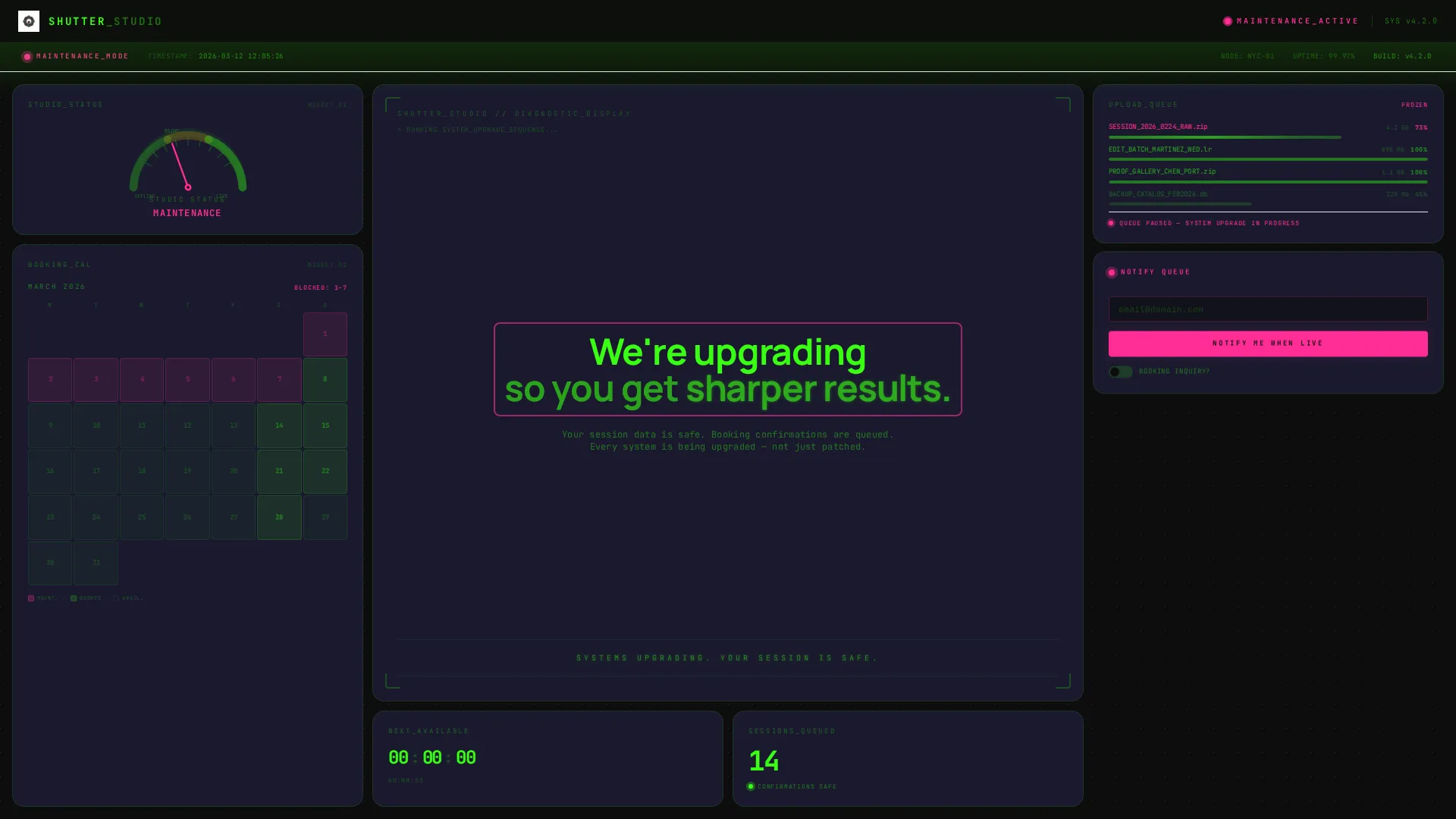
- A viewport-filling header dashboard with a booking calendar, a studio status gauge, a frozen upload queue at 73%, and a countdown timer
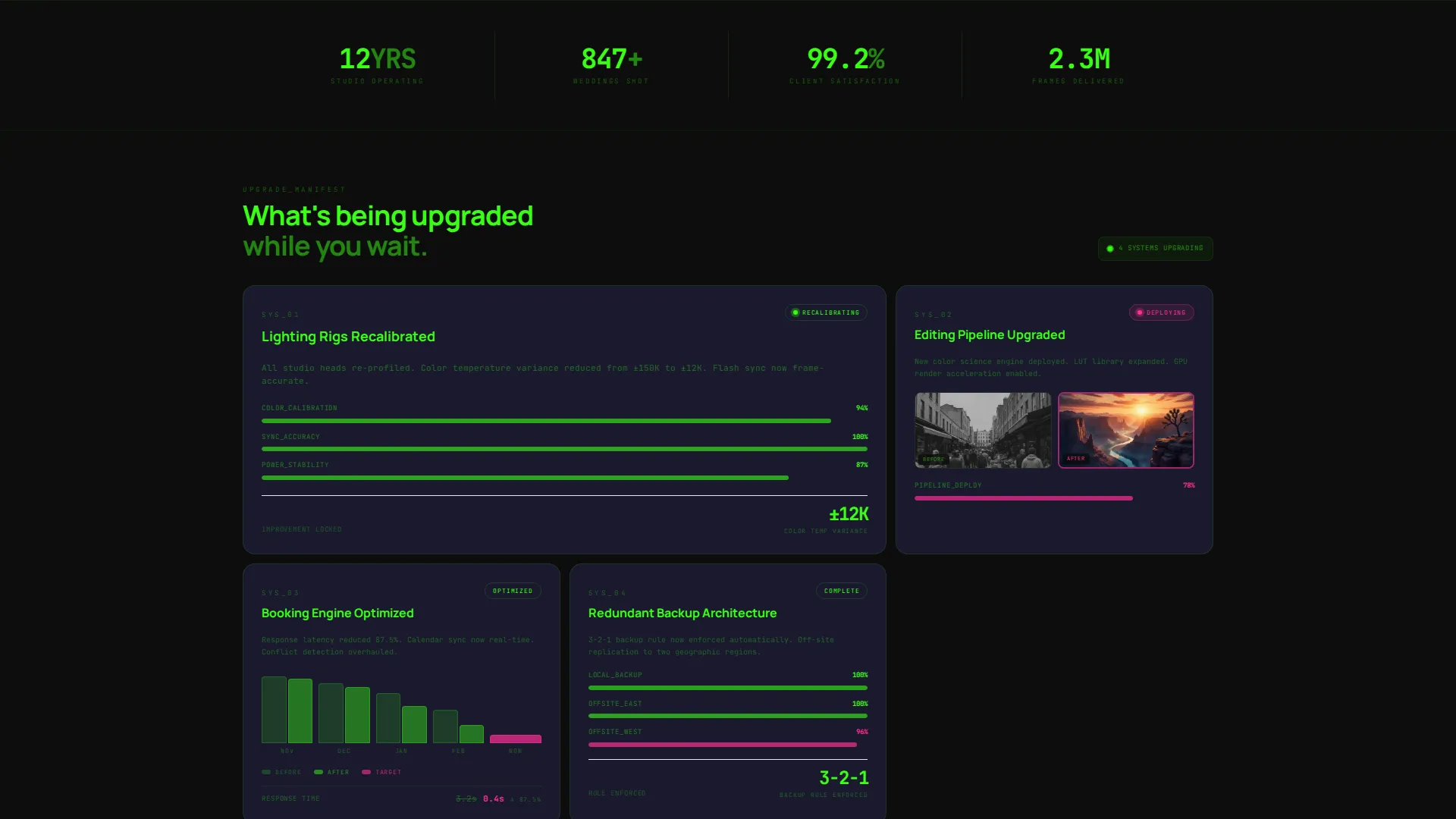
- A scrollable bento section of system-status cards covering lighting, editing pipeline, and booking engine upgrades
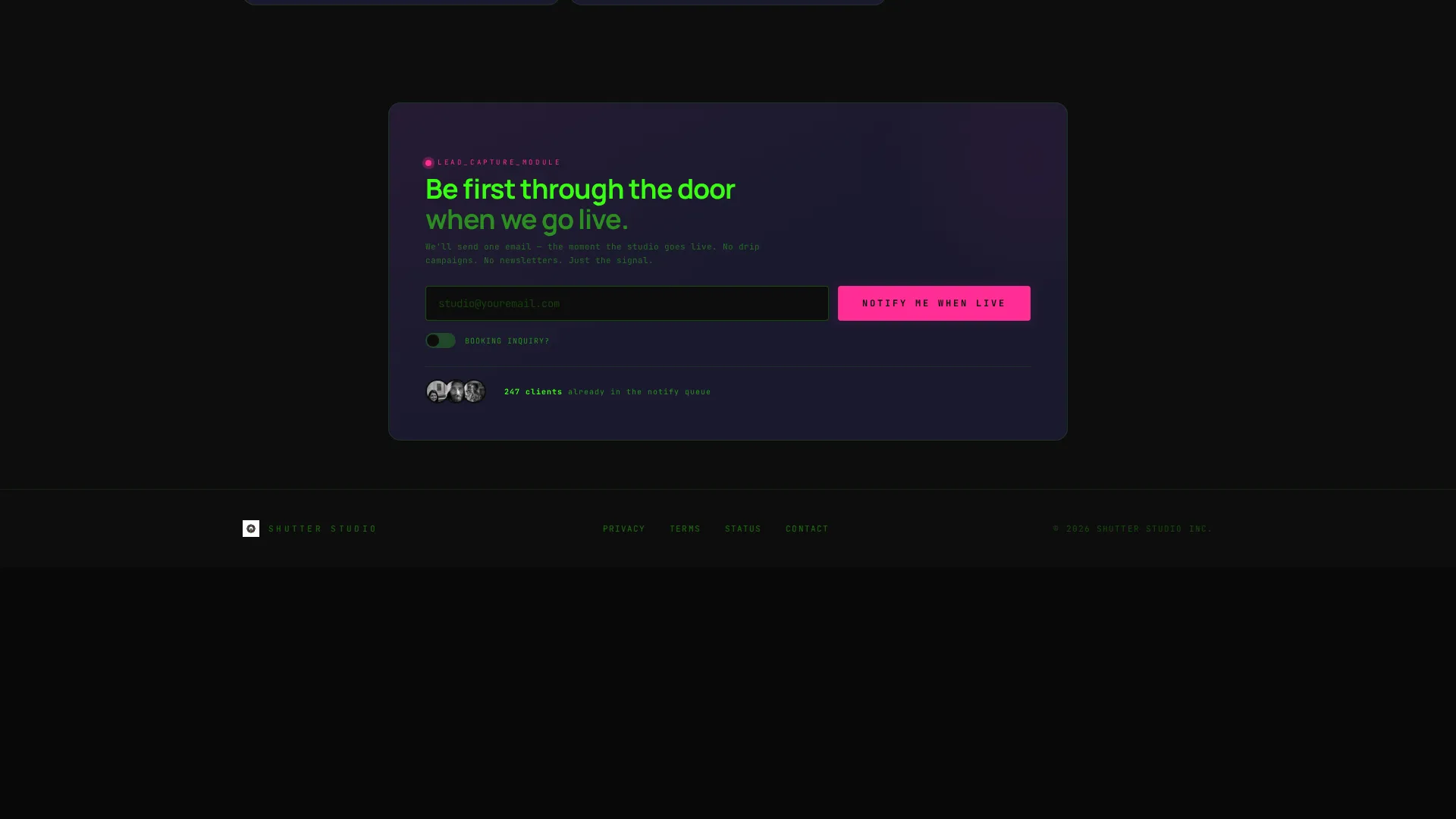
- A lead-generation form with a single email field, a "Booking inquiry?" toggle that expands to a date picker and shoot-type selector, and a sticky mobile bottom bar
Feature list
This section covers the core capabilities built into the Shutter template as described in the brief.
Simulated Studio Operations Header
The header fills the entire viewport with a dashboard panel that looks operational at first glance. It shows a booking calendar with grayed-out dates, a studio status gauge needle pointing to "Maintenance," an upload queue frozen at 73%, and a live countdown timer. A phosphor green line pulses below the widgets with the message "Systems upgrading. Your session is safe."
Bento Grid Status Cards
Scrolling below the header reveals a series of bento grid cards, each reporting on a different studio system. Cards cover lighting rig recalibration with a progress bar, editing pipeline upgrades with before-and-after color-grade thumbnails, and booking engine optimization with a mock latency chart showing response time dropping from 3.2 seconds to 0.4 seconds.
Inline Lead Capture Form
A "Notify Me When We're Live" form sits as a glowing magenta widget inside the header dashboard. It accepts a single email address and includes a "Booking inquiry?" toggle. When activated, the toggle expands to reveal a date picker and a shoot-type selector covering wedding, commercial, portrait, and event categories.
Sticky Mobile Lead Bar
On mobile viewports, the lead-capture call to action reappears as a sticky bottom bar. This keeps the primary conversion point visible while visitors scroll through the status cards, ensuring no inquiry is lost mid-session.
Acid Digital Color System
The template uses a four-color palette: void black (#0D0D0D) as the base, terminal phosphor green (#39FF14) for all status readouts and data text, scanner-line gray (#1A1A2E) for floating card backgrounds, and hot magenta (#FF2D95) reserved exclusively for the primary call-to-action button and alert badges.
Page sections overview
| Section | Purpose |
|---|---|
| Dashboard Header Panel | Fills the viewport with a simulated studio operations interface to hold visitor attention |
| Status Gauge Widget | Shows a studio status needle at "Maintenance" to frame downtime as a controlled process |
| Upload Queue Display | Presents a frozen queue at 73% to reinforce the sense of active work in progress |
| Countdown Timer Widget | Ticks live to signal a definite return and reduce visitor uncertainty |
| Notify Me Form | Captures email leads and booking interest directly inside the header dashboard |
| Lighting Rig Card | Reports recalibration progress with a visual progress bar |
| Editing Pipeline Card | Shows an upgrade in progress using before-and-after color-grade thumbnails |
| Booking Engine Card | Displays a mock latency chart showing system performance improvement |
| Sticky Mobile Bar | Keeps the lead-capture call to action fixed at the bottom on mobile screens |
Design & branding system
The visual identity follows a Dashboard Pro theme built on the Acid Digital color system. The overall feeling is a darkroom lit only by a monitor running diagnostic software: clinical, electric, and deliberately striking.
- Four-color palette: void black (#0D0D0D) base, phosphor green (#39FF14) for data readouts, scanner-line gray (#1A1A2E) for card surfaces, and hot magenta (#FF2D95) for calls to action and alert badges only
- Hover states use magenta sparks to reward interaction, while green text on black handles all status and data readout typography
- Gray bento cards float against the void background, styled to evoke negatives drying on a darkroom line
Mobile & speed optimization
The template is designed so the lead-capture experience works reliably across screen sizes. The bento grid reflows naturally for smaller viewports, and the sticky bottom bar ensures the primary call to action stays accessible throughout the scroll.
- Bento grid cards stack cleanly on mobile without losing the dashboard visual logic
- The sticky bottom bar pins the "Notify Me When We're Live" form to the bottom of mobile screens for persistent access
- The shoot-type selector and date picker inside the expanded inquiry toggle are sized for touch interaction
How this template helps you convert
The core conversion strategy is built into the page structure itself. Visitors who arrive expecting a broken site instead encounter a designed experience that builds trust at every scroll step.
- The dashboard header creates enough visual intrigue that visitors pause and read rather than bounce, buying time for the lead form to register
- Each bento card reframes the downtime as an upgrade investment, shifting visitor emotion from frustration to anticipation before they reach the call to action
- The dual placement of the lead form (header widget and sticky mobile bar) means the "Notify Me" option is always one tap away regardless of scroll depth
Other information about this template
The Shutter template sits at the intersection of photography studio identity and technology-forward design. It is categorized under Photography Studio Website Templates with a niche focus on photography studio maintenance pages.
- The template style is Bento Grid, the theme is Dashboard Pro, and the color system is Acid Digital
- The creative direction follows an Industry Report structure, using data-style cards to make downtime feel editorial
- The header concept is a Dashboard Preview, designed to engage visitors before they understand the page context
- The landing page direction is Lead Generation, with every section oriented toward capturing an email or booking inquiry

Theme
Dashboard Pro
Creative direction
Industry Report
Color system
Acid Digital
Style
Bento Grid
Direction
Lead Generation
Page Sections
Simulated Studio Operations Header
Bento Grid Status Cards
Inline Lead Capture Form
Sticky Mobile Lead Bar
Acid Digital Color System
Related questions
Can I change the countdown timer to reflect a real return date?
Does the booking inquiry toggle actually connect to a calendar system?
Will the sticky mobile bottom bar interfere with the bento card layout?
Can studios with a different color palette use this template?
Is this template suitable for a studio that does not offer wedding photography?



