No-Code Platform Documentation Advanced Reviews Website Template
Extend is a dashboard-style landing page template built for Airtable plugin and extension directories. It features an interactive grid preview with live category filters, spec-sheet teardowns for each extension category, and a persistent "Browse All Extensions" call to action. The design follows a dark Data Command theme that feels operational from the first scroll.
by Rocket studio
Quick summary
Extend is a single-page directory template designed for Airtable plugin and extension marketplaces. It opens with a fully interactive grid preview, moves through spec-sheet category teardowns, and closes with a persistent call-to-action rail. Every section is built to help ops managers, no-code builders, and startup technical leads find and click through to the right extension fast.
Who this template is for
This template is built for teams and builders who live inside Airtable and need a professional way to surface extensions to their audience. It suits anyone running or launching an Airtable plugin directory, marketplace, or curated resource hub.
- Ops managers dealing with Airtable base sprawl who need a fast, filterable way to discover automations and sync tools
- No-code builders assembling client portals across multiple tools who want a single reference point for vetted extensions
- Startup technical leads who chose Airtable over a traditional database and now need it to scale with real tooling
What problem this template solves
Finding useful Airtable plugins is slow and scattered. Extension lists buried in forums or spreadsheets force users to open ten tabs before they can compare two options. This template replaces that friction with a structured, interactive directory that lets visitors filter, scan, and decide without leaving the page.
- No central place to compare Airtable extensions by category, rating, and compatibility tier
- Flat lists and blog roundups lack the data density that ops and developer audiences expect
- Standard landing page layouts cannot carry the information load that a plugin directory requires
What you get with this template
You get a complete, ready-to-customize landing page layout built around a data-grid visual system. Every section is purpose-built for a directory use case, not repurposed from a generic marketing template.
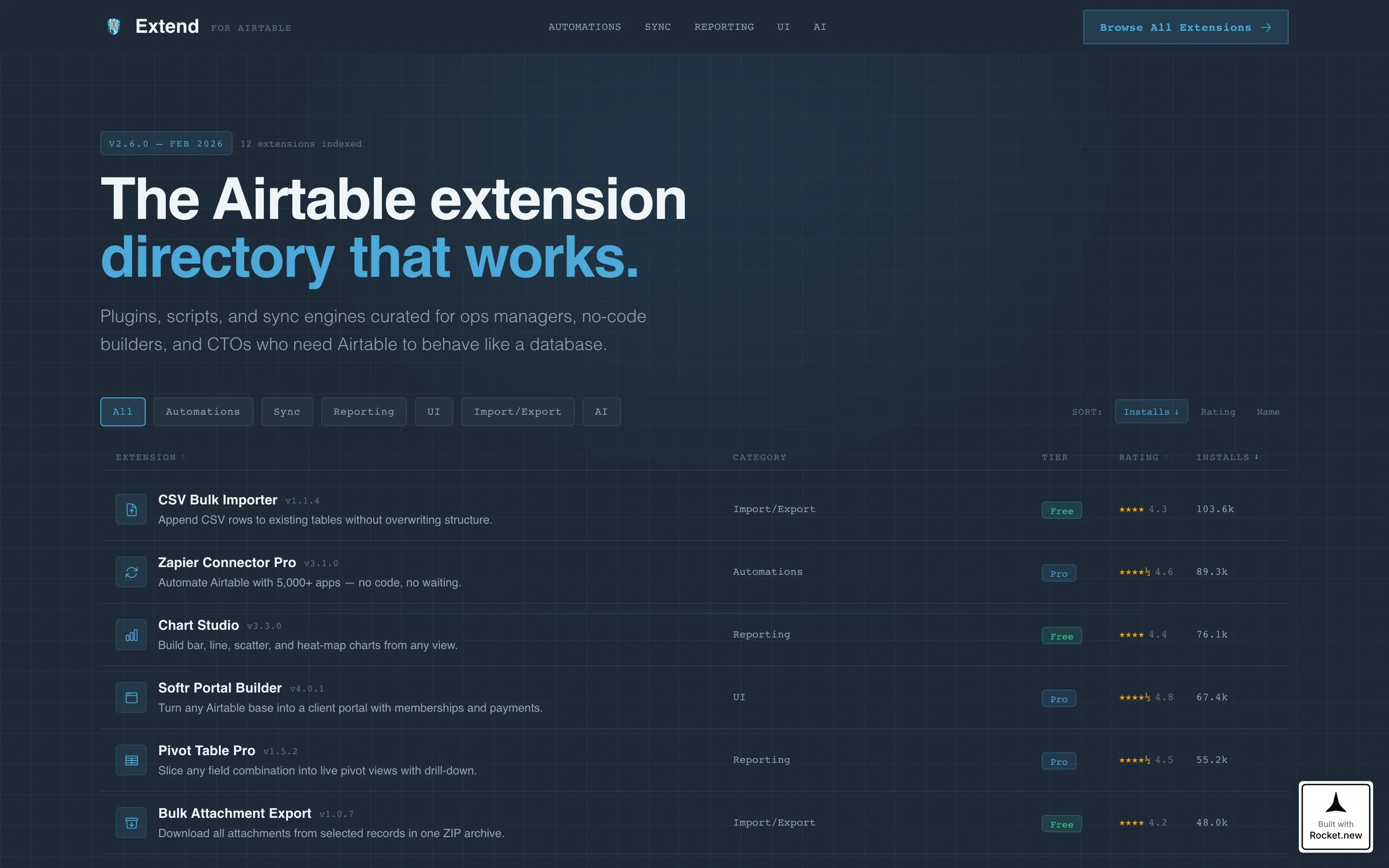
- An interactive hero grid with six extension cards, live category filters across six tabs, and sortable column headers
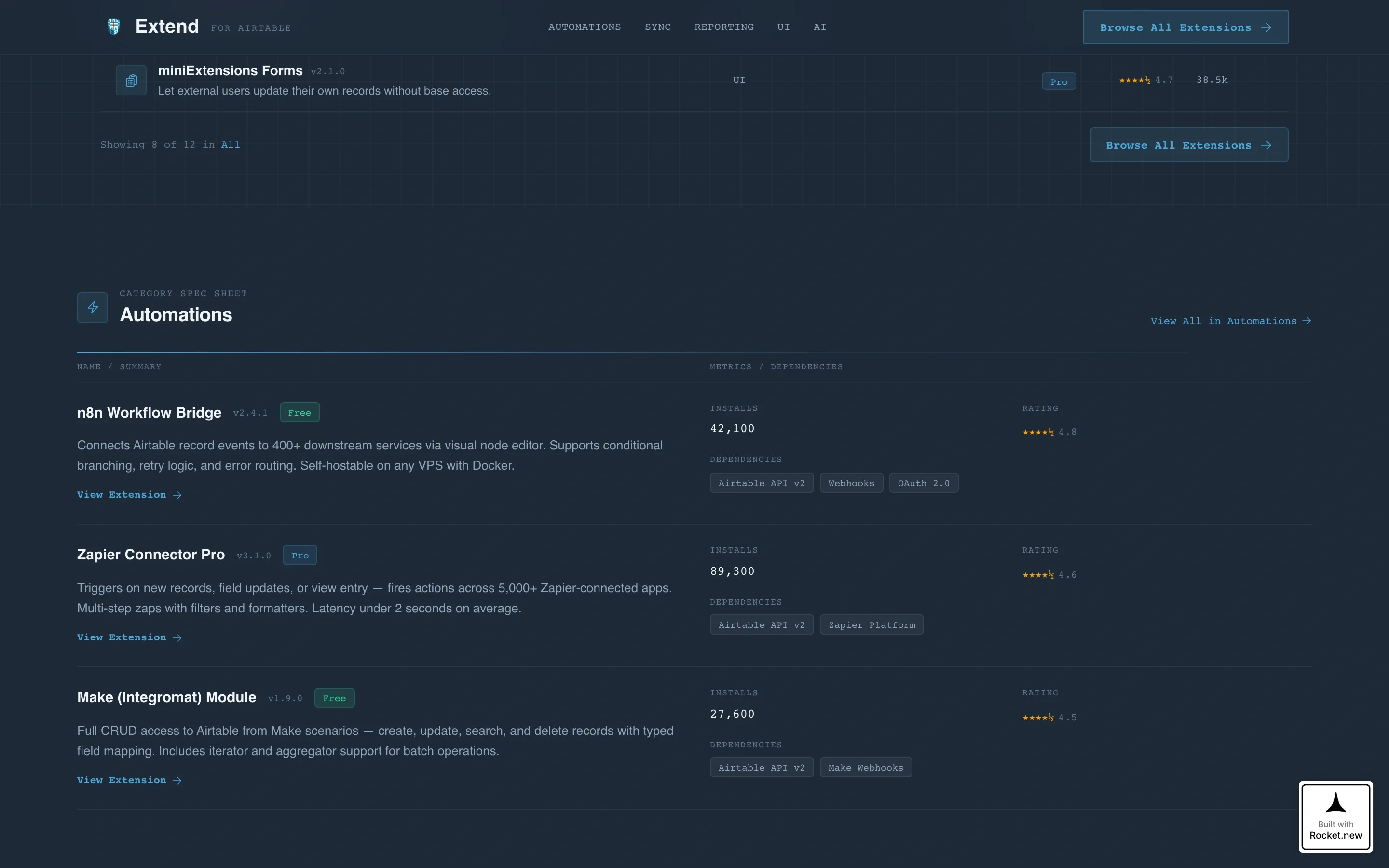
- Spec-sheet sections that present each extension category in a tight two-column data format covering name, version, install count, rating, dependencies, and a capability summary
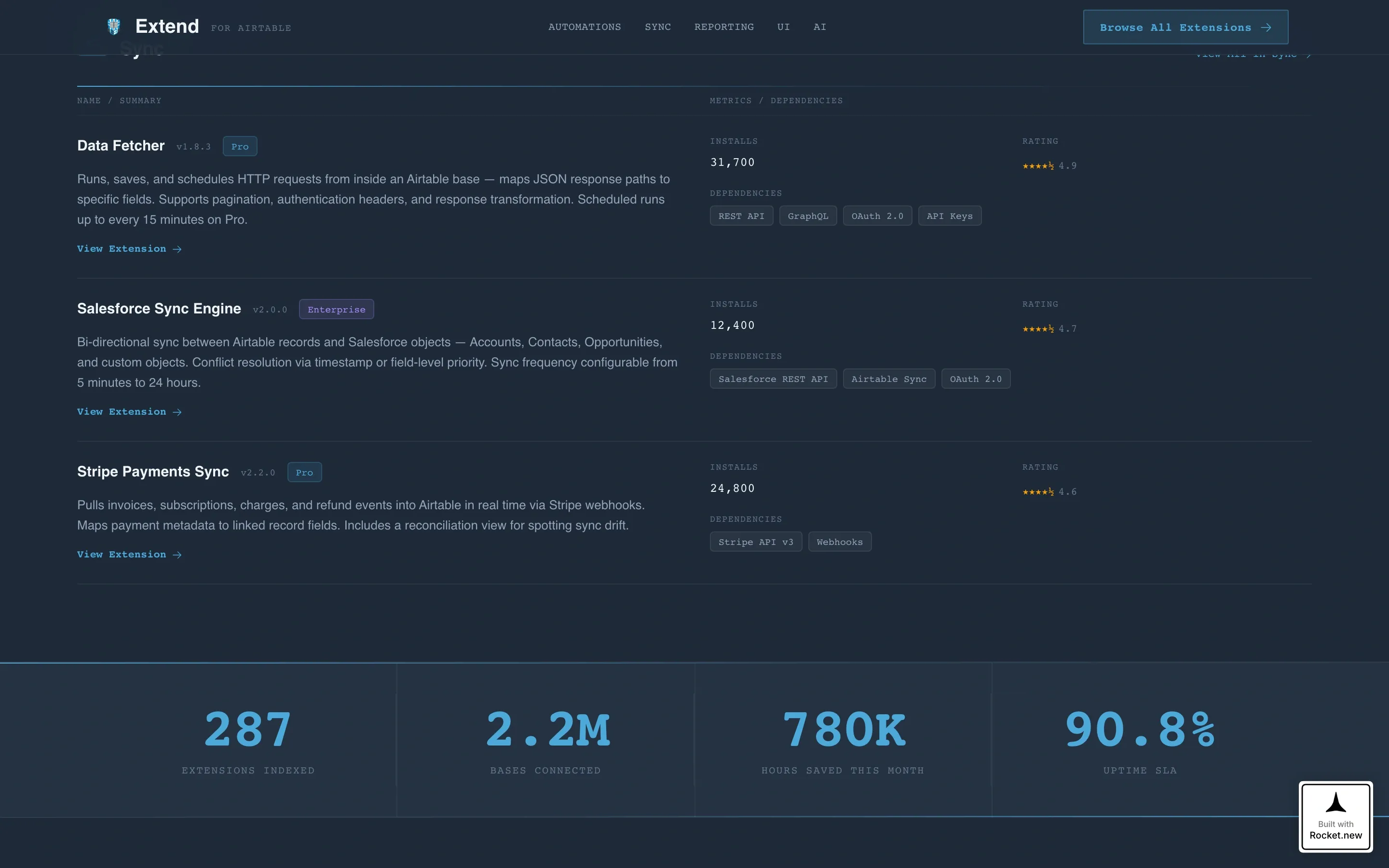
- A horizontal stat bar, a persistent top-bar call-to-action, and a clean linear footer rounding out the full page structure
Feature list
A paragraph overview before the feature blocks: this template packs a high density of functional user interface components into a single-page layout, keeping every element connected to one goal: helping visitors find and click through to the right Airtable extension.
Interactive Hero Directory Grid
The hero section renders a full-viewport-width mock of the directory itself. Six extension cards sit in a two-by-three layout with live category filter tabs across the top spanning Automations, Sync, Reporting, user interface, Import/Export, and AI. Clicking a filter re-sorts the grid instantly, making the directory feel live before a visitor has scrolled past the fold.
Extension Card Components
Each card displays an extension icon, a single-line description, a compatibility tag showing Free, Pro, or Enterprise tier, and a star rating. Cards include sky-blue hover highlights and a "View Extension" call-to-action button, keeping the path from discovery to click-through as short as possible.
Spec Sheet Category Teardowns
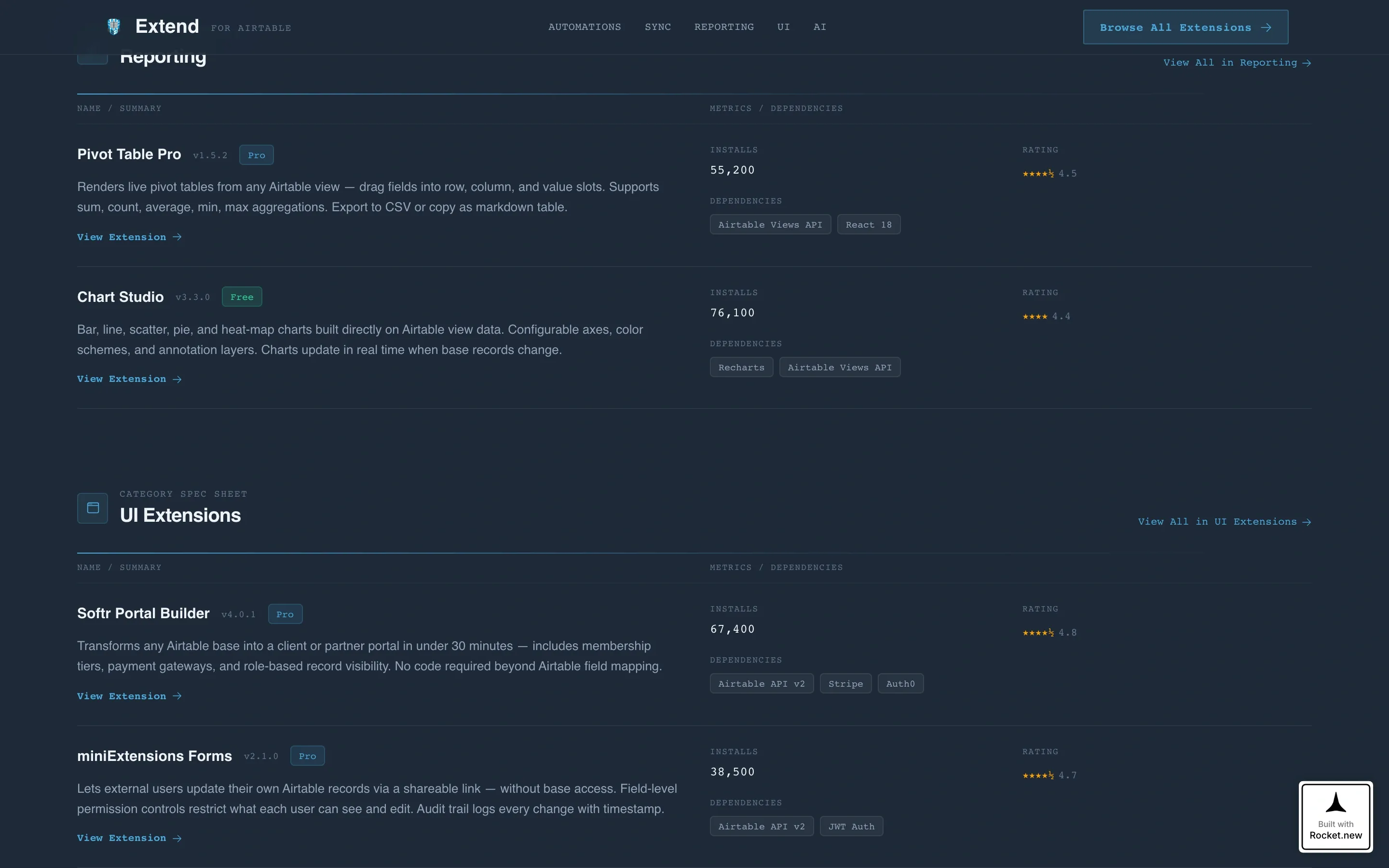
Below the hero, each extension category gets its own spec-sheet section. The two-column data format surfaces name, version, install count, average rating, integration dependencies, and a three-sentence capability summary. Each section ends with a "View All in [Category]" link that signals directory depth.
Authority Stat Bar
A full-width horizontal stat bar breaks the vertical scroll rhythm midway through the page. It displays platform-scale numbers: total extensions indexed, bases connected, and hours saved this month. Large typographic numerals establish credibility without interrupting the scan-compare-decide cadence of the surrounding spec sheets.
Persistent Top-Bar Call to Action
A "Browse All Extensions" button lives in the top navigation bar throughout the entire page. Visitors who want to skip curation and go straight to the full directory always have a one-click exit point available, reducing abandonment from impatient power users.
Scroll-Linked Animations and Transitions
Filter transitions, row hover highlights, stagger reveals, and a scroll-linked stat counter bring medium-level animation to the page. These interactions reinforce the operational feel of the directory without adding unnecessary visual noise.
Page sections overview
| Section | Purpose |
|---|---|
| Interactive Hero Grid | Opens with live filtered extension cards at full viewport width |
| Category Filter Tabs | Let visitors switch between Automations, Sync, Reporting, user interface, Import/Export, and AI |
| Spec Sheets: Automations & Sync | Teardown format showing name, version, installs, rating, and dependencies |
| Authority Stat Bar | Displays platform-scale numbers to establish directory credibility |
| Spec Sheets: Reporting, user interface & AI | Continues the scan-compare-decide rhythm across remaining categories |
| Call-to-Action Rail | Persistent "Browse All Extensions" button with trust signals |
| Linear Single-Row Footer | Closes the page with a minimal, single-row footer pattern |
Design & branding system
The visual identity follows a Data Command theme. The palette and typography choices are borrowed from the world of integrated development environments, making the page feel like a tool rather than a brochure.
- Color system uses deep workspace slate (#1E2A38) for primary backgrounds, mid-tone graphite (#3B4A5C) for card surfaces and grid rows, sky-blue (#4DA8DA) for interactive accents on links, toggles, and active states, and crisp white (#F0F4F8) for body text and empty-state space
- Typography pairs JetBrains Mono for data labels, version numbers, and stat figures with DM Sans for headings and body copy, keeping the information-dense layout readable at a glance
- The overall aesthetic is IDE-dark and terminal-precise: dark enough to work in for extended periods, with blue pulling the eye exactly where data changes
Mobile & speed optimization
The template is built desktop-first to match the ops and developer audience who use complex grid interfaces on large screens. A responsive fallback ensures the layout remains functional on smaller viewports.
- Server components handle all static sections such as spec sheets, the stat bar, and the footer to keep load weight low on non-interactive content
- The interactive grid is isolated as a client component, so the heavy filter and hover logic does not block rendering for the rest of the page
- Medium-level animations including filter transitions, stagger reveals, and the scroll-linked stat counter are designed to run smoothly without interrupting perceived page speed
How this template helps you convert
This template is built for click-through conversion, not form fills. Every design and layout decision reduces friction between a visitor landing on the page and clicking through to an individual extension detail page.
- The interactive hero grid lets visitors engage with real extension data before they have consciously decided to explore, lowering the psychological cost of the first click
- Spec-sheet teardowns give technically literate audiences the exact data points they need to evaluate an extension in seconds, removing the need to visit multiple pages before committing
- The persistent "Browse All Extensions" top-bar button and per-card "View Extension" calls to action keep the next step visible at every scroll depth, so no visitor has to hunt for what to do next
Other information about this template
This template is part of a documentation and support category focused specifically on Airtable documentation and the Airtable plugin and extension directory niche. It was designed at the intersection of developer tooling and no-code ecosystem needs.
- The template style is Dashboard and Data Grid, matching the information density expected by the ops manager and startup technical lead audience
- Localization defaults are set to English, United States date format (MM/DD/YYYY), and USD currency where applicable
- The layout supports a high interactivity level with live category filtering, sortable column headers, and card hover states, making it one of the more technically active single-page layouts in this category
Theme
Data Command
Creative direction
Spec Sheet
Color system
Slate & Sky
Style
Dashboard/Data Grid
Direction
Click-Through
Page Sections
Interactive Hero Directory Grid
Extension Card Components
Spec Sheet Category Teardowns
Authority Stat Bar
Persistent Top-bar Call to Action
Scroll-linked Animations and Transitions
Related questions
What audience is this landing page template designed for?
Does this template require coding to customize?
Can I add more extension categories beyond the six default filter tabs?
Is this template suitable for a paid plugin marketplace as well as a free directory?
What makes this template different from a standard directory listing page?



