Pest Control Client Portal Landing Page Template
Exterminate is a hub-and-spoke landing page template built for pest control client portals. It gives property managers, facility directors, and commercial operations teams a single dashboard view across their entire portfolio. With a terminal-style header, animated data sections, and a progressive lead-capture form, this template turns a service page into a live command center experience.
by Rocket studio
Quick summary
Exterminate is a single-page, anchor-navigated landing page template designed for pest control client portals. It combines a cinematic code-snippet header, animated data sections, and a multi-step lead form to serve property managers, restaurant operators, and commercial real estate teams who need real-time visibility across every site they manage.
Who this template is for
This template is built for pest control businesses that serve clients with complex, multi-site portfolios. It speaks directly to the buyers who feel the pressure of compliance deadlines, tenant complaints, and operational blind spots.
- Facility directors managing large residential complexes with recurring pest complaints
- Restaurant chain operations managers who need audit-ready documentation before scheduled health inspections
- Commercial real estate firms whose tenants expect a fast, transparent response to any pest activity
What problem this template solves
Property managers and operations teams rarely have a clear, unified view of pest activity across their sites. They rely on phone calls, emailed reports, and paper logs that are slow and hard to audit. This template positions a pest control portal as the solution to that visibility gap.
- No central record of bait station checks, technician visits, or activity trends across a portfolio
- Compliance documentation scattered across emails and spreadsheets rather than auto-generated and timestamped
- Clients cannot set alert thresholds or respond to emerging threats before they escalate
What you get with this template
You get a fully structured, single-page landing page with an anchor navigation system that connects a cinematic header to four deep-dive capability sections. Every element is built to feel like the portal itself, not just a page describing it.
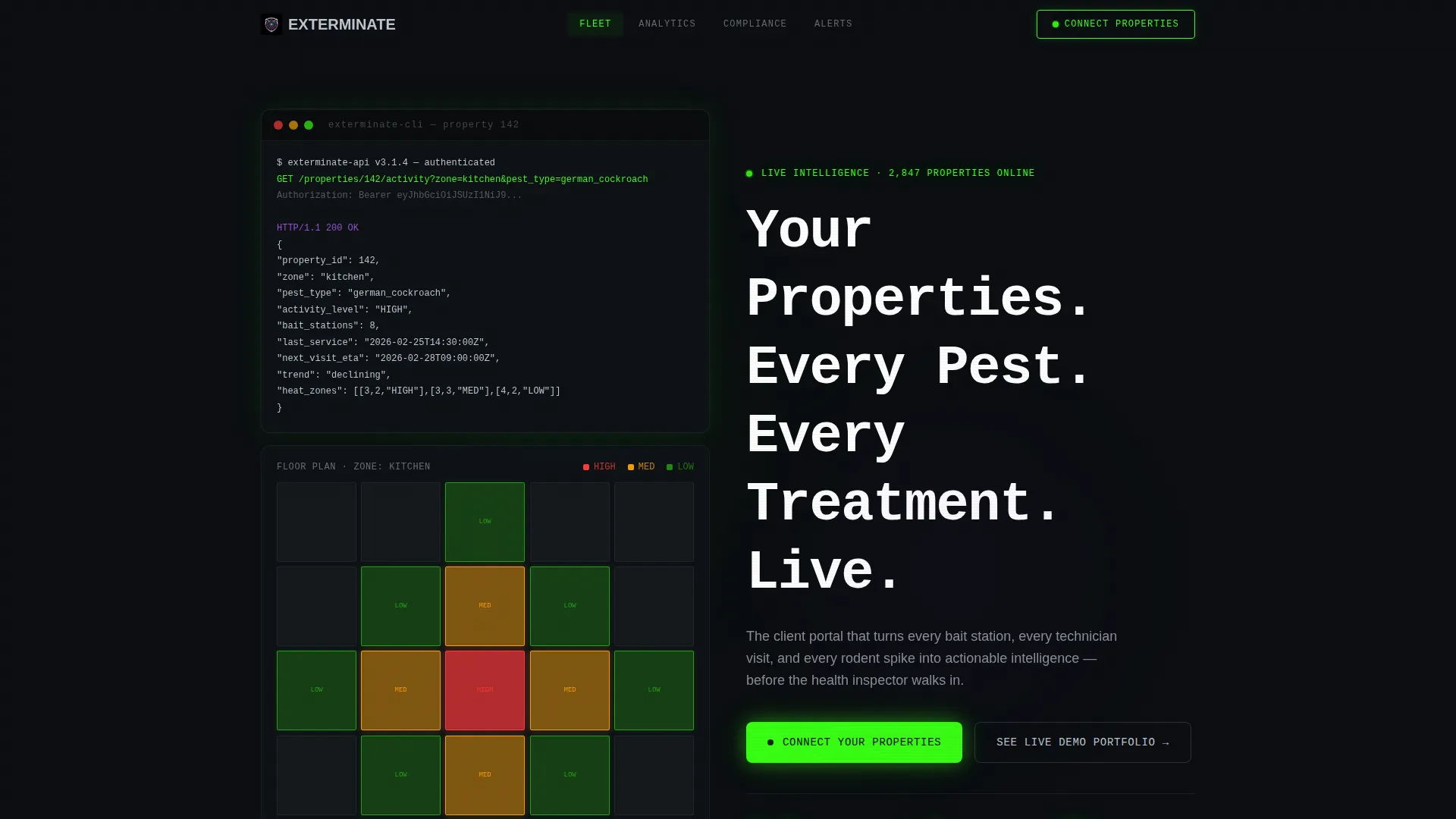
- A live-typed code snippet header that resolves into an animated building floor plan heat map
- Four spoke sections covering fleet tracking, activity analytics, compliance documentation, and alert configuration
- A progressive lead-generation form with property count selector, property type chips, and a pain-point dropdown
Feature list
This template ships with a tightly coordinated set of interactive and visual components. Each one serves a specific role in moving a prospect from curiosity to conversion.
Live Terminal Header
The page opens with a character-by-character terminal animation that simulates a real API call. A JSON response resolves into a glowing, animated heat map of a building floor plan. The headline then renders in monospace type, establishing the portal's intelligence before a single marketing word appears.
Hub and Spoke Anchor Navigation
A persistent anchor navigation bar links the header to four dedicated capability spokes. Visitors can jump directly to Fleet Tracking, Activity Analytics, Compliance Vault, or Alert Configuration without scrolling the entire page. This structure mirrors a real dashboard's navigation logic.
Kinetic Section Transitions
Each spoke section uses purposeful motion. Panels slide into view, data counters tick upward, and status badges animate from amber to green. The motion is not decorative. It demonstrates the portal's live-data behavior directly inside the landing page experience.
Progressive Lead Capture Form
The primary call to action, "Connect Your Properties," opens a three-step form. It collects property count, property type via multi-select chips, and current pain point via dropdown. This staged approach reduces friction and qualifies leads before a sales conversation begins.
Live Demo Sandbox Path
A secondary conversion path, "See a Live Demo Portfolio," requires only a work email. It routes prospects into a gated sandbox environment where they can interact with a simulated dashboard. This lowers commitment for cautious buyers and keeps them engaged longer.
Alert Configuration Display
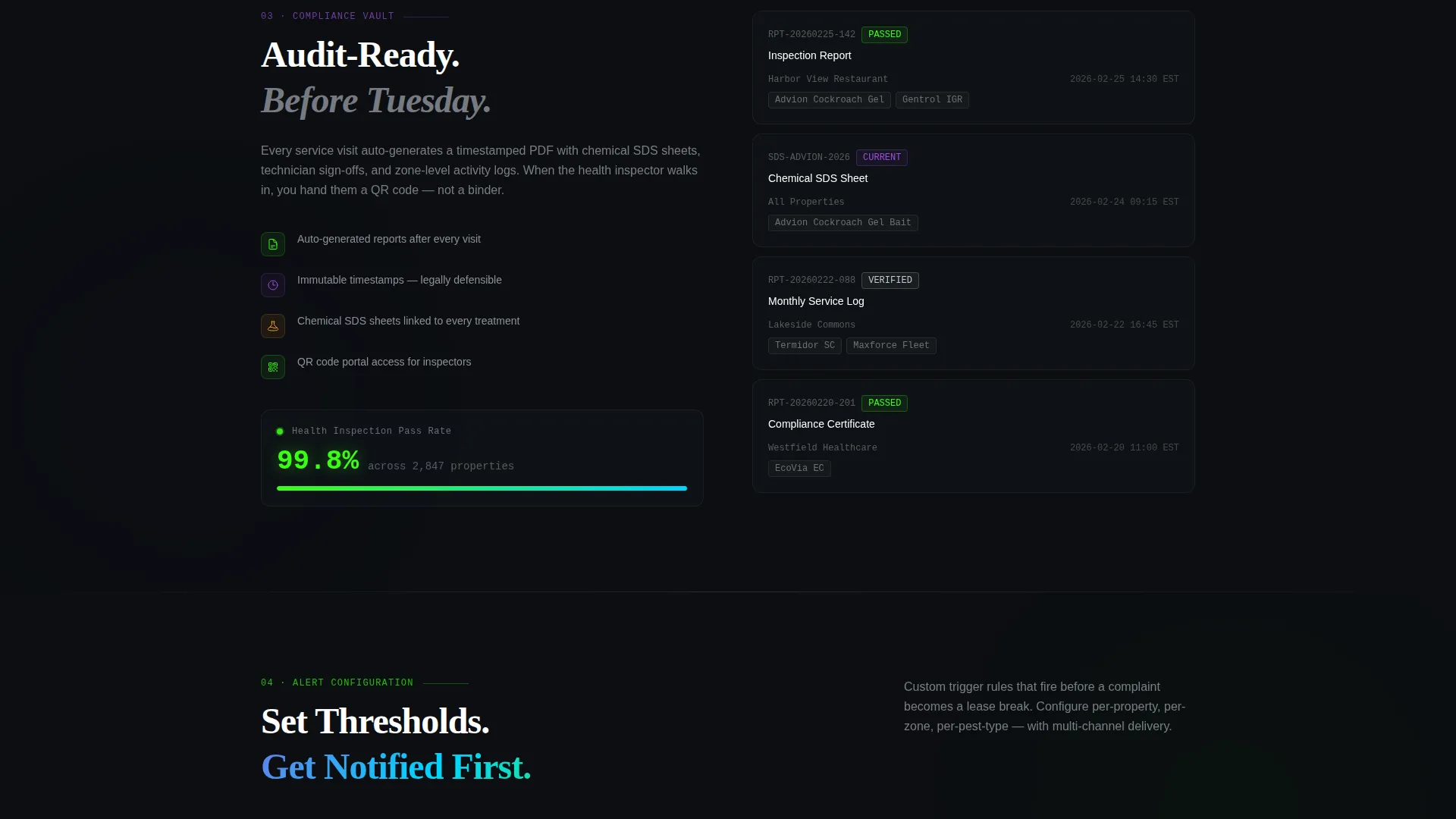
The Alert Configuration spoke shows threshold triggers that pulse with iridescent color gradients when demonstrated. This section makes abstract notification logic feel tangible and trustworthy to operations managers who need to understand exactly when they will be alerted.
Page sections overview
| Section | Purpose |
|---|---|
| Terminal Header | Establishes portal intelligence with a live-typed API sequence and animated floor plan heat map |
| Anchor Navigation Bar | Provides instant access to each capability spoke from any scroll position |
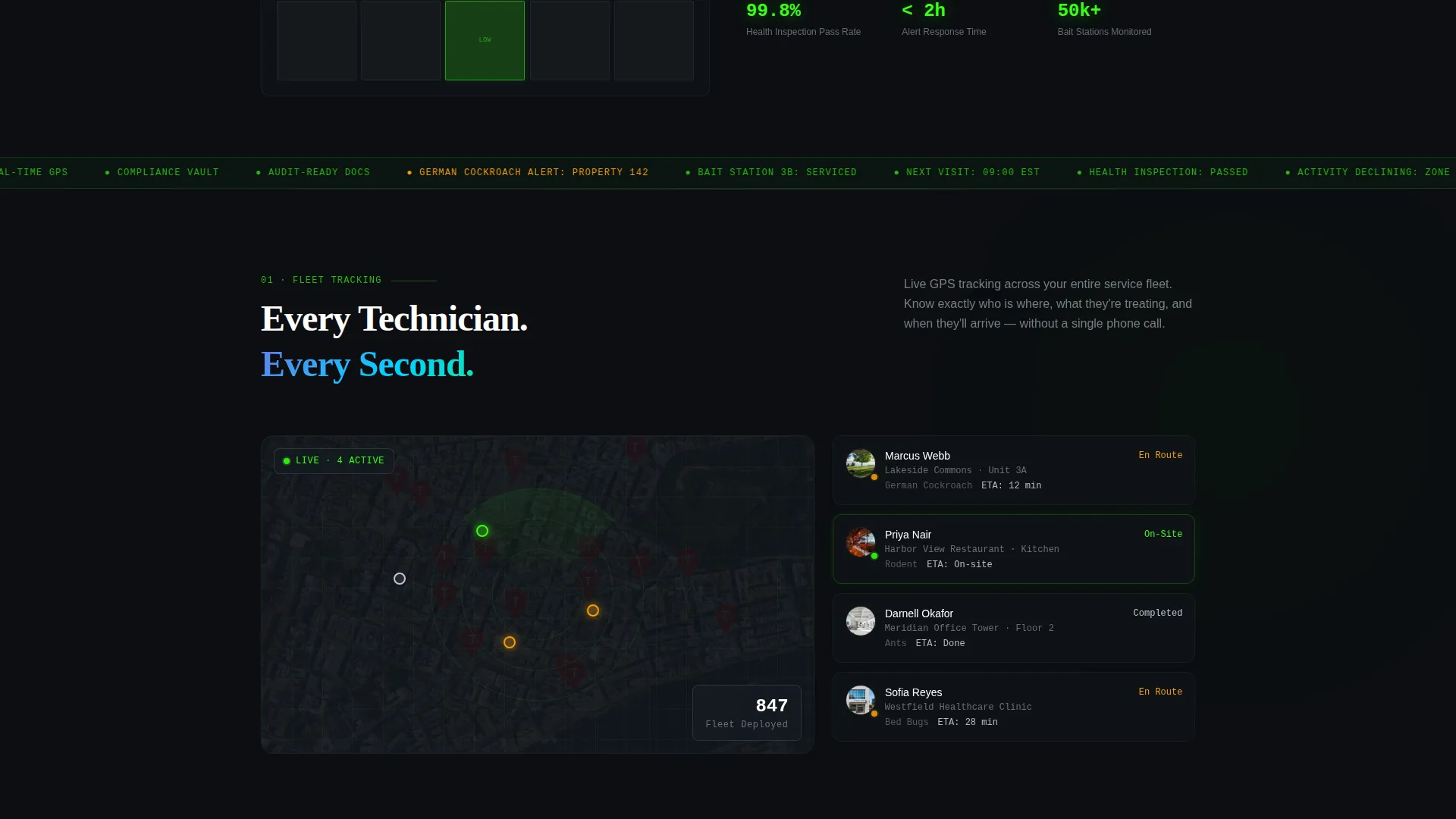
| Fleet Tracking Spoke | Displays live technician GPS positioning and estimated arrival times across a property portfolio |
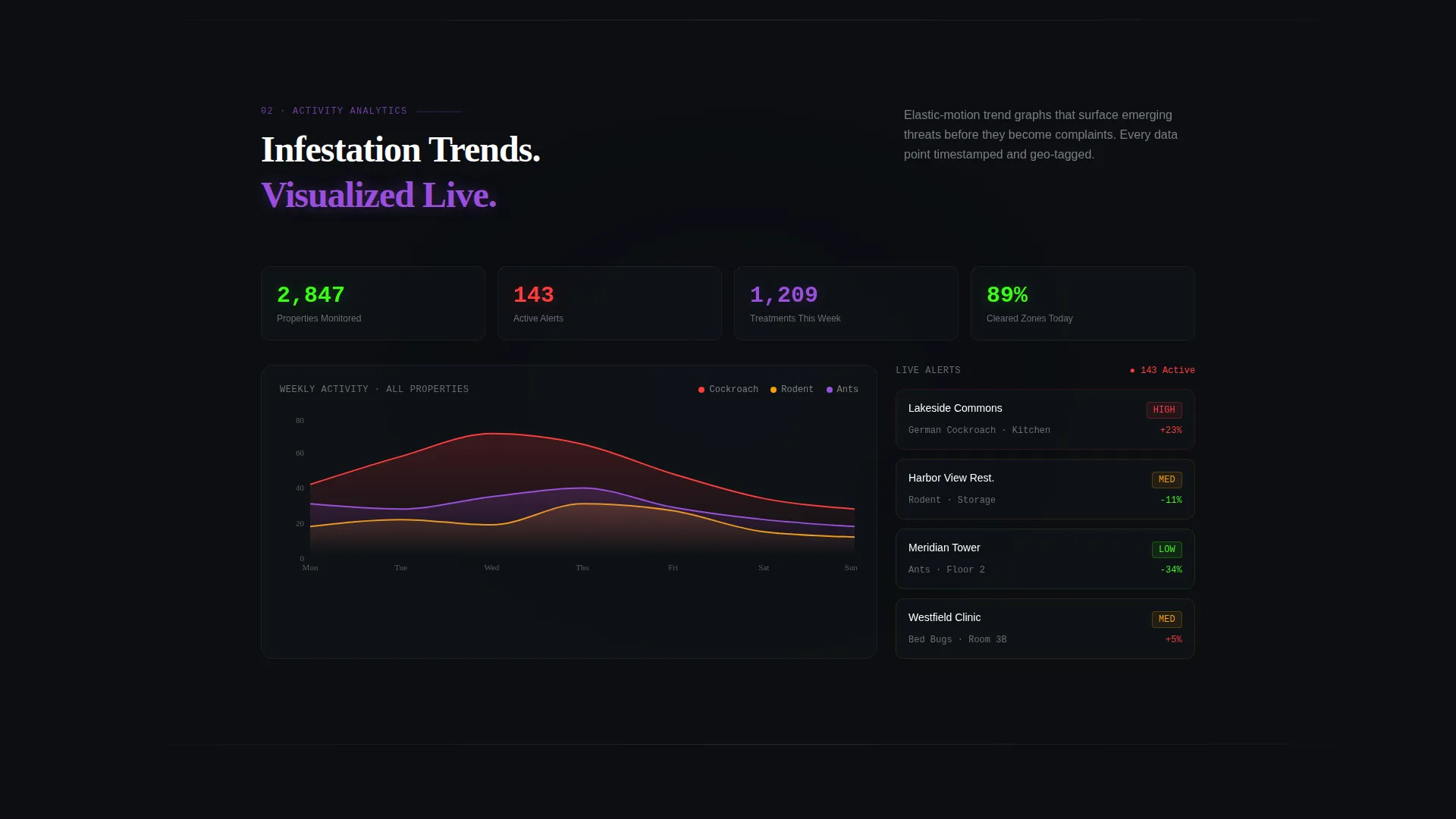
| Activity Analytics Spoke | Shows infestation trend graphs that animate into frame with elastic motion |
| Compliance Vault Spoke | Presents auto-generated reports with timestamps and chemical safety data sheets |
| Alert Configuration Spoke | Demonstrates threshold triggers with pulsing iridescent gradients |
| Lead Capture Form | Collects property count, property type, and pain point through a progressive three-step form |
| Demo Sandbox Path | Offers a gated simulated dashboard accessible with only a work email |
Design & branding system
The visual identity follows a Dynamic Motion theme built on an AI Iridescent color system. The palette feels like a night-vision scope layered over a cybersecurity dashboard, with luminous data floating against void-dark backgrounds.
- Deep scanner black (#0B0E11) as the base background, phosphorescent green (#39FF14) for active-status indicators, shifting violet (#7B2FBE) for data visualizations, and cool chrome (#C0C7D0) for interface text
- Monospace typography in the header section reinforces the terminal and technical documentation aesthetic
- A Spec Sheet creative direction shapes each spoke as a precise, single-capability deep-dive rather than a broad marketing section
Mobile & speed optimization
The landing page layout is structured to remain readable and navigable on smaller screens. The anchor navigation and spoke sections reflow cleanly for mobile visitors without losing the core interaction logic.
- The progressive form's selector, multi-select chips, and dropdown inputs are designed to be tappable and accessible on touch devices
- Kinetic motion elements are contained within section panels so they do not interfere with scroll behavior on mobile
How this template helps you convert
This template is engineered around two distinct conversion paths so that both ready-to-buy prospects and early-stage evaluators have a clear next step.
- The "Connect Your Properties" primary form qualifies leads by property scale and pain point before any sales contact, so the first conversation is already informed and relevant.
- The "See a Live Demo Portfolio" sandbox path keeps prospects engaged without requiring a phone call, letting the simulated dashboard do the convincing before a decision is made.
Other information about this template
This template is built within the Technology category, specifically targeting the pest control digital presence subcategory. It is suited for pest control businesses ready to position their client portal as a competitive differentiator.
- The Hub and Spoke anchor navigation style is particularly effective for service platforms that have multiple distinct capabilities to communicate
- The Code Snippet header concept signals technical credibility immediately, which is valuable when selling to operations managers and facility directors who are skeptical of marketing claims
- The template's Lead Generation direction is reinforced at every section, with both a primary and secondary conversion path working in parallel to capture prospects at different stages of their buying journey
Theme
Dynamic Motion
Creative direction
Spec Sheet
Color system
AI Iridescent
Style
Hub & Spoke (Anchor Nav)
Direction
Lead Generation
Page Sections
Live Terminal Code Header
Hub and Spoke Anchor Navigation
Kinetic Section Transitions
Progressive Three-step Lead Form
Gated Demo Sandbox Entry
Alert Configuration Display
Related questions
Can I customize the property types in the lead form?
Does the terminal animation require special coding to set up?
Is the demo sandbox path included in the template?
How many spoke sections does the template include?
Who is this landing page best suited for?



